Problems? See this thread at archive.org.
Here's a pic of my new secretary. Had to buy her her own Vaio. I think she's worth it though.
![[IMG]](images/storyImages/4905274616_8f8501cb43_z.jpg)
YouTube - New Sony VAIO & Intel TV Commercial with Kareena Kapoor
Kareena Kapoor changes 45 dresses for Sony Vaio new ad! ? Spogmai Weblog
-
I'm not one to say things favoring Sony, but the spikes are very likely caused by the drivers on the machine....
:O yes I said that. XD -
Apparently even a TI in-slot card wouldn't work any better than the built-in Ricoh because the hardware with the latency problems is still in-circuit for the Xpresscard slot. I'd be more helpful but all my links about this matter are on some other hard drive on another computer somewhere. (I have 5 PCs and one Mac.)
-
I'm afraid we opened a can of worm with that Audio & Video Streaming Latency thing.

First, I would suggest to create a restore point before attempting any tweaks. Even better as restore points can be lost: create a full system image on an external drive.
Then one should read carefully the tweak tips on DPC Latency Checker's page, including the drivers that you should NOT disable. "The value labeled Absolute Maximum represents the maximum latency measured since the tool was started" - So one can let it run for a while & just look at that value.
As I said, I'm a noob when it comes to audio but a quick search & some readings show that it's a vast subject perhaps not suited for this thread. A laptop tweaked & optimized for general usage is different than one optimized for DAW ( Digital Audio Workstation) and several things can be done to Windows 7 itself before looking at the hardware according to some of these comments:
My comments: 3- He means this setting to priority Background Services which I won't do but you could for latency benchmarking purposes:
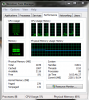
![[IMG]](images/storyImages/Performance_Options.jpg)
4- I prefer using the free Microsoft's Autoruns > Logon tab or msconfig, safer IMO.
One user said that disabling the webcam did the trick. In my case, I don't have any Media software scanning my drives, anti virus set to silent mode, no cr@p software set to auto-update or calling constantly to the mother ship, Vaio_Update set to manual, no external speakers nor headphones connected, mic muted & one may pause Windows 7 Indexing if it's running: Start > search: indexing & check the options.
The article from which the users comments above were found: The Most Out of Windows 7: Choosing and Optimizing Windows for Music.
Interesting read: What is Latency? How to defeat it: "...Latency is really more than one problem. It can have several sources, and as you examine them, you realize there are different types of latency with different causes."
-
FWIW, I tried following Joe's guide when I first got my F and many of the downloads from eSupport would not install correctly, including the "Original - Sony Notebook Utilities" package which includes the VAIO Event Service along with 4 other things. I ended up using eSupport only to get VAIO Care installed, and then used VAIO Care to restore the other things I needed from the recovery partition. Then everything worked.
There's really no way that everybody is going to be able to follow a single set of step-by-step instructions because Sony is constantly changing the OEM software baseline which also varies by model & region. The "essence" of Joe's guide is that if you interrupt the recovery process right after the reboot, you'll have a complete working Windows 7 install including all the necessary drivers. After that, it's up to you to install the stuff you need/want from either the recovery partition, recovery disks, or eSupport and that process is generally going to vary from individual to individual. -
They are caused by low level system drivers yes. However, you do not get these sorts of problems with Texas Instruments firewire chipsets/controllers which I guess is why everyone and their dog is running music production rigs on Macbook Pros. I didn't get it until I started shopping around for a replacement computer and realised that very few companies put TI chipsets in their laptops these days.
I'd like to stress that this problem is literally non existent on TI chipsets. My current PC is old and obsolete but I never get DPC latency spikes at all and this is whilst mixing through a soundcard that for the longest time had badly written drivers. I never even needed to run DPC latency checker and only did so recently to see what all the fuss was about over on the TC Electronic forums where some folks have a real nightmare time with their firewire chipset/controller. -
All DAW hardware fundamentals date from the 80s and 90s, and the basic kernels of audio programs were written around the hardware. Since Audio Workstation hardware is long-established it is considered "Legacy." That's not a bad thing, this stuff all works well. But new interface chips, designed for more recent functions, may "break" some older requirements, this is common with video hardware and overlay functions for instance. In the case of the Ricoh chip it works well with video and other recent functions postdating the era of audio workstations, but it has broken the TI standard for DAWs. This is not really Sony's fault, virtually all computers have moved away from the TI chips, EXCEPT those systems purposed for audio.
(edit) oh and this is not a Win7 issue, win7 works very well with ASIO - better than Vista, though XP SP1 and W2K SP4 are still the Gold Standards as the best Microsoft OSs for audio. (Not even XP SP2, it broke some things) (I'm reading that Win7 64 exceeds even XP for audio...) My Shuttle audio editor (E8400, 4 gigs, ATI HD2400 card, M-audio 192) still uses XP SP3. And until the MB failed a few weeks ago the PIII Tualatin still had its original install of W2K, a great system for audio. It was used to master commercial CDs as recently as 2008.
I've given up trying to set up the F11 for audio, it's just not going to happen. But it does well for HD video editing and other Power programs.. -
How can you get any work done with a secretary like that around?
-
That's correct.
This said, the updated guide should work as I checked esupport's instructions about what to install & in which order for both F11_and_F12 two days ago. I did not go in the updates because they vary & change constantly but stated to start with the Original_Vaio software versions (OEM) and start updating from there. The main key is to follow the order & reboot frequently. If one creates manually several restore points then one may go back & try something else. One may also create a system image on DVD's or external drive immediately after the first boot to easily go back to the clean install state. -
Latency is not the same as DPC latency. They are very different concepts.
When you stream audio it is buffered between memory and your ad/da converter (soundcard) via a process called direct memory access (DMA) although there is a proprietary method of doing so that is frankly better and used mostly by music makers called ASIO. So what happens is that incoming/outgoing audio to and from memory is fed at a constant rate in small blocks to and from the converter. Most soundcards let you set the block or buffer size and a new block waiting to be buffered is triggered by a regular sequence of interrupts.
If you set the buffer size very small (i.e. 64 samples) then it becomes very easy to get buffer underruns for various reasons. One of them is that a low level system driver might take priority over your soundcard driver and wont finish what its doing before the system triggers another interrupt and buffers the next block before the last one is finished resulting in an audio drop out.
If you set the buffer size so that its very big (i.e. 4096 samples) then this type of thing happens less frequently but the downside is that you get a sort of 'lagging' effect. This lagging effect is dependant on the ASIO/DMA buffer size and also on the sampling rate of the converter.
For instance, I'm running a 512 sample ASIO buffer at the moment and I don't really get dropouts unless I'm running tonnes of plugins and I'm maxing out cpu load whilst trying to stream the audio and do the signal processing in realtime. At 48khz I get 10ms latency. So pretty much everything I do that makes a sound is delayed by 10ms.
Now, if I increase the sampling rate of the converter to 96khz, I get 5ms latency because the converter is sampling twice as fast and is dispensing with 'blocks' twice as quickly (it is also writing twice as many samples so 96khz wavs take up double the amount of space on your HDD and in RAM).
If I go back to 48khz and increase the ASIO buffer to 4096 samples I get about 48ms latency which makes my keyboard awkward to play because every time I hit a key, theres a short but noticeable delay of 48ms before you hear any sound. This screws up your timing pretty badly but generally, anything under 15ms is absolutely fine. I can halve this latency by doubling the sampling rate which presents a new problem. The massive amount of RAM usage and yep, if you have to use your Windows pagefile after running out of memory, you will also get dropouts.
Again, I don't see DPC latency as an issue with MBPs but holy moley are those things so expensive. I really couldn't afford an MPB that has specs even close to what you can CTO an F series for.
-
Hayte,
This may be completely off-topic and not even remotely related, but...
Could engaging all cores and threads at all times possibly help you? By default, Core i7 chips are set to enter EIST and C1E mode to save energy. This means that during inactivity or low activity cores and threads will be shut down. I am sure that there is a latency for them to return as my benchmarks have been MUCH higher with them turned off. It may be worth a try. Also, did you see my post about the wireless card. I had no problems with it shut off. If you can use wired ethernet, it may help you.
By the way...as I said, EIST and C1E power states are built in to the Core i7 chip. They can be disabled, but they will be re-enabled every time you turn the computer off and restart it. I have a desktop icon for a small utility called i7 Turbo. Every time I fire up the F11, I go into this utility and uncheck these two settings. My power usage goes up, but I don't care as I am nearly always plugged in. Also, I rarely shut down, so I really don't have to open the program too often.
i7Turbo is a sub-program of RealTemp. You can download it here:
Real Temp - CPU temperature monitoring -
-
I dunno what to say. The chipset driver and all other drivers were all already installed as shown in the Device Manager expanded & screen captured immediately after the OEM clean install:
![[IMG]](images/storyImages/04-Device_Manager_01.jpg)
"there was no 'keep value added content' option earlier on" - That's because you did not choose the Restore Complete System (called Vaio Care Rescue > Tools in the F12) as illustrated by the various screen captures.
You are installing so much stuff that maybe you would be better off by restoring to factory state or using the system image you created before starting the process & simply uninstall the few things that you don't want.
-
Sony - VAIO Laptop / Intel® Core i7 Processor / 16.4" Display / 6GB Memory / 640GB Hard Drive - Black - VPCF126FM/B
I'm looking at that F12 currently. Is there anyplace where I can get the same specs for cheaper? Also at the Stony Style store they said there was an option for the 1080P screen. Anywhere where I can see that? -
They don't mention EIST or C1E specifically, and this is for Windows Server 2008. Are these the same functions as EIST and C1E, except for servers? Can I change these settings and turn off EIST and C1E permanently in Windows 7 Pro?
Thanks! -
Interrupt-Affinity Policy Tool. Still reading, but this looks interesting.
Interrupt-Affinity Policy Tool
Thank you for the link Melody
![[IMG]](images/storyImages/4905644942_c31a438a05.jpg)
IntPolicy improves performance and scaling of computers that contain multiple processors with partitioning and setting the affinity for tasks to particular processors. When properly configured, the technique of partitioning permits caches on the processors to be used more effectively, thereby improving performance and scalability. If you can isolate what is causing the spikes in latency, go into Device Manager and find which devices have interrupt resources. then use this app to prioritize the CPU resources. I HAVE NOT used this at all. Posting only as a possible starting point. -
Figured this out and posting the solution here for anyone that runs across the same problem. There is apparently a problem with IPV6 and some wireless networks. Disabling IPV6 in the wireless adapter properties eliminates the issue.
-
Do you have IPV6 where you live??? Also, is your network adaptor new enough to have IPV6? If yes to both questions, then perhaps simply setting your wireless router up for IPV6 may be the answer?
-
Joe
I did Restore Complete System . And I terminated it with Task Manager right when Installing Restart driver came up.
My first boot time was 43 seconds, not 48 seconds as your was. Now my average month boot time is 1 minute. I still have a more 3rd party stuff to install so that could go up. If it goes over 1 min 40s then I probably will restore to my old system image.
What exactly have I installed that I shouldnt / needn't have ? I can't tell from the Device manager list that you posted which devices have drivers installed. What should I ininstall ?
Did you have Google Chrome installed with your clean install ? I certainly don't. If you did please explain that to me ?
In the meantime I have had a suggestion of how to get my ASSIST key working so I will try that.
EDIT:
reinstalling Event service and Vaio Care,then restarting did not get my ASSIST button to work :-( -
Well if you chose on your_F11 Restore Complete System (called Vaio Care Rescue > Tools in the F12) which means full drive format & re-creating or not the recovery partition then the next screen is:
![[IMG]](images/storyImages/Value_Added.jpg)
"If it goes over 1 min 40s then I probably will restore to my old system image" - Boot time is not the Alpha & Omega of system benchmarking. You can easily make it longer by adding third-party stuff and you can easily make it faster by tweaking startup with msconfig, Autoruns, etc. For example:
Not all programs need to start when booting (like Acrobat or Quicktime Task in my example above), not all need to call home all the time to see if there is an update, WinDVD does not need to download advertising every time you start it etc, etc. Most programs always want to be in startup, have an icon on the task bar and want to call home. It's very annoying to have to fight that all the time to keep one's system clean & lean.
"My first boot time was 43 seconds, not 48 seconds as your was." That small difference is trivial, may depend on HDD, memory, the utility itself used to measure boot time, etc. It's in the ball park.
"What exactly have I installed that I shouldnt / needn't have ?" - I already replied to that above.
"I can't tell from the Device manager list that you posted which devices have drivers installed" - When some drivers are missing, then you get some yellow warning triangles signaling problems with devices like this cropped screen capture from the Sony_esupport clean install guide for a generic Win 7 OS linked in beginning of the OEM clean install guide:
![[IMG]](images/storyImages/Clean_Install_Device_Manager_Errors.jpg)
Don't uninstall any drivers or patches that you installed on top of what was already installed on first boot so not to mess up things.
"Did you have Google Chrome installed with your clean install ?" - No. As I wrote in the article, I don't use that browser, it installs too many background things as Autoruns showed me. I don't like Big Brother taking over all aspects of my digital life.
"In the meantime I have had a suggestion of how to get my ASSIST key working so I will try that" - As I asked in previous post, is Vaio_Control Center installed on your computer (Start > search)? Try uninstalling VAIO_Event Service, reboot, reinstall & reboot again.
***** -
Server 2008 IS Win7, it's for Win7 also as stated on page 13. This information is specifically linked from any audio discussion in terms of reducing latency and avoiding timeouts while the processor changes state. This is unique to Win7's control of power handling, a fact which audio editors consider makes Win7 better than ANY previous version of Windows when dealing with streaming and ASIO. EIST etc. is just the CAPABILITY in the CPU, not the utilization of such, and only one way by which Win7 handles power management. Don't overlook Turbo, memory timing, core affinity, and other ways by which Win7 manages system power consumption - all methods introduced after Vista...
Read the link provided by Joe Bleau (Thanks Joe!) Create Digital Music The Most Out of Windows 7: Choosing and Optimizing Windows for Music -
I do not find Google Chrome intrusive except for an annoying Chrome update GoogleUpdate.exe which one can disable by:
How to Remove Annoying GoogleUpdate.exe Background Process After Installing Google Chrome? - Tweaking with Vishal
If anyone is interested. -
Sorry I had missed that. Yes to VCC. I have tried this now. ASSIST key still does not work unfortunately.
Re option to keep or not keep value added software, maybe thats a feature for the US market. I did the clean install using the recovery partition not the discs, and so preserved the partition.
I think I will backup where I am now , as I am of half a mind to try the clean install process again.
EDIT I just tried plugging in my PoESATA express card in and it said driver did not install successfully. This does not bode well and perhaps it would be best to try clean install again, failing that, return to my original backup pre-clean install. The normal PoEsata works OK it seems. -
Download the free, small & standalone Autoruns ( and the awesome Process Explorer while you are there). Select the Everything tab & use the binoculars to search for Google. Also look in the Logon & Scheduled Tasks tabs. Note that in File > Save you can take a snapshot of your startup configuration, make some tweaks, restart then open again Autoruns and > File > Compare & it will highlight in green every differences between the two configurations. You can go back anytime to any saved previous configuration or simply select of deselect any programs in the Logon tab. Much better than msconfig IMO. It's a great tool when installing/uninstalling programs & other stuff.
I don't like that by default, Google Chrome is reporting home all my surfing habits & searches. Firefox does not sell anything including my surfing habits for data mining by corporations.
See Google Chrome Privacy Notice.
![[IMG]](images/storyImages/Autoruns_Google.jpg)
-
The USA Sony Style website now says the back to school sale on VAIOs will end in 3 days. Ugh I wanted to wait a bit more to possibly hear something about the F13 but I don't want to pass up the savings if I probably won't hear anything solid now. It looks like it's finally time to take the plunge...
-
Agreed! The update software is the least of our worries. Google chrome does leave more stuff behind that stay behind even after uninstalling. Like you said, autoruns will show what's really going on. I, too, hate having big brother looking over my digital life.
-
Yes, I do use autoruns and process explorer often and agree with you they are great tools.
For my business I advertise on Google adwords, use their browser ( actually I use FF 90% of the time), have a Google Voice phone number, Gmail, Google Docs, Picasa, use Google password to get to Youtube- it does get unnerving one company has so much personal info. There is something called Google Dashboard and it shows so much info on me. Especially with the recent decision to sell us out, with their agreement with Verizon, Google has lost a lot of goodwill. In the US democracy is participatory! Call your congressman and demand net neutrality! I digressed. Maybe Microsoft are the good guys now and we should start using Bing?
-
I agree with all you & anseio said maybe except for the Bing thing.
You forgot to add Streetview, maps, etc. Also the new image search is taking over everybody's image work from their website & now users can view & copy only your image w/o ever visiting your site.
And how about Google Sidewiki if you are a website owner? Check: Dealing With Google's Sidewiki Land Grab: "...Google has now set up real estate on every single Web site, for commentary from the masses". See
Google Sidewiki promo & user comments on Youtube.
See
Google Sidewiki promo & user comments on Youtube.
-
Totally off topic. I just don't get how people in the here in the US can be so obsessed with government gaining too much power while they passively allow large corporations to amass untold amounts of personal data about us and what we do.
-
Jef, check your esupport page if you still have that USB problem as there is a recent Realtek High Definition Audio Driver Update (04-Aug-2010): "...to resolve the following issues: A high frequency noise may occur when connecting and disconnecting a USB flash drive...". For example here.
I don't have that sound problem or I'm too old to hear the high pitch sound.
Thanks for the feedback.
-
This has nothing to do with my router. This problem has occurred when attempting to use my laptop to access various public networks.
-
OK, I re-read pages 13-16 and it does say for W7 also. However, my settings are at max performance and EIST and C1E still come into play as they are part of the processor's instruction set, not Windows 7. Again, these setting changes may help?
Also, I have used powercfg a few times, but I can never pull up the report after running powercfg /energy. I have not yet figured out how to get the detailed report after the 60 second test shows possible problems. -
From my old post Vaio_F Battery Drainage & Power Efficiency Diagnostics Report (powercfg -energy):
Note: when going to the report's path, I could not open the html doc with neither Firefox, Internet Explorer nor Google Chrome. Copied the report to My Documents & it then opened fine. Start > search: energy-report.html > right click > Open File Location > copy to your folder, Open the copy in your browser.
![[IMG]](images/storyImages/powercfg-06_Balanced_Default_Realtek_Sony.jpg)
-
Joe
Please answer this.
After your clean install , was google chrome not on your f11 ? Or did you have to manually uninstall it yourself ?
I get that you don't like google chrome. Anseio suggested that it remained on his f11. If this is the case , then there is a difference between us because google chrome is not on my f11 after the clean install and I didn't have to manually remove it either. -
"After your clean install , was google chrome on your f11 ?" - No.
-
Thanks. This is all i could get though. Sorry, I have no idea how to get the other info, the fan speed, temperature etc. Once i check all of the options you listed, then what do i do?
Attached Files:
-
-
I've the newest driver (6.0.1.6167) installed. I got it from realtek itself and not from the esupport-site.
Because of you mentioning that it's a fix, I listened again very closely (I was trying to ignore it) and the sound is gone!
My local esupportsite didn't mentioned this was a fix for the high pitched sound. It said it was only a fix for "No sound at the start of the audio playback when headphones are connected to the computer".
Thank you for "forcing" me to listen again. -
Correction: I did not suggest that Google Chrome remained after a clean installed. I stated that it left behind stuff after I had uninstalled it the first time. That is what led me to do a clean install.
Have you got your ASSIST key working yet? Does your S1 key work? Do your Fn keys work? Fn+2 = Mute, Fn+3 = vol down...
If all of the buttons work EXCEPT for the ASSIST button, then VAIO Event Service is working fine and you most likely have the wrong version of VAIO Care installed. I had installed VAIO Care for the F12 onto my F11, cuz it's got more features and a different layout. It would not attach to my ASSIST key. If this is the case, you must install VAIO Care from your recovery discs (which I do not know how to do), or you must download it directly from the Sony eSupport site for your model specifically.
Of all the times I've done this, due to various different messes I've caused while playing around and damaging PoeSATA cables and what not, I've NEVER had a problem with doing a mass install of all the things I want from VAIO Care at the same time and having them all work as intended. -
Stand corrected. yes the S1 and fn buttons work OK, just not ASSIST.
When I went to esupport it IS showing that the support page is for my precise model of F11, only then did I download vaiocare and other stuff. I thought you have to get vaiocare from esupport as only then can you get the rest of the stuff off of the recovery partition. Are you sure its possible to get vaiocare directly off the recovery partition somehow ?
(BTW, when I plug in my expresscard adapter for another PoEsata port, it said the driver did not install properly. I am concerned there is a deep flaw in my clean install. It hasn't popped up again when I reinsert it, so i couldn't try to get it fixed)
I think I might redo the clean install but this time only get vaiocare from esupport and everything else needed off the recovery partition using vaiocare. Do you think this is a feasible and worthwhile endeavour ? I basically am doing this to try to get my ASSIST key to work and hopefully my expresscard adapter.
Joe is doubtful that I did a restore complete system, but that is what I killed off with task manager to get 1st boot up time of 43 seconds. I am convinced i saw no option to 'keep or not keep value added content' but i will see when i retry the clean install. -
Why don't you give this version of VAIO Care a try. It's version 5 for my F11, whereas yours is version 6. It's worth a try, eh?
Also, is the "X" in your model number correct? Shouldn't it be "C"? -
Yes i think you're right. The number with the C is the model I had entered on esupport, my bad in my signature, now corrected. Will try that link you posted .
-
You should still give it a try. It can't hurt. Uninstall the the current version, reboot, and install this version 5, and see what happens. If it works, it should immediately begin functioning with the button. Worst case, you could also remove VAIO Event Service and install it after VAIO Care, but that's not really necessary.
Going to bed now. Will check back on your progress in 6+ hrs.
-
I figured this out shortly after I wrote the post. Of all the "errors" that were found, most were not what I would call errors. They were settings that I personally changed for the highest performance, and I do not plan on changing back. The only ones that I can not figure out are these...which are all related:
-
OK, I 'll be trying it tonight after my little nearly 2 yr old finally goes to bed. Thanks for your continued input and to Joe too.
-
I'm certain now that the UK spec f11 does not get the not keep value-added content option, or any UK Vaio for that matter.
Jackthelad had a UK Vaio, not sure which. He attempted a semi clean install and never encountered the value added content screen either. So there we have it I think.
http://forum.notebookreview.com/1962317-post51.html -
I don't know of any way to install it from the recovery partition. However, you can install VAIO Care off the recovery DVDs if you download the Sony extractor tool and browse the DVD contents for the correct .mod file. Of course, you shouldn't need to do that unless Sony put the wrong version on eSupport (doubtful).
-
I would not do the whole process again just for the ASSIST key but if you have the time to do it, it's educational.
anseio's suggestion is pretty good but I would add: reboot after uninstalling your Vaio_Care:Or if you insert recovery disc #1 after uninstalling Vaio_Care & rebooting, it should automatically ask you if you want to install your OEM Vaio_Care.
"...Joe is doubtful that I did a restore complete system, but that is what I killed off with task manager to get 1st boot up time of 43 seconds. I am convinced i saw no option to 'keep or not keep value added content'" - Never mind about that, it's not important as you want the full OEM recovery partition, right? I think you chose "restore drive C" only or did the process via the recovery partition instead of using the recovery discs but again, forgetaboutit.
"I'm certain now that the UK spec f11_does not get the not keep value-added content option, or any UK Vaio for that matter" - Maybe when restoring from the partition but that's not true for a full system restore using the recovery discs and selecting Restore Complete System (called Vaio_Care Rescue > Tools for the_F12) as that gives you the option of keeping or not the partition, keeping the value added content + the full Win 7 OS in that partition or not and also the option of creating a D partition or not as the numerous screen captures in the guide illustrates.
"BTW, when I plug in my expresscard adapter for another PoEsata port, it said the driver did not install properly" - See Expresscard driver provided by the card manufacturer, this has nothing to do with the OEM clean install. Fix this AFTER the system & all buttons are working properly.
*****
Sorry dmk2 but no, you don't have to extract Vaio_Care as explained above! -
For aggressive cleaning of an app I use Revo Uninstaller. It has four different options, each more thorough than the next, but as most know, too aggressive a registry clean with strip out exe or dll files which may be needed for other apps.
-
These are normal for the F, see the report I posted a while ago that was linked in the powercfg post: Power Efficiency Diagnostics Report.
-
Not with my discs. That's why I downloaded it from eSupport.
Official Sony VAIO F Series i5/i7 owners thread *Part 3*
Discussion in 'VAIO / Sony Owners' Lounge Forum' started by eagle17, Jan 7, 2010.