Problems? See this thread at archive.org.
It's a button on the upper right above the num pad next to the Vaio button. By default it launches the Vaio Control Center but can be changed to a number of other options, one of which is mute. This can be done in the Vaio Control Center. The VCC can still be run under programs in the Start Menu if you remap the S1 key.
Edit: I see anseio answered. I should learn to type faster.
-
LOL. Speedy fingers.
-
Really :yes: Thankyou, thankyou so much. iam so happy after hearing this. i just needed a button which will act as mute. doesn't matter if it is dedicated or not. anseio, jpride, i can't thankyou enough. you both have solved one very big problem that i was having. Thank you. Thank you very much

-
In my EU F11, I have the Intel Centrino Advanced-N 6200 that operates in both the 2.4 GHz and 5.0 GHz
You can use any number of utilities to re-map the keys. I put the volume down/up onto the multi-media previous/next track buttons. -
I just got my F1390 via FedEx yesterday. Holy crap is this thing amazing. Very fast. I don't have the fastest internet speed but second to, and it is amazing. Switching applications, multi-tasking is done so quick. Backlit keyboard appears to be a sensor that turns it on by itself but doesn't stay on, but im sure this is an issue the forum has addressed already.
Absolutely love this machine.
NVIDIA® GeForce® GT 425M GPU (1GB VRAM)
500 GB SATA Hard Disk Drive [7200 rpm]
Adobe Creative Bundle
No Fresh Start
16.4" VAIO Display (1600x900)
Intel® Core Quad i7-740QM processor (1.73GHz)
SuperMulti
Microsoft Windows® 7 Professional
8GB (4GBx2) DDR3-SDRAM-1333 -
Oh forgot to add.... Played Call of Duty 4 with no problems.
OK. Im a newbie. I just found where I can turn the backlit keyboard on at all times when the surroundings are dark. I'll shut up now. LOL -
I believe I have seen in in the Sony Control Panel when you press the S1 button. You have the option to have it stay on for a number of durations or permanently.
-
Got my Canadian F13 on the weekend. Unfortunately, the premium HD screen is semi-glossy here too. After changing the color profile according to guide found in the forum, the color is much richer and no longer look washed out. The screen still needs to be tilted almost all the way back to look normal during desktop application use and forward a little to look not too dark during movies. Found one blue stuck pixel which is not noticeable. Compared to my 5 year old IBM T41p with 1600x1200 matte screen, the black is not as deep but the contrast and color is more vibrant with worse viewing angle.
Overall, I am happy with the laptop. Have not noticed any high pitched sound yet. The laptop is fairly quite during normal use and the fan occasionally speed up which can be heard.
Ripped out the advertisement stickers on the left and right of the mouse pad because I kept mistaking the one on the right side for the pad when not looking.
Followed the guide to do clean install and found that after the second reboot the application install screen is different from the guide for F12. It came up with installing Vaio Messenger first instead of the the audio driver. I aborted the install process with CTL-ALT-DEL and the laptop booted into a clean activated Windows install with only Vaio Messenger installed. Good enough. Had to download the drivers and the recommended Vaio application from Sony website and install them manually. After all is done, the boot up time shortened to 1 min from 1 min 45s from the factory state. -
As I'm still into the whole laptop thing after my happy FW buy, I visited a local media store today which exhibits an F12Z1 (740 QM/Premium screen), I asked them to unlock Windows and opened some video webpages to get it to some CPU load - though I couldn't hear the fan sound very good in the overall shop noise, I could spot the described whistling noise.
Yet the premium black laptop looked very neat amongst all the other glossy entertainment Sony E's & other notebooks. -
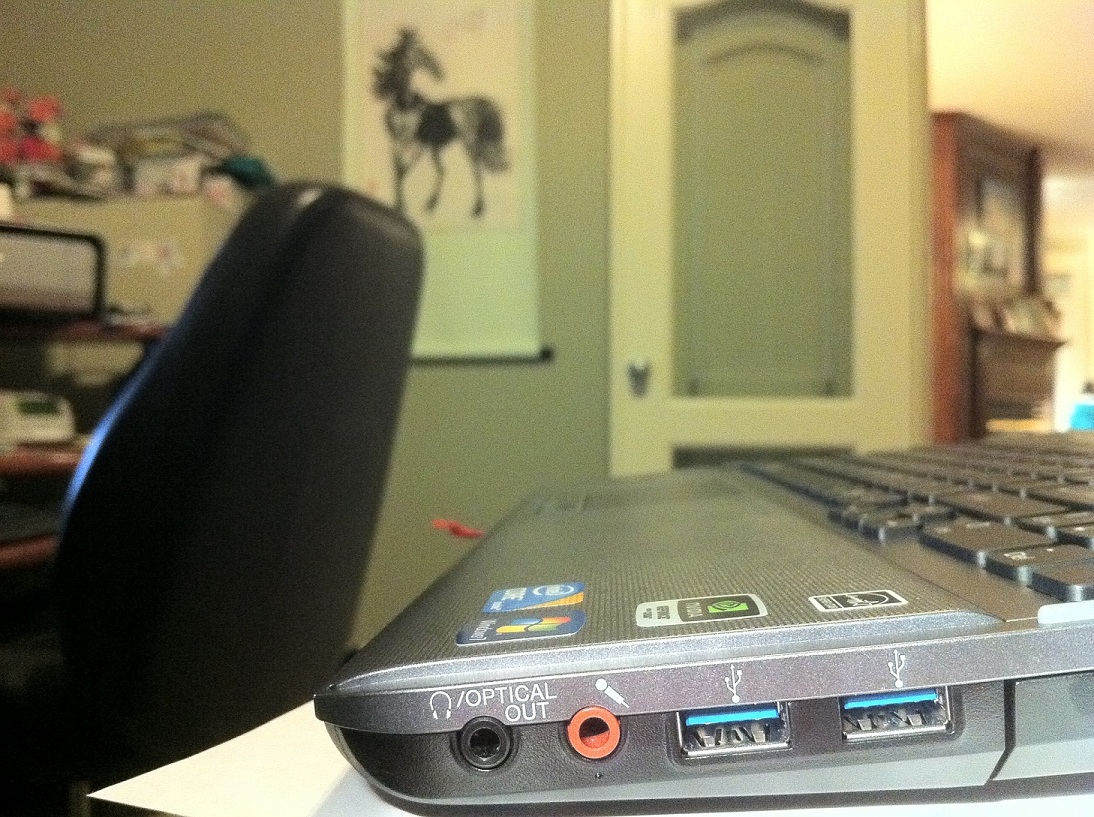
Hi, what about USB in the canadian model? USB 3.0 or USB 2.0? Please check right side of the laptop. Can you take a pic of USB ports?
-
I am sure it is USB3 because the two ports on the right side are blue. Also, the USB3 driver is installed in device manager. I will try to take a picture when I get home later tonight.
-
Ahhhhh, yet another reason I want an EU F.
-
Thanks for help!
-
This viewing angle, having to tilt it all the way back to see the screen, is getting to me. It's hard for me to look at the screen at that angle for more than a few minutes. Are all Vaios designed this way? I've never had one before. It's a very bad design. Obviously, it doesn't bother everyone as much or no one would buy them, but I am wondering if I will have to send mine back. I'm really trying to get used to it.
-
Are you use Native_5900K_2.2_109cd-m2.rar profile?
-
I downloaded pretty much all of the ones on the guide and tried them out. That one looks good. But I ended up using the Grandalf one which has a slightly darker tone that that one. Try and see which one is visually more pleasing.
-
Same here. It takes some getting use to especially when you need to use the webcam. I am sticking with this laptop though since overall it is still good and I went through a long painful process getting this order from Sony.
-
jpride, for the eu matte screen the viewing angles are great and great picture, have you got the american version.
-
So I'm messing around with trying to calibrate my screen to make it viewable enough for me to keep. I'm going to try all the profiles but first I'm trying to calibrate it myself so that I can compare that to the pre-made profiles. Does anyone have an opinion on when you'd want to use ICC vs sRGB? I'm not doing any professional work where I need exact color representation - I'm just trying to make my screen look better to my own eyes.
-
Can i ask if everyone has viewing angle problems with the f series, does this happen only for glossy screens.
-
By far the biggest deficiency of the whole laptop in my opinion. You just have to view it straight on and it's not suitable for group viewing. The positive it that strangers cannot lurk at your screen. Buried deep into the threads there is a good monitor tester and has like 25 different testing screens. Vertical viewing angles is one of them and you can get a good idea at what angle you start experiencing degradation. Also you can check for dead pixels, sharpness, color, light bleed and gamma.
-
So this might be a stupid question but besides the Hard Drive and the RAM what else can I upgrade seperately on my own? Or is everything soddered into the MoBo...
-
anyone whos got a EU f series, can you confirm if you have any lightbleed, or problems wih the viewing angles, obviously when i have screen straight its perfect, when im moving the laptop to different sides its still fine, obviously when i push the screen back you cant really see anything, but thats natural isnt it.
-
Thanks for the tip. Took me awhile to find it but I think you're referring to the EIZO utility. Posting a link to that post so that others can find it easier:
EIZO -
Viewing angle was miserable on my EU premium (matte) screen. Actually when I moved to correct one bad angle, another bad angle showed up, because the wide screen. Everything stays readable, but the colors invert. I haven't noticed that problem on my new glossy double lamp screen (which has more lightbleeding, on the other hand), so it's definitely not a vaio "trademark" or anything like this.
-
mu US version 1920x1080 glossy is good side to side, but same problem up-down. Neds to be tilted back quite a bit, and still has limited position for best look. Not huge deal.
worse thing is that it is not very smooth flat glossy surface. It is sort of wavy surface which makes it look weird when its off or a lot of dark picture. -
so the matte screen has got viewing problems then, what do you guys mean exactly by viewing angles being bad. Will anyone of you return the laptop then.
-
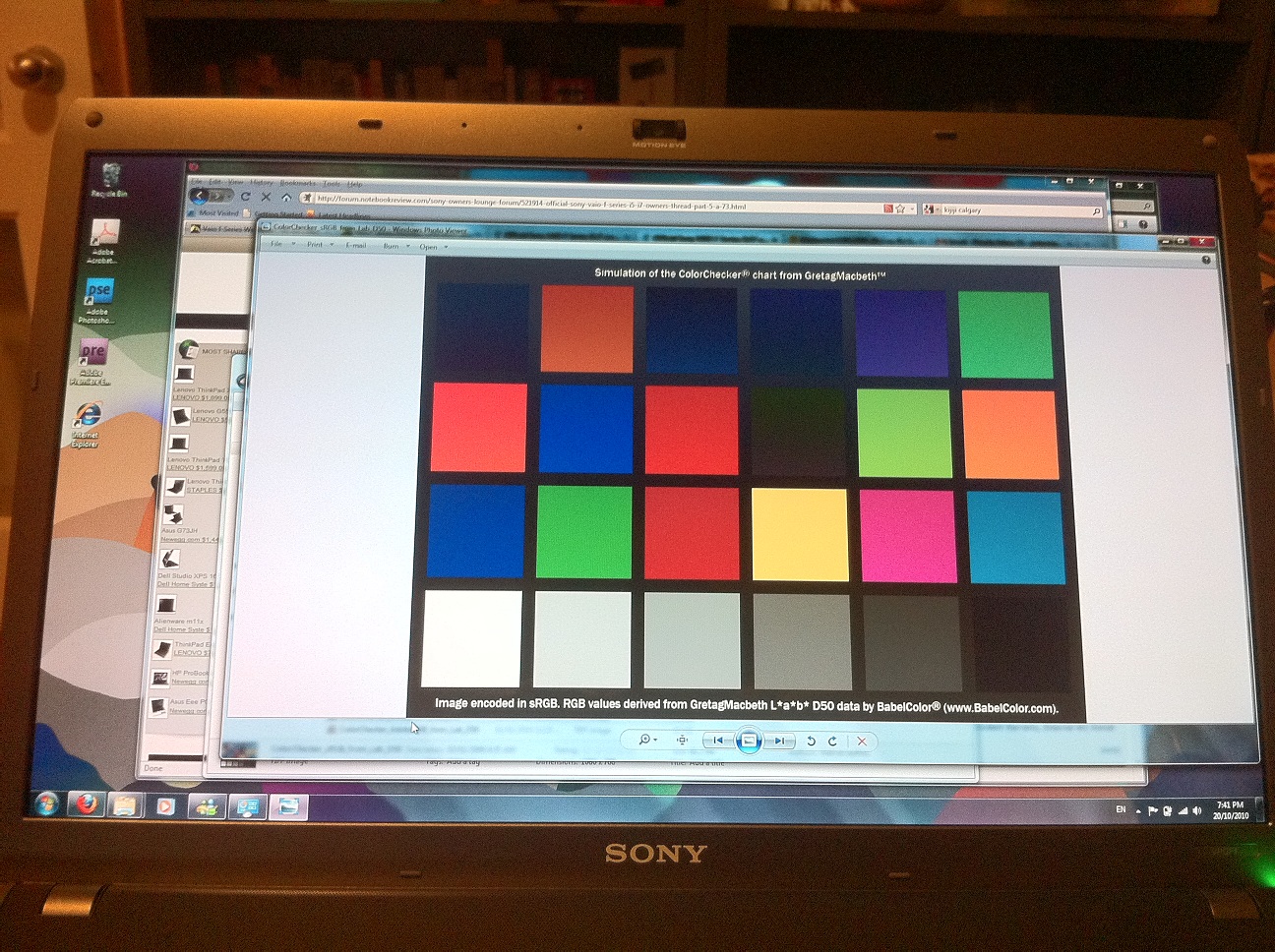
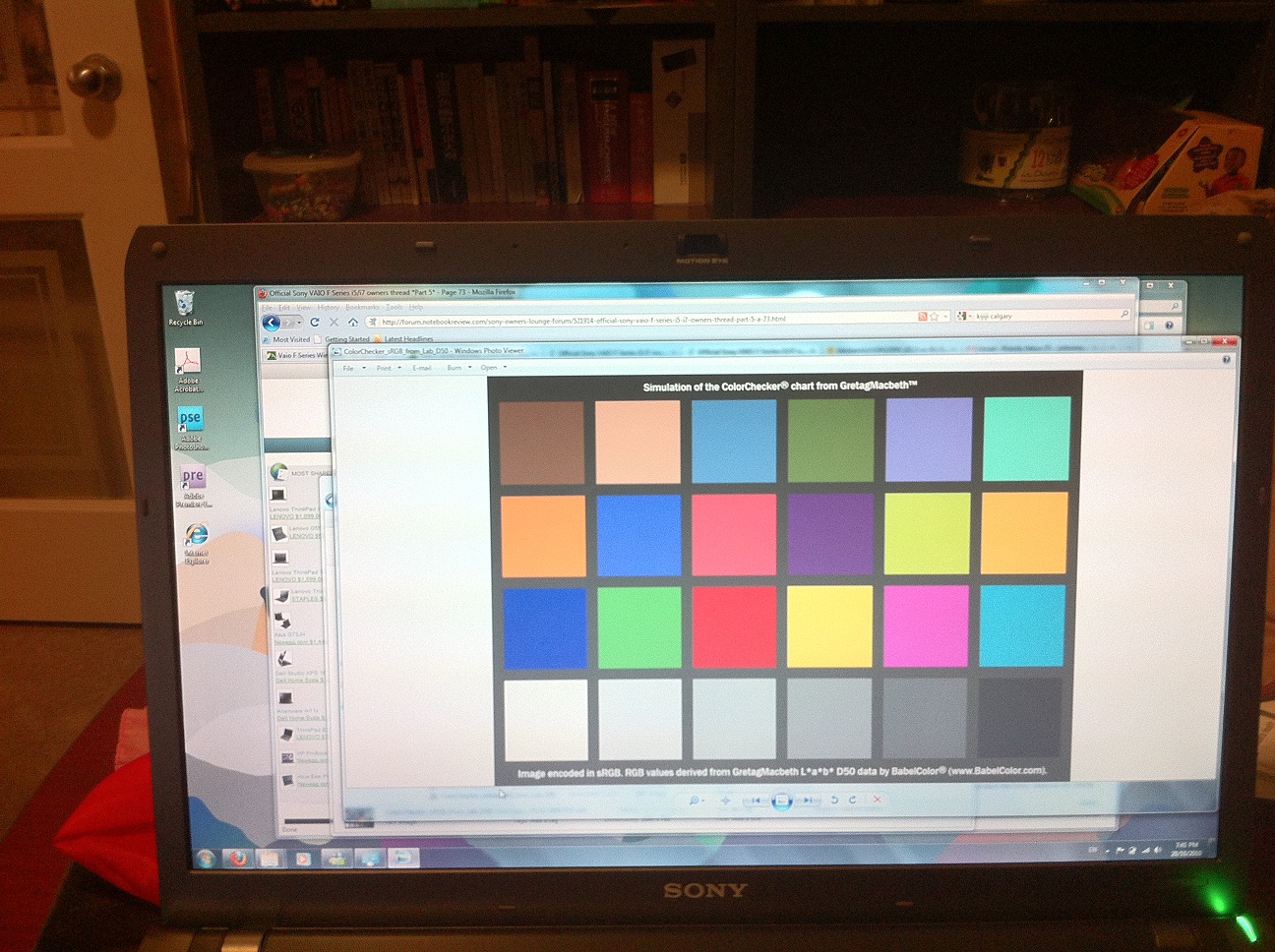
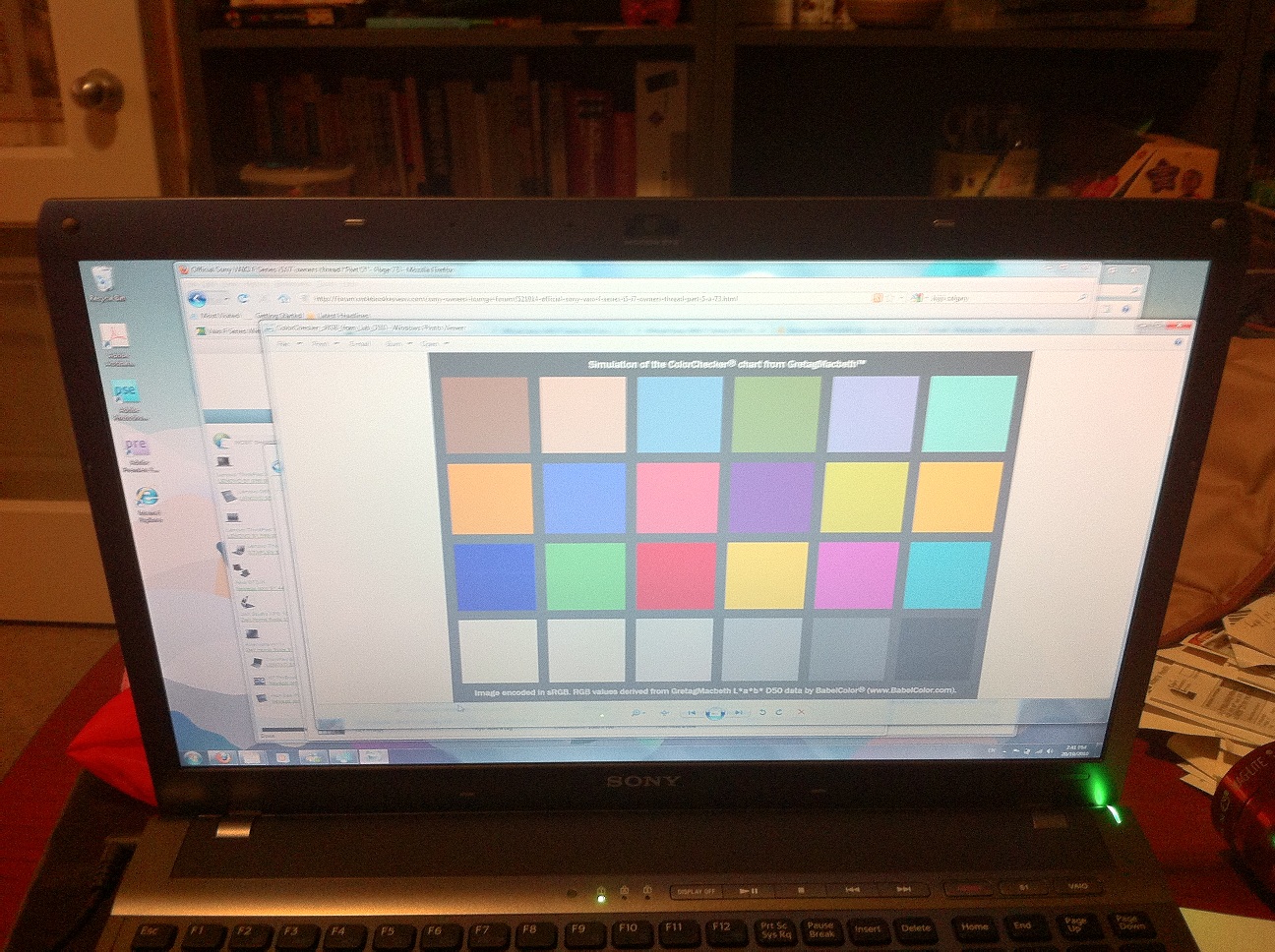
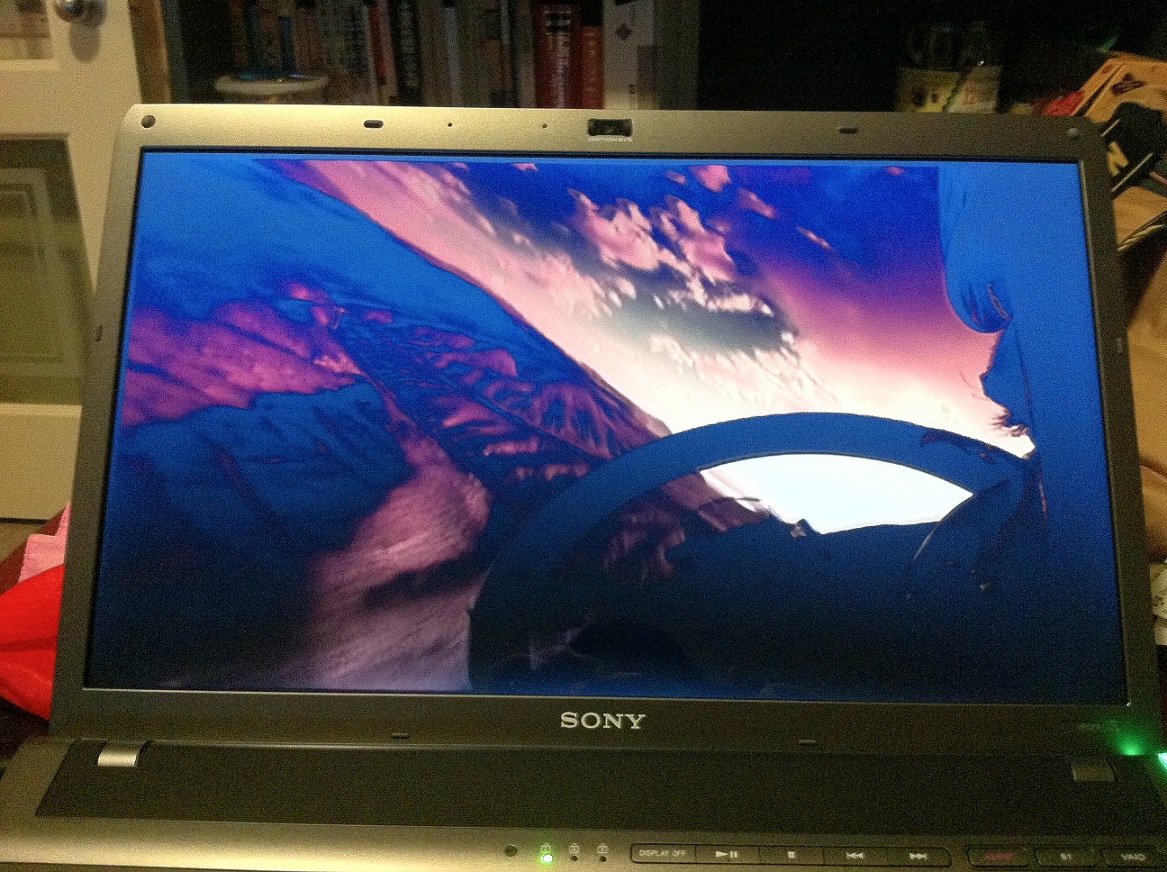
Here are some pictures of the Canadian F13 with premium HD screen which should be the same as US. It shows the USB3 ports, and the desktop at various tilt. A picture of a dark movie scene to show the light bleed. And a picture of the movie screen with the screen tilt all the way back which is OK for desktop but not OK for movies because color starts to invert at the top.
-
using the 1080p US screen (off sonystyle), up-down viewing angle issues, but the left-right is ok.
btw, does anyone know if the reboot driver has been identified for e F13? -
You could just kill the restore process immediately after the reboot instead of waiting for the reboot driver. That may leave you without touchpad & sound drivers installed, but you can install them through VAIO Care.
-
I dunno. The EU matte screen I've got has decent horizontal viewing angles and the vertical viewing angle is ok too. As long as you don't tilt it back too far, then the colours start to invert but I've never found it comfortable to tilt the screen back at that much of an incline.
The backlight has some unevenness which you notice on the Windows loading screen but its not noticeable after Windows fires up. Overall its one of very few notebook screens that I would describe as being 'good'. get matt800's spyder3 profile though since by default the screen is way too bright. After using matt800's profile I also notice how BLUE the uncalibrated screen is. -
Sorry, site went down just ask I was posting this. Here are the pictures again. For some reason, the screen looks worse in the pictures than to my eyes.
Attached Files:
-
-
I had to tilt the screen back almost completely to get a mostly non-inverted picture - which is absolutely uncommon and I couldn't stand, as it looked so silly (like a "terminal" to which you look down). That's speaking for a person that is 1,90 meters tall, having used the thing in desk mode.
-
hayte, are you saying if you use a colour profile the screen will be better. Im really confused, one of the main reason i got this laptop was because of the screen as i have been reading the matte screen is "good". I just tried to watch a blu ray rip, but it seems its not as brilliant as i expect it to be. So everyone wouldnt return their laptop because of the screen.
-
Can I upgrade the graphics card on the F13 or is it stuck to the Motherboard? Because i have the Full HD screen I need a higher graphics card.
-
i need some help, not sure whether to return the laptop, as people have put me off my matte screen
-
The matte screen is good. Theres not many 1080p notebook screens that are nicer and matte finish. However, I am confused about why other people's opinions are so adversely affecting your own. You own an F12 and the only relevant opinion on it is yours. So do you like it? I like the screen in my F12 and can comfortably work on it all day so everyone else's opinion at this point is just noise to me because I know what I like.
From what I can tell, you seem to be really stuck in a 'grass is greener' frame of mind. You know? Where you are never truly happy with what you have because you are always thinking you could have gotten better elsewhere. I've seen people do this with music gear and never actually get anything done. They never learn to use or like anything because they are forever replacing it with something 'better' and they are never happy with what they have, at least not for very long.
What if theres another screen out there thats better than your F12?
What if your mother and father never met?
Is it even worth entertaining these sorts of questions?
Just be happy and if you aren't, do something that will make you happy. But if you find yourself agonizing over every purchase, of perpetually waiting for something better to come along then life will just pass you by and you'll have nothing to show for it. You don't want to do that, trust me. That kind of mentality is pathological and destructive. -
i am happy mate, its a great laptop, but what i need to know, as it affect me too, is what people mean by vertical angles, i have watched a blu ray movie with the screen not tilted right at the back but normal and its really good, i even tried viewing from the sides, but im wondering if the colour profiles will make the screen even better. Plus isnt this supposed to be an RGB adobe screen, bright colour and really gopd brightness?
-
When looking at and comparing screens of course they are all different. It all depends on what you are interest in. One screen might have better colors but bad with light and dark scenes and vice a versa. One screen might be better with horizontal angles and bad at vertical. A LCD will always be bad at angles. It just depends on whether it is horizontal or vertical. I rather have good horizontal angles because you are more likely looking at the screen from side to side not up or down. Even the controller for the screen makes a difference. Refresh rate, dot per inch, resolution, size, color, on and on.
All screens have pros and cons. Pick your pros. But if you really want to wait then wait for the OLED screens. That is years away by the way. Once they do arrive you will have pros and cons with those screens too.
What matters is what you think looks the best to you. -
Sorry guys that I am not an active member anymore, but the polish medical studies are killing me.
I wonder if the Extended battery vgpbpl13 works with the F12. It seems to be a new model. :/ -
Use this program to check your vertical viewing angle. Use test 24 of 24. Use 'background' to add a little color to it. Look at your screen from side to side. By doing this you can really see where the screen falls short. Having said this, if I had to do it again, no doubt I would purchase another F.
EIZO: Monitortest -
Well thats good that you like your laptop. If you think it's great you should have no doubt in your mind in wanting to send it back. The screen on the F13 just might be better. But updates are constantly being put out every few months, it's life.
Color Profiles will definitely help you by the way. And No, they aren't RGB Screens. Though when you get the Sony Laptop it usually comes preset at 70% brightness and auto-adjusting to the light. That will also make a big difference. -
i have done the test, but i dont know what people are complaining about, i love this laptop, i really dont want to return it because of the screen, the screen is still good anyway, i think the quality is still really good, but it does seem when watching blu ray films the colours are exactly like it should be. So you saying i should send it back. Also i swear the screen was RGB adobe 100%. It is a great laptop, but im worried, also whats the best colour profile.
-
I dont have my laptop yet so I can't fully vouch for it yet... But Sony does not sell RGB screens wit htheir laptops yet. There are several different color profiles on Joe Bleau's guide. He has about four or five postedthere. It really depends on you though for the profiles.
-
does the colour profile improve the screen, i know the dell XPS has RGB screen
-
Hi guys,
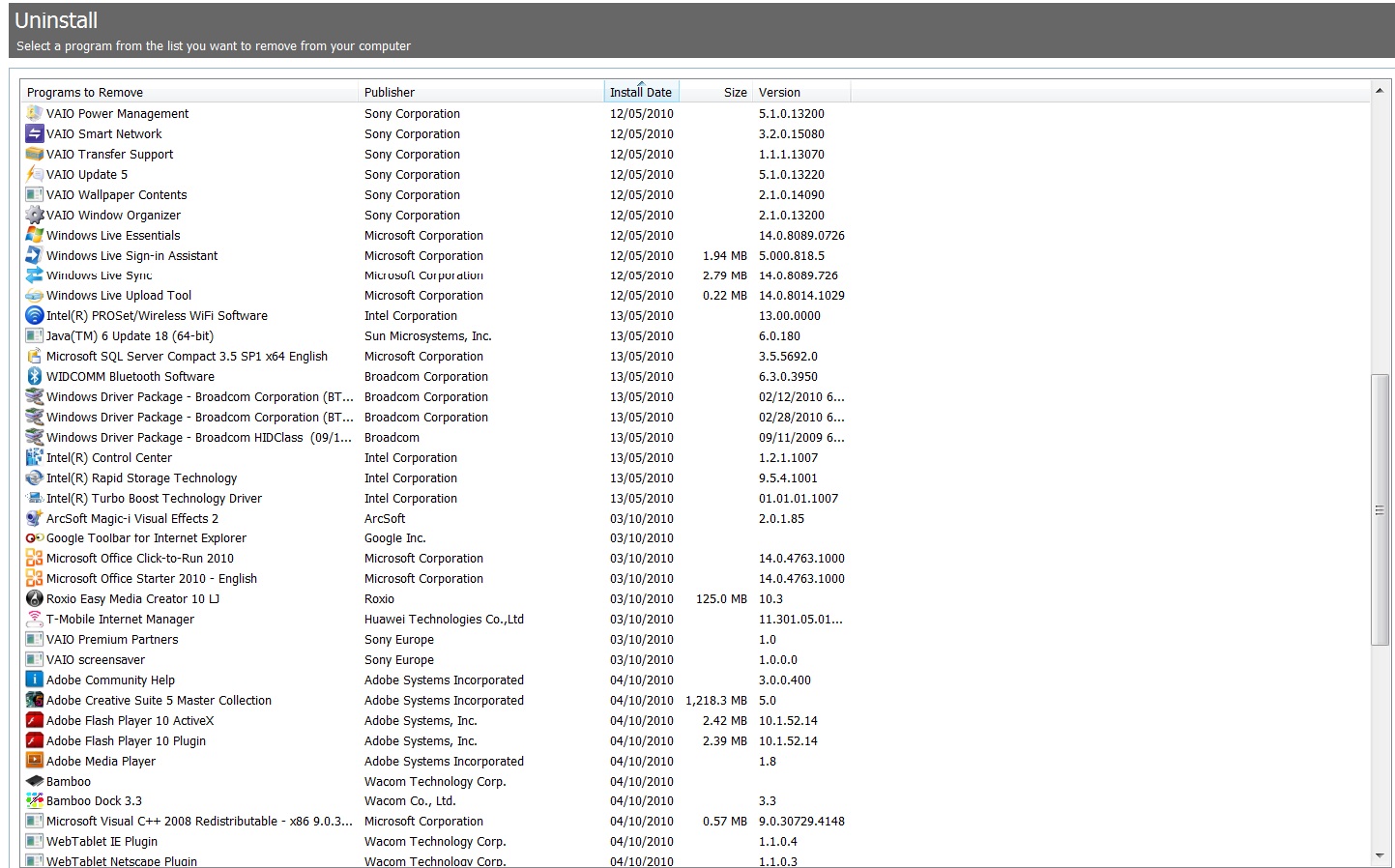
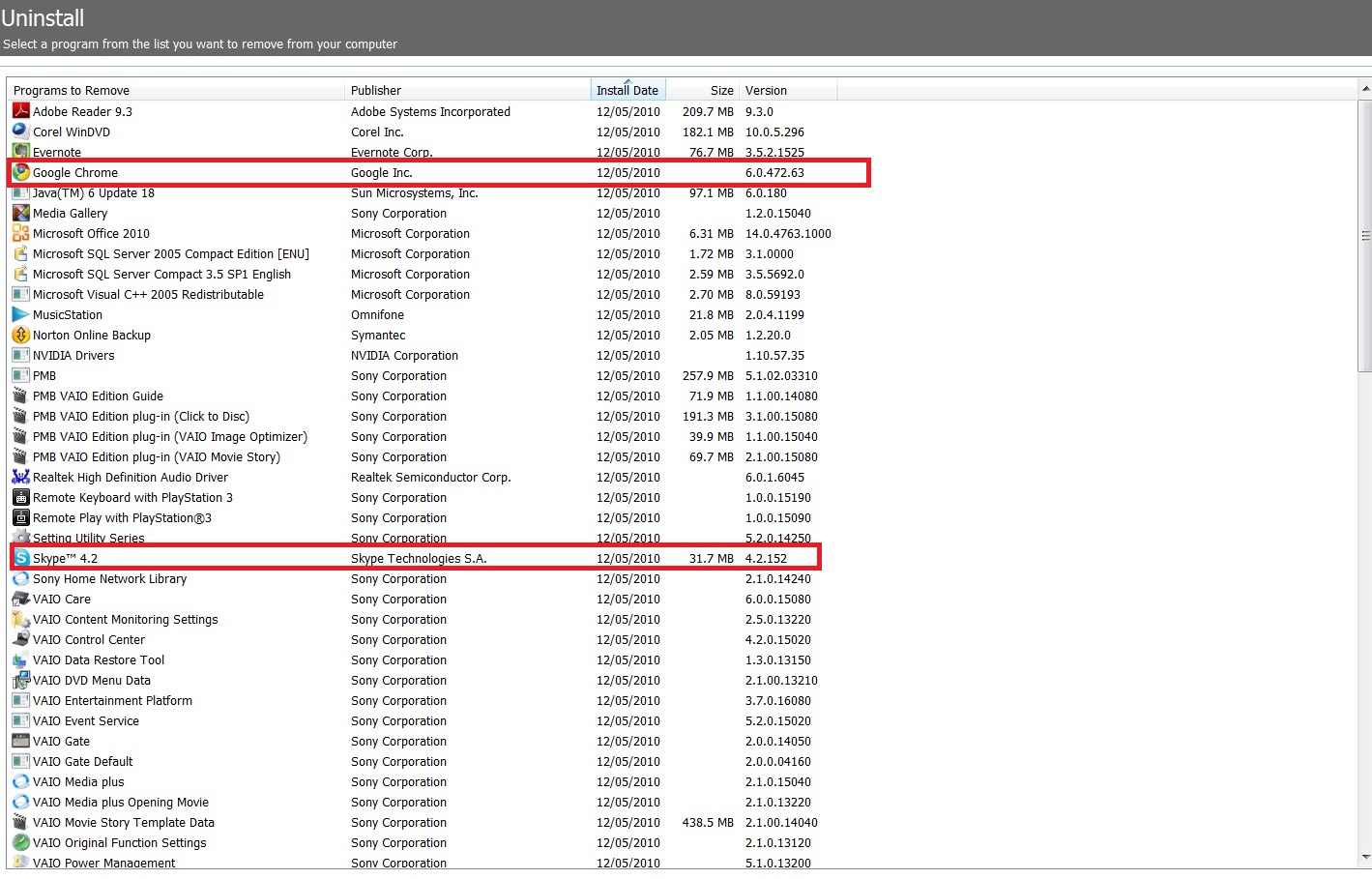
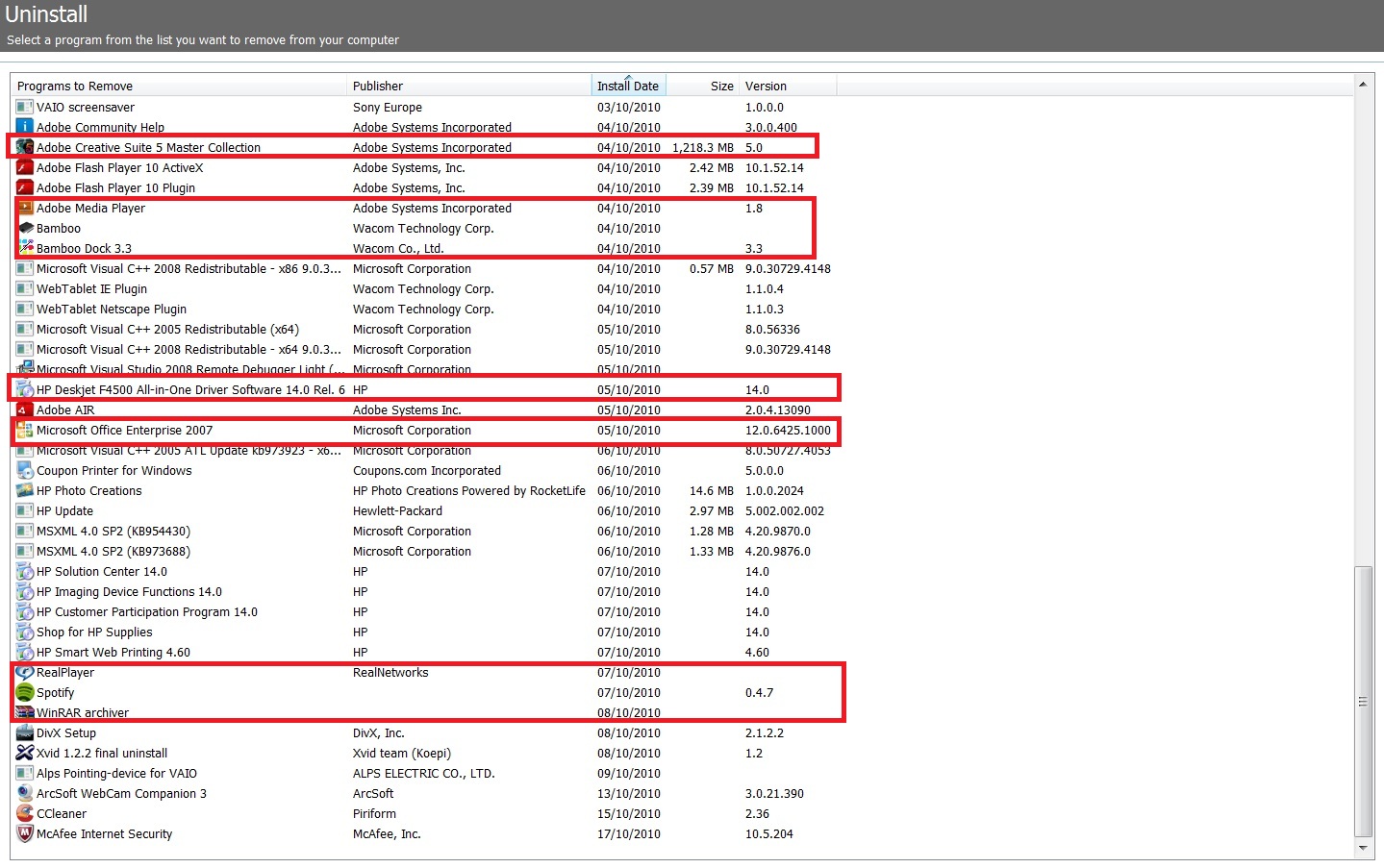
So I've attached all the programs installed on my machine according to CCleaner. Obviously there are some of my own 3rd party stuff like adobe cs5 and spotify or whatever... i've marked in red the stuff i definitely want to keep and after that i really have no clue what needs to stay and what can go.
Did everyone delete the Sony Media stuff for example? I quite like Corel WinDvd but I guess I will use Windows Media Player or install Winamp for everything else tbh. And I have no clue how music station works or what PMB or Evernote or what anything is lol
Thanks in advanced for your helpAttached Files:
-
-
These are what I, personally, would get rid of.
vaio transfer support
vaio wallpaper contents
vaio window oroganizer
windows live essentials
windows live sign in assistant
windows live sync
windows live update tool
intel turbo boost techonology
roxio easy cd creator
all vaio media stuff -
I did the clean install based on the guide. So just reinstalled the driver and the essential Vaio stuff. No Vaio media stuff. No MS Office Starter. I like the adobe standard that came with the Adobe Pack, so I deleted the adobe reader. Reinstalled the webcam software just for fun. Also installed KMPlayer for playing almost all the media formats. I installed the free MS Security Essentials instead of other anti-virus.
-
It doesn't improve the ACTUAL screen, just kind of changes the colors and makes them richer. Just like if you've used a camera and you can change the color to normal or to vivid, etc. basically the same thing.
-
Attempted to install new driver but installer states not compatible. GT330 and GT310 supported. New feature to completely remove old drivers and does not require reboot too. Currently have version 260.63 and this is 260.89. Any advise?
NVIDIA DRIVERS 260.89 WHQL
Official Sony VAIO F Series i5/i7 owners thread *Part 5*
Discussion in 'VAIO / Sony Owners' Lounge Forum' started by Willscary, Aug 20, 2010.