Problems? See this thread at archive.org.
Sure, it cut my bootup time by ~15+ seconds on a Fresh Start Linky
There was another thread someone put in a 64GB SSD and their bootup on Z590 was less than 30 seconds and was REALLY happy..
Is your 128gb SSD = 64x2 in RAID? I remember reading elsewhere that actually is slower than 64gb just by itself (will try to find link on Anandtech)
-
-
Here you go:
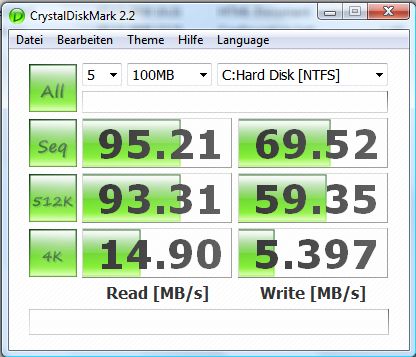
Picture 1 is my Vaio SSD
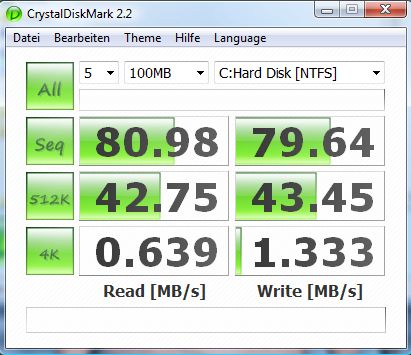
Picture 2 is from my Desktop HDD
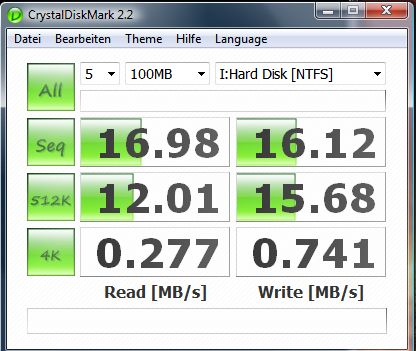
Picture 3 is my external USB HDD
I cannot figure anything with these numbers as I am not a technical guy, but they seem to differ significantly.
Anybody who can explain what all this means?
Attached Files:
-
-
Btw, I have 89 processes during start up, is this normal or too much?
-
Depends on 'necessary' programs you have installed..
After clean install + tweaks thread my processes were only 59-61 -
I don't think you can find Z500 series in Singapore either...
The Z2x series in Asia and Europe is equivalent to Zx1 series in Japan and Z6xx in North America. -
That's totally correct.
-
Not quite - in the UK at least the MN has a much lower resolution screen too.
-
So North America is still waiting for the 1st Z update. Well, maybe Sony will give North America a back-lit keyboard option as compensation for being the last region to get updated?
-
I doubt that there will be any back-light keyboard for the refresh.
As for the delay in the release of the Z600 series in the US, we're basically "getting a taste of our own medicine!" The reason I say this is because previously, new Vaio releases occur in the US right after Japan & the Europeans & other regions always have to wait for a while before seeing the new laptops. It is unfortunate for us (based in the US) this time around but I guess this is only "fair" to the rest of the world for this round of updates.
The release of the Z600 series should be in January 2009 at the earliest. Even Portable One has more or less confirm that in the following link:
http://forum.notebookreview.com/showpost.php?p=4236269&postcount=2 -
Well, the reason US and Japan (yes, Japan) are slow in the 2008 Winter update is because they actually have 2008 Fall update for Z that added the 7200RPM 320GB and other options into CTO. The rest of the world, since they don't really get CTO service, was stuck with the 2008 Summer release till now...
-
Oh well, the silver lining of a January update to the Z is I'll get a chance to see what notebook announcements are made at CES 2009. Maybe Sony will even make a "minor re-introduction" of the Z line in addition to the announcement of their new netbook.
-
hi! just bought VGNZ590NHB and want to make downgrade to XP. Where can I find full instruction for it? thank you!
-
I am now real concerned by what you wrote, I am in the process of ordering a Z21 with two SSD 128 in RAID 0 ! My feeling was that SSD was at least twice as fast as a 4500 rpm HD... and even FASTER in Raid 0 ?
Can anyone please confirm my thought ??? Thanks.
-
Search the Sony thread for XP downgrade. It's in one of the threads. I don't remember which one exactly. For the regular XP install, shutdown computer, put in dvd 1, start computer, follow on screen directions. Sorry, I can't help if you want to customize the install.
Here's a thread to customize the install:
309592 [I can't post links, put this number at the end of a thread address] -
Just Bought Z-540 from SonyStyle
Vaio VGN-Z540
* Wireless LAN (802.11a/b/g/n) with integrated Bluetooth® technology
* Fresh Start™
* LCD 13.1" (XBRITE-DuraView™
* Standard Battery (BPS12)
* No Engraving
* Trusted Platform Module / Biometric Fingerprint Sensor
* Intel® Core™ 2 Duo Processor P9500 (2.53GHz) [Regular price $250]
* Integrated Wireless Wide Area Network
* Microsoft® Works
* DVD±R DL / DVD±RW / DVD-RAM Drive
* 4 GB DDR3-SDRAM (DDR3-1066, 2GBx2) [Regular price $150]
* Microsoft® Windows Vista® Business with Service Pack 1
* 160 GB SATA Hard Disk Drive [5400 rpm] [Regular price $50]
$1551 after TAX, got Free Shipping -
Does the Z run cool and quiet? I own the SZ3 and have been pretty disappointed with the heat and noise.
-
heat is well taken care of, but the fan runs most of the time. I went to best buy and tried to hear the fan, but even when up against my ear, i couldn't hear but the slightest buzz from the fan. The notebook section is in a quiet corner, so its not like i was completely blocked out by noise. I cannot see complaining about the fan...
-
well the whole store at bestbuy isn't considered quiet at all. Some things not heard at bestbuy can be annoying in a...say library. But yeah, the z fan is not bad at all compared to others laptop.
-
firelucifer: i have the 128gb ssd and after a clean install + necessary drivers & utilities, i have like 5x processes running after the clean install. But after installing stuff I'm at 72.
-
I can hardly hear my Z. I have the heat management settings on balanced and my fan is hardly ever audible.
Then again, I do have an ANTEC NINE-HUNDRED for a desktop case to put things in perspective of noise I can tolerate.
(When it comes to noise, I honestly don't mind if I'm getting the most out of my cooling.)
-
Has anyone yet done a proper test SSD vs HD ?
In term of boot time and processing...
Thank you -
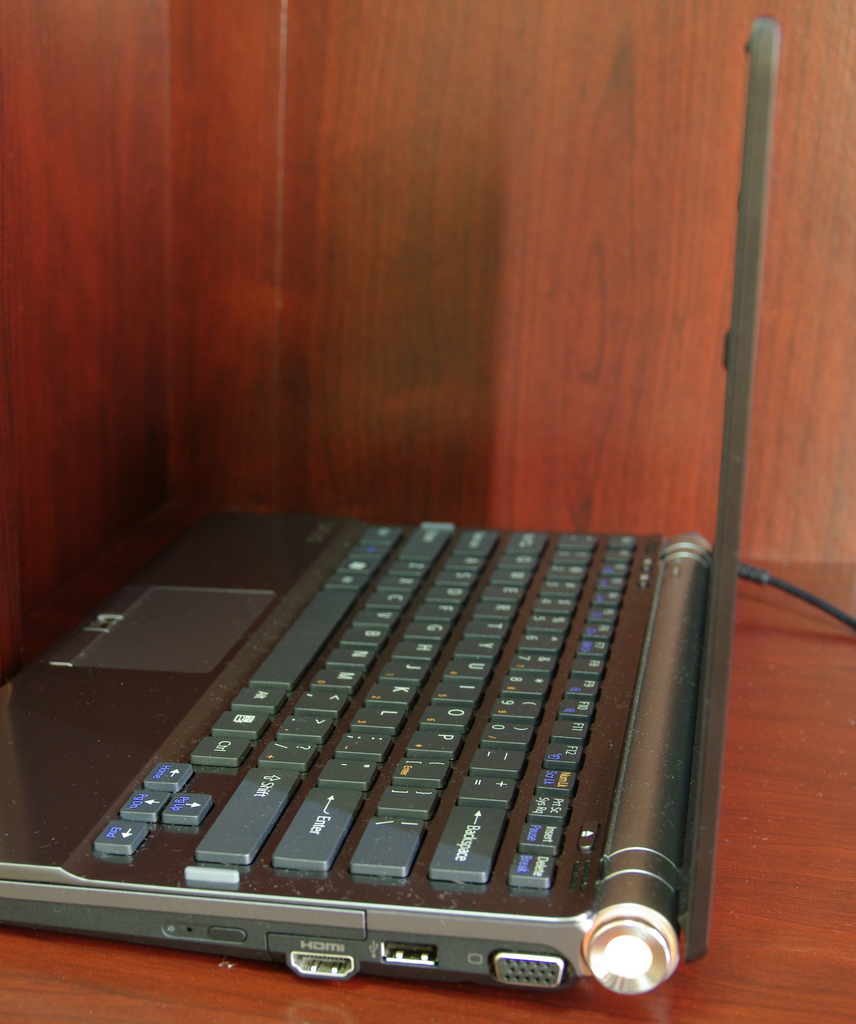
I am surprised that the Sony designers want you to double-press for such basic operations as PgUp/PgDn and Home/End. It complicates "reading mode" just as you say. There are actually notebooks with smaller form factors that have these buttons. At least if Sony could have put an Fn button beside the arrow keys to allow for single-hand scrolling...
At the same time Sony is providing dedicated buttons for PrtScr/SysRq and Pause/Break that IMO opinion could be hidden away as Fn double-presses instead. Isn't that odd, or does anybody see any logic in this?
Hardware remapping of keys?
-
how hot can Z be?
any Z owner here using a cooler? -
mine i very cool! very very cool and quiet, so i dont even need something else :>
-
i wish to have in my z normaln home/end/pgup and pgdn buttons ...
-
Well,
I just got mine order on Thanksgiving with 128GB SSD (2 x 64GB RAID 0). I did a lot of research to make sure these are SLC and not MLC drives and once I found out that they are the Samsung MCBQE64GFMPP-MVA (SLC), I placed the order.
But after taking delivery of the PC today, I found out that the SSD they actually put it in is 1 single MLC, i.e. Samsung MMCQE28GFMUP-MVA: NO RAID.
I am very angry and wrote to customer service right away.
The speed test shows under 100 MB/s seq. and random read and ~ 60 MB/s for seq. write and ~50 MB/s for random write (512K).
These numbers are almost half of the dual-SLC in RAID configuration which I ORDERED, which are reported to be about 170 MB/s for both reads and ~160 MB/s for seq. write and ~135 MB/s for random (512) write.
I checked and they have removed the 64X2=128 config and have a simple 128GB config now. But their VAIO Z590CTO PDF file still shows the 64X2.
Has anyone else fallen prey to this, if so what remedy have you sought? -
You know, I actually noticed that they no longer distinguish 64x2 or 128 in Z's configuration (you can still get 64x2 in TT's CTO) and I was thinking they have gone with 128 MLC now. I guess that confirms it. I think the best way is to return it and get one of the old pre-configured one like Z590UAB...hopefully they are still with 64x2.
-
lol, or buy a TT, DVD back up and swap the drive
-
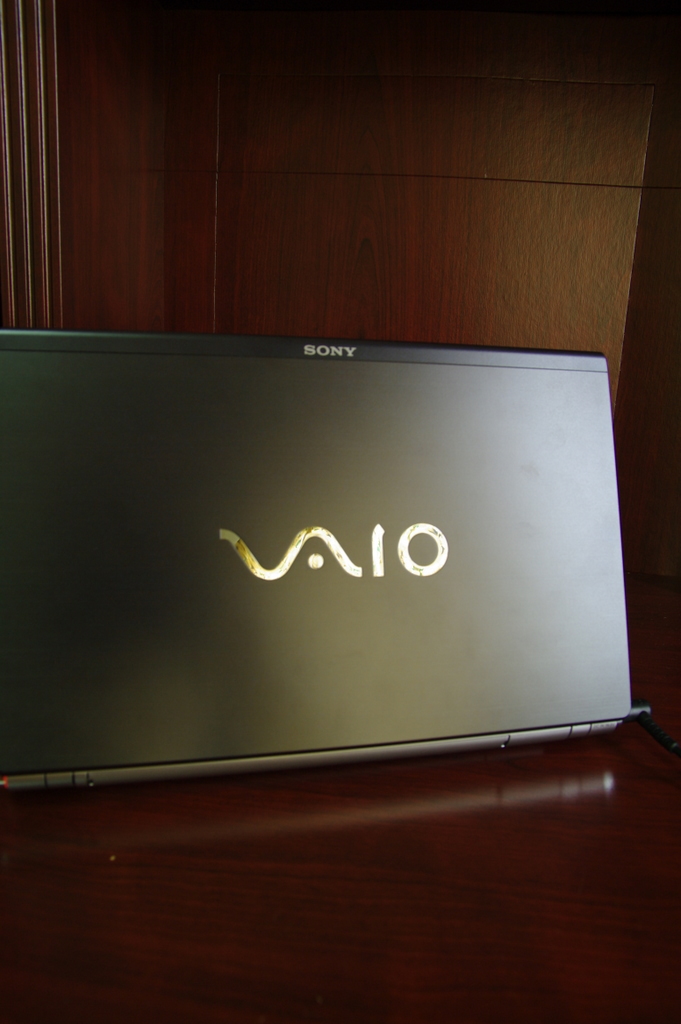
Well, I woudl prefer to keep the Premium Carbon Fiber Lid--as subtle a difference as it makes, I do like its look and feel.
I have emailed support and will call them tomorrow to see what they say. If they do NOT help, I'll try to see what I coudl do. I would much prefer a 64GB SLC to a 128 MLC at 90 MB/s or less. There are HDDs much faster than this. -
I have a question about the battery. Is it good if I use my Z on power supply with battery or should I take out my battery?
Is it bad for my battery or is it something I dont need to worry about? -
I'm about to buy a VAIO VGN-Z550N/B and I am unsure about the specs Amazon.com has listed. Their details about laptop isn't detailed at all.
Could you guys that have the Z550N/B confirm that the specs of the laptop is the one that is on the PDF below.
Since I do not have over 15 posts yet, here is the link that you can paste on the address bar:
scribd.com/doc/3948525/Sony-VAIO-VGNZ550NB-spec-sheet
I want to confirm also that it is a 1.3MP Camera and not a .3MP like some of the other websites that have the Z Series listed. Another thing, the RAM is DD3 and not DD2, correct?
I've seen some ambiguous Specs for the Z Series all over the net while I was shopping for one.
Someone please clear up my concerns.
Thank you! -
Hi guys, I have one problem.
I have just installed an additional 2GB DDR3 RAM into my VAIO-Z. The original RAM is 2GB. Now I suppose it should becomes 4GB as it is shown in the System information
But when I check the Windows Task Manager and the RAM usage on the sidebar, it shows the total Physical memory is 3GB instead of 4GB
What is actually go wrong here or is this normal?
I want to show image of the screen to you but I am not allowed as this is my first posting.
I have updated the Windows Experience Index after the installation of the new RAM.
Thanks for the feedback. -
32bit operating system can only use about 3GB of ram
to fully utilize the 4GB you need a 64bit OS -
How do I change my current Vista Bussiness 32 bit into 64 bit? Need to buy a new OS ? Thanks.
-
You basically need to reinstall VISTA with a 64 bit version. The DVDs for Basic to Ultimate is the same; the the Key will determine what version of the OS to install.
The x86 and 64 bit are on different DVDs if you don't have the DVD, you must order it from MS for a small fee or Download it somehow and burn it on a DVD to do a fresh install of the OS.
That's the only way to do it so that you can utilize all of your 4GB of RAM. That is why usually the default RAM for laptops now-a-days is 3GB for the 32 bit OS. -
Thanks for the information
-
omg. If you have a z27 - it's not worth the effort shutting down services. There completely no difference in staruptime, and it's just as responsive either way.
(Note: I need to be able to access a domain controller - so YMMV.) -
RAM is DDR3, camera is 0.3mp.
-
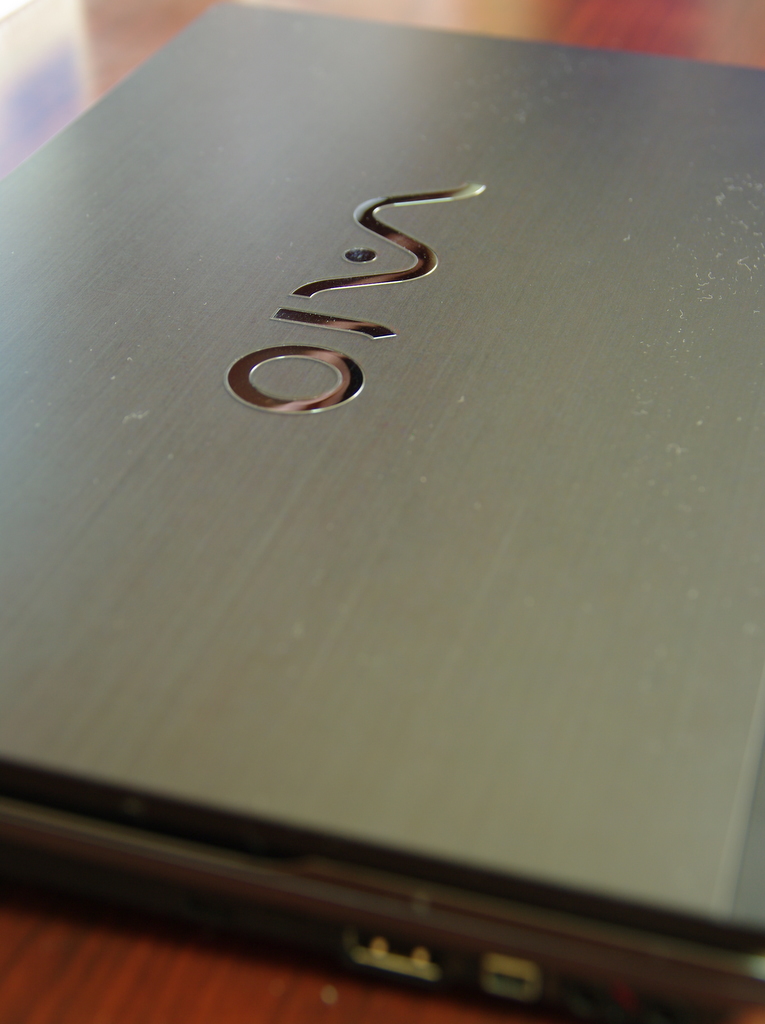
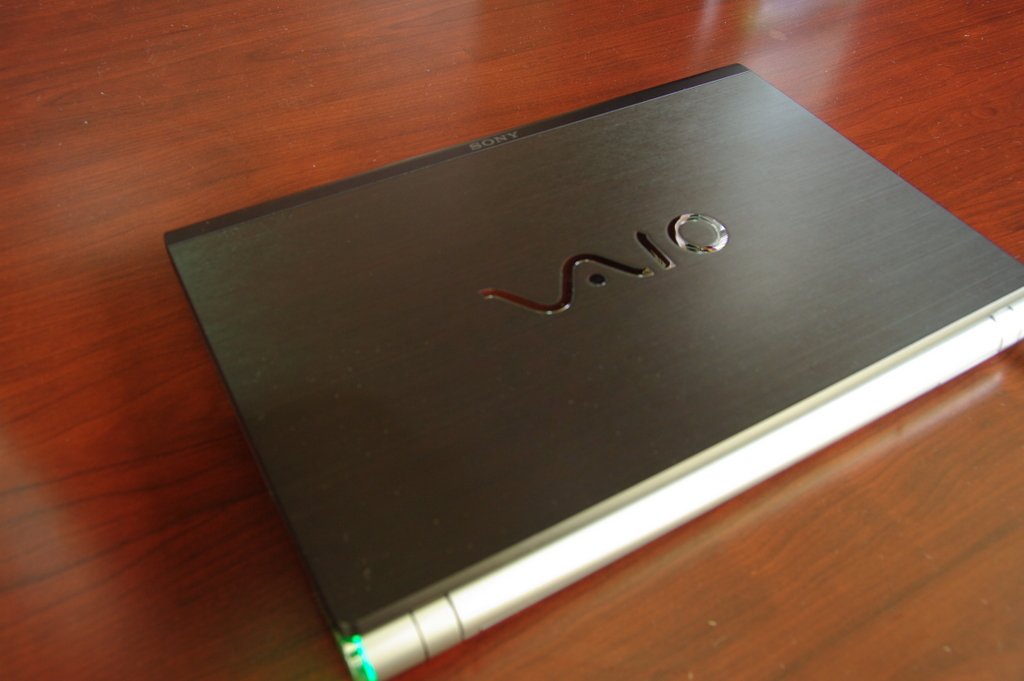
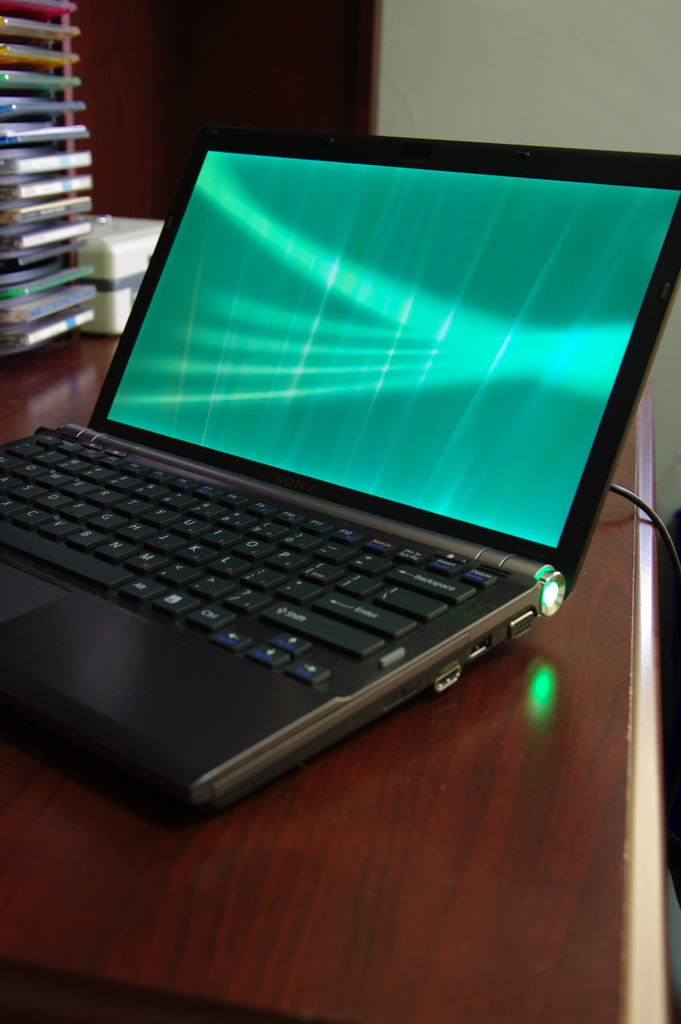
Photos of the premium carbon version...
Attached Files:
-
-
wow, awesome - thanks!
-
welcome
There's a distinct lack of real life photos online! -
RAM is DDR3. Btw Sony Style is cheaper than Amazon now.
I bought mine (look at sig) 2 days ago for only $1500 ish. -
Ooh, I like that price
-
Yup2 $1550 tax included. got free shipping.
I wonder does Sony style usually ship ontime? -
Usually yes, it kept saying Processing for too long on my order but when you call them and get the right CSR (most will just say its being built or something) you can get a estimate date of shipping more accurately
-
ah thxs.
Yeah it still showed as processing now. Btw what CSR stands for? -
Customer Service Rep lol
-
Just picked up a Z590 w/blu-ray. Watched Iron Man. I was surprised to see black bars on top and bottom because the screen is 1600x900.
Are black bars supposed to appear on 16:9 screens? Could be the crippled InterVideo Sony included. -
Many movies are not 16:9.
Iron man is 2.35:1
Official VAIO Z Core 2 Duo Series Owners Thread
Discussion in 'VAIO / Sony Owners' Lounge Forum' started by DiscCollector, Jul 15, 2008.