Problems? See this thread at archive.org.
That mayb the sony apps or some specific service dat might have been triggring your HDD..............try a clean install or jst let it be. I dunno how big a deal is this but why are you so concerned about the hard drive being accessed?
Still, hope you find a solution to this so that you can be at peace and enjoy your machine even more.............cheers
-
Apart from large file transfers or some very very frequent memory access, it doesnt make any difference. The time difference maybe as less as as 0.1 sec in most of the cases but you'll hardly even notice it.
But rember that running a 7200rpm drive takes a bit more of your battery and also generates extra heat which isnt that compensatory for very minor(read "not even noticeable") improvment in performance.
But an SSD can do some wonders for the system if you can get your hands on it....Cheers -
Dont worry about the looks about this beauty. Stickers or no stickers this will continue to stand out from the rest for its looks (jst keep the finger prints at bay
 )
)
Some1 had given the specifications of the laptop in this thread before, jst chk it out if you wana.
I measured the thickness to be around 1.7 inches. It might not be the slimmest one in the world but it sure compensates with its performance.
I carry it to college almost daily and its no problem atleast for me. Have a look at a local shop if you can if you are still ar a bit concerned about the size.
Not a big difference in performance and 3Gigs will suffice for the general use but get 4GB stock if you can find it anywhere.
Its got 2 Slots and its capable of noticing not only 4GB but 8 GB of RAM too. Only thing is that you will have to get 2x4GB sticks which are still expensive in my opinion. Its fairly simple to install RAM sticks. Jst pop the back cover which houses the RAMs and plug out the older sticks to insert yours........... a breeze and takes jst minutes............hope dat i could be of a lil' help atleast............. -
HDD issue is because of the damn Sony Media Center software. In order to get rid of it you must unistall the sony media center and several services associated with it. If you dont uninstall everything associated with it the problem wont go away. -
What does that program control?
-
I'm really enjoying my CW26FX (i5, 330, White) from BestBuy and I'm about ready to send back my Alienware M11X. I just have one major issue with it. When I'm running on battery power the framerate of my games drops to about 25% of what it is with it plugged in to power. I have made sure that the Power settings are on High Performance for batteries (I even set the min processor to 100% on battery). I've tried it with the GPU overclocked and with stock settings.
The Alienware M11X has a Power Option setting for "Graphic Processor" that I had to set to "Max Performance" for both battery and plugged in. I don't see this on the Sony. I'm running 196.75 with the modified .inf file on the Sony.
Any help would be greatly appreciated. Most of the time I'm sure I'll have it plugged in for gaming but I definitely want the option of unplugging and playing if needed. Thank you. -
I had one more question that may or may not be related (probably not). I did a fresh install and installed the drivers off of Sony's site. I see the driver entry for "Intel(R) Turbo Boost Technology Driver" under System devices. Is this all I need or is there another program that lets me choose whether the Turbo Boost is on or off. In other words, is it invisible to the use whether Turbo Boost is on or off?
-
Its used in place of windows media center and if you ever make the mistake of even opening the program it will begin indexing/cataloging your hard drive and never stop.
That program is the devil Get rid of it! I did and after things have been much better. No more mindless nonstop clicking of my hard drive.
-
You seriously thinking of send back the mx11?? Are you not satisfied with its performance? -
I like the M11X a lot except for a few issues. The loudness of the fan is the biggest issue and a deal breaker for me. If I'm playing a game or even a HD video I understand a loud fan. If I'm browsing the web with only a few web pages and the fan keeps kicking on - that is annoying. If it came on slowly it would be ok but it seems to be off or blasting. Quite a few others have this same problem and a BIOS update will likely fix it, but I hate to wait past my return window. There are a few other issues but they are minor compared to the fan. The M11X does have a lot going for it and it is a bit faster in games than my CW26FX even with the M11X's slow CPU and the Sony's GPU overclocked (about 10-15%). If I can't find a fix for the Sony's issue with slowdowns when unplugged then it is going to make my decision harder.
One other big advantage of the Sony for me is it has allowed me to put my Intel 160GB SSD in place of the standard HDD and replace the Optical Drive with a WD 640 GB HDD. This way I can get my sub 24 second boot and store lots of games and media. It is the best of both worlds and I have no use for a optical drive. -
How are you covering the hole up and keeping the hard drive mounted?
-
I'm using a MCE OptiBay (P/N: OBSATA0GB-UNB) that I got for my 13" MacBook Pro before I sold it. It took a bit of doing to get it in, but it is in solid now. I used a little hot glue to hold the drive cover on. I also had to use hot glue to hold one of the optical drive mounting rails on.
-
Well. I just called Dell to get a return authorization for my Alienware M11x and they offered me $80 if I will keep it. I was already sad about seeing it go - the $80 swayed me. I still have until Friday to return it if I change my mind. I guess it would make a nice HTPC.
-
Hi, looks like this laptop series does not have eSATA port, is it true?
-
Yup, no eSATA port.
-
Heh, that's funny.
This may be the CW topic but how is their M11x? -
Ahhhh this is killing me. I have enough money to get the laptop and the laptop is in stock. But the bank still hasnt processed my check so it doesnt show the money in my account yet. Guess ill have to wait till next week. FUuuUUUuuUUuu
-
I'm leaving in Canada, if I bought it on american web site ( www.jr.com) what happend with warranty ? I will have to send it to Sony of United-state ? Is it better to buy warranty of jr.com ? And if I have problem with the laptop, I will send it to jr.com (probably should be expansive!) I'm not sure if it's a good move... the Sony Z is very too expensive and the CW is a good alternative. (enought light, good build quality, good video card)
-
i would like to know direct comparison of both cw26 and m11x too because now im thinking of selling out my cw26 to get a m11x. *just thinking about it*
im having white, i5, 330m i personally think that its quite bulky for me compare to my mbp 13 =.= and my mom complains that she cant see me clearly in the vga web cam =.= -
woke up at 3am and bought the cw27. hope they ship it today. when i ordered it it said it would ship in 1 to 2 business days. ive woken up 4 hours later and it says 3-5. im scared.i paid an extra 50 bucks for one day shipping just so i could have it THIS week haha. they better not let me down
-
I've been considering this. By what means does one accomplish this replacement? Is there a kit I can buy?
-
Gnerma,
Check out post #1712 where I mention what I used to do the Optical to HDD swap.
I will try to post a CW26FX vs. M11X comparison sometime today in this thread. I think I've now got the graphics performance of the CW26FX (330-512MB){Overclocked to 625-1370-815} faster than the M11X (335-1GB){Stock Clock}. It may not seem like a fair comparison but I'd be afraid to overclock the M11X GPU much because of the limited cooling. The Sony seems to handle the OC very well but I'll have to stress it for a while with those higher settings. -
Just a quick note that I found surprising. The Sony CW's 330 GPU is running 4-5 degrees (C) lower than the Alienware M11X. And this is with the Sony overclocked considerably (625-1370-815) and the M11X's GPU is a stock speeds. It is getting easier and easier for me to decide on the Sony CW26FX as my main laptop. I find it an incredible machine for under $1000 - no wonder it's always sold out at BestBuy. I've owned over a dozen laptops (Mac and PC) and I think the Sony CW26FX is my favorite out of them all.
-
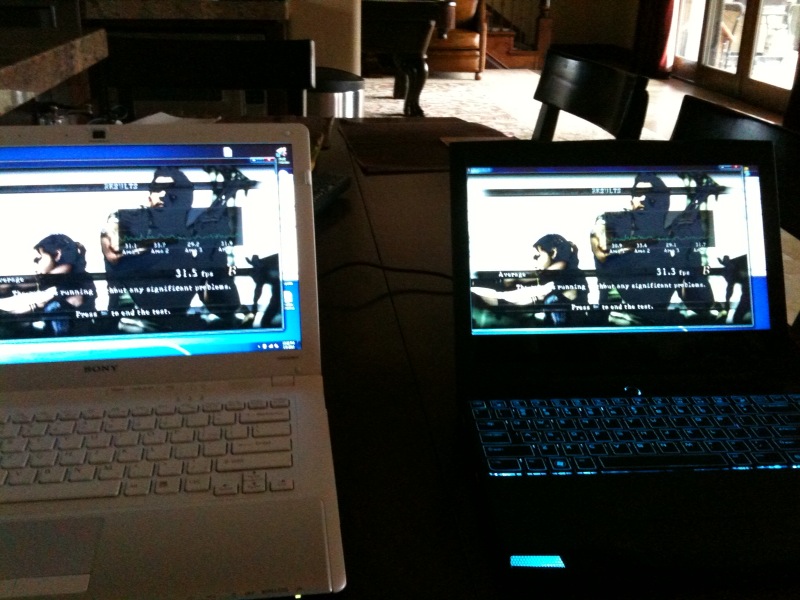
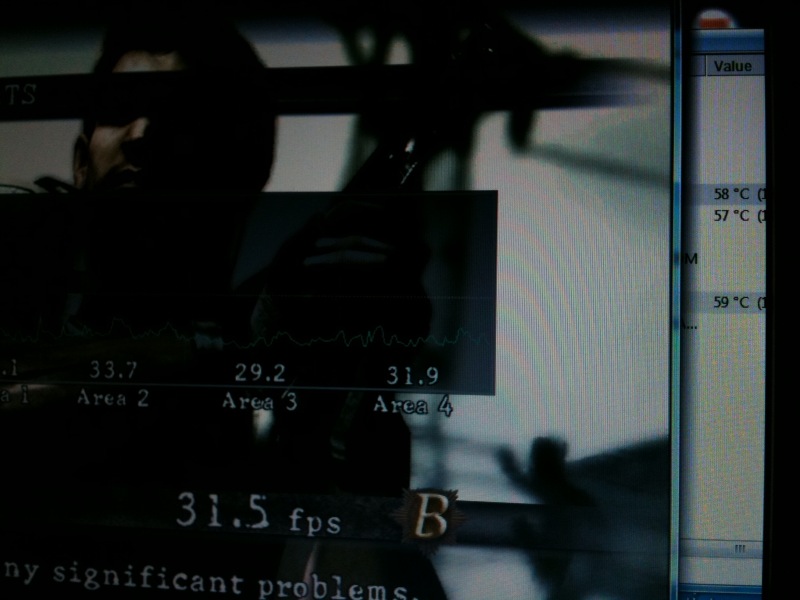
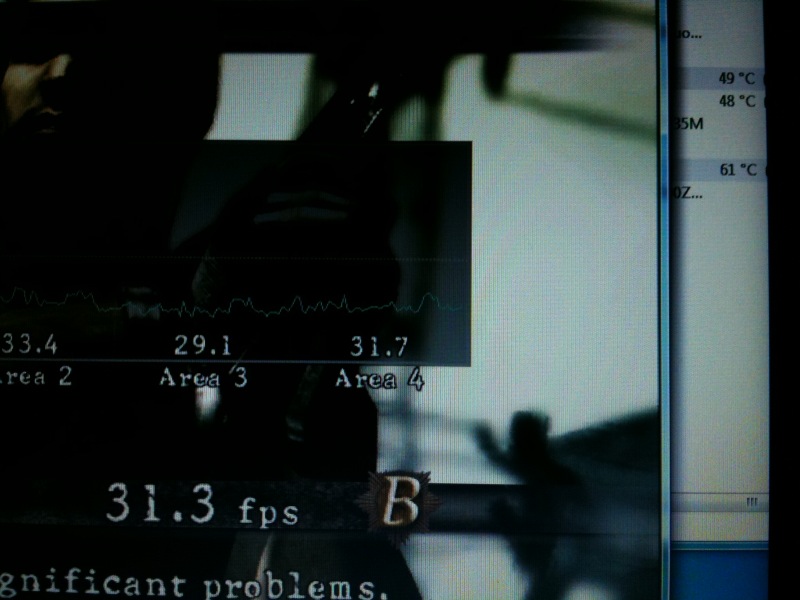
Sony CW26FX (31.5 fps) beats Alienware M11X (31.3 fps)
The Sony also had lower GPU temps 59C vs. the M11X 61C. The M11X is not overclocked (I'd be afraid to). The Sony is at 625-1370-815. The Sony has to be overclocked to match the M11X.
Settings:
1280x720 (Window)
Vertical Sync on
Anti-Aliasing 2X
Motion Blur On
All settings HIGHAttached Files:
-
-
alienware cpu OC'ed? well......vaio is stronger in performance but m11x looks so cool! backlid keyboard!!!! more comparison pls.
-
The CPU on the M11X is over clocked to 1.6 in the BIOS. If people are interested I can get out my good camera and shoot a bunch of comparison shots.
-
i would like to see some comparative pics. trying to figure out if the cw is as bulky as it looks on newegg.
-
I'll try to get pictures up tonight. To me the CW doesn't seem as bulky in person as it does in some of the pictures I've seen. I have the white one and the color combination causes it to look a bit slimmer than some of the other colors might.
-
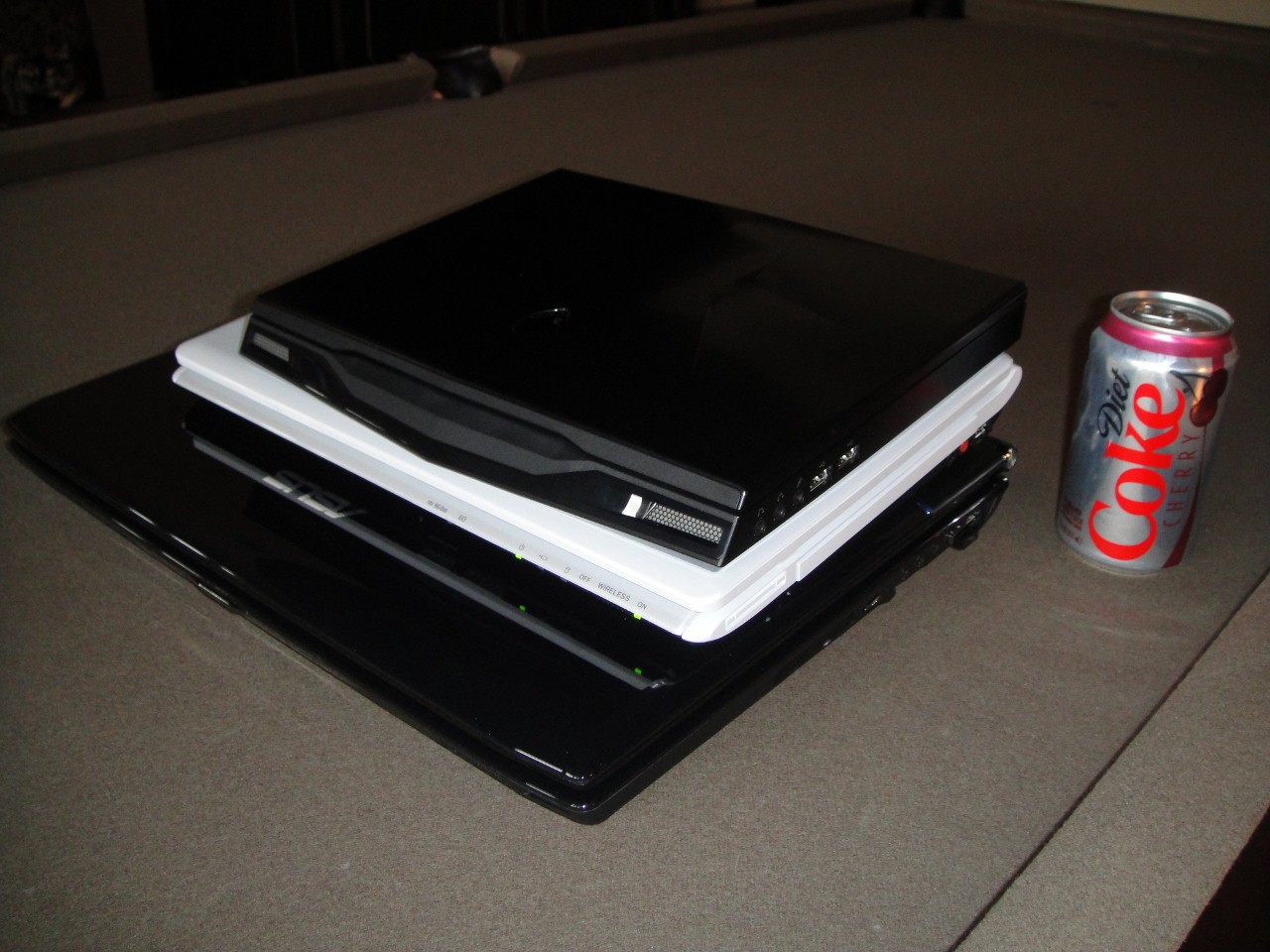
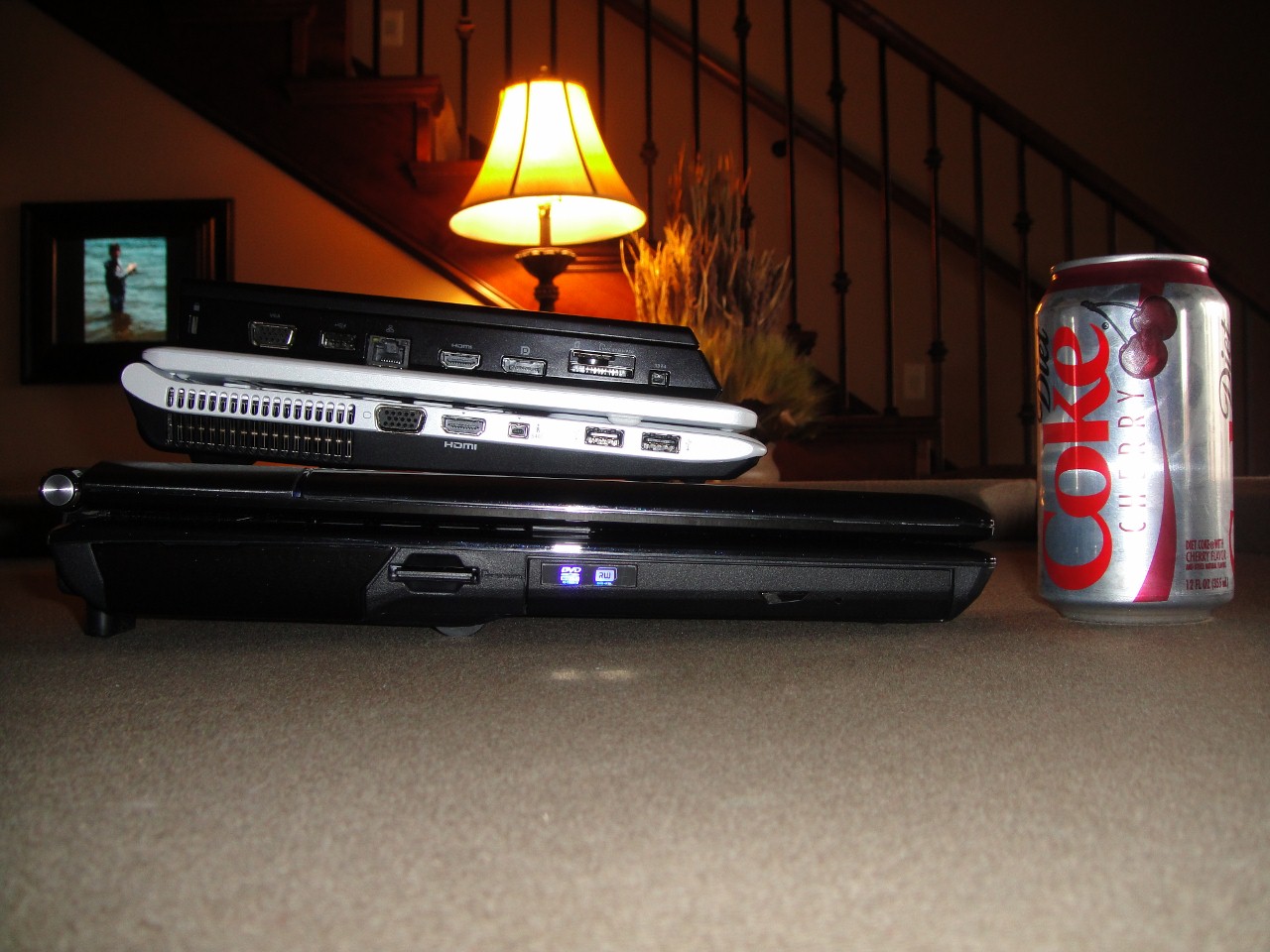
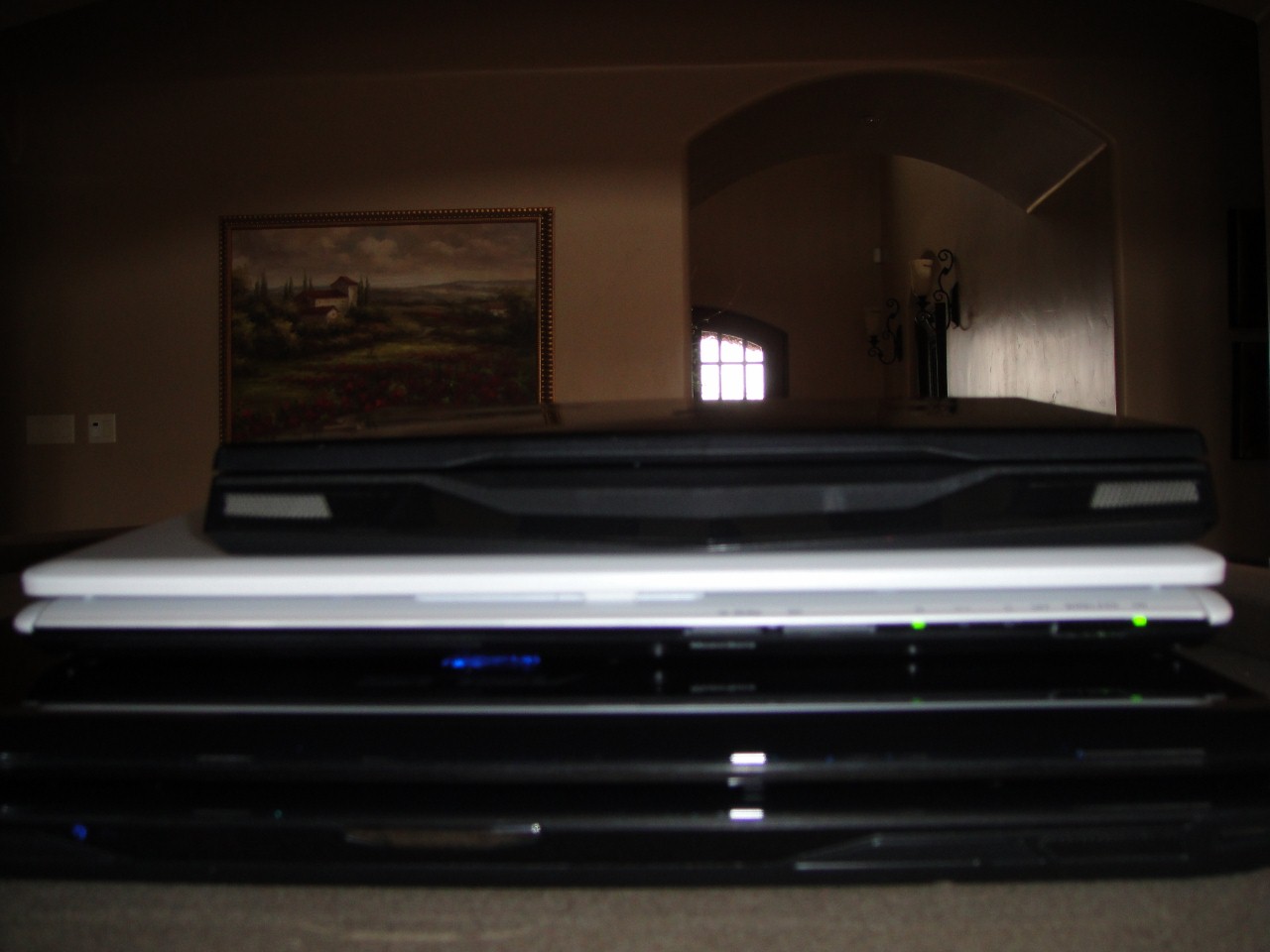
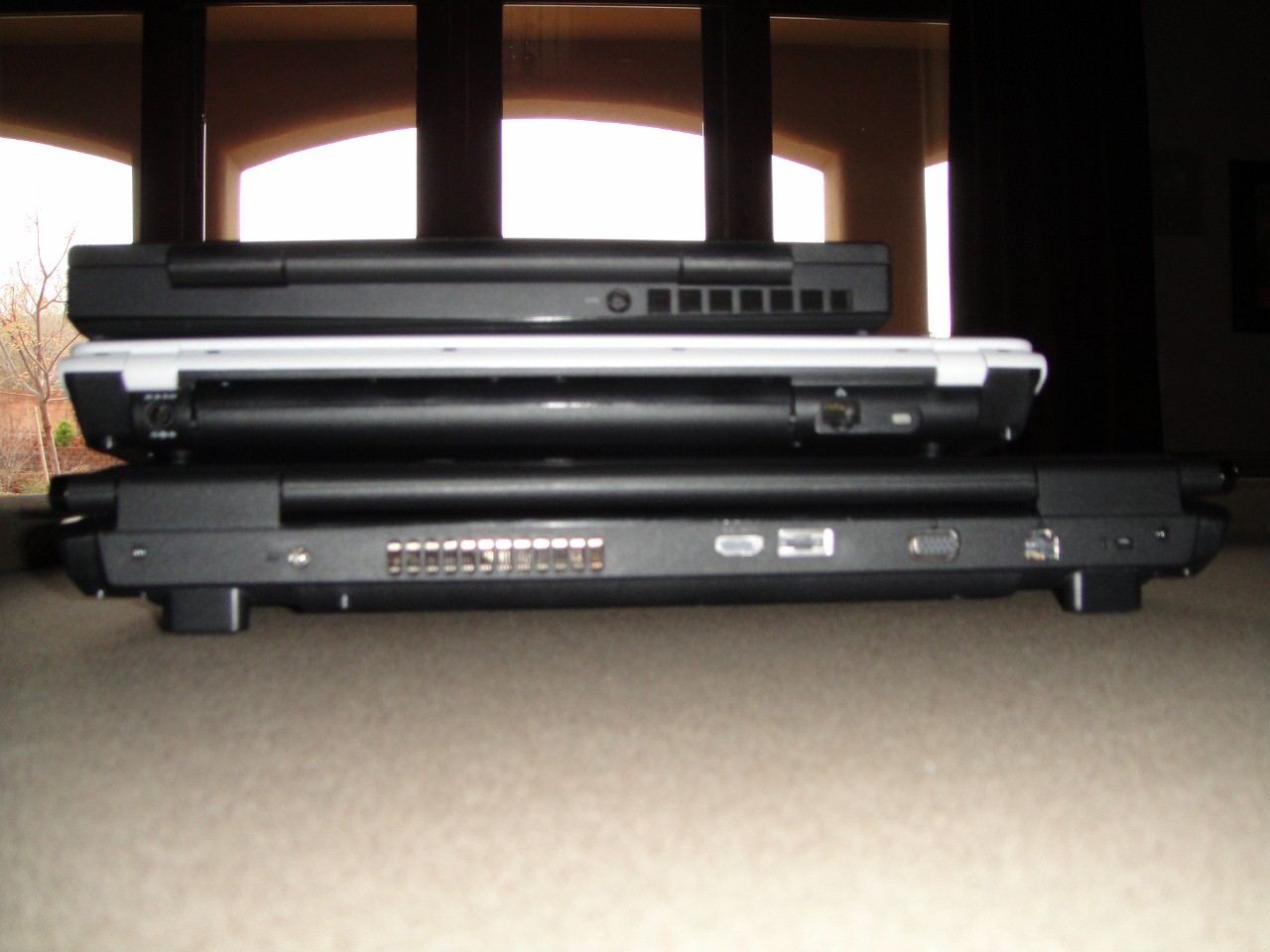
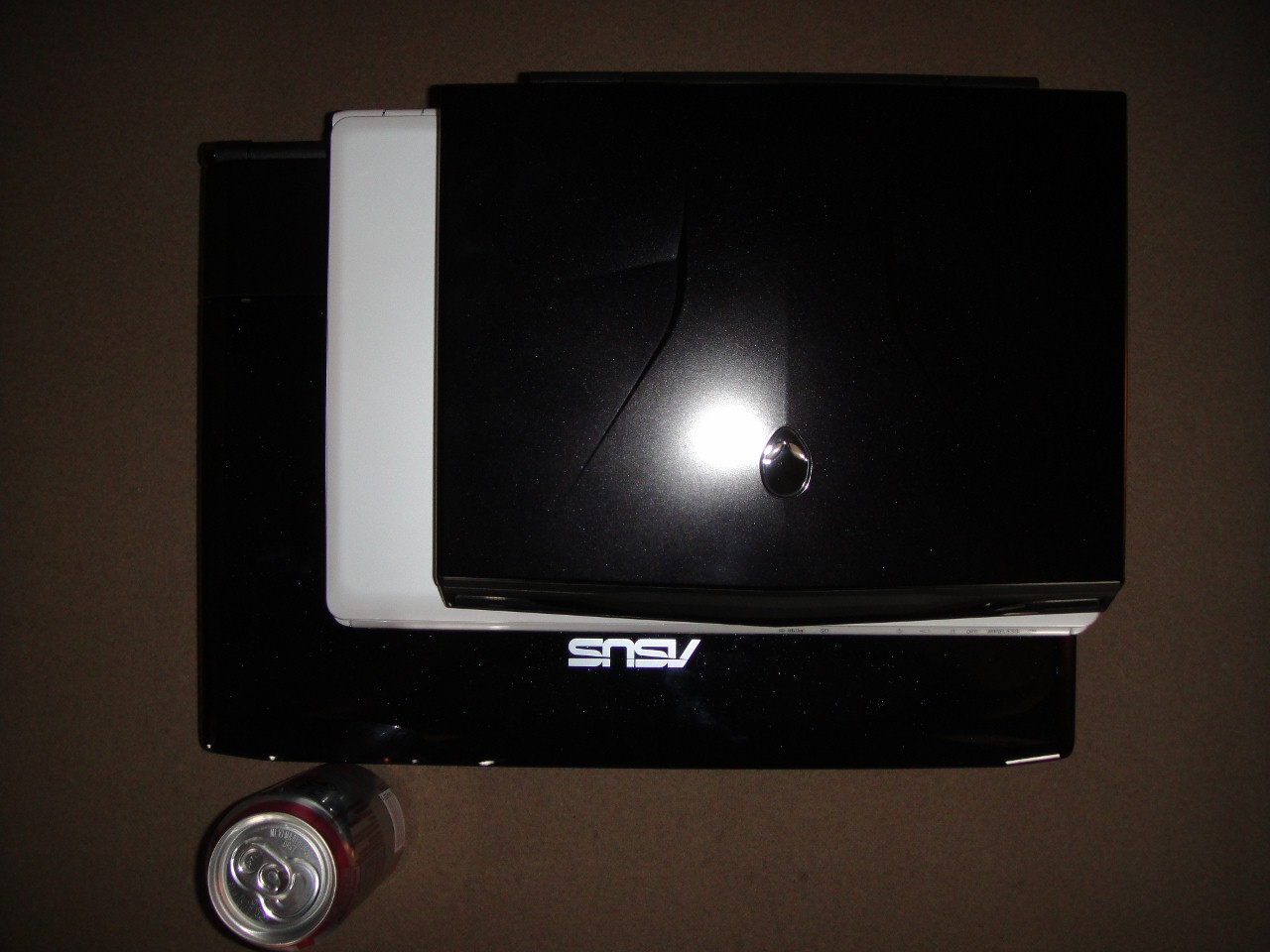
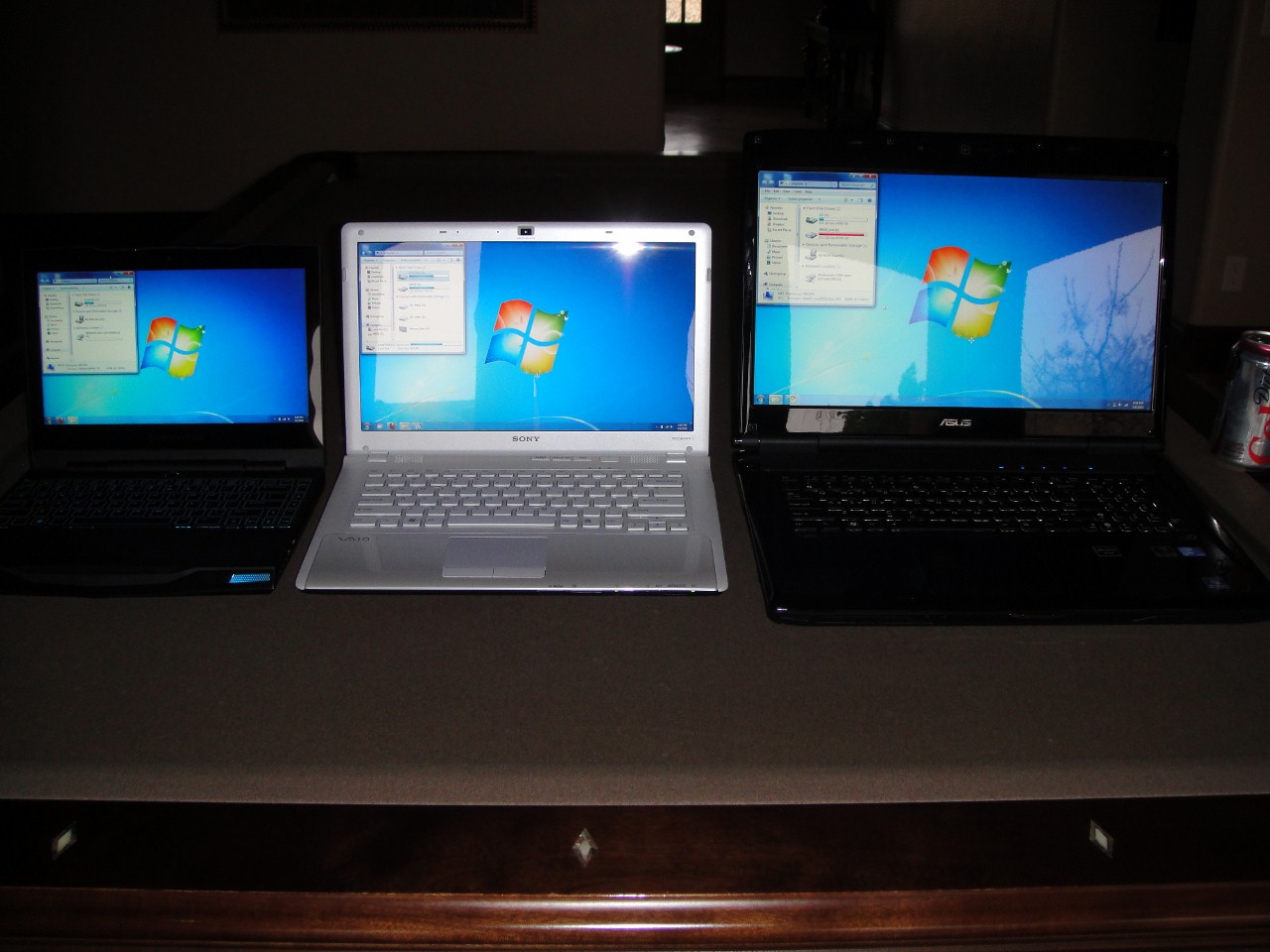
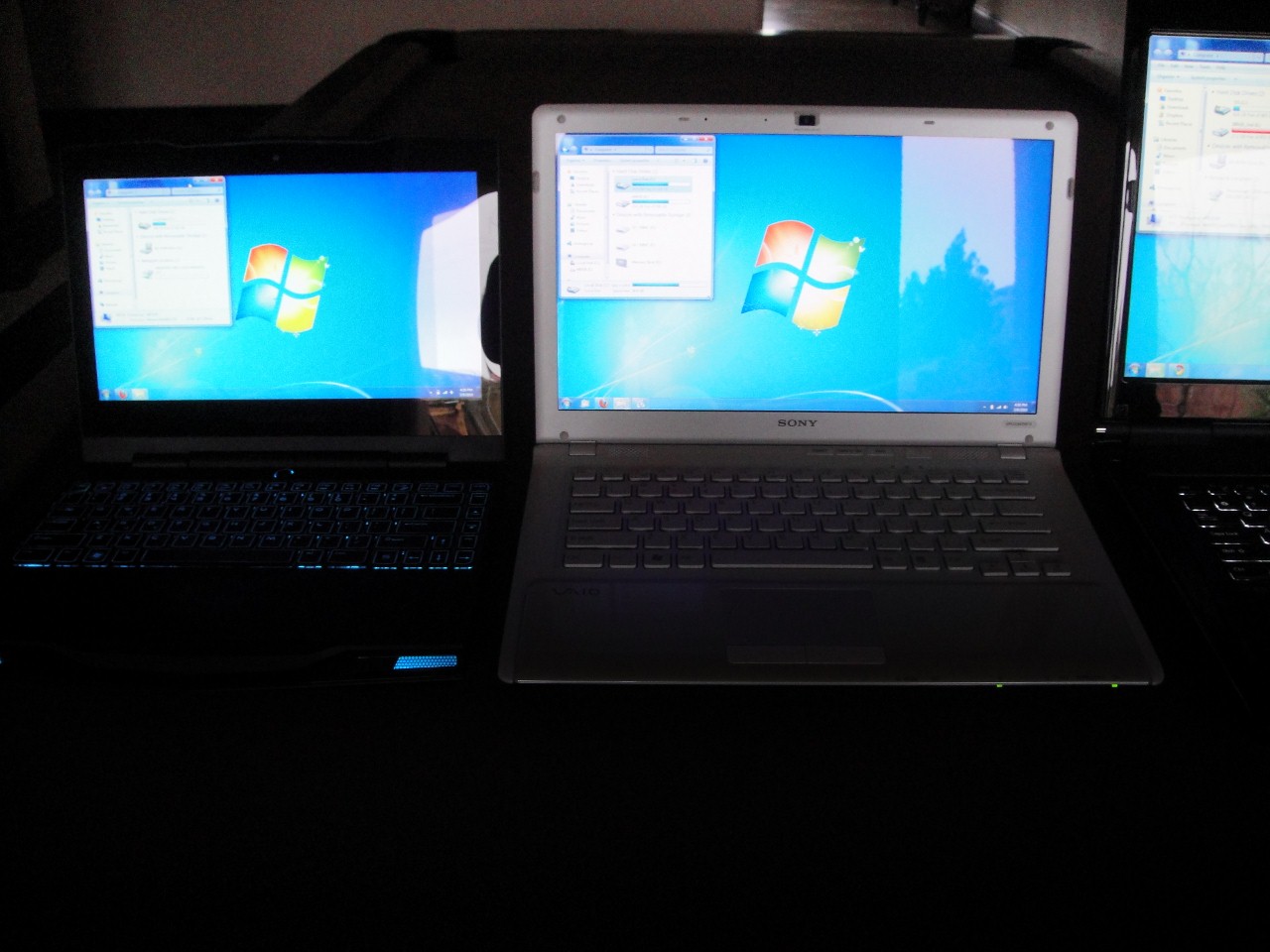
I'm still planing on giving a mini review and comparison of both the Sony CW26FX and the Alienware M11X sometime tonight or tomorrow. For now, here are some comparative pictures of the Alienware M11X (11.6"), Sony CW26FX (14"), and for size comparison, the ASUS G72GX (17.3").
Attached Files:
-
-
Here are a couple of pictures of the screens all at maximum brightness.
Attached Files:
-
-
Someone please help!!
I just received my sony vpccw22fx yesterday (I know, I'm like the only person on this thread who has this model), and my fan is making a very subtle whirling noise (constantly--its not limited to demanding tasks). Its not loud but its loud enough so that I notice it if there is no ambient noise. The fan whirls and, for a split second, it'll stop then it'll resumes whirling. Is this sound normal? Did any of you have this problem? What should I do to fix it? I am absolutely loving this laptop otherwise (yes even with the lower resolution).
I really concerned that I might have to return it which I don't want to do--especially considering how I've been w/o a laptop for about a month now.
Thanks in advance guys. -
3dmark06 1366x768 = 7827:
http://img708.imageshack.us/img708/950/3dmark003.jpg
3dmark06 1280x720 = 8221:
http://img130.imageshack.us/img130/4879/3dmark004.jpg -
625, 1090, 1375
Is it stable at those settings? How long have you let it run? WOW! -
Ive been running mine at those clocks since I got it and no issues. Im pretty sure thats around the standard OC.
-
My cw should be coming in the morning. Can't wait to make an unboxing video followed by a bunch of test videos
-
I take it you swapped in a SSD? sorry too lazy to read back a couple pages to see. haha
-
Lol, same here. Funny you had those core numbers since it is what I have mine at. I had a 3dmark06 no artifact run at a core of 650. Memory I'm at 10000. EXACT same temperatures as stock. I got too lazy to push furhter.
I'm at 625/1000/1375. -
The best buy VPCCW26FX/W is back in stock, it sometimes shows as out of stock on the listing page (listing all sony laptops) but when you click on the details it shows as available on the description page.
Ordered one (est arrival 16th) will see what happens... -
Wow! those are real good scores............dats great!!!!
-
@Sony Vaio VPCCW26FG owners,
Do you think this laptop series (Core i5-520M) throttle like Core i7?
Thanks. -
Gskill Falcon 64GB. This laptop is damn fast.
The only issue here is battery draining... Sony really screwed things up... -
Not sure what the question is...Which i7 are you talking about? Of course the i5 throttles. 2.40 to 2.93 GHz. Install the Intel Turbo Boost Monitor widget for windows 7 and you can watch it throttle up.
-
An SSD would make next to no difference in a 3dmark run.
-
downloaded the widget. Pretty cool. Thanks
-
These are freakin awesome pics! Thanks so much for posting.
-
Thanks cknobman. You are very welcome.
Anyone know why my framerates in games drop from around 40 fps to 7 fps when I unplug the power supply? I've made sure everything in power options is set to High Performance and I don't see anything in the drivers that would allow this to be adjusted.
Can any of you play games on battery with similar framerates to being plugged in? And yes I know my battery will run down quick
-
I've played bioshock 2 and tf2 with pretty decent framerates without adapter plugged in, though I do notice that my overclock returns to stock when I unplug the computer and it goes to battery power but I think that may just be the sony driver fault, not sure.
-
Thanks thepolishkid. Are you running the Sony's video drivers (if so are they the ones off the Sony site or what came with your PC)? I'm running newer drivers from laptopvideo2go because I couldn't get the ones from Sony's site to overclock. Maybe these drivers are my problem. It sounds like you can overclock, and don't have my problem with hugely decreased performance on battery, so I've very curious what drivers you are using. I don't loose my overclock, my frame-rate drops to about 20% of what it is plugged in.
-
That's very weird that that happens to you. I am using the drivers from the sony site (i did a clean install of win 7 x64 prof.) I overclock them by using evga precision, which I understand you need to have an evga product to download, which I do. But I'm sure you can find it ~somewhere~ on the internet, if you want it bad enough =P. I think the software is basically riva tuner with evga branding on it, but I couldn't get riva tuner to work.
Are you sure your overclock isnt going back to default when unplugged? Thats the only thing that makes sense to me. -
erm i using nvidia tools to overclock the GPU however the maximum memory clock i can go is 815 not 1000 plus.Any help?
Sony CW i3/i5/i7 Official Owners Thread
Discussion in 'VAIO / Sony Owners' Lounge Forum' started by riverman76, Jan 11, 2010.