Problems? See this thread at archive.org.
I'm at work at they don't pay me to take sh*t apart
Looking at tofu's pics it's the same connector. I can't say for sure it WILL work but again I'd be shocked if it didn't.
I have a few intel SSD's...none of which I care to tear apart just yet. What I WILL do tonight is simply plug one in later tonight.
-
I'm also at work, they pay me to take sh*t apart, but not for personal stuff.
I'll maybe sell the 80GB Intel Gen1 SSD not sure what I would get since it has no warranty anymore. But I have to say the Intel SSD's are maybe not the fastest on the planet but are very resilient and have consistent performance. The Toshiba SSD's are really weak after 1minutes load test with IOmeter and random 4KB writes the IOps collapse to 40. -
I'm more interested in extra capacity. I have some intel 320GB 1.8's that I'd run in AHCI (trim) mode as 2 separate disks. 640GB would be pretty nice on my Z. I don't know if these models have been released yet but they are darn nice.
-
uhhh.... 320 1.8's are the newer g3 models that won't be released for a few more months :O g2's are limited to 160gb. i wish i had your job
my dream is to put 2 x25-m g3 160gb intel 1.8's in there, combined 320 should be enough so that i can take my 2.5" ssd out and put the dvd drive back in. Not that i'd need it, but as a power saving method :$ -
Whoops the I guess they're not released yet and trust me, you don't want my job
-
How's the performance on those G3 Intel SSDs, let's call it a sneak peak preview. Is the sequential writes greater than 70MB/s now?
-
Probably. The sequential writes on the Gen2 drives are already more than 70MB/s (with 160GB drives).
-
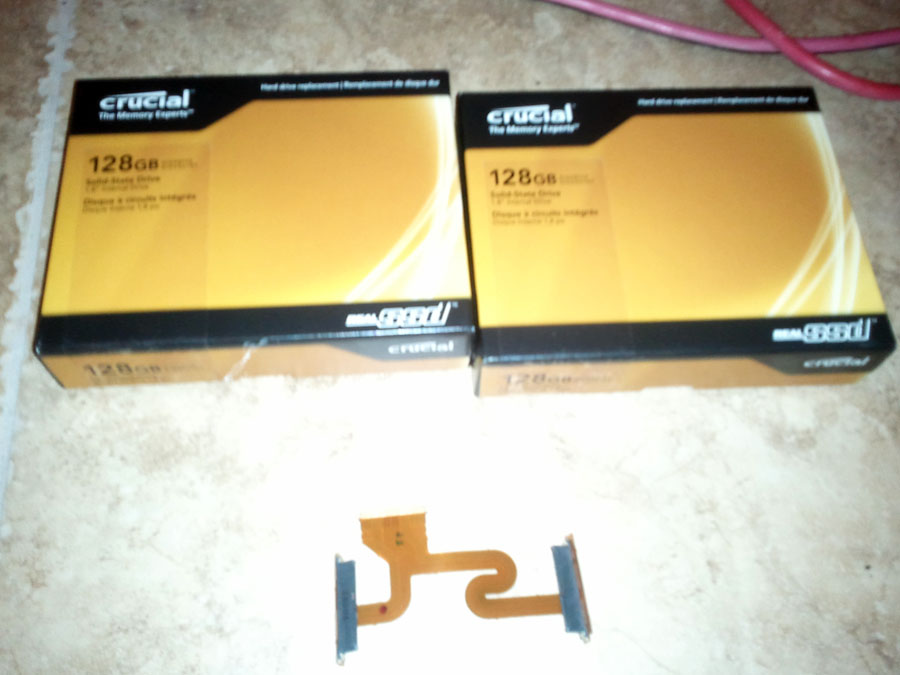
I can confirm the z12 cable I listed above does work on the z11
-
That awesome for the z11 users. If you want I can update my first post, add pictures and instructions for the cable install and of course a link to add points to your reputation.
And maybe the moderator can change the name of the thread since it would now apply to both models. -
Actually it's identical to your pictures
Sadly, I wasn't able to rip apart the gen 3 Intel sata's so I did install a Gen 2 160GB for now. They 320's may need to be returned.
-
don't return it, i'll buy it from you!
-
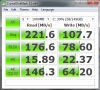
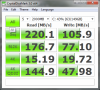
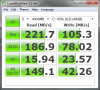
^LOL, can't do that. Here's the bench of the Intel 160GB FWIW
Attached Files:
-
-
You and your 320's. Send them to me, I can take them apart and make them fit
Can you change the work area to 2000MB and 4000MB and run a test? -
Gladly (below):
-
Thanks. That are Gen2 SSD's right? I see that on the much higher sequential write and random read.
I have added the cable information for the Z11 to the first post. -
Yep gen2 drive
-
Got my cable in, thanks again beaups
now just have to wait until intel's G3 drives come out
if OCZ's markup on it's 1.8 Vertex 2 wasn't so damn crazy ($431 for 120gb 1.8 vs $289 2.5 120gb) I'd probably go dual Vertex 2's but OCZ's prices make it an easy decision to wait for Intel :\ -
Or go with the RealSSD C300 128GB = $270 + tax Newegg.com - Crucial RealSSD C300 CTFDDAA128MAG-1G1 1.8" 128GB SATA III MLC Internal Solid State Drive (SSD)
Is better/faster anyway. -
It was mainly because I wanted to try something different since a X25-M and currently a C300 have already called my Z home
-
So the Sandforce is probably the best way to go? It's overall fastest (SATAII) and it uses less power (or produce heat) than others, C300 seems to be real powerhog:
![[IMG]](images/storyImages/22719.png)
![[IMG]](images/storyImages/22705.png)
![[IMG]](images/storyImages/22706u.png)
![[IMG]](images/storyImages/23555.png)
Atleast Vertex 2 has 1.8" variant, 2,5" don't fit, even without casing? -
^great post, you aren't kidding about power, wow.
2.5" won't fit without case. 1.8" you need to remove case and it barely fits. If it was 1mm bigger it wouldn't fit. -
The 2.5" won't fit even without case. You should not compare the Sandforce SSD with the C300 regarding power consumption, rather compare it with the Intel M G2!
The sandforce SSD's use internal compression (that is why they seem to be faster) and I have heard cheap flash memory. The biggest power consumption has still the screen. I don't think it matters that the C300 SSD consumes 1-2 watts more under very high load (which you only have when you run the benchmarks).
In my opinion, if you want performance for your OS and Apps and reliability you should go with Intel or RealSSD C300. The RealSSD C300 is actually from Micron and the flash is the same as in the Intel (Intel and Micron have a Joint Venture at the flash production). -
Well, I just did?
Doesn't really matter if it's still overal fastest. And cheap flash (which I don't think it has) doesn't really matter either, because controller is the only thing that can brick your SSD in a instance. NAND wears slowly, and it cannot brick your SSD, if cell is weared out, you still can read from it.
Screen is usually 1/3 of the average power of laptop. But that doesn't mean, that watt hear or there doesn't matter. 3W difference (in load) is still huge in laptop use. If you use two of C300, uncooled 8W load below your palm is huge heat. -
Does anyone know something about the power consumption of the samsung and toshiba SSDs sony uses?
-
@jiopsi If you don’t like my answers or if you think you already know the answer, don’t ask.
@all others
The power consumption in this post http://forum.notebookreview.com/son...vpcz11-vpcz12-non-sony-ssd-7.html#post6682096 at writing the SSD can only be achieved with benchmark tools which max out the possible performance of the drive. Under normal conditions you’ll never be able to produce max performance on a SSD in a notebook like the benchmark tools do. That is also why you won’t notice any difference under normal conditions between using an Intel, Micron or Sandforce SSD.
Regarding C300 heat production and power consumption: I don’t notice any difference on my notebook. I also checked the temperature of the area where the SSD is after running the benchmarks, it was not even warm.
The Sandforce SSD performance collapses when you write data that is already compressed like JPEG pictures.
Here is a current power consumption overview and performance test of SSD’s from Tom’s Hardware: Benchmark Results: Power Consumption : Tom's Hardware's Summer Guide: 17 SSDs Rounded Up . The Toshiba SSD is on there. The Samsung you can check here: Power Consumption : Hot or Not? New Samsung and Solidata SSDs . -
I ran PcMark Vantage x64 in my vaio Z12 with an Intel x25 G2 80gb and i7 620M:
PcMark Suite: 11158PcMarks
Memories Suite: 5644
TV and Movies Suite: 3998
Gaming Suite: 9002
Music Suite: 11097
Communications Suite: 10460
Productivity Suite: 12345
HDD Test Suite: 17717
The hard drive suite test seems a little low compared to what you guys are showing here, I do not know why. -
Other programs maybe interfere with PC Mark during testing.
-
Well, about possible interference:
All the others results are comparable and better than expected.
I have ran the benchmark several times with similar results.
It does not look like other programs are interfering, I ran the benchmark without as much junk as possible. No P2P, no messaging programs, no voip, etc. -
Did you disable antivirus?
-
@beaups
To remove the ZIF cable and install the mSATA cable do you need to flip/push something on the socket on the mainboard? The cable seems really tight in the socket. -
yeah you flip up (gently) the little part of the connector. it's on a hinge.
-
has anyone installed any 2 non-oem 1.8" ssd's in raid 0 yet? I should be attempting this weekend
-
You can do RAID 0 with two other SSD's.
-
Hey Enny, how did you open up your C300? Do we just pry it open on those little clasps?
Never seen a 1.8 drive before, insanely tiny! -
hi all, i have a m225 256 gb SSD card. So there is a 1.8 drive inside this 2.5 SSD card? And how do i install it with the 128 (2x64) i currently have? Or do I have to replac eone of the 64 gbs with my 256 gb one? Does it detect it automatically or do I have to reset it up as Raid 0.
-
I used a small flat screw driver to lift/open it on the sides where the noses/casps are.
-
Does it say somewhere that the 2.5" SSD has a 1.8" inside? A 2.5" SSD won't fit in the notebook except you remove your optical drive and put it there.
The instructions I wrote are for how to replace the drives, there is not enough space to but another SSD on top of the SSD's you already have installed. -
after a slight delay my 2nd c300 arrived today. can't wait to try this out
Attached Files:
-
-
what, only 128GB drives, why not 256GB?
Well, is we say in IT "it should work"
-
I did finally drop in 2 undisclosed Intel ssd's. Running in AHCI mode, though, as I wanted to preserve trim and these aftermarket ssd's are crazy fast still without raid.
-
Well, i wasn't quite ready to drop $1,200 for 512gb of ssd's Guess i'm being cheap
These are tough times!
While I agree with beaups that all these new SSD's are insanely fast even without RAID 0, I just figure, why not?
-
^why not? because you lose trim in raid
-
I guess i'll remove my 2.5" c300 out of the ODD and reinstall the dvd drive, not that I miss it.....
Buying a home, so SWMBO will finally let me bring my desktop out of storage. The beast will gladly welcome the C300 as it's boot drive over it's current VR's
-
Honestly, i'm still debating. I know the C300's idle GC isn't great compared to sandforce drives, so I'm on the fence about it. I know it's "safer" to avoid RAID 0 and other than looking at benchmarks, it's likely i wouldn't see a difference day to day.....
-
With the C300 you don't really need the performance from RAID0.
If you don't want to deal with two drives in Windows you could try a software RAID0 (striping) in Windows. As far as I know this Windows striping does not improve the performance. I haven't done the striping on a system drive yet it maybe won't work.
You need to change drives in windows to Dynamic to be able to create any striping which some partitioning and Image tools cannot deal with. -
I decided against RAID 0, even running them as single drives, it feels snappier. very happy about this upgrade
My stock samsung 128gb drive came as one single piece. So any Z11 owners with the 192gb or 128gb setups that are interested in my 128gb lmk and i'm sure i can offer you a much better deal than Sony's crazy prices
-
My 128gb was one piece too, but didn't it require both sata connectors?
-
i think they would just need a different cable, look at this pic from Zoinks and his quad 512gb. i'm guessing the 192gb version would have the dual zif cable already
Imageshack - dsc00932h.jpg - Uploaded by ZoinksM3 -
My 128 was dual zif but one drive. Was your 128 only a single zif?
-
yup, single zif. that's strange
How to replace the SSD in Vaio VPCZ11 and VPCZ12 with non-Sony SSD
Discussion in 'VAIO / Sony' started by Enny02, Aug 21, 2010.