Problems? See this thread at archive.org.
Makes sense. Port multipliers at work
-
just strange that we have to different setups on the same model. Z11 128gb.
was yours CTO? Mine was -
There is nothing better than a DIY customized notebook
Next week or so I'l get my BluRay/DVD drive, then my notebook should be complete/perfect.
-
you need to stop making me wanting to upgrade my laptop! because of you proving 1.8" drives fit and beaups finding the part # for the Z11 cable, i'm down ~$600!! D:
-
I know how you feel
-
Hi guys: I have a Sony Z12X9E/X with 128GB SSD RAID-0 (Toshiba) and I am new to this thread.
Sorry, if I am asking stupid questions:
1. I want to upgrade my Z12 and add another SSD to have 256GB in total (128GB existing SSD + 128GB new additional SSD). I this thread have read that the SZ12 has enough space to fit TWO 1,8 SSDs.
Is that possible?
Which SSD should I take that would fit the existing Toshiba?
What about the RAID configuration?
Does Windows 7 then see 1 disk like now or 2 disks?
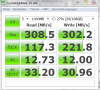
2. I have seen your SSD benchmarks. Willy330Ci seems to have the same 128GB SSD Z12 as I but has much more performance:
Why is my SSD much slower compared to yours (esp the 4K block writes):
Thanks in advance for a reply!
Christian -
When you have 128GB in RAID 0, you already have 2 x 64GB SSDs in your Z12.
-
He has his write-back cache enabled, yours is disabled.
Look in the "Intel Rapid Storage Technology" application. Click on Manage | Advanced
There you will see a setting to turn it on. -
I thought that the Toshiba 128GB SSD has the physical size of a normal, single 1,8" SSD.
Doesn't my assumption make sense, since the 256GB (4x64GB) and 512GB (4x128) also fits the same space?? -
The Dual SSD RAID0 versions have normal sized 1.8" SSD. I think the quad SSD RAID 0 have somehow squeezed two SSD's in the same space of a normal 1.8".
If you want to upgrade the disk space in your Vaio Z in the same space as where you have the SSD's now, you have to completely replace them. As shown in a picture of my first post, the SSD's in the Vaio Z are mounted together as sandwich and the screws are "taped". If you take that sandwich apart you most likely lose your warranty.
The only alternative is to replace the optical drive with an HDD caddy and put an SSD in there. -
Just accidently came by and thought about comparing the 256gb sony quad ssd:
![[IMG]](images/storyImages/unbenanntny.jpg)
It wouldn't make sense to switch to an other config, considering money and effort, would it? -
No, not for performance reasons. Quad SSD RAID0 is fine.
-
Crucial C300's are now available in 1.8". Perhaps these may make interesting replacements assuming they fit.
EDIT: Ignore me. Obviously I didn't remember reading it earlier in this thread and didn't remember they were already available at Newegg a few months back. Lexar was kinda slow with the new release, eh? -
only a few 2.5" sellers have also 1.8" .
Crucial RealSSD 128 GB Internal hard drive
Crucial RealSSD 256 GB Internal hard drive -
Hello guys,
Has anyone be able to put a non-Sony SSD to a VPCZ1x model which hasn't SSD and only a 2"5 hard drive ? I guess that I will need to buy the same cable for a VPCZ11 as described in the first page.
I have no need for a DVD burner, and the money saved by taking a HDD model will pay two 128gb crucial SSD.
Thanks for yours answers -
Are you sure you have a 2.5" HDD in your Vaio Z?
I thought there is a 1.8" HDD in the HDD version of the Vaio Z.
To replace your DVD with a SSD please check here: http://forum.notebookreview.com/sony/469244-z11-replace-dvd-hdd-working-solution.html -
Does the stock Toshiba SSD support TRIM? It appears it does not... but I'd like to make sure. I know TRIM doesn't work in Raid but I wonder if I split the raid into individual drives would TRIM kick in or not.
-
I haven't purchase the vaio yet
In the hdd version, there is a 2"5 hard drive instead of the DVD burner. I suppose that there still the room to put a 1"8 SSD like you did.
I would like a confirmation that it is possible and beside the cable everything is OK to connect a third-party SSD.
Edit: And I would like to put another 2"5 SSD in the drive bay, in order to have two disks for backup. -
I TRIM works when you have no RAID but the Toshiba and eventually the Samsung SSD don't have TRIM.
Okay I'm not familiar with the HDD version model. I checked on sony.de and they really but big drives (GB wise) in the laptop which are not available as 1.8" . As you said, I assume that the space for the two SSD's is still there but you only know for sure when see it for yourself. Maybe you can post that question about the HDD version in the Z owner thread and someone know it there.
You could use the HDD in the drive bay as backup or for file storage and use the 1.8" SSD for OS and Apps. -
Well that sucks
-
If the Toshiba SSD's are the newer HG2 then they maybe have TRIM. Just test it, break the RAID and use a SMART tool to check if they have TRIM.
-
Has anyone had the chance to confirm the Z-13's would be the same internally? I'm buying a Z-13 tomorrow and will probably just buy the 128GB (2x64) low(er) end version.
I'm assuming everything is pretty much the same as in the Z-12s.
Thanks! -
Z13 has slightly faster CPUs and TPM standard.
-
Thank you again for your answer.
After some research I've realized that I can't purchase the double sata cable from the sony web site linked in the first page because I'm currently living in France.
I've just ordered a Z13 with the 256GB SSD option which has a discount price on SonyStyle.fr -
I'm pretty sure Sony also has a parts store In France. Just ask them for part with number A1781464A .
-
I`m from spain. I bought mine trough Ebay "Usa Mail Address International Mail Forwarding Service".
In my case, I create an acount on SonyservicesPlus, payment method= Visa . Delivery address= provided by Mailing service. Billing address,etc..= mine.
If you want to avoid problems, They can buy for you.
Hope this help.
P.S. Not yet installed
-
Maybe, but you know in France we haven't the same notion of "service" than the US
Thanks for the tip, but finally I've decided to go for the Sony quad-SSD. To be honest, I'm not comfortable with the idea of voiding the warranty of 500 worth of Crucial SSD
-
I just purchased a Z13 and want to know if I can replace the (2) 1.8" SSD with (1) 2.5" SSD?
-
Nope. You can only add a 2.5" SSD in a Hard Drive Z or by replacing the optical drive with a drive caddy. The 2.5" SSD's are simply too large for the space you get when pulling the stock SSDs out (which are sandwiched over each other and about the size of a 1.8" SSD without casing).
-
Other countries have also parts stores that is not something onlt the US has. I saw somewhere a link to it on the German Sony website. The part number could be different in Europe.
If you are able to open the SSD without leaving a trace that it had been opened you most likely won't void the warranty. -
Thanks for this great thread. Very informative! Quick question, I know that if you want to run dual 1.8 SSD (Crucial C300) you have to remove the casing to get both to fit...But let's say I only want to run single 256gb SSD, do I still need to remove it from the casing?
Enny02, I know you didn't use the original bracket that held the stock SSD's, was there a reason for that? Also, do you notice any movements of the SSDs when you are moving the laptop around?
Thanks again! -
Yes you still have to remove the casing. You can't use the stock bracket because the aftermarket drive(s) won't fit.
-
exactly. Also they don't move around there is not that much space. Another reason not to use the the bracket of the stock SSD's is the warranty, there are "stickers" on the screws of the bracket.
-
Did you guys use any sort of cover in between the drives?
-
I just eletrical taped the hell out of one side of one as insulation
-
Do you think a piece of foam like this would be okay?
Attached Files:
-
-
foam? is it anti-static? I put a piece of the anti-static bag between the two SSD's.
-
Do not cover the SSD's too much the "heat" of the chips needs to go somewhere. The RealSSD C300 has actually thermic paste inside to get the heat from the chips to the metal casing and outside.
-
VPC-Z sony manuals (VPC-Z11 and Z12)
VPCZ1.pdf ~Z1
VPC-Z12 version2.pdf ~ Z12
To get to the parts list find the exploded diagram with the part on it and click the blue paperclip (launches in Excel)
Hope this helps, sorry i havnt been able to get one for the Z13 -
A follow-on question:
Since Sony also offers a 192GB SSD model (128GB + 64GB): Can I then replace one of the two 64GB Toshiba SSDs with a 1,8" 128GB Crucial SSD so that I upgrade my 128GB to 192GB?
Will that work?
What about speed and RAID? -
Maybe. You have to take apart the frame where the two SSD's are on (see picture in first post). As far as I know mixing a 128GB and 64GB in RAID0 would work but the RAID0 would be only 128GB and the rest of the 128GB would be a seperate partition.
-
Wow! Congratulations for the replacement? Can you tell me what kind of Toshiba SSD the original was (built in by Sony)
I replaced the HDD with a SSD in my VPCF13Z1E_B an tried to install the SSD like the former HDF to use the hidden recovery partitiond via Vaio Care again. But that fail. So my conclusion is that Sony built in special SSDs (F and Z-Series)
Did you use the recovery option from your SSDs? -
That are not special SSD's regarding the recovery option. I did an image with Acronis and restored that to the other SSD. Probably something changed when you restored and something was not right during backup.
-
Hey, guys. Just received my Vaio Z and I knew all along I wanted to drop the drives in RAID0 for a single drive with TRIM support; however, does anyone know if the Toshiba SSD's these Vaio's are using are TRIM supported when using them solo or will I have to buy another 1.8" SSD? I was thinking of just making one the main drive and then using the other as the daily backup drive.
-
Someone else asked that before but no one seems to know or I didn't see the response to it.
You can find out (break the RAID and check with a SMART tool if the drive supports TRIM) and let us know. I wouldn't even use the Toshiba's for OS and Apps even they would support TRIM. -
Why not? They're probably not the fastest SSD's around, but they're definitely still miles ahead of any platter drives. For opening up apps and loading the OS, the differences aren't dramatic between various SSD's. I don't plan on doing lots of large transfers or anything, either read or write. Also, controller reliability isn't a huge issue for me, as I backup all my important school docs on USB and I'd also do a network backup to my home server once in awhile, on top of the backup I'd already be doing daily if I can run the SSD's separate with TRIM.
I'm using a G2 80GB Intel in my Lenovo U450p right now, which I pulled from my gaming rig before I sold it. Too bad it's a 2.5" and won't jive with the Vaio Z, at least not as a replacement SSD to the ones already in the Vaio. I'd like to keep the optical drive in place. -
Toshiba random writes are only slightly faster than normal HDD and at a lot of random writes it is even slower (with only 40 IOps) than HDD (around 80IOps and more). I don't say that the Toshiba's are bad but I wanted to have something faster and more disk space in mine. I notice a differene between the Toshiba and the Intel or Crucial RealSSD C300.
-
Hi guys,
sorry for this question here, but I have not found a conclusive answer anywhere else:
In understand that the SSDs in the Z12 do not support TRIM due to RAID0.
What are your experiences with SSD performance degradation over time? -
there is garbage control though.
-
I have restored a previously backed up Drive C image with a disk imager ( Drive Snapshot - Disk Image Backup & Disaster Recovery).
Now I noticed a significant drop in SSD performance.
Original:
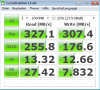
After image restore of Drive C:
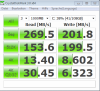
Can you please help?
How to replace the SSD in Vaio VPCZ11 and VPCZ12 with non-Sony SSD
Discussion in 'VAIO / Sony' started by Enny02, Aug 21, 2010.