Problems? See this thread at archive.org.
Hello,
I just replaced my 2-year old VPCZ138GW DVD with a caddy+SSD (Samsung 840 Pro 256GB) and I've been struck by the ACPI bug (described in Fix for the New Z QuadSSD + Extra SSD CPU bug in http://forum.notebookreview.com/sony/478621-fix-new-z-quadssd-extra-ssd-cpu-bug.html). There is also another issue, not reported in the "bug" thread: the "Enable battery care" behaviour has changed: I have, most of the time, selected the 50% charge (as I mostly use the laptop plugged), but now it charges to 67% (on 50% setting) and to 8-something% (on 80% setting). It gets hotter, and fans are running all the time (although noise level is low). [By the way, it seems that I cannot boot from the 840 Pro drive, but this is not yet definitive]
Now I have to spend some more $$$ to sort this out; my plan is to replace the quad-SSD (4x Samsung MMCRE28GQDXP-MVB) by at most 2 drives (e.g., 2x 128GB). The internal cable is ZIF (LIF?) and from my browsing it seems that the Samsung MMDPE56GQDXP-MVB is quite difficult to find (and/or very expensive, e.g., > $1300).
Although not exactly a newbie, I am lost amid mSATA, mini-SATA, slim-SATA, uSATA, ZIF/LIF (and to worsen things some LIF interfaces refer to IDE, while others do not mention the interface type). So, please bear a little patience while I ask something that was (probably) already asked before:
1) Can I replace my "internal SSD LIF cable" (it's an Y cable, as it links to 2 SSD "combos") with the A1781464A cable?
2) Is the A1781464A a uSATA cable? (or is is another type?)
3) What are the "best"bets for an SSD around 256GB for my configuration?
Best Regards,
-
What was the purpose of buying an SSD drive to replace the DVD drive?
1) Yes.
2) microSATA for 1.8" SATA drives. For many cases you will have to remove the SSD drive's casing for it to fit in the space.
For the time being, you could try temporarily disconnect one of the 2 SSD combos. -
Thanks, namaiki
The current 256GB (4x 64GB) was getting short for triple-boot and several VMs
Yes, but I'd need to dismantle the RAID0, meaning very careful backup/restores of OS images (Win7, Linux) and bootstraps on the "remaining" disks (2x64), and creating new partitions with the same size
Furthermore,
1) battery charge is now respecting the choices (e.g, 50%)
2) the new drive is bootable (although what I believe is a Vaio Utility on the taskbar still shows "The power of the CD/DVD is turned on")
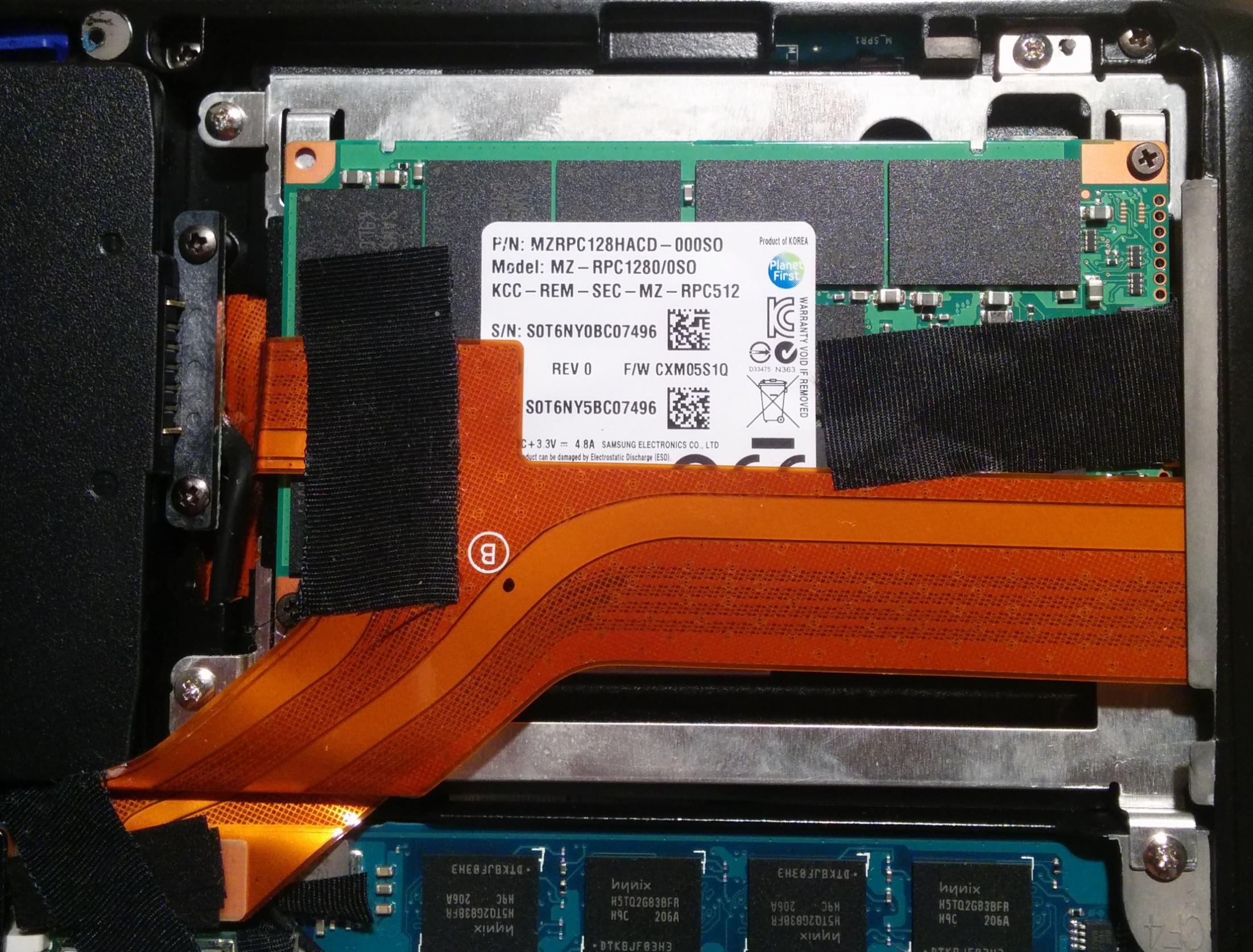
3) from a large magnification of a photo I took, the current flat cable that connects the mainboard to the 2 SSD "combos" of 2x64GB is labeled FPC-209 1-881-492-12
Regards -
Hallo
May be can someone can help me since I planning to upgrade my only 2,5" HDD Version vaio VPC Z11C5E
I planning to add a 1,8" SSD for my vaio
But, I'm kind a confused with many connector in market.
I already had here the ribbon cabble A1781464A
But can I use this for any SSD..?
If I want buy a SSD like this :
128GB Crucial RealSSD M4 mSATA intern SSD mSATA-Festplatte | eBay
That's mean to connect that SSD with my ribbon cable, need I an adapter like this.?
10 Pcs SATA 7 15 Pin 22 Pin Straight Male Connector for Hard Drive HDD | eBay
or
mSATA to Micro SATA Adapter Srew Mount | eBay
Or may be I just need to connect the cable ribbon directly with the SSD ( without any adaptor )
Thanks for your suggest -
so i bought a 256GB samsung/sony SSD with a lif connector for my Z11 (which currently has 2 64gb SSDs).
This 256GB model is from the quad-raid version, so it should appear as 2 128GB SSDs connected in RAID 0.
My question is if I should keep one of my 64GB SSDs connected also. What will happen?
Will it become like a tri-RAID with 64GB + 64GB + 64GB = 192GB tri-raid? (and 128GB will be "lost"- is there a way to regain this lost 128GB via a new partition that will not be in raid but not affecting my tri-raid?)
or will it appear as 64 + 64 = 128GB dual-raid and I not gain anything from this 64gb-to-256GB upgrade?
i'm mainly upgrading hoping to increase my raid speed from dual to tri, but does this even work?
or do i just get rid of both 64GB ssds and replace them with 1 256gb that should run as dual-raid 2x128GB?
PS: i was originally hoping to use this as a "transition" until I get a 2nd 256GB SSD (of the quad-raid Z kind), but now I just read about the quad-raid-Z+extraSSD/HDD bug so now i'm scared of doing it (I have a 1TB HDD in my DVD caddy) since I don't know anything about programming and the fix is only for a specific CPU (which I don't have) so I don't know how to change it. -
A1781464A is the microSATA cable. You need the double ended LIF cable for quad-SSD. There are LIF boards with a single connection that have 2 SSDs in them.
-
yes, thank you!
I figured that out, ordered the LIF board, and edited my original post as I had not read your reply before.
i now have other questions I was hoping to answer which I put in the edited post above -
well I retract some of what I wrote.
I just opened up my Z112GX and apparently it only has the 1 LIF connector
I don't know if this is a good thing or not, because it means that my 128GB SSD is not 2 64GB pieces, but rather a 128GB SSD in one piece (connected as 64x2 in raid in that one piece).
Therefore all 128GB may be useful if I get the double-ended LIF connector and use it with my 256GB SSD (2x128 raid0 in one piece).
However, this also means now I am will be immediately subject to the QuadSSD + Extra SSD CPU bug
Is anyone able to help me with this? (the fix here: http://forum.notebookreview.com/sony/478621-fix-new-z-quadssd-extra-ssd-cpu-bug.html)
I don't know anything about programming (but I am an easy learner on using programs).
my configuration is:
MODEL: VPC-Z112GX
• BIOS/EFI: R3031C3
• CPU: Intel Core i5 520M
• MEMORY: 8 GB RAM
• SSD: will be Quad SSD (with a 256GB SSD that is 2x128 and a 128GB SSD that is 2x64) + Extra 2.5” 1TB HDD
• 64-bit Windows 8 Pro
I can look up memory values if you can give me instructions.
I have not installed the 256GB SSD yet (it is being shipped) so my system is running fine now and should therefore have the proper ACPI values....
Is this easy or hard to do? -
does anyone know if this dual microSATA cable for the Z12 work each with SATAII speeds, or do they add up to SATAII?
Want to know if there is any advantage to having 2 drives in RAID0 if the individual drives are fast enough to saturate the capacity.
Once I splurge on drives, it may make more sense to get newer ones and use the microSATA cable than the old drives that use the LIF, especially due to the quad SSD bug that applies to the LIF drives.... -
Hi,
I have a client with the 2 Toshibs SSD sandwhich in a vpcz122gx. We want to replace with a Crucial M500 256GB SSD. It appears we would need to utilize the optical drive bay to place the 2.5" drive.
What I am not clear on is what cables/parts would we need to install the 2.5" SSD.
Any info appreciated-
C -
All you need is a 9.5mm SATA hard drive in optical bay caddy. Can't remember exactly what the name is though but it shouldn't be hard to find. There are some designed specifically for the Vaio Z1 or otherwise you may have to remove the faceplate off the optical drive and put it on the end of the optical bay caddy for it to look nice. You can find them for about $10 on eBay.
-
Apologies if this has been asked before, but how does one disconnect the HDD cable on the mainboard? Does it just slide out or does one have to flip open something first?
-
thank you........
-
My Sony OEM to mSATA EVO upgrade in Crucial thread: http://forum.notebookreview.com/sony/677936-new-crucial-ssd-drive-vaio-z-fit-3.html#post9629009
Thanks to beaups for the sata cable-partnumber find and this thread, for the info to get this done. -
Hello Members !
I was realy more then pist of, that my Vaio vpcz-11c5e, shot off my 2x128gb SSD......., the original SSD is over 1.200 $...
after i waste some tears, I found this forum and the Thread about "upgrade to SSD".........
so, I bought this cable FPC-217, and 2 MicroSATA to mSATA Connectors, put 2 Plextor SSD with 256GB each,...
and it works brilliant. Here some Benchmarks :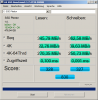
by the way the Keyboard connecer cable (FPC-199) broke also, but i worked with a ext. keyboard via USB
Costs: FPC-217(42.- orig. Sony part) FPC-199 ($13.- China )
Plextor PX-256M5M mSATA SSD 256 GB (each 138.- Euro)
Thank you, all people , to make it possible that my Vaio got another chance and spec. to this upgrade tutorial
where ich became a Vaio vpcz11 specialist.:hi2:
Quincy from Frankfurt Germany -
I have an HDD model, so for me I suppose an upgrade to a 2.5" SSD should be painless? I just need to take out the HDD and put in the SSD and I'm done, right?
-
Shure, will be easy, .....
Have fun with incredibble Upgrade in Speed
Post Benchmark before and After
Cheers
Q -
Done. Replaced my HDD with an Intel 530 series 2.5" 240GB SSD.
The comparison might be a tad harsh, because the HDD was benchmarked when it was 99% full, and the SSD is almost new with just the OS and drivers.
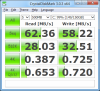
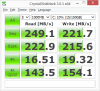
I'll finish loading the rest of my stuff and then see if there is much change, but for now I'm loving the awesomeness. I know it is not the fastest SSD out there, and it is SATA, not RAID0, and I'm limited by the SATA2 port, so this is probably the best I can hope for in this configuration. -
No significant change after loading all my apps - Office 2010; Visual Studio 2012, FF, Chrome, etc. No more waiting at login screen; resume from hibernate is about 10 seconds, about 2 seconds of which is at the BIOS screen.
This is what I bought:
Intel SSD 530 Series 240GB SSD 6GBPS 2 5in Sata Pulled OUT Almost NEW | eBay
The item is going for 30+% discount on the price of new. Free shipping in India. -
Hello everybody!
I know my post is maybe a bit off topic, but still my problem is dealing with the SSD of a Sony Vaio.
So I have a Sony Vaio VPCSA and there is a SSD in a sandwitch construction implemented. (picture is added)
Due to the fact that I run out of storage space, I want to update this one with a bigger SSD like s Samsung EVO with a SATA linkage.
Moreover I want to reuse the small (older) SSD in an other computer, because there are the 250 GB SSD enough.
My problem is that I do not know the used linkage of the currently SSD and I have no plan to implement a new SATA or mSATA SSD.
Unfortunately this in not my only hazard. Due to the fact that I want to reuse the small SSD sandwitch with the weird linkage again I have to connect this pieces with a SATA connector.
I will be happy for any help! I run out of ideas and found nothing about my problem!Attached Files:
-
-
Hello. If I have VPCZ122GX, and have purchased LIF 1.8 500gb SSD, can it be installed with some type of adapter??????? Need help. Thanks.
-
All imageshack images have been replaced with iTunes advertising. Please reupload to a different image service.
Splitlog likes this. -
Hi all,
I'm new here and just wanted to throw some more thanks to beaups and the dozens of other users that have contributed to this thread. I purchased the required cable & a Crucial M4 drive probably 2 years ago but left it sitting on a shelf for when I had "some free time". So I was stuck at home sick this past weekend and finally found the time!
Last week, I purchased this sata drive caddy in anticipation of the drive swap:
http://amzn.com/B009OLHLR6
My Sony is the VPC-Z1190X with the 128GB option, aka the weirdo Samsung two-drives on a single card with a small, funky LIF connector beast.
I purchased a copy of Acronis TrueImage 2016 and proceeded with the surgery like thus:
- created a backup of the OEM drive onto my NAS
- disassembled the Z11 using a handy printout of the back cover to keep the screws organized
- mounted Crucial M4 mSata into slimSata carrier and placed into SSD caddy
- swapped OEM DVD-rom for SSD caddy
- booted up & let windows detect/configure the new drive (did not format nor assign a drive letter)
- use Acronis TrueImage to clone OEM drive to new SSD (used all auto/default settings). took ~ 10 minutes
- booted up & ran Crystal on both the old & new disk volumes, then shut the machine down
- removed M4 from the caddy/carrier and attached to the smaller mSata to micro-sata adapter board
- attached new drive to the adapter ribbon cable and carefully removed the old drive & cable
- inserted new ribbon cable. ended up using a tiny pair of pliars to slide the LIF connector in
- Booted up, pressed F2 to verify drive showed up in BIOS. it did!
- restarted and VOILA! WIndows booted right up! woohoo!!
I took a dozen photos or so, but here are a couple that might help somebody. Hopefully these Google Photos links work!
If ya'll want a link to the photos or for me to post more of the guts here, say the word
galaxyge likes this.
How to replace the SSD in Vaio VPCZ11 and VPCZ12 with non-Sony SSD
Discussion in 'VAIO / Sony' started by Enny02, Aug 21, 2010.