 Problems? See this thread at archive.org.
I would like to say huge thanks to all the contributors on this forum. I've installed the last 340.52 without problem on my VPCZ13M8E/B, incredible! My windows performance got a nice little upgrade and i can now play games like FIFA 14, Battlefield 4.
All the explanations were clear, links good, perfect.
I also got a caddy with a 1Tb hard drive instead of the burner, got an expresscard with 2 USB 3.0 port and a 1080p display with the help of other posts on the forum.
Sharing information helps a lot of people, especially the ones like me that are not capable to find those incredible tweaks.
Got a small question though if i may, I was wondering if it was possible to set the bios to dynamic after the driver installation done and get the switch back to work as normal.
Cheers
-
If you set it to dynamic it won't work as you expect unless you use the very old drivers from Sony
The whole point of the BIOS hack and the Nvidia drivers in this post are to run either Intel or Nvidia with a reboot. You can't get dynamic switching with the setup detailed in this thread. -
Ok, that's perfectly fine with me. I just wanted to make sure in case i had missed something. Thanks again for the great work you've done.
-
Looks like the v4.7 patcher is no longer working with v334.24 and the newest v344.48 'Game Ready' series notebook drivers.
Test Mode enabled
Previous drivers cleaned
VGA and 3D Vision patch
v334.48 - patch applies normally, installer fails to detect hardware
v334.24 - patched 0 lines, installer fails to detect hardware -
I'll look into it
-
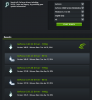
i don't see said drivers -
Its great that your still giving your time and knowledge to this, much appreciated.
NVIDIA DRIVERS GeForce 340.52 Driver WHQL
340.52
NVIDIA System Information report created on: 11/03/2014 21:31:19
System name: VAIO-Z
[Display]
Operating System: Windows 7 Professional, 64-bit (Service Pack 1)
DirectX version: 11.0
GPU processor: GeForce GT 330M
Driver version: 340.52
Any thoughts on where we might get to with 4k via USB 3.0 Expresscard? The Vi-dock is a bit pricey for me at present, but that seems the only way to get 60fps that I know of.
USB 3.0 to Displayport 4K Graphics Adapter - Graphic solutions GeForce & Radeon
http://www.goodway.com.tw/ca/product3.asp?listid=0&id=13&subid=81&pid=1049&typeid= -
Thanks for checking ComputerCowboy.
You need to pull up the driver set for 900M or 800M series cards to see them.
Hopefully they can be patched, if not I'm on 340.52 right now- working great.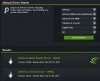
-
This patch is not for 800M/900M it is for 300M
Why would I be concerned with 900M drivers when all Z1 machines have 330M chips?
I just patched and installed the latest 340.52 and it works flawlessly.
-Jeff -
Boah guys,
since I did not get any reply on how to install Andrew08's modified drivers I decided to go the BIOS-hack way The process went trough smoothly (I used the updated rules for EU Z's and the now available 2.7.6.1 Version of Python). The BIOS got flashed easily, then I downloaded 340.52 nVidia Drivers and patched them. I uninstalled the original Sony drivers before installing the patched ones. Finally I have appropriate NVidia drivers to run recent software
Since I was not sure from the instructions I enabled test mode, patched VGA mode and 3D and then run the installer. During Installation I got a question if I am sure that I want to install unsigned drivers and clicked YES After installation and reboot I disabled Test Mode.
For the moment I can say all runs fine in Speed/NVidia mode.
After a reboot in Stamina mode I installed Intel Utility for the automatic Driver detection 2.0. It found a newer VGA Drivers and a newer chipset Driver. I decided to load only the VGA driver so far and after a reboot I am running the newest available Intel driver as well! Guess it will save some battery when I am not in Need of graphics power.
I can say that now the Z1 is even stronger than it was The dynamic switching is nice, but not a killer when it comes to much better functionality at the moment!
Timiboygalaxyge likes this. -
Yea
The switch never really worked well anyway
Ironically I rarely use Nvidia as I dock my laptop with a vidock and gtx 570hd
I do use Nvidia when I plug in my 3d projector
Which is why I developed the patch program in the first place -
ComputerCowboy,
needles to say You really rock with that easy patch!! The Z is now really up to date for modern software which it clearly is not with the stock drivers!!
Timiboy -
Glad I could help
-
Link seems broken, any mirrors?
-
Fixed, sometimes I forget to pay my hosting bill.
-
Great, thanks! That was fast
-
I get notified when people post on this thread
-
Hi Everyone,
Just installed the Nvidia 340.52 drivers with patch. Install went fine, no errors. Now, I am trying to adjust the colors on my monitor to match, so I right-click on the screen and select Nvidia Control Panel...and nothing happens. It seems I am unable to run Nvidia Control Panel to adjust colors. Does anyone have a similar problem or is there a work-around for this?
I've gone through quite a few posts on this thread and no concrete hints as to whats wrong thus far.
Any assistance is appreciated. Thanks!
Lang -
Update:
After numerous re-boots, I booted to safe mode, removed the 340.52 drivers using Display Driver Uninstaller, rebooted and re-installed the 340.52 drivers. Seems something was left in the system with the old drivers that prevented Nvidia Control Panel from opening up.
All is well and good now. -
Thank you very much! My beloved Z1 will see another couple years of use :thumbsup:
-
No problem
My Z12 is still rocking along
I have developed the white vertical line issue though -
ComputerCowboy: Thanks for your great work on keeping the Vaio alive.
Your website is currently down so i cannot access the files.
Any mirror sites to use? -
Will like to add to watsonnp petition for the files.
I'm willing to go the BIOS hack route finally, but need the files.
Thank you in advance to whoever can give us a mirror site, and big thank you to ComputerCowboy for developing the files -
Sorry about that guys...
I always forget to pay for that.
I'll sort it out soonish, hopefully today. Kind of busy. -
Thank you ComputerCowboy. Don't know about others, but I'll be happy to contribute to your hosting fees if you put a PayPal button in your web. You have done a great good for the Vaio community and I think it's fair that you don't pay money for it. I guess others could donate a couple of bucks, and that stuff add up quickly if enough people do it, paying for the host
-
ComputerCowboy, thank you for all your hard work on this, I have a suggestion, why don't you move the downloadable files to something like github.com, you can check in the source over there as well. Maybe someday you can move your website over to them, it's free for public and paid for private repositories. Check it out.
-
In the meanwhile, does someone happen to have a copy of the files, and can upload it to something like dropbox or something like that?
-
I managed to successfully install the latest drivers for windows 8.1 i.e. 340.52 on my laptop. Here is what I did:
1) Download the latest drivers from NVidia.com for your operating system.
2) Run the setup, which will fail but will eventually leave a Nvidia directory on your C: drive.
3) Mine was 'C:\NVIDIA\DisplayDriver\340.52'
4) I started a command prompt and changed the directory to 'C:\NVIDIA\DisplayDriver\340.52\Win8_WinVista_Win7_64\International\Display.Driver'.
5) I ran the following command: for /F %f in ('findstr /M "DEV_0A2B" *.inf') do notepad %f
6) The above command opens multiple notepad windows containing the .inf files having the specified search string in it.
7) In each of the notepad window find lines that contain the string 'DEV_0A2B' and then after the '&' symbol replace the SUBYS_WHATEVER with 'SUBSYS_905A104D'.
8) Save each notepad file after replacing all instances.
9) From the windows advanced startup options start windows by disabling the whql checks (you can search this on the internet as to how to do this) or take a look at How to disable driver signing requirement in Windows 8
10) After Windows boots up, start the Nvidia installer and voila! new drivers installed. -
hii...i've been waiting for 1 week for new download link..sir can you reupload again? thanks before
-
Just chiming in to report that I installed the latest 340.52 drivers with ComputerCowboy's VGA patch and they work fine.
-
I tested it in both Stamina and Speed mode with the VGA patch and the 350.52 drivers and the an external projector works fine in every mode, including projector only.
-
hi all....
i am new in this forum, can somebody give me a new link for inf patcher 4.7?...looks like link is broken..i already finished flash my bios with hack bios but i still can't install the nvidia driver to my vaio z116..thanks for help.. -
Where did you get the hack ? I am searching desperately for it but as you wrote... the link is broken.
-
The download links in the first post doesent work. I get to an blank page. Is it possible to reupp? Tanks.
-
I am a fresh owner of an Vaio VCP-Z13 an have now read all threads about the driver problem. But all links are dead in all threads.
Can someone upload actuall driver for windows 8.1 . I would like to do the the BIOS hack ( have a EU model ). Is there a tutorial somewhere which is "up-to-date".? -
This worked perfectly for me using Windows 7. I didn't have to worry about step number 9, and just allowed it to run an unsigned driver. My Vaio is an american model, VPCZ13KGX/X.
Thanks! -
Hi, for my laptop VPCZ11Z9E doesnt work that, had an error, which was saying that I have install Intel driver before. Any ideas?
-
Thanks for sharing useful information
-
I've switched to cloud hosting and the downloads should work
Let me know if you have a problem, I haven't checked all the linksanytimer likes this. -
thanks for sharing such useful information...
-
No problem
Sorry it was down for a while
I was quite busy with work and didn't even notice -
@ComputerCowboy , can you please help me with my issue? I never got a reply, and it would be much appreciated.
-
That vaio won't work with this bios hack
Totally different hardware
I'm not sure how I can help
I don't know anything about that model -
Hello, I have a VPCZ11RGX/S and I have installed the hacked bios, set the card to static, and have patched the last several nvidia drivers without any luck. When I boot up in speed with the hacked drivers installed, I get a black screen. When I boot up in Stamina using the intel drivers, everything works well.
Is anyone else having this issue with NVidia drivers? I have tried nvidia drivers 341.44, 340.52, 337.88, and 332.21. I have used display driver uninstaller to clean out any left over files as well. -
Try starting in VGA mode - you haven't specified your OS, so you'll have to Google how to do that if you don't already know.
-
Thank you for the quick reply. I have win7 x64. I tried booting into base video that is located in msconfig with nvidia drivers installed and in speed mode, but the black screen persists after bootup.
-
Hit F8 while booting to get the safe mode menu. Select the video mode there.
http://pcsupport.about.com/od/fixtheproblem/ss/safe-mode-windows-7.htm
If that doesn't work, try connecting an external monitor. The most likely cause of this is that your nVIDIA adapter is putting out a signal that your screen doesn't like - maybe an unsupported refresh rate or resolution. -
I think the Nvidia adapter has failed. I tried both options without any luck. I was able to get video out using the Intel adapter, so I know the vga output works.
-
Good news guys...
I just added a 600GB Intel 320 SSD into my Z1 where the blu-ray drive used to be.
With this 3rd SSD in my computer I'll be able to run this thing for a little while longer and thus keep all these drivers up to date for Windows 8 (and beyond)
It's pretty darn awesome that you can put three SSDs in this tiny computer.
I also like having all Intel drives, even though they are ridiculously expensive. -
Hi there cowboy! I think it is pretty awesome that you're still around here to give information to everybody. Will the drivers be working on windows 10, have you already thought of making any updates on your hack?
Cheers
Latest VPC-Z1/330M Drivers for the BIOS Hack People
Discussion in 'VAIO / Sony' started by ComputerCowboy, Aug 10, 2011.


