 Problems? See this thread at archive.org.
How come I never needed to create a custom resolution?
-
naujoks
And which drivers you use? Which OS?
You haven't ever experienced flickers on Win7 - Win8 with newer than default drivers?
That would be extremely weird, but good for you anyway
-
I'm using the drivers you recommend in your tutorial, a few pages before this one.
1600x900 was detected automatically, and I don't really know what this flicker problem refers to either... -
I don't know what the flicker problem is either. I assumed it was a VGN-specific issue.
-
Well yeah, it is old VGN-Z (like Z11) that have this problem, but since naujoks's Z51 have 1600x900 and 9300MGS, it's pretty weird for me...Probably something have changed in motherboard or monitor of his laptop model so he don't got such problem.
-
I have the same issue,
Firefox>Options>General>Advanced
Untick Use Hardware Acceleration
This fixed the issue in Firefox, and I haven't experienced it anywhere else.
If you have it in any other software, I would look for similar options to disable hardware acceleration. I can't say I noticed any adverse effects to disabling this. -
naujoks
And also, which bios do you use?
I asked, coz this might be another solution -
Just installed your drivers guys - what a great work!!! -
All works fine, the only thing making some troubles on my VGN-Z11VN (still WIN7Pro64bit) is OpenCl - can´t click it in photoshop CS6 - have the recomanded Bios and 8GB RAM -
Would appreciate any help
-
Latest official bios.
-
Thanks. I was sometimes getting multicoloured scroll bars on the right hand side in Firefox after I had previously viewed a graphics-rich page. Seems to be fixed now. Repped.
-
friend24280
It's strange, i have it working in my CS6.
You got 256mb of video memory right?
And GPU-Z shows OpenCL working?
naujoks
That's very strange.
And you don't have screen flickers at all?
P.S. By screen flickers i mean it's like you can just watch on a screen for a minute and will see that in a minute it will on a breath-moment go totally blank, and then restored. I mean, you would surely notice that if you would have it, coz it makes impossible to work constantly on such screen, very frustrating for eyes..
Can i ask you to check your EDID info with Download EDID Viewer 4.0.0 Free - A simple solution for providing comprehensive information about identity and capabilities of your monitor & DTV - Softpedia and show it to me? -
failure13
YES, 256mb of video memory and GPU-Z shows OpenCL working
BIOS R2170M3
Here the story behind. I am a Pressphotographer and I use Capture One as RAW-Converter. Capture One published a few weeks ago their first version with OpenCL, Capture One Pro 7. http://www.phaseone.com/en/Imaging-Software.aspx
I have downloaded the trial vers. but I have to determine that vers 7 is unbelievable slow - reading the forums it seems that not everybody has this problem even when using the same Hardware. In the presettings you can enable OpenCL for the display and for the processing. The problem is that it makes no difference and the program is, at least for me, extremly slow compared with vers 6. -
friend24280
Well, than i can only guess that it wasn't fresh install, probably something was messed during upgrade, in past i had not working stuff or slowdowns during upgrade of video drivers (even with driver sweeper, and manual clean in safe mode).
I can not tell for sure what went wrong with your case, but i suggest you to backup your data and try full fresh install of Win 7 x64, with my guide, at least for me it always worked like this. And now i have OpenCL working in Photoshop CS6, but i must say that real perfomance difference with / without OpenCL is close to 0 on this particular low-end video card...
Can not say nothing about Capture one pro 7 though, haven't try it.. -
failure13
You are right it wasn´t a fresh install - and it will make no sens to reinstall win7 now - will probably switch to win8 the next weeks so than I will of course follow your guide.
You are a clever guy, you should try Capture One 7 pro - maybe you can tell them whats wrong with their new software and OpenCL. It´s a small company an they have to fight against
big Adobe with Lightroom and Photoshop.... ;-)
Don´t know how fare it is interesting for you but found this on the C1 forum homepage:
http://www.phaseone.com/en/search/article.aspx?articleid=1720&languageid=1 -
How often does this flicker occur? I might have had it, but it's so infrequent that I wouldn't take note of it...
-
Requested info below:
EDID ( Extended Display Identification Data) Report
Vendor/Product Identification:
Monitor Name : Nvidia Defau
Monitor Serial Number :
Manufacturer Name : Sony Corporation
Product Id : 6FA
Serial Number : 16843009
Week Of Manufacture : 45
Year Of Manufacture : 2007
EDIDVersion : V1.3
Number Of Extension Flag : 0
Display parameters:
Video Input Definition : Digital Signal
DFP1X Compatible Interface : False
Max Horizontal Image Size : 290 mm
Max Vertical Image Size : 160 mm
Max Display Size : 13 Inches
Power Management and Features:
Standby : Supported
Suspend : Supported
ActiveOff : Supported
Video Input : 1
sRGB Default ColorSpace : False
Default GTF : Not Supported
Prefered Timing Mode : True
Gamma/Color and Etablished Timings:
Display Gamma : 1
Red : x = 0.6 - y = 0.342
Green : x = 0.295 - y = 0.57
Blue : x = 0.147 - y = 0.111
White : x = 0.312 - y = 0.328
Etablished Timings :
Display Type : RGB Color Display
Standard Timing:
Preferred Detailed Timing:
Pixel Clock : 99.93 Mhz
Horizontal Active : 1600 pixels
Horizontal Blanking : 232 pixels
Horizontal Sync Offset : 64 pixels
Horizontal Sync Pulse Width : 64 pixels
Horizontal Border : 0 pixels
Horizontal Size : 289 mm
Vertical Active : 900 lines
Vertical Blanking : 10 lines
Vertical Sync Offset : 1 lines
Vertical Sync Pulse Width : 1 lines
Vertical Border : 0 lines
Vertical Size : 163 mm
Input Type : Digital Separate
Interlaced : False
VerticalPolarity : True
HorizontalPolarity : True
Monitor Range Limit:
Maximum Vertical Frequency : 60 Hz
Minimum Vertical Frequency : 0 Hz
Maximum Horizontal Frequency : 60 KHz
Minimum Horizontal Frequency : 29 KHz
Maximum Pixel Clock : 110 MHz
Stereo Display:
Stereo Display : Normal display (no stereo)
RAW Data:
0x00 00 FF FF FF FF FF FF 00 4D D9 FA 06 01 01 01 01
0x10 2D 11 01 03 80 1D 10 00 EA A8 E0 99 57 4B 92 25
0x20 1C 50 54 00 00 00 01 01 01 01 01 01 01 01 01 01
0x30 01 01 01 01 01 01 09 27 40 E8 60 84 0A 30 40 40
0x40 11 00 21 A3 10 00 00 1E 00 00 00 FC 00 4E 76 69
0x50 64 69 61 20 44 65 66 61 75 6C 00 00 00 FC 00 74
0x60 20 46 6C 61 74 20 50 61 6E 65 6C 0A 00 00 00 FD
0x70 00 00 3C 1D 3C 0B 00 0A 20 20 20 20 20 20 00 60 -
naujoks
EDID is exactly same as mine, so you surely experience it, and i wonder that it doesn't bother you...
In most cases it occurs 2-3 times in a minute, but when you do something it occurs more, for example just explore folders in explorer constantly and you will see it more often.
There is one thing that could reduce your flicker to the minimun - disabled powermizer, so you probably disabled it.
But it's not something right to do, because it's not the root of the problem + it makes your temps and noise high when idle.
Creating custo resolution with CVT sheme does help to solve flicker problem with working powermizer.
friend24280
Well, yeah, thx for the info!
I'm into design, but for now i perfectly happy with Adobe CS
Maybe will give it a try in the future, who knows... -
I can honestly say that I don't experience that kind of flicker. I'm sure I would be very much bothered by it, but can't even remember last time it happened.
I never heard of powermizer! -
I have repacked vpcz1 driver for better stability,
anyone want to volunteer as a beta tester?
I need at least 1 windows 7 x64 clean install
and 1 windows 8 x64 clean install.
the purpose is to try nvidia hdmi driver installation
and speed & thermal comparison between the new and old driver.
please pm me. -
Andrew08: Could you please give us the procedure for benchmarking with the current driver? I'm assuming we need to do that before and after installing the new one (clean install, of course).
My VPCZ1 needs a new fan, so I'm not sure how it will stand up to the stress of the tests, otherwise I'm game for testing on Windows 8 Professional 64 bit. -
i don't really look for benchmark scores.
i am looking for real world thermal performance,
first week stamina mode with your normal usage,
second week speed mode with your normal usage,
third week speed mode with repacked driver with your normal usage,
fourth week stamina mode with repacked driver with your normal usage.
note: when you are using stamina mode, you are allowed to change to speed mode when you need it, but make sure you switch it back to stamina when you are idling.
What you need to take note is the fan spinning up sound, how often? how long does it last? are there any improvement with the repacked version?
as for switching, is it more responsive? or worse?
as for windows 8, i wanted to know whether switching work or not. if it doesn't work i will include new code to support windows 8, and "might" try something new. -
FYI, switching works in windows 8 with your other driver
-
More accurately, switching works normally if you disable Windows 8's fast start feature.
With fast start enabled, switching does not work at all after starting from shutdown. It will only work normally after a restart.
My take on this is that when fast start is enabled, the currently loaded driver files are saved to disk for loading on startup, but Windows 8 does not understand that the other driver files also need to be saved and loaded for switching to work, even if they aren't actually in use at the time. If you shutdown in speed mode, when you startup you'll be stuck in speed mode. If you shutdown in stamina mode, when you startup you'll be stuck in stamina mode. Only after restarting will the switching work as normal.
I have not seen any change between Andrew08's new driver and the old one he had released earlier. Not a big deal; I can live with it. Interesting as a technical challenge, though. -
you mean the new vgnz driver?
as for vpcz1, I have yet to post the new driver. I wanted someone to test it before i release it. -
LOL I redownloaded the VPCZ1 driver and was wondering what had changed? To be frank, I'm quite satisfied with this one, but I'll be happy to test the new one if you tell me what changes to look out for.
-
Again, I don't know what I've done, but on top of not having any problems with flickering, I also have no problems with switching and never had to disable Fast Load. It wakes from sleep fine.
-
There are 4 power off options - sleep, hibernate, shutdown and restart. We are only talking about when you turn on the laptop after a shutdown.
-
I never had a problem with that either.
-
That is interesting. Certainly something for Andrew08 to take note of while preparing the VPCZ1 driver package. Thanks for the report.
-
Hi,
following the advice, I switched off HW acceleration in Firefox settings and the "color" bug has gone. Also, I did the same for some other soft and it works perfectly now.
Here is another problem I was talking about. Does anyone have any ideas?
Thanks!
-
Sorry for having some basic questions :-?
I was reading a lot and so I decided to go with the BIOS hack, which I have just sucessfully done on the European VPC-Z1 model (see my user info).
My question for WIN8 Prof is now:
Currently I have (automatically) installed only the Intel HD Graphics or the MS Basic Display Adapter), but urgently need Nvidia Driver because of HDMI - Monitor output.
The newest Nvidia driver (GeForce R304 Driver - 306.97 WHQL) I can't install, so which driver I should install now? I thought I can install every newer driver now?
The BIOS setting is VGA-Switching Policy = Static.
Booting to Windows and 3way-switch = STAMINA in the win8-device-manager I can't see the second graphic-card. So how to install the Nvidia driver without seeing the device?
So, please can you advise me
- a) which driver to install
@Andrew08 - shall I wait for the driver you want to post - is this the one for BIOS hack? - b) how the procedure should be on the VPCZ11Z9E (is there already a good current description?).
- which 3-way-switcher position is correct for NVIDIA or Intel Graphics
Many thanks in advance.
Note: I tried (having cleared any Nvidia Reg-Entries with DriverSweeper) to install the signed Nvidia Driver Nvidia 26314 - Intel 2281 with 3way-switcher on SPEED (only seeing one graphic card). I got the following error message - so you can see I am a little bit confused what to do ;-)
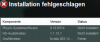
Note 2: If I put the notebook in the docking station the notebook screen goes dark (and HDMI not working)...
Note 3: BTW, no idea where to add a signature in this forum portal... - a) which driver to install
-
i wasn't able to post the new driver yet, i am thinking of how to fix problems.
-
was now able to install your last driver, with switch on SPEED, driver enforcement AND Testmodus activated...
but brightness key isn't working ... -
How getting a Windows8 fully operational on SonyVaioZ VGN-Z21ZN/X (European) (2008/2009)
One remark. On today I can connect an external screen (VGA or HDMI) even thru docking station but not using "extended screen" or "duplicate". Still researching! See my remark on page 375 (can only select 1 GPU at the time)
All used files have been uploaded to Index of /silenzio
It includes also the Original Word document (Installing Windows8 on SonyVaioZ VGN-Z21ZNX) as well as a spreadsheet "SonyVaioZ Windows7 software compatibility with Windows8" in which I explain the compatibility tests I have done
My experiences are all based on the articles starting from http://forum.notebookreview.com/sony/342947-my-discoveries-vaio-z-s-hybrid-graphics-368.html for which I would like to thank all contributors. I did not add any intelligence; however I streamlined the different topics to one consistent installation guide, which might be useful to comparable Vaio Z owners. My installation was done on a European Sony Vaio Z VGN-Z21N with great success. Please follow carefully all indicated instructions as all of them were important. I debugged this procedure at least 5 times on a freshly installed Window8 / 64 bit.
1. Basic Windows 8 Pro
The windows installation is quite straight forward. It is advisable to be connected to the internet, especially when you want to use the new “windows” logon method being your email address. When you are not connected, it is impossible to specify you email address as logon user. However this can be changed later on.
When installation completes, there will be a few question marks within the “Device Manager”.
Other devices
• Other devices/Unknown device Biometric fingerprint reader
• Other devices/Unknown device Sony Firmware Expansion Parser Device (SFEP)
• Other devices/Base System Device Ricoh MS/CF card reader
• SD host adapter show Seems to disappear when rebooting
The following functions will not work but do not panic
• Function buttons S1/S2 & Document Zoom keys (See installation EP0000219316.exe)
• Brightness, DVD Open & Second screen switches (See installation VIAO Event Service)
• Basic system information (See installation VAIO Control Center)
• Additional system information (See installation Setting Utilities Series)
2. Hybrid Nvidia/Intel graphic card
During Windows setup, the Intel driver gets installed. Before installing the new driver, you need to go into device manager and change both graphics adapters do that they say Microsoft Basic Adapter (one with an exclamation mark indicating that it has a problem). (You can click properties, update driver, browse computer for driver, choose which driver to install, etc. ). Only when both adapters show Microsoft Basic Adapters should you install the new driver. If you need to reboot in between before installing the new driver, go back to device manager and confirm that the graphics adapters both show this.
Then you need to have disabled driver signature enforcement in order for the driver to install. Once the driver is installed, you can use normal mode (no need to disable driver signature enforcement after installing, because all the files in the driver package are signed).
1. Push Win+I
2. Change PC settings
3. General
4. Choose Restart now at the Advanced Startup
5. Choose “Troubleshoot option”
6. Choose “Advanced options”
7. Choose “Startup Settings”
8. Push “Restart”
9. After restart, push 7 or F7 to disable driver signature enforcement.
Then start up the driver installation. You’ll be told that driver is not signed but the process will continue (instead of the total failure when you do not disable the driver signature enforcement). Confirm the further installation and you’ll get the driver installed. Please note that the screen will disappear for at least 3 minutes at some point during the installation. Be patient!
Then “Fast Startup” has to be turned off if you would like to use the Stamina/Speed switch after the system has been switched off. This is no replacement for the “warm” switch (Stamina Speed switch see ……, but is allows the successful switching after shutdown (“cold” start)
1. Open the Control Panel (icons view), and click on the Power Options icon.
2. Click/tap on the “Choose what the power buttons does” link on the left side.
3. Click/tap on the “Change settings that are currently unavailable” link at the top.
4. Uncheck ‘Turn on fast startup (recommended)” and push “Save changes”
Screen flickering occurred from time to time when scrolling fast within web pages. I successfully resolved this by the following technique.
1. Go to Nvidia control panel in the Control Panel
2. Change resolution
3. Customize
4. Create custom resolution
5. Accept agreement
6. Open Timing dialog
7. Choose within Standard “CVT”, Test, confirm the Apply Changes2 on the “Custom Resolutions Panel” with “Yes” and push “Ok” on the “Cutomize Panel”
3. Upek Protector Suite
• Install 7UPG_Protector_Suite_QL_Upek_64 5.9_5.9.2.5739 (Win7)
o Take care : use the msi or the installation will fail because of incompatibility with .NET 3.0 (32-bit)
• Afterwards install ps_wbf2012build7256-64bit which is a Windows 2008 upgrade for those users already disposing of a windows7 license
• After restarting the system will ask for the installation of the .NET framework 3.5 which requires of course internet connection. Proceed with the installation
• Chrome integration does not work automatically. However you can copy the “pwdbank.crx” datafile within Extra/Extentions after which the integrations works fine.
4. Performance settings
a. Turn of “System protection”
Control panel
Choose System Protection
Choose “Configure”
Disable system protection
Delete all restore points for this drive
b. Turn of “High Performance”
Control panel
Choose Power Options
Activate “High Performance” and save the default settings
5. Other devices/Unknown device Sony Firmware Expansion Parser Device (SFEP) error.
a. Control panel
b. Choose System
c. Choose Device Manager
d. Right click the Unknown device within the Other Devices
e. Choose “Update Driver Software …
f. Choose ‘Browse my computer for driver software”
g. Point to the location in which I assembled all necessary software which I called “SonyVaioZ Windows 8 used drivers - Do not delete” ( Index of /silenzio )
h. The system will install the right drivers & the question marks will disappear.
6. Install the “Sony Shared Library”
7. Brightness, DVD Open & Second screens buttons
a. Install the VAIO Event Service 5.0U - 5.0.0.08040
8. Basic system information (See installation VAIO Control Center)
a. Install the VAIO Control Center 4.0u - 4.0.0.07280
9. Additional system information within the VAIO Control Center
a. Install the Setting Utility Series 5.0u - 5.0.0.08060
10. S1/S2 & Second screen function keys
a. Install EP0000219316.exe
11. Other devices/Base System Device Ricoh MS/CF card reader
a. Install the CardReader_Ricoh_WIN7_32_WIN7_64_36202
12. Look for “Other software installed”
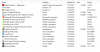
-
You don't need this:
10. S1/S2 & Second screen function keys
a. Install EP0000219316.exe
VAIO Original Function Settings version 2.0.2.02240
VAIO Original Function Settings version 2.0.2.02240 : Download : Sony Asia Pacific
What is it?
VAIO Original Function Settings 2.0.2.02240
What is this?
This application is part of VAIO Media.
VAIO Media is software that enables the delivery and viewing of content (music, photos, videos and TV) among devices connected to a home network.
VAIO Original Function Setting is responsible for monitoring the folders which contain media content.
Is this relevant for you?
You only need to install this update if you use VAIO Media.
Those buttons are controlled by VIAO Event Service and changed under VAIO Control Center. -
Do you have the bios with the advanced menu?
Try disabling VT-d if you have enabled it -
Hi gents;
I installed the "Andrew driver with succes on a SonyVaioZ VGN-Z21ZN/X (European) (2008/2009) + Windows8
However the VGA nor the HDMI works. Any ideas what is wrong or what I could test?
Regards,
Matthias -
You may need to fiddle around with the display control panel. Look at both the Windows Display control panel and the control panel of the graphics adapter in use at the time (Intel for stamina mode and nVidia for speed mode). If you are using clone mode, make sure that the resolution selected is compatible with both screens. It is recommended to extend the desktop ( not use clone mode) and individually set the resolutions for each screen; that way you can use the native resolution of each screen.
Note: HDMI only works in speed mode. -
Just installed windows8 and was trying to download Andrew's VGNZ Nvidia 26308 - Intel 2020 driver, but the link is down. Does anyone have another link to the driver?
Thanks -
Got it. Not sure what happened earlier. Thanks.
-
Thanks for the useful input.
Yesterday I found out that VGA & HDMI are working. But I can not extend nor duplicate.
I have still to figure out how this is possible. I tried already a lot of combinations within the 2 display control panels (Windows & Nvidia) but was unlucky up to now..
KYI if any progress. -
I have a vaio VPCZ11Z9E with a nvidia geforce GT 330M version (8.16.11.8880) what driver should i dowload?
-
Check my link above. Get the 2nd or 3rd linked driver. I'm using nvidia 26314 - intel 2281 signed.
-
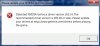
i dowloaded and installed that drivers but still outdated
-
I am not able to select both displays within the NVidia control panel.
Error message "This GPU supports 1 display". However within Windows7 I was able to select both displays.
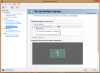
- GPU Driver 26308 2020 101112 Nvidia_Intel hybrid driver
- Windows8 Pro on SonyVaioZ VGN-Z21ZN/X (European) (2008/2009)
Any hope or ideas?
Thx -
MatthiasPyc
Sadly we also discovered this issue, trying to work it out.. -
Also guys i got a nvidia 9800GT in my other pc (desktop) and i overclocked it a little bit with evga precision ex but when im playing skyrim my screen turns white after finishing the first loading :s any ideia?
-
Laptop and desktop GPUs are significantly different, so you're posting this in the wrong forum, but if it works without overclocking and doesn't work with overclocking, then your overclocking settings are unsuccessful. Dial them back a little.
-
The link doesn't work. Megaupload is being shut down. Please update the link please
My discoveries on Vaio Zs Hybrid Graphics
Discussion in 'VAIO / Sony' started by Nautis, Jan 16, 2009.


