 Problems? See this thread at archive.org.
Let it go already....
Or do you want to see everything like this?
-
-
THANKS AGAIN to all who clarified this PPI issue. Your right, I would have regreted the higher resolution 1600x900. Glad this was all cleared up.
-
Ya know, all this talk about PPI and screen size has really got me wondering if I should consider a larger laptop. I got the ultra-portable back when I traveled more, but now I rarely do. And I hate being glued to the external monitor -- I'd much rather work on the kitchen table (or wherever).
If only that FW wasn't so darn wide. Maybe the Dell... 15.4 @ 1440 x 900 = 110 PPI
-
Ok, After looking at the US spec sheet for the Z, I've decided to get the Z550N/B for $2099.99. $100 over my budget. There is no was I can afford Z CTO with blu-ray, SSD, (can't have both anyway). Check out the 4 preconfigured models that I've attached. There was actually a 5th preconfig. model but it was $3999.99. I need to call tomorrow to see if this model is Carbon, because if it's not, I don't think I want it. Can anyone tell if it is Carbon? It doesn't say on the spec. sheet. Thanks.
View attachment 21059 -
Geeee: I wouldn't get the Z550N/B when the Z540EBB has 320 GB instead of 250 for $50 less. The only reason to get the Z550N/B as far as I know is if you want the Sprint wireless and Vista Business instead of Vista Home Premium.
Also, don't confuse the model numbering scheme of the Z with the SZ - all Z's are "premium" models: unless SonyStyle has incorrect information, all Z models (at least on the US website) have the carbon fiber case, aluminum keyboard/palmrest plate, the same LED backlit screen, same weight, etc., etc.
Well there's certainly plenty of options now - 11.1", 12.1", 13.1", 13.3", 14.1", 15.4", 16.4", 17". Take your pick
-
Would someone like to comment on my original post about using the optical bay for a hard drive. Also, does twin SSD mean they both use a single bay or one uses the hard drive bay and the other uses a optical bay.
Thanks! -
Carbon yes, premium carbon I think not. If it is it would have stated in the spec sheet like all their other models (TZ and SZ). I am still interested in getting that $4k model though.
-
If you want to void your warranty and go through the hassle of finding the right parts, be our guest.
-
How does premium carbon differ from the non-premium carbon.
-
Not looking to be anybody's "guest"
. The question assumes that the optical drive is removable (most premium machines I have owned have had removable optical drives where you can insert a blank to save weight or use a second battery or a second hard drive). Maybe the question should be if the optical drive is removable.
-
How about the Sager NP8660 (a.k.a. Clevo M860TU)? It recently came out with the new Montevina platform. If you're looking for performance and reliability, this will definitely be a great notebook.
Here are some of the specifications:
Intel® Core™2 Duo Processors P8400 (2.26GHz), P8600 (2.4GHz) w/3M L2 Cache, T9400 (2.53GHz, 35W), P9500 (2.53GHz, 25W), T9600 (2.8 GHz) w/6M L2 Cache - 1,066MHz FSB
15.4" WSXGA+ (1680x1050) Glossy or WUXGA (1920x1200) Matte Widescreen LCD
ATi Mobility Radeon HD3870 w/512MB
nVIDIA GeForce 9800M GT w/512MB
nVIDIA GeForce 9800M GTS w/512MB
320GB 7,200RPM or up to 128 GB OCZ Core Series SATA II 2.5" SSD
2GB DDR3/1066 Memory (up to 4GB Dual Channel - Requires 64bit Vista)
Combo Dual Layer SuperMulti 8x8x4x2.4x +/- DL DVD R/RW - 24x10x24 CD R/RW Drive w/Softwares
Blu-Ray BD-DVD-CD R-RW Drive (Optional)
2GB Intel® Turbo Memory (Robson) Available
8 Cell Battery for about 2-2.5 Hours Battery Life
Integrated 2.0 Megapixel Digital Video Camera
7-in-1 Memory card reader (MMC/RSMMC/MS/MS Pro/MS Duo/SD/Mini-SD)
7.1 lb.- 14.3" x 10.6" x 1.45~1.95"
Built-in 56k V.90/V.92 Modem RJ-11
10/100/1000BaseT Ethernet RJ-45
Intel Wireless WiFi Link 5300AGN
Built-in Bluetooth V2.0+EDR
Built in Biometric Fingerprint Reader
External USB Multi-Region HDTV Tuner w/Remote (Optional)
3 USB 2.0 Ports
Windows XP Home or Professional, Windows Vista Available as Options
It's a 15.4" notebook. I've actually made a decent configuration on XoticPC and the price is simply amazing. You get a lot more than the FW series premium model for a much cheaper price.
I was initially dissapointed with the FW series. I was looking for a more powerful CPU and graphics card...
-
Only in looks, only a cosmetic difference, the material is still the same.
-
15.4 @ 1280 x 800 is for the FZ model. I used to own one and the text is more pleasant to look at.
-
any updates on when the z is supposed to ship, the sales rep says he doesnt knwo.
-
It depends how far you sit from the screen. If you are within normal notebook viewing distance, then yes, you will notice a difference. If you sit further away, then no, your eyes wont be able to tell the extra details of the high resolution.
-
do you guys know any other laptop manufacturer besides Sony who makes outdoor displays (HiColor for Sony, ClearView for Fujitsu)
-
The reason why I chose Z550N/B is because it has DDR3. And I don't think I need a 320GB Hard Drive. But I would prefer Home Premium over Vista Buisness. Not sure if there is a big difference with DDR3 over DDR2.
Glad to know US models are all Carbon and I do like that aluminum keyboard plate-it looks like its "brushed".
I decided not to get Blu-Ray. The write speed is only 2x and that is so slow. I'll wait on SSD and Blu-Ray when the new models that replace the Z come out in 3 years. It's too expensive and $700 for SSD is ridiculous. -
The only reason I would get Blu-Ray is if I can take my kids movies on Blu-Ray and convert them to DVD-R, using anydvd hd, but I dont know if this is possible yet. I would never really watch movies on the laptop...
-
Premium Carbon has slight variation to Carbon. Hard to explain. I prefer regular Carbon. Someone posted a photo displaying Premium Carbon - Carbon - Black Magnesium. You may have to go through the entire thread to search for it unless someone here downloaded the photo.
-
If the Sony FZ price is lowered, like $100 maybe, then I'll buy it. These new VAIOs are sweet, but none of them appeal to me because they're too expensive. :|
Anybody think the older models will get discounts soon? -
Come on Sony! Come to Canada
-
on the website it says shipping mid-August, add another week or two as there may be delays
-
The price of the pre-built Z are really not that badly priced IMO compared to when The SZ premium was first introduced. The Z I'm looking to buy is $2099, but when I first decided on the SZ650 premium, this sold for sold for $2299. $200 less than Z. I waited because it was too expensive and I ended up with an SZ750 which I got for $1649.99.
-
Does anyone remember seeing a photo of the FW on it's back with bottom cover removed showing hardrive, memory, etc.? Or was I dreaming? If you know the link, please post. I want to know how easy it is to upgrade the FW HDD. Thanks.
-
so far only the FW was announced on the sony.ca website, I don't think the other series will make it across the border at least not initially, perhaps later on after, but then who knows.
-
I guess the excitement is over...lol. Last night, I couldn't keep up with all the posts.
Let me know if anyone has photos and specs on the NEW SONY 2nd Generation Z2 to be released in 3 years.
I hear it has 2 terabyte Hard Drive, virtual reality 3D blu-ray with read/write speed @ 8x speed, 256SSD, 8GB Ram, 10DDR SDRAM, 13.2" OLED Hi-Def (16:9 ratio), THX Cinema Sound Stereo, featuring dual resolution switch 1280x800 (text) and 1600x900 (blu-ray), 15hr battery - Stamina, 7hr battery - Speed and is only available in CARBON FUSCIA with the weight of only 2.9lbs. And best of all (drum roll please...) Zero Bloatware.
That should get you excited! -
Just curious why? I thought DPI scaling in Vista SP1 is very good. So if the letters are too small, just increase the DPI scaling. It works out the same, but movies and pictures appear sharper.
I'd probably go for 1366*768 anyway, because it's better value for money.
Definetely not a big difference.
But as long as your eyes are within (+/-) 2.6 feet of the screen you should be able to see some difference. If you move further away than 3 feet, it will be impossible to notice difference. (estimates based on this article) -
This was a Vista feature that didn't make it through to production. There is no overall scaling of the display. You can increase the text dpi but then the text may not fit into the space provided since the window / box is still sized for 96dpi. As far as I can find out (in over a year of searching) Vista is no better than XP in this respect.
So I wouldn't want to get a display with smaller pixels than my eyes can handle.
John -
John what do you think of this post:
-
I know we discussed this issue already, but this topic was brought up again 5-10 pages back. It's a bit confusing to myself and others. And there are people stating that the Z with 1600x900 would resemble the TZ in terms of text, but would be beneficial with blu-ray. And text size is very important to me. I will be using the Z as my main and only pc. However, Read the next post, which has been mentioned over an over. It's the one below this.
That's exactly what I've been told by a majority of people, however there are also some that feel this can be fixed. I think I will go for Z with 1366x768 just to play it SAFE. -
Even if it works, I am not sure that when it comes to watching Blu-ray, 1600 would make noticeable difference over 1366 with a 13.1" screen.
Having said that, I have seen AR that has 133 PPI and it looked awful. My eyes were hurted! I can't imagine how much worse it would be when I see Z at 1600 which would have 140 PPI.
So, if Vista scaling feature doesn't work perfectly and your eyes are very sensitive with small fonts, you are going to have a problem that can't be fixed. And there is no guarantee that Vista scaling feature will work with ALL programs. You never know that some programs, because of the way they were written, may have fixed font that can't be resized.
If you need Blu-ray, buy Z at 1366 but here's the problem. Sony does not offer Z at 1366 with Blu-ray drive. You must pick 1600 if you want Blu-ray. -
Where did you hear about that? It is indeed exciting.
-
1600x900 on a 13.1 is perfect for me, I am used to work on 15.4 with 1680x1050
I tried FZ with 15.4 and 1280x800 and it was awfull small...I just need a lot of things on the screen at once, thats why I prefer higher resolution...
Thou I might go for BZ model... -
The SR, FZ and BZ are available on Sonystyle UK: https://www.sonystyle.co.uk/SonySty...s&carea=3E99541A304E7370E10000002BC29B8F)/.do
Still no sign of the Z though....
Shipping estimated time around 10 days (I guess the Z will come later because of the integrated graphics delay). -
...Z available(with other models) on Notebook.de: http://www.notebook.de/sony-vaio-vgn-z-series-g-842/
No Blu-ray models yet, and weirdly RAM is said to be DDR2 (not DDR3) .
-
What I don't understand; Why is everyone in such a hurry to get their order for a Z-model done is fast as possible? Those things won't be shipping until half August, why not sleeping over it more than just a few nights?
-
Good point. They may show up in the retailchannel at lower prices.
-
^^^^
Exactly what im sayinnn. These pricks say say their shi comes out and then they actually come out a million years later. Stupid companies. -
I still don't understand this whole eye strain argument. If anything, I would say that 1600x900 with a proportionally higher DPI would cause LESS EYE STRAIN because the identically sized fonts and icons would be formed smoother and with less aliasing.
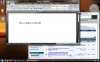
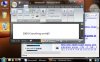
Someone commented earlier that they thought that even though the fonts would change, the icons probably wouldn't scale properly. So here's the deal, Vista supports icons all the way up to 256x256 which is massive. To try an illustrate it better (I posted a 120DPI before) this time I'll show you my desktop at an obscene 192DPI which is 200% of the normal 96DPI.
My caveat from before is that I don't know whether all non-MS programs will work correspondingly, however this time I've added Firefox 3 into my screenshots and with no other settings changed and you can see that firefox has scaled up all the font sizes and page layouts.
-
Addendum: how big would you like your icons?

-
Actually the Z2 is going to have a Cinema-wide 2.35:1 display!!
-
Ok now u guys are just being gaay!!
-
I made a mistake. The distances I listed were based on 720p vs. 1080p. The 1600*900 Z can not display 1080p. And the 1366*768 Z can display more than 720p. So if you want to benefit from the higher resolution screen while watching HD movies, you'd have to sit at 2 feet eyedistance. The real numbers may be different though.
Nice work. Seems perfect. -
I'm not sure if its already been mentioned (apologies for the repost if it has)
but Sonystyle UK is finally listing the SR series....
....and it seems pretty expensive.
https://www.sonystyle.co.uk/SonyStyle/b2c/display/(xcm=PCM_b2ccrmstandard&layout=15_116_61_50_117_121_2&uiarea=2&ctype=areaDetails&carea=4874D28E03EA0180E10080002BC29B86&citem=4874D28E03EA0180E10080002BC29B8647C5525351560034E10080002BC29B74)/.do
No Sign of Z yet, although i'm going to keep checking. -
120dpi may work OK. The problem I have noticed is on in-between settings which is what a user might want in order to get the right balance between real estate and legibility.
Look at the attached two examples taken at 96dpi and 104dpi and see the difference. If Microsoft couldn't get that right then what hope for other programmers! (I took that a year ago and haven't checked if SP1 made any improvement in this respect). One can see similar problems with dialog boxes in programs. I also had problems with formatting in web browsers.
One of the other side-effects of small pixels is that single pixel width lines or characters become less legible, even if the scaling is OK. With 15.4" 1680 x 1050 I gave up on trying to tweak the dpi and put the display onto 1440 x 900. It lost some clarity but also thickened up the lines.
JohnAttached Files:
-
-
It does seem expensive, however they're only showing SR19 models. The SR11 will probably start at £899.
-
I'm not sure what you mean. I do notice only half a taskbar but I assume that's how you made the screenshot. Or is it the button next to the 'lock' button?
That may be an important difference, because one of the big dutch computer magazines wrote about SP1 being such an improvement in this respect. -
Check out the japanese Webseite, there are new Infos ^^
http://www.sony.jp -
Yes. It's that half a button at the right end. The buttons evidently grew with the increased dpi but the length of the bar stayed the same.
Someone else can check if this problem still exists with non-standard dpi settings.
John
New Vaio 2008 model listing with indication prices - FW - Z - SR - BZ
Discussion in 'VAIO / Sony' started by Phil, Jun 23, 2008.




