Problems? See this thread at archive.org.
Thanks for your compliments.
You can disable the touchpad scroll icon by double clicking the taskbar touchpad icon > Funtion > Uncheck "Enable icon view".
There are no issues in dragging/dropping files with my FZ-190. Did you install any custom theme or file manager?
Thanks for your suggestion about adding a screenshot of the expanded device manager.
-
Yes, it was already unchecked. I had been there many times but I started playing around and Under the Button tab menu, I changed the option for function of "Both Buttons" from "auto scroll" to "none" and it fixed the problem. Doesn't make much sense, but at last my problem is solved but still wonder why.
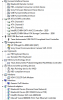
I rebooted computer and noted that there are now two button tabs when I double clicked the taskbar touchpad icon and examined the settings. Looks like one of the "Button" tabs is for microsoft mouse and another for Alps touchpad. The one for touchpad now has reverted back to "autoscroll" function for both buttons, but everything is still working ok. I attached a screen shot of device manager.
Do you have to button tabs on your FZ?
ThanksAttached Files:
-
-
crhosier
Do you have any Bluetooth keyboard/ mouse? You might need to refer to their setup instructions.
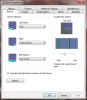
Attached is my Alps menu screenshot. I am using a corded USB mouse too.Attached Files:
-
-
Did you install Microsoft Intellipoint? Because thats what happens to me when I do, I end up with extra tabs. I dont install it anymore since its not very useful and takes up memory when running, intellipoint i mean.
-
Not using another mouse. I also noticed Sony control center only shows 2 items. It used to show all of them. I messed something up somewhere. It may have been that I started loaded drivers from the sony website for windows 7 64 bit and then when things weren't working, I found your guide and reinstalled. I think I will just start over from the beginning of your instructions. I will use program manager to uninstall whatever sony programs are there and uninstall drivers and reboot. Anything else I should do to insure everything is cleaned out?
Just wondering why on some instructions you extract and then point to .exe from DM and others are extracted and clicking on .exe file. For sony site I downloaded and clicked on file. What is the difference?
How did you figure all of this out man? Are you a programmer or did you have to learn all yourself. I am impressed and would like to learn more.
Chris -
No. Nothing extra attached or installed. I must have screwed it up somehow by uninstalling and installing. Is there anyway you can stop win7 from automatically finding and assigning drivers to items?
-
I was uninstalling sony programs and noticed intellipoint installed. That is crazy since I haven't plugged a mouse or donwloaded it at all. I will get rid of it.
Thanks, Chris. -
Found the problem! My FZ4000 was set up in Win7 to automatically find and install drivers. This must be what installed Intellipoint. Here is a link to article to show how to change settings. Stop Windows 7 from Automatically Installing Device Drivers
-
No way Windows will automatically install Intellipoint software. You must have installed it yourself. -
You might have accidentally installed it through Windows Update. I have an Microsoft Optical Mouse Blue and for the past few months, windows update gives me an optional driver to install for it. When you do, it downloads Intellipoint. I now hide this update.
-
Thanks for the reply and for the excellent guide. I thought your link was pointing to the wrong file.
The only "problem" I've encountered with Win7 x64 on my FZ11S is that the screen flickers momentarily (~1sec) just before the transition from the loading screen to the welcome/log on screen. This happens with both the 257.41 and 266.58 drivers (with Microsoft's "Standard VGA Adapter" driver the switching is quite smooth so I guess it's simply an issue with Nvidia's drivers). -
Radon222, you are right. The log off flicker is an Nvidia driver issue.
-
Hi. I have Nvidia GeForce 8400M GT on Vaio VGN FZ-21M. I installed Windows 7 32 bit according to the Guide. Everything is fine, but there is one problem. My graphic card should have 256-bit, but my computer shows only 64-bit. What should I do? Thanx
P.S. If there was such a problem in this topic sorry for repeat
-
kornas20
Did you mean the video ram or the memory interface?
Not all Nvidia 8400 M GT's came with 256 MB video RAM. It varied across different FZ models. Check with your original specifications. My FZ-190's 8400M GT shows 128-bit for the memory interface and 256 MB video RAM. 128-bit memory interface is the maximum for this card. -
Sorry, my fault, it should be just like you said.
Specifications for my card 8400M GT : 128-bit for the memory interface and 256 MB video RAM
Riva Tuner shows: 64-bit G86(A2,16sp) with 64MB DDR3 -
Hello!
I did your guide today, and success with installation of nvidia drivers for the first time... But my computer is still freezing like 20-30 seconds alot of times/day, and I got a error message today:
Display Driver Nvidia Windows Kernel Mode Driver Version 266.58 stopped responding and has successfully recovered.
I have a Sony Vaio VGN-FZ11M can anyone help me? I hate the freezing .
PCI\VEN_10DE&DEV_0426&SUBSYS_9005104D&REV_A1
PCI\VEN_10DE&DEV_0426&SUBSYS_9005104D
PCI\VEN_10DE&DEV_0426&CC_030000
PCI\VEN_10DE&DEV_0426&CC_0300 -
tompabompa,
It looks like your GPU is on its way out. It's time to call Sony for a free replacement. -
I manage to get everything to work (100%) except the Wireless Switch Switching Utility for Windows 7 (32-bit) follow the steps of Vadja73 and Gary with no luck to disable the Bluetooth radio in fz21m.
I can see the option on Utility for Bluetooth but when i check / uncheck i get nothing.
Anyone have success to do that on this model? -
Everything is working good on my FZ-4000 after my 2nd re-install. However, I occassionally get some slight screen flicker (where it get's brighter and a bit lighter and repeats back and forth). Seems to do it a little while after start up or coming out of sleep mode. I was wondering if it is driver, but I haven't seen anyone else having these problems. So I was thinking it is my LCD screen (inverters). Anyone have any similar problems?
By the way, I just got my computer back about a week ago from extended warranty (replaced motherboard due to GPU failure). If you don't have x-tended warranty they will come to your house to replace motherboard if your computer is less than 3 years old.
Thanks,
Chris. -
crhosier,
I started getting the flicker, and now the LCD totally goes dark (no backlight) sometimes. When I tilt the screen back and forth, the flicker/ darkness goes away. I think that it's a loose connection somewhere.
Try tilting the screen and see if the flicker responds to the tilting. -
Tilting doesn't seem to do anything. I tried lower brightness, with and without AC, took battery out....same thing. I have been researching and it boils down to loose connection, as you point out, backlight going out, power inverter. I contacted Sony, my x-tended warranty was up yesterday, but I pointed out the flicker when it was sent in for gpu replacement.....I am going to try and get them to replace LCD because I have sent it in 2 x since November. First HDD, second time GPU (lines and wouldn't boot) and flicker.. I am never buying a warranty again. It is easier to fix yourself, not that I know how but I will learn as I go along.
I love my FZ after the 64 bit windows ultimate with 4 GB RAM. I have discovered a little glitch. There is not a Adobe flash player in 64 bit. I have IE 64 bit. I was thinking of switching to 32 bit IE. What is everyone else using? -
^ The default IE in Windows 7 is 32-bit. You don't need to switch to 32-bit IE.
There is a 64-bit Flash player beta here Adobe Labs - Adobe Flash Player "Square". -
Coolguy,
Do you have X-brite HiColor? If so, there are 2 backlights and chances are problem would be the inverter or connection. That's what mine is. Have you tried taking apart? Just curious, how long did you have flicker before light went out? I'm still waiting for Sony to get back with me on my issue. I am refusing to ship it back to x-tended warranty (since they had it 2x without addressing it and told them i want someone to come to my house or to give me a new laptop or credit. I am supposed to hear back something Monday.
Chris -
Thanks Coolguy!
I had checked adobe site but couldn't find it. I downloaded from your link at Adobe labs and it works great.
Chris
-
I don't have a hi-color screen, just an Eco-brite. I remember getting the flicker after my FZ fell down (inside a padded case in a backpack) from the table. The screen is fine now, sometimes goes dark, after a little tilting back and forth, comes back to life.
I haven't tried taking the LCD apart. -
Really? My guarantee is out so cant call Sony. I need a new computer or a new graphic card and hdd i guess... Look:
http://img718.imageshack.us/img718/940/healthj.jpg
Any tips for me? My computer is freezing alot of times
-
^ Actually Sony extended the warranty for your GPU by 3 years beyond your original warranty.
I had the same hard drive before, and my FZ used to freeze sometimes, but not that frequently as yours. I do see a warning in HD Tune, not good.
You can get a new bigger faster HD for cheap these days. -
Do you think that the HD is doing all the freezings? What HD should I buy? I need a Sony HD i guess.
-
No, you don't need a Sony drive at all. Any drive that will physically fit and has the proper connectors will work just fine. I don't know if SOny even makes hard drives anymore.
Gary -
I am not sure if your HD is the culprit for the random freezes. Does the HD light turn ON (yellow cylinder light in front) during the freeze?
As Gary said, any 2.5" SATA hard drive will fit in your FZ. -
Updated Intel chipset software to the latest version available from Intel. This is just a version change, with no driver version changes (only the dates changed). You can install this version when doing a clean install of Windows 7.
If you are still updating from a previous version of the chipset software, follow the instructions in page 1. -
Just to clarify there is a thickness issue to be careful about. Not ALL 2.5 SATA drives will fit.
Gary -
Hi Gary,
thank you for the quick reply. I did defrag boot files without noticeable impact. I think the start up time is not to important any more as sleep is so convenient.
Concerning your 2nd remark: before doing the bios update: will I be able to run DOS 16bit programs in this virtual windows XP mode? I still have (the at that time non commercial) pgp in such a version which is very convenient.
Thank you in advance for a quick answer on the 2nd point
Best regards
---- Peter -
When the computer frezze the orange lamp turns on. (the lamp between the bluetooth lamp) And when I look at clips at youtube for an example the screen is flicking.
-
If it ran under WinXP it will run in virtual mode too.
Gary -
Hi Gary,
I enabled VT mode and installed XP (following the description in □ http://www.notebookforum.at/sony-vaio-forum/39373-windows-7-professional-64bit-auf-vgn-fz11s-aktivierung-vt-mode-im-bios.html as the process seemed easier than in the description here).
Everything works fine now, even the 1994 DOS code
Thank you very much again
---- Peter -
Easier? It is the exact same process. But what is annoying is the list of machines and bytes to change was lifted right from this article without any attribution. How do I know they were lifted? Maverick didn't even bother to change the formating of the header. Sigh.
Glad you got it working. If you would please drop a note to Maverick and ask that he include a pointer to this thread so folks can see the update BIOS list. I don't speak (or write in German), so I can't do it myself. I had to use a Bing translator to see what was there.
Gary -
Hi Gary,
will do - the process of making the USB stick bootable and include DOS is easier and the tools are still where the pointers are pointing - the rest is the same as you said.
Will do concerning pointing.
Thank you
---- Peter -
Hi!
First of all thank you for the guide!!
My model is a fz18m
two questions:
1. I can't run the bluetooth manager, I've made the installation as in the guide with the modified Stack but when I try to run it, it appears the window asking for permissions I agreed but nothing happens.
2. The marvell Ethernet appears and desappears. I've noticed that when the Laptop is cold, it's missing and after a while when the laptop is warmer I bring it to sleep reactivate it and appears. I guess it's a hardware problem but I didn't found it.
thanks again! -
askoman,
I can't help you more on the BT utility, since I am running 64-bit. It's a bit tricky to make the utility work properly. You can try different versions of the WSSU.
Marvell network controller works fine for me. I suspect that there is a loose connection inside. -
ok, thanks i will try,
-
I could not get my AW-290J with windows 7 64b to refresh at 60hz. It would revert to 59hz. This is with the driver from Sony. It used to with Vista! So i came across Coolguy's "Nvidia 257.41 WHQL driver (MS Update)"..........worked like a charm!! And my refresh rate sticks at 60hz. THANK YOU COOLGUY! Quite relieved as in gaming that really is a big deal.
Last edited by a moderator: May 8, 2015 -
Hi Rajesh,
I have some doubts, Can you please answer these questions below,
1. What's the difference between Nvidia 257.41 WHQL driver (MS Update) and Nvidia Verde 266.58 WHQL driver (Vaio FZ only)?
2. Which one is the best driver for my VAIO FZ?
3. Is this driver support HDMI audio output?
4. Did you remove any features from the original inf of Nvidia Verde 266.58 WHQL driver
Thanks in advance... -
jag123,
MS Update 257.41 Nvidia driver is a generic driver for 8400M GT. It doesn't include OEM specific settings.
266.58 modded driver should be the best for your FZ.
I haven't removed any feature from the Verde driver, but added some features.
The HDMI audio output is controlled by the audio driver, not by the Nvidia driver. -
Can u please give me features added by u?
How about the original driver from Nvidia site??
Thanks Rajesh........... -
The added features are Physx UI and Nvidia rotate desktop options in the control panel.
I am using the same official Nvidia Verde driver for modding, and the inf file is meant for Sony Vaios (includes OEM specific settings for our FZ). The Nvidia HDMI audio driver is meant for Nvidia audio chipsets, not our Sigmatel chips. -
Hello!
i have vgn FZ31Z
thanks to this topic i would able to upgrade from vista to 7 but the driver i toke from the first post for the camera is not compatible with my vaio.
Anyone can help me?
i'm sorry for my bad english but i'm italian -
There are 2 different camera drivers posted on the first page:
VGP-VCC4 (6.1008.207.0)
VGP-VCC8 (6.1004.211.0)
I think your model should have the VCC8 camera. If one does not work, try the other. -
i try both of them but after the model check appear this message
"This update is not intended for use with your computer model." -
Look at the instructions for the camera driver again on page 1. You will see that you need to extract the driver from the installer and then manually install the drivers. You can't just run the camera driver installer. Because if you do, it will perform the model check and will be looking for Vista on your machine and give you the error message you saw. By extracting and manually installing the driver you bypass the model check.
Gary
Windows 7 Clean install Guide for Vaio FZ
Discussion in 'VAIO / Sony' started by coolguy, Oct 28, 2009.