Problems? See this thread at archive.org.
Did the Blue-Ray work with the 197.45 Windows Update driver?
-
Same old story, it does read any media, it doesn't write DVDs. It drives me mad and I don't know what else to do.
-
Uninstall the Blue Ray drive from Device manager (check delete driver option if available), restart, and let Windows install the driver. Install any BD firmware update available for your model. See if this resolves the issue.
-
Nope, no result with these. It's something else.
-
It looks like a hardware issue.
-
But is this possible? Flawless reading and no writing? As far as I've heard when the optical drive is down there is no reading either.
-
Reading and writing are different functions.
What happens when you try to write data? Do you hear any noise form the drive? You can try cleaning the drive with a disc lens cleaner.
Exactly when did this issue start? -
Hey, I've been searching all over the net to get my web cam working, but no luck. I've installed hundreds of different drivers and none will work. Most recently, of course, I followed the directions you list on page one. arc-soft program will recognize the web-cam and say it is connected, but no image will show up on the screen. facebook and skype don't work either. I've done what you said on page one (extracted, manually installed river using 'have disk' but yet I have no image. Any help?
-
Does the web cam light turn ON when using Skype? When did the web cam stop working?
-
yes the webcam turns on (i just noticed this and was about to post an update) the green light turns on while I'm "recording" although what I'm recording is just pure black.
Also, before I installed the driver you recommended using 'have disk' method, I could not record audio with my built-in mic. Now having installed this driver, the mic works, and I can record audio using sound recorder. So something is working in there, but I still can't figure out why image is all black.
Thanks for getting back to me -
Did you install the Sony image filter driver? You don't need it if you are not using Vaio camera capture utility. Try uninstalling it if it's installed.
The sound recording depends upon the audio driver, not the webcam. -
No, I don't think I installed it. At least I know I didn't recently. I ran a quick search looking for it, no results.
-
Hi Coolguy,
It started long time ago, but I somehow managed to repair it, some times by using a cleaning software (CCleaner, TuneUp, etc.) together with uninstalling the burning program and a system defrag or by cleaning the lens.
Well, this time I've done a system recovery back to Vista but with no avail and I've run out of software tricks. It might be a hardware problem, as with both Vista and W7 the drive doesn't read CDs, seems to write them but after this doesn't read them and finds them as being blank CDs, while it reads DVDs very well but doesn't write them. Tried Nero, Roxio, ImgBurn, Ashampoo, etc.
Kinda weird, isn't it? When I try recording a DVD the soft appears to begin writing but it sounds as if the drive wouldn't be properly loaded and the noise is less powerful than normal, and after this the burning software gives me error message and ejects the DVD. Could this be somehow related to laptop's hard drive not being able to properly transfer the data?
And by the way, I've used your excellent guide for installing W7, only that I've searched by and found out the drivers for W7 32bit version.
I've surfed the net and found lots of somehow similar problems with this marvelous optical drive but not a single real solution. Also this particular drive seems to be quite hard to reach out, as having been an OEM Panasonic offer for Sony, Dell, Apple, etc. There are some replacements, most of them refurbished, but I am not quite determined to try such ones.
In concluding this, I would like to ask you or anybody else if you have dealt with such problems with this particular type of optical drive and have been able to solve them? And, of course, how could these be solved? Maybe a better built replacement perfectly compatible with computer hard drive or something else?
Thank you very much.
P.S. - If anybody would happen to know this, could it be achievable to FLASH or RESET the optical drive firmware, as the drive isn't completely dead and the problem might be a faulty firmware install? Now I have 1.05 version firmware from Sony Japan website and it has been installed flawlessly, but who knows, maybe something has gone wrong. -
Hey coolguy-- any ideas for solutions to the webcam problem? Its just frustrating that it used to work just fine with vista 32, and now it's completely e.
-
Hi there I have the same problem on c190, before I see your help, I solved the the texas instrument card reader and Fn keys problem but the display brightness still doesn’t work. My display adapter is intel945 express family. I tested windows update, the latest version from intel site and other version from vaio link. Sony esupport didn’t help chating with analist about 2hours as I realized they don’t know more than me. First they your model is out date and isnt compatible. The second way was to find a new vaio with the same diplay adapter but this also didn’t work as the analist said I hve to use 32-bit one.
So any body has any idea on this,
please help me. -
I can't think of anything other than a webcam hardware issue. Did the webcam stop working immediately after installing Windows 7? You haven't answered this question yet.
-
You need to install the Sony utilities and driver in the right order to get the brightness control working. Don't continue this discussion here as this thread is meant for FZ series. Start a new thread.
-
to reset the notebook.
al resetear el notebok. -
to reset the notebook
al resetear el notebook. -
I don't know what you mean by reset. You could translate the exact issue with your FZ and post it in English here. Use google translate.
-
al reiniciar el notebook, aparece pantalla azul, esto es con los drivers posteados por ustedes, al iniciar el pc aparece error que lo busque en google y era por el controlador de video (Creo que era code 3b o algo asi)
espero me puedan ayudar, actualmente estoy con los controladores basicos de windows e igual en algunos casos me da ese error.
tengo win 7 64 bits.
--------------------
to restart the notebook, blue screen appears, this is with the drivers posted for you, when you start pc error appears in google search it and it was the video driver (I think it was code 3b or something)
I hope I can help, I am currently with the basic Windows drivers and equal in some cases gives me this error.
I have win 7 64 bits
-------------------
the error is:
Firma con problemas:
Nombre del evento de problema: BlueScreen
Versión del sistema operativo: 6.1.7600.2.0.0.256.1
Id. de configuración regional: 13322
Información adicional del problema:
BCCode: 3b
BCP1: 00000000C0000046
BCP2: FFFFF80002AB3EF8
BCP3: FFFFF88006582040
BCP4: 0000000000000000
OS Version: 6_1_7600
Service Pack: 0_0
Product: 256_1
Archivos que ayudan a describir el problema:
C:\Windows\Minidump\050810-21840-01.dmp
C:\Users\Galadnor\AppData\Local\Temp\WER-38813-0.sysdata.xml
Lea nuestra declaración de privacidad en línea:
http://go.microsoft.com/fwlink/?linkid=104288&clcid=0x0c0a
Si la declaración de privacidad en línea no está disponible, lea la declaración de privacidad sin conexión:
C:\Windows\system32\es-ES\erofflps.txt -
I don't have any issue with the Nvidia driver 197.45. Install all the hardware drivers and see if the blue screen comes up. Don't continue with the basic Windows 7 drivers.
-
thanks for help, but I did it in your exact order. not to bother you more here, I just say, i cant find the proper driver.
bye for ever
good expriences -
now install the driver 197.45 and now gives me the error
Additional information about the problem:
BCCode: 124
BCP1: 0000000000000000
BCP2: FFFFFA8006B5A748
BCP3: 0000000000000000
BCP4: 0000000000000000
OS Version: 6_1_7600
Service Pack: 0_0
Product: 256_1
the problem is that randomly when I turn off the computer out the error.
i download the Blue Screen View, this is the report
050810-20311-01.dmp 08-05-2010 20:38:22 0x00000124 00000000`00000000 fffffa80`06b5a748 00000000`00000000 00000000`00000000 ntoskrnl.exe ntoskrnl.exe+4a5f3c NT Kernel & System Microsoft® Windows® Operating System Microsoft Corporation 6.1.7600.16539 (win7_gdr.100226-1909) x64 C:\Windows\Minidump\050810-20311-01.dmp 2 15 7600
anyone think? -
Galadnor, the blue screen is not due to the Nvidia driver. Are you sure that your Nvidia card didn't die, because the original 8400M GT is defective and can die anytime.
-
I had finally managed to get the Special button setting to show up in the Vaio Control center and get some new display settings in the control center. The guide is updated.
-
I do not know how to verify if bad video card, sold me this computer running Vista, and since I put Win 7 is not working well.
with the windows native driver does not restart, but it works well the brightness of the screen or the theme aereo. -
I forgot to attach the Instructions file in the attachment Specialbutton_VCC.zip. It's now there.
-
Hello, thank you for awesome guide. Please keep updating it. Just finished installing drivers and sony apps. But it took so long to install them. Can you please suggest application to backup all drivers and apps, so next time I wouldn't have to do it again

-
You can use the Windows 7 built in backup utility to create a system image to an external hard drive.
-
CoolGuy yhank you for this fantastic guide, I follow all the steps on my VGN-FZ150E and its working fine. Please keep updating the page. It would be great to solve the switch band & BT drivers. Thank you again.
Roberto -
You are welcome.
The wireless bands shall be switched from the advanced properties panel of the Intel 4965 card. I had explained this in the guide. The default Windows 7 bluetooth driver works fine. You can use the old Toshiba driver in my guide too. -
I had just installed the Nvidia 257.15 driver, which includes the FZ LCD EDID (Extended Display Identification Data) & Sony customization (the official Sony driver). I will upload the modded inf and the instructions for modifying soon.
-
The Nvidia 257.15 driver modified inf, and instructions for modifying the inf are now available.
-
How does this driver differ from the one we are currently using?
Gary -
As I said in post #283, this driver is the actual Nvidia - Sony driver. It includes our FZ's custom LCD configuration and color profile. I was having issues with fn brightness control and the Sony provided Nvidia drivers before. I had figured out the issue now.
There is no other difference than the other Nvidia drivers. I feel that there is a better color saturation with this driver (might be a placebo effect too). -
Did you forget to post the link to the modified inf file? Couldnt see it on Page 1.
-
I update my firmware to SLIC 2.1 with Windows 7 Ultimate Certificate and activate VT for use with VMWare or other virtualization software.
Here Instructions and files atached.
Original Info: [10/18¸üÐÂ]FZ15¡¢FZ17(R0050J7) SONY SLIC2.1 BIOSË¢»úʵÅÄÊÓƵ&Ë¢»ú°ü - VAIO FZ/FWϵÁÐÌÖÂÛÇø - Ë÷ÄáSONY±Ê¼Ç±¾ÂÛ̳ - ±Ê¼Ç±¾ÂÛ̳_±¾ÓÑ»á Âò±Ê¼Ç±¾£¬´Ó±¾ÓѻῪʼ£¡ - Powered by Discuz!
-Manufacturer: Sony
-Motherboard Model: VGN-FZ190FE "works for many models with bios R0050J7"
-Bios revision: R0050J7
-Bios Type: Phoneix BIOS
Like the author say: "This Brush packet have a certain risk, because sony does not provide the original BIOS (R0050J7) file, I use the backup when the BIOS is R1120J7 (FZ2 series) out of the BIOS backup, so there is a certain risk." Google Traducir
This is the Post for all FZ Series
Google Traducir
Brush risk! ! ! You must be careful! ! ! !
FZ15 BIOS is only applicable to the same BIOS version of the FZ1 series! ! ! ! Version R0050J7!
FZ25 BIOS is only applicable to the same BIOS version of the FZ2 series! ! ! ! Version R1120J7!
FZ35 BIOS is only applicable to the same BIOS version of the FZ3 series! ! ! ! Version R2110J7!
After brushing the corresponding certificate to be imported can only be activated after! ! ! !
Slic Dump 2.3f (to check is working): MEGAUPLOAD - The leading online storage and file delivery service See image below.
Download BIOS Slic 2.1 FZ1 series: MEGAUPLOAD - The leading online storage and file delivery service
Download All FZ versions Bios: MEGAUPLOAD - The leading online storage and file delivery service
Key & Cer (se image below): MEGAUPLOAD - The leading online storage and file delivery service
For VT see files below:
HPFlash1: MEGAUPLOAD - The leading online storage and file delivery service
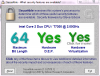
Securable is for check if all is done, see image below.
Activate VT:
http://forum.notebookreview.com/5190101-post227.html
ftp.supermicro.com/utility/ - FTP BrowserAttached Files:
-
-
You can download the attached "nvszf" zip file (mentioned in the guide), which has the inf file and modifying instructions.
-
hi there coolguy
thanks for your efforts i have sony vgn-ar71m with nvidia 8400m gt,and in device manager the video card has this id PCI\VEN_10DE&DEV_0426&SUBSYS_9016104D,should i use direct your attached inf or should i change the inf?thanks -
Go to laptopvideo2go, download the 190.40 notebook driver, and open the nvszf.inf to see the appropriate section numbers (see attached instructions) for your card/ SUBSYS.
Follow my instructions now to insert your card in the 257.15 driver nvszf.inf.
LV2go driver link : v190.40 Windows 7/Vista 64bit | NVIDIA OEM - LaptopVideo2Go Forums
(Download just the driver, and open additional infs zip file to get the nvszf inf.
You can also use the 197.45 driver MS update driver directly if you don't want to make the modded inf. -
thanks a lot,it worked
-
Hi guys,
Can I please use some helps with my VGN-FZ285U model?
It was originaly with Vista Ultimate 32bit for over a year without problems, and recently I decided to update it to Windows 7 Pro 64 bits. The graphic went terribly wrong for me.
Before the windows even starts up, the screen display shows lots of weird graphic and then blue strips. Windows then boots up with very low resolution display (640x480), and it is still bad.
Since then, I have never been able to go back to Vista with numerous of reinstallations of either Vista or Windows 7. It does not seem to help the graphic issues I have.
My graphic card is GeForce 8400M GT.
Any suggestions?
Thanks -
Unfortunately, your Nvidia GPU had failed. Contact Sony for a free replacement. More details here Sony eSupport - VGN-FZ285U - News & Alerts
-
Thanks Rajesh for your prompt response.
Is this a very common problem? Has anyone contacted Sony regarding this issue and got the graphic card replaced by them?
I wonder how the process will go. Dealing with customer service and supports from companies was usually a pain and long process for me.
Thanks again.
-Paul -
Yes it is common for certain models. Look at the top of the SONY forum page here, there is a "sticky" message thread dedicated to the problem. It is titled "SONY comes clean..."
Gary -
Hey coolguy, sorry it's taken me so long to get back to you, haven't had internet access in a while. To answer your question, Yes, the webcam stopped working immediately after installing Windows 7 64-bit. Wheareas before I used Vista 32-bit. It seems like it should work, the audio-mic works, the operation light on the webcam illuminates occasionally when a program is trying to access the webcam, simply the image won't appear. For instance in Facebook video chat The loading screen and adobe "allow" screen pop up and continue to load indefinately (see below.) The "allow" screen appears to be frozen, because I can't click on any of the selections.
![[IMG]](images/storyImages/captureuid.png)
Anyway, I will try to check up on the forum more often, I know there's not a lot for you to go on, if you have any other questions please let me know. Thanks! -
The web cam issue seems to be hardware related. Uninstall any webcam software, and then the driver from the device manager, restart, and try installing the web cam driver again.
Then install the Web Companion software in my guide and see if turns on the web cam. -
Thanks Rajesh and Gary. Sony came out and replaced the motherboard today. Vista is up and running now.
I am back with my Windows 7 64bit upgrade mission now. Will this guide/drivers work with my model: VGN-FZ285U? Please let me know.
Thanks again! -
pault75, from your model's support page, only the camera and Bluetooth are different. So my guide should work for the rest of the hardware. Download the Vista camera driver for your model. The bluetooth driver is available in Sony FTP. I will post the links if you need them.
Windows 7 Clean install Guide for Vaio FZ
Discussion in 'VAIO / Sony' started by coolguy, Oct 28, 2009.