Problems? See this thread at archive.org.
Hey I can't get the fingerprint scanner to work at password prompt after sleeping, only after bootup. Anyone else have this problem?
Edit: Not sure what caused this, I restored to an earlier point using System restore and redid some drivers, and now it works again.
Another question: Has anyone gotten the GPS module to wpork in Win7? I saw it in the EasyWi connection utility in Vista, but its not there in Win7. No hardware shows to be missing drivers either..
-
The GPS module is part of the Gobi Qualcomm Chipset. I am also looking for proper drivers to make the WWAN work on Win7 64 bit.
Does anyone have an idiea? -
How did you resolve the cd/dvd issue? W7 running well, with everything working BUT my CD drive... help is appreciated
-
I do. My GPS work, but not the WWAN (I will try it later)
I never heard about EasyWi, I used SmartWi. -
Are there any new driver Packs? I need x64 drivers for my WN/B but I can only find standard drivers form the sony page :/ (not x64).
-
Have you tried to make WWAN work?
-
Well no. What I don't like about SmartWi is we can't use WWAN and Wifi at the same time. Avec Vaio Smart Network, we can, but we won't have GPS.
Edit: Just tried, it works though I didn't do anything
![[IMG]](images/storyImages/wwan_7.png)
![[IMG]](images/storyImages/wwan.png)
Edit 2: Just looked at the QDLService, it used package 9. I think because I changed it in Options.txt. I didn't use GobiLoader -
So orange works with package 9?
Which version of smartWi/Vaio Smart Network are you using? Where did you get the latter one?
I just saw: I only have an application that calls itself "Vaio Smart Network"
Update:
I just went to the US site. There is actually a driver with an updated QDLoaderservice... I will see if this works better. The version is from May 09, so maybe it supports Win 7 a bit better.
I also found the smart wi tool... lets see what happens.
Update2:
Apparently no change at all... - still does not upload firmware porperly but hangs...
-
Yes, Orange France.
I use Vaio Smart Network 2.1 (The newer version 2.2 and 2.3 don't work for me).
I have the lastest Smartwi 4.7.4. This one makes the GPS work. -
What name does your QDloader device have before initiating the WWAN? Mine is 9221 yours appears to be 9222...
Update1:
Just looking on the QDLservice log again, tells me, that there is just something wrong with uplaoding the rifht firmware to the chipset... I cannot figure out if it is the drivers, the service itself, the frimware packages, etc... -
Windows 7 is running great on my VGN-Z610Y/B, other then a few small problems..
1. I cannot change the brightness with the FN+F5 and FN+F6 when in performance mode.
2. The S1 and S2 buttons do nothing.
3. It will not wake from sleep when I open the lid, I have the press a key to wake it.
Any help would be greatly appreciated. Thanks.
-
I also noticed that with a monitor hooked up on the "Speed" mode things really slow down, windows do not pop up nearly as fast as with it on "Stamina". Without an external monitor they are both about the same (this is using VGA)
This is likely an Nvidia driver issue.. I tried out the Dox drivers but I just a black screen when on the reboot after installing.. So then I have to go into safe mode and uninstall them. -
Do I need to install SmartWi? How important is it?
I am now running Window 7 RTM on my SR. *
* I am running it inside VMWare.
I am suprised it use so little memory. -
Another problem.... When I calibrate my display with my Spyder2pro the profile will not stick, every time i switch GPU's it resets back to the default colors.
I did get Dox's drivers to install and the speed problem is now fixed but now after I switch the graphics I cannot change the brightness even on the Intel, the only way to change the brightness is to reboot with the switch on Stamina..
Also is seems like Opengl apps like XBMC, or Photoshop will crash on the Intel graphics... May be something with the drivers. -
Hey guys, I recently upgraded my Vaio Z from Vista to 7 RTM. I have a question about the HDMI connection and so am reposting from another thread...
Does anyone have a fix for the HDMI sound? -
Hey guys.
The most runs right on my Z21WN/B.
Only the F5/F6-brightness-keeys on speed mode.
Have anybody some solution for this bug?
Thanks
Thomas -
i've ran win7 on my z before, but I found it not to really work all that well... HDMI support was flaky at best, battery life was awful, and the Fn keys didn't work. Oh and I lost bdr support. I think I had an issue with my switch key. But this was back in April.
I've skimmed over this huge thread and it doesn't look like much has changed... I'm just double checking, i guess.
So, how doable is it run x64 win7 on a 590NJB nowadays? fyi this shipped with x86 vista business.
It seems like I would have to use that model.txt hack to install Z6XX series driver, for x64 to work. That alone is just one issue. I wonder what would happen if i just flashed my bios to read as a Z600 series...
I was able to get a killer deal on this notebook, but this 4GB of ram in a 32bit environment kinda sucks. So, that's why i'm so anxious to get an 64bit OS on here. -
I also noticed that my color profiles were being overwritten. I seem to have solved it by going into the VAIO Control Center and unchecking "Enable the Photo Color Setting" and "Enable the Video Color Setting" under the Display section.
-
Some mentioned some troubles with CD/DVD drive after win 7 fresh install. Mine was working fine and then I installed all the Sony drivers and it stopped working. I dug up this age old fix and it did the trick:
--------------------
HKEY_LOCAL_MACHINE\SYSTEM\CurrentControlSet\Control\Class\{4D36E965-E325-11 CE-BFC1-08002BE10318}
Apparently it seems that this is an age old fix for even XP systems. If you venture to the registry key above by doing the following steps:
Click on the start menu.
If this is a Vista machine in the search box type in regedit without the quotation marks.
Maximize the HKLM and then go ahead and browse until you reach the key listed above.
In the right panel youll see something along the lines of UpperFilter and LowerFilter you want to click on each filter key and hit delete. Click yes when it asks to confirm if you wish to delete the key.
Restart Windows. -
Guys what drivers are you using for Intel and Nvidia GPU? Can you post links to drivers please?
-
OK I have problem. Today my Windows updated my Intel Video Driver to version 8.15.10.1808. And now my green led next to speed or stamina switch is not working. So unfortunately I think that now both GPU are working at one time. At least that button to switch from Stamina to Speed is not working :| Can someone give me a link to drivers that you are using?
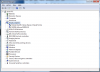
and btw. does you device manager looks like that?
Edit: ok i know now what was wrong. After windows installed new GPU drivers for Intel, somehow he uninstalled Nvidia drivers. Now everything is ok.Attached Files:
-
-
Due to the Vaio Z being Hybrid Graphics and the way the drivers work you should not update the drivers using windows update. Hybrid Graphics drivers contain both the Nvidia and Intel drivers that install at the same time. Installing through Windows Update in most circumstances will cause the Nvidia/Speed portion to stop functioning.
-
Do you know where we can get the drivers for W7? I own a VGN-Z555DN
-
The drivers for the hybrid systems aren't available yet. Sony needs to release them officially. You can use the Vista drivers but, I think you know this already, the brightness control in Speed mode doesn't work.
Also the Gobi WWAN cards don't work in Win7 x64 yet.
Everything else seems to work ok with Vista drivers. -
Mine works perfectly
-
Mine does not... I am still wondering how you made it...
-
The Z's software MUST be installed in a certain order for the Hybrid GPU functionality to work properly.
-
Yesterday I installed Windows 7 x64 Professional. Two minor problems: Brightness via FN-Keys in speed mode (seems to be known issue) and sd-card reader not working. Besides that one major issue. Lots of bsod, freezes etc. The reason seemed to be that I enabled VT-x. Can anyone reproduce?
More info: http://forum.notebookreview.com/showthread.php?p=5214816#post5214816
-
can't reproduce.
i've activated VT on Z16, bios: R2168M3,
installed W7, RTM 6700.
no freezes, crashes etc.
sd card reader is working. the icon doesn't show. when you slot in a card, the drive automatically detect and comes out. ... and gets removed when you take out the sd card.
only problem i've experienced is the brightness not being able to work. -
Birghtness in speed mode: nvidia driver problem
Card reader: works perfectly
BSOD in x64 Windows 7: Check your hard disk's partitions. If you have a MSR partition (about 128MB), so it's the cause (I think). In Windows Seven 32bit, there is no such partition. -
Why should the MSR partition cause the trouble?
I thought about memory probs, but memtest does not check > 3GB. -
When everybody has this problem, it wouldn't be memory probs.
I once successed in installing x64 Seven, that's when I didn't have the MSR partition. -
At the moment I'm installing Windows 7 x64 without EFI-Support (and thus without MSR partition). One can do this by pressing ESC when the VAIO logo appears. In the appearing menu select boot manager and then boot from the DVD-drive. Do not use the first entry (long string with ACPI inside), that is EFI-boot. I reenabled VT-x. At the moment everything seems to work. Will check 7-zip soon. Additionally I have a nice logo above "starting windows". Did not have this with EFI.
... but the big question: Why should EFI / Bios-Mode make any difference? This should only affect booting and partition style!? That's also what I'll be missing: GPT partition table... -
WOW it does work without the MSR partition no more bluescreens and crashing.
-
does anyone know how to get the volume controls back on the screen?
The Fn + Audio keys work, but it would be nice to see the volume controls on the screen again. -
You need to make it lost before getting it back.
-
I'm talking about the volume controls that were on the screen in Vista (the white bars). -
Did you follow the instruction of installing Windows Vista? If you do, you will have that.
-
I have windows 7 installed currently.
-
Not what I mean.
Do you know what drivers/utilities you need after installing OS? -
I'm also having a couple of issues with the drivers. I've installed Windows 7 64-bit on my Z620D. I'm having trouble with the volume that doesn't appear on the screen (same with the brightness), the power management isn't completely working, the fingerprint reader after sleep or simply lock the screen and the SD card reader. If anyone has a solution to these problems, it would be very appreciated! Thanks a lot!
-
Everything works with the x64 vista stock drivers. However did anybody get any audio output through the HDMI port?
For some reason I dont get sound. At first I didnt even see the HDMi output in the playback list, after updating to the lates realtek driver I get the HDMI output, but it is greyed out it further claims that the cable is not plugged in, which is silly as I can see the picture.
Anybody any ideas, this is driving me nuts?
Cheers
Edit: Found the culprit. Removing the realtek drivers enabled hdmi sound output -
Hey i have got w7 installed fully with everything working (except brightness in speed) the main problem im having is that the computer runs VERY hot wen on anything above power saver (im even finding this a bit too hot). Would you guys have any idea wat the problem is? Thanks (model is Z540c)
-
My understanding is that you should use Windows 7 support and as few of the SONY VISTA drivers for the Z as possible. Correct? This is similar to when I upgraded a Thinkpad T series from Windows XP to VISTA. VISTA found virtually everything, and I ended up needing very few of the Thinkpad drivers.
-
Hey guys i'm experiencing problems with the Drivers of my laptop, because they don't seem to work on Windows vista Ultimate 64 bit.. Did anybody experienced the same thing? Have u found a solution? Is there a place to download them outside the Sony site which is not updated? THANK YOU ALL
-
You are on Windows 7 topic. And please tell us at least which driver(s) don't work for you.
-
I recently bought a Z590UBB and install Windows 7, same issues with the brightness control in speed mode.
I thought my z should have free upgrade to win 7, but when trying to order it online, seems only z6xx and z7xx can order it, but not z5xx. Can someone confirm? -
From SONY
QT
3. Models qualifying for a web-based upgrade to Windows 7.
Select models purchased prior to 2009 will have limited, web-based, upgrade support. The scope of the support will be model-specific.
Note: Models shipping with Windows Vista Home Basic or Windows Vista Starter Edition will not be supported.
QT -
What do you think about an update from vista to 7? Was this already done by someone?
-
I did it. Nearly erverything works grat. I have 2 issues:
- brightness bug in speed mode
- no smart network in systray available (have to launch it via Control Center)
Windows 7 on Sony Z
Discussion in 'VAIO / Sony' started by watchrabbit, Dec 31, 2008.