Problems? See this thread at archive.org.
Agabi,
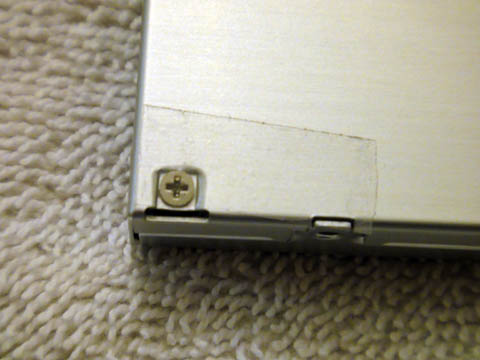
Sorry I already put the laptop back together and didn't take any pics. I followed the instructions and pictures from what everyone else did. The newmodeus caddy faceplate color matches my black z12 perfectly. I wish I would have had the link to that guide from Newmodeus. It summarizes things up very well. Though it doesn't make note of the screw hidden under the piece of black tape, which is easy to miss.
-
Hi Nando4,
I noticed that you referenced a DELL-E series caddy on Ebay and I wanted to verify if that would work for the Sony Z11. Have you tested that? -
Hi guys, can i get some links on what connectors and caddy's i need to get a HDD in my DVD drive?
I don't want any mix ups or to order a wrong part.
Will this HDD work?
Newegg.ca - Western Digital Scorpio Black WD5000BEKT 500GB 7200 RPM 16MB Cache 2.5" SATA 3.0Gb/s Internal Notebook Hard Drive -Bare Drive
Thanks.
Edit: nvm i had some time and read through thread, but do i still need a connector? -
All you need, AFAIK, is the New Modeus Caddy (which has connectors integrated) and a 2.5" Sata HDD (9.5mm height, there are some with 12mm thick i think)
-
thanks, this one is 9.5 mm
-
I went ahead and ordered one. I'll post whether it works or not. No reason it shouldn't since the cheaper "Thinkpad", $11, ones that people have used are also advertised as Dell E caddies. Even this one is advertised as a Sony caddy in another listing. This caddie is listed a billion times with different machines in the title.
-
It's here. Not bad, 9 days from HK. I can't install it for about a week though. I need my machine operation until then and I don't want to risk anything going awry.
-
Could you just do a quick test to see if the faces can be swapped? You probably wouldn't have to open up your laptop for that...
-
I installed a WD 500GB blue in my Vaio Z13 in the optical drive bay. Everything works well, but I wonder if it's normal when the hdd speeds up and down like a optical drive when reading or writing. Is that normal on new HSSs, or do I have some power management issue?
ps. I used the NewmodeUS drive haddy but had to rely on my grinder to cut away some pieces of caddy to fit it inside properly. -
For those of you that have done this on the newmodeus caddy, is the 2nd drive loud? I'm using a Seagate drive pulled from another laptop. I don't remember it being this loud in my other laptop.
Is the acoustic properties of drive bay loud for anyone else?
I'm tempted to try out a different laptop drive to put in the bay but if it's an issue that will be constant due to the location or whatever, I'll just learn to live with it. -
Well total failure with trying to install a 2nd HDD using that eBay "Fenvi" adapter. First of all, the drive bezel is NOT interchangeable with the Stock Sony Z DVD drive bezel.
Second, it won't even boot up. I turn it on, it just sits there, the LCD does NOT light up at all, the power LED is lit up, I can feel and hear the 2nd HDD in the optical bay powered up, but after about a minute it then shuts off.
What did I do wrong?
-
That's not good to hear since that's the one I'm going to use.
Nando4, you said that the faceplate was interchangable with the Z DVD. Any advice here. If it doesn't that really sucks since that Fenvi faceplate doesn't begin to look like a match. Even the big gap Thinkpad one fits better. -
Can someone with the Fenvi post a link to the one they bought and photos of the caddy, dvd, and faceplates.
-
I took some pics. Forget the Fenvi adapter, its a piece of crap, or I got a defective one. Either way it doesn't fit with the stock bezel.
I think that newmodeus adapter is the way to go. Looks like it comes with a matching bezel already attached. They have excellent step by step pictorial instructions on their site for installing in the new Z.
FWIW, The Vaio Z is the easiest and most simple laptop I've ever disassembled. But quite fragile, so you still have to be careful.
-Ed -
Placing an order with Newmodeus.com for their Vaio Z Caddy.
Much more expensive, but they're local and I'll have it very quickly. And looks like it will actually fit and work, unlike the piece of crap Fenvi.
The big reason also is that the Newmodeus caddy has a custom bezel already to match the Vaio Z's casing. Will post pics and results when I get it.
-Ed -
I'm pretty sure you can disable the Optical Drive power management but the drive might not ever turn off. I think I'll end up turning it off manually and then on when I need it.
BTW, what parts of the Newmodeus caddy did you need to cut off? Disappointing that a significantly more expensive caddy requires DIY modifications.
-Ed -
It could be he got the old Z caddy or the old Z instead of the new Z caddy for the new Z.
I just looked at my Fenvi, I don't see how that faceplate could swap out for a dvd faceplate. Nando4, how did you do it? -
The Fenvi faceplate does NOT work with swapping out for the stock Sony Z DVD faceplate, without cutting parts off and gluing or taping it.
-
I only paid more for the Fenvi because Nando4 said it would. Did he screw me? Should have just got the cheap Thinkpad one, it would have looked better.
-
Can't say if the Thinkpad one would work, but yeah, I got the Fenvi based on comments here saying it works, so yeah. I'm not really happy. Perhaps they changed the design of the Fenvi adapter, or people are just making posts without personal experience or facts.
The Fenvi neither fits or even functions with a HDD. -
I think I figured out why my Z12 won't boot up at all with the Fenvi adapter in place. Went into the BIOS and noticed that the Optical drive has first boot priority. Probably trying to boot off of the Fenvi drive, which would be fine if I wanted it that way. But the fact that it won't even post at all probably means that it's just not working. Either way, I'm not going to be using the Fenvi since the stock Z DVD bezel does not fit on it.
-
Some pics.
Fenvi Adapter in Place
![[IMG]](images/storyImages/Edwood_VaioZ122GX_Fenvi2ndHDDAdapter_01.jpg)
Fenvi Bezel Compared to Stock DVD Bezel. Fenvi on Top, Stock DVD Bezel on Bottom. They are not interchangeable without modifications.
![[IMG]](images/storyImages/Edwood_VaioZ122GX_FenviVsStockDVDBezel_01.jpg)
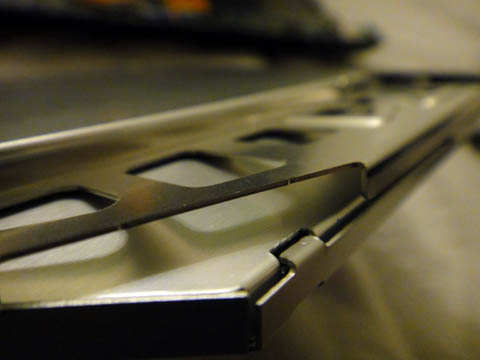
As you can see, the two center tabs are way off, you'd need to cut them both off. The right most tabs are similar, but off by a few millimeters. The big left tab is entirely different and does not lock in the same way, the Fenvi has a hole to lock in place, the Stock Sony has a notch that locks into a hole.
Should have my Newmodeus adapter tomorrow or the day after. -
Don't know about Fenvi, but I have both Thinkpad and Newmodeus adapters and both work in Z11. Thinkpad one has that small hole left in the bezel but is much better at putting HDD into it thanks to an ingenious latch. With Newmodeus, even if you remove thin metal cover temporarily, it's hard to plug HDD properly - not enough space. I was afraid to break SATA connector while doing it. Given the fact that you'll end up fixing HDD with screws in the adapter anyway, Newmodeus should have left a bit more wiggle room to put HDD in.
Overall, both have advantages and disadvantages. -
The Fenvi adapter is only held in place with friction and a plastic "plug". I think I'd prefer screws to hold it in place, despite it being more difficult to install. This set up is not a modular one that would be swapped out continuously.
-Ed -
Thanks for the clear and informative post Edwood. Looks like I'll be ordering the Newmodeus adapter soon...
-
Haha, well, hold off for a day or two, I'll have my Newmodeus adapter and I'll let ya know if it works.
-
The Fenvi caddy should let you attach screws to the HDD sides which then hold the HDD down when slide under the caddy tabs. This prevents vertical movement. The front plug prevents forward/backward movement. Together these two measures secure the drive firmly in place.
The newmodeus caddy pins the drive down with screws. -
How did you get the DVD faceplate to mount on the Fenvi adapter?
-
Just got the Newmodeus adapter and installed it. Works great. Not a perfect fit by a long shot, though. The Bezel sticks out a bit, and is crooked, exposing some metal. I'll post pics later.
ZugZug is correct about the ridiculously tight fit of the SATA HDD in the Newmodeus adapter. The Fenvi has a much much better method of affixing the drive. Also the Newmodeus adapter is heavier (but stronger) than the Fenvi. Both are heavier than the optical drive itself (not even counting the HDD or SSD in place).
I think I might modify the Newmodeus adapter to lighten the weight and to get the bezel to fit better.
Will take a jeweler's saw and skeletonize the sheet metal of the Newmodeus adapter soon. Also I'm pretty sure I can drill a hole in it to allow mounting it with two screws rather than just one (using the screw in the drive tray that you have to eject the drive to access).
But it functions perfectly so far, my Vaio Z112 boots up properly, and the drive is instantly recognized. I'll have to play around with power settings as I don't want it spinning all the time.
-Ed -
So my Z was creaking like an old bed tonight because of the loose hinges. I opened it up to tighten 'em up so I took the opportunity to install my Fenvi adapter. Opening up the Z is super easy. By far the most nerve racking thing is that keyboard connector. Taking it off is easy. Putting it back on is a PITA.
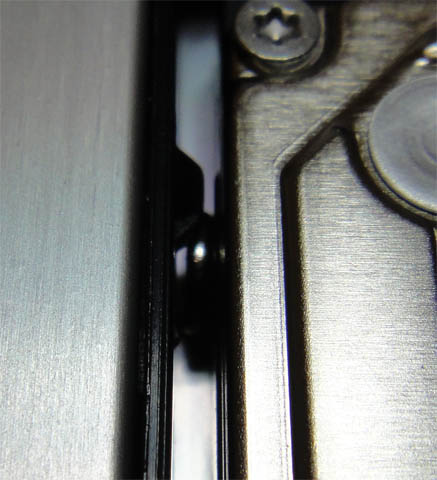
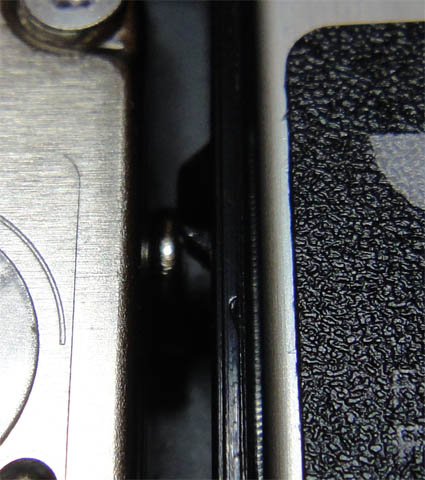
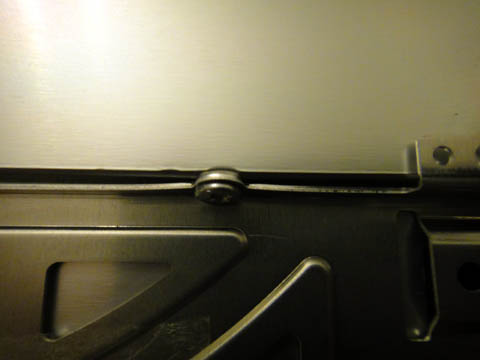
My first impression of the Fenvi adapter is not good. What's that rattling? Turns out one of the screws busted loose and is rattling around the inside. I take the adapter apart and dig it out. I try to screw it back on it it just won't tighten. I then look at the screw. It's defective. The threads only go halfway along the screw. It hits a spot without any thread and just spins. I tape it on because I don't want it rattling around the inside of my Z. I do not like the way the HD fits in the adapter. One, its super hard to get the drive connectors to line up. The connectors on the adapter are too low. Two, I put the screws in but the don't touch anything on the sides so are pretty useless. Three, that little spacer plug is loose. I jammed some rubber in there to tighten it up. At first I try to put on both the brackers off of the DVD. The lower one goes on easy, the top one is a tight fit. So tight that I semi mangle it to get it on and use tape to keep it down. With it on, the adapter sits high because of the bracket and there is a huge gap. I take it back off and now I'm only using the lower bracket. Compression from the lid seems to be keeping it on fairly tightly. I'm more concerned that the bracket screws also hold down a cable and a piece of the motherboard. The screws won't dog down enough with the thickness of the bracket.
It works. It doesn't look that bad. There is a little pin on the top half of the Z case that pushes down on the faceplate on the upper left. I do feel the drive spinning a bit and I can really hear it. It's not like it's really bad at all. It's not worse than a normal HD equipped laptop. I've just gotten use to the silence and lack of vibration of the SSD equipped Z. My drive does spin down after a min or two.
Here are a bunch of picts, I hope they are self explanitory.Attached Files:
-
-
More picts.
Attached Files:
-
-
Hmmm. Looks like I can't turn off the 2nd HDD via Sony Power Management. It does nothing when I right click and select "power off".
-Ed -
Anybody try slipping a 2tb drive in the socket? The one I have is slightly thicker than normal drives (12.5mm, I think).
-
2.5" 2TB drive? What?
9.5mm is pretty much the limit. Barely fits as it is thickness-wise with the adapter. -
Hm.... Might work. The disk will be thicker than the adapter but there is some space between the adapter and the keyboard. It'll be tight. Give it a shot and let us know. Somebody has to be first.
-
The Fenvi has a whole in the middle of the faceplate. It would have been cool if they stuck a disk access led in there.
-
Think is was first on this thread
I may give it a go -
I screwed up the spin down of my HD somehow. It was working fine then I used Todo Backup to clone my SSD onto it. Now for some reason it won't spin down. I force it to spin down but it spins back up a few seconds later. Something is accessing it. Is there an easy way to find what's doing it?
-
ZoinksS2k, you mean a 1TB HDD right? Didn't know that 2TB 2.5" drives exist yet.
-
Scorpio Blue 500 GB vs Scorpio Black 500 GB?
I'm trying to decide between these two drives. The price is the same (~$65).
What is the real world battery life to performance tradeoff here? When playing music or movies, running programs off it, downloading to it?
The closest comparison I could find
Western Digital Scorpio Blue Review (750GB WD7500BPVT) | StorageReview.com
Western Digital Scorpio Black 500GB Review (WD5000BEKT) | StorageReview.com
Thanks! -
My NewMdeus adapter fits fairly flush and sticks out maybe 1/4 of a mm.
It's not crooked either...perfectly straight in that regard. The metal that is exposed it just the tiny bit at the very bottom...is that where it is on yours?
Can you comment on how loud your 2nd drive is? I have a 7200 rpm drive but would swap out to a slower drive GLADLY if i can quiet this thing down. I don't know if it's the acoustics of that bay (since it's not meant for a hard drive) or just a function of a loud drive. Guess a swap to a spare 5400 rpm drive I have laying around will answer my question. -
This is just me. I know people love to talk about how "fast my system" is after a swap from 5400 to 7200 rpm drive but those comparisons are as skewed as you can possibly make. A fresh install versus a loaded one? It's a bunch of crap filled with placebo.
In any event, I've literally gone through 4 laptops in the last three months (several of which are still in my possession). My Sony CW had a 5400 drive, a Precision M4500 and a Latitude 6410 with a 7200 drive and the current Z.
As far as mechanical drives go...in REAL WORLD USE...I notice no difference. Loading games, windows, etc...the difference is a big, fat, zero. Battery life difference is so miniscule is practically not a consideration when I swapped the 7200 with a 5400 in my Laittude.
The SSD on the Z on the other hand...whoa! Bootup is so, so fast.
Quick question. How important is sound to you? This is the one area where there is a very real difference (to me) between a 7200 and a 5400 drive. -
I didn't think about sound. I would definitely prefer a whisper quiet system, and since it's only secondary storage, I'm sure the performance gain would be even more negligible. Add in the battery life gain (even if it's only minutes), and going with Scorpio Blue seems to be the right choice. Thanks.
-
Strange. "Fixed" it. I just reformatted the partition and it's spinning down again.
-
I'm going to follow suit as well. Soon as I get home I'm taking out my Seagate 7200 and replacing it with the 5400 in my external. Way too loud as a 2nd drive.
-
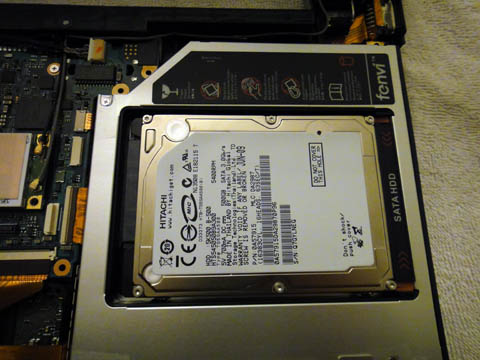
Pics of the Newmodeus adapter installed.
![[IMG]](images/storyImages/Edwood_VaioZ122GX_Mewmodeus2ndHDDAdapter_01.jpg)
![[IMG]](images/storyImages/Edwood_VaioZ122GX_Mewmodeus2ndHDDAdapter_02.jpg)
![[IMG]](images/storyImages/Edwood_VaioZ122GX_Mewmodeus2ndHDDAdapter_03.jpg)
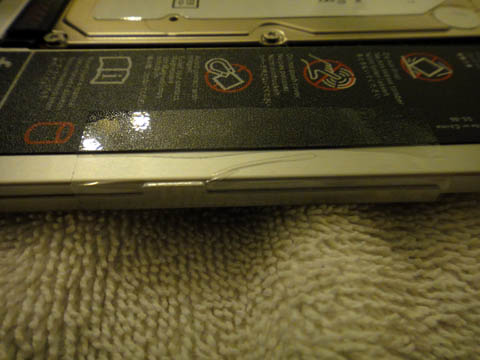
Bezel color and texture is not an exact match, but not likely noticed often due to it being underneath. But worth mentioning for the OCD type.
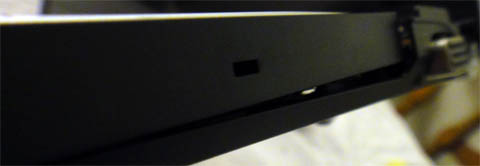
But the big problem is that the Bezel is not lined up correctly, and sticks out, leaving a sizeable gap. I don't think it's quite the correct shape too. Maybe they reused the bezel from the older Z?
-Ed -
Sure they do
-
Yeah check out my pics, sticks out quite a bit. I opened it up again to double check if it was seated properly, and it was.
I'm using a 5400RPM Hitachi drive, which is one of the quietest. Definitely whisper quiet, but you can still hear it in a dead quite room. Granted the Fan in the Z is louder though even at idle.
The biggest issue I have with a HDD and adapter added is the vibrations it adds. You can definitely feel it.
Also it adds significant weight. I'm thinking of perhaps switching to a 256GB SSD. (512GB is too expensive right now.)
So half the storage space (using a 500GB Hitachi right now), but no moving parts and lighter weight. I'd probably strip down the components, along with skeletonizing the adapter to reduce weight.
Either way, I need to fix the bezel on the Newmodeus, it bothers me.
-Ed -
Where did you get it? Which model?
-
In 2.5" sata format the maximum capacity atm is: 1GB for 12.5mm drives and 750GB for 9.5mm drives.
Z11 - Replace DVD with HDD - Working Solution
Discussion in 'VAIO / Sony' started by ZoinksS2k, Mar 20, 2010.