Problems? See this thread at archive.org.
2017 Alienware 15 R3 (Kaby Lake) Review
-
-
Some users are having issues. Boots slower, games load slower and other issues. Update on your own risk. Heard fresh install is safer. For those it worked, ur lucky - enjoy!
Sent from my SPH-L720 using Tapatalkhmscott likes this. -
Just received my Alienware 15R3 3 days ago. I want to connect it to a Dell monitor (U2312H) that is about 4 years old. The monitor has a DisplayPort input on the back as well as DVI-D input, with the DVI-D is connected to a desktop. I bought a HDMI to DisplayPort connector and tried connecting to the monitor, but all I get when I switch the input on the monitor to DisplayPort is a black screen. I know the HDMI output on the laptop works since I connected it to a TV which worked okay. Any idea what the problem is? Should I use the USB Type C to DisplayPort instead?
-
Why not just use a mini display port to display port cable?
Sent from my SM-G935V using Tapatalk -
hi guys, any comments on AW 15 R3 on AMD Radeon™ RX 470 with 8GB GDDR5?
it is going for $200 here in Singapore.
does anyone have this config?
how does it compare to GTX 1060 in terms of thermals and performance? -
![[IMG]](images/storyImages/mom8zab.png)
is there a way i can reduce the wear on my battery??
my unit is just one month old -
turn off express charging. BUt if you did not discharged it a lot in 1 month or hardly at all then I would consider the battery faulty.
-
earlier today before i fully drained it, it was at 6% wear.
overall i have drained it until it shut down about 3 times only.. -
My battery showed 10% after a week. Battery was replaced and deemed faulty.
-
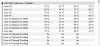
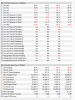
Just got my second system replacement yesterday and all is well so far! Here are my temps after 75 minutes of playing Watchdogs 2 on ultra settings! The second pic is the old system after 20 minutes playing the same game! Should I repaste the system now or wait a while!
Attached Files:
SimplyJ3sse likes this. -
-
Honestly just undervolt for now and wait for stock paste to dry out.
Sent from my VS995 using Tapatalk -
Would like to know this as well. Been looking but not finding much info. Here in Australia the RX 470 is the only one that allows a UHD screen to be added otherwise I would be looking at a 1060.
Would love to have a AMD gpu if its comparable at least to a 1050ti and doesn't run hotter...xxpmrong likes this. -
Has anyone else noticed issues with the network port? I notice that you can pull the cable back with it connected and is loses connection. Also you can move the cable while connected and lose connection.
-
No issues with my network port!
-
Are the 15 r3 models with the lowered TDP (35 TDP vs standard 45 TDP) in the CPUs bad?
Does anyone know what exactly happens when the TDP is configured lower?
-Is hyper treading and overclocking gone?
-Is there better battery life? -
Hi all, so I am about to receive my very first Alienware. Very excited! Specs are as follows:
15 r3
i7-6700
120Hz G-sync IGZO IPS (FHD 400nits)
1060 6Gb
32gb 2400MHz
265Gb PCIE+1Tb hdd
killer 1435
99W/h battery
The screen seems to be a typing error/marketing error. Because it says both IGZO IPS and 120Hz, but I can't seem to find anything that matches when searched for.
I paid 1685 USD for it (I live in Denmark, and bought this on sale + 15% student discount)
I hope it will perform fine out of the box, as the thermal paste issues should have been properly addressed by now, or I might repaste. Any thoughts about using Thermal Grizzly Conductonaut when carrying around quite a lot? If Conductonaut is the one, I will certainly be using tape to mask off. Otherwise I might go for the Kryonaut instead.
Thanks -
http://spectrum.ieee.org/tech-talk/...-benefits-of-old-age-for-transistors.amp.html
Sent from my iPhone using Tapatalk -
Sometimes you might have uneven core temps, because that issue is fixed in Kaby lake. Try Kryonaut first, if you aren't satisfied with temps go to Conductonaut. With Conductonaut you must be super careful.
-
Ok thanks. Any thoughts on the display details?Last edited: May 13, 2017
-
I finally restore windows 10 completly. I now use/play with the Alienware 15R3 for 2 weeks. Until now I did not get any BSOD. I am happy with this.
-
-
Ok, thanks.
@DeeX @Mobius 1 Do any of you guys have any thoughts about the details of the display in my order? It says 120Hz G-sync IGZO IPS (FHD 400nits) but as far as I can tell the 120Hz G-SYNC display is a wva TN panel. Could this just be a typing error or misunderstanding in marketing/translation? -
-
Ok, thanks. Funny Dell have that kind of mistakes on their webshop. Also the browsertab says "Alienware gaming PC with 7th gen. Intel processor" even though it is with a 6th gen
-
-
Exactly! My point is that Dell have some issues providing the correct information on their webshop (at least the Danish)
-
Almost same as when Dell advertised the AW 18 "Limited Edition" with LGA
 And the support-sales team said exactly the same
jpsm likes this.
And the support-sales team said exactly the same
jpsm likes this. -
Hi guys! So I did a repaste on my system with gelid and undervolted it to -140. Idle temps are at 47c ish. This is with 1.0.12 and fan curves are pretty silent not that i am complaining but with hwinfo64 on and fans at custom i get lower temps around 35-38. I was wondering if its worth it to leave it as is or go with the "custom fan curve" on the hwinfo64. Or should i try looking for a new bios that have a more agressive fan curve? also , i leave the power plan/management to high performance all the time. I am pretty happy with the machine overall but underload/when running stresstests there is a core differential of 8-9c its kind of annoying but since temps are really good i can kinda ignore it. Way better temps than my 770dm with 6700k delidded and cpu temps while playing dota2 was a toasty 89c. @DeeX @iunlock @Mobius 1
EDITED: now at -160 and really impressed playing games my cpu wont go over 70c LOLLast edited: May 16, 2017Vasudev likes this. -
ordered one of these and want to put a SSD in it.
is there any benefit of using an M.2 SSD over a standard SSD -
I had an issue with the laptop,
after the user login into windows 10 desktop the cursor was blinking and taskbar either, no way to do anything else, contacted Dell support and only solution they gave me it's format drive and reinstall.
I installed all drivers and stuff from dell site for my laptop, only issue that i got now is that the alienware studio sound, the app that came with the installation is gone, and in the dell site they don't have it any longer,
Someone knows where it could be downloaded if it's possible?
Don't know why they removed the application from the dell's site.
Dell support told me that app doesn't came with the laptop. XDDD -
"ordered one of these and want to put a SSD in it.
is there any benefit of using an M.2 SSD over a standard SSD"
15R3 provides connection and space for up to 4 SSD drives, one SATA and (3) M.2 drives. M.2 can provide up to 3-5X SATA read/write speeds, depending on the drives. The Samsung EVO series seems to be the quality/economy point in the M.2 drives. I'm getting power on boot to windows times around 8 seconds with the EVO. -
I received my Alienware today, and holy cow it is nice! Screen is absolutely beautiful, very nice image and viewing angles (will check for lightbleed when it gets dark). It performs like a beast, the fans do spin, but absolutely not at an irritating point as they are at a quite low pitch.
Temps are in the mid to high 70's (core 0= 81C) when gaming or benchmarking. Core diff's are not that bad (7C's (at max temp)), idle temps are in the mid 50's (with a ambient temp of 25C)
This is right out of the box! No repaste, no extra cooling or anything else than the hot summer breeze flowing from my open window. Expect temps to be a bit better when sun goes down and temps lower.
Also I needed a powercord without a ground connector, and Dell will send me one without any charge, very nice.
I am very impressed at this point, but at the same point very critical. I will do a follow up when the smell of new cardboard box is goneLast edited: May 19, 2017 -
@adahlmannolsen Gratz, which screen have you picked? I will get mine tomorrow with the 1080p 120hz display. If you have ordered the same panel...could you say a bit more about it
-
It is the same display. Viewing angles are very close to IPS, and colors are very good too, but mind that I do not have any tools to measure accuracy (other than compare to my color accurate desktop screen). Brightness is very good too, and reflections are close to none.tlprtr19 likes this.
-
One of the (3) M.2 slots can only handle half sized M.2 2242 ssd's... And those models ain't for 3-5X SATA read/write speed.
-
I'm going to do my usual repasting/repadding/dust cleaning soon , I bought kryonaut (gpu) /conductonaut (cpu), 3M thermal tape and Fujipoly.
@iunlock : I have probably the first unit 15R3 ever shipped in France ^^, regarding the thermal pads before AW fix, I should remove the pads on the FET in front of the CPU and put a thin fujipoly layer on them right ? Or maybe i should get 0.1 pads ?
(my differential is 5°C after i first repasted and undervolted, but if i can improve that..)Last edited: May 20, 2017 -
True. I believe that you can only get the full PCIE speed from the #1 M.2. drive location. The others, (including the 42mm) will show approximately SATA r/w speeds of maybe 500-600MB/s. Personally, I would still choose the EVO drive line of M.2. drives over the lower priced SATA drives, even if you may not enjoy the full potential at this time.
-
Someone got a clue about this?
btw Windows hello isn't working any idea?
Thanks for the hints, -
Have you updated Nvidia experience? I had some minor issues similar to yours, but it was after finished a update, and only until I rebooted. Only had the problem once, and only very shortly.
Windows hello works for me, but it is my experience so far that it depends very much ambient lighting (and maybe screen tilt) -
Congrats.
Would you be able to now unlock the power limits and run wprime v1.55 with hwinfo64 running in the back ground.
Temps will sore if you have the 7820hk and oc it to 44x.
However, if left stock, yes the Temps are good and much improved for sure.
How ironic as I've just finished up one of the original releases of the 15R3 just last night.
You want 1mm pads for the fets on the other side of the chokes on the north of the cpu side.
Yes, the mini slot is x2 lane, while the other two is x4 lane.
I've put in a full size nvme for giggles in the small slot just to test and it was a little faster than Sata speeds.... Strange I know.
I'll test it again...
::iunlock::SimplyJ3sse likes this. -
How do I unlock the powerlimits on the 6700Hq?
-
You can use Bios, Xtu or ThrottleStop.
-
Ah, but what would the purpose be? Isn't it only the 6820 that is overclockable
-
This is correct, but has Dell put the correct aka max limits for this locked chip?
-
wprime's website is blank on the download page. Where do I get it?
-
-
In bios there are only two options for the 6700HQ / HQ's (locked chips) in general:
1. Enable Performance Fans
2. Enable Performance Mode: All this does is increase your PL1 and PL2 to 92W, which realistically does nothing in that regard as your CPU will never in a million years reach that. However, it does active a bit more of an aggressive fan curve. For what it's worth.
-
"Unexpected error, quitting" when opening .exe
*OFFICIAL* Alienware 15 R3 Owner's Lounge
Discussion in '2015+ Alienware 13 / 15 / 17' started by katalin_2003, Oct 24, 2016.