Problems? See this thread at archive.org.
You can change the fps limit on battery using Nvidia GeForce Experience.
Sent from my VS995 using Tapatalk
-
-
I can't find any option remotely like that.
EDIT: Found it...hmm
Completely forgot that was even an option in GFE...So turns out I can still game at 60fps on battery...might just keep existing setup.Last edited: Jun 6, 2017SimplyJ3sse likes this. -
one of my cores on my i7 6700 seems to be hitting 100 degrees which is worrying.
how do i undervolt my CPU
the GPU (1070) is relatively cool
also what software should i be using to test for heat and to stress the CPULast edited: Jun 7, 2017 -
Anybody encounter lost of audio and only way to fix it is if you reboot?
Sent from my SM-G935F using Tapatalk -
A lot of people use Intel XTU (Intel Extreme Tuning Utility) to undervolt and OCCT or Prime95 to stress test CPU. Just open up the Intel XTU program, select the core option on the left side menu and set your undervolt from there. Google Intel XTU and you should find plenty of videos that'll walk you through the process if you want a more in dept visual guide.
-
throttlestop is better
@sunshinewelly you might want to ask for replacement unit if the cpu is reaching that high...SimplyJ3sse likes this. -
Prime95 is terrible to test with since it uses AVX. Those instructions are not going to happen under any circumstances you will come across and generates ridiculous heat for no reason. The built-in test on XTU would be best.
Dialup David likes this. -
hi guys, just got my unit today and found this thread.
spec i7-7700hq + GTX 1070 + 120Hz FHD Panel + 16GB 2667Mhz Ram + 256GB NvMe SSD + 1TB HDD. bios is 1.06 version. what should I optimize first to get the best out of it?
is there anyway to overclock/optimize the 7700HQ? first time having kabylake. -
Fully locked down i7 BGA. No OC'ing. Undervolt and most likely fix the TRIPOD mess!! Yoo will find several sub-threads like this... How to fix it.Vasudev likes this.
-
Ok, just finished up the repaste + new pads! Running a quick test with OCCT i still have a decent temp differential between cores

On the bright side the conductonaut along with an undervolt of -175mv has dramatically improved the overall temp avg. so I'm not to disappointed.
![[IMG]](images/storyImages/yYskcMC.png)
Vasudev and Xavier2612 like this. -
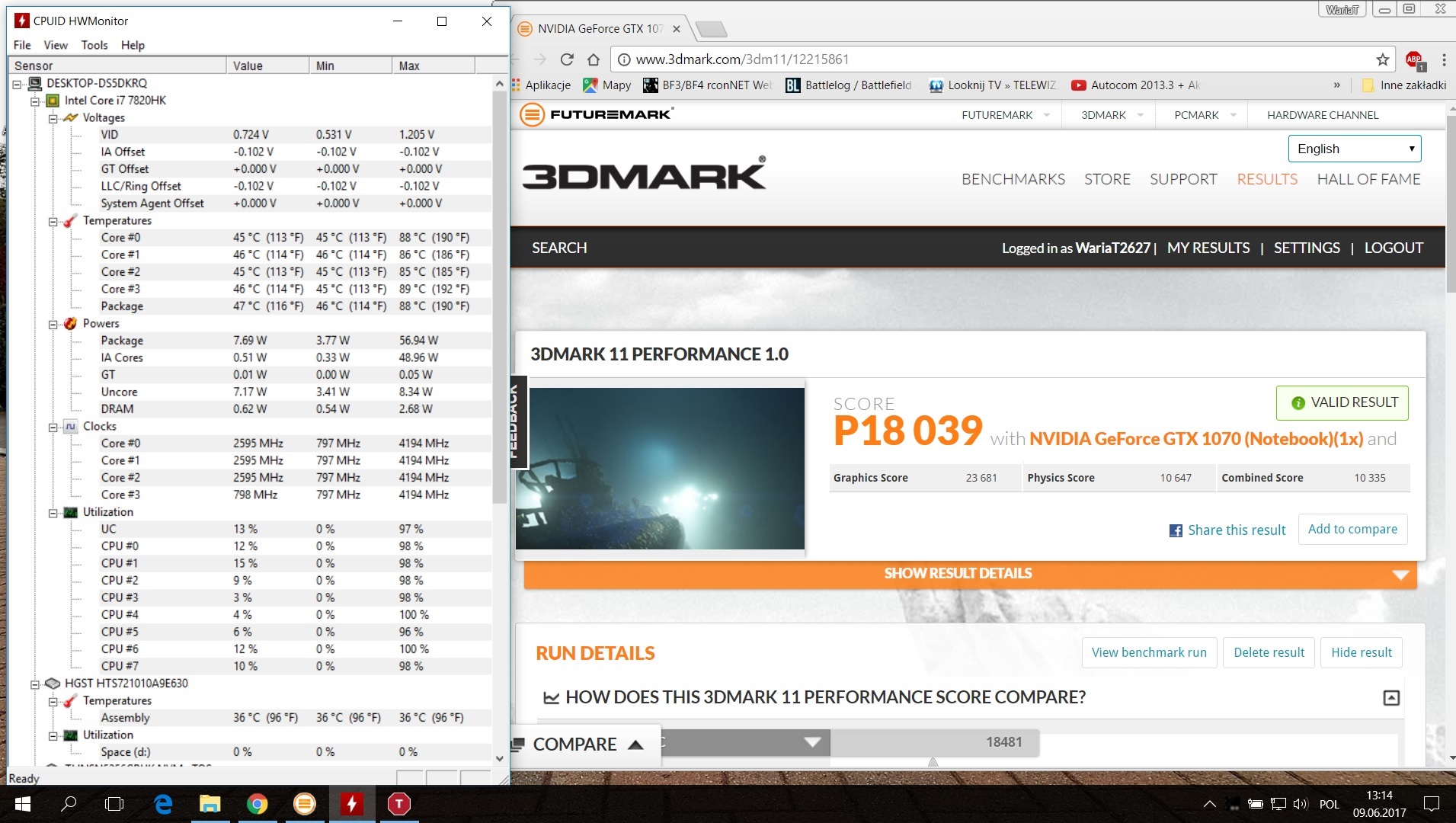
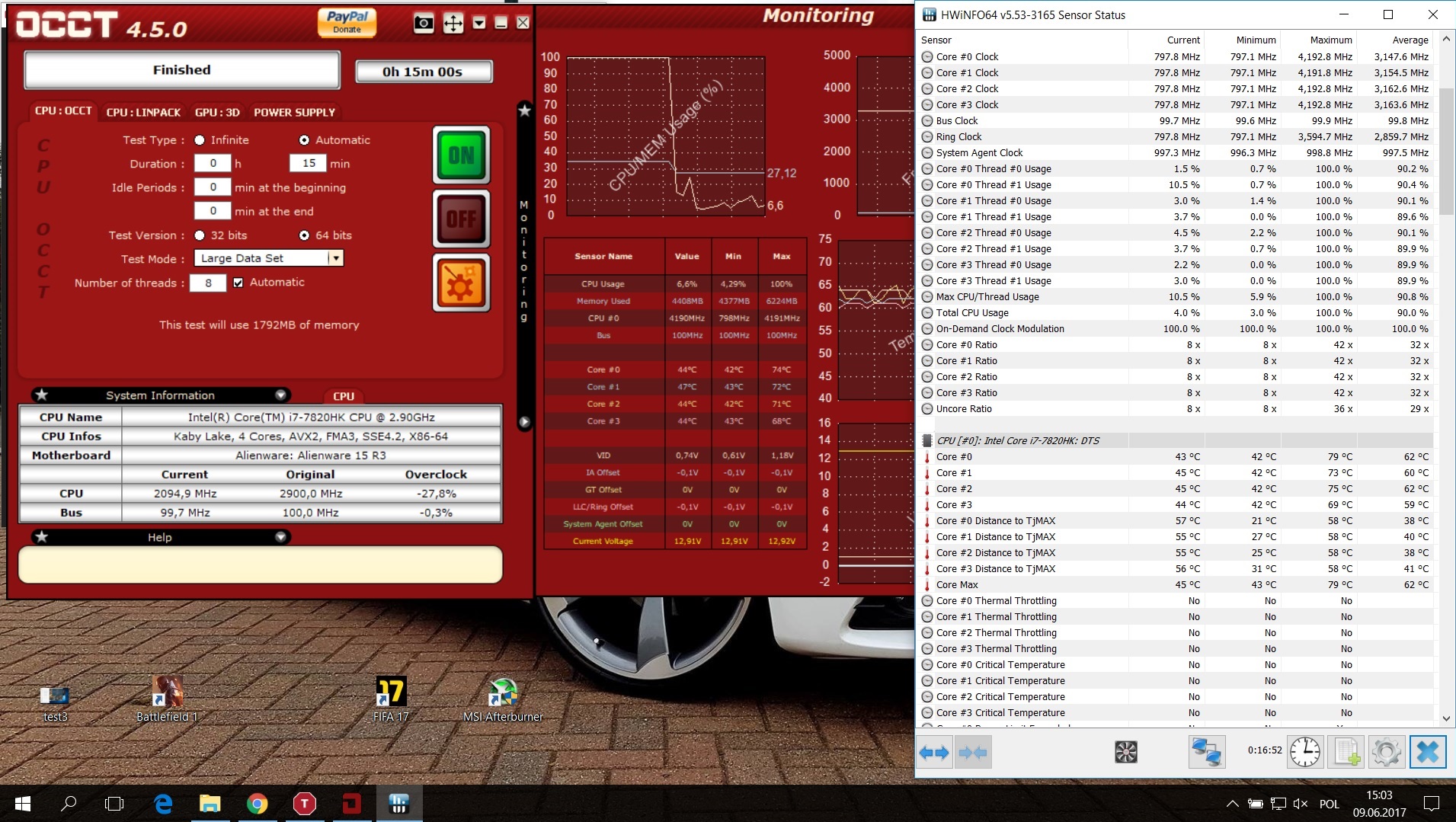
My new AW 15 R3 7820hk with GTX 1070 had heatsink replaced yestarday.... . I ask technician to apply my IC 7 as i didn't have other paste at home . I still want to achive 4.2 on all cores with temps below 80c... . ATM here it is using OCCT and HW Info. Still way to high for me :/ . When my laptop was disassembled i was looking into thermal pads size on CPU and on mine i have white 0.1 mm only fitted . Are they ok or should i change them to 0.5mm . I also ordered LM grizzly conductonaut to use it on mine AW
Attached Files:
-
-
They should be good since the 0.1mm are the newer pads Alienware changed over to in order to mitigate the uneven heatsink issues causing the temp differences between cores.
-
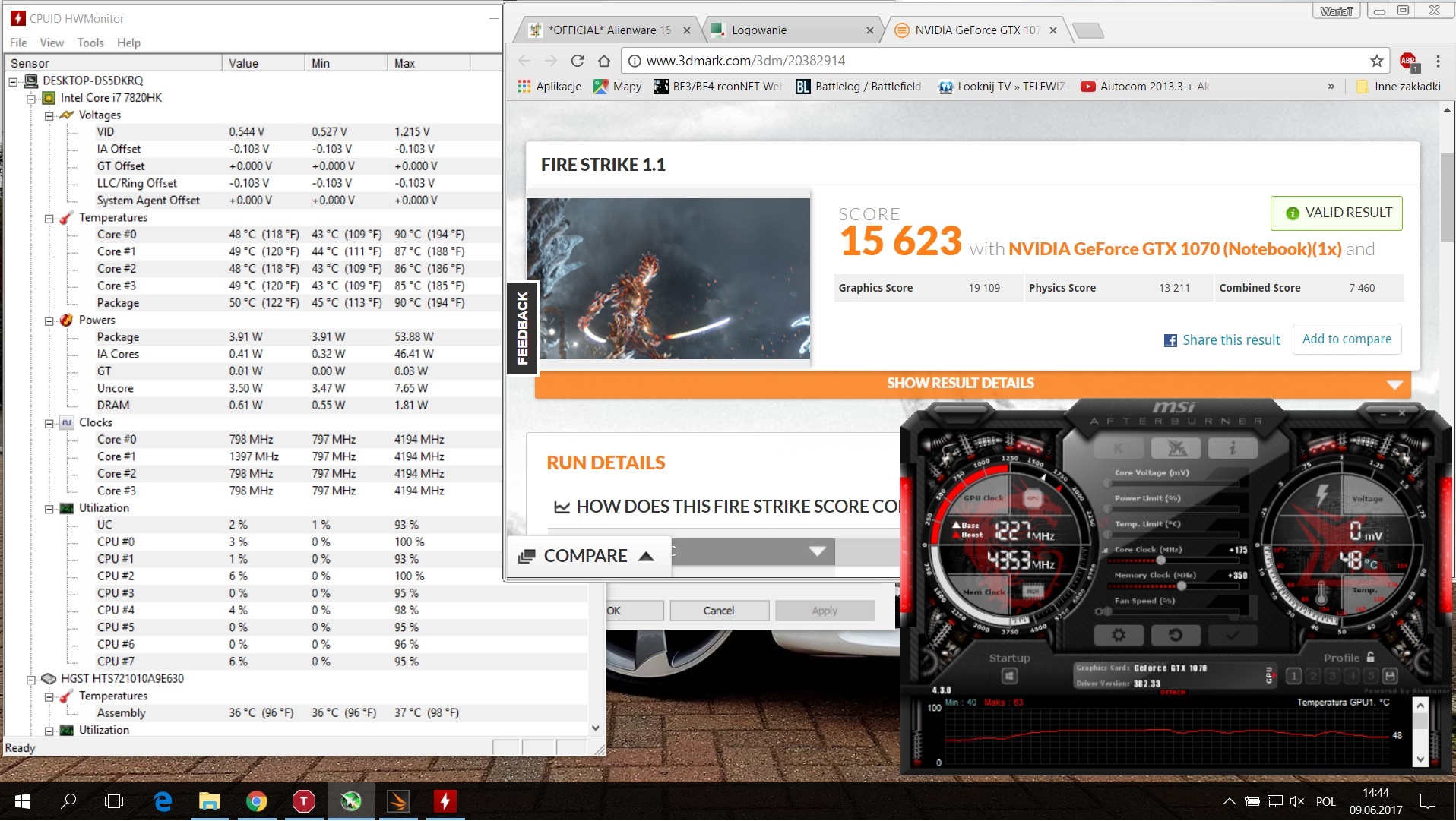
@Xavier2612 I have the same Alienware config. My heatsink was uneven so I have repasted with liquid metal. Here are my results for comparison. I have chosen the same setting as you.
4,2ghz on alle Cores and 175mhz/350mhz in MSI Afterburner
Please keep in mind that LM has very good results. But take a look on your own
Attached Files:
Last edited: Jun 9, 2017Xavier2612 likes this. -
-
-
I have a new 15r3. The USB works fine on the left, but the right side works fine with mice. But if I plug in a thumb drive it keeps dinging and disconnecting and sometimes it might connect. The thumbdrive works in all computers just not that spot. Should I call DELL and have them send me a new usb board?
-
You might have to replace the whole board. Did you try Linux in a LiveCD or launch Dell ePSA and plug the usb drive into that faulty slot, if it pops up Test Failed, just capture a picture. Then you can probably ask for mobo replacement.Aman Krishna likes this.
-
Thanks @Papusan
Wow i never thought it starts with the hardcore work from out of the box lol. Okay i am aware you hate BGA crap. But i7-7700hq is adequate for today's third world problem (bga vs socket). Undervolt is good, just wish it can move BCLK a little bit to get some more. I will be using Gelid Extreme for the paste instead of the infamous LM conductonaut -
There is ZERO possibility of any NB manufacturers switching back from BGA. Give it up. Just makes you and others like you look like trolls.
-
Is it a m
i Havent yet. Also with the whole gysnc. this is my second 15 r3 with the ips gsync. I have it turned on and the wow set at max 60fps but there is horrible tearing. Happened on both laptops, didn't happen on the 17 though. -
Gelid Extreme is good.
Never say never. Maybe first step in right direction if this AMD Ryzen ain't BGA.
But yeah, you can't use or expect socket hardware in Thinnest possible laptops or laptops who later will contain Max-Q design. -
where does it say not bga?
wccf is also a sketchy website to get info fromVasudev likes this. -
I know about Wccftech, but the info about Asusbook and Amd Ryzen 1700 is correct. Verified!! But we haven't 100% correct info if this AMD chips is in BGA shape or not.
-
would be interesting to see the internals of that laptopPapusan likes this.
-
No info yet, but Asus haven't shrink the chassis fully. As 34mm thickness isn't the direction we have seen lately from some of the ODM.
Intel will likely continue with same low 45w TDP for the new 6 core BGA. Probably because they design it for use in thinnest possible lapbooks.Vasudev and Aman Krishna like this. -
That is big improvement . Anyway I'm selling mine AW 15 R3 and will keep Clevo More power less heat .
Papusan likes this.
-
Hey, im looking to possibly order a new Alienware 15 R3. What is putting me off from pulling the trigger is all the stories i have read on here with troubles about heat problems etc. If i was to order one are they still as bad as people on here have said and is it more than likely i will end up with a problematic system?
-
I'd probably say that it really depends. I don't think the new batch is 100% perfect, but I have heard that they are better. I will say that Dell is pretty good about fixing things should you have a problem, but I'd expect it to run a little hot but not too hot to throttle. Average users won't care or worry about it but if you are someone who is concerned about heat and really monitor it, there are probably better choices out there.
-
They're won't be anymore overheating with 15R3 because last Bios revision cripples performances to avoid such overheating.
Thermal throtlling will engage at 93°C stoping the CPU from Boosting (OC3 6820HK will downclock from 3.9GHz to 2.7/2.6 GZ) and what is the temp limit DELL will consider being Overheating ?
That's it ! Over 93°C.
But @ 2.7GHz the CPU will never go beyong.
No more thermal issue. But 1500$+ for a 2.7GHz quad core processor powered notebook is a bit expensive, considering in coming 3.0GHz Octo-core mobile processor from AMD. -
Ok thanks for the reply's this is good to know. Im only looking to game on the thing, not looking to do any benchmarking etc. I am stuck between ordering one of these at a cost of £1500 or really push the boat out and pay an extra £500 to buy MSI Titan Pro with a 1080m. Just not sure if the performance increase can be justified with spending £2000. Any advice, is the Titan Pro really worth the extra £££
-
https://www.techpowerup.com/234315/...ble-down-on-high-performance-pc-gaming-and-vr
15 with 1080 max qVasudev and Aman Krishna like this. -
Wow such a heartbreaker.
I just recently purchase Alienware 15R3 with Gtx 1070.
JeezzzVasudev likes this. -
Don't blame yourself, your GTX 1070 will outperform the GTX 1080 Max-QLast edited: Jun 13, 2017Vasudev likes this.
-
In effort to pasifie the industry that's on a extremely light and thin design to help people that is scared to lift over 5lbs and carry it in a backpack they have released this chip that will be weak and probably perform on par with a 1060.
-
Not again, this makes it difficult for end users whether their GPU is normal GPU or MAX Q'd ones.pathfindercod likes this.
-
So this was my third Alienware 15 R3... still overheating and reaching 98, thermal throttling while gaming and the like; not too terrible that it would quit out like the last one, but still annoying. Even with a cooling pad underneath it, was still hot. Decided to put it on fan performance mode and it was hot, but not exceeding 94. Figured ah well, I'll repaste it later and hopefully have it lower the temps, nope. Now it won't turn on and the Alien head flashes 2 red followed by 3 blue.
So I thought, great, the heat finally got to it. Tried repasting it with better thermal compound (Thermal Grizzly) but that didn't do anything.
Found out this was apparently a RAM post error and tried swapping all the slots around to no avail. I had hoped this would be the last time I would have to deal with this but apparently not... At least Alienware has great customer service. They are either going to replace the RAM or the whole motherboard.
Chipset lottery can't give me a bad one 4 times in a row...fingers crossed this is the last issue I run into. I love this machine but it's a bit of a headache constantly reinstalling everything and worrying about reliability. -
Just out of interest how long ago did you first place your order? Im thinking of buying one myself but stories like this really make me nervous about pulling the trigger.
-
Just wipe the golden pins of RAM with a Clean cloth and put them back in. Sometimes it will work. Also, do a power reset as well. Disconnect the battery cable and hold down power button for 60 sec and this should do a proper power reset.pathfindercod likes this.
-
First one was December, delivered in January, huge overheating issues, they replaced in March, worse heating, replaced motherboard, still overheating, replaced system, and this one has been overheating too, now won't turn on.
Alienware has tried very hard to fix the issue and I have no doubt that I will get a good one eventually. I have a feeling that I will need a new MB again if the replacement RAM doesn't work out.
Be patient with them; Alienware really is a great company and they will do whatever they can to help.SimplyJ3sse and Vasudev like this. -
-
Which CPU you have? Did they send you refurbished or brand new replacements?
-
First, it was the 6700HQ, then both since had/have 7820HK, each with the 1070 but never with any GPU overheating, just CPU. They have all been built brand new (as far as I know).
Sent from my SM-G930W8 using Tapatalk -
Manage to use back my old msata ssd by using an msata to sata converter.
Save me from buying another ssd. Phew.
Vasudev and Aman Krishna like this. -
If I was to buy a 15R3 from a a store such as Curry/Pcworld (I'm in UK) what happens with the warranty, is it with Dell or the store I.e if indeed I have a problematic system who would be responsible and who would I contact?
Also I keep seeing well speced systems on the outlet store, how reliable are these and would I be taking a huge risk/gamble with what I get? -
I bought my system from Amazon marketplace on May 22nd, 2017. My system came with warranty till Feb 14th, 2018.
Note that the system was shipped to the seller on November 14th, 2016 (got this info. from Dell website under warranty section after putting my Serial number). In, fact resellers and retailers like the ones you mentioned get longer warranties with these systems, so that they can sell within the extra 4 months (in my case Nov 14, 2016 to Feb 14, 2017), so the buyer can still enjoy the 1 year warranty that Alienware systems come with.
BUT, there's a downside. If you are ultra budget friendly guy like me, and are buying an older system (I got the 6th gen Intel), then your reseller/retailer might have run out of the extra warranty period it had gotten to make the sale in that duration (my system's "extra" warranty ended on Feb 14, 2017). So, my system was infact in an Amazon warehouse for the first 3 months of it's one year warranty.
But on the upside, I did get the machine for 150$ cheaper than on Dell site, & No it's was not a refurbished system.
P.S. Dell refused to price match Amazon.com..
Sent from my Moto G (4) using TapatalkVasudev likes this. -
New BIOS is available. Could someone tell me when the Alienware Dominator Software will arrive? I heave heard that this will be an OC software.
-
Might be an add-on to AW CC's Alien Adrenaline.
-
I ended up getting a refurb with a 1070 and a 7700hq last night for under $1300 after ebates. I would have preferred one of the unlocked i7s but I haven't seen any in the price point I was waiting for other than one I missed a few nights ago. How much am I missing out on here? Trying to decide if its worth the hassle of waiting for one to show up and returning this one.
i7-7700hq, gtx 1070, ips display, 16gb ram, 256gb ssd, 1tb hdd -
Well, if you aren't into overclocking then your system is worth the price. Else, you could have wait for 7820HK and 1070
-
7820hk
1070
16gb ram
512gb ssd
120hz
Can't say I'm really happy with the machine so far. Original idle temps were in the low 70s so I undervolted with xtu, lifted the back up, and did a clean install. Temps are now high 50s low 60s but these idle fans are loud.... I'm not sure if I wanna go through a repaste but I think its my last hope. I have artic 5 lying around but should I order a LM paste? -
Wait a few months and you will see the idle temp increase up to around boiling point. 70C should be max load temp Checked as well max PCH and ssd temp in fully load?
*OFFICIAL* Alienware 15 R3 Owner's Lounge
Discussion in '2015+ Alienware 13 / 15 / 17' started by katalin_2003, Oct 24, 2016.