Problems? See this thread at archive.org.
Mine doesnt have that. I have the 2070 though, so maybe it's a bit different..
-
-
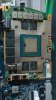
Its only a show piece with covered parts. Coustemer GPUs dont have the aluminium cover.
SacraficeMyGoat and S.K like this. -
May be they realized that it is a thermal conductivity bottle neck and removed it in the new batch. Can somebody confirm if they don't have it on their 2080 either? New batch only.
-
If that's the case then it's good. I haven't opened mine up to that extent yet (waiting on delid parts that will be delivered tomorrow) so don't know if my 2080 has it or not. It's the new batch.
-
When I finally get my system I will probably cap the turbo speed at 4.7 Ghz so I have a cool-as-a-cucumber running system. I'm not looking to break any benchmarks... going from the 2960XM CPU in my M17x R3 it will feel ten times faster anyway.
Rei Fukai, pathfindercod and VoodooChild like this. -
My plan is to change the system disc to a 970 evo, and then do a clean install. Save the old system disc intact if i cant get it to work propely on the new one.
What drivers do i need to download from Dell to get all the funktions to work?
I have tried this with an old laptop years ago but i coldnt get it to work.
Have any of you done it?
What drivers and programs do i need? -
Same here bro. Coming from a 2920XM/680M combo, I think this system is going to blow our minds running stock with a slight undervolt. My LM paste 9700k should run cool at 4.6GHz with a slight overclock on the GPU. Will posts results here once I get it. At the moment, Xotic says they've no clue when the new batches will start shipping out from the Dell factories.
Sent from my SM-G965F using TapatalkAmroth likes this. -
Attached Files:
-
-
I have 8700/2070 and in OC-profile 2 i get 8910 score in the division 2 benchmark and I wonder if it’s as should be expected? Its in performance mode and temperatures are around 65 degrees Celsius. Seems good to me but like to know from other 8700/2070 owners. Mostly I see 2080 benches.
-
Planning to switch from monitor:
Current Monitor: Asus PG27AQ
- 27" 4K 60hz IPS G-Sync 100% SRGB
Planning to switch to: Aorus AD27QD
- 27" 1440P 144hz IPS Freesync 95% DCI-P3 HDR 400
The main reasons I want to switch is:
- I use my current monitor at 125% scaling. Don't like scaling, so prefer a monitor without one
- now that I experienced 144hz on the Area51M, it's so much more nicer on games such as overwatch so there is that.
Drawbacks:
- Going from an actual g-sync monitor to a g-sync compatible monitor (don't know how much of a big deal this is)
- I have some 4K movies and some games have 4K textures, so the higher quality and DPI is perhaps something I might miss? (not sure though how much of a difference it's going to be)
Nice unnecessary extras on the new monor:
- Better color/saturation
- HDR Support (even though very limited)
What do you guys think? Should I? (to use with the Area51M of course)
EDIT: There was also the 120hz Samsung q60r option which is 43 inch. Which is for the features it has relatively cheap and on that size I don't need scaling even though it's 4K.
But I don't want to get that one, because even though it has freesync, which is amazing. Nvidia damn doesn't support HDMI 2.1.
And 43" might be too large after all making me actually have to move my had to see parts of the screen.Last edited: Apr 17, 2019 -
Did you open the bottom cover and removed the battery while the laptop was running? Wow. If you did that you are lucky you didn't provoke severe damages on the computer.
No offense bro, but from your previous posts your seem to not have any previous experience with PCs and you expect it to work like a Ps4 or Xbox. In my humble opinion, most gaming laptops requiere a good background of knowledge on HW and SW. If you just want to play in 4k in the TV I would rather buy a ps4 pro or an Xbox one x. -
Well for gaming 144hz is superior to 60 hz all the time. Even in windows try to get a monitor with 1 ms on pixels. Wont blur so mutch when sweping fast when you aim.
1440p is to prefer on a 27 inch monitor..at least. 1080p is pretty good to...but no..go for 1440p.
I think its a good monitor you linked. Have a Samsung 32 144hz HDR myself. -
Does someone knows if dell internally are changing anything related to the overheat problem? I receive my replaced machine a couple of weeks ago which is i9 9900 and rtx 2080, as it still goes to 101c when I test it with cinebench r20 and always keep around this even on performance mode and nver goes dows 98c. So the enginear come and change the heatsink which does exactly the same an dstill keep it at 101c.
I dont want to repaste but try to get a replacement machine again, but it would be nice to know if there is actually something going on and they are fixing it, so perhaps next replacement machine can have better thermals.
Cheers, -
without UV 100 degree in CB r20 is normal.
-
Are you running on stock? Have you tried to undervolt the CPU? The 9900K is a very hot chip and apparently Dell uses much more voltage by default than what is needed, which will lead to very high temps and throttling
-
but if I run my machine doing 3d rendering constantly always 100c, 101c my CPU will not last longer
 this temperature with the clock speed at 4.0hgz maximum as it throttle.
I did -100 the maximum I can get down on the command center in the offset and the other field too I get a bit better themals but still goes to 97c 98c.. I will do some further test, just thought the machine should run cool and good from factory settings. -
hey @ssj92 have you seen Carbonaut already ?
http://forum.notebookreview.com/threads/thermal-grizzly-carbonaut.828413/
would be interested in what you could achieve in the 51m with a small patch.Xatanú likes this. -
Does anyone know when you download Alienware Mobile connect from the microsoft store it says compatible ?
-
Where do you change the actual keyboard color in the AWCC? I'm seeing everything BUT that. Please tell me I'm just blind lol.
-
@Ultra Male had the same problem and had to uninstall and reinstall for it to show up. Most likely was broken by an update
-
Loving this laptop and going to keep it for a long time. When I purchased it I just got the 1 year basic warranty, but I'm thinking of extending it since it wasn't a cheap purchase and some of the issues we've been seeing has me a bit concerned. I talked to the warranty people and was able to get them to add 2 years of premium support after my 1 year basic is done, so three year warranty total. The cost of the 2 year added warranty was $280 (ouch) but I had $80 in reward credits, so $200 out of my pocket. Decent deal?
-
Disabled and still getting stuttering, I'm guessing its just a poor PC port. It does seem to get better after a few minutes of playing (or I just get used to it).
-
-
That was it. Thanks for the info!
-
I was looking into upgrading my Alienware area 51m display to 2k 120 hz or 1080p 144hz, has anyone done it yet or does anyone know where I can buy it.
-
I nearly have the same deal, It is good because then if you dissemble and something goes wrong then you can contact them and they will help you or replace the item!
-
That's a hell of a lot better deal than I got. That I didnt agree too, but they charged me anyway (I should say.)
Was charged $358 for 2 years of basic + accidental. -
I can't believe how delayed the shipments are. I mean everyone who ordered from xoticpc back from feb. are not receiving anything. Just now it looks like it will be delivered around May or even june. Man thats long,. Just venting my frustration. Sheesh.
-
Finally delid done. Liquid metal applied. Cinebench score 4858 at 72 degrees celcius with a 100mv undervolt.
I will detail the process with pictures for reference and burst the bubble of "third party resellers doing thermal mods" by showing the horrendous job that was on mine which I corrected after spending 7 hours on it.
raz8020, c69k, Fire Tiger and 1 other person like this. -
Now almost everything matches, wish the Alienware headset came in white as well
![[IMG]](images/storyImages/23a38d77b160fe59a692c3778bf10569.jpg)
Sent from my iPhone using TapatalkSlickDragon, IXVIXXII, ssj92 and 3 others like this. -
Wow I sure it was lengthy process! any takes out of itFire Tiger likes this.
-
Love this setup, all comes together well... just a tad (ok a huge bit) envious!!
-
You can get some white vinyl and skin the headset on the outside where the AW head and lights are. it will be tedious but worth it in the end.
-
Who was your 3rd party re-seller?
-
now I have undervolt and also limit the clock speed to 4.6 instead 5 to see if I could keep the temps down.. but still keep always at 100c running cinebench r20.
-
Max fan performance?
-
Finally got my replacement laptop back today.
Did a bench timespy test, and results are better than previous laptop.
https://www.3dmark.com/spy/6938517
This is with stock settings, no overclock, no undervolt or anything.
Will keep it like that.
And now to hope that nothing happens with my pc.SlickDragon, IXVIXXII, c69k and 3 others like this. -
Ran the same settings. UV+4.5ghz+ Performance fan profile
My CPU maxes at 78 degree BUT: My CPU is delidded and repasted. So i think 90+ Degree is still normal with stock paste+CPU -
So after I finally hit 30k graphics in firestrike, here are my port royal and timespy results. I’m done benching now and will finally start gaming.
Timespy
![[IMG]](images/storyImages/13ee1c552a0d1971e7adfd5401326d3e.jpg)
Port Royal
![[IMG]](images/storyImages/fbaf3c8f9a2522b7bd8dfce350579fbb.jpg)
Firestrike
![[IMG]](images/storyImages/5c75cdfb4fcbc11c81f06d1fb7899059.jpg)
Sent from my iPhone using TapatalkSlickDragon likes this. -
Anyone know what the average overclock for 2070 is? Core/Mem.
I've pushed my replacement GPU pretty far, but I'm not sure if I want to push it any further.
Was able to run Firestrike with +883 memory. Score is still slightly below my old GPU, which I'm fine with, just don't want to push it too far. -
When I had the 2070 model I was doing +165/+1200
Sent from my iPhone using TapatalkSpartan@HIDevolution likes this. -
Appreciate the input! I'm not able to go too high on the core, at least not as high as my last GPU. But it seems memory gives you the most gain anyways.
-
Yes
Now I am running a 3d rendering one in CPU and another on GPU together with the following settings using performance mode, undervolted quite a lot: the temperature is rising while the time goes by the time of the screenshot was 11 minutes of rendering and now I am writing is 17 minutes and the temps is now at 95c, it seems like once the temps hits 100c 101c not even full speed can put the temps down.
-
Offset of frequency is completely irelevant without understanding what is your boost baseline ...
You need to identify what is the base boost clock (the maximum clock where the GPU hits via boost 3.0)
From there take a target and try to hit (this are very good GPU frecquencies) 2050 ... then 2060 ... then 2070 ... what is over that can be considered golden sample
Check the 3dmark scores carefully - there are some wankers there using their graphic amplifiers and 2080Ti's to submitt better scores as 20xx (notebook) , so ignore the idiots. -
I've been talking to them for over a month now. It's still not available for consumers as far as I've been told thus far...
I've had the same problem and never figured out how to fix it.Rei Fukai likes this. -
Seems I'm getting pretty great temps with my 9700k/2070.
Repasted with Kryonaut and put a -0.125 UV.
An hour of Apex 70C Max temps on CPU, 57C average on balanced profile. I know apex isnt the most demanding game but the temps are pretty decent.
Might try for a stable 5Ghz and see what kind of temps I can get. Hopefully I can get voltage between 1.25-1.3.SlickDragon likes this. -
Apex is actually pretty demanding for the CPU, I see 50 to 90 percent usage. Best test for the CPU so far is division 2. That pegs a 9700k at 90 to 100 percent constantly
Sent from my iPhone using Tapatalk -
Really? Unfortunately Msi afterburner quit displaying the overlay on Apex for me so I haven't been able to check usage, that's good to know though.
Unfortunately I sold my Division 2 Key so i cant run that bench.
Might try realbench or Heaven for 5Ghz stability when I decide to do it.
So far though temps have been really good, when I ran 5.1Ghz on firestrike a few times it only hit 70C-72C max. Ofc that only stresses the CPU at 100% for a few seconds though.
Not really trying to go for crazy stability, just in game stability. Probably wont run prime or aida. -
Yeah I’m ticked the overlay doesn’t work in apex anymore. Want a division 2 key? I have a couple, send me a PM
Sent from my iPhone using TapatalkFire Tiger likes this. -
Yeah it's a bummer. Sure?
*OFFICIAL* Alienware Area-51M R1 Owner's Lounge
Discussion in '2015+ Alienware 13 / 15 / 17' started by ssj92, Jan 8, 2019.