 Problems? See this thread at archive.org.
Onyx PC is definitely legit, that's where I buy my Kryonaut from as well.
-
-
Also nothing for memory oc'ing in the new Alienware OC Controls Application this time either (released Yesterday).
Fixes & Enhancements
Support thermal and fan control on G5 5590 / G7 7590/ G77790 -
I am very surprised that the design of the hardware, eg the motherboard, allows a user to burn it out, by simply employing software. I am talking about physical damage, like smoke and fire. You would have thought that there are limits in place to stop the various components exceeding their safe operating areas ? I can understand there is also "virtual" damage, for example if you screw up some NVRAM and then the machine does not boot at all. But in our case users have reported actual burned out components. I cannot really understand how this is even possible.
-
Cost cutting. No company wants to waste money on over-built hardware when majority of the people who buy their laptops just buy into the hype and never use them to their max potential more than 10% of the time and it's cheaper for them to go in with bare minimum protective circuit design and offer replacements in case of damage via warranty instead of over-building each and every circuit board with monitoring and surge protection circuitry. Corporate capitalism is at play here, otherwise Dell can make bomb proof motherboards (and they have done this in the past).
-
Isn't the plunger supposed to be black on those larger tubes?
was yours transparent?
Anyway I bought mine from MemoryC, not Onyx PC. -
The plunger is the same as mentioned in the larger syringes but it has a Thermal Grizzly branding on it which was not present in my case. And the fact that a locally bought mini syringe performed the same way, I am no longer excited to waste any further money on this stuff.
-
Guys, my 51m has just been shipped, and I have a lot of questions (15-20) for the first steps with it, can I post all of them in a big post of should I start a dedicated thread?
-
It's better that you take your time and read through this thread based on keyword search related to your questions. You'll probably get answers for all of them. It's good to avoid redundancy in posts for clarity purpose.Papusan likes this.
-
updated bios 1.5.4 is up. Probably changed the thermal limit from 75 to 76. lol
FXi and Spartan@HIDevolution like this. -
-
I do not believe it is possible... at all. I am almost positive any and all of the failures are 100% the result of defective hardware dying without any direct correlation whatsoever to end user behavior. There are limits in place, and they are overly conservative. But, they won't do jack to fix engineering flaws and/or defective components.Last edited: Jun 12, 2019
-
Or not, if it was updated they could've simply added a new version like 1.5.5 but this is something known from DElLL to release a BIOS or driver, with the exact same size, file signature/hashtag, everything, and just call it new with an "updated [insert today's date]" tag.
They have been updating the same darn drivers since 3 months all lies, they say it's updated, yet I've compared every one of them, only once did they update the Tobii Eye Tracking Drivers, rest, you see a new Intel Chipset Driver almost every day claiming that's updated. Atrocious service and their online Twitter support when I contacted them about these jokes, they said "no the file HAS been updated" thinking I'm some n00b who would just buy their BS! I verify files by hashtags and none have been updated.
Here is just one example, the LAN Driver I had before vs the claimed updated one from today:
Last edited: Jun 12, 2019 -
-
If it was one time I'd agree, they do this with every single driver ever since I bought this laptop, and my previous Alienware m15, I monitor the drivers page daily as you know to check for new drivers. I get a little bit excited, only to notice that it's the same darn driver. MSI does this also BTW. It's a nice way for the drivers team to show their manager that hey, we are doing our job. What does he know about file hash tags and version numbers?
 Papusan, Darkhan, Mr. Fox and 1 other person like this.
 -
Lol, we are waiting for bios 1.9 2666mhz ram supportraz8020, Papusan, Darkhan and 1 other person like this.
-
-
First person to try the "new" bios 1.5.4 uploaded today wins a prize.
VoodooChild and Spartan@HIDevolution like this. -
I’m on day 2 with my area 51m and I have RTSS FPS overlay running on rage2. What other overlays can I run to get cpu and temp info? Thanks in advance.
-
and prize is? Gimped System?
hmscott, Rei Fukai, Vasudev and 1 other person like this. -
It's the same old file. I wonder why they only update the release dates and forget to update the content and attached files with that.
-
MSI afterburner but it uses RTSS
-
-
Run HWininfo64 in the background and get an overdose of system information. LOL
You can run hwinifo64 automatically during system start and then let it run in the background all the time. You'll not miss a single info about your system's performance then.
Sent from a Galaxy S9+
Oh, another thing, you can use MSI Afterburner and RTSS to show you all the info in-game while playing.
Follow this guide:
Sent from a Galaxy S9+Last edited by a moderator: Jun 13, 2019raz8020, Sunnydora, Papusan and 1 other person like this. -
-
You can also import sensor information from HWiNFO64 and AIDA64 to MSI Afterburner and throw it to the OSD with RTSS.
raz8020, Vasudev, VoodooChild and 4 others like this. -
The "update date" from their drivers page is BS. You have to look for the "release date", in this case it's 29th May, so it's the same old file.hmscott and Spartan@HIDevolution like this.
-
CPU hit 92-94 degrees Celsius a few times, gpu was 74. Rage 2
I don’t know how to check vbios version and I haven’t booted into the bios yet to see its version. Tonight I’ll play Witcher and doom 2016. -
Thanks. That sucks then. This laptop can't definitely do that setup.FXi likes this.
-
Anyone tried the new BIOS to see if it throttles the GPU?
-
There is no new BIOS. It is the same and doomed 1.5.4 pushed to the masses through nagging software.
Sent from my iPhone using Tapatalkraz8020, Papusan, Mr. Fox and 1 other person like this. -
I think a new date (B) will be assigned if they edit anything in their drivers' articles and the real date (A) is still inside those articles.
-
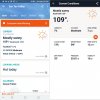
This will throttle the GPU. And, the CPU. Looks like Spring is ending early. It's Dubai in Phoenix.
 At least there is no humidity. "It's a dry heat." LOL. Supposed to be a "balmy" 114°F tomorrow.
 Last edited: Jun 12, 2019
 -
Nice and toasty!! On the other side of the planet (Singapore) it's so humid that it's difficult to breathe and keep yourself dry outdoors. I have been battling against corrosion damage on my servers and laptops for quite a while now as everything metal just gets "eaten up" where I live (just 5 minutes walk from the beach). I will probably be coating commonly corroded contact points like ram pin joints on the motherboard and other connectors with some sort of protective coating the next time I pull my area 51m apart (which will be in a few days as I am still waiting for more paste as I ended up dumping all the trash kryonaut that I bought. Got a refund from Amazon though which is nice.) Ordered some Phobya Nanogrease Extreme and some good old Gelid GC3 Extreme with a thick stack of more thermal pads.
Last edited: Jun 12, 2019Mr. Fox likes this.
-
I remember when I was there many years ago, we'd go nowhere until the taxi had arrived and was really waiting outside the hotel, and simply walking outdoors was a no-no, not unless you wanted to sweat like a pig within minutes. And when it rained, it'd bounce a metre up off the pavement...S.K likes this.
-
I'm at BIOS v1.5.4 and played a bit yesterday. Nothing overly taxing, but it worked fine nonetheless. Is this BIOS version just to play it safe from Dell so to not burn out more laptops?
There seem to be a new VBIOS v1.0.0.5 out today. Anyone tried it or know what it does? -
It will throttle your GPU as soon as it crosses 75 degrees celcius which is quite COOL for a 2080 under load. Load it up with more intense workload and see how it performs.
-
I see. And I guess there's no way to downgrade the BIOS?
Which is the latest version that was "good" if I may ask?
Just saw your guide... is it V1.5.0 I should use to avoid throttle?
Are there also any word on VBIOS? Which version to use? -
You can downgrade to any version using this guide. And the best performing version so far for me has been 1.3.2 with 200W Vbios.
I just noticed that Dell has *REMOVED* both versions of 200W VBios from their website including the old versions repository! Haha there is something serious going on here!
Edit: I have uploaded all BIOS and VBios files that were deleted from Dell's website (or soon to be deleted, such as Bios version 1.3.2) on google drive. Feel free to download!
https://drive.google.com/open?id=1E1Ji2rT07PI7iky6PtHPkyVreBIueKOZLast edited by a moderator: Jun 13, 2019DrewN, LoneSyndal, c69k and 3 others like this. -
That happened yesterday. I really don't understand why they are doing this
-
May be they want us to buy MSI GT76 Titan.
-
You're aces man! Great work! I'll flash V1.3.2 and stay on it until something better comes up. Which one is the 200W VBIOS thou? V1.0.0.1 or V1.0.0.2?
Also, is the VBIOS downgradable without any special procedures?S.K likes this. -
Both seem to be the exact same to me apart from some changes made in 1.0.0.2 to stop the anti-viruses from complaining about the installer on it. I have felt no difference between the two performance wise.
-
It is called fire-fighting. They start with this when RMA numbers is too high and tech support + new parts ain’t cheap. This is the Normal from most ODM’s.Ashtrix, raz8020, FXi and 1 other person like this.
-
I don't worry too much over my unit burning up. Everything important is backed up, and we have great consumer laws where I live, so I honestly expect no problems from Dell if the day comes when I need to call them.
S.K likes this. -
Anybody know about the new VBIOS for RTX2080 which has been uploaded today?
1.0.0.3 -
I'd stay away from any of these "updates" until they have proper details of all the enhancements listed in their description.
-
Not my intention, i receive my a51 tomorrow and i only want to have the most stable system without opening it
-
I highly doubt that it will be possible. You will have to get to the guts of the beast to tame it at least once or twice.
-
A friend of mine got a 51M and I was hoping to be able to test a few things for you guys, but the system started to black screen on the second day (factory firmware) during his professional rendering work, so didn't get a chance...
Ashtrix, raz8020, Falkentyne and 8 others like this.
*OFFICIAL* Alienware Area-51M R1 Owner's Lounge
Discussion in '2015+ Alienware 13 / 15 / 17' started by ssj92, Jan 8, 2019.


