Problems? See this thread at archive.org.
Would like to know this too, previous models had 2666
-
Can I do this on two self-installed NVME SSDs in RAID0?
-
Probably the most hyper-binned, selective CPU and paste job of all time - but Metro Exodus with raytracing ON with 9900k staying in mid-70s C 95% of the time with a couple spikes to 80c.
Pretty dang impressive.IXVIXXII and SlickDragon like this. -
Yes, just place the RAID Driver on the USB Stick after its created so you can load it when the drive partitions appear asking you which SSD to install to or to create partition, hit LOAD Driver then navigate to the USB Stick/the RAID Driver folder hit next, you will get 2 driver options, select the first one and wait till its loaded then proceed to install or create a partition, I like putting Windows on a 200-300 GB partition and leaving the rest for a D: partition after I've installed Windows
RAID Driver 16.8.0.1000 -
Ugh the HDD is complete trash. My 750GB Blacks from my M18x are probably much faster.
Constant 100% usage in task manager. I'll be ordering my SSD soon once I decide I'll be keeping it...
I made the specs up until I received the laptop. I'll fix it in a bit
I'll be doing a FS and TS run a bit later to show off the RTX Titan in DGFF format jclausius, raz8020, Spartan@HIDevolution and 1 other person like this.
 -
I'm using an Everki Titan and absolutely love it._deadbydawn_ and SlickDragon like this.
-
Make sure to disable Superfetch and Windows Search ASAP.c69k likes this.
-
Wow, that interview of the new MSI CEO. No wonder the new GT75 is BGA instead of LGA. I guess we are lucky that Alienware is taking a leap with the Area51m.
-
Make sure you disable Windows Defender as it keeps scanning files over and over upon every access. It's so dumb it has no whitelisting feature to skip files that have previously been scanned when they didn't even change._deadbydawn_ likes this.
-
Or put it the other way... Had Dell other choices? Remember they went for Max-Q in their new Alienware m17 model. In the same way as the smaller Alienware m15. I don't tink all would like jump on Max-Q graphics as only options (Remember the other of the big still offer the N version graphics)
Last edited: Mar 4, 2019
-
For people who have received their machine, can you please answer these questions:
1) What brand is the trackpad? Synaptics or Elantech or something else?
2) What is the LAN Chipset? Killer? (I hope not)
3) How do you rate the 144hz panel in terms of color accuracy and vibrancy?
4) What is the model of the screen? you can check using AIDA64 under the Monitor sectionDarkhan likes this. -
I had my order in and it's likely shipping this week (i9-9900k and rtx 2080) and I was browsing the hidev site and saw a area 51m i9-9900k and rtx 2080 and specced it out to the same as my order and it comes around 300 dollars cheaper, for the same specs. I contact donald and ted at hidev, I hope they will price match me or something because it seems odd that my order should be 300 more dollars... not sure how to go about this.
-
1) Synaptics. Have not managed to get precision drivers working on it.
2) Killer E3000
3) One of the better laptop displays I have used.
4) AUO409D (B173HAN) [DELL P/N: 562NF]Kormi, SlickDragon, raz8020 and 2 others like this. -
Hi everyone, this is my first post on here... but I've been lurking on this board in general for a really long time now.
So, I'll just get right to my question. I have officially entered the paralysis by analysis stage of laptop buying. I cannot for the life of me decide between the Sager 9900/2080 vs the A51m 9900/2080. I feel like I keep reading different things. I just can't find any clear answers on why one would be better than the other? This is a pretty big investment for me, and I just want to make the right decision.
For a little more info, I am going to be using this primarily for gaming. I will not be doing any "productivity". Also, I have absolutely no concern about which will hit some benchmark number... I won't be overclocking to try to achieve some absurd clock speed. I will likely undervolt the cpu and leave it at that.
One other quick question... someone previously was bashing the Killer E3000 --- is there a reason? Should I upgrade to the intel option? -
Get the Alienware, better build quality, looks better, better driver support from DELL vs Sager which never update their drivers after the initial release drivers, better screen AND 20x better keyboard!
For the Killer question, firstly, the E3000 is the LAN NIC that you cannot change, it's built in. What you can change is from the Killer 1550 to the Intel Wireless AC 9260. They are the exact same card but the Killer one is just a re-branded Intel 9260 actually. They both use the same drivers even with the difference being, the Killer cards give you the Killer Performance Suite which is supposed to prioritize bandwidth to give higher priority to gaming or streaming for example. Sounds great on paper, works like crap. Heck some users of the Alienware M15 were complaining that out of the box, they aren't able to activate their Windows on a brand new machine as Windows is not detecting an internet connection, if you uninstaller the Killer Performance Suite everything works perfectly.
With that being said, it doesn't matter which WLAN card you select, simply uninstall the Killer bloatware and you're good to go.
PS: Welcome to NBR, feel free to ask if j00 have more questionsc69k, IXVIXXII, SlickDragon and 1 other person like this. -
Has anyone ever run into mismatching price issues on Hidevolution?
-
What do you mean? can you elaborate? I ordered mine from HIDevolution with the following specs:
Custom Built Alienware Area-51M - 17.3" FHD 144Hz G-SYNC Tobii - i9-9900K - RTX 2080 - White
Chassis Color
White - Lunar Light
Free Game Bundles
GET BOTH Anthem + Battlefield V for laptops with RTX 2080, GET YOUR CHOICE of Anthem OR Battlefield V for laptops with RTX 2060 or 2070
Processor
Silicon Lottery Binned, Delidded Intel 9th Gen Core i9-9900K 8 Core, 16 Thread, 16MB Cache, Processor, 3.6 - 5.0 GHz (Rated to 5.1GHz) - installed by HIDevolution - $655.00
Video Card
NVIDIA® GeForce® RTX 2080 w/ 8GB GDDR6
Thermal Interface Materials
Thermal Grizzly Conductonaut between Intel CPU Die and IHS + GPU, Gelid GC Extreme between IHS + Heat Sink, and Fujipoly Extreme Thermal Pads on heat sensitive surfaces - installed by HIDevolution (ONLY SELECT THIS OPTION IF DELIDDED CPU IS CHOSEN)
Alienware Graphics Amplifier
Alienware Graphics Amplifier - $200.00
LCD Panel
17.3" FHD (1920 x 1080) 144Hz Anti-Glare IPS Display w/ NVIDIA G-SYNC + Tobii eyetracking technology
Minimize LCD Backlight Bleed
Yes, quality check and give me a panel with minimal backlight bleed. - $100.00
Display Warranty
2 Year Zero Defective Pixel Warranty (perfect panel guarantee) - $135.00
System Memory (RAM)
HIDevolution Approved Standard 128GB Dual Channel DDR4/2666MHz (4 x 32GB) - Operates at 2400MHz - installed by HIDevolution - $1,420.00
RAID Options
RAID 0 (striping) - Must select 2x identical drives in M.2 SSD Slots 1 and 2
M.2 PCIe / SATA Slot 1
Samsung 970 EVO PLUS 250GB M.2 PCIe 3.0 x4 NVMe 3D-VNAND SSD - Up to 3,500 MB/s Read-2,500 MB/s Write - Installed by HIDevolution - $120.00
M.2 PCIe / SATA Slot 2
Samsung 970 EVO PLUS 250GB M.2 PCIe 3.0 x4 NVMe 3D-VNAND SSD - Up to 3,500 MB/s Read-2,500 MB/s Write - Installed by HIDevolution - $120.00
2.5" Drive Bay
2TB Seagate FireCuda Gaming 7mm SSHD (ST2000LX001) - installed by HIDevolution - $90.00
Keyboard
Alienware TactX keyboard with per-key RGB LED AlienFX lighting, anti-ghosting, N-Key US Eng
Wireless Cards
Intel® Wireless-AC 9260 802.11 ac/a/b/g/n 2x2 NGFF w/ Bluetooth 5.0 - $30.00
Operating System
Windows 10 Pro, 64bit, English, with Multi Language Support - $60.00
Operating System Clean Install
None
Recovery Media (returns system back to factory state)
Recovery USB Flash Drive - $25.00
Office Software
None
Power Adapter
180W + 330W (510W Total) AC Power Adapters (support 100-240V)
Extra Power Adapter
330 Watt 3 Prong AC Adapter with 6 ft Power Cord (will work worldwide, includes FREE plug adapter for those without "U.S. style" outlets) - $175.00
Internal Battery
Lithium Ion (90 Wh) Battery
Alternate Language Keyboard Laser Engraving - $179.00
Arabic 101
Alternate Language Keyboard Photo Upload
KA-U.A.E.-20871.jpg 800 x 305 px.
Warranty and Service
4 Years Premium Support + 4 Year HIDevolution US Warranty + LIFETIME HIDevolution Technical Support - $449.00
Accidental Damage Protection
4 Year Accidental Damage Service - $229.00
HIDevolution International Pre-paid Shipping (HIPS) Service
None
Carrying Case
Alienware Area-51m Elite - Laptop carrying backpack - 17.3-inch - black, dark gray - $120.00
AW-A51M-9900K-2080-144-W 1 $7,396.70
Alienware Elite Gaming Mouse AW959 AW-AW959 1 $99.00
Subtotal $7,495.70
Shipping & Handling $553.65
Grand Total $8,049.35Jaxigar and SlickDragon like this. -
-
-
I was scrolling through the Hidevolution site and looking at the area 51m preorders, now when I ordered mine the site only had one available area 51m preorder option and my total for my specs on that was 5300 dollars.
So while scrolling through the site I saw that they had singular pre-orders now, ie. Different cpu/gpu combos and out of curiosity I clicked the i9-9900k and rtx 2080 one which is the one I ordered. I did the same specs on my order, warranty and all and it came out 250/300 dollars cheaper for the same system. I emailed Donald so not sure what's gonna happen. -
I'm sure You will find my post Even updated today.
Last edited: Mar 5, 2019
-
Wait for his answer but sometimes different models even on Dell's site contain diff. items by default like different RAM or SSDs so when you add your upgrades the prices may differ. I'm sure he can fix that for you
-
I'm hoping. Thanks for hearing me out
-
Awesome! Thank you!
I got 2x256 "best" SSDs from Xotic cause it was only like $53. But I plan to replace those with 2x 1TB 970 Evo Plus in RAID0. Gonna be an absolutely monumental upgrade from my current desktop that can only handle SATA3. -
Just pick Sager or Alienware and then try it if you don't absolutely love it return it and try the other. If you end up wanting the previous one back likely 30 days each in 60 days a price could drop or more updated AW 51m solutions may happen..
-
Unboxing Video:
Forgot who was looking for one... I'm going to compare the BIOS versions as well in terms of their menus next.
Also added to first post.Last edited: Mar 5, 2019jclausius, Fire Tiger, Jaxigar and 6 others like this. -
Okay so I'm confused. I'm trying everything and cannot score higher. 4.7Ghz keeps giving me this. I even took care of temps. I'm thinking of install XTU because idk if TS is working right and the CC is garbage for OC. I'm gonna update the BIOS now since newer one has OC control in BIOS.
Are these yellow because they're inactive or these are all the flags that are being marked?
![[IMG]](images/storyImages/I23J83U.jpg)
Stock benches:
FS: https://www.3dmark.com/fs/18593408
TS: https://www.3dmark.com/spy/6476301
"OC" (it's in parenthasis because I literally opened AW CC, chose overclock profile and increased GPU by 200):
FS: https://www.3dmark.com/fs/18593485
TS: https://www.3dmark.com/spy/6476381
Gotta download Afterburner next to play with some voltage curves, but I wanna figure out the CPU first.
EDIT: So MSI Afterburner doesn't have a curve when I checked. I'm on 4.5.0 , is there a new version or new way to get the curve? I did it the same old way for 10 series, modify cfg file, enable voltage etc.
1) Can't tell just says Dell touchpad and device id is dell as well. I feel like it's synaptics though
2) Killer E3000 2.5Gbit
3) It's very good! I was surprised at first, I was expecting a crappy panel. Colors are good, probably needs calibration if you are doing photo sensitive work.
4) AUO409D https://www.ebay.com/itm/144Hz-17-3...409D-1080p-40pins-display-panel-/163249205896Last edited: Mar 5, 2019Spartan@HIDevolution, Jaxigar, SlickDragon and 1 other person like this. -
MSI Afterburner 4.6.0 Beta 16 (14806)
![[IMG]](images/storyImages/kstar.gif)
I would take a extra look on the power limits. -
So.....do I have the highest Area-51M scores yet?
Looks like newer BIOS is better....
4.7Ghz stock 2047:
![[IMG]](images/storyImages/2Z7ZlOw.jpg)
5Ghz 2150:
![[IMG]](images/storyImages/w7jfJWB.jpg)
5.3Ghz validation for fun
https://valid.x86.fr/9brbj6
![[IMG]](images/storyImages/9brbj6.png)
These look right? @Johnksss @Mr. Fox @Papusan @Raidriar @Rengsey R. H. Jr.Last edited: Mar 5, 2019Ashtrix, win32asmguy, Johnksss and 11 others like this. -
Pretty sure it does.
-
Metro is already great without rtx, and I prefer playing that not on 1080p with this hardware, beside why he only show 3 OSD Most poeple want to see more like other youtubers show. At least like this.
Yes it’s 4K rtx off in 2070 feat pascal Laptop, this game too beautiful to play on 1080p.
-
very good scores for the beginning. How was your exam?
-
-
It was 50 points, I should have gotten 26 of them no problem (non mutliple choice). Out of the other 24 point(12 multiple choice Qs) I didn't know 4 of them (8 points) but I did an "educated guess" on 3 of them. The last one still haunts me...completely guessed on it....hoping I did well but we'll see in a week LOL
Looks like I was hitting VR limit once I go 5Ghz+
That CPU limit must be kicking in now but idk. My Throttlestop package power was 190W+ but I see others doing 4.7Ghz in 120W?
Temps are still too high. I used a fan to blow some air lol, I think with a fine tune undervolt, it should run 4.7Ghz no issue 24/7 for most people. That will be my goal for non benching purposes.
I may need to repaste. I think @Ultra Male Area-51M should run cooler since he's getting HID treatment & silicon lottery CPU.
I'm done for today, the gf is complaining about me benchmarking LOL more to come later, maybe tomorrow
I spent more time benchmarking this then actually doing other things on it LOL
Already ordered 970 Evo Plus from B&H but it's on backorder...$25 more expensive on Amazon and 2 day delivery hmmmmAshtrix, Johnksss, Spartan@HIDevolution and 6 others like this. -
Thanks for the ultra fast reply!!!
So to go one step further, would you suggest the A51m out of all of the top of the line gaming laptops? Other considerations including those like MSI Titan etc? -
Pure Performance:
Clevo P870TM-R > Alienware Area-51M > MSI GT75
Overall (looks, build, performance, all mixed in)
Alienware Area-51M > Clevo P870TM-R > MSI GT75
At the end of the day...for gaming purposes, you probably won't notice much of a difference between the three.
There's also a ASUS laptop (forgot the model number) so those 4 are the highest end laptops I know of. You really can't go wrong with either.
Clevo & AW have all removable components though (CPU/GPU/RAM/SSD/etc) whereas MSI CPU is soldered onto the board (BGA) but GPU is MXM (removable)Papusan, win32asmguy, Johnksss and 5 others like this. -
Do not forget to delete intel DPTF crap from your laptop. It could throttle your cpu midway a benchmark when ThermalThrottle flag get's flagged.c69k, Spartan@HIDevolution and ssj92 like this.
-
By biggest concern with the Clevo (prior to the first response to my post) was cooling in the Clevo. The heat pipes don't seem to be as good as those in the AW. However, it seems there is also a bios issue? Although I thought I read something about Prima (sp?) bios being available, which were supposedly pretty good.
The Asus you're referring to I believe is the ROG 703, additionally, ASUS should be releasing the "Mothership" sometime soon which is a laptop that has it's components sitting behind the monitor rather than below the keyboard. It will come with the soldered 8950 and rtx 2080. It's going to be heavy as hell because they had to put a massive heatshield between the components and the monitor.
... lol I know all the specs etc about the laptops, I just don't know how they work in real life. I'm currently working with a gs65... and this laptop is the biggest mistake I ever made.Spartan@HIDevolution likes this. -
The Clevo P870TM-R is a special edition P870 series only sold by @Donald@HIDevolution . I think you are thinking of the Clevo P775TM-R which is the official RTX/9900K model. The P870 was discontinued for RTX series due to nVidia not doing mobile SLI or NVLink in laptops. So in terms of thermals, the P870 will be better than P775.
If you are purely gaming, not caring about benchmarks, I suggest to choose the laptop you seem to like the most.
If you are truly worried about thermals, order from someone like HIDEvoltion and choose their delid/repad service with either of the laptops mentioned. -
Probably the G703 which Gentechpc has a video of on their youtube channel. On a single out of the box FS run the high temps are as follows and this laptop is 2 inches thick and weighs 6.6kg including the 2 power supplies (4.6kg laptop itself):
Package: 100
Core 0: 100
Core 1: 92
Core 2: 100
Core 3: 95
Core 4: 94
Core 5: 92
This is with the 8950HK and the max wattage drawn during the test was 114.41. GPU only got up to 72C at its highest.
Scored 21670 with graphics score of 27010 and physics score of 19151. FPS were 135.04 on test 1, 103.04 on test 2, 60.8 on physics test, and 44.11 on combined test.raz8020 likes this. -
I have the Intel graphics not being found. Not very important thou, but I'll look into it.
-
is your 5ghz score with undervolt or manual voltage?
-
I'm still setuping mine up so to speak. Playing installation simulator. lol. I also popped mine open and upgraded to 32gb of ram, 1 tb 970 evo in the second m.2, and a 2tb firecuda hdd. I'm not sure how you'd get this thing open without a ifixit kit. I used the suction cup to help get the bottom off as it has tabs all along the bottom. They were in there pretty good and made me think they glued my bottom on or something.
But so far so good. My panel is pixel dead free and light bleed is minimal. And the keyboard? Holy fish sticks Batman. . .this keyboard is bar none the best I've used on a laptop in a long time. I don't know if I could ever go back to a chicklet one after this.
The only con I have is the trackpad is so small. This is a shame as it is really nice and responsive. Next to a Mac it's a pretty close second to what I've used in the past.
BTW does anyone know how to change the color of the macro keys? Can't seem to change them away from the default colors.steberg, SlickDragon, Kormi and 3 others like this. -
Has anyone thats received theirs had the issue with the bottom right corner of the trackpad sinking/clicking? Seen a couple of Youtube videos where the trackpad at the bottom right doesn't seem right.
Hope that makes sense, if not let me know and I can try and fish out the videos.SlickDragon likes this. -


So here is my stock fire strike score and one using alienwares overclock 2 profile. I took some screen shots of that to show what alienware set the overclock too. I didn't monitor temps in firestrike because I forgot. Lol. This was in the balanced thermal profile.
I messed around in Witcher 3 for about twenty minutes. This is s screenshot of the game running at high and all processing options on. Hairworks on Geralt. I couldn't get the game to cooperate as the highest temp I saw on the cpu was 81. Still not bad. The difference between overclock 1 and 2 in game is not noticeable though. But stock was roughly 10 fps lower. So some overclocking tweaking is worth it.
I'll mess around with the command center and try and make a custom profile as alienware doesn't touch the memory on the 2080. So there is some room for improvement. But if you'll excuse me I'm going to go play Hollow Knight.
-
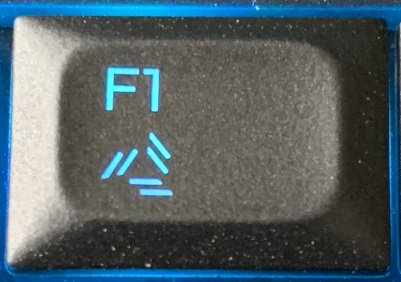
Anyone knows what this bad boy does?
Attached Files:
-
-
-
I think that is for your Graphics Amp?
-
There are only two laptops right now that are worth your money:
1) Alienware Area-51m (better CPU and nicer screen and better keyboard layout than the MSI. I despise the location the the FN key on the MSI GT75 Titan that I have. They placed it on the right making it useless for me to press things like FN + Home or FN+ End on a website to go to the top or bottom since I would have to lift my left finger and take it to the right whilst pressing Home or End with the right finger)
2) MSI GT75 Titan, one of the best cooling in a laptop till date, you will have 0 issues with overheating or throttling provided you increase the VR Current limit in the BIOS from the default 544 to 800 (ask me about this if you get it and I will guide you)
*OFFICIAL* Alienware Area-51M R1 Owner's Lounge
Discussion in '2015+ Alienware 13 / 15 / 17' started by ssj92, Jan 8, 2019.


![[IMG]](images/storyImages/EeChF7M.gif)