Problems? See this thread at archive.org.
I've got a 2TB m.2 nvme drive and it works. Anything higher capacity is just not worth the money to bother for me.
-
Spartan@HIDevolution, Papusan, etern4l and 1 other person like this.
-
Thanks!! -
-
Hello! Thanks for the post!
Did you, or anyone else, manage to install a .m2 ssd above 2TB (either 4 or 8) in slot 1 or slot 2?
I believe the power is to blame for not supporting large drives on the interposer that gives slots 3 and 4. But the 2 first slots may have different (greater) power supply.
Has anyone tried that?Spartan@HIDevolution likes this. -
I think I found the solution to your problem, I had the same problem with the gpu fan, it was due to oxidation of the gpu notch! what I did is put a little bit of grease on the notch and it will soon be a week and no more problem!Normimb likes this. -
Thnaks for the info but can you be more specific about the «GPU Notch» ....oh and my error message seems a bit diffenrent then yours. Mine says CPU not responding, not GPU.
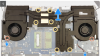
But please point out on the photo below where to put the grease, I will give a try, Thanks.
-
uncheck the cpu notch and put a little bit of grease on the pins! don't worry the greese is not conductive! you can also use degripant (WD 40 etc ...)!Attached Files:
Normimb likes this. -
-
I am noticing that I get random fan spin ups with my Area 51M. It alternates between low to mid to high(and alternate cycles of all three) for about a few seconds to about a minute. Not particularly running anything that requires fan usage especially games. Sometimes it does it randomly about 10 minutes after booting up and system being idle. Anyone else experiencing this?
-
I would say it's either an update to alienware control center and oc control or some software that's kidding! if it's not its reset your bios, your pc is overheating that's why your fan is triggered! after that can come from several things a faulty program or a virus! the only time I had this problem was that I updated alienware oc controls and it was missing the update for alienware command center! -
Thanks for the response on this. I actually did a fresh install of the last AWCC and it had stopped doing it up until today. will try updating to the latest version. I agree, at this point that are many things that may be responsible it's just ruling everything out.Asdesas likes this.
-
I've had support assist cause the same before it runs random scans and seems to get stuck sometimes resulting in the behaviour you noticed. It also seems to eat about 15GB of ram whilst doing so.etern4l likes this.
-
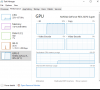
Ok can someone please explain this to me? My laptop was sleeping, i woke it up and just like before it had low fps like it wasnt plugged in. i looked at the resource manager and the gpu was 100 percent on phasmophobia (not normal) normally what fixes this is if i unplug and plug my power in the back however i tried just restarting the laptop to see what happens and it fixed it. What setting or what the hell is causing my laptop to do this? screenshots of resources below.
Attached Files:
-
-
-
I've just purchased a RAM upgrade, went for the Crucial unfortunately I get 2/5 error when powering up. Any ideas?
https://uk.crucial.com/memory/ddr4/bl2k16g32c16s4b/ct19002568 -
I advise you to return this ram, the crucial ballistix rams have never been 100% compatible, I think it is at the operating voltage of this ram! I recommend the hyper x ram which works at 1.20v is better and compatible -
Thanks, returning.
-
Hi!
My SSD is crashed. Does any of you have the Original, Factory Image of The 51m R2?
I do not intend to use a clean W10.
Thank you in advance. -
Just as an update to this, I did the whole shebang to uninstall and reinstall AWCC and it so far hasn't had the issue. What I have noticed however is that the power management section only had the Balanced profile. Since this takes its cues from the windows Power Options section, I had to create a new profile based on the High Performance template(which itself does not seem to show up, only the balanced profile). It iddnt help that there was also a recent windows update(November 9, 2021—KB5007186) which i installed before doing all this. Anyone experiencing changed or removed power profiles in AWCC?Asdesas likes this.
-
Lately I've been using Throttlestop profiles a lot. I have one profile for 4.7ghz and one profile for 3.8ghz. The 3.8ghz temps are generally almost 10C lower than the 4.7ghz profile, especially with under volting. What I've found, playing Cyberpunk 2077, Dishonored 2, Greedfall and a lot of other games is that there is hardly any difference in FPS when playing at 3.8ghz than when playing at 5ghz; I mean it's not even noticeable and the temps are WAY lower at 3.8ghz.
So if temps are bugging you when gaming, don't worry about having a max'd out CPU clock speed at all. It really doesn't make much of a difference.
I just did a quick test using the Horizon Zero Dawn built in benchmark routine on HIGH settings, 1080p room ambient of 23C ... I ran it at 5ghz and then 3.8ghz and here's the differences:
5.0ghz: 85C to 95C - 114fps average
3.8ghz: 63C to 65C - 108fps average
Personally, I prefer taking the 6fps hit running at 3.8ghz when gaming and dropping my load temps by 20C, which is massive and will go a long way towards extending the life of the hardware.
That being said, should I edit/render video, process images in photoshop or other math/CPU intensive tasks, I simply right click the throttle stop tray icon and enable the 4.7ghz profile as clock speed truly does make a big difference in these productivity type applications.
Might be old news but thought I'd mention ...
~s1rrah -
the problem comes from awcc and not from windows, I think they will fix the problem with the next update!Normimb likes this. -
I've never experienced that issue ... disappearing power profiles I mean ... in fact, I've had nothing but an all around positive experience with AWCC and use it daily; I find it very useful.
One caveat, however is that I've never updated it past the first update when I first got my machine a bit back. I had read so much about others having issues with AWCC and realizing that the initially installed version was working perfectly, I decided to pointedly avoid any updates so as not to break something that was already working perfectly. Every time I start it, I get a message saying OC Controls need to be updated or some such but I always cancel out and never update anything.
This is the same approach I've taken with BIOS updates. I'm still on a *very* early BIOS and have never updated it as it's working perfectly.
Hope you get it sorted, mate ...
~s1rrah -
The problem is with AWCC. You need to reinstall. Some of the files were still on your computer after uninstall. Could be on the regestry or on the computer.
I suggest you use: RevoUnistaller to unistall 3 softwares: AWCC, OCcontrol and realtek audio driver.
After you should still verify your regestry to make certain revouninstaller deleted all the remaining files of the preivous installations.
You should then do the @Spartan@HIDevolution guide on how to install AWCC: http://forum.notebookreview.com/threads/alienware-command-center-clean-install-guide.834263/ just to double/triple check nothing is left on tha laptop.
And if it was me i would delete all windows power plan i created before doing all of this. Just in case.
I also recomment you use ThrottleStop latest version that includes windows power plan. This software is great and guarantee you are on the correct power plan without the need to use ****ty AWCC. When i am on ACpower i set my power plan to performance but when i am on Battery power i set my windows powerplan to Powersaver. This is done automatically in windows/AWCC thanks to throttlestop.
Whenever you have an issue with AWCC, look no further then reinstalling the buggiest, ****tiest software ever created by human.Papusan likes this. -
for me this is not a problem since my performance and my temperature have not changed, I am waiting for the next version! what he can do if he absolutely wants the optimal performance option, downgrade awcc and occ and the option will reappear!
-
He doesn't need to dowgrade. I am on AWCC latest version: 5.4.7.0 and everything is there. Windows power plan etc....He needs to reinstall, latest version as i describe just before.
Anyone who owns an Alienware product should understand that he will need to regulary reinstall AWCC to fix bugs created with the updates (usually every 3 months). This frustrating process is necessary since incompetent software ingeneer at Alienware can't fix the problem for the past 6 years (at least).
Area 51Mr2 is a great laptop when it's performance is not destroy by AWCC or futur bios updates. Mine runs cool too but the usual user will face issues after updates for sure.DreDre likes this. -
happy for you that you did not encounter any bugs with the new update!Normimb likes this. -
Thank you all for the advice. @Normimb just to clarify, I have @Spartan@HIDevolution uninstall/reinstall video bookmarked and use it as my "bible" for AWCC. Will try it again and see what's up. If it's not one thing it's another: reinstall and Steam games don't show up, or the lighting profiles dont respond, and now the power profiles. they really need to refine AWCC from the ground up(won't ever happen).
I don't particularly overclock so havent felt the need to install Throttlestop. Would it be a good thing to have it installed even though I dont do OCing?Normimb likes this. -
Lignting profile not responding is a classic AWCC bug. This is a proof of corrupt installation (not cause by the user but by the incompetent people at DellAlienware).
For some it's necessary to reinstall windows to correct this issue. Hope it's not your case.
Another thing you should do is restaure bios to default. When the laptop reboot hit: F2 will bring you in the bios. Then F9 to reset bios. Then remove all automatic updates in the bios in the Advance menu (not necessary but recommended if you don't wan't dell to force a bios update by windows) F10 save and exit. AWCC works with bios and sometimes a bios reset may help when facing issue with AWCC.
I don't use AWCC to launch games, like you seems to want to do, but i tested it for you and Red dead redemption (steam) did launch from AWCC. AWCC only feature not working is FAN PROFILES. It has never worked and never will. It's just there for SHOW.
It's not necessary to use ThrottleStop to «undervolt» but anybody would benefit from it. Once set correctly, it reduces CPU temps (GPU also benefits from a lower temps on Laptop shared heatsink) It improves performance (all cores can now run a constant desire clock) and it can improve battery life if you desire it to do so. The bad: User errors (making a too big undervolt) will bring instability to the system a laptop can go into BSOD. One of the easy guide to help you start with it is @Biker Gremling guide. It was done for the R1 but still accurate for the R2. Just ignore creating a profile at 78C cause it's for the R1 only.: http://forum.notebookreview.com/threads/alienware-area-51m-undervolt-and-overclock-guide.830857/
EDIT: Make sure you delete everything left on windows that has FX on it(should be related to your lightning issues) AWCC. In the picture i show you some of the many places where AWCC install on the regestry. You could also look for the «current user» «software» tab and search for any remaining AWCC files and FX files and OCcontrol files. Delete everything you see with this name before reinstalling. Good luck.
Last edited: Nov 15, 2021 -
The only gaming that really wants that 5ghz is high (200+ fps) for stuff like csgo and other esports titles. As you noted for almost everything else you can drop it down a lot with little or no effect on the fps.
-
Quote for post: http://forum.notebookreview.com/thr...2-owners-lounge.832848/page-373#post-11124771
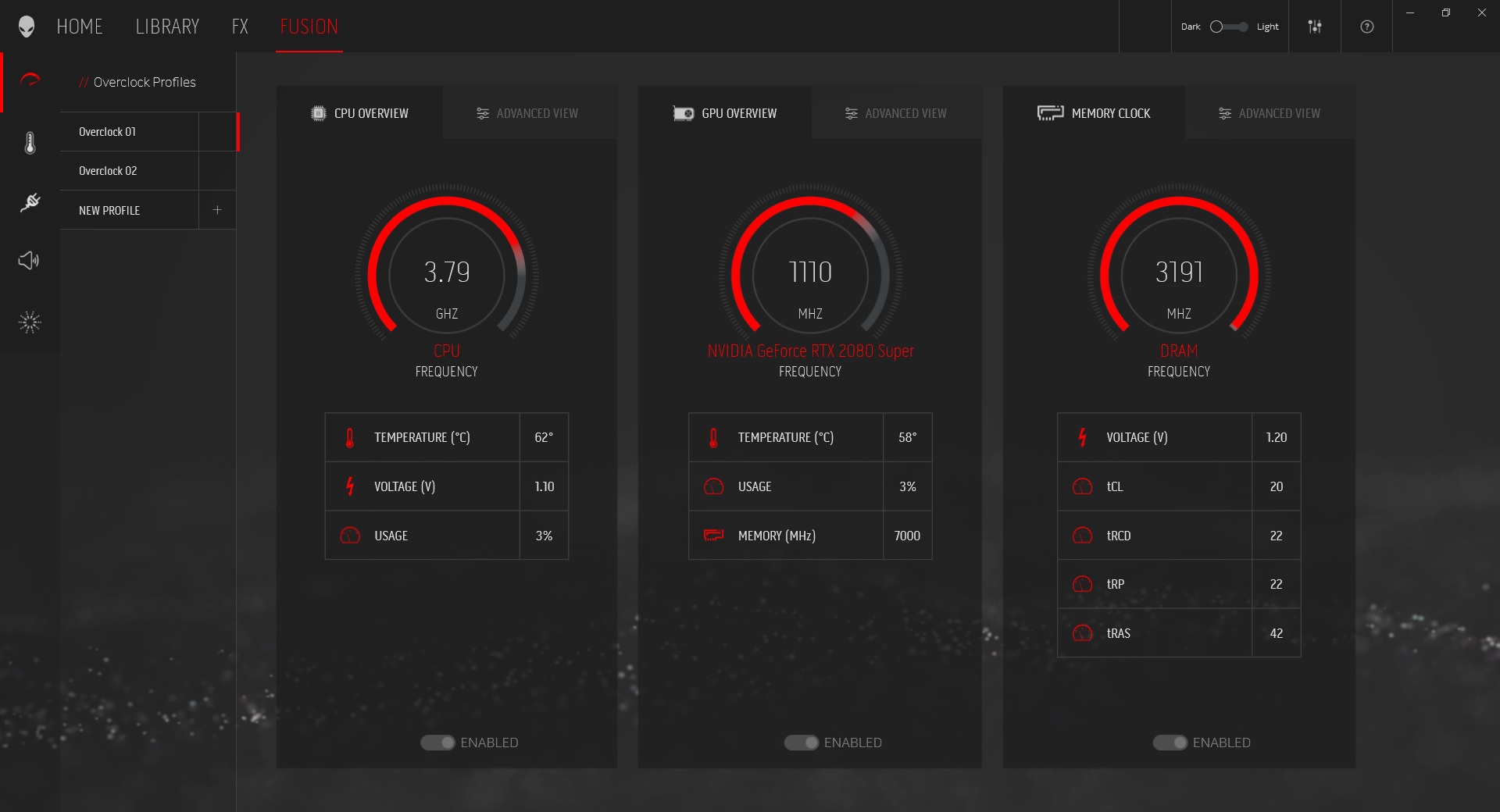
Hello sir! How did you get to work 64GB RAM XMP to 3200MHz that is presented in the picture above from AWCC. Please advise me because I have KINGSTON XMP 3200 32GB x 2 DMIMMs, but dosen't work at 3200, only 2933 MHz. Thanks you for your help!c0ach likes this. -
Please delete duplicate post!
-
Ok so my laptop is doing it again. It’s performing in games like it’s not plugged in until I unplug the big brick and plug it back in or reboot. When this issue arises I also see my GPU usage at 99 percent. When unplug and plug it the gpu goes back to a normal percentage use. This issue is intermittent. I don’t know what’s causing it though. Someone please help.
-
Can someone check in throttlestop if there is any c state value present for me? I have 10900k chip and I cannot cool down idle temperatures below 40 unless the fan speed is higher. I have no value in C10 table present and my C0% never comes to 0. I have only Dell drivers installed as I'm still testing my notebook. C1E is off due to coil whine issue but it doesn't change anything. I checked bios there is nothing. Thanks for anybody help.
Edit: Sorted out .. never mind Last edited: Nov 21, 2021Satanello and ratchetnclank like this.
 -
In order for you to accomplish that, you need to do the following 2 things:
1) Have a model that supports 3200Mhz of RAM (there are 2 variants and you cannot upgrade if you buy the "wrong" one)
2) buy RAMs like these: https://www.amazon.com/Kingston-FURY-3200MHz-KF432S20IBK2-64/dp/B097QK6M3W
I didn't touch ANYTHING in the XMP section or anywhere else.
I just installed the 2 RAMs and ...poof! That was it.
I hope this post helps you.Last edited: Nov 30, 2021RoDexter81 likes this. -
Hi, I just had my Area 51m R1 replaced for an R2 under warranty. I am very happy with the new system, but the fans make a funny sound when they start spinning.
My R1 did not make this little noise when they went from 0RPM to WhateverRPM. They sound like when a cd drive starts spinning, like and engage sound, and then they work perfectly normal.
is this engage/startup sound normal? Thank you! -
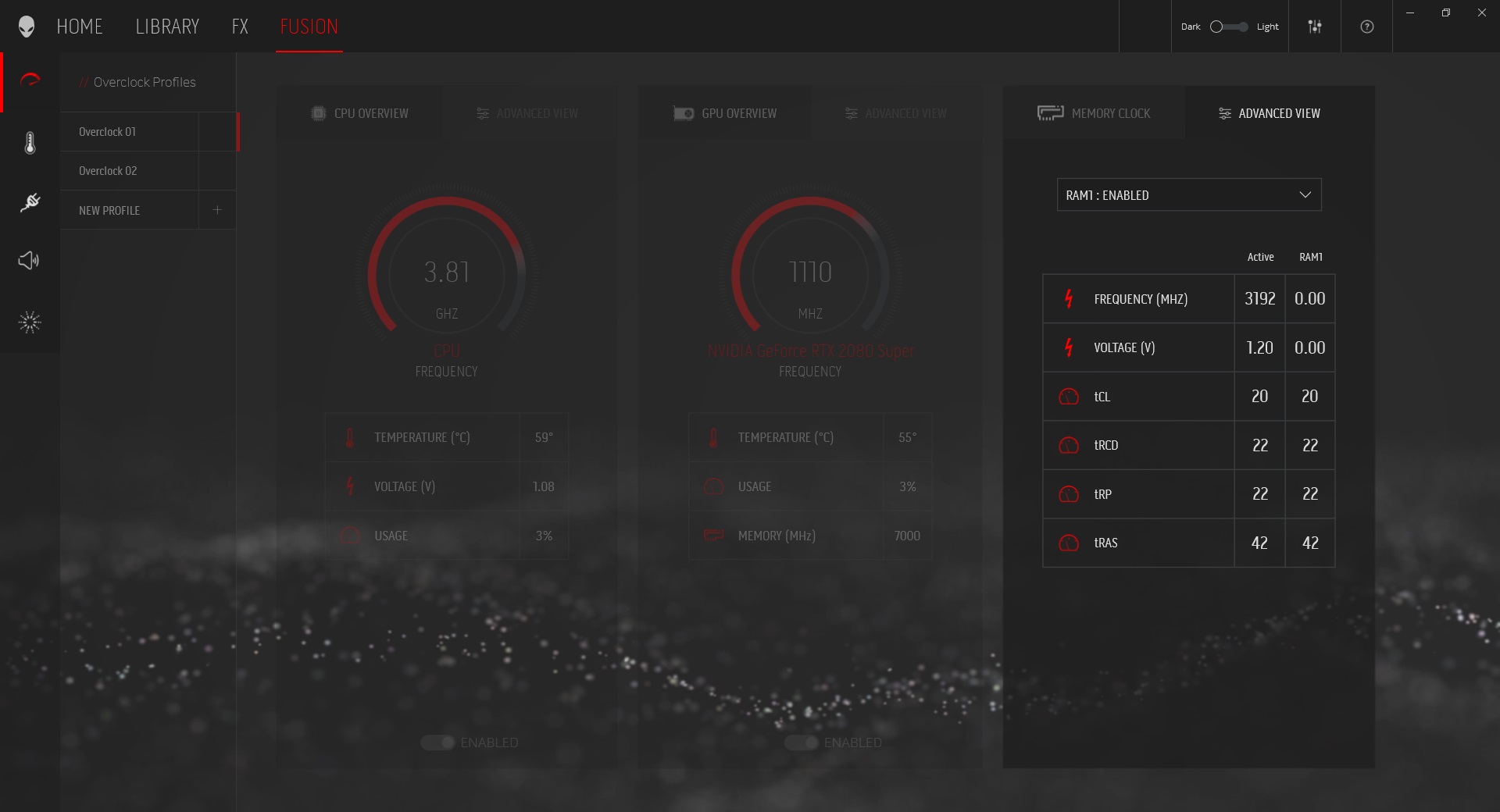
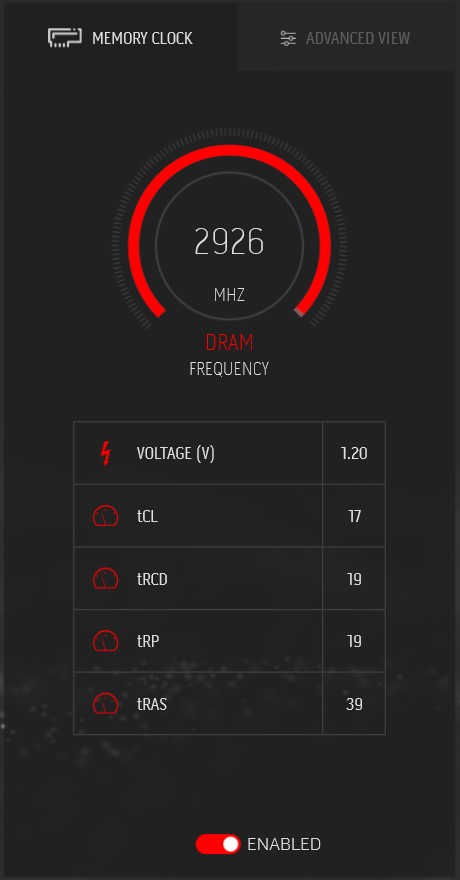
Sorry for the late response on this(Thanksgiving and all). To concur with this I also bought the Fury sticks(one 32 GB at 3200 Mhz) and it works with no issues. Didnt change any settings and recognized the ram and ran at full speed(pics memory 03 & 04).
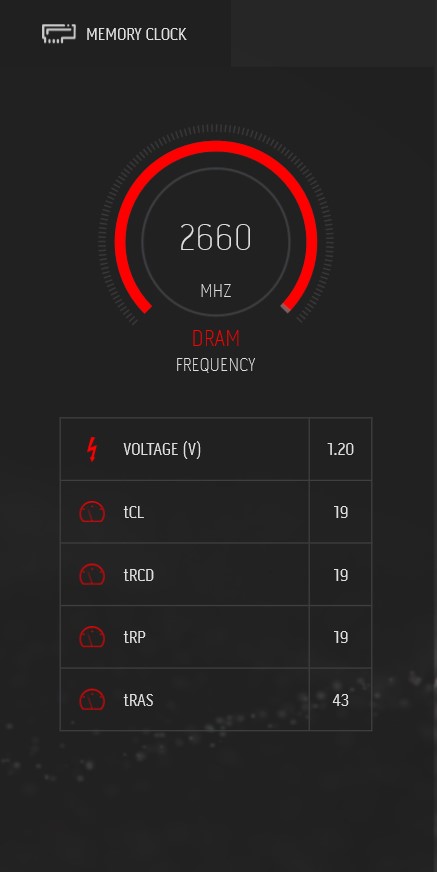
I did observe however, that you cant mix with the stock ram. My system came with 2x16 GB sticks which ram at 3200 Mhz and the mix yields speeds of 2666Mhz and removal of the advanced view tab. Just an FYI from my testing. Getting another 32 Gb stick to just go full 64GB.Attached Files:
-
-
So, I succumbed to the Area 51m R2 Black Friday sale last week. I was able to stack an old 17% off Employee Purchase coupon I had and was able to get, what I think was, a pretty good deal.
New System
Alienware Area-51m R2
10th Gen Intel(R) Core(TM) i7 10700 (8-Core, 16MB Cache, 2.9GHz to 4.8GHz w/Turbo Boost Max 3.0)
17.3" FHD (1920 x 1080) 144Hz 9ms 300-nits 72% NTSC color gamut with NVIDIA-GSYNC technology
NVIDIA(R) GeForce(R) RTX 2070 SUPER(TM) 8GB GDDR6
16GB DDR4-2933MHz, 2x8G
512GB PCIe M.2 SSD + 1TB 7200 RPM Hard Drive
Killer(TM) Wi-Fi 6 AX1650 (2x2) 802.11ax Wireless and Bluetooth
Dark Side of the Moon
Alienware mSeries per-key AlienFX RGB keyboard with numeric keypad
180W + 330W Adapter
Windows 10 Home English
Sub Total
$1,576.99
Old System
Alienware Area-51m
9th Generation Intel(R) Core(TM) i7-9700K (8-Core, 12MB Cache, up to 4.9GHz w/ Turbo Boost)
17.3" FHD (1920 x 1080) 144Hz, IPS, NVIDIA G-SYNC, Eyesafe(R) Display Tech + Tobii Eyetracking
NVIDIA(R) GeForce RTX(TM) 2070 8GB GDDR6 (OC Ready)
16GB (2x 8GB) DDR4 at 2400MHz
2 x 256GB PCIe SSD (R0), 1TB Hybrid
Killer(TM) Wi-Fi 6 AX1650 (2x2) 802.11ax Wireless and Bluetooth 5.1
Lunar Light
Alienware TactX keyboard with per-key RGB LED AlienFX lighting, anti-ghosting, and N-Key rollover technology
180W Power Adapter and 240W Power Adapter
Windows 10 Home 64bit English
Sub Total
$1,911.56
That being said, I was looking at upgrading the processor to an unlocked i9 and was wondering if there was a difference in how the Area 51m R2 handled the i9 10900K vs. the i9 10900KF?Last edited: Dec 1, 2021 -
Just as an update, I got the 64GB pack and installed but only getting 2933 MHz.
@c0ach can you say if there was any settings that you may have enabled to keep the ram running at 3200? I've tried overclock disabled and both XMP profiles in the bios but only defaults to the 2933 (which i believe is the XMP2 profile).Attached Files:
c0ach likes this. -
-
This seems to be sorta reasonable given specs and price. Technically the 10900KF is the same as a 10900K but with minus the integrated graphics so it should theoretically work. Problem is, Alienware/Dell did not configure the motherboard and bios to support processors other than 10700, 10700K, 10900, and 10900K. I believe some pages back someone did a few tests on the other processors(may have been 10850K). -
No we tested the 10900kf * no onboard graphics * Yes it worked fine there was an issue with the Alienware software but aside that worked well was cooler then the other chip and benchmarked very well
-
My Area 51m R2 came with 64Gb from Dell, but it is also running at 2933. All I read wast that the processor cant handle faster speeds than that?
-
You did good!
My R1 was just replaced by an R2 under warranty.
Old: R1 9700k, 16Gb, 256 M.2+1TbHDD, 2070, 144Mhz.
New: R2 10700, 64Gb, 4tb M.2, 2070, 300Mhz.
So I can't complaint, Dell was very good and stood by its warranty.
One thing I miss from the R1, is the keyboard, I just like the way it felt.
And also, when the fans start spinning on the R2, they make a little weird noise; I didn't had that with the R1. -
Hi. I did complain on my fans as they made high whistling whining annoying coil-whine sound in low RPM. Of course Dell did not help so I ordered fans from china and replaced both. They are running quietly but they do what you described here. Most likely they cannot start spinning slow and progressively, they have that kick on the begging of run. I think they have different values from original but I'm lazy to check it. I can recommend you to set up your own cooling curve in command centre so they spinning at full time. So no kicking just silence cooling that is anyway the best.PabloSRT8 likes this.
-
I have 2070 super in mine. Whats the best way to overclock or should i just use overclock default in alienware CC? Also whats the best ram to upgrade to?
-
AWCC works fine for a gpu overclock but you could use msi afterburner too.
-
Hi,
Could anyone please share their 2080 Super 200w vbios with me? I mean the rom files saved from GPU-Z. Would help me greatly.
Many thanks! -
MogRules, Papusan and The3DTutor like this.
-
Thanks. Is that gpu with gsync? I need a vbios of the 200w 2080 super with gsync.
Much appreciated!Last edited: Dec 9, 2021 -
Gsync is supported in the vbios i believe but i don't have gsync on my system it's not supported on the 300hz screen.
-
Great price but upgrade wise doesn't seem it's any better than your R1? I am assuming you will sell your R1 to get some of the cost back.
What happen to your R1? -
Hey, by any chance, do you still have the link for the china fans? The whiny sound is so annoying and I've got my fans changed by Dell, still the same sound. Thanks!
*OFFICIAL* Alienware Area-51M R2 Owner's Lounge
Discussion in '2015+ Alienware 13 / 15 / 17' started by Spartan@HIDevolution, May 9, 2020.