Problems? See this thread at archive.org.
Dein RAM wird nur auf 3200Mhz laufen, wenn Du ab Werk auch 3200Mhz XMP bestellt hast.
Es gibt keine Möglichkeit von werkseitigen 2933Mhz auf 3200Mhz XMP aufzurüsten.
Das Bios „erkennt“ welches RAM (und die dazugehörige Seriennummer) ob es sich um „originales“ DELL-RAM handelt oder nicht.
Das Du trotz eingebautem 3200Mhz-RAM faktisch nur auf 2933Mhz läuft, hängt damit zusammen, dass Du ab Werk nicht XMP bestellt hast. Demnach wurde das Bios anfänglich nicht mit einem XMP-Profil aufgespielt. Ebenso gibt es zwei verschiedene Mainbord-Versionen.
Your RAM will only run on 3200Mhz if you have also ordered 320Mhz from the factory. There is no way to upgrade from factory 2933Mhz to 3200Mhz. The bios "recognizes" which RAM (and the corresponding serial number) whether it is "original" DELL RAM or not. The fact that you actually only run on 2933Mhz despite built-in 3200Mhz RAM is due to the fact that you have not ordered XMP on your originally ordner, therefore the bios was not initially installed with an XMP profile. There are also two different mainboard versions.
-
-
That's a pretty sh*** move from DELL!

But to be honest: I don't think that it will matter much in daily use and casual gaming....
Grüße aus München
Gesendet von meinem LE2123 mit Tapatalk -
there is only one and only motherboard and not 2! it suffices to install the xmp ram sold at dell! its has already been proven by a user who ordered his ram and who went to 3200! and the worst know that you just signed up, you don't have the area 51m r2 and you think you know everything, it's the height and its makes me laugh! -
-
Dude, stop telling BS. You already talked BS previously about which thermal paste to use. You were insisting that using TC kryonaut is better for a51 m r2, whereas a lot of other users already testet most thermal pastes, and they will tell you and have proven you wrong.
get a grip in your life -
for me it is always the best I always use it and each one has his preference and for the ram I tell you again and again that the xmp ram sold by dell works there is even someone who made pass his pc at 3200 here with the xmp ram sold by dell! you know come back and talk to me when you have the area 51m r2 i have no time to waste with you! -
Guys, there is no need to bash at each other! Everyone has it's own opinion and we all have to respect that. You don't need to dissent other statements and if you do discuss that in a politely manner or not at all.
This is no Fight Club here.
Gesendet von meinem LE2123 mit Tapatalk -
on my pc the area 51m r2 i have already done everything there was to do! I upgraded the screen to 300hz then to 4k 120hz! i have delid an i9 10900k and put it back! and this person dares to say that I say anything! and the worst is that he does not yet have the pc!I respect him but he does not come and tell me that I am telling false informationLast edited: Jan 1, 2022 -
My comment was not specifically directed to you. It was meant to the other one too, respectively in general.
You can always choose to "ignore" specific users....
But anyways! What I find most interesting in your previous posts is that I could purchase the 3200 XMP RAM from DELL afterwards and just put it in plug&play? Is this correct? If yes it could be an option for the future.
I'm also considering swapping out the 144Hz FHD panel for the 360Hz FHD one. But I'm not sure if it is worth it. I would have loved to cram in a 3k panel but DELL doesn't offer it as an option, right?
For the CPU I plan to delid it and put LM between the Die and IHS and ICD between Heatsink and IHS if it doesn't lay flat or Kryonaut (I still have some old packages left) and call it a day.
Gesendet von meinem LE2123 mit Tapatalk -
to upgrade the 144hz panel to 360hz it will be necessary to change the connections we find on aliexpress for not very expensive! for the cpu delid take the rockit cool kit and a good good cleaner, the hardest thing in the delid is cleaning the die if you do not take a good cleaner you will have to do the cleaning! Quicksilver - Solder Remover does the job well! for the ram must be taken from dell or used with the reference xcct36-mie or xx60ft-mie on ebay I have already found or maybe find someone to sell you one of these ram on the forum!CaerCadarn likes this. -
Thermalpaste brands make very little difference from best to worst is a few degrees at best.
There is only one motherboard SKU. 3200mhz RAM only works if your memory module has a certain serial number range which is whitelisted to Dell's suppliers serials. Looks like some hyperx ram does work reasons for this is unknown but it does only work on systems with dell ram previously.Asdesas likes this. -
Depends on the laptop. Thermal conductivity is not the only thing to consider. Some laptops need thicker paste some needs thinner paste.
On area 51M r1 and r2 thin/soft paste is not good (i believe it's because the heatsink is not sitting flat on the cpu). That's why LM conductonaut is not improving temps (LM being thinniest paste). On some other laptops LM will be the best (like my previous 15 R1,2,3,4) and most regular paste like Kryonaut, TFX, etc....being really close.
TFX made a good difference for the R2 in my exerience. @Justin Stuever too shared the same experience. For the GPU it makes almost no difference.Justin Stuever and Effiklinger689 like this. -
Hello everyone!
May we all have a happy new year!
I face a problem: I'm trying to connect a second monitor to my Area 51m R2 (RTX 2080 Super, 360Hz G-Sync).
I've tried to connect it with both an HDMI TV/Monitor (LG 65 OLED C6V) as well as an old VGA LED monitor (AOC), using a VGA-to-HDMI converter.
The result is always the same: the image of the laptop's screen is temporarily displayed in the added monitor, but the Windows File Explorer is SO SLOW and after a while it crashes. I cannot open a single folder with double click. The problem is the same either on "extend" mode or "duplicate" mode of the added monitor. In order to make things work again and have access to my files I have to remove the added monitor and restart the laptop by holding down the power button for 5 secs.
The above problem happens either on 360Hz or 60Hz mode of the laptops display.
Can anyone help me??
Thanks in advance!Last edited: Jan 2, 2022 -
I have no worries at this level, maybe it comes from your hdmi cable! there are several hdmi cable standards, since your tv is hdr10 + you have to take a hdr10 compatible hdmi cable! after that it may be a driver problem but I would look more at the hdmi cablec0ach likes this.
-
Thanks for your reply! I'll check this and get back to you.
Has anyone else ever had the same issue? I read that this is pretty common in windows 10. -
You wrote that you still have the problem if you use a different HDMI cable. This implies that the cause is not the cable, but your graphics card / settings.
My advice to you is to re-install the graphics drivers.
Use ddu-software to deinstall the drivers. And afterwards install the DELL-Graphics drivers (not from Nvidia)Last edited: Jan 4, 2022 -
Yes, and the unknown reason is, because dell uses two types on Mainboards. Trust me.
If the the mainbord would only check the serialnumbers of the RAM sticks, why would some Dell OEM XMP sticks not work when upgrading a non-xmp mainboard? They will still not run at 3200mhz. Why? Because dell has a special BIOS-Version for XMP MODELS
One user had a non-XMP device (with 2933Mhz Ram)
He then out of curiosity discovered, that he actually had 3200mhz ram istalled (everything from factory).
So his computer ran on 2933mhz although he had 3200mhz ram installed from factory. why?
Because either the mainboard was not compatible with the XMP-Ram or bios had not been flashed for factory XMP.
this means that there is more to the story then simply „whitelisting Ram-serial numbers“Last edited: Jan 4, 2022 -
Just upgraded the 3 year premium support for my Area51m R2 to 4 years. I was good through 08/24 and now covered through 08/25. Was only $250.00 after some haggling LOL. I have no clue if this thing will even last that long and I'll likely upgrade within two years but it's such a unique beast I thought I'd go ahead and extend.
Admittedly, it's an end of life machine meaning that even now it would be hard to get certain parts replaced and certainly impossible a year or more from now but at least they assured me the entire system would be replaced with an "as good or better" alternative if necessary (and/or in the event of it being irreparable). That said, the laptop runs way undervolted/down clocked 90% of the time as it just sits on a laptop cooler at work but does get game time occasionally so perhaps it will live through the ages LOL.
Also extended the warranty on my AW3821DW 38" ultrawide monitor through 2026 ... that was only $118 as it's regarded "basic" warranty coverage. I expect the monitor to be serviceable (and useable) for a good deal longer than the A51mR2 and expect it to be quite a good panel through two or three more gens of desktop GPUS so the longer extension made sense. As a Dell preferred member they did it all under a six month no interest financing arrangement which is sort of a moot point as I'll pay it off way sooner but still lubricates things financially a bit LOL.
...Justin Stuever likes this. -
It's not separate boards the cost to do that just doesn't make financial sense to Dell. It will be a hidden UEFI/bios flag that we can't change in addition to the serial check.
The cost of having a seperate motherboard SKU and keeping it in stock would be seriously dumb and if one thing is for sure Dell aren't thick when it comes to saving money they will shave off cost wherever they can which is why the machines came with toothpaste for thermal paste. -
So much reading about RAM has made me curious. I bought the 2933mhz RAM pc from Dell, but inspecting in CPU-Z the memory model I have is 3200mhz. I have several Dell laptops and they are very shallow regarding this type of thing, that is, they record serial numbers in the BIOS, and if they do not match, it does not work. It happens with everything, with wifi cards, wwan cards ... and in this case with RAM. I don't think Dell makes two different motherboards just to increase the RAM frequency 200mhz .. it's an absurd expense. This is a capped BIOS setting.
-
Hello everyone.
I just installed the Samsung 2.5" SSD Samsung 870 QVO 8 TB (7.2 Terra Bytes is the actual size) and I'd like to report that it functions perfectly.
I have enabled Over-Provisioning via Samsung Magician 7 hence from the total of 7.2 TB of the drive the amount of 0.745 TB is reserved for performance/longer lifetime purposes.
But you can clear that option if you like.
PS: I still haven't figures out how to make the extra screen work. I have already reinstalled RTX 2080 Super Drivers as well as checked with different HDMI cables and the result is file explorer crashing and the only way to have access to my files is to redstart and unplug the 2nd display. If anyone has any new ideas, please feel free to share.Effiklinger689 and jespsounds like this. -
Hi. I was thinking to upgrade to 4K display therefore I would like to ask what is difference like in colours in comparison with 144hz? I mean the screen will be much better? What I should buy If you can suggest and where.. Is the swap difficult? Sorry for so many questions.. I did delid successfully in this laptop for my first time.. I can confirm thermal paste TFX is OK I use SYY157 though. Do not use LM, I have tied that. Setting up the whole laptop to run cool and quiet makes the biggest difference.
-
@c0ach
thank you for this information.
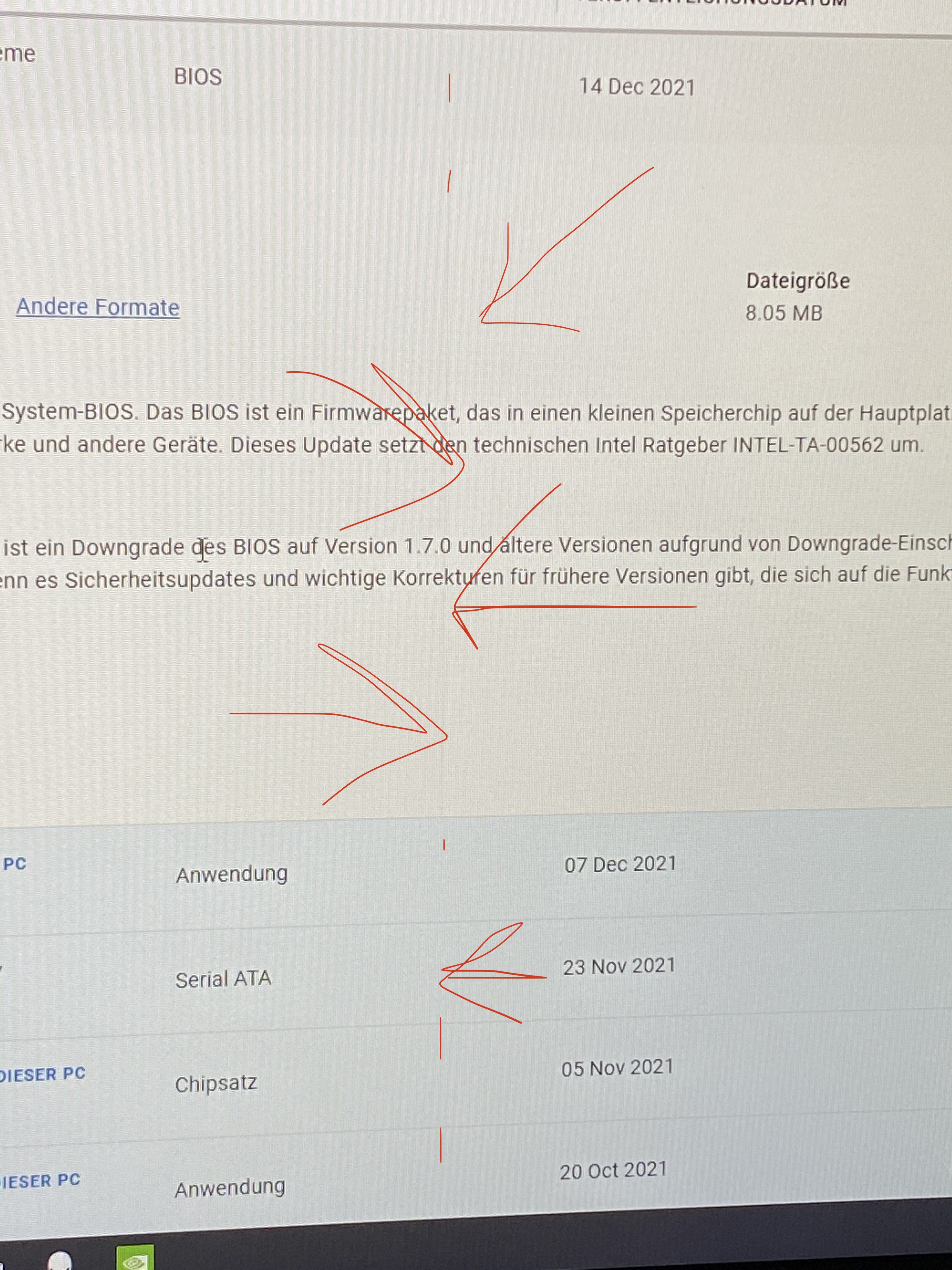
I have a question regarding the BIOS. Are there any important things/changes that I should know about before I make an update?
Are certain functions changed/deleted with an update? I once read somewhere that some BIOS update reduces the RTX 2080 Super to 180 watts. Is that true? If so, which version does that?
What is the best BIOS-Version currently? (No loss in performance and stability) -
AFAIK there are not many screen-types that fit our beasts.
There is one screen which apparently is the one that fits perfectly in our machines.
It's the:
AUO B173ZAN03.3
but...
1. Apparently G-Sync does not work (although the site said clearly that it should)
2. Installing the screen is a very flimsy job. (Me personally I've never done a screen-swap) although I'm a trained IT-Guy.
3. Re-installing the screen is only possible with the help of double-sided thin 3M adhesive.
4. There are two versions of this screen. Both have the connection on different places. (Either on the center or on the left side) This is important to know, otherwise your OEM-cable will be too short if you order the wrong version of the screenLast edited: Jan 7, 2022Gizmundo likes this. -
Once my machine arrives, I'll be doing some comparison between Kryonaut and TFX!
Attached Files:
Last edited: Jan 9, 2022Normimb likes this. -
-
Anyone have the link to Alienware command center 5.4.9.0 ?
I only see 5.4.7.0 on their website. I recently re-installed it and i was forced to update to 5.4.9.0 version.
Today after a long gaming session: CPU fan stoped responding/Full speed all the time. I rebooted and then CPU fan was completely turned-off even when running CBR20 (101C all cores....great) fan at 0% on balanced. 10 minutes later the CPU fan came back to life. Now it looks fine but for how long?
Still i need to do a clean reinstallation of this Garbage software since it's necessary to control fan speed. -
Answering myself: I was able to find it in my laptop in this directory: C:\Users\my name\AppData\Local\Packages\DellInc.AlienwareCommandCenter_htrsf667h5kn2\LocalCache\Received Files
Still i find very disapointing that dell's pushing an update and not having it available to download. Very disapointed. If anyone needs it.....just ask.Last edited: Jan 10, 2022Satanello, ratchetnclank, Vasudev and 3 others like this. -
Good. Please when testing follow this guideline.
-To monitor CPU temps: HWinfo
-To set cpu clock speed: Throttle stop (all cores at 45X or 46X, try not to reach 100C at the beginning or the test, udnervolt core and cache -64.5 for now.) You could run the test no undervolt but clock speed might drop to compensate hight temps so i recommend a light undervolt so the 10 cores can run a constant 45x during all the test.
-Software: Cinebench R20
-Laptops settings: Performance windows power plan. In awcc fan at full speed and make certain that alienware as no overclock of it's on in the «fusion» tab.
Run these test with dell's paste first, then kryonaut and finally with TFX. (X-patern for TFX, do not attempt to spread, Heat serynge in in bag full of hot water before attempting the X patern) Be carefull with heatsink. Try not to bend it when removing. Go slowly.
I included this capture of the settings you should have.
Thanks for testing,
-
Thank you!
Do you know which Bios version is recommended for the R2? I read somewhere that there are bios versions that reduce the performance of the 2080 Super from 200W to 180W. Is that true? If so, which version does that? Which version is the best (in terms of performance and stability) for our machine? -
No BIOS update for the R2 impacts performance in any way. Just use the latest.Effiklinger689 and Normimb like this.
-
Only one Vbios for the R2 (200watts)
3 different Vbios for the R1 (180-190-200 watts).
The 2080S vs 2080 runs much cooler. So dell didn't need to reduce performance by pushing crippled Vbios on our R2.
I recomment you disable bios updtate via Windows in Bios settings (always avoid bios update from Dell) but like @ratchetnclank just mentionned, so far all bios are ok in terms of performance. I am on 1.7.0 but it's not any better then others.DreDre and Effiklinger689 like this. -
OMG SHE'S HERE

SHE'S HUGE, AND SHE KNOWS IT
 Normimb, Gizmundo, s1rrah and 1 other person like this.
 -
Is this line normal???
It's dead center....
Other than this everything looks fine. Surprisingly I got Tobii (which was not declared) but I really wanted it anyway.
Awesome
The line disappears if a windows covers it…. wtf
https://youtube.com/shorts/2E9SKxXhtMQ?feature=shareAttached Files:
Last edited: Jan 13, 2022 -
-
Nope. No line on my panel. Does it show on a plain white image?
-
Yes! But if I hover over it with a window (eg. Nvidia Settings) the line disappears.
https://youtube.com/shorts/2E9SKxXhtMQ?feature=share
Now its gone
-
At least It's not hardware related then. Enjoy the machine.
-
Can you check if you hear in quiet environment aka night the fans, mainly when they start spinning, in low revolutions 30%,, coil whine sound... or they are both quiet
-
No noise ….
but the line reappeared…

if i activate “night shift” it goes away…
The line is only visible on white background.
maybe i’ll do a fresh reinstall
i’ll keep you postedLast edited: Jan 14, 2022 -
In my entire career as IT-Assistant, I've never seen this mess...
It's embarrassing! Dell should be ashamed of his "quality control".
They forgot to pull off the stickers from CPU and Heatsink. I've never seen this much noobness. I mean, Dell is a multinational company. THIS SHOULD NOT HAPPEN. PLEASE DELL; GET A GRIP.
8 Screws are missing. (From Mainboard)
4 Screws are missing. (From Back Fan Cover)
1 Screw was missed (From GPU)
Also the screen is toast. Dell comes over to repair it.Attached Files:
Last edited: Jan 14, 2022Gizmundo likes this. -
-
More pics...
Attached Files:
-
-
Oh Boy, I hear ya! I would immediately return it and ask for a refund!
Geeez! A faulty screen is already bad enough but the Sticker/Label still on Heatsink and CPU is an absolutely No Go!
I still have to open mine and see if it is the same mess as yours.....
Gesendet von meinem LE2123 mit TapatalkPapusan likes this. -
Shiza! That's really bad. Especially the sticker being left on the CPU IHS. Wow. I don't think that's typical by any means, though. Your probably in a tiny group who simply got a machine put together by either an idiot or a sadist. I've torn apart my own A51mR2 many times and have used it daily for nearly a year and it's been completely flawless. I'm running the very same bios it shipped with and have never updated to newer bios' once. I've even had great luck with AWCC, which I've also never once updated LOL. I'm glad you found all that out. Good for you on taking the thing apart like a boss or otherwise who knows what sort of problems all of that would have caused you.
-
And now for some generally positive A51mR2 news LOL ...
Had some time on the laptop with the new PC launch of God of War today and happy to say that the first hour was pretty much issue free. Game runs great on the A51mR2 (10700K/2070 Super) at 1080p and with mostly Ultra settings (see vid for details). My initial thoughts on the game are that it is very much of the Tomb Raider/Horizon Zero Dawn type, both in gameplay and general production ... and to me this is a good thing as I love both of those former franchises and still play both TR/HZD often.
Here's about 20mins of God of War on the A51mR2. Video shows game settings at the start and temp/FPS data is shown throughout. Really nice port thus far and 2070 Super handles it just fine. I'd imagine it would run quite well on this particular laptop at 1440p as well. I kept the CPU at an all core OC of 4.5ghz as this kept the CPU below 70C for the most part. I also played a bit at 5.0ghz all core OC but temps went up 15C and the FPS were identical. Even at a CPU clock of 3.8ghz, FPS were hardly effected at all and CPU temps were even better but stuck with 4.5ghz as a happy medium.
...
...
Can't wait to try the game on my 3080 Ti / AW38" UW later this evening ... also on the LG C1 4K ... (evil laughter) ... should look really spectacular at those resolutions...
;-) -
WOW. I feel sad for you....like you say: SHAME ON DELL.
-
Put it this way. How many will get laptops with applied thermal paste but without cleaning the IHS after they have removed the stickers.
Most likely many machines out there with the same nice job. Many of the owners will only complain if their machines BSOD or the HW throttle down so it become unusable.Last edited: Jan 14, 2022Normimb likes this. -
The labels is the least of the problem he can easily sort that himself. The missing screws and faulty screen are ridiculous though.
I've also been playing god of war and am getting around 70-120fps depending on area with everything at ultra on 1080p. Going to hook it up to my lg CX later to see it in 4K HDR. -
Played about two hours this morning on 3080 Ti / AW 38" Ultrawide and was ridiculously good. Uploading a 20 minute in game capture to YouTube right now from that session. All Ultra settings, 3840x1600, DLSS Quality ... and it played and looked unbelievable with FPS in the 100+ range throughout; 4K should be about 10-15FPS less on my C1 if experience holds true.
I'll share the vid once it's done but big file and YT takes forever since it renders as 4K due to the 3840px width. I found HDR to be pretty useless with the Alienware as with most titles but expect it to be superb with my LG C1 ... same with your CX as they are basically the same panel. But I'm pleased with GOW so far ... not a single complaint ... one of the few games I've ever pre purchased and was mostly due to the fact that I've enjoyed HZD so much and expected Sony to provide the same level of quality with GOW ...
... -
Hey. I did use my R2 for over 15 months and I am planning to change thermal paste and thermal pads. I have experience in changing thermal paste but never done it to laptop. Can someone with more experience provide me some tips such as best type of thermal paste, thermal pad thickness and disassembly advice for Area 51m R2
-
So I disassembled this Baby today and despite Dell's messy assembly job from @Effiklinger689 rig mine was build pretty solid. No missing screws, no faulty screen. Nothing to complain besides the crappy paste job! But this was expected!
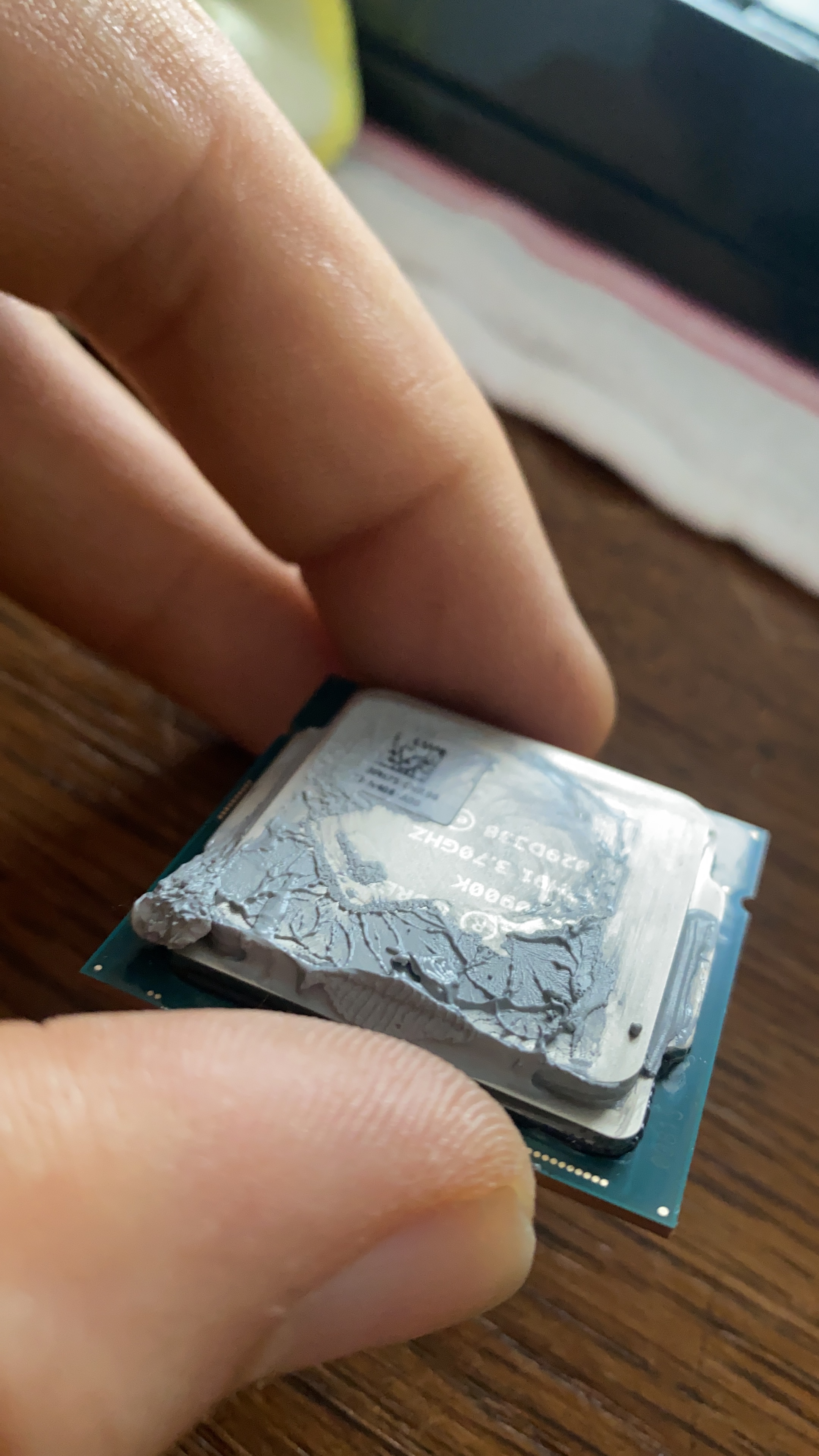
So I delidded the CPU and what I got was this! Liquid Metal between Die and IHS!? WTF???? Of course completely dried up, so I don't have any clue how to remove this!
Did anyone experienced something similar? Since when is Intel using LM for their CPU's?
Has anyone some advice how to clean dried up LM? If not then I have to RMA it and get a replacement CPU....
Gods damnit! I'm too old for surprises at 1:30 CET....
P.S.: And why was NBR shut down for over 48 hours!?
Gesendet von meinem LE2123 mit Tapatalk![[IMG]](images/storyImages/6e901924dc00a7af89715ae39f82d307.jpg)
![[IMG]](images/storyImages/c06a31b0d8a825635310012d7ba5ebe9.jpg)
![[IMG]](images/storyImages/25a6c2540bbf1e3da8060c9b095f8138.jpg)
![[IMG]](images/storyImages/958b3233ab1fbaab295944f62f6583d6.jpg)
![[IMG]](images/storyImages/7db474c33636da6ad00ea14bbe83cdb9.jpg)
![[IMG]](images/storyImages/c835721037fa9a2198c338b366bc08ba.jpg)
Gesendet von meinem LE2123 mit Tapatalks1rrah likes this.
*OFFICIAL* Alienware Area-51M R2 Owner's Lounge
Discussion in '2015+ Alienware 13 / 15 / 17' started by Spartan@HIDevolution, May 9, 2020.