Problems? See this thread at archive.org.
That's not liquid metal. That's Intel's version of "solder" ... sort of a pasty metal solder stuff. There are lots of guides all about on how to remove it. I suggest searching on youtube for 10900K delid guides but in a nutshell, most of that "solder" can be removed with a razor blade (see youtube guides) and then you can use something like Rockit!'s "Quicksilver" to finally clean everything up. CLICK HERE mate. That's a link to purchasing quicksilver Intel solder removal stuff. I've also read that you can use standard liquid metal to remove the stock solder ... search about for that as well. Best of luck!
-
-
Repasting the AW51mR2 is exactly like repasting a regular desktop CPU because it uses a regular desktop CPU. You should not find it difficult. The GPU is a typical exposed silicon GPU die (you know, looks like glass?). Repaste it just like the CPU, nice even coat over entire surface. Or you can do the whole X or dot in the middle or whatever.
I have read numerous times that the A51m R2 works best with a thicker type paste and should be applied quite liberally; in other words, too much paste is better than not enough with this particular laptop and it's cooler design so don't think you have to put an ultra thin coat on either CPU or GPU. Don't go crazy but use a bit more compound than you typically would on a desktop. When you mount the cooling assembly, the excess paste will squeeze out the sides.
As far as thermal pastes go? I use Noctua NH1 or NH2. I've also tried Grizzly Kryonaut on my own A51mR2 but it offered no performance increase at all and is a total pain to spread/apply. So I've stuck with the Noctua pastes; they are affordable, spread easy and work great. The Noctua compounds also last forever. I've run a single application of NH1 for up to five years on other builds with zero loss in cooling performance. Others will recommend different paste options of course so read and ask about.
Definitely do not use liquid metal. The results are the same as with any typical desktop CPU ... pretty much the same as normal paste due to our processors having the typical Intel Nickel plated IHS. On older Alienware laptops that used a bare silicon die, liquid metal made a tremendous difference but it's basically useless and dangerous with A51mr2 machines. I've taken my own laptop apart about five or more times trying different pastes, including LM but it made no difference at all.
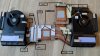
And here's a handy diagram I made showing the heights for all the thermal pads you will need to replace. I compiled this info with the assistance of other NBR forum members (forget their names or I would mention them). I have also confirmed with certain folks who re pad these machines professionally and these are indeed the correct thermal pad heights for *ONLY* the Area51m R2 laptops ... this does not apply for R1 owners:
...
I have not yet installed new pads on my own Area51m R2; when I do get around to it, I will likely use the Megamart Frosty pads available on Amazon as they are reportedly very good and you get about twice as much pad material for the same money as when purchasing other brands like Thermalright, Geilid, Fujipoly and other more well known pads. I've heard Fujipoly pads are a bit difficult to work with and are very stiff/dense; I'm personally not going to use those and will be sticking with with fairly "squishy" pads that compress easily.
You will have to measure the length/width as the above image only shows each pads height but shouldn't be too difficult. I'm either going to try and use the old pads as "templates" for each new pad or simply trim the new material/pad until it fits each spot on the cooler assembly.
Best of luck...
...CaerCadarn likes this. -
@s1rrah so you wouldn't recommend using LM between Die and IHS? Did you delid your CPU? If yes how much improvement did you get out of delidding?
Gesendet von meinem LE2123 mit Tapatalk -
I have never delidded the 10700K CPU. If I did? Then of course I would use LM between the die and IHS but my CPU temps have never been an issue for me so haven't gone to the trouble. My advice? Unless you just want to delid for the fun of it (which it kind of would be) ... just use throttlestop profiles to run your CPU locked at 4.5ghz when gaming ... or even lock it at 4.0ghz. CPU temps will be MUCH better and your game will run exactly the same.CaerCadarn likes this.
-
And I'm already suffering very real feelings of grief/loss after hearing that this forum is going to be closing down. WTF? I might have to seek out the assistance of a therapist LOL. There are so few, quality tech forums with really brilliant users and valuable information out there these days. The loss of NBR will be terrible. Hopefully some folk revive it elsewhere as another forum...
-
I already cracked this little Beast up!

I'm waiting for Solder Remover now cuz I'm not courageous enough to scratch the solder with a razorblade!
Gesendet von meinem LE2123 mit Tapatalk -
Yeah ... I saw your pics above ... easy tear down, huh? Much less complicated than the previous AW17 R4 I had ... post some results once your done with everything. I might delid my own 10700K some day but really can't find a reason to do so other than just wanting to do it for fun LOL. I wonder if the custom Rockit! copper IHS would work in these laptops? I use one on my delidded/relidded 8086K desktop CPU and it's pretty great. It has significantly more surface area than the stock Intel IHS and can get you an additional -5C drop after relidding with it (YMMV). But I'm not sure if the custom IHS would cause fit issues with the A51mR2 cooler assembly so I prefer not to try it.
BTW: you have probably already found this but here is a good video on using the Quicksilver solder remover ...
Removing Intel IHS solder with Rockit Quicksilver
...CaerCadarn likes this. -
Ah that blows. There isn't a notebook enthusiast community like this one, the wealth of knowledge and the generally welcoming people here.
I've no idea where i'll go now. Reddit sucks for this kind of thing due to the up/downvoting and the fact all posts have a lifetime to them. Other forums like overclockers ect just aren't the same there tends to be a bit more of a elitist attitude instead of just teaching and helping others.
Gutted -
Thanks for detailed post. As well would like to ask if you have any disassembly advice and if there any hidden cables I need to be aware of. I do take my time when disassembling stuff but you might have useful tips since you did it already to your system.
-
No only a couple of cables which you will see in advance.
There are a lot of screws for different parts of different types. Make sure you don't mix them up and remember where they belong.
Gesendet von meinem LE2123 mit Tapatalk -
It's fairly easy as far as laptop tear downs go. Here is a very good video which was what I used as the basis for my first time:
One tip is that you don't have to actually disconnect the two cables from the wi-fi card. Just leave them connected to the wi fi card. The wi fi card connectors are sort of delicate and I've found it easier just to leave them connected to the card. You also don't have to un-route the wi fi card cables and can leave them routed and simply fold that plastic shield back while leaving the wi fi cables in their channels/routes. Or simply unroute the cables as shown in the video above.
Best of luck.
...CaerCadarn likes this. -
So R1 and R2 disassembly is similar/same?
-
Don't know for sure. I would imagine them to be near identical, though. There is a R1 thread here but better get involved with it quick as sadly I think these forums are shutting down. Which sux.
-
Yeah there is a lot of information in these forums and sadly all will be lost soon. When it comes to pad sizes in the picture you did provide are all those pads are in stock places or are there additional ones added? I am already making list of things I need to buy.
-
Yes. All stock placements. You might find that yours are cut a bit different here and there once you open up the laptop but those are the correct placements for the R2 cooler assembly.
-
BTW: here is a photo of my R2 showing the stock pads in their stock locations. I have taken this machine apart many times and have never changed these and things are still running fine today with temperatures all better than good. I will eventually change the pads, especially since I recently extended my warranty through 2025 but probably not for another year or so. You might notice if you look closely that Dell used small, single pads in certain areas where the pad height photo I show in the earlier post shows a single long strip covering the same area. Really wouldn't matter one way or the other, though ...
...
![[IMG]](images/storyImages/HNr65y9.jpg)
... -
I‘m running Resident Evil Village on maximum possible settings (with Raytracing ON) an average of 50+ Frames….
is that good?
Guys. Once i get some spare times on my hands i‘ll do a d comparison and maybe a repaste video
If you’re interested -
Guys, i discovered something very interesting regarding the rear tron-lights.
Some people have complained about the reduced brightness of the led! I found the culprit…
It‘s the rear black tape on the LED lights that have become loose! So the LED shines all over the place instead where it should.
just take a thin piece of black electric tape anf cover all 4 LED‘s with it. -
So all is good now with your rig? How are temps and what's with the stripes on your screen? Gone?
Gesendet von meinem LE2123 mit Tapatalk -
Technician is coming today to replace the screen
temps are 20c less
once i get home from work, ill post it -
Which Resident Evil game and what resolution? RE Village can be a pig to run but a few tweaks here and there and it can run quite well.
-
I hope the technician has spare screws… otherwise I have to buy them from somewhere.
I’m afraid to tell him that i opened the laptop and found a mess. I’m very careful to what i say. You’ll newer know how they take it. They could easily say that it was my fault that the screen broke.
I will just mention that it looks like some screws are missing.
The newest. Resident evil Village (1080p)Last edited: Jan 20, 2022 at 7:14 AM -
If you meant Resident Evil Village, then I'd expect you to be getting better FPS on your 10900K/2080 Super rig. Here is some in game footage I captured playing on my old desktop, 2560x1440 with an 8086K CPU and a 1080Ti ... I forget what in game settings I was using but I think I had everything pretty much set to high graphics and ray tracing disabled but I can't remember if the game had Ray tracing options or not. I almost always disable ray tracing in all games as I don't think it's even slightly worth the cost in regards to frames per second loss ...
... -
Yeah raytracing on
I have to test it without Raytracing -
You def need to make some adjustments for best performance in village. Try this guide. Also, disable ray tracing for at least 20fps more or better.
-
Thanks fam
-
I personally don't understand how ray tracing makes much of a difference visually. And it absolutely DESTROYS performance. I have to carefully examine side by side still shots to even notice any differences between RT off or on. I just disable it, automatically in everything...
-
Got a new Display and this one has a dead pixel…

And also G-Sync does not work anymoreLast edited: Jan 20, 2022 at 10:41 AM -
Yeah….
New Ticket….
i’m trying to get it replaced by a new one ASAP
Should have bought the new MacBook Pro m1 Max….Attached Files:
Last edited: Jan 20, 2022 at 10:51 AM -
-
Thank you for all the support. I just did successfully repasted and repaded my R2. Everything is running great without any issues.s1rrah likes this.
-
They installed a different monitor. (Which does not support g-sync)
WHAT A BUNCH OF AMATEURS
Factory Monitor was an Opteonics (don’t remember the model name though)
can please someone check their 144hz monitor with gsync?
ThanksAttached Files:
Last edited: Jan 20, 2022 at 5:07 PM -
-
Thats the exact reason why I don’t trust ANYBODY.
Why is it so difficult to order the correct screen? Don’t they have the correct specs of my machine?
Are they tired?
Don’t they earn enough money?
i just can’t comprehend what’s so difficult about it -
Their customer support work in India on a tiny wage which is just enough to survive so they don't get paid enough to care/take pride in their job.
-
Good job on the modifications. I can't find a real reason to take mine apart and do the repad as the machine seems to be running quite well. Do you know of any way to test if current thermal pads are working correctly? I get much more detailed sensor/temperature information when working with my desktop and using HWINFO64 than I do with the AW51mR2. With the desktop I can read a few different motherboard related sensors but with the laptop, I only get one, I think.
-
I did use GPU Z to test Hotspot temp, memory temp before changing and after changing. Some of pads were already burnt/stuck. Some of stock pads were left with plastic thing you have to peel of. At the end my memory temps did drop and that is a improvement!
-
wow. burnt/stuck pads ... that's nutty, man. Are you using an R2? Can't believe that. My pads all looked really great with excellent contact imprints but I did most of my multiple tear downs when it was fairly new. And then again, I rarely game on it and typically run the CPU down clocked to 3.8ghz most of the time as my office work doesn't really need anything else. And sensor temps every where look perfect so not going to re pad for a bit. Glad you saw some improvement ...
-
Yes R2. The thing is Dell forgot to peel peely things of the some thermal pads. Most likely this is why they were so dry/stuck. Usually I run 4.2GHz and watch temps to keep it cool. And to be honest i9-10900K + 2080 Super is beast. I am surprised that it runs so well while maintaining great temps and with slight undervolt to CPU and GPU it even more crazy. As well I was happy when I got Odyssey Neo G9(5120 1440) monitor and it runs without any issues. Most games run at around 60 and less demanding ones even close 100 FPS and above with G-Sync I do not even feel difference if it drops a little. Coming from MacBook which use to throttle all the time this is huge upgrade for me.s1rrah and CaerCadarn like this.
-
What undervolt settings did you use for the CPU if I may ask?
Gesendet von meinem LE2123 mit Tapatalk -
Yes ... I had read about the film not being removed from your thermal pads; that's terrible. And congrats on the G9 ... I have friends with that panel and they love it. I personally opted for the Alienware 38" ultrawide though the G9 was also something I was considering. In the end, I decided the 38" to be a better fit for my desktop and I personally prefer IPS panels so went with the Alienware. Nice that your R2 works well with the 49" ... like the AW38, the G9 is not the easiest resolution to push ... I think both being roughly 15% to 20% less than full 4K. I've never used my A51mR2 with the 38" panel though but it would work fine as backup should something ever boink out on my desktop ...
-
I do use Alienware Command Center with -80 offset undervolt. I have created two profiles one with 4.2GHz for less demanding games/browsing and other 4.9GHz if I need more power or if I play CPU intensive games. Both profiles with -80 undervolt keeps temperatures in check without noticeable performance loss. AS well I did try and used -100 for a while without any issues. It is basically mix and match/testing what works for you and what temps are you comfortable with. As well stress testing to see if it stable if you push it too hard it will loose stability. Trotlestop app has more functions and settings if you want to fine tune it even more. Without undervolting temps used to hike a lot all over the place now idle is between 40C and 50C(with balanced fan profile, sometimes fan does even stop when system is cool). I did undervolt my GPU to 0.925v - can go lover with some games but some games tend to crash. GPU undervolt greatly helped with stutters and does reduce thermals as a bonus without any noticeable sacrifice in performance if you fine tune it and find your sweet spot. If you undervolt both CPU + GPU you get great thermals. And to be honest its not to hard to do it just in the beginning do your research.CaerCadarn likes this.
-
I was thinking as well about getting Alienware monitor but then last minute I did lean towards Neo G9. And this thing is nuts. Its not perfect but it is not as bad as some people tend to complain on reddit or other forums. Mostly I was concerned that games will not support resolution or R2 will not keep up. But no issues and now after repasting even better thermals. Other day I was playing Hitman III Ultra settings on 49" with FPS never dropping to less than 50 on a laptop with thermals never going above 60C. Crazy. I wish they did continue and release R3
-
Me too. The current trend in super thin toaster laptops is not to my liking at all. The A51m chassis design is perfect imo. I couldn't imagine having to regularly service/disassemble the newer, much thinner Xseries ... and I'm also reluctant to commit myself to usage of that new hybrid thermal compound as who knows how long it will last or if it will degrade over time? Hopefully this laptop will last through 2025 as I'm pretty sure I will want to upgrade by then...
-
So guys... I have news:
DELL is not able to get me a replacement for my A51M R2. So they want to replace my A51m r2 for an almonst fully specced X17 for an additional 200USD of charge.
I'm very confused about it, since i dont like a lot of things about the X17, mainly the Chassis, Laptop-Grade parts and only-us keyboard, (to name a few)
So i have 2 options now:
1. Get my A51m R2 replaced with a X17
2. Maybe (only Maybe) getting the right display installed and have to live with a (semi-professional) build A51m r2
I really love the design language of the 51m R2.
I really neeed your insight. What do you guys suggestLast edited: Jan 24, 2022 at 2:17 PMchewbakaats58 likes this. -
So you mean this one, right?
https://www.dell.com/de-de/search/alienware x17
Honestly: go with it! Even if the x17 will be semi assembled too you always can RMA it and have a supply of spare parts ready!
It seems that your r2 is already pretty messed up which is very disappointing indeed cuz I like it more then the x17. But when it comes down to have a functionally rig and a semi f***ed up one I go with the former.
Gesendet von meinem LE2123 mit Tapatalk -
Yes, the X17.
i found these stickers on the new LCD-Cables:
it’s very confusing since the stickers clearly says G-SYNC. But g-sync does not show up in my Nvidia Panel?!
Has anyone an idea? I already have updated the BIOS and the nvidia drivers.
The monitor is listed as “Generic PnP Monitor” not sure if the OEM-G-Sync Monitor was named like this also.
or
they installed a non-gsyn monitor with a gsync cableAttached Files:
Last edited: Jan 24, 2022 at 4:07 PM -
-
You have just described my ongoing nightmare. To have to trade the A51mR2 for one of the new, thin AW laptops. This might not be so bad 2 or three years from now but I certainly would not want to trade at the moment. In your case? Not sure what to recommend ... for the long haul, it might be best to go with the offer to trade for the current equivelant since you seem to have had tons of issues with the Area51 ... and you would have vastly better ongoing support with the newer release...
-
You certainly got a non G-Sync screen installed....

Gesendet von meinem LE2123 mit Tapatalk -
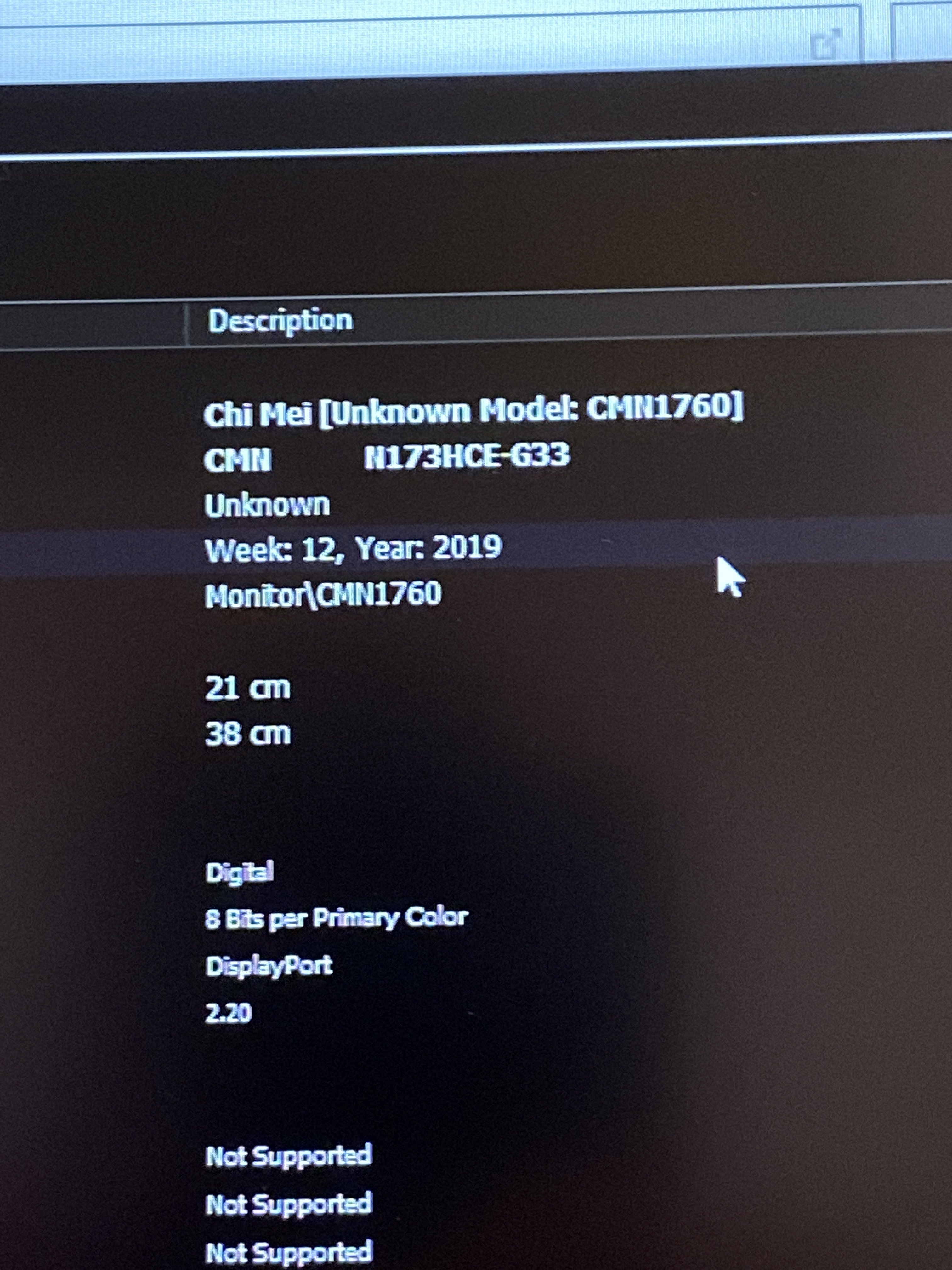
It’s a
- CMN1760
- N173HCE-G33
-
https://m.panelook.com/N173HCE-G33_Innolux_17.3_LCM_parameter_37006.html
Should have G-Sync, weird....
Gesendet von meinem LE2123 mit Tapatalk
*OFFICIAL* Alienware Area-51M R2 Owner's Lounge
Discussion in '2015+ Alienware 13 / 15 / 17' started by Spartan@HIDevolution, May 9, 2020.