Problems? See this thread at archive.org.
Thanks a lot for this, I understand it better now. So that W shown as 340W that doesn't take fans into account?
Also if this shared pipe design is a problem, which seems like from a heat balance POV, why do laptop manufactures make them shared? Why not make them independent? I even saw some images of 3 fan laptops, not sure which brands or models but the pipes seemed separated.
You are right about researching really deep because that's one point I find certain manufactures like razer annoying that, they don't even list all of the spec info, like memory speed or some other crucial thing, and if you don't know for the better you will be suckered into buying one.
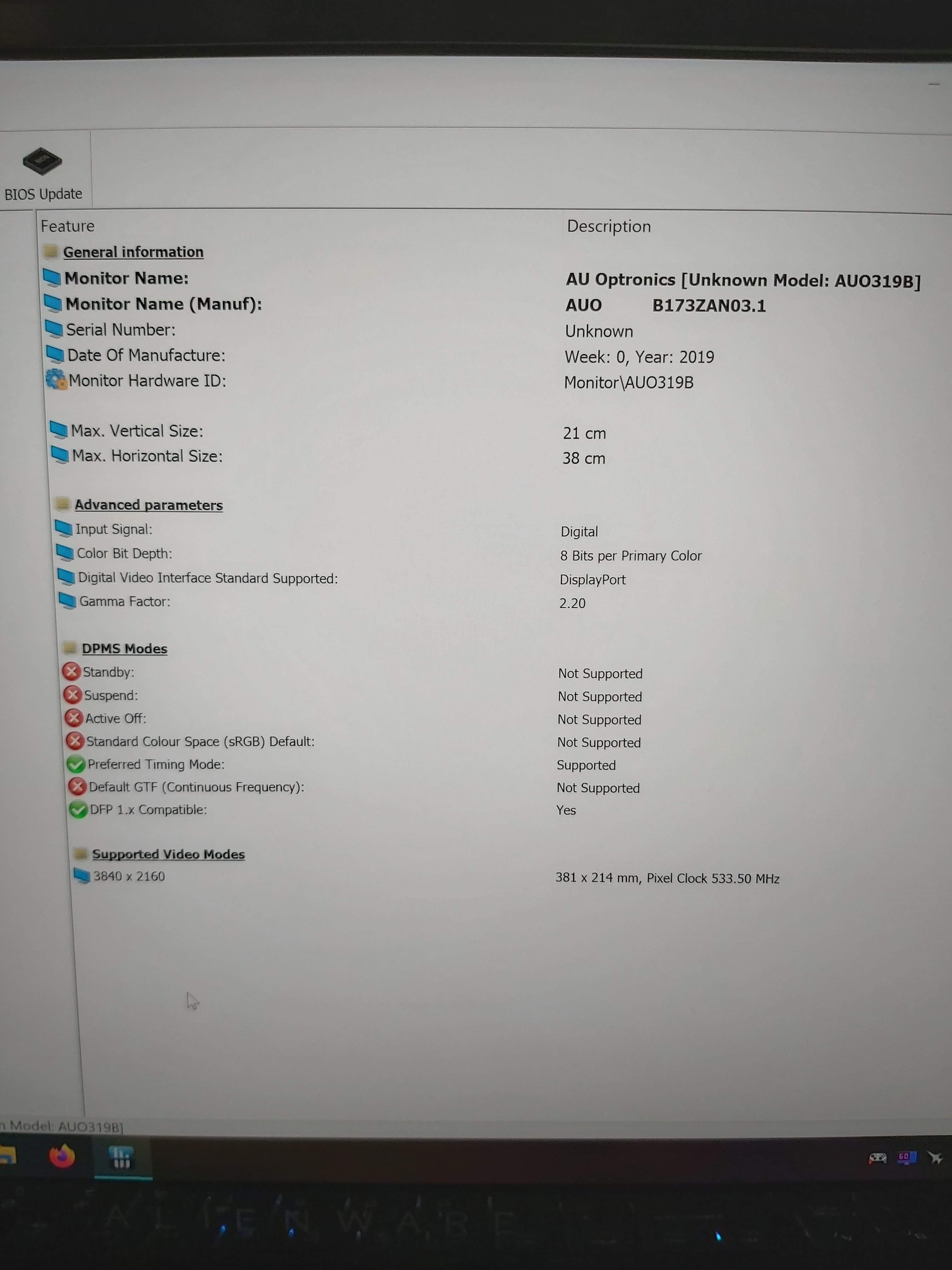
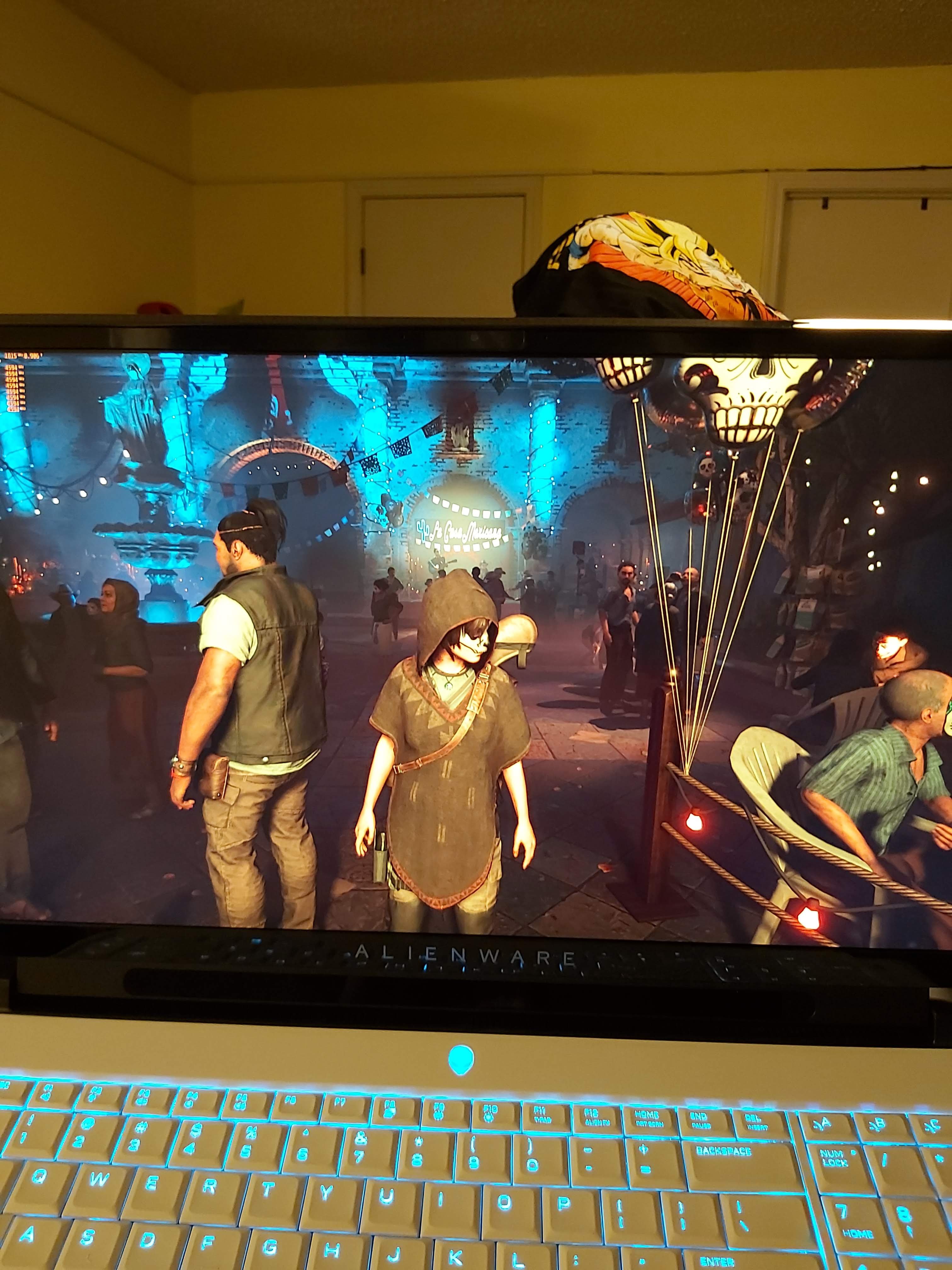
Hi do you have any pics of your 4k laptop? What panel did you end up using? How much did it cost you?
If you can do this, then there is nothing stopping you from putting a 1000 nits micro led panel there or at the very least 4k HDR like in gigabyte aero 17? I am really curious how you did this and the panel you bought perfectly fit the laptop with no cutting of the laptop chassis?
Props for doing this.
-
That 340W is a perfect world scenario. We will have to wait and see how the system actually performs in the real world, where it's not set up in ideal conditions.
The unified heatsink has it's upsides though, some titles/workloads are either CPU or GPU heavy, meaning you can better leverage the unused capacity in those cases. And the upcoming Ampere should also offer benefits from a node shrink to 7nm, further improving power efficiency. Which would give the CPU more room to breathe.
But as always, it'll be interesting to see how entusiasts will modify and improve upon its design.Papusan, Fire Tiger and lestat2k7 like this. -
haha yeah I still feel like me but a slower version lol didn't expect to find you here LOL
there is two options one screen is from the gigabyte aero 17 hdr AUO panel 60HZ it's the one i got the second it's the screen from the razer 17 also AUO but 120HZ both are 100% aRGB there's only one seller on ebay his screens are new but with serial erased and it says no warranty on the back https://www.ebay.com/itm/4K-17-3-UH...682867?hash=item341c744b33:g:8g0AAOSwCXBeBB0s
https://www.ebay.com/itm/120HZ-4K-1...072908?hash=item4b71fed38c:g:8g0AAOSwCXBeBB0s
Here's a guide how to remove the screen with pictures https://www.google.com/amp/s/amp.re...ments/ayn5pw/aw_area_51m_display_disassembly/
the pcb board at the bottom of the screen is longer than the one on the 51m so you have to break 2 little tabs that clip to the bezel in order to fit the screen and I also removed the webcam because otherwise you'll have to grind the plastic down a bit because the camera is in the way and I don't care about the camera
to remove the original screen turn off the laptop and pry slowly with your fingers the bezel getting your fingernails under it and it will slowly pop out then there's two black tabs at the bottom of the panel you have to pull down slow while pry on the lcd to let the glue come undone if you do it right the screen will be out in 30 minutes and the glue strips will come out in one piece
to install the new screen you can use that glue they use for cellphone batteries but I just left it unglued since the bezel holds it in place lol.
![[IMG]](images/storyImages/20200110-203819.jpg)
Attached Files:
Last edited: Feb 20, 2020 -
-
Is easy to take off the bezel? -
very easy it has clips like any other bezel and a tiny strip of double sided tape at the bottom part nothing hard to remove the pull tabs for the lcd need more patience to remove in one piece those are a little hard.Fire Tiger and sasman1964 like this.
-
Longshot here but its the best place to ask....
Does anyone have a 9700k OC at x50 or above and if so what are your idle temps?
I have a 9700k OC to x50, my idles temps are mid to high 40s which seems high, however, within ThrottleStop I have Speed Shift enabled at 0 and am wondering if that's the cause for the higher idle temps?
What are your Speed Shift settings and is there any benefit to me running it at 0? -
My daily OC is 5.1ghz and idle is 42-44c. Room temp is 74F.
Using Alienware CC, balanced, voltage 1.26v and offset -80mv
Not sure if this helps since I'm not using TS, but maybe just a reference point for you.Papusan, Donald@Paladin44 and Fire Tiger like this. -
Thanks for the input, definitely good to see.
Have you got the voltage set static or is that your average on adaptive? -
And in a few months something better will come out....and so it goes. For a price...Fire Tiger likes this.
-
hy guys...im considering to buy this laptop and i have 3 options here:
1. should i go for i9 9900k rtx 2080 ( im a little bit scared about thermal issues)
2. go for i7 9700k rtx 2070 instead
3. wait for area 51m r2?uugui shi, Virale and Fire Tiger like this. -
I wouldn't let the thermal limits hold you back, you can roll back BIOS to bypass the limit, you can use HWInfo to control the fans which also bypasses the thermal limits or watch some of @Helifax videos in this thread. His most recent shows that even with the thermal limit you can still setup the machine to stretch its legs.
If you are solely into benchmarking etc. Then its going to hold you back on somethings, but for every day normal gaming use, I reckon it'll be up there with best laptops you can buy today.DreDre likes this. -
Wait for R2 man! Unless you really have the need now...
Or go for the Clevo X170 linked above... seems like another solid option since there are no promises on whether this R1 will get DGFF GPU upgrades (what I thought would be the differentiating factor) -
Hi
I have just seen Dell are doing a 14% Discount.. + £150 cash back that save's me about £650 off the price! Of the Area51m that i am thinking about buying ..The Offer runs out soon and i am very tempted to Buy one..Do Dell do these offers often or do you think they are about to Release newer Models?..and getting rid of old stock..Fire Tiger likes this. -
They regularly do deals off to be honest, so if you are in no rush you could wait. No one knows if the R2 version is due out soon. Its all down to personal choice.pathfindercod and sasman1964 like this.
-
im an alienware fan so im not interested in other laptop...so now i have an external monitor Gaming Dell Alienware 34", AW3418DW that i want to connect this area 51m..It's gonna replace my 8 year old laptop m14 x r2 ....another thing that i wanna know if this ssd would work on 51m Solid-State Drive (SSD) Samsung 970 EVO Plus, 2TB, M.2 PCIe x4....it''s 2tb so that why im asking...on dell store they don't have anything above 1 tb
pathfindercod and Fire Tiger like this. -
Is this new clevo better than the p870dm? I think I said that model right.
Sent from my GM1917 using Tapatalk -
Yeah, it should definitely work without issue.
-
Oh man, you're gonna have to define what you mean by "better". P870TM1 was the last SLI model that's now EOL.Fire Tiger and DreDre like this.
-
Hello everybody

I am new here and also new in all this overclocking/making hardware work topic.
Got mine Alienware Area-51M last week. It's 2080 + i9-9900. I bought it refublished on ebay and trying to understand in what shape did I get it.
I went tru last 100 pages of this topic and was trying to resolve my questions by myself but can't say that I was really successful with this
Whenever I just got laptop It was doing super cool and I did stress test. It was 94.8% FPS stability. (didn't pass but close)
I started from clean win 10 with no dell applications installed at all. I installed/updated Alianware Command Center and installed ton of applications it was asking me to install (have no clue what they do).
Now my stress test only 38.5% FPS stability
There is comparison of this tests https://www.3dmark.com/compare/tsst/915142/tsst/914051
I was not changing bios versions any hardware any configurations and so on. Only updated Alianware Command Center and installed all software it was asking for ...
How can it be?
I checked what is going on using GPU-Z.2.29.0 and it looks like now I hit 78C my GPU clock goes to 300. How was it not hitting the same issue before ....
In addition to this performance question:
- How to understand what display do I have (Chi Mei or not)? I found this in System Configuration using Dell service tag but I have no idea how to figure out what one is it. "GNMGM : Module,Cable,Embedded Display Port,Full High Definition,144H Z,GSYNC,17"
- I am thinking to change CPU from i9-9900 to i9-9900K. Does it make any sense?
- How to program keys on the left and keys on top of num pad?
- What software to use to record temps and performance of cpu/gpu during game in real time? GPU-Z graph is not informative at all.
Last edited: Feb 21, 2020 -
Some etiquette - you need to show some initiative for research on these items:
1. Google it.
2. Not unless you want to Overclock it, costwise, I wouldn't.
3. Google it.
4. Google it.
Not saying that to be mean or anything, but 3/4 of these you can answer in quick searches, and people will respect you for it.Last edited: Feb 21, 2020Rei Fukai, Terreos, Papusan and 1 other person like this. -
You know with people flashing higher wattage 2070 max q and 2080 max q to their lower wattage I wonder if anyone has tried flashing desktop 2070 or 2060 with the 2070 or 2060 in the area 51m.
-
-
I'd purge all the applications that are not system critical, it's useless bloat otherwise.
1. Get hwinfo64, it's a great portable tool for inspecting hardware such as installed panel etc.
2. Depends, do you need extra CPU performance and plan on overclocking? Then it might be.
3. Likely in the Alienware Control Center
4. hwinfo64 and run it as 'sensors only' - gives you an overlook over various voltages, frequencies and states. Or MSI Afterburner.Papusan, Fire Tiger, pathfindercod and 2 others like this. -
Thank you. just for test I reinstalled windows from scratch and that's what I have now:
https://www.3dmark.com/compare/tsst/915395/tsst/915142/tsst/914051
It's back to "normal" even without latest drivers and all other software.
I've done test with HWiNFO64 (thx for advice) it shows max GPU Clock 1890 with max temp 75C. So it looks like it basically under perform and never hit 78C mark.jc_denton likes this. -
hello everyone,
I seem to find myself in a bit of trouble. I've finally gotten around to repasting the machine, no hiccups there. Followed multiple yt clips, disassembled, cleaned the old paste, placed in the new thermal pads, assembled back. Did not remove the CPU from its cradle.
After starting it again the screen is completely dark and the machine seems to be stuck in a rainbow bios start light show. The power button seems to light up amber two times for a second for every 10 seconds. it doesn't seem to match any diagnostic code from the dell service manual, which says a white blink should follow to indicate a failure.
Battery is connected as it's lighting up on it too. Any ideas? At this point the only thing I could do is repeat the process, could it be from the thermal pads or rather I haven't perfectly fitted in some wires? -
I am not sure what could have been, but after a second disassembly and putting it back together again it started from first run. My bet would be on a cable jack or a component not being fully put in.
gonna do some thermal testing now to see if I haven't actually made it worse.
Sent from my iPhone using TapatalkLoneSyndal likes this. -
You could try and undervolt the GPU with MSI Afterburner, locking it to around 0.950mV and see how your frequency and temperatures behave.
Are the new thermalpads the same thickness/hardness as the old ones? Could be pressure difference on components making it behave oddly.Fire Tiger likes this. -
Thanks for that..I have just made the Order for Area 51m RTX 2080 i9 9900k 16 Gb 1Tb ..I hope i get the newer MotherBoard version . i was holding out but £650 off is to good to miss..Fire Tiger likes this.
-
You should get all the latest components. You'll love it let us know once it arrives.sasman1964 and uugui shi like this.
-
I already have
Innovation Cooling Graphite Thermal Pad – Alternative to Thermal Paste/Grease (30 X 30mm)
and
Innovation Cooling Graphite Thermal Pad – Alternative to Thermal Paste/Grease (40 X 40mm)
here.
Was thinking to put I9-9900K instead of I9-9900 and put this pads instead of paste
Now I am not sure hahah
What is your result so far?
That's probably the way to go. Also I found few videos (on prev pages) about working around this issue. Going to try after CPU/SSD upgrades. -
The word in a tweet recently from someone IIRC from Dell or associated said no R2 any time soon. Given the R1 stock and engineering issues, I suspect they are holding off. The motherboard is obviously a slight revision, but a true R2 seems some time off, I suspect we won't see one until the next E3 personally.
Last edited: Feb 22, 2020Fire Tiger likes this. -
i would not count on that...that they prob would say if they have a lot of 51m stock...still the end of the april gonna clear all rummors
-
R1 will be rebranded to R2 when the Super cards is ready to ship out. Dell will never skip a possibility to boost sale with new model names once a year. Remember the R1 branding is from Jan last year.Ashtrix, RMLJD, Rei Fukai and 1 other person like this.
-
I honestly can't tell the difference, it might be a placebo but the CPU seems to no longer reach 100 deg, though I've only been gaming, nothing CPU intensive. I mainly wanted to repaste because it was getting close to one year of usage and I know nothing about thermal paste so I assume it turns to rock in one year. Still , I got a big scare but otherwise I am very impressed with the process. Took me 10 minutes to break it up to pieces the second time, I am turning into an Alienware fan right here. Used Clevos till now, no such joy at tearing up the machine.
Sent from my iPhone using Tapatalk -
Im backkkkkkk. hella busy from new job but I should be good now. Seems like some interesting stuff going on with RAM
Not worth it in the Area-51m unless you're gonna do thermal pads to lower height of heatsink:
3:41
This is 5Ghz
https://www.3dmark.com/fs/19316903Fire Tiger and LoneSyndal like this. -
I applied
This is my results during Cinebench R20 run. Score was 4200 or something like. Half cores got thermal throttle.
Waiting for
Thermal Grizzly Kryonaut Thermal Grease Paste
Also after installation of :
- i9-9900k instead of i9-9900
- new m2 ssd's instead of stock ones
Looks like it's related to drivers that dell supportassist was installing for me.
fixed basically not installing support assist and doing everything manually
Leaving video with directions here in case somebody will need it:
Also now I am not able to open alienware control center (It starts and disappears showing no errors)
Do you guys know how to fix it or why it can be?Last edited: Feb 22, 2020c69k likes this. -
Remove dell support assistany.100% that is the issue.
-
Anyone applied LM to both the CPU and the GPU? If I am not wrong, Hidevolution offers this. This should drop temps significantly no?
Also is copper the best metal for heatsinks? I am surprised there is no alternative better than copper in this regard.Fire Tiger likes this. -
Yeah that's looks about right for 5ghz was having a massive argument with *Captain* before with his cpu being at 5.2 and getting a 5ghz score lol. I knew his cpu wasn't actually getting 5.2ghz points. But meh. I'm over all that nice to see you around
Sent from my GM1917 using Tapatalk -
I mean they have gone on for years with a revision in some cases though haven't they? The AW 13 R3 was around since what, 2016? I could see them doing it to simply boost sales after word is out on the R1 issues and try for a clean start... now that I could see. An R2 release would hemorrhage prices on the R1 on existing inventory... and if the screwdown etc is different, then we would see possibly kit prices fall too.
If they boost the R1 to 83' at least on the 2080's it might not really matter ultimately.Last edited: Feb 23, 2020Papusan, Fire Tiger and Lopt like this. -
Silver would be better... but talk about expensive. You would have to buy a silver ingot, then machine it.
Silver is the most common that has a thermal conductivity greater than copper.
You have some other metals too, but the more exotic, the more expensive. You also have to worry about the contact of dissimilar metals. The Heat-sink assembly is always copper, and dissimilar metals have the potential to cause corrosion at contact.
Edit: I have toyed with the idea of machining a US silver dollar a few years back, but it is just a little too thin to machine and lap flat. That and it is only .800 silver; something .925 would be better.Last edited: Feb 23, 2020Donald@Paladin44, Papusan, Lopt and 1 other person like this. -
But here it says Silver is only a bit better than Copper?
http://hyperphysics.phy-astr.gsu.edu/hbase/Tables/thrcn.html
https://en.wikipedia.org/wiki/List_of_thermal_conductivities
Boron arsenide seems much higher at 1300 W. -
Has anyone tried this SSD Sabrent 1TB Rocket Nvme PCIe 4.0 M.2 2280 in an Area 51M ..
I was going to get a Samsung EVO 970 plus 1 Tb but looking at the Bench marks the Sabrent is hitting nearly 5000 Mb/s compared to Samsung 3500 Mb/s..The Sabrent is a Gen 4 ssd i cannot find out if the Area 51m is Gen 4 or Gen 3Fire Tiger likes this. -
I have 2 of the Gen 3 versions in mine and had no issues with either in RAID0, the A51m is Gen 3 only.Papusan, Spartan@HIDevolution and sasman1964 like this.
-
no use of gen 4 on gen 3. you will get the same speed as any gen 3 nvme.
Based on Toshiba’s BiCS4 96L TLC NAND Flash memory, its performance speeds can reach up to 5000 MB/s (read) and 4400 MB/s (write) when using a PCIe Gen4 motherboard. Using a PCIe Gen3 Motherboard Speeds will reach up to 3400 MB/s (read) and 3000 MB/s (write). Power consumption is much lower.Fire Tiger and sasman1964 like this. -
Gen4 is only supported on AMD platforms right now.
Papusan, Fire Tiger and MogRules like this. -
Pretty sure this is true, but checking. If you get the gsync internal panel you cannot ever get the AGA to route the signal to the internal panel correct? I'm thinking down the road sort of debating gsync vs non on the internal panel.
-
Funny thing, I should have a non G-sync panel, but in Nvidia it says my screen is G-sync....
-
Someone correct me if I’m wrong but I can’t imagine you would be able to notice the difference in day to day use, the EVO is plenty fast already.
Sent from my iPhone using Tapatalk
*OFFICIAL* Alienware Area-51M R1 Owner's Lounge
Discussion in '2015+ Alienware 13 / 15 / 17' started by ssj92, Jan 8, 2019.