Problems? See this thread at archive.org.
Hey @Spartan
My computer doesn't keep the custom charge for my battery anymore.
It was working like you said it would up to 90 percent max and now it just keeps on going up to 100 percent ?
I reflashed the bios , reloaded the default settings on the bios and put again custom in battery mode ..
Any idea what that could be?
-
-
unplug the power cord. Let the battery fall down to 70%. Then plug it back in. Now watch if it works. It should stop charging anywhere between 90% and 93%Docsteel likes this.
-
Can't seem to shake myself from tweaking my system over and over even though stuff is working fine... Tweak addiction!
Played with Throttlestop again because I'm just never happy with "good enough" I guess. Managed some pretty interesting results by separating core and cache voltages.
Keep in mind I run a 9700k. I don't do anything with my pc that requires hyperthreading from an i9.
49x multiplier on all 8 cores. -142. core, -115.2 cache.
Have gotten my Cinebench R20 score up to 3730 (not a clean boot. Bitdefender as well as several other background processes like Corsair iCue are running to simulate my everyday use).
Peak temperature (as recorded by CPUID HW Monitor) was 91C on a few cores.
Thinking about the arduous task of another repaste to clean my sloppy 1st attempt at applying nanogrease. Delta between cores is huge (some cores are 87C while others reach the specified 91C) which implies to me uneven heat dissipation but maybe that's normal? Idk, seems like a really big difference.
Outside of that, no instability to report via my usual suite of 24/7 tests. Cinebench, the full 3DMark gauntlet, and playing an entire mission in Control with all the RTX features turned on. May be able to bleed a little extra voltage out of the cache but I don't expect big returns on temperature by doing that and I'd rather keep it stable.
For reference, cinebench score with a maximum AWCC undervolt at the highest stable core clock setting for my machine (4.9 which isn't actually 4.9 on all cores under load, it actually settles at just under 4.6) is at 3481 with a peak temp of 78C on the hottest core.
With the performance fan setting on my throttlestop profile (highest fan profile I'd ever use for everyday use) peak core temperature goes up to 94C which seems acceptable to me for a maximum load draw (poor little chip was breaking 130W during the part where it has to render the couch).Last edited: Jun 16, 2020 -
Good News and Bad News.
Good News: Called Tech Support and ended up having to send my laptop in to a repair center. Got it back about a week later and they enclosed a report that said they changed the connectors and changed the battery. GPU now functioning at 8x...
Bad News: anamolous battery drain still exists. No surprise, though. I told them it wasn't the battery. Partial semi-sorta good news is it only showed 6% drain this morning instead of 10%. I'm taking Spartan's advice and living with it.
From this experience, I learned that Dell tech support, though they may seem to make an effort to fix their stuff in a timely and professional manner, the techs/engineers doing the work are still merely hourly wage employees whose more invested in clocking out to go home for the day than solving a good mystery.
It's still a great laptop and if I had to do it all over knowing then what I know now... I'd still buy it.DreDre and Korben_Dallas like this. -
I have never *ever* looked at the battery charge level after I sleep/wake up next morning. This is a desktop replacement and I consider the battery like a USPS device in case of loss of power. I'll never use it. If you have that mindset, you won't even care. If that 6 or 10% loss of battery is going to affect your workflow because you need the laptop to be on as much possible when you're outdoors or doing a presentation in some meeting, you bought the wrong laptop. It's not meant to be used on battery power.lostclusters, DreDre, jclausius and 2 others like this.
-
However it seems that someone here has managed to solve this anomalous drainage. It would be interesting to find out the cause and the possible fix
Fire Tiger and PDUB72 like this. -
I only noticed a drain when I had Power Share Enabled. Simply disabling it fixed it. Then I never cared to check even.
-
Hey guys,
I had my display replaced today and I seem to have lost my gsync functionality. I wanted to reach out and see if anyone with a Chi Mei Model: CMN1760 (N173HCE-G33) has Gsync functionality? The little amount of information I have been able to find shows it does support Gsync and Dell support varied that this model supports gsync and they say it's the same model panel as I had before.
I've tried to update bios to the latest and DDU'd my GPU drivers and reinstalled.
I've reinstalled windows.
I've unplugged the battery and CMOS battery to take the bios back to factory.
Reinstalled windows again after and nothing.
Any ideas?Fire Tiger likes this. -
Its possibly been replaced with a non- Gsync panel. Pretty sure it happened to someone here not too long ago.
Try searching this thread.Spartan@HIDevolution likes this. -
I was thinking that.
I was hoping I could compare models with folks on the board to see if they have the same model and gsync. -
Macrium Reflect Rescue Disk v7.2.4971 (with RAID support and cloning to dissimilar hardware supported).
Bug fixes and Improvements v7.2.4971 - 16th June 2020
- Legacy MBR Systems
- For MBR Windows 10 systems the 'Create an image of the partition(s) required to backup and restore Windows' now includes the Windows Recovery partition.
- MBR systems using BitLocker for the Windows volume would require running 'Fix Windows boot problems' after a 'live' BitLocker restore. This has been resolved.
- UEFI System detection
The Windows 10 2004 (May) update caused legacy MBR systems to be detected as UEFI. This has been resolved.
- File and Folder Backup
File and Folder 'Folders to exclude' now permits trailing backslashes.
- Macrium viBoot
viBoot Virtual Machine names are now limited to 100 characters. This prevents viBoot VMs from exceeding the Hyper-V name length limit.
- Rescue Media Builder
-
- RMBuilder now prevents the boot menu being set for PE 3.1 on UEFI booting systems. PE 3.1 is legacy MBR only.
- RMBuilder would incorrectly report that not enough free space was available when using 1GB flash media. This has been resolved.
-
Use RUFUS to make a bootable USB Flash Disk from it
@Mr. Fox @Papusan @Fire Tiger @iunlock @ssj92 @MogRules @Normimb
Note: I never install Macrium Reflect, I only boot from the USB Flash Disk to create or restore images. That way I have none of its bloated services running in the background.
Be smart...be like Spartan..![[IMG]](images/storyImages/dkhLNPB.gif) Last edited: Jun 17, 2020
Last edited: Jun 17, 2020 - Legacy MBR Systems
-
One day maybe you'll wake up with some smoke
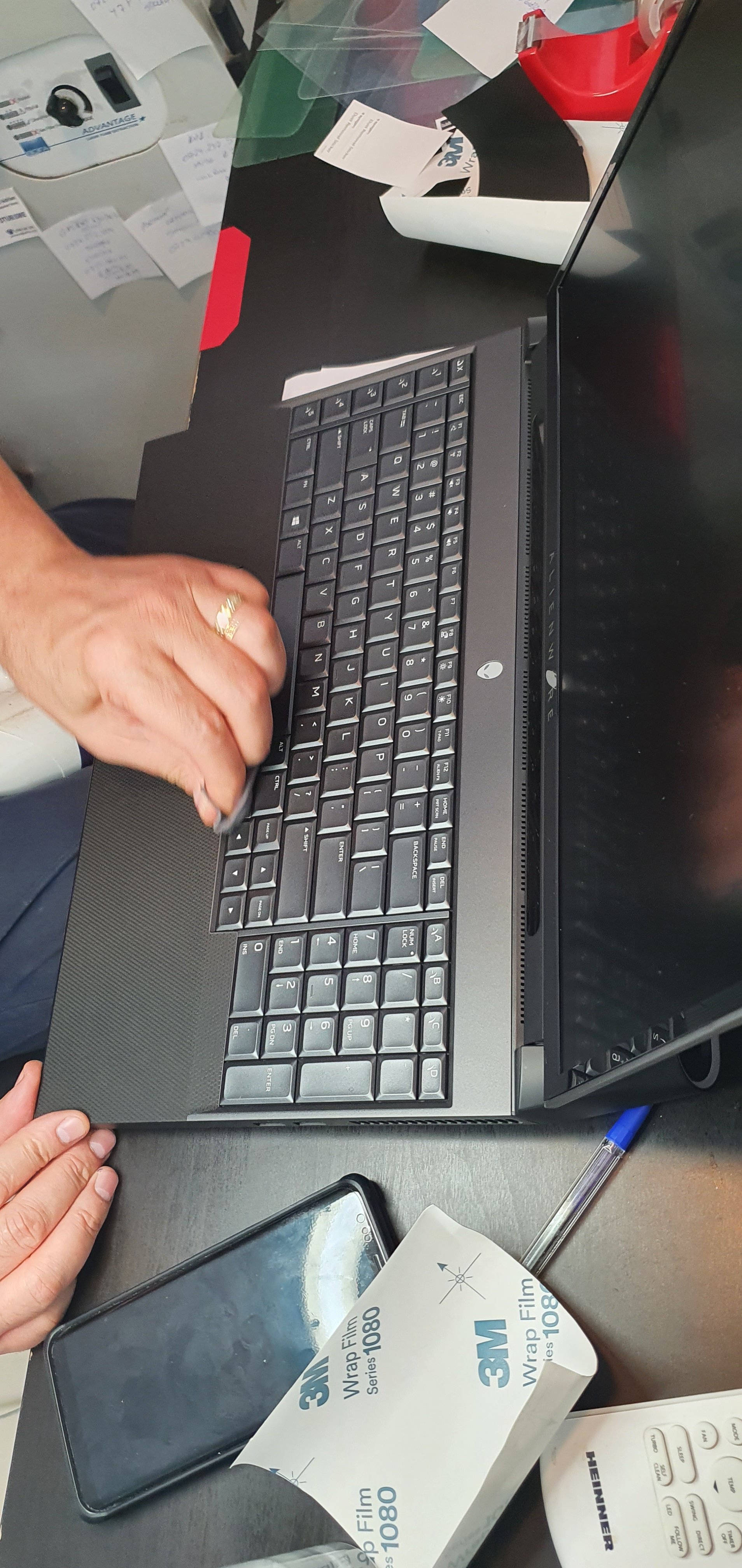
 "Swollen Battery" can very fast pop up your KB so you can easly clean inside the chassis without have to use screwdrivers. Just use a can of air
17 R5, out of warranty, battery swollenNormimb, jc_denton, c69k and 1 other person like this. -
Cool - how common is this in older batteries?
-
I expect many more cases than what you find on the web. Dell etc posted a firmware fix for the XPS line to try stop many of such cases with swollen batteries. Not so much problems with older models due more room around battery in the chassis. Higher heat inside the chassis will make the batteries to die faster in newer models. Thinner notebook design is one of the reasons for this mess.Rei Fukai likes this.
-
lol my a51mr1 battery have same problem, support service said that the battery does not have a warranty replacement after 1 year of using a laptop.
I have a 3 year premium warranty ... but battery? it's your problems son
Last edited: Jun 16, 2020Normimb, Fire Tiger and Papusan like this. -
No notebook manufacturers offer more than 1 years warranty on the battery. Always ask for replacement before the warranty expires if the battery wear is too high. Or pay the premium beforehand
http://forum.notebookreview.com/thr...-owners-lounge.826831/page-1552#post-10952613 -
Geeze that's the first A51m I have seen with a swollen battery....gross.
It's happening A LOT with pretty much every brand nowadays...our battery tech is just crap, we need something better.Fire Tiger likes this. -
-
This is insane.... can you just toss the battery out or does the system refuse to boot without it? I cannot see how this is not covered under warranty, its clearly a defect.
-
Yes you can run without the battery, the system should respond just fine with the exception of having zero redundancy if you lose power.
It will prevent BIOS updates though, it wants the battery backup for those. Unless this has changed, I have not run without a battery for an extended period of time in quite some time. I just replace them when and if I need to.c69k and Spartan@HIDevolution like this. -
Yea I had it happen to me. Dont know if ill be much help tho.. They changed my display out with the D model at first. Which did not have g-sync. I had a tech come to my house to change the display again and this time it was the correct F model with g-sync.Fire Tiger likes this. -
You can take the battery out and use an UPS instead, system will perform just fine, just charge it to 50% and put into locker to preserve it.
Never run the system without any preventive measure, you dont want to put your $5000 machine at risk. -
@PDUB72
So finally I remembered to check my battery level when I woke up this morning. Before sleeping, I just turned off the main power switch which has everything connected to it so there was 0 power going to the laptop. My Samsung Portable T5 SSD was connected to my Thunderbolt port and the left USB port had an Anker 4 USB Port expansion dongle connected to it. 0 battery drain:
BIOS = 1.3.2
VBIOS = RTX2080_200W_VBIOS_v1.0.0.3
USB Power Share = Disabled
Battery set to Custom (Start at 50% and stop at 90%)
jc_denton, PDUB72, pathfindercod and 2 others like this. -
I have a few questions that you guys might for sure know as you know way more than most.
Will RAM with CL14 or 15 timing around 2400-2666 such as the HyperX Impact actually run with those timings or slow down to the standard CL17 that the stock memory runs on. I have also seen people run with 2933 mhz ram at that actual speed on the R1 but not sure how. I really want to know these specifics as I wanted to achieve 128 GB with better timings etc.
I wanted to upgrade my wifi to the Intel AX200 to get rid of killer. Is this as simple as replacing the chip and the drivers? Or does it require more work?
How does the stock thermal paste they apply compare to paste such as the Arctic MX4?
I do apologize if this has been answered. It for sure has but other sources are very vague about it and this thread has become quite large and difficult to piece a solid answer together. -
Changing the Killer WLAN card to the Intel one will not do ANYTHING to prevent Killer garbage being installed on your system automatically. You still have the Killer E3000 LAN built into the laptop and that you can't change so don't waste your time swapping the WLAN card. Instead, disable Driver updates through Windows updates from the Group Policy Editor if you have Windows 10 Pro or higher OR use Winaero Tweaker to disable Driver updates and automatic app installation (so the Killer Control Center won't be automatically downloaded.
Enable-Disable Driver Updates
Enable-Disable Windows Store Automatic App Installation
Reboot after you do those reg tweaks
Also see:
Guide: Killer Software / Extension Un-installation and Blocking
Stock Thermal Paste is crap! Do yourself a favor and grab yourself some PHOBYA NanoGrease Extreme
Stock Thermal Paste after I removed the heatsink on day one:
![[IMG]](images/storyImages/KHlLAii.jpg) jc_denton, PDUB72, pathfindercod and 1 other person like this.
jc_denton, PDUB72, pathfindercod and 1 other person like this. -
My r5 battery has been running quite good up till now, the 17R4 battery same thing. But last month i unplugged them both cause of the capacity which started to go down very quickly (it degraded 35% in a week, while for the R4 my feeling said unplug the damn thing).
My laptop is being used stationary, but i'm debating on looking at the new clevo but than from obsidian: https://shop.obsidian-pc.com/en/x170sm-g.html.
I'm just waiting what AMD and Ngreedia will do this upcoming quarter. -
No that helps a lot. From what it would appear they sent the wrong model. I spoke with them last night and they assured me that it was the right model but decided to ship out another one to be sure.
What I could find was either the model they sent is gsync but the EDID is not programmed into the BIOS because it may be a newer revision of the displays.Or it's just the wrong display so I'll cross my fingers for tomorrow and see what they send.
Here is my HWinfo snip. Didn't know how to attach here so it's an imgur
https://imgur.com/a/EtuL69FFire Tiger likes this. -
I'm jealous. Since getting my laptop back from service center with a new battery, my drain is 6% every day... I hope that's not indicitive of a bigger problem. For now, I'm just going to live with it.
Any chance you would be interested in updating your Macrium Reflect tutorial post with instructions on how to do this (not install on C drive, but boot from USB)? I noticed the bloat after installing to C drive, but figured I had to live with it. I'm currently looking into this to try to learn myself. Looks fairly straightforward, but I noticed you seem to enjoy making instructional help posts so figured I'd ask.
One more thing: the original anomaly was that it only drained certain days, but stayed at 100% every other day. For a true test, check every day for a week. Both my original Area 51 and this one was draining to 94% two days a week, but stayed at 100% every other day. This laptop seems to have gotten worse than the original issue, but that's beside the point.Last edited by a moderator: Jun 17, 2020 -
I forgot to ask you. You had 128GB in your Area-51m right? Do you remember if in windows My PC properties it showed as 128GB (128GB Available) or was it 128GB (64GB Available)?
-
For those interested here the cache and memory benchmarks of Aida64, unfortunately i only have the trial version:
Ram stock Dell: SK Hynix (Hynix) 2x16GB HMA82GS6JJR8N
Ram Kingston HyperX (Hynix) 4x16GB HX426S15IB2K2
Ram Kingston HyperX (Micron) 2x32GB HX424S15IBK2
Last edited: Jun 17, 2020Fire Tiger likes this. -
128GB (128GB Available)
DreDre, Korben_Dallas and Rei Fukai like this. -
What you think?
Attached Files:
Virale likes this. -
-
Slick!!!
Wow!!!
This is exactly why I have mine on a 50-80% charge range, since it’s connected 99% of the time!
Show moreee!!!Last edited by a moderator: Jun 18, 2020Spartan@HIDevolution likes this. -
Add /forceit after Bios exe.
Enjoy the music LOL.
MogRules, Fire Tiger and Papusan like this. -
Good to know!
Might be a little risky though. If yo do happen to lose power mid BIOS flash it's not going to be good haha. But for people who have a dead battery and just don't want to replace it I guess this works!Spartan@HIDevolution and c69k like this. -
I can confirm this as I'm also running 128GB in my A51m.
-
-
Guys, is this BS or what? I usually update a BIOS from X version to whatever version I want. But in this video, they are saying BIOS updates need to be installed sequentially, as in, if you are on v1.3.0, you need to install 1.3.2, then 1.5.0, then 1.5.3, etc before going to the latest one. I've never done that or heard that before. Any thoughts?
Look at the timeline from minutes 1.44
@custom90gt @iunlock @ssj92 @etern4l @Mr. Fox @Papusan @MogRules @Prema -
I've always heard that you should never go up more than 3 versions from what you're currently on. As a rule though, I have always done them one by one, just to make sure there are no major changes between versions that can cause compatibility issues. Maybe it was just an old wives tale though.
Spartan@HIDevolution likes this. -
Fake News ...
jclausius, Docsteel and Spartan@HIDevolution like this.
-
@Spartan, occasionally you'll run across a bios that needs to have a previous bios installed before upgrading to it. This happens most often on desktop motherboards and every time I've seen it, it clearly calls out "you must have installed version x.x prior to installing this bios."
-
If you put 4x32GB in it yes it can. You may have to start with 1 slot filled and add 1 every restart in order for all slots to work with that amount. But I am not sure why anyone needs more than 64GB right now unless you plan to play Cities Skylines with a ton of mods.DreDre likes this.
-
I'm just surprised that it could run 128GB , since Alienware did not specify it could.
-
It's BS imo.
I have updated many times especially on Dell laptop a BIOS from like A03 straight to A27 etc.
Never had issues. The BIOS should normally contain everything from previous patches.Rei Fukai, jclausius and Spartan@HIDevolution like this. -
When I had the wrong model monitor the refresh rate would have 60 and 144 Hz. This panel does not do that.
Unfortunately you have to jump through the dell hoops and follow their script... Its annoying but thats their policy..Last edited: Jun 18, 2020 -
The thought that there is a good and compelling reason to flash a newer BIOS is even more ludicrous. Very slim chance that anything good will come from it and more likely that the opposite will occur. Great way to ruin a good machine that works correctly or castrate an already crippled one.Last edited: Jun 19, 2020
-
I’ve just bought a Pixio PX7 Prime monitor which is best to use hdmi or display port ? Looks like the 51m only has mini display port
-
Area 51m have both port's... The problem with Area is more the lack of USB ports.
See also..
DisplayPort vs. HDMI: Which Is Better For Gaming? -
These days it seems all BIOS updates do is limit things more and more. I have a pending BIOS update for a Samsung 860 Evo in my desktop, I refuse to put it on as the only outcome anyone can point to is degraded performance and for what?raz8020, Fire Tiger, Papusan and 1 other person like this.
*OFFICIAL* Alienware Area-51M R1 Owner's Lounge
Discussion in '2015+ Alienware 13 / 15 / 17' started by ssj92, Jan 8, 2019.