Problems? See this thread at archive.org.
Judging by all the posts and comments, being on a 2070+9700K I am lucky so far. No staining (admittedly I tend to hover over the keyboard), no coil whine, good screen. Temps and performance on the latest BIOS'es are fine. The only real complaint is the lack of advertised upgrade-ability. No GPU upgrade path is..... grating.
-
-
All done) F4-3000C16S-16GRS x4 work at 2933

P.S. It was difficult) For SPD burning I used MSI Alpha 15 + Thaiphoon.Attached Files:
Last edited: Aug 15, 2020echterion, jclausius, MogRules and 1 other person like this. -
-
Nice what CL do they work at? Can you post a guide at all?
-
The author is not responsible for your actions. Whatever you do, you do at your own riskI used this instruction. But I have some problems that are not covered in this manual. It took a long time to select JEDEC profiles from the program database.
Small Manual:
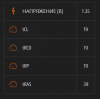
Supported memory:
AO1P32MC8T1-BW3S 3200MHz (2800-2900 on R1) 8Gb
AO1P32MCST2-BW4S 3200MHz (2800-2900 on R1) 16GB
AO1P32MC8T1-BZOS 3200MHz (2800-2900 on R1) 1.35. 22-22-22. 32GB
AO1P32MC8T1-BZPS 3200MHz (2800-2900 on R1) 1.35. 22-22-22. 64GB
The most important thing is that you only need to flash one XMP profile, if there are two or more of them the magic will not work.
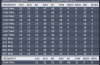
Unfortunately, due to the unavailability of the profile from A-Data, I had to collect a certain averaged profile with increased timings.
Thaiphoon Burner spd ONLY for 16Gb G.Skill 16Gb F4-3000C16S-16GRS:
https://mega.nz/file/DIh1AJhL#8ljwLijJ_EO_O8cydlM7ZZYwNdtnAEwoecLNIfr1SDw
Thaiphoon Burner spd ONLY for 8Gb G.Skill F4-3000C16-8GRS:
https://mega.nz/file/OVpExSDZ#COVN53H4p7yRRmo4uCUx0xi46_lE_vmQhIW4IV80tB4Attached Files:
Last edited: Sep 28, 2020MogRules, Pass_00, c69k and 1 other person like this. -
-
Does anyone use a USB switch/switcher or recommend one? Need a better way to share keyboard, speakers and mouse between two laptops rather than swapping the cable constantly...... lazy I know.
jclausius likes this. -
This is the one I use, never failed me and is very small and simple to use:
Anker 4-Port USB 3.0 Hub, Ultra-Slim Data USB Hub with 2 ft Extended Cable [Charging Not Supported], for MacBook, Mac Pro, Mac mini, iMac, Surface Pro, XPS, PC, Flash Drive, Mobile HDDFire Tiger likes this. -
Hey guys... I just wanted to share this quick tip on how to richen up the colors of all of your Movies, Games and Desktop icons.
(1) Just Right Click on Desktop.
(2) Click on Nvidia Control Panel.
(3) Click on Adjust desktop color settings.
(4) Now Scroll down to display "Digital Vibrance" and set it to 83 (Or to your liking).
*Now sit back and enjoy this 007 "No Time To Die" Trailer.
Last edited: Aug 16, 2020Spartan@HIDevolution and Docsteel like this. -
Digital vibrance is too saturated for my liking i prefer the more natural colours on screen.
-
Why the hell don't they fire Daniel Craig? The guys toxic as hell, isn't that good an actor, and ruined the franchise single-handedly... should have been gone after the second movie.Last edited: Aug 16, 2020
-
I read this was his last one and that there already looking for a replacement.
-
-
Hes a great actor BUT those scripts....too emo...
-
Well, it was the early 90's
-
This one looks decent:
AmazonSpartan@HIDevolution and Fire Tiger like this. -
I ordered this exact one today. It had the better reviews. Thanks for sharing it though.Chris Mackenzie and Spartan@HIDevolution like this.
-
Spartan,
Hey. Just got another machine, and would like to try Macrium Rescue Env. (w/ diss h/w supp) and RUFUS. Would you be so kind, as to upload those two good copies of Macrium and RUFUS, that you have, again?
I've only ever used Windows' internal "Create a Recovery Drive." Thanks, in advance, man. -ae -
Just because I can't leave well enough alone, I have managed to get AWCC working on 2 different User accounts same machine
So yes it IS possible.... at least on MY machine, YMMV.Fire Tiger likes this. -
Hey guys,
I might have missed the hint, but as for now, the 75°C bypass does not work anymore for OC Controls 1.3.0.1239_A00.
I even tried to downgrade to 1.2.74.1238_A00 but I still get my temp sliders locked...
Any news I missed?
Thanks!Fire Tiger likes this. -
it is still working. Completely unistall AWCC and OCControl. Clean regedit etc....Don't reboot. Follow @Spartan@HIDevolution guide to reinstall.
I had to try 3 times last time before i succeed. This AWCC is really a pain...Last edited: Aug 18, 2020Fire Tiger and DreDre like this. -
Macrium Reflect Rescue Disk v7.2.5107
Use RUFUS to make a bootable USB Flash Disk from it
After you download the files, make sure they are not blocked by right clicking on it, go to Properties, then see at the bottom if it says "this file came from another computer and might be blocked..." click the UNBLOCK button then hit APPLY followed by OK! To prevent Windows from blocking downloaded files automatically, make sure you read this guide:
"Are you sure you want to run this file?" [Yes or No]
Note: I never install Macrium Reflect, I only boot from the USB Flash Disk to create or restore images. That way I have none of its bloated services running in the background.
Be smart...be like Spartan..![[IMG]](images/storyImages/dkhLNPB.gif) jc_denton, Fire Tiger and Papusan like this.
jc_denton, Fire Tiger and Papusan like this. -
Hello,
Had everything working for 6 month or so.
Got windows reinstalled and at the same time installed bios 1.12.
Laptop stucks on loading screen. Can't even load F2 or F12.
Sometimes it goes thru and if it it works as expected.
I updated bios to 1.12 because I've seen the same behavior before and was thinking it can help fix it.
It's I9-9900k with 2080 and as I mentioned before I had the same issue on 1.11 and 1.12 BIOS.
Do you have any ideas what can it be?
Thank you
Last edited: Aug 19, 2020 -
I've had positive experience with my USB-KVMs from IOGEAR ( www.iogear.com/kvm.htm ). You could skip the "V" part. Before that I used Belkin KVMs, but that was back in the PS/2 days (no USB)
Fire Tiger and Papusan like this. -
Hey,
I finally used my backed up Profiles.zip file. Did not need to clean regedit and so.
Just forgot I had this backed up file!
ThanksFire Tiger likes this. -
Got them. Thanks.
Rufus was very easy to work with.
Going to play around with Macrium this evening...Spartan@HIDevolution and Fire Tiger like this. -
Hope some one can help i have a friend who got the r1 with 2070 in it His score seem really low and I notice the gpu in only 115w is that correct ?
Sent from my iPhone using Tapatalk -
Right click on your desktop then choose nVIDIA Control Panel. Go to Manage 3D Settings from the left pane, then scroll down a bit until you see power management. If you see it's set to OPTIMAL which is the default setting when you install a driver. That's your issue.
Optimal Power means when there is no draw on the screen, the GPU clock speeds is set 0 MHz to save power and then ramps up once it needs to. Sounds great on paper, works like crap. This is the number one reason why anyone might experience crappy performance from their nVIDIA GPU. What's worse, is that's the default setting in the nVIDIA Control Panel after you install a new driver often leading people to blame the driver for bad performance when it's just the fault of nVIDIA's clowns.
Set the power management to Adaptive which puts the GPU at lower clock speeds when no GPU intensive apps are in use and it would ramp the clocks up when needed. That actually works. It's the best balance between getting lower heat from the GPU and good performance in games.
When benchmarking, for the optimal results, it's best to set the power management to High Performance.
Mind you, after you change the power management to whatever you set it to, a reboot is mandatory for the new clock speeds to take effect. -
Good for you. But sometimes the backup «profile» file isn't enough. You need to do a clean reinstallation and it's so complicated that even dell tech support don't even know for sure the procedure to delete all the correct files (maybe only @Spartan@HIDevolution could write a correct procedure for it). Their procedure on dell's site is for the old alienware awcc (15r2 and 17r3 and before) . It has never been updated for the past 3 years or so. It is not accurate anymore. For example when you clean regedit you have to delete also: Ordinateur\HKEY_LOCAL_MACHINE\SOFTWARE\ Dell\AWCCService. It is not mention on dell's website procedure. + i found it is better not to reboot after deleting all the files.
I am happy it worked for you this time...but next time? we are all at dell's mercy. Any update for 51m R1 from dell now means: less performance. -
I did that does any one have a bios they can send me i flashed bad one in it
Sent from my iPhone using Tapatalk -
That's only one thing I see. -
Anything with 2070 .rom file ?
Sent from my iPhone using Tapatalk -
Wow, great job. I have to find a motherboard with writable DRAM. Any suggetion for this? I have an i3 6100 so a mobo for this cpu would be great. Or maybe I can write on my Latitude 5490 laptop (I need to check this). I have this kit: F4-3000C16S-8GRS
-
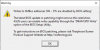
You need to run the typhoon utility on the computer you want to use for SPD recording. If at startup you do not receive a warning about the impossibility of recording, then you can flash.
Attached Files:
Last edited: Aug 20, 2020 -
-
Can somebody please please please please please send me the .rom file for an RTX 2070 I flashed a bad bios and I was dumb not to have a back up
Sent from my iPhone using Tapatalk -
Doesn't Alienware have a vBIOS on the support page? Or is that the one you want to get rid of?
-
I need the .rom file because it’s bricked
Sent from my iPhone using Tapatalk -
I'll get home on Tuesday, if you won't get it until this day I will send the rom.
-
Thanks, unfortunately it is not working, so I need to find another solution.
-
Thank you!
Sent from my iPhone using Tapatalk -
There you go bud
Extracted using GPU-Z, the version according to it is 90.06.45.00.28Attached Files:
MogRules, c69k, Fire Tiger and 2 others like this. -
-
Thanks you!!!
Sent from my iPhone using TapatalkFire Tiger likes this. -
Any idea how to get it to pull more the 115w
Sent from my iPhone using Tapatalk -
Is this in regard to the 2070 ? I would think it should be default unless this is regulated by the AWCC Power settings. I know on Power High Performance I have hit like 124, pretty sure it should got to 125 on high power?
-
On high power it stays at 110-115w his firestrike gpu score is 17k
Sent from my iPhone using Tapatalk -
Don't know if it applies, but when I set mine to Balanced Power, I do not go above 115; when I set AWCC to Performance Power, I hit 125 max (actually, with overclocking by 100 hz slightly above).
-
You mean for the nVIDIA Control Panel power management or the Windows Power Profile?
-
I did both
Sent from my iPhone using TapatalkSpartan@HIDevolution likes this. -
I gather some are using the R2 Dell graphics drivers in R1 without issues? Getting tired of using nvidia's newest but want to run something newer than R1s oem drivers (May 19th).
Also anyone using XTU version 6.4.1.25 (if so you know why) without issue? Thanks... -
If your using AWCC make sure it's set to HIGH PERFORMANCE. Otherwise it may limit it, at least it seems to with 2080. -
I have it set for that
Sent from my iPhone using Tapatalk
*OFFICIAL* Alienware Area-51M R1 Owner's Lounge
Discussion in '2015+ Alienware 13 / 15 / 17' started by ssj92, Jan 8, 2019.