Problems? See this thread at archive.org.
What happens here on mine is with BIOS 1.5.0 if I leave Gsync enabled then every game flash’s back and forth between black screen and picture back and forth until it gets stuck on black screen.
Gsync and 1.5.0 do not work for me here on internal display
I have the problem panel the Chi Mei ?
I would PAY someone to code me a 1.5.0 bios that supports this Chi Mei panel.
Sent from my iPhone using Tapatalk
-
Pretty sure this is old news on here, but for anyone new I did the steps to change from RAID mode to AHCI (without needing to reinstall Windows 10) to allow the Samsung drivers to load for a second Samsung 970 Evo Plus 1 TB drive that had been getting slow speeds with the Windows driver. Easy to do, and once I did it and benchmarked using at least Samsung's utilities my drive speed went up from a 2500+- range to 3300 (half-full currently). What surprised me was the boot drive, a 512 GB Hynix crapola drive actually went up for read to 3100+ as well (previously sub 2500), an unexpected bonus. Writes were improved on the Samsung to proper levels, though the Hynix crapola drive remained sub 2500, but a bit better, maybe 10%.
In a rough test, loading Kerbal Space Program with a bunch of mods took about 4.5 minutes before the change from RAID to AHCI with the AHCI drivers, with the speeds increased it dropped a good 45 seconds off the launch time. Definitely noticeable, I'll take it!Last edited: Jan 21, 2020FXi, belarusrulez, Papusan and 1 other person like this. -
Oops, then maybe I am misinformed. If I read that right now. When was Chai Mei released btw?
Lopt and Fire Tiger like this. -
From what I read here quite a while after 1.5.0
Others with this panel experience the same.
Sent from my iPhone using Tapatalk -
I think it was around July last year, it coincided with Dells Eyesafe feature release.Spartan@HIDevolution, Lopt and Docsteel like this.
-
Mine with new Chai Mei panel didn't seem to work with Gsync until I went past 1.5.0.... but I thought at the time it was a driver issue.
It worked, it just didn't do the black screen activity, just no Gsync. Makes me wish I remember what VBIOS it came with...Last edited: Jan 21, 2020Fire Tiger and Lopt like this. -
If it came with the Chi Mei panel, it would have come with the 180w vBIOS.
-
Hello, in device manager, system devices 300 series Chipset family LPC z390 the driver date apears to be: 7/18/1968 hoe can update this?
-
Does disabling the Intel Dynamic Platform and Thermal Framework feature give us any performance increase or more thermal headroom? I found something about it on Reddit but it's unclear if it would help.
Mine is the same I just checked. Not sure if there is a way to edit it, would imagine the driver creator would have added this in and is likely to have been a typo. That's my uneducated guess, I don't think there is a newer driver we can install to test. -
Can 100% confirm that external Gsync works fine with 1.5.0 and there's no reason that it wouldn't (if there was still any confusion over this). My Acer X34P works perfectly fine.
Can say that internal is broken for me though. Initially when I thought it wasn't there must've been some wires being crossed at a software level because after reinstalling new nvidia drivers I am getting the black screen problem. A shame but I'll sacrifice mobile gsync for getting rid of the awful throttle limit.Docsteel and Fire Tiger like this. -
Do you have the Chi Mei panel? Maybe the Dell driver on their site might bring it back for you?
If you can confirm you have the Chi Mei then I am 100% going to roll back this week.Dbentt likes this. -
I'm not sure but I guess so. I bought mine in late November and from what others have said I have a Chi Mei panel. Not gonna install dell's driver cause it's outdated. Will live without gsync and hope in vain that Dell eventually makes a new bios with a more reasonable throttle limit.
Until then 1.5.0 is worth it for me even without getting to use my internal screen's gsync.
BTW I don't get the black screen problem on the internal screen if I have my external screen connected despite gsync being enabled globally. I'll have to do more extensive testing on this.Lopt and Fire Tiger like this. -
Please do mate, I personally would really appreciate it.
From the testing done 1.5.0 seems like the sweet spot BIOS, I just don't really want to lose G-Sync, so if its a distinct possibility then I may as well go for it.
I've never rolled back the BIOS before and I'm apprehensive about doing so in case I mess it up as the process seems ok but I know myself too well.Lopt likes this. -
Pretty sure you will see that Gsync on the newer panel doesn't work with 1.5.0 but does work with an external monitor. I have considered downgrading to 1.5.0, but I love Gsync and using a 2070, so I don't hit throttling, but if I did do it, I would be sure to coordinate that with a VBIOS that was out with the 1.50, not sure if it might matter or not.Fire Tiger likes this.
-
EDIT: Just re-read @Dbentt post and I confirm I've completely misread it. I think this confirms G-Sync doesn't work on 1.5.0 if you have athe Chi Mei panel. Sorry.
-
in my case I noticed less fluctuations in the benchmark scores with a few more degreesc69k and Fire Tiger like this.
-
I assume for gaming and the likes there was little to no difference or were they similar to the Becnmarks?
-
Don’t be worried too much about rolling back the BIOS
I’ve gone back and forth between 1.5.0 & 1.8.1 Three times now.
It’s an easy process.
3 things to keep in mind:
1. The reboot after the BIOS downgrade is nerve racking the first time, because it reboots multiple times and really looks like it’s stuck in a loop.
Just be expecting it, don’t touch it and it will be fine.
2. For flashing Insert USB only in the LEFT USB, Leave the USB alone until it’s all over and it’s rebooted back into windows, then eject. Set aside and save this USB if your anything like me you will use it several times.
3. AND if there is a danger point in BIOS flashing it’s that you absolutely don’t want to lose power while it’s being flashed.
REMEMBER that the Area51m will completely lose power if you lose it at the wall ( unlike every other laptop I have ever owned ) it will not simply switch to battery, it will shut down same thing if you have both power adapter plugged in and a game running and think you can unplug one power adapter? Nope it will shut down.
I read someone explain it as a bad design decision but had something to do with the way they channel the power from the two PSU’s
Long story short if you wanted to be really as safe as you could you could plug the PSU’s into a battery backup then you could not lose wall power and DON’T TOUCH THE PSU’S during flash.
Sent from my iPhone using Tapatalk
A curve that works on one Area51m may not work on another, ( I have my theory’s as to why but I’m not an engineer).
You have to put in the time to test your machine and you may or may not find one that works for you.
Very broadly several of us here have had success simply OC GPU core anywhere from + 60 to + 130 ( mine is pretty stable at +130 for everything except Control which will work at +60 )
I spent many hours trying to replicate this in a curve, I was unsuccessful, I can make the curves no problem but to it seemed that FAN response was delayed using a curve , now maybe my curves would be fine if I wanted to run FANS at performance or full all the time I played intensive games, but there’s just no reason for this the FANS should respond better and ramp up and down sooner then they do the FAN curve or whatever AW has setup on the Area51m is not correct.
The so called “manual” FAN curves controls in AWCC are the most finicky frustrating thing I’ve seen in a while and I could not get them to work even as well as the barely functional AUTO.
It’s as if Dell Alienware had AWCC and all its settings done by the cheapest person they could find on FIVERR.
Sent from my iPhone using TapatalkLast edited by a moderator: Jan 22, 2020Virale and Fire Tiger like this. -
Wait, there's a way to set a manual fan curve?
-
There are controls for it, but if you can find a way to make them work you have more patience than me
Sent from my iPhone using TapatalkFire Tiger likes this. -
Hi,
I saw that we can OC CPU/GPU in the the latest BIOS (1.8.x), I can see 3 OC levels. Does anyone knows the frequency increase for each of them?
Thanks, -
I can tell you that none of them were stable here.
Sent from my iPhone using Tapatalk
Ok well here goes :
DELL CHAT FOLLOWS
Hello, I purchased an Area51m in late December 2019.
In stock configuration with RTX 2080 the machine THERMAL throttles in current games after the GPU HITS approx 74c after a few minutes, dropping from MHz in the 1900’s to MHz in the 300’s and stays in the 300’s for up to five minutes even though the CPU temp is never above the 60’s C and GPU rapidly comes down to the 50s C .
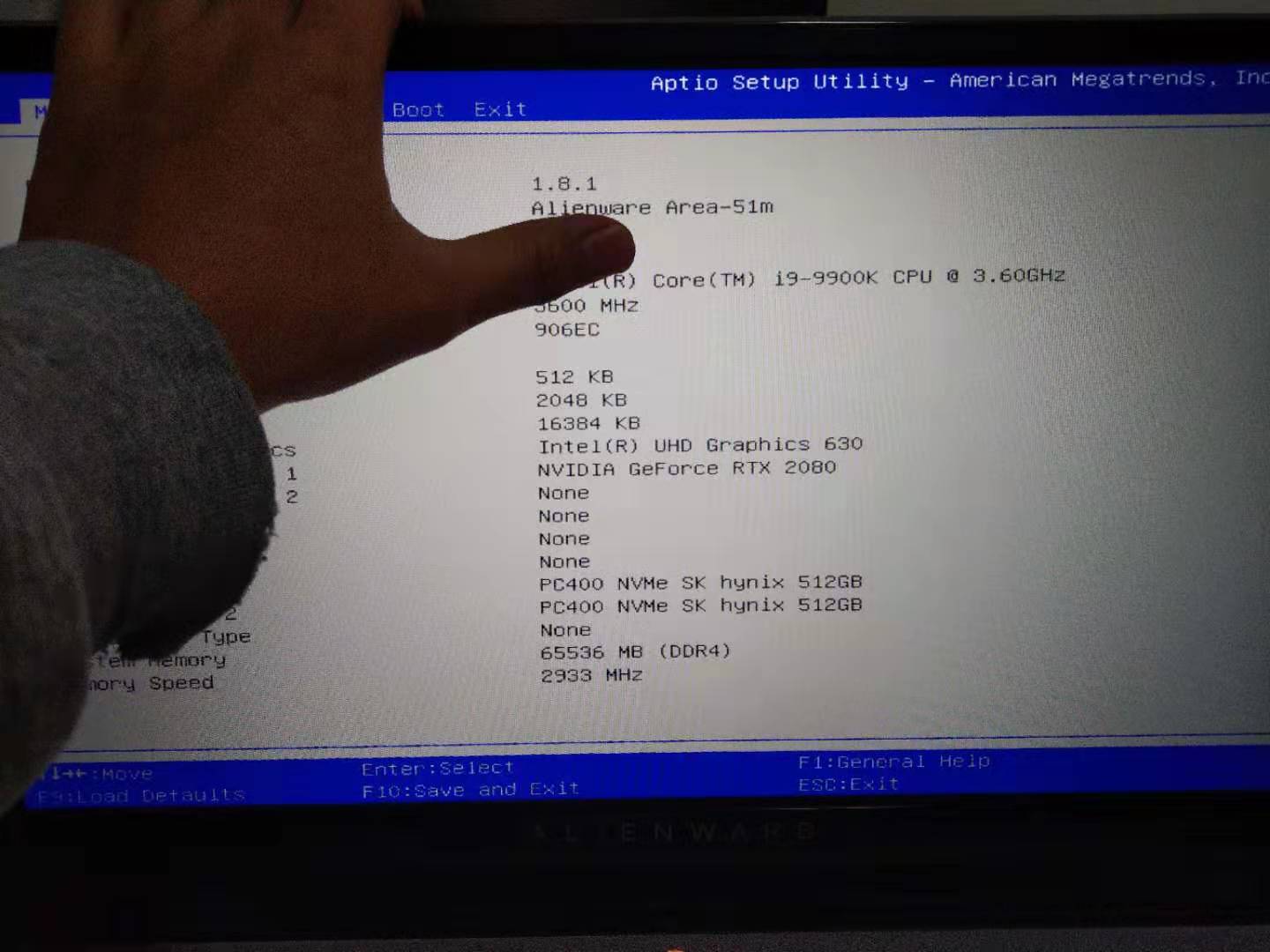
This is of course with latest BIOS 1.8.1 and latest VBIOS 180w.
This happens on all FAN settings FULL, PERFORMANCE, and BALANCED ( other profiles lower voltage and performance so I don’t use them )
This behavior is not isolated to my machine but is in fact a KNOWN issue experienced by all knowledgeable owners of this machine, countless posts on forums as well as many YouTube videos document this behavior.
I want to know when Dell/Alienware is going to fix this issue.
This is unacceptable for a machine marketed as a desktop replacement and priced as high as $5000 in the configuration I own.
The problem can be avoided by downgrading to old BIOS 1.5.0 which has a higher temperature limit, HOWEVER, my unit as do many others was sold with the Chi Mei LCD panel which has no support for Gsync in BIOS 1.5.0 - the panel is fully supported for Gsync on BIOS 1.8.1
An easy fix for this issue by Dell/Alienware would be to provide an updated 1.5.0 BIOS the only change being to add support for Gsync on the Chi Mei panel.
If you would do that all your troubles would go away, enthusiasts such as my self would be happy and normal users who don’t care or don’t notice the issue would remain on BIOS 1.8.1.
Another way to go about this if the company simply does not want to re release an updated old BIOS would be to make available an injector file of some sort which would only update the master list of supported devices to include the Chi Mei panel you are now using so that those of us who choose to run the old BIOS to remove the Thermal Throttle can get Gsync back.
Of course ideally we would all prefer to see a new 1.9.0 BIOS WITHOUT the thermal throttle issue.
DELL
Hello, I haven't received the Service tag or Express Service Code yet. Could you share any of them in the text format so that I can assist you with your query?
————————-
I might as well jump in there and see if I can get anywhere.
Sent from my iPhone using TapatalkLast edited: Jan 22, 2020GTVEVO and Fire Tiger like this. -
Good luck! Challenge them on where to find 1.5.0 and to provide the process to do so? I tried finding 1.5.0 on the website today and couldn't, luckily I had it from a while back on a USB drive.Last edited by a moderator: Jan 22, 2020Lopt likes this.
-
Is there any way to disable the iGPU on this machine so that you are running on the dGPU only?
Also do the HDMI and displayport outputs run off of the iGPU or the dGPU?Fire Tiger likes this. -
I was told you can't as iGPU is disabled when HDMI or DP is used, but dGPU is disabled when Thunderbolt is used. Not sure on this as TB could be connected but would still expect dGPU to manage built in screen?epsilon72 likes this.
-
Thanks for the info. That sounds kind of like the Precision 7740 I tested, except that machine had a bios switch for turning off the iGPU completely.
On that machine if you had the iGPU turned on, it would be:
iGPU -> Internal screen, USB-C/thunderbolt
dGPU -> HDMI and displayport
If the Area-51m can at least use the iGPU with the usb-c/TB connector then that will work for me, since I’m looking for a way to get good external video if I was using Linux. -
As a curious aside, i went to have a live chat with dell support on their website (aus/nz) and this is the hilarious interaction i had
Looks like the guy was confused about the laptop and desktop 2080 specs hahahaha, he evenlinked me to the desktop 2080's page on the nvidia websiteFXi, Fire Tiger and Papusan like this. -
Oh boy no training for those poor folks, all to familiar these days.
Sad just sad.
Sent from my iPhone using Tapatalk -
It's horrendous. Michael Dell should be ashamed.
-
You may wanna hide your service tag#Last edited by a moderator: Jan 22, 2020
-
Lol well too late now
Thanks for that!
Better late then never I guess, 60 years old and I still like to learn things the hard way LOL
Have some REP for your act of kindness !
Sent from my iPhone using TapatalkLast edited: Jan 22, 2020c69k and pathfindercod like this. -
Not a bug or typo bruh, it's a feature

Some info about Chipset drivers (not a real driver) http://forum.notebookreview.com/thr...-by-obsidian-pc.801464/page-111#post-10633395 Why the need for more clutter in the registry?Why fix something that's not broken?
Fire Tiger and Lopt like this. -
I removed the pictures in the quotes, let me know if there are any other instances of your service tag.
-
Thank you I think that’s the only dumb stunt so far for today, but tomorrow’s another day!
Sent from my iPhone using TapatalkFire Tiger, Papusan and custom90gt like this. -
Would it still be “hijacking your service tag” if someone *anonymously* decided to extend your warranty

 ... muahahaha I’m so evil.
Lopt likes this.
... muahahaha I’m so evil.
Lopt likes this. -
LOL I’d have to wonder what someone was after, unless maybe they just wanted to see me suffer longer.
Sent from my iPhone using TapatalkVirale likes this. -
LOL exactly!!! Lock you into deal with Dell Support for another dreadful 4 years MUAHAHAHA!Last edited: Jan 23, 2020
-
Looking up address to the nearest Salvation Army.... Hello ? Do you guys pick up paperweights shaped like Gaming Laptops ?...
Sent from my iPhone using TapatalkVirale likes this. -
How many use this laptop as a primary laptop? I use it as a DTR. For me, I am very satisfied with this laptop.
It's disheartening to see so many, so disappointed when the easy fix to just downgrade bios to 1.5.0 and call it a day.
Granted, if your LT display loses G-Sync capability with the bios downgrade, is that so terrible? Pardon this question because even at 17", I am still not inclined to play games on a 17" display, unless I'm in some hotel somewhere. Plus, most of the games I play require a gaming mouse, dedicated HOTAS, or VR, and sometimes all of them. So this LT is acting as a desktop for me, although I do easily move it when I need to.
Just seems odd that there are so many complaints here. Over and over, and over, and over.Fire Tiger likes this. -
The primary issue really is that most paid $3000~4000 for this machine. Shouldn't have to run deprecated software to get the most out of it.
DreDre, Lopt, Docsteel and 1 other person like this. -
XMP UPDATE
Umar and Ernie have done testing with the new BIOS and it certainly doesn't have XMP anywhere from what they can see. They're looking into it further.SacraficeMyGoat and Lopt like this. -
Does anyone really wonder? I dont think we see XMP in A51m R1
Fire Tiger likes this. -
Yip, I'm with you. I think the documentation shared has just been updated in readiness for the R2 release. No harm in getting them to check though I suppose.
There has to be some sort of hardware limitation within this revision or surely this would have been simple enough to implement from the get go?Spartan@HIDevolution likes this. -
Its just a design flaw in combination with major QM issues
Docsteel and Fire Tiger like this. -
Actually we will. It's already done, seems like new laptops bought from dell already comming with a BIOS w/ XMP as they adversing it on their website. -
Attached Files:
Dbentt likes this. -
-
Oh nice, guess I better stick a nice memory kit on my list....
-
Is that not just a screen grab from the leaked YouTube video that was going around. It was apparently a publicity stunt to get the machine high up on benching lists? If its genuine why is the BIOS version being hidden (assume thats what he's hiding).
-
-
And why cant A51m with 1.8.1 from this forum (f.e. my own unit) use 2933?
My 3800mhz BDies should be plenty enough
Docsteel likes this.
*OFFICIAL* Alienware Area-51M R1 Owner's Lounge
Discussion in '2015+ Alienware 13 / 15 / 17' started by ssj92, Jan 8, 2019.