 Problems? See this thread at archive.org.
But clamping it between the chassis and PCH is risky as well. Its only a thin part of the chassis there where you clamp it down. I would use thermal interface glue.
The problem is that it is something definitive.
-
Yeh, I meant thermal pad haha, thanks for correcting. I'm thinking, if I use electrical tape on top of the heatsink, would it make the heatsink less effective? And also which material should I go for Copper or Aluminum? Thanks

I can tell from you picture, you custom made yours in order to make it stay perfectly between the chassis. But i dont have the skills like you, Im a noob lol
Well Im not sure what is thermal interface glue, is it like thermal pads? But I called dell Hong Kong today and I talked to them about this problem, the guy told me that I can add a heatsink if i want to, but as long as you remove it before the technician comes and replace anything.Last edited by a moderator: Sep 19, 2016 -
I know that Aluminum is used on many applications where air is passing over the object the aluminum fins are on. For example, it is used on nitro engines in R/C cars. Never seen copper used there though and those engines get smoking.
-
aluminum is better for molding. this is the first reason ... cooper is more difficult, you can do more difficult geometric forms with aluminum
-
How can I enable the PCH temps in HWInfo?
I enabled the PCH thermal device but still it does not show up.
I checked most of the latter NBC gaming laptop reviews and most dont have a heatsink though so I guess we are still good. Only the Asus had one. A clevo laptop had some sort of thermal heatsink sticker. I wonder if that helps.Last edited: Sep 12, 2016 -
Check if you have any missing devices in DeviceManager. I know on older Alienwares, if I enabled some thermal sensor that were originally disabled, I needed to re-install intel chipset driver and intel DPTF driver before they showed up
-
they managed to block pch temps and fan controls too ... you can only see the pch temps using the diagnostic app from boot. a thermal pad above the pch help a little bit, better than nothing
-
there is a option on HWINFO settings page, where u can enable PCH monitor, its a tickbox, but it has to be enabled through intel IME/DTPF drivers first.. and Yes.. this is a cheap method, get a 1mm Small Piece of Thermal pad, cut it like wide rectangle, put one end covering the PCH die, and other end of top of the heatsink... u might see less max temps.. I tested this method with a dell thermal pad, which was on my old alienware heatsink,.. if u get a artic or something better, u might get better results..Aman Krishna likes this.
-
Installed the drivers. still a no go. But For some reason I cant find it in my diagnostics menu as well.
-
-
I have enabled it. but it just refuses to show. Very strange.
edit: after unisntalling and installing multiple versions it works now.
58c during mild productivity with some photoshop. Not bad. -
reflash ur bios once again, and reinstall all those chipset drivers. and delete the .ini config file of HWinfo.. if it doesn't show on haswell, then its acceptable, but on skylake it should show..
-
Ah just editted my post. I uninstalled and reinstalled multiple versions and now it works.
-
gr8, now I request you to run games like GTA V or CPU intense game with medium settings so that both CPU / GPU is heavily utilized, watchout for PCH temps after 1 or 2 hours.. let me know how it goes..
-
It reaches 80c under absolute full load during a 25c ambient temperature in Deus Ex manking divided. Currently my most CPU & GPU intensive game.Last edited: Sep 13, 2016
-
I think I should seriously consider this option.
![[IMG]](images/storyImages/PCH.png)
Sometimes it reaches 96°C. But I'm not sure where I can get something like the Pch Heatsink. Any idea where I can buy one online?Last edited: Sep 21, 2016 -
https://www.amazon.com/Addicore-Ras...1474020441&sr=8-1&keywords=raspberry+heatsink
this is the one im using, it has 2 small pieces and one big one.. use the big one, u have to trim it a bit to 0.4mm.. just by 1mm.. so that it doesnt touch the backpanl of alienware 15/17.. you wont see huge margin, but atleat ull see max temps reduced by few degress..jack34 likes this. -
-
none of this will fit inside the case bro, trust me i have three sets of different aluminium heatsinks, the last one with 6mm u can trim it down to 4mm... rest of them a big nopeeee..jack34 likes this.
-
Thank you so much guys. I'll try with the set of three pieces.
Enviado desde mi LG-D802 mediante Tapatalk -
In all honesty, it doesn't matter. You don't need the fins on them at all. Simply attaching a plate that is flat to the PCH is enough to dissipate the heat since it's so small. They will fit if you trim/grind them down with a wheel grinder. That was the whole point of me posting them. Who the hell is going to pay $50+ for a heat sink when you can use these after grinding and trimming?
You can also make them fit by cutting out more plastic if you want to. I'm not your "bro", don't ever call me that. Sounds retarded. -
O_O CALM DOWN BOY !!!!
![[IMG]](images/storyImages/Reaction-Pic---Just-take-it-easy-man.jpg)
[*SNIP*] Where is the 50 dolars heatsink he posted ??? dont be a liar....
a lot of people here dont know how to use their laptops, now you are assuming that them know how to cut aluminum and have the right tools :S ??? this is more stupid
if you read a little bit this thread, you will note that i got a lot of comments of people saying that they dont have the skills to do something like this .. is easy, but not for them.Last edited by a moderator: Sep 19, 2016Papusan, jack34 and VICKYGAMEBOY like this. -
i dont understand whats ur issue here, first off ur not helping here, ur telling them to cut the Bottom Base plastics to fit in ur selected heatsink, which is a bad idea, thats why i posted the aluminium ones with 5mm thickness, so that its easy for people to grind with a basic tool, you take it personally, get offended easily, and regarding that Bro thingy, if u you dont like it just ignore it, thank you..Last edited: Sep 19, 2016Papusan likes this.
-
Never attempt to cut the laptop chassis material. You will get cracks all over the place with the method how they molded the base. Its a combination of carbon fibre and plastic. It acts like tempered glass. Once pierced it causes a chain reaction.
Papusan and VICKYGAMEBOY like this. -
no cracks with a mototool or a cutting blade, but is not a thing that i like to do ... i am going to try another method
-
what @rinneh meant is for plastic part, not for the heatsink.. btw ive also found using thermal pads to connect heatsink is effective too..
-
you got an alienware 15 r2 as a replacement right? well right now i am talking in dell and they might be able to send an alienware 15 r2. i need to ask u a few questions. firstly, how was the new laptop delivered? did it come with a new charger? was it in a new box? secondly, did the laptop have a sticker or something like that which said refurbished? was their any wear and tear on the laptop? the motherboard was new? did it have any issues? please answer these questions man, i would also like to know your full name
-
its a new like, not 100% new.. Yeah i got R2, which was an exception, i took me 6months to get it, it came with 240w adapter, no scratches.. since its just used on RND labs i guess.. im not sure.. no refurb that i can confirm.. sorry i cant give my full name, ive already had bad experience trying to help out few.. in other ways i can help u.. and also its too late to ask for a replacement.. but u can try.. i started the case after 15 days of purchasae.. and it went for almost 6 months from there. so my case is totally diffferent..
-
Okay, i will tell you what's happening right now. I made a long technical explanation with links and stuff and sent it to Dell. Now, they have done two things, firstly they are ready to replace the laptop. Secondly, they have given the case to the technical team who will analyse if a pch mod can be done with just thermal pads and copper shims. The reason why i couldn't do it myself is because my dad is scared about the warranty, i tried to explain him but he doesn't want to listen. So, what i want to know from you is that, how much effective will a mod be??
Sent from my Nexus 6 using Tapatalk -
they will not provide u a PCH mod.. they never even use aftermarket paste due to their internal policies.. only RND team does test with different stuffs, PCH mod is a simple mod.. placing a aluminium heatsink on top of PCH, when engineer visits ur place for next service u can remove it by urself.. so no worries about warranty stuffs.. it wont affect or damage any other component.. but make sure to get the thinner ones ive linked previously.. first get ur replacement system.. let me know if ur ordering thermal paste / aluminium heatsink/ thermal pads from U.S.. ill give u exact link..
-
But bro, why would Alienware 15 r2 require a pch mod?? Does it not work well without it?? Also you didn't tell me, is it better to do the more myself for i7 4720hq? Will it fix the throttling issue?? Or should i just get an r2 system?
Sent from my Nexus 6 using Tapatalk -
even R2 PCH temps goes above 80-90c.. sometimes.. which might need better cooling.. i dont know man, if they are willing to provide u a aluminium heatsink.. then let them do it.. and PCH is just one of main cause of throttling, disabling BD prochot on TS works for some.. for me i prefer the heatsink method.. it all comes to ur personal preference.. if they are providing u an R2 sytem why not... see if u can get.. if not do the mod by urself on ur R1.. @judal57 might give you some suggestion, since im workin on mods for R2, he is working on R1. both are same. but still.. he test the R1 drivers etc.. i used to test.. not anymore.
-
This is so funny, i thought only r1 had weird throttling issues, nobody ever talked about those issues in r2. What about the screen quality in r2? Is it bad?
Sent from my Nexus 6 using Tapatalk -
most of the R2 dont have this problem, PCH temps can vary due to ur ambient temps.. and the air flow.. R2 screen is just usable, not good like the R1 version, it has less backlight bleed, less ghosting, but bad colors. bad nits.. u can replace it later with few other models.. if ur current setup works proper after PCH mod, you can do a little tweak to undervolt ur CPU... and keep it.. but always try to get replacement..
-
if you want to overlock hard, you need to reduce the pch temps; because OC means more heat to pch. i dont like things going higher than 80°C
-
Please guys, tell me if i put 3-4 thermal pads on the pch, will it stop throttling?? On i7 4720hq will it not throttle even with hours of gaming??
Sent from my Nexus 6 using Tapatalk -
you can only put 1 there, above the pch, there is not too much room .. you can also put thermal pads above the SSD´s and above ram .. i have thermal pads above everything XD to conect things to the back panel 2 thermal pads, making like a sandwich above SSD and ram ... and a little metal thing that get got near to the battery conector, and yes, you can solve the throttling problems with good thermal pads ... like 2mm fujipoly 6W/mk
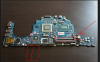
-
Hi
I plan to get these (below mini copper heatsink come with glue at bottom). The height is 5.5mm. I wonder are there enough space for PCH?
https://detail.tmall.com/item.htm?s...09093660&ns=1&abbucket=18&skuId=3130642196684
Going to repaste (Grizzly), repad, add heatsink, and mod backlid. -
i cant remember the gap @VICKYGAMEBOY know the exact space there ... i would like to see your mods .. what do you mean when you say "add heatsink" ? and a mod backlid ? thanks for comment
-
Add heatsink --> adding a mini heatsink on top of PCH
Mod backlid --> changing the bottom cover with this https://item.taobao.com/item.htm?spm=a230r.1.14.71.QsXBgE&id=536567342590&ns=1&abbucket=18#detail
Tired of thermal throttling and power throttling during gaming. Manually max out the fan speed definitely not a long term solution. The sound is too loud even I use headset, so annoying.judal57 likes this. -
LOL i understand you ... i have TG conductonaut installed + Artic thermal pads 6W/mk ... also i have the pch mod and i wanted that backlid but i live in Colombia and is imposible to get one of these here ...
also i add thermal pads of 1,5mm above the Vram chips under the palm rest to make them make contact with the aluminum plate under keyboard ...
![[IMG]](images/storyImages/r1zod2.jpg)
also i add thermal pads above each mosfet, capacitor and choke on the motherboard
-
I tried the heatsink mod by the way on my AW15R2 and it made the temps worse. so I do not recommend it. There is a reason why the PCH chipset on the Skylake models do not have a heatsink. The chip die is too small to cool efficiently with a passive heatsink.
My temps are max 80c by the way under 100% full load. -
ur just close to throttle temps, which is around 82-84c.. I'm not sure, I just made a custom aluminium plate and used it on top, it did reduce my max temps by 6-10c depending on my ambient, even the haswell PCH is same size, and when I remove the plate 99.9% I get PCH throttle, may be u had bad contact or something went wrong, there is reason why the older models had heatsink on them.. @judal57 can you explain him about surface area and dynamics.. heheh I cant share u anything now, my laptop is dead due to the MB power button cable, its messed up, if I plugin my charger, the light on charger end turns off, I think that cable is really important, even without that cable I tried to just use charger and see if the light stays, but no, the moment I plug in my charger it goes off, gotta order it from parts-people, I hope its just that.. if not I cant replace my mobo, since I'm out of warranty..
a big nope, I just made three custom heatsinks, none of them fit, only 2mm ultrathin ones fit proper and does the job, rest nope.. cooling these subcomponents are really important.. try 3M 8810 2mm ultra thin heatsink.. and for the backside of motherboard stick with max of 1.5mm.. 2mm is kinda too much, I just tried.. -
Accordign to the Intel datasheets the throttle temp is around 105c so not close to it by a longshot (for the skylake generation PCH's).
The heatsink was mounted correctly with 3M thermal tape. But the heatsink just acts as a shield, it warms up until it cannot hold anymore warmth and there is no airflow to push that heat away. My temps where even 80c while doing productivity, normally while doing nothing intensive my PCH temps are around 40c. So after 30minutes I just pulled it off and cleaned the surface with some pure alcohol. Those small metal plates on top in the past also didnt function as a heatsink. -
Mine stays at 50C with room temp of 25-28C, during gameplay it goes 75-80C w/o repaste.
-
If that is the case, I think I will just use heatsink shim + thermal pad. Better than nothing right? May I know the width & height for your heatsink? Not sure to go 15mm or 20mm.
-
Read my comment above. it will act as an heat insulator and will even warm up.
-
How can a properly mounted heatsink act as an insulator?! Are you claiming it has lower thermal conductivity than the chip cover? Does it cause heat transfer from other components?
It probably helps very little, but it doesn't insulate. -
The heatsink is indeed affected the surround cpu & gpu heatsink. Also the space does not allow a large enough heatsink to pull all heat away from the chip, since there is no airflow pulling heat away from the heatsink it just warms up and actually keeps being hot. So the chip cannot lose its heat anymore under the heatsink.
I used the heatsinks that where linked in this topic. I checked various similar specced laptops and they all have no heatsink. Because it is a very small chip die you actually need an optimized heatsink for the heat profile of the chip to cool it. A random heatsink does not do it.Last edited: Nov 10, 2016 -
So without the heatsink the chip doesn't warms up and keeps getting hot? Or the energy stored by the chip and heatsink is greater than the energy stored by the chip when there is no heatsink? Then either the heatsink produces energy or the ambient inside the laptop is higher than the chip temperature (in which case your CPU or GPU are way higher temperature...). I am sorry, not trying to discredit you, but physics doesn't work this way.
Very small chip indeed makes it harder to dissipate heat from it, and a better thermal compound and copper heatsink will do much better (as we also see with newer CPUs). But be that as it may the only way that putting a heatsink makes it worse is if either the heatsink is very poorly mounted (e.g. with non-thermal conductive adhesive, in which case it indeed insulates) or if it highly obstructs airflow, but there is little to begin with.
PCH heatsink mod alienware 15
Discussion in '2015+ Alienware 13 / 15 / 17' started by judal57, Aug 2, 2016.


