 Problems? See this thread at archive.org.
I did in my 6808.
This assumes that the panel is towards you that you take off to do the laptop, and of course that it's upside down.
take the main screw out to take the back panel off
then undo the 2 black screws to right of hdd
then undo the other 4 silver screws to left
then gently lift the hdd on the right hand side, it will slide up a bit then you can pull to the right
the connector that holds it down on the left is just a sort of _|- looking shape, and comes out of the soft bumper to the left of the hdd.
you can then gently get at removing the hdd from the adapter and so forth.
-
-
on my 5830TG work fine now
 - 0,85V ~0,9V

but in stock 1.10 I can overclock GPU clock , now i can not. ( but this is not important for me at all - this is only cheap laptop )
-
0,8v on my 5830tg is to low - FurMark crash....

but 0,85 works fine so far....... -
Well the .42 vbios has a bit different of a structure to the .37 and .34.. It could be awhile before I get it sorted...
-
Does the 4830t have a sata-3 controller and will it recognize and fully utilize Sata-3?
I ask because 4830t ships with a Sata-2 hard drive, but if you put in a sata-3 ssd, will the computer be able to support the full speeds of a sata-3 SSD? -
well i use 4830tg and i use sata3 ssd.
i think t and tg series have the same structure therefore you can use sata3 speeds. -
So you are actually able to utilize the full sata-3 speeds? Just curious if buying a sata-3 ssd would be a waste of money if it defaults down to sata-2.
-
i actually do.
look back a couple pages, i posted some screenshots. -
+1... ditto
-
Does anyone know if it's possible to output audio through HDMI on the 3830TG? I've been trying for a while with no luck.
-
Yeah, sure. Have you looked at the sound settings to make sure it's outputting?
-
70.08.45.00.42 - as reported by gpu-z
Attached Files:
-
-
The HDMI audio output doesn't even show up in the Sound Settings under Playback Devices.
It's baffling my mind as my sister's 4830T HDMI audio works with no problems at all while my 3830TG never worked and I've tried different drivers but no HDMI audio output device has ever showed up.
Maybe the fact that this is a fresh install has something to do with it? I didn't want to deal with all the junk that came pre-installed so I took out the 750GB HDD and put it in an external case. Then, installed a fresh Windows 7 Pro x64 on an SSD. After using SSDs for more than 2 years I just can't use HDDs for the OS anymore.
Besides, this laptop is a beast with an SSD and to make it even "beaster", I ordered an i5 2540m (ES version) for a $99 yesterday off ebay. After, I install the 2540m, I'll have an awesome little machine with:
2.6(3.3GHz) Core i5
8GB RAM (16GB in the "near" future!!?)
240GB SATAIII SSD
GT540M
And all of that for just about $750! and if I can sell the i3 that I'm replacing for about a $100 or less that would be even more awesome.
Anyway, even then when I first tried the laptop with the default installation, audio through HDMI still didn't work.
Any ideas? -
You will love the power of the I5-2540M. Good choice. I think it is the most balanced CPU you can put in the 38x0TG.
-
@coldxfire
i tried my 4830tg on sony bravia lcd and i managed to get picture in tv and sound on laptop. by same logic i think you can do it in reverse. just try to select monitor on laptop and sound on the whatever device you want to use. make sure it is recognized by laptop. i had some troubles too but eventually i figured it out. -
You installed 16GB of RAM into your Acer notebook? I thought the max was 8GB.
Is your system recognizing the full 16GB?Last edited by a moderator: May 8, 2015 -
Yeah I can't wait to have it in my laptop. The i3 is quite powerful compared to my ancient TravelMate which had a Core 2 T7200 I just don't like the 85C temp threshold as it limits how high I can run the CPU while gaming.
I reinstalled the original HDD with the stock installation and it worked so it's most likely a driver problem but since I just sold my 120GB SSD and ordered a 240GB one I'm just gonna wait and see until I get it and see how it goes with a fresh installation again.
Thanks. -
I know that many people here installed 16GB in their laptops successfully and I plan on doing so...soon. I had a an Asus that said that it only supported 4GB but I had 8GB in it. Just make sure you don't get anything faster than 1333MHz since only the i7 27*0(q)m (and up) processors support higher clocks.
-
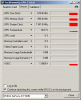
What about medium vdc for 3830tg in 1.10 mod bios? like 0.82 for example. 0.80 - crashing furmark, 0.85 -fine
Edit; also i have some strange dropouts.
i have experiencing em all time, even with 1.07 bios.
![[IMG]](images/storyImages/dropouts.th.png)
any thoughts? cpu locked to 18x -
16GB really? Interesting. If I had known, I would have purchased a 16GB kit instead of 8GB.
One more thing. You mention not to get anything faster than 1333MHz since the i5 only supports up to this speed. However, there are now 1600Mhz chips rated at the same 1.5v or lower and which will automatically utilize the full 1600Mhz speed without needing an i7 or a bios change. For example the Corsair Vengeance line. Visit their site, they claim the memory will automatically operate at full speed on Sandy Bridge i5 and i7's. What do you guys think about that? True/False? -
that's the first time i've heard of it.
can anyone with 16 gb ram post some screenshots? thanks -
Is there a place in 3830TG for SSD drive along with HDD somewhere? maybe mSATA or Mini-PCIe unused?
Can we move limit for GPU-hot throttle of CPU? e.g 75C -
looks like you missed the earlier post.
Ive not taken the time to work out the 4k random issue on the SSD, but i'm confident its just a matter of updating the firmware and a proper manual install.
Anyway you can see clearly in the third pix below that the SSD goes WAY over sata2/3gbit speeds. Also, in the first pic you can see the ram indicator @ ~2GB, and at the lowest meter. You can see the 16000+ MB of ram in the same pic. As a matter of fact, the first time it booted was to the 16GB of ram, nothing needed to be done, it was recognized in the bios.
Last edited by a moderator: May 8, 2015 -
@whatissixbynine
well that is good to know.
i would definetly consider 2x8gb ram instead of 2x4gb ram
but in performance does that extra 8gbs give you any significant boost?
or should i stick with 2x4gb upgrade? because 2x8gb costs four times more expensive. -
Unless you have a need for the 16GB (running 1 or more virtual machines, simulations that take up more than 8GB RAM, etc) the 8GB should be enough.
-
I suggest purchasing 16GB if you plan on keeping your Acer for several years. Here is my logic behind this statement...
I believe around 2014 DDR4 will be released, when that happens DDR3 production will slow and prices will skyrocket. The same thing happened with DDR2. DDR2 was DIRT cheap, then DDR3 came out and DDR2 prices increased. 8GB of DDR2 so-dimms costs nearly 200 dollars on Newegg and Amazon. The same memory cost about 50 bucks prior to the release of DDR3.
So basically what I'm trying to say is MAX out the DDR3 RAM on your computer while DDR3 is cheap, because when DDR4 comes out DDR3 will skyrocket in price. Then again if you replace your computer every year, no use in upgrading the ram. Also if you don't really multitask, or use memory hungry programs, then I don't think you would notice a difference between 8GB and 16GB, then again I'm no expert.
You can also wait a year or so as prices drop and upgrade to 16GB right before DDR4 is announced.
One other thing. 16GB isn't 4x the price of 8GB. I just checked amazon and 8GB is around 50 bucks, and 16Gb is about 100. So double the price. -
i think i understand you. i plan to keep my laptop for several years. and also i don't use too complicated programs with it. i bought this for its portable side.
8gb will be enough for me i think.
and about the price...in my country they do cost four times more maybe even more , and sadly to where i live, amazon does not deliver computer parts.
but thanks anyway for the info -
Hey guys, has the throttling issue been officially fixed already?
-
nope, not with official bios.
with modded bios, you can temper with throttling but that's all. -
Hy, i have dismounted my 4830TG trying to remove the internal grid of the air inlet (without success because fixed with glue),
but i have missed some "reassembly" action, now the 2 usb and mic jack on the right side don't work; anyone know if there's a flat cable or
connector that connect this input group?, there's online a guide to dismount the 4830TG, i have found some pictures but the explain is in chinese!.
Thanks at all. -
Hello,
I had the same problem. You have to reattach a flat wide cable in order to have the usb working. Probably you missed one end. Luckly the cables only fit in one place each.
I want to remove the grid as well, but I get stuck after the keyboard. I am not able to remove the mother board. DO you have any pictures? -
can you tell me what cable is?, i have checked all flat but all seems ok.
I have found only one screw on the motherboard. Like you, my problem is to raise the mb on the section where the cpu is located but i have waived after see that the grid is glued. -
Hello. It is difficult to explain without pictures. You have access to the usb flat connector when you remove the trackpad. You just have to be sure the connectors are all the way in.
-
I see you are having trouble connecting this back together. I own the 3830TG so I cannot tell you what the difference is with the 4830TG, but if they are built anything similar there will be a ribbon cable for the keyboard and a ribbon cable for the "I/O board".
Gadgets and Hacks: Acer 3830TG-6431 Teardown
This link is a teardown of a 3830TG, do a search of the page for "I/O board" and you should see some images giving a relatively good idea of the type of cable you are probably looking for.
Make sure it is fully plugged in an firmly secured otherwise it might not work at all.
I hope this information will help you.
Also please provide the link of the Chinese teardown, it might allow us to further assist you. -
I've been using ThrottleStop on my 3830TG for awhile now, and have it set up with 2 profiles as suggested.
According to my log, my i3 is running at 21x multiplier for the first while when playing and then drops down to 17x or 18x, without hitting the profile tempurate limits. I never go above 85 or 86 degrees.
I'm trying to figure out why it changes even though ThrottleStop is configured to keep the multiplier at 21x until the alarm threshold is reached, where it should step back to 18x. Even when I run with the alarm disabled to test, it still happens.
Are the ThrottleStop temperatures inaccurate, and my CPU is hitting its throttling point? I don't have any shutdown issues.
Just looking for suggestions or ideas as to what I can do. -
Did you already upgrade to latest 1.10 bios ?
If so, it may be it. I observed strange behaviors with TS after I upgraded, and somehow "better" thermal management, but I didn't test much.
I use Nedemai modded 1.10 / 0.80 since yesterday night, seems really nice up to now, gpu won't heat as much and I could play with a bigger cpu multiplier =)
Will report again later, meanwhile kudos to Ned which made this laptop even better !! Many options in menus, I assume many won't do anything ?
I tried to elevate shutdown temp to 110° for instance, but it didn't seem to work ^^ -
No, I think my BIOS is still at 1.07. Looking at the list of what's available I definitely haven't upgraded to 1.08 or 1.10.
-
Hmm I updated to 1.10 and now it seems like ThrottleStop has no effect on the CPU multiplier except to lower it beyond what it's throttling to. (Eg. if it seems to be running at 14x I can set it to 8x and have it work, but it refuses to go back up high).
My only theory is that maybe the sensor readings are completely inaccurate. If my CPU was hitting the thermal throttling point then I'd expect this behaviour.
EDIT:
I used Nedemai's modded v1.10 bios and noticed in the thermal throttling section that throttling was set to occur at 85C, which is precisely where my temps were hanging when I'd notice this issue. I changed the value to 90C before throttling should occur and will test this out. It seems like Acer might've changed the way the system throttles with the newer BIOS updats. It used to throttle based off of the GPU temp as far as I know, and may still do so but ThrottleStop had been preventing this. What it wasn't preventing was the 85C set point in the BIOS as the BIOS seems to take priority. Maybe this was set higher before in previous revisions or wasn't enabled, I don't know. -
I'm pretty sure the core i3 starts throttling at 85C or very close to it, so it could just be the CPU auto-throttling in spite of throttlestop.
-
Yep you're right, it was throttling at 85C. Since changing the throttling value in the BIOS to 90C I'm not having any issues.
The log shows that my multiplier is consistent with what I set and the CPU/GPU stay solid at about 85-86C.
Running at 21x CPU multiplier with TS and using MSI Afterburner to OC my 540M from 672/1344/900 to 725/1450/950 gives a fantastic improvement over what my system was capable of before these tweaks.
I know these aren't idea temps for constant operation but they don't sound any alarms to me, as far as risking immediate hardware failures go.
Also repasted my CPU and GPU on the weekend with Arctic MX-4, which I'm sure helps but I can't say how much. -
I used the above link to repaste my 3830TG, and although it might be slightly different than yours, one thing to take note of is that by disconnecting the trackpad cable first and removing that section, you have better access to detach the remaining ribbon cables. (And reattach them!)
This allows you to make sure that you slide out the brown locking part and have the cable lined up perfectly. When I first put mine back together my F keys didn't work, all I had to do was remove and reattach the ribbon cable as it wasn't lined up perfectly. -
The I3 shuts the laptop down when it reaches 85C
-
ThrottleStop can not over ride the built in Intel throttling temperature. As mentioned, the Core i3 processors are set to start throttling at only 85C. There is no software or bios adjustment that is going to be able to change that hardware limitation.
-
Good evening everyone,
Been lurking around for a bit and thinking of purchasing 3830tg.
Now ive gone to staples store and found i3 2130m version of the laptop. The BIG question is is throttling still going to happen on i3 as well or does this issue only exist on i5 versions?
If I do game on this laptop it will be older/less demanding games such as Warcraft 3 TFT, League of Legends etc...
Thanks in advance! -
Unless you're getting it at a great price, I would wait for the M5 14" ultrabook.
-
I can get it for $430 tax in. (13% canadian tax)
-
Hard to say no to that price. Taxes are the price we pay for civilized society.
-
The thermal throttling limit imposed by Intel must be higher than 85C, and I know that can't be overridden. However, in the unlocked BIOS for the 3830TG the setting to start underclocking to cool down the CPU is set for 85C by default. My CPU suffered no throttling/underclocking when this was increased to 90C (which is also the max setting available). The system shutdown temperature is set at 100C by default, and this cannot be changed.
According to my log file my i3 was consistantly running at full speed while at 86C, something that did not happen before the BIOS change. I even did a burn-in test to make sure my CPU was under heavy load.
And to the above poster, throttling definitely occurs on the i3. But for $430 tax in it's worth a bit of effort to configure at that price. If you're playing older games then you won't even have to worry, Warcraft III isn't really a taxing game on modern hardware.
If 85C is when the i3s start to throttle no matter what setting is chosen, then the sensors must be off and I'm not really running at 86C. The BIOS reads the same as ThrottleStop does, but maybe it was causing premature throttling of my i3 (thinking it was at 85C when it wasn't) and that's why setting it to 90C helped.
Not sure if that makes sense, but I'm just going off what was logged. -
Installed the i5-2540M today and boy does it make a hell of a lot of a difference.. Just seeing the clock speed go up to over 3Ghz made me so happy. However, what I really didn't expect is to see the temps drop drastically after replacing the CPU and applying Arctic Silver 5 instead of the stock junk installed by Acer.
I still can't believe what I'm seeing; the temps dropped to around 25-30c when the CPU is idle. Then, I played Skyrim for 2 hours with the laptop sitting on a cooling pad without turning on the cooler's fan and running at a x26 multiplier and the CPU temps only reached a maximum of 77c whereas with the i3 the temps went up to 85c easily on a x19 multiplier.
Still, it wasn't completely sunshine and rainbows as it seems that after reapplying the thermal paste, the pressure changed and now the GPU reaches 95C under load whereas before it only got up to 80c but then again I might be pushing it a bit too far by having it overclocked to 800/1000.
Overall, the upgrade was well worth it and it was $99 well spent for the 2540M. I'm in love with this CPU. Now I can run multiple VMs like there's no tomorrow. I'll post pictures later. -
has anyone managed to boot from a second hard disk (inserted in the optical disk bay, via adapter) ?
Acer TimelineX 3830/4830/5830 T/G
Discussion in 'Acer' started by lee_what2004, Feb 6, 2011.




![[IMG]](http://imageshack.us/photo/my-images/51/dropouts.png/)


