 Problems? See this thread at archive.org.
Would you mind sending me a download link?
Please and thank you
-
-
http://www..com/?q=nvidia+drivers
Sorry, the link I try to post keeps getting deleted automatically. -
Try to tear it apart and clean up the fan. It worked for me. There was a thick layer of dust stopping air from getting out.
-
Yup same for me on old laptop, there was a carpet in there, air compressor couldn't blow it out so I had to take it apart and pull it out manually.
-
well problem is backpanel of the pc's screw head's hole is nearly flatten there is no plus shape any more just a round hole i can't unscrew it.
-
I just dled GeForce 306.23 Driver
is that fine?
EDIT: Tried running Dota 2
Lowest settings @ 1376x768 everything off except rendering on max
getting low fps, throttling, and bad graphics...
help me please
Im checking out the FPS i get while spectating a game. -
Why is it throttling? Don't you use throttlestop?
-
Ah that must be it, I forgot to download it What settings are you using to run Dota 2?
-
disable throttling and fix cpu around 17x 18x. that should do it.
-
Just an update with my i7 upgrade in my Newegg 4830T:
Consistently getting 4-5 hours of battery life (that's with 2 drives in - SSD + HDD in place of the optical). Not as great as 7 hours with the stock i3, but still pretty decent for the amount of power available. I got about 45 minutes on my previous 17" Clevo D900F with a desktop i7 inside, so this is a huge battery life increase for me. The fan comes on more, but it's so quiet I don't really notice. I still have yet to get it what I would call "hot" - not even super warm! So that's nice - it doesn't melt a hole in my legs when I'm doing video editing. The HD3000 is holding up fine for HD editing so far; having the extra processing cores really helps when exporting video.
I'm very happy so far
-
where do i disable the throttling? I just fixed the cpu to 20x and I got a max temp of 74c
-
Hi, I am going to buy a 4830TG, and I know I'll have to use Throttlestop while gaming to prevent my desk from burning.
My 10^6 euros question is: how many FPS will I lose in CPU intensive games such as Starcraft 2 when CPU is set to 2.3GHz or 2.1GHz instead of 2.9GHz?
Thanks.
-
Hey guys, will there be a refresh of the TimelineX series, eg a 38/4840? or should I consider the TimelineU as the natural successor (which is basically an ultrabook)?
-
I bought S3 after owning a 3810 for years and was disapointed
Sold S3 and bought 3830
I would be carefull with ultrabooks.
No vga port - no projector
Touchpad quality poor (S3)
Battery life max 4 hours regular use
...
Sent from my HTC One X using Tapatalk 2 -
Hi, Do you know if the unlocked menus include the ability to enable virtualization?
Thanks -
Yes, they do.
-
I'm also interested to know if there is an upcoming refresh? If not, can anyone recommend a similar laptop with the new 6 series Nvidia GPUs?
-
I did the drilling mod in the back cover- didn't make any difference for temps, multiplier wise. My max temp goes to 94 instead of 96 while playing borderlands at x22, but even upping it x23 trips my temperature failsafe profile after a few minutes.
-
oops mis-post
-
Did you have any isssues with the 16GB ram upgrade or did it just fire right up?
-
i was contemplating upgrading my 3830tg. I'm curious, will a 2670QM work in it?
-
I have 16GB as well and it was fine, just install the sticks and Windows sees it all on Win7 x64 without having to do anything else.
-
may i ask something?
why is that when i'm playing NBA2k13 it lags in some point of the game? its turning to 25 fps from 56fps? but it returns to 56fps in some time and returns to 25fps LOL its annoying because i know the GPU can handle it with ease but this happens. it's same as 2k12 this thing happens also. but in 2k11 it did not happen at all..
i may thinking that the GPU is overheating but why is that if i'm playing tekkenxstreetfighter it doesnt lag at all?
any help? anyone? thank!
-
I did what you said but my computer (3830TG) still throttle when the GPU reaches 75C...
Is this because you set the multiplier to x16 in Throttlestop? -
I've had a 3830TG for about 13 months, and my battery is really started to disappoint.
What options do I have? How much of a pain would it be to get it serviced by Acer?Code:[Freezing@lappy ~]$ acpi -i Battery 0: Full, 100% Battery 0: design capacity 6000 mAh, last full capacity 4397 mAh = 73%
-
I'm not sure why this is happening, it's still working fine for me. However, if GPU temperatures reach 100C, the 540M core clock will throttle to 325mhz.
Yes, though this varies depending on how much you have modified your 3830TG. The idea is to use throttlestop to disable turbo boost(i5s only) and reduce the multiplier until your max cpu temp under load to 85C(i3) or 100C(i5).
You test the temperature under load by using a cpu+gpu stress program(s) or a game, using Throttlestop to record the temperatures(check the "log file" box). Test for as long as you plan to play the game/CPU+GPU intensive program at once.
Before Repaste:
![[IMG]](images/storyImages/x15beforerepaste.png)
CPU Max Temp was >85C(Throttlestop won't show it going higher), GPU Max Temp was 96C
![[IMG]](images/storyImages/x15afterrepaste.png)
After repasting with Arctic Cooling MX-4 on the CPU and GPU, I got CPU Max temps of 74C and GPU Max temps of 69C on the same x15 multiplier(1.5GHz) as before, so I have a little more headroom than I did before.
Notice that in the first graph, there is heavy throttling going on-the multiplier line dips below a multiplier of x15 due to the CPU temp going beyond 85C. After repasting, the multiplier line is straight, showing no throttling, because CPU temperatures are nowhere near 85C.
Thermal paste is one thing, but another thing to keep in mind is that the heatsink should be firmly secured to the CPU and GPU itself. I've seen some 3830TGs where even though the screws screwing the heatsink into the motherboard are tightly screwed in, the heatsink is bent near the top(close to the battery), and you can see a visible gap between the heatsink plate and the GPU. Then I watch them start playing a game while recording the temperatures with Throttlestop, and I see the GPU temperatures rocket to 100C+ immediately because the heat from the GPU isn't even being transferred to the heatsink due to the gap between them.
On further reflection I think this was what I was experiencing before, looking back to my past temperature logs, so during my repaste I took a look at the heatsink and I saw that there was indeed a gap between the heatsink and the GPU. Then, I carefully applied pressure to the heatsink(after it was detached from the motherboard) to bend it back, and you can see the results of that above.
Another thing you can do if you see a visible gap between the GPU and the heatsink is to place american quarters(which are 92% copper) or any other high copper/aluminum content coin between the top of the GPU(close to where it touches the battery) and the plastic case, which will help push it back down. -
Hi, please this is same modded bios for Acer Aspire 3830TG (bios 1.10) as this bios:
Aspire 3830T Lüftersteuerung defekt? - Acer-Userforum.de TENTH POST
screenshot modded bios from website acer-userforum.de:
I'm looking for last modified bios 1.10 for 3830TG (my 3830tg has cpu i5-2410m and gpu geforce gt 540m with vbios 70.08.45.00.37)
with new bios options: Thermal Configuration, Video configuration,USB configuration,Chipset configuration, ACPI Control, PCI Express Configuration, Extended ICC
Thanks for reply
plus little question: what the difference in yours bios (variant 0.80 and 0.85)? (in original bios is value set on 1.00)
is stable geforce 540m with 0.80? i'm afraid that it might occasionally load trouble. if is variant with gpu on 0.80 stable why exist version with 0.85? then it would be overkill?
which version is better and stable VBIOS 0.80 or VBIOS 0.85 ???
(i read in this thread some times version with vbios 0.80 crash etw. in furmark but version with vbios on 0.85 is work very well, is this true or not) -
Hi ajnauron, so from what you wrote is the best version Nedemai modded bios -> 1.10 with Unlocked menu but WITHOUT VBIOS CHANGES undervolt gpu (0.80,0.85)?
-
Yes, unlocked menus and no VBIOs changes to undervolt.
I've also noticed that after I repasted with Arctic Cooling MX-4, with both a 2310m and my new 2430m, my 3830tg's fan would go off when using a x8.0 multiplier most of the time, which I use when internet browsing for greater battery life. Before repasting, my fan would stay on all the time. -
Hi ajnauron, thanks for your fast reply
Okay, I flash modded bios Nedemai 1.10 with menus but without undervolt vga.
Plus I've removed the sheets from back cover.
But the complete disassembly 3830TG I do not dare to do this
I watched the complete disassembly manual on blog where one user describes step by step but it seems pretty risky.
This laptop is pretty bad on disassembly, before I had many others notebooks (asus,lenovo and msi) and there it was a lot easier.
And because I have still one year warranty on it so I would not want to unnecessarily come. In purchase I was given a warranty on two years, so this me wait after one year.
But otherwise I have under this notebook coolerpad CoolerMasterU2 with two fans and it works perfectly.
to ajnauron: so Now I successfully flash new version of bios
(from Nedemai - bios 1.10 with menus but without undervolt vga)
before I start playing with it so I know the opinion of someone who already has this modified bios.
what is the best setting for "Thermal Configuration" please? thx -
May I ask why people are recommending the stock voltage config? Lower voltage should decrease heat. I currently use .85v, .80 causes crashes with my overclock.
-
Hi Eason, I read complet this thread during the months.
from what I read so with BIOS versions 0.80 or 0.85 causes when gpu temperatures reaching +-75 degrees Celsius will cause throttling TOO as when cpu reaching some temperatures and start throttling.
but bios with default gpu voltage settings this does not happen
when flash bios version with original vbios settings so gpu does not start throttling,
but throttling causes still only cpu temperature (and not gpu temperature)
at least so I understand it myself.
but it is a possibility that I'm wrong: D
Today I first test version bios from Nedemai with default vbios and it seems that gpu does not throttling. But if I got it wrong understand and someone give me proof so I would try those versions bios with 0.80 or 0.85. I also read several times that the version with very low vbios (0.80) sometimes causes problems/crash (in a lot demanding games/applications, etw gta4 furmark ..) -
Thx for your answer ! I repaste my 3830TG with MX-4 too and now the GPU reaches 80C in full full load, CPU around 75/80C. But the problem is : When the GPU reaches 75C, the CPU throttle to x12 multiplier. Even when throttlestop is launched (but no multiplier set). Of course, when I set a multiplier with throttlestop, the CPU doesn't throttle even when the temp of the GPU is >75C (and even when the temp of the CPU is >95C but <100C). My point is : the modded bios doesn't solve the problem of throttling. If you don't set a multiplier with throttlestop, the CPU throttle when GPU reaches 75°C. Exactly the same situation as before... too bad.
-
Well, the whole point is to USE throttlestop to stop the throttling. Here's what happens if I run my 2430m on full load for 12 hours with throttlestop on but no multiplier selected(turbo on), EIST and C1E on:
![[IMG]](images/storyImages/image.png)
AVG Multi(discounting beginning and end where I started and ended the test): 27.78
MIN Multi(discounting beginning and end where I started and ended the test): 24.31
MAX CPU Temp: 100C
MAX GPU Temp: 93C
TEST Duration: 12 hours
And here's two hours of actual gameplay:
AVG Multi(discounting beginning and end where I started and ended the test): 28.21
MIN Multi(discounting beginning and end where I started and ended the test): 24.27
MAX CPU Temp: 96C
MAX GPU Temp: 87C
TEST Duration: 2 hours
3DMark06@Default 1280x768:
![[IMG]](images/storyImages/800_1600_1000_Turbo_10264_2.png)
10264 3DMarks.
Here's Furmark:
![[IMG]](images/storyImages/38674147.png)
MAX CPU Temp: 96C
MAX GPU Temp: 88C
CPU Multi: 27.86
I didn't set a multiplier, and I didn't get any throttling. Throttling is where the CPU Multi drops below the base clock during high load due to reaching the intel specified max temp(Tjunction).
I used the game to benchmark for 12 hours, full load, and the lowest multi during the test was 24.31. The base multi is 24.00 for my 2430m. This won't be the case for every 3830TG since mine has been modified from stock, but it shows that even if turbo is left on, and the GPU reaches temperatures above 75C, the CPU won't get throttled to 12x while the modified bios is installed. -
Please anyone who test windows 8 and 3830tg? I installed yesterday but after finished installation my windows not shows/recognize notebook battery.
(but in Device Manager I see battery without any yellow notice/flag,Device Manager shows my battery)
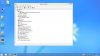
Why Windows 8 in Windows installation procedure not detect my battery. It's strange.
In original Windows 7 Ultimate x64 battery works on 100% but in Windows 8 not:,(
(I tested Windows 8 Enterprise N x64 English and Windows 8 Professional x64 Czech but both with same problem)
I had in folder "../Windows/System32/Drivers" file "battc.sys", any other solution for this problem/bug?
But Acer on her oficial website (windows upgrade offer) wrote "Aspire 3830TG" as option go from W7 into W8:
Acer Windows Upgrade Offer
It's strange:/ -
Click the little pointer in Task bar, click customise, then try checking the box for show icon and see whether the battery icon show in taskbar.
-
I tested everything on 3830TG but without fix this problem :/
Maybe this laptop need some special app / drivers from creators. (?)
/In notification center is battery icon blocked gray, and when I unplug dc cabel from notebook, notebook shutdown, but when I run W7 battery works normaly/
I have a second laptop (very,very old) MSI GX600 with C2D-T7500,4GB,GeForce8600MGT and there Windows 8 works normally. But my GX600 has dead battery after +- 5minutes and it's not very good for traveling![[IMG]](images/storyImages/biggrin.png) , I using GX600 as htpc with my tv and now is my main computer 3830TG. It's bad
, I using GX600 as htpc with my tv and now is my main computer 3830TG. It's bad
![[IMG]](images/storyImages/frown.gif)
I WROTE ALSO ON MYDIGITALLIFE ( Windows 8 Pro/Ent x64 not recognize notebook battery)
and then help me +-three manuals how to fix but so far without any result :/
(I thought it was caused by a modified bios so I flash back original bios 1.10 but not, in my notebook original bios 1.10 this bug also show:/ so i flash back on my machine modded 1.10 with menus but without vbios) -
On your screen of Furmark, we can see that you checked the set multiplier button to turbo. That's what I meant : we still have to check this button in order to stop the throttling. Is this correct?
Thx again for your answer! -
Company Acer plans release a new bios for notebook Aspire3830TG after release new operating system Windows 8? Is this true? does anyone know
to Nedemai: Question about your excellent bios with menus but without vbios changed for Aspire3830TG (last your version is 1.10)
If so you plans release modified this new bios that comes out please? if released
Will you planed modified bios that is preparing to release new Windows 8?
I'd love yours modified bios and new bios would solve a lot of problems with notebook Aspire3830TG and Windows 8.
Thank you in advance for your reply.
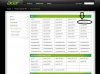
to All with series 3830/4830/5830: for windows 8 acer will release new
- BIOS (number? I don't know yet),
-Live Updater (2.00.2001),
-Launch Manager (5.1.17RC),
-and even there will be new drivers for WLAN or LAN (at least so it says acer on his website) maybe there will be more but so far I have found only this.I can not wait to come out and get a new bios for us
(example some info here: Affected Model list)
I tried to look, I search in a lot of websites and various corners of the acer website but I not found download link to new bios :/
(that is recommended for proper operation with Windows 8)
Is there anyone who has the 3830/4830/5830 and buy, and made an official acer upgrade to Windows 8 using the new acer upgrade system?
(maybe a new bios appears after these steps acer upgrade system)
Unfortunately, I use the test version of Windows 8 yet. so I did not carry out acerupgrade. And my laptop I bought a year ago so my machine does not fall into the cheaper upgrade and before I buy new windows 8 I would prefer the first test it.
EDIT: Today I found this website where acer writes that before updates from Windows7 to Windows8 must download and flash update bios and then some applications.
Upgrade Assistant Tool
Which to me means that somewhere on the internet about this bios can be. Does anyone know where to look?
The point is that users can upgrade already now, if you already pay for.
PS: in Acer Drivers website is for Model M5 (i test on version Aspire M5-581TG) avaible new UEFI BIOS 2.02 (and example for model Aspire S5-391 is now avaible new bios for uefi 2.01) ,release date this bios for m5 is 2012/10/01. So hopefully as soon as possible update the entire site AcerDrivers
screenshot here: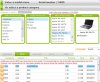
-
I posted the solution in this thread some months ago. I also posted this solution on eightforums.com under a different username:
This will work. Test it
-
No, you don't need to. It will still use turbo boost with it unchecked.
-
Yes but it will throttle when the GPU reaches 75C. So we have to check it.
-
I had the same question as well seeing this you tube posting for the 4830 cpu upgrade.
Acer 4830 TimelineX Upgrade i7 Samsung 830 SSD - YouTube
I think the cpu upgrade should work since it is G2 slot and considering Acer did come out with a i7 model of the 3830 although dual core not quad.
Review Acer Aspire 3830TG (i7/SSD) Subnotebook - Notebookcheck.net Reviews
But the 4830 motherboard should not be that different than the 3830. I just came into possession the i7 2670qm and I do own a 3830tg. There are clear tear down instructions so its just a matter of spending an hour or so getting to the cpu and swap it, use some good IC diamond thermal paste and put it back together again. Its not for the impatient and do have a buddy that's torn apart all apple products and put them back together perfectly that will lend a hand if I get stuck.
Also note what Bronsky stated:
http://forum.notebookreview.com/acer/625753-physically-replacing-cpu-acer-3830tg.html
Wish me luck -
anybody play borderlands 2 on the 4830tg? Let me know if it's playable! Thanks
-
I play it on the 3830tg. I run it at x22, my laptop is heavily modded though. At native resolution the frame-rate is between 20-50 usually. It's very playable, but not super smooth.
-
Who here has upgraded the wifi card in the Timeline? And do you see any difference from the old Atheros card? The Intel Centrino-N 6200 & 6300 cards are cheap now, so would like to know. Also, is it difficult to replace it?
Yhanks -
I haven't had any complaints about the Atheros card, but if you do want to replace it, it's easy. Unscrew the one screw on the bottom holding the bottom plastic cover in, detach the black cable and white cable from the card by pulling the connectors straight up, unscrew the one screw holding the wifi card down, and slide the card out.
-
Hello
Recently i encounter some fatal problem - i can't boot the windows, it gets stuck at Bio
Intel UNDI, PXE-2.0 (build 083)
For Atheros PCIE Ethernet Controller v2.0.2.6(09/28/10)
Check cable connection!
PXE-MOF: Exiting Intel PXE ROM
No bootable device--insert boot disk and press any key
I googled and some people said it sounds like your laptop is attempting to do a network boot but i already arrange the order booting correctly (in Bios page). Like this:
1. Hard Drive
2. Optical Bay (CD/DVD/BD)
3. USB Storage
4. Removal Devices
5. Network
It also seems that my harddisks are not detected. One is Crucial M4 SSD, another one is regular HDD (both not detected). It happens before occasional times but i managed to forced-shut down and turn on again. However, recently, this method does not work (it can't detect the 2 HDDs). After many many tries, both plugged and unplugged, it managed to boot successfully but now i m worried it will happen again.
Anyone can advise me? Thanks!
PS: My SSD is at latest firmware version. -
Mine broke (antennae) within 3 days. It was very easy to replace it, you literally just take out 2 screws holding the antennae down and then it can pop out as a chip. Getting the right software is another thing, I had severe BSOD problems due to old drivers that took me days to figure out.
-
Hi n0elia, devcon and .bat file works
Acer TimelineX 3830/4830/5830 T/G
Discussion in 'Acer' started by lee_what2004, Feb 6, 2011.


