 Problems? See this thread at archive.org.
it depends on how much you are paying for it. personally, I wouldn't buy it if it goes above $300 no matter what modifications were done on it. you could practically buy a higher class i5/i7 processor and better gpu if it goes around $500, especially with the upcoming holiday sales. in fairness, it does look a good setup, but always remember it's a used one and should "NOT" command a premium like it's brand new with warranty unless it is a collectible which it is not.
-
I'm trying to talk him into $200 for the laptop, it comes with a i3-2330M which I know for sure throttles and that's what I'm using to low ball the seller.
I will be doing the CPU downgrade to a i5-2557M 17W plus Shin-Etsu thermal paste myself. -
I don't think that the i3 suffers throttling considering they are fixed at a lower and manageable clockspeed. 2.2 ghz is pretty basic and fast enough imo. but can be slightly struggle on demanding programs and gaming. but sufficient for most basic and moderate use. it does run a higher TDP which cost twice in energy usage and could or may run the laptop warm/hot and noisy. I made a similar offer to a fella months ago I think he asked for $315 from $350. I went for a higher-end brand new model instead.
-
How do you know the i3 throttles when you don't even own the laptop? My 3830tg with the i3 went through hundreds of gaming hours without any throttling at all. I just repasted it with Arctic Silver 5, pretty much the cheapest thermal paste out there and temps are quite reasonable.
-
Hi guys, I hope someone can help me out there.
Recently my 4830tg has been having problem with blue crash screen. After a while I have trouble booting into windows, sometimes saying no bootable disk is detected, boot disk error, and sometimes it just gets stuck after the Acer logo loads. I have read up and most common problem is that my hdd is going bad. So I got a new hard drive and cloned my dying hdd to the new one, but the problem is still there. Sometimes I can get it to boot into windows without a problem, so I'm not sure what else can it be. I used HD Tune Pro and run error tests on new hdd, it shows everything is ok with no errors on the error scan results. What else can I do to diagnose the problem?
Could it be my ram is going bad?
Could it be the hdd connector is in need of a replacement?
Could it be my mother board is dying?
Thanks -
Maybe try not to clone it. Install clean windows
-
I would do a clean install if I have the Windows disc, but I didn't get one when I bought my laptop. Now I don't have a way to do a clean install of Win 7. =(
-
it's a tough one as there are several reasons, it could be your board, Bios, Ram, HDD or corrupted files. as already suggested, do a clean install of Windows. if there is still a problem, you can eliminate HDD as the problem. then try out the ram. if it's still something wrong, you could reset or flash your bios. if it's still having BSOD, replace it. if it's still not, your whole board is dying and need to buy a new laptop. -
I reset my BIOS back to default, don't know if that actually helps or not. I have no not very advanced in computers in general.
I found out that if I cannot boot into Windows, I take the lower cover off and wiggle the HDD connector around a bit, I could reboot into Windows.
Does that mean its the problem with the HDD connector? -
it's a possibility. although that only happens rarely if:
1. the hdd isn't connected properly.
2. some of the pins aren't aligned or bent.
3. the wirings are loose or about to break.
if the problem still persists, I think the best advice is to have it assessed for free by a technician before deciding on whether to have it repaired or not. repairing your own system can be tedious work as well. so it's up to you if you have time and patience. -
Make sure that the HDD connector is secured correctly where it connects to the motherboard. It may have come loose when you were switching out the hard drives. Just pull it out from the motherboard and reseat it. This will most likely solve your issue.

-
So I did eventually get and install this backlit keyboard on to my 3830TG. I can honestly say it wasn't too difficult. I've just wiried it up to the right USB port (with the audio ports) and given it 5V direct from the power outputs of the USB. What is surprising is that I'm still able to use a USB hub attached to a keyboard and mouse on that same port while having the backlit on which is pretty awesome. Currently I've just got the two wires running out the Kengsington port to act as a switch. I'll place a small switch into the Kengsington port itself to turn on and off the backlit. Here are some pictures I took, it looks much better in person than the pictures shown

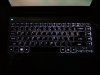
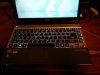
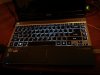
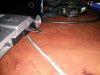
The next time I open up the laptop to put the switch in, I'll take some pictures of my wiring.
-
Cool.
Is this keyboard like a chinese one, or official ? -
Yup it's a Chinese one that was made for the Acer 4755G. Works fine in the 3830tg and does feel a bit sturdier than the stock keyboard, but that may be because I've tightened the screws up better when I installed this keyboard.
-
Hello guys.
I would like to ask for a little detail.
1.
I bought an SSD Intel 530 and I want to put it inside 5830TG and stock HDD750GB put in the bay ( remove combo ).....
Is better to connect to the place where is stock HDD, or it doesnt matter and I cant connect it in the combo bay?????
I supose, that will be better replace stock HDD by new SSD and combo replace by HDD, right?????
I saw, that 5830TG and chipset HM61 didnt support SATA lll (6GB/s), or its wrong?????
2.Its possilbe to boot System from place combo bay ( will include stock HDD and current system )??????
3. I dont want to reinstall Windows7 Home, beceause it works pretty good, I want to use Intel migration tools, it is possible to use?????
So, can I copy my stock HDD system to new SSD without problems by this tool?
4. I dont want reinstall Windows by reason that I dont have Windows DVD and I dont want to loose Recovery of Windows system with Drivers and programs by Acer.....
Thanks you a lot for replies. Sorry for my english
-
1. Doesn't matter where you put it but I think you can't boot from combo bay. Last time I check, chipset in our laptops supports 6GB/s.
2. Rather not. But it should be possible (by doing some tweaks) to boot from normal bay and then run system from combo bay.
3. I've been there. I am not sure about Intel migration, that would be great if that works. I remember I used XML diskimage to clone drive, but it is not easy. After the process you have to fix your bootsector and other stuff. I also tried windows 7 backup tool - it was very good once. I was able to clone disk image to a different drive with no problems. The other time windows was giving me error and didn't want to restore the image.
I think you need to do more reading on this topic. -
sorry if it has been asked in the past. But my bro will give me his old 4830tg, and I was planing to change the HDD since its a 5400 in it.
I bought a kingston hyperx 3k which has a height of 9.5mm.
Knowing that some ultrabook or slim laptop only can fit 7mm. Will my kingston SSD fit in the 4830tg ?
Sorry I only read about 30-40 page, and could not find anything,
thanks for answering! -
It will fit in 4830tg. I used to have 9mm Vertex 2e in it.
-
someone can help me ?
i have acer 4830tg , comes with i3-2330 m , n nvidia gt-540m .
2 days ago i was upgrade my processor laptop with i5-2410 M and when i turn on , thats running well !
but when showing the desktop suddenly lots of black lines appear very disturbing.. ( switchable vga active in bios )
i think this problem from nvidia .. because before i upgrade processor my laptop not showing any problem .
and now i use integrated graphics , and it's running good until now ..
so anyone can give me sollution for handle the nvidia problem ?
thank you before ..
sory for bad english :d -
Try this : Display Driver Uninstaller DDU
Unzip and then reboot into safe mode (but before this, I think you have to activate again your nvidia card).and run this tool (recommended mode). Then install the last nvidia driver. -
still not working buddy ..
can you give another way ?
i was update bios , and recovery the windows and the result is same ..
whether my processor error for controlling the nvidia card ? -
can you take a photo of your screen when you have this problem pls?
-
I thought your graphic card was dead but it does not seems the case. I don't know, sorry...
-
my graphic card not dead .. i using it for browsing , watching movies its still running well ..
but for open control panel , play games this problem always comes.. -
Could someone upload the service manual again? I tried searching on Google for ages but nothing seems to turn up. I'm looking at replacing the keyboard (few keys died on me).
Thanks! -
4830T i3 running Fedora 20 x64. Pulled out the metal mesh covering the vents last weekend and blew out the fan, much runs quieter and a few degrees cooler.
Acer 3830/4830/5830 thread of awesome. -
Also, does anyone know if there is a modded/unlocked version of the 1.12 BIOS available for the 4830T?
[Request] Acer Aspire TimelineX 4830TG InsydeH20 v1.12 Unlock -
search youtube, there's a couple really good videos
-
Be prepared for often radiator cleaning. Without those metal meshes I need to clean it from dust every 2 months
-
I didn't think about that until afterwards haha
-
Guys, which one is the latest drivers for 3830TG? Mine is running 306.97 drivers. Latest one shows as 332.21. Waiting for reply.
-
Anyone here?
-
Hey all, I'm having some poor sound quality issues. I'm getting poor sound quality no matter the device used, whether it's using any headphones/speakers with the headphone jack, connecting bluetooth sound devices or using the computer speakers themselves. Before I was having issues the sound quality was always excellent, including from the laptop speakers. Now it's listen-to-able, but I get poor bass and it's pretty static-y. I've tried uninstalling and reinstalling drivers.
I know it's my fault somehow. It started when I took apart the laptop to fix the keyboard. A few different keys would randomly stop working for a short period of time. I took it apart and put it back together which fixed the problem (somehow), I haven't had keyboard trouble since. But then that caused something else to stop working...I forget what though. I could have been sound related? Not sure. So I took it apart again and made sure everything went back together correctly and as I remember that fixed the second problem.
After that I noticed the poor sound quality. Does anyone have any ideas about what I could check to make sure I didn't mess up a connection or something? Or does anyone know the sound "card" location, etc? Any hints or ideas would be a big help. -
Mine is running 332.21
Bluetooth sound quality can't be dependant on hardware.
And how do you want good bass from laptop speakers.
Maybe you mess something up in Dolby hometheater -
Hi, I own an Acer 5830G with GT 540m 2 gb and I want to oc it to get more fps in AC4 but since I upgraded (nearly 10 months ago) from 2xx.xx driver to newer ones and now I'm on 332.21 and gpu cant be overclocked at all without AC4 crashing. I tried several apps including NV sys Tools but all with same results.
Can somebody help me to get my gpu stable in all games with atleast 750mhz oc?
Thx -
This can be hard. Mine is running 740 quite stable.
I am using NVinspector.
750Mhz may be just too much for you. -
True, but with old drivers i was able to oc ot higher than now. Now i can only oc memory to about 990 but gpu crashes even on 700 which is not normal as this gpu can go much higher. Can you recommend me any old driver from the time when gt 540m was released? I dont know which number was it so i cant find it.
Thx -
I had this same problem, and the 300 series drivers seemed less stable(for the 540m in these machines) as well. I reverted to the 296.10 release and received no problems since.
-
Just replaced the keyboard. Honestly one of the most annoying experiences I had with electronic repair. What's up with the sticky plastic on the keyboard? I threw it back on the keyboard to sort of protect the metal but I dunno if it does anything or not.
Also, there were around 3 screws that I couldn't tighten (they don't see to be able to grab onto anything). Anyone else had this problem? Not a huge deal, just wish they'd go in.
Anyway, pretty happy to have a working keyboard again. It's much nicer to have the US layout compared to the Canadian layout I had before. -
Hi @Nedemai, the file was deleted, is it possible to have it again?
Or if a memeber of this forum has it, can he please share it?
Thx a lot ! -
Anyone know if it's possible to swap the panel out for a WXGA+/WSXGA or even a WUXGA screen? I saw a few people suggesting it, but nobody followed up as far as I can tell.
-
Best question for now
As far i recall, this one asked wayy ago.
And answer was no: there are no such thin panels on the market.
Find you should try, and then, i suppose, success you will seek. -
I don't think it's possible due to single LVDS channel that's available in these notebooks.
-
My 5830TG no longer lists any SATA or ATAPI drives in the BIOS. I've tried booting my Samsung SSD and original WD drives with a USB interface but there's a quick BSOD flash and reboot shortly after 'loading Windows' appears. I booted a BartPE-powered XP from a USB stick to reload the v1.12 BIOS but that didn't help. I'll take the motherboard out this weekend so are there any particular caps or other areas I need to look at? If there's a better place to ask please tell me
-
Hi,
I am a bit new to the throttling issues of this laptop.
However so far I would like upgrade the processor to the best possible compatible. What do you recommend.
I am about to re-paste, and do some cooling mod adding copper mass where possible.
Is there a bios mod to change throttling values instead of using throttle stop?
2 or 4 cores? 35W or 45W?
Many thanks! -
I reflowed the PCH and it's all back to normal...for now

-
I just obtained this Acer 3830TG and it had a modified bios 1.10. I decided to disable the onboard video, big mistake! Now it powers up and I hear the fan but there is no display, not even the lcd backlight. Plugged it into an external display (HDMI & VGA) still no display. Any solution on how to clear the cmos? or perhaps bios recovery? Any suggestions is greatly appreciated.
Thanks -
Try Fn+Esc to switch to the external display.
This guy labelled the battery, but I heard someone else say this only resets the password and time, not settings:
https://plus.google.com/photos/+Bru...5632779344428640482&oid=106508347674621119716 -
Tried "Fn+Esc" then hit power button, still no dice on HDMI and VGA. Will try it again after 5seconds of being on tonight. I'll also try that switch as noted in the diagram.
Acer TimelineX 3830/4830/5830 T/G
Discussion in 'Acer' started by lee_what2004, Feb 6, 2011.


