 Problems? See this thread at archive.org.
what are the benefits of running discrete only? I am a bit scared to switch from optimus now given last time I did it seemed to mess up my display drivers and I had to reinstall!
-
Purely gaming benefits. Eliminates GPU usage under-utilization.
-
Is this apparent? What does it mean in gaming terms then? an FPS hit? Does that mean its best to switch to discrete only when gaming?
By the way - just tested EVGA on the company of hero 2 benchmark. First one never went over 67 degrees and some throttling (35 avg fps) then I put the temp limit has 77 and in the next benchmark it got up to 74 degrees with no throttling (40 avg fps). Pretty good! This won't affect the fans not being able to keep up or anything will it? -
But then how do you go back into Optimums mode (IGPU + DGPU)? I had the impression f5 the first time disables IGPU, and second time brings IGPU + DGPU back. Oh and Yes you can use EVGA with MSI Afterburner if you wish. Don't need to though, as they both have the sam eoverclocking abilities I think.
-
How do you guys like the 770M? What FPS are you seeing?
-
With Optimums enabled, sometimes it interferes with gaming potential with FPS hit (On these machines the default optimums mode has a 66 C temp threshold where it will throttle) but optimus in general has a slight effect on some less well optimized games. Disabling Optimus (disabling the IGPU with f5 key) gives the machine a default 77 C temp threshold. Then downloading EVGA (at least in non optimus mode) allows you to set the threshold to whatever temp up to 91 C.
(LOL autospell has been making Optimus into Optimums for me)
I'm not sure if anyone on this thread has received a 17 with the GTX 770m yet. But to clarify... FPS in what? -
Strange thing is...I hadn't changed the temperatures. Went into discrete only mode and EVGA was saying my temp threshold was 91 degrees!? I didn't even change it. I thought it should have been 77 without me doing anything?
-
It did the same thing for me. I think its because, strictly speaking, EVGA is meant for desktops not mobile GFX cards. So it loads 91 as default as it would be that for a desktop with a high end GPU. But trust me, before I installed and ran EVGA when I did the same Kumbuster (and blocked fan) test, it did throttle at 77 C
-
Ahh ok thanks
 . Also I tested the EVGA with Optimus running and had no issues at all - seems to work fine
-
I still can't get Optimus back. Is f5 working for you to go between Optimus mode and DGPU mode? Anything I'm missing? Its not a huge concern because I still get the IGPU for battery life if I need it, but it would be nice if I got it (f5) to work properly
-
Alright I'm trying to haggle the price of the AW 17 $2199 4700mq, 16gb ram, 780m, the dell chat failed miserably so I will call later, I NEED HELP WITH THIS!!!!
-
Do you mean fn + f5? Yes it does work. Do you not get a message or anything?
Though annoyingly even when I am in optimus if I unplug the ac adapter I get a message asking me to switch. If I switched I would be running discrete only!! -
When I press Fn + f5 I get the message to switch and restart, which it does, but I don't get Optimus (IGPU + DGPU). instead I get a mode where it runs on the IGPU only (HD 4600) and I cannot detect the dedicated GPU. I press it again and it goes back into Dedicated mode. It's not a big enough problem where I would return or or have Dell fix it... yet.
-
Do you also get the message telling you to switch if you unplug the ac even in igpu mode? Your issue is strange maybe reinstalling the gpu drivers would fix it
-
I'll try reinstalling drivers in both modes after Dell/Nvidia releases the new drivers for 780m. Back when I had optimus, I didn't get the message when I unplugged it though. Should be a way to turn it off though. Most pop up messages can be disabled. I'm running Windows 8 btw.
-
You may need to install the latest intel drivers prior to putting the 780m ones on too.
I am on Windows 8 as well - I talked to someone else and they said that it was normal for this to happen. It happened the first time I ever unplugged. (looks like the screen below) Bit of a pointless message as it is on integrated anyway! Though not a big deal as I think things are working okay.

-
Ok, thanks for the tip
-
Yeah, trying to fix that may be chasing a waste of time. My R4 does that and I don't even have an iGPU - but it does let me know the power cord has fell out!
One BIG plus of the 120hz model, if you don't care about more than 3 hours battery time (and I hardly ever use it), it's (floptimus) just something to get in the way of decent gaming IMO... -
i got the 770m, i'll run fraps with bf3 tonight on ultra settings if that helps you
-
So annoying - does it only happen with some laptops then? Ah well I can just ignore it
-
All I can say is that optimus and Fn-F7 is inconsistent in what it does. I've seen some people say that it only works for a single session and then reverts, others say that they have to press the keys otherwise it stays in whatever mode it is in
One solution to optimus issues I've never seen tried is to have both GPU's in device manager and just disable the iGPU there. Easier than BIOS messing and if you need battery life just enable it. Dunno, seems too easy
-
Earlier when I switched it messed up my display driver and I had to uninstall/reinstall the NVidia GPU in safe mode. Maybe should have gone for the 120hz!
-
lol, that's the advice I give to people asking about display options when buying. If you don't need to be using the battery for a long time then go for the 120hz. You may find the 3D not to your liking (but I think it's great) but you can get higher frame rates without shearing or the need to use vsync to fix a max frame rate.
Pic quality is so subjective that without a side-by-side comparison it would be difficult to tell how much better (if at all) the 120hz display is... -
When you run EVGA do you sometimes get about four instances of the voltage meter in your task manager? Each one has like 15% cpu usage. Killing three seems to work but didn't really know what it did.
-
Does the 770m suffer from the throttling issue?
-
I get 91c as my max temp by default without using EVGAs program. After I did a fresh install of windows and drivers and got my optimus to work correctly and allow me to go into a 780m only mode, when I opened up nvidia inspector (with modded vbios) the max temp loads as 91C, if in optimus mode nvidia inspectors shows 66C and I have to change it every reboot to higher for my card to run without throttling.
-
Modding the vBIOS removes the temp limit set by Dell (you still get the limit set by NVIDIA for what the card is rated for as 91) If you hit 91 C does it shut down and say it overheated instead of Throttle? I used EVGA instead because I didn't want to mod my bios. With EVGA you can create a profile that will load up upon startup in Optimus mode that changes you temp threshold to the profiles'.
I haven't seen this. My task manager only shows the 1 program running. I didn't install the other program that downloaded with EVGA btw (Riva Tuner) -
People have been repasting their 780M's and rarely seeing temperatures above 75C while benching. Maybe Alienware changed the thermal paste they're using? Perhaps it's a lesser quality.
-
Thanks I uninstalled RivaTuner and that worked
Did it not only go above 75 because he blocked the fan? -
Blocked the fan? Don't do that, LOL.
I was suggesting a repaste because users on here are saying they've seen up to 90C on the 780M, which is HOT for a GPU. -
Yes... But that was impatience more than anything else (if you look at the pic I only ran Kumbuster for about 10 minutes) If I ran it for like 3 hours it may have gotten into the low 80's C without blocking the vent. There is no way I have the attention span to try that though. I can't even game more than 2.5 hours at a time.
-
Oh no we were just talking about the fact evga thinks the max temp should be 91. The fan on the right is GPU right? It's always way quieter than my CPU fan if so (but hotter air coming out!!)
-
Good work
Atleast now we have a different way to cirumvent that ridiculous low temp limit set by Dell. If something wrong happens now atleast we are covered by the warranty.
What did you find out regarding Optimus. Did it override that temperature as well? Also, someone who experienced throttling during gameplay should see if PrecisionX with higher temp fix it -
Yea it's on the right. Now that you mention it, it is usually quieter. The default fan profile must be more aggressive for the CPU. I may try SpeedFan latter in the week to see if it can control fan profiles.
I still haven't got Optimus back... When I press Fn + f5 I get the message to switch and restart, which it does, but I don't get Optimus (IGPU + DGPU). instead I get a mode where it runs on the IGPU only (HD 4600) and I cannot detect the dedicated GPU. I press it again and it goes back into Dedicated mode.
I haven't been really trying to fix it yet either because I don't really mind that much. The only reason I would turn Optimus on would be for when I need battery life, I would never game when using battery, so IGPU only mode works fine for me as of now. Maybe when new drivers come out I will try to fix it. -
What about in 780m only mode? Will the profile still be able to automatically load up after reboot?
-
Yes it does work with Optimus on. Does that mean the warranty lets us overclock providing we don't mess with vbios etc.
-
Yes, I've rebooted twice since downloading and running EVGA and my profile stays.
Yes to this too. Dell/Alienware systems claim they can be overclocked. Either way they wouldn't be able to tell if there was some sort of critical failure. Very uncommon for a critical failure though, in most bad scenarios you can burn out your gpu, in which case you use the IGPU and could delete all overclocking software if your worried about it before sending to Dell. -
Ok so I talked to a Dell rep on the phone. Basically on the $2199 model I got $100 off, basically getting the 16gb Ram upgrade free. Not sure if there are any other options but hopefully this'll help get me this.
-
So, how's the screen (regular, not 120Hz) on the new 17? Better than the previous model? Not the glare, I mean the quality.
-
Guys.. If you are going to repaste the gpu and cpu.. Which thermal paste u recommends?? I used to use artic silver 5.. But i believe there is some improvement since then...
-
That's fine. I use IC Diamond.
-
Thanks for trying it out. Didn't have the time yet to install EVGA but have read about it previously that it works with GPUboost 2.0.
Throttle point on my MSI GT683r GTX 560m is 92c. I'm not sure if it's the same with the 780m but I have heard that the 780m on MSI will go past 85c since it's a single fan setup -
Its very good. 17.3 inch (439.42 mm) WLED FHD (1920 x 1080) Anti-Glare TN 300 Nit Display Color Gamut 72% (are the exact properties). In terms of quality the only other 17" screen I can compare it to is my Razer Blade, and I think its the same exact screen (at least I cant tell any difference). The colors look great with yellow being the weakest I think. The viewing angles are spectacular, and the brightness is great. I have no "bleeding" when the screen is showing black or dark colors.
-
Reporting that with the 770m, BF3 runs on ultra settings with an average FPS of around 40. Never dropped below 34, smooth gameplay with no hiccups. I'm happy and satisfied with that.
-
How do you see the max temp threshold with EVGA? I'm not seeing it in any settings or anything :/
-
Look for Temp Target in EVGA. that's the Threshold.
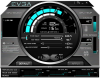
-
Mine's greyed out and doesn't let me adjust either. :/ But thanks for your help!
-
Which version of Precision X are you using?
-
I have 4.2.0 but its currently installed on my desktop. I have yet to try it on my alienware 17. "Thatoldguy" got his to work with his 780m so I presume that we can probably do the same
Found this on the release notes, maybe you need the 320 drivers on Nvidia to get it running
Version 4.2.0
Release: 5/23/13
New Default Skin, legacy skins are available from the Options > User Interface tab
Improved NVAPI access layer architecture with better extendibility
Improved hardware monitoring module architecture with better extendibility
Added temperature limit, power limit, voltage limit, maximum overvoltage limit and GPU utilization limit graphs to hardware monitoring module for release 320 and newer NVIDIA driver. The graphs help you to understand the reasons of realtime performance limitations (e.g. limiting performance due to reaching power target) on GPU Boost compatible graphics cards
Added framebuffer, video engine and bus controller usage graphs to hardware monitoring module
Added generic NVAPI videomemory usage monitoring for NVIDIA graphics cards unattached to Windows desktop (e.g. dedicated PhysX accelerators)
Updated power reporting for release 320 and newer NVIDIA drivers. Now EVGA Precision X reports normalized total power according to NVIDIA recommendations
Now RivaTuner Statistics Server installer is being started by EVGA Precision X installer to make installation process easier for beginners. The server distributive is being copied to .\Redist\RTSSSetup.exe during EVGA Precision X installation, so you may always install it later if necessary
Added workaround for missing tray icon when starting application while EXPLORER.EXE is not responding
Application tray icon is now being restored after restarting EXPLORER.EXE
Build number is now displayed in i window and in application tray icon tooltip
Localizable installer files for third party translators are now included in distributive in .\SDK\Localization\Installer folder
RivaTuner Statistics Server distributive has been upgraded to version 5.1.2:
Added update checking system
Added version checking system to installer. Now the installer is giving you a warning when youre trying to install older or reinstall currently installed version of the server
Added client notification system to installer. Now the installer is notifying client applications like EVGA Precision in the end of the server installation process to allow the clients to restart themselves
Added workaround for missing tray icon when starting application while EXPLORER.EXE is not responding
Application tray icon is now being restored after restarting EXPLORER.EXE
Fixed issue with newly added profiles not being automatically selected in the profiles list
Added keyboard navigation support for profiles list
Added On-Screen Display profile for Medal of Honor: Allied Assault
Improved reboot notifications for locked files installation/uninstallation
Now RivaTuner Statistics Server prevents attempts to start application without rebooting the system in case of using delayed locked files update scenario during installation
Added screen capture support for fullscreen Direct3D7 and DirectDraw applications (windowed mode is not supported). Please take a note that DirectDraw and Direct3D7 hooking is disabled by default in global profile, it is recommended to enable DirectDraw and Direct3D7 hooking at application profile level instead of enabling it globally
Build number is now displayed in application tray icon tooltip
Localizable installer files for third party translators are now included in distributive in .\SDK\Localization\Installer folder
Updated profiles list
Now RivaTuner Statistics Server version is displayed in i window
Now it is possible to override group names for values displayed in the On-Screen Display or in Logitech keyboard LCD display
Show system time option now longer depend on On-Screen Display header or any hardware monitoring item visibility -
Thanks man! Were you able to run some benchmarks? Is it reaching 7400 without any overclocking?
*OFFICIAL* Alienware 17 Ranger (2013) Owner's Lounge Thread
Discussion in 'Alienware 17 and M17x' started by Mr. Fox, Jun 12, 2013.


