 Problems? See this thread at archive.org.
Both.
/10char
-
-
dunno y they running at 3.5ghz. tdp i set to only 70w
i clock to 105.2 x 46
![[IMG]](images/storyImages/LTHJH.jpg)
-
Thanks. I would guess that TDP @ 70W is holding it back. I noticed in the SS of the Vantage CPU run you posted earlier the CPU used something like 85-90W? Can you increase the TDP to 90W or 95W? Might create temp problems on the 1024M run, but shouldn't be an issue on the 32M test. You might start a run on 2920xm's around here if the R3 can provide the power and cooling to handle both it and the 6990M/580M when heavily o/c'ed, but that seems unlikely without heavy auxiliary cooling.
-
yeah...well we do..

that's why we wanted you to run them
-
d@mn... temp at my room with air-con (room temp about 19'c) yet still get overheat and system shutdown at 99'c
the best i can set is 80w++ if 99w... NO WAY ... mb the heatsink for m17x is much more small den 18x? arrgghhhhh d@mn1t
87w but still over 200sec
![[IMG]](images/storyImages/Fnf4K.jpg)
-
Nevertheless, that's very impressive, in fact unprecedented, for an R3. Heat should not be much of a factor on isolated 32M runs, so you should see the benefits of the unlocked and pushed 2920xm with the shorter test. Given the theoretical operating frequency at 46x, the result should be awesome if the mobo and CPU can handle the power required, whatever that might be. Probably going to need DICE to handle the temps for longer runs at the extreme settings. Much fun for the boys. +Rep.
-
Thanks *The Revelator* btw, im still learning.
and i learn from you alot yo.
-
Any luck with a 330w charger?
-
not yet try bro. tomorrow morning only have chance to try out
-
Hi guys! just passing by to say hallo to everybody, i'm really busy and had no time yet to bench with you all
I hope to have time soon enaugh.
cheers! -
yo bro... no different between 240watt ac adapter n 330 watt ac adapter
-
How is it no different? As in benchmarks are the same? Does the charger work though? Does it charge the battery?
-
yup... work lik normal.. benchmarks are same. but good is the ac adapter will not hot lik 240watt.
-
So you're not getting any warning in BIOS?
Does the laptop start normally without beeping and when in Windows does it charge the battery like it usually does?
-
no.. nth happen... i use my e4200 plug on 240watt also no problem since the original jus using 65watt.
btw, im now using 330watt... hahaha...
-
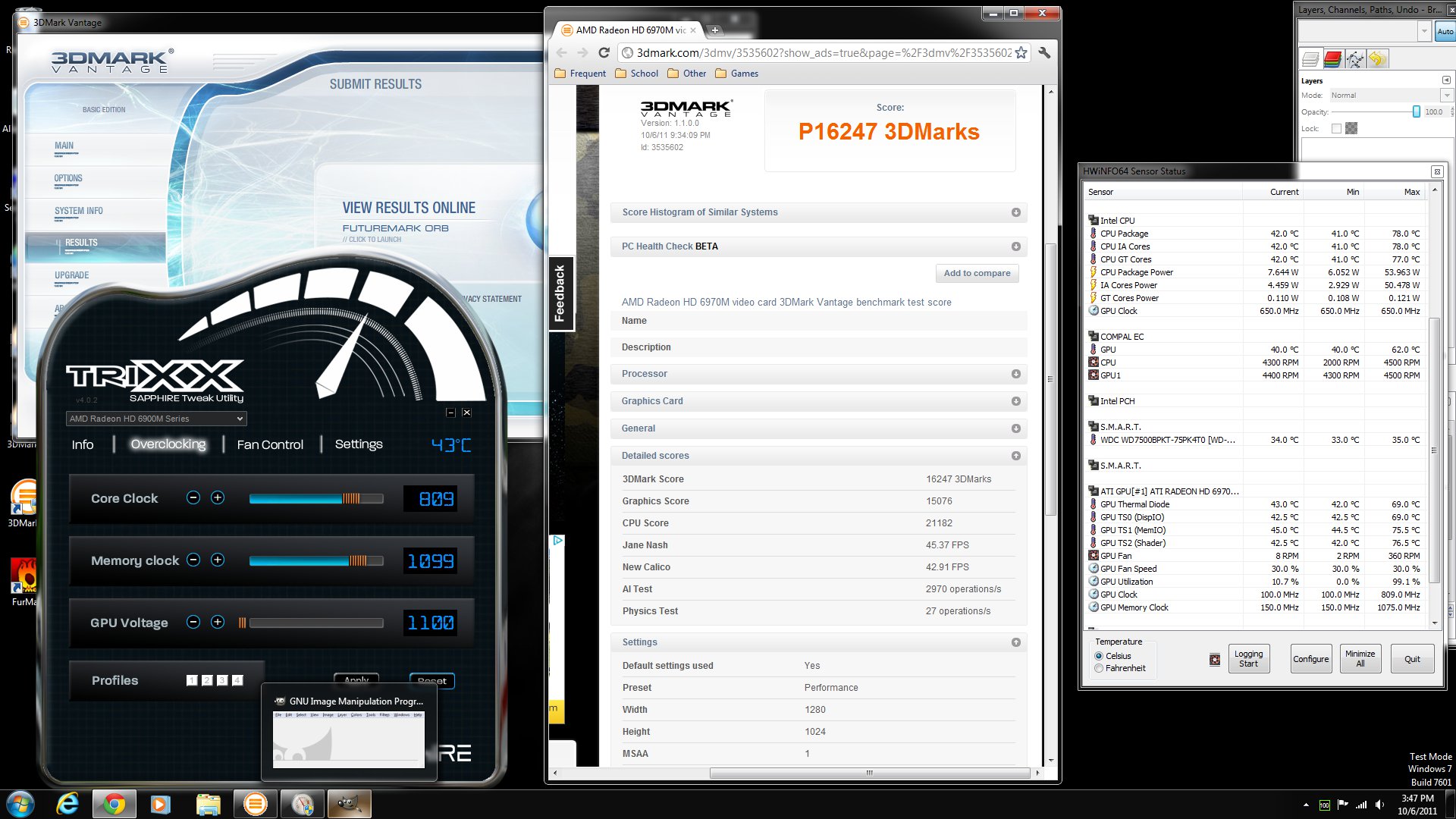
It's not record setting or anything, but just incase anyone is curious about the new 2760QM combined with a 6990:
Vantage
P16247
15076 GPU
21182 CPU
This is my first time posting with an image on this forum... i hope it does the thumbnail... if not, can someone give me a tip on how?
Edit: Looks like I got the thumbnail on the first try. w00t!Attached Files:
-
-
wow nice! not too big of a difference between thw 2720 vs 2720. did you try to oc the bclk to see how far it can go?
-
No, I haven't adjusted the bclk. Is there a guide for that on here somewhere?
Also, would throttlestop help any or is that only if you're getting thermal throttling? -
the oc stuff is in the bios:
http://forum.notebookreview.com/alienware-m17x/560044-m17x-r3-overclocking-sort.html
you can prolly oc from desktop using xtu, but i would do the bio oc first.
throttle stop does help, not alot but does help with cpu scores. -
heaven benchmark 50.2 fps
-
based on the bclk guide, I'm not going to mess with it... I'm not reinstalling windows for the chance of a ~3% boost...
-
huh reinstall windows??? u don't have to reinstall anything just reboot and hit f2 once u see the alienhead, then go to the performance menu and adjust your frequency.
-
in the guide he talks about how if you push it too far it can corrupt your sata interface, and you'll have to reinstall (he says he in fact did this).
-
i'm not pushing you to do this, but honestly this is pretty safe. if unstable your system will just reboot to default bios settings. i was just curious so no worries if you don't wanna try it.
-
ok, I decided to mess with it. Are there stability tests I should run with bclk overclocking? or is it more of a if it works, it works thing? I'm up to 102MHz. no issues I can see so far.
-
wow nice. just use it with the oc if its not stable it would just reset back to stock. my current cpu is stable to 105, my last one was able to go 107. just find your magical number, heheh
you can try running wprime @ 8 threads see what you get with the 32m and 1024 runs. -
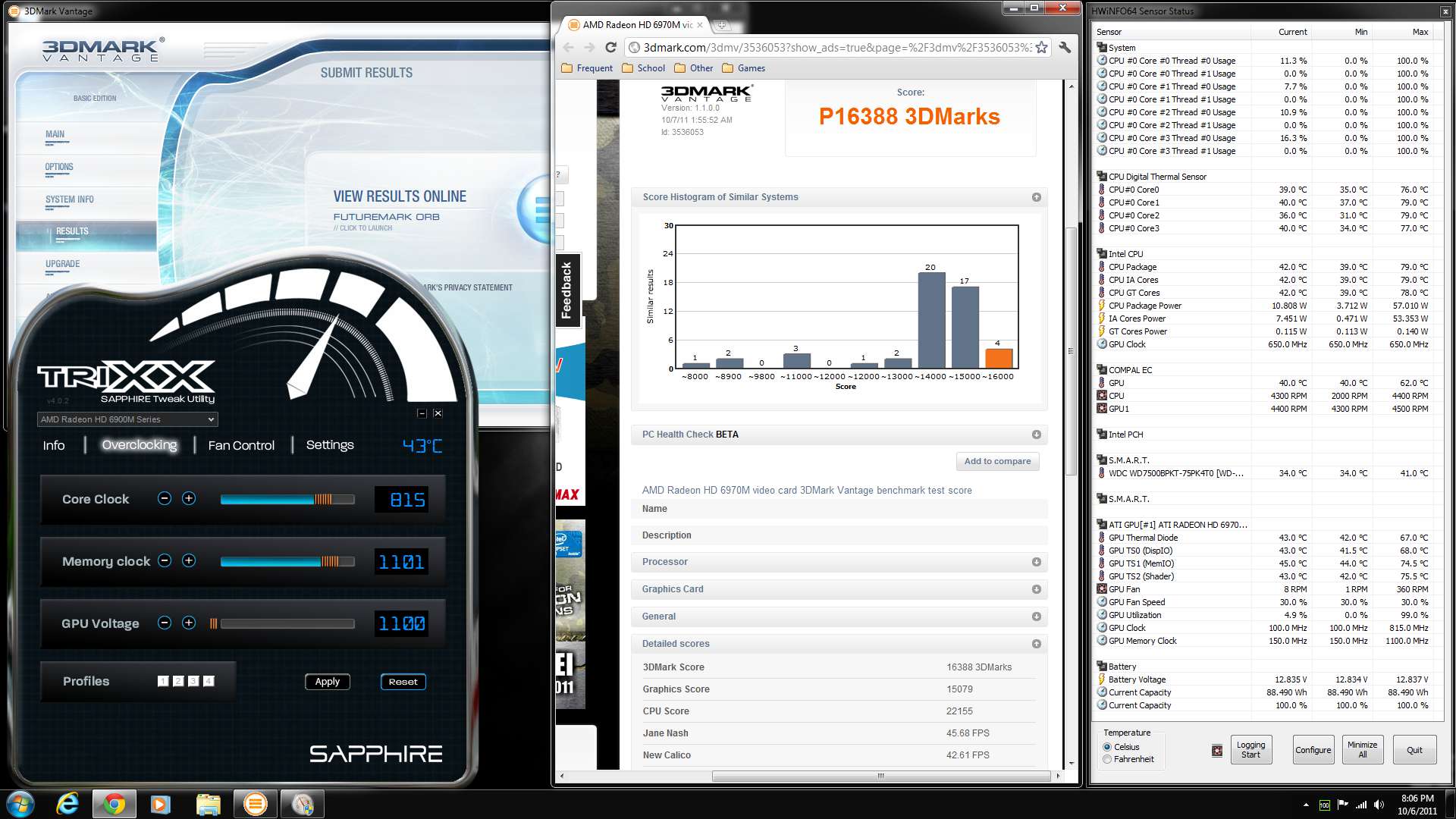
Ok, I got as far as 105.5 before it crashed. I then backed off to 104.5 since I'm not a fan of the ragged edge. I also bumped my GPU clocks very slightly and reran vantage:
P16388
15079 GPU
22155 CPU
at 104.5 I guess I'm getting 3.66GHz max turbo vs 3.49 and 2.51 vs 2.4 pre-turbo... so a decent increase, really.
Incidentally it's a 4.6% increase in CPU score... so it scaled just about perfectly.
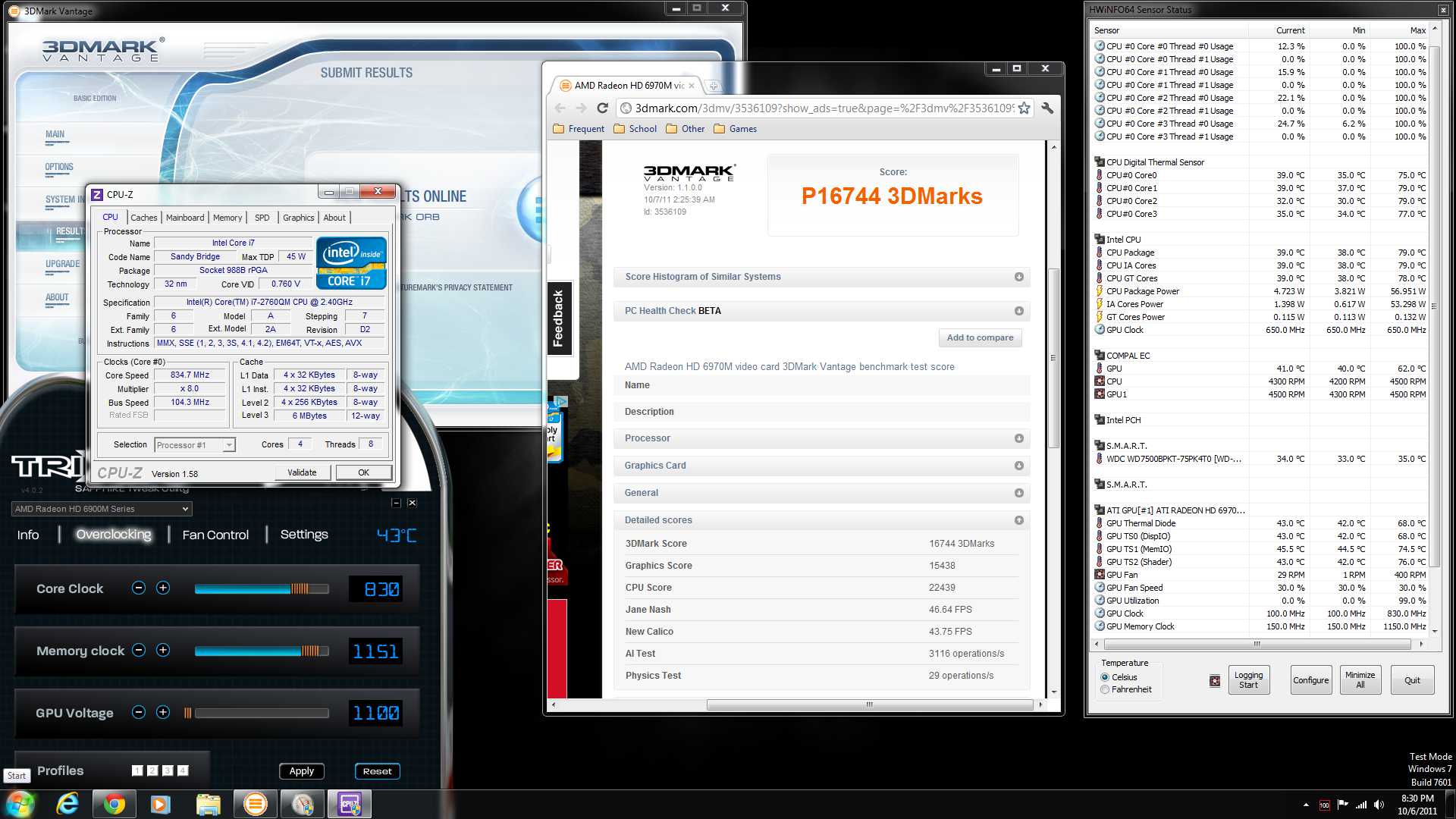
Edit: So I realized I was getting close to making it onto the leaderboard for the R3, and decided to push a little harder.
P16744
15438 GPU
22439 CPU
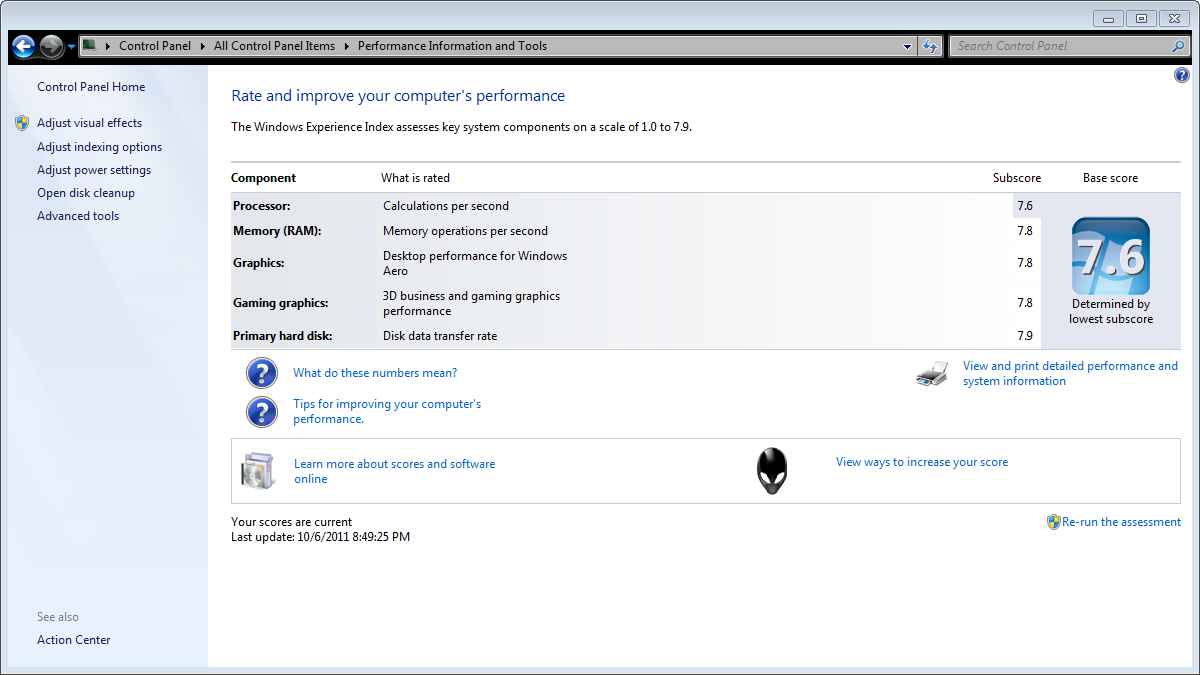
Extra Edit: Since DR650SE posted his WEI, I added mine. SSD is a 128GB crucial M4. 1600MHz RamAttached Files:
-
-
How did this get stickied again???
Anyway, for giggles I ran the WEI on my system. Been building my clean install for a few days. Here is the WEI for the system in my sig. Only difference is I'm running the SSDs in NON-RAID mode. Running as an OS/Apps drive, and a separate gaming drive. So the HDD score is a single Intel X-25M drive.
Also the GPUs are at stock speed and undervolted to .96v, down from stock 1.1v
Not too shabby for an old outdated, antiquated, end of the line R2
![[IMG]](images/storyImages/68103893.jpg)
-
Haha not to shabby at all! just checked my WIE score are basiclly identical
-
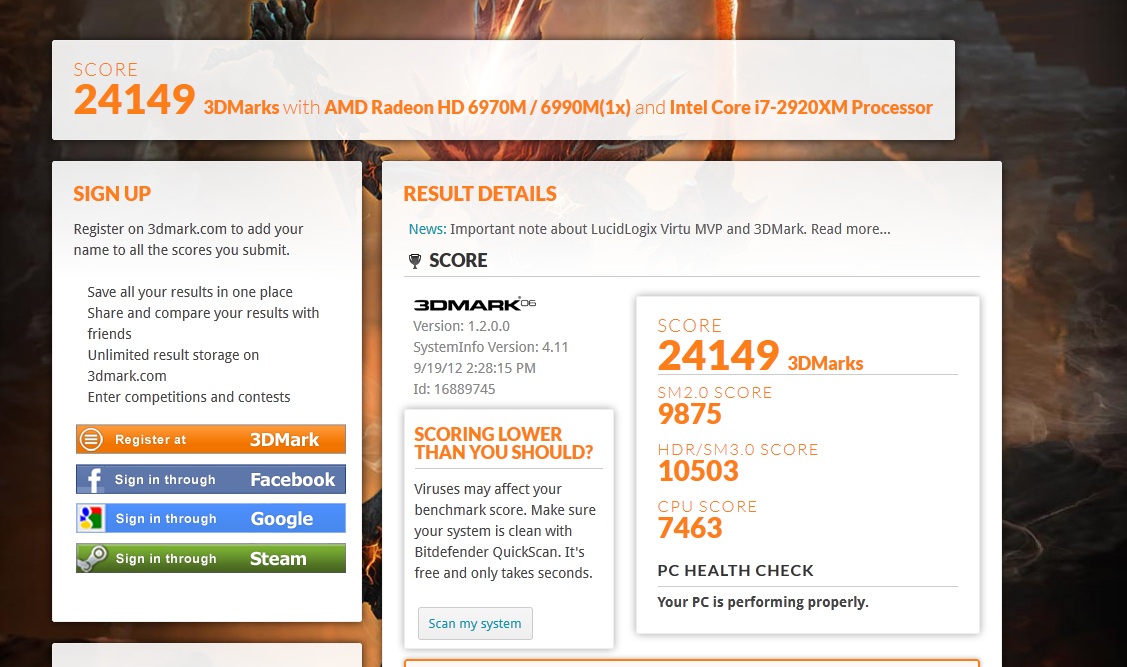
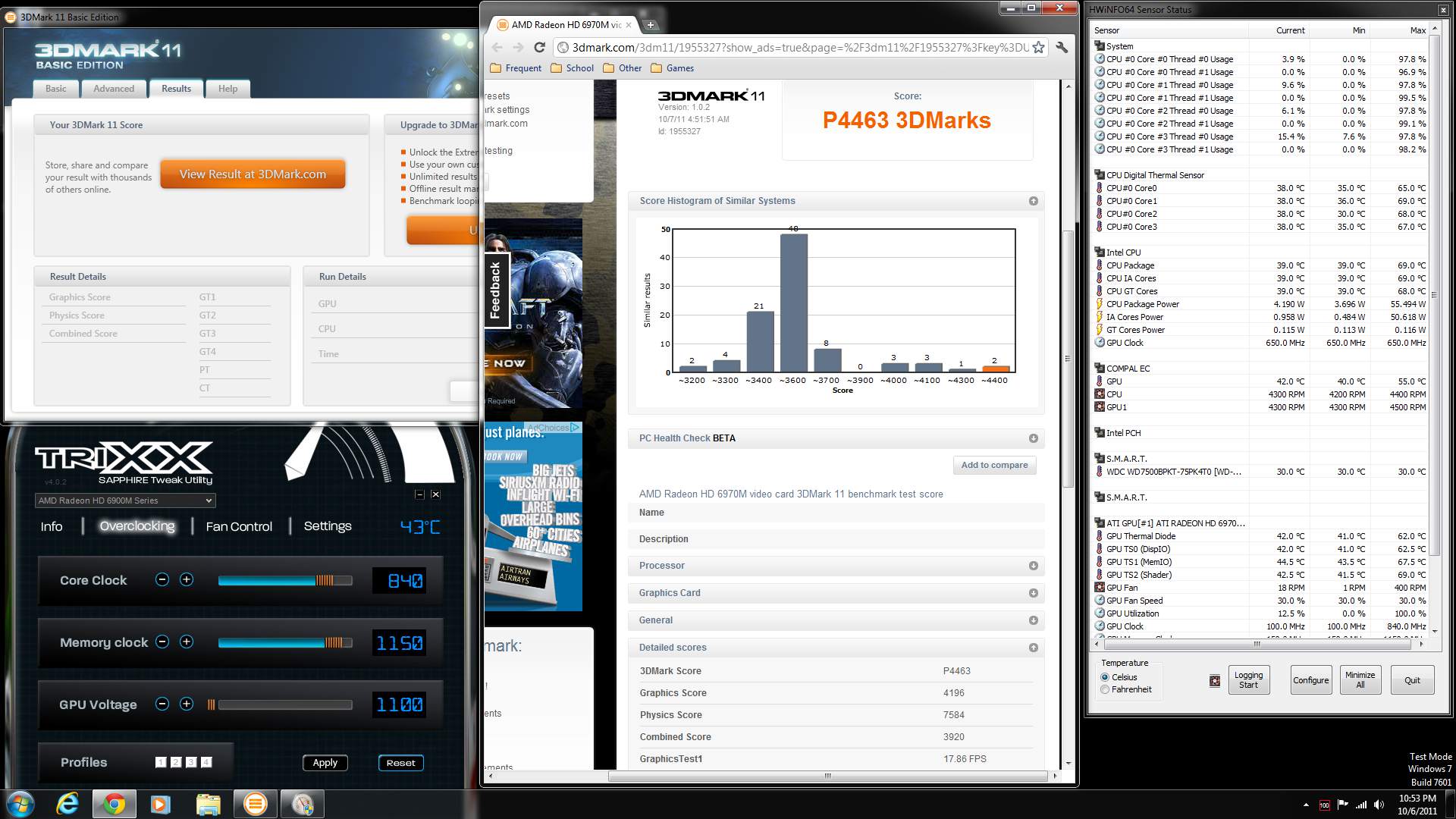
So, I've been bitten by the benching bug tonight, but I have a slightly weird issue... My Vantage (above) and 06 (attached) are both in the top 5 for R3s, but in 11 I'm not particularly close - 4052 where the top scores are in the 44-4600 range. Does this somehow indicate something? If so what?
Thanks
3dMark06:
22313
Edit: got informed of the proper settings for running 3dmark11...
P4463!Attached Files:
-
-
thats awesome temps!!!what room temp u have???
-
My room temp is 73F /22.5C.
On that last 3Dmark11 run I put the lappy on some huge textbooks and then put icecube trays underneath it so it was forced to pull in even colder air. It looks like that bought an extra 5-6C on my peak temps... enough to let me push the clocks that extra 10MHz
which was the difference between 4420 and 4463 which moved me from off the list to #3.
The other runs - vantage and '06 did not use the ice cubes but did use the textbooks. -- they're graduate-level engineering textbooks, so they're big(1200++ page hardbacks)
Heck, I just noticed it even dropped the hard drive temp by 5C too. Good old ice cubes ;-) -
***LEADER BOARD UPDATED***
**Nice job DarthPierce on moving in to the Top 5 on all three catagories. Impressive scores! +rep **
NOTE: If I have overlooked your score, your you have a score that needs to be in the Top 5, Please PM me. I don't always have time to scrub the thread from the last point I updated. Thank you
Last edited by a moderator: May 8, 2015 -
i think u missed mine on page 123, didn't really change positions but this score is better then the one posted.
http://forum.notebookreview.com/att...benchmark-thread-part-4-best-vantage-dice.jpg -
Finally i manage to do a repaste on my 920xm and throttling is a thing of the past, i bested my score, will try to improve, DR, Kenny, i'm closing in
This run @26x140 +75mV tdp setted @ 105W, cards @840/1050, room temp @20 °C. 11.9whql+11.9Cap1
![[IMG]](images/storyImages/vantage24k9.th.jpg)
-
TDP Max 70...
too hot in my room... cant get higher den 80TDP... get reboot.
BTW, 19k for vantage
![[IMG]](images/storyImages/7gZZu.jpg)
-
Nice! Man I wish my 2920XM would come soon. Aargh! I hate not being at the top.
-
wow looks like 20k vantage is possible with a good cpu oc.
-
Yes it does look like it
-
If I recall correctly, it's a bug in gpuz 0.5.5 if you go back to 0.5.4 it will show 1120, I believe.
-
Look here, my friend, but be prudent. Not all features are available for our systems, but enough. http://downloadcenter.intel.com/Detail_Desc.aspx?lang=eng&changeLang=true&DwnldID=19683.
-
I'll show everyone how to OC their XM CPU's properly once mine gets here. I've learnt a lot from the modded bios and Intel XTU.
-
Yep, DP is right, but they did a stealth correction. The newest versions of v0.5.5 have been corrected and the prior language about "correcting" an error in the number of shaders (resulting in the reduction) has disappeared from the release/feature notes, all without comment or explanation for the prior change. They screwed up, but now it's fixed.
-
You might try downloading and installing again. It works for me and many other R3 users, and we know it works with 2920xm's in the R3 from worldedit's experience. It's worth figuring out how to make it run on your computer. Is your 2960xm an OEM or ES/QS chip?
-
Cannot make contact means that your Bios is set to UEFI. You need to disable it. Another user from T|I had this issue.
-
No, they're the same for our purposes. Sounds like the UEFI setting may be the answer. First time I've run into that. I don't even know what UEFI is. Better find out I guess.
Edit: Unified Extensible Firmware Interface (UEFI) is an OS-Firmware interface, which functions like a standard BIOS and will/may replace it. -
The ES (Engineering Sample), sometimes also referred to as a Qualification Sample in the CPU bootleg world, just means that it is not an OEM chip. The QS in the bios is apparently a different use, but no one has ever clarified why Intel uses it with the Sandy Bridge CPU's. Before widezu69's explanation of the UEFI setting, it occurred to me that Intel might keep XTU from functioning with ES chips. Pure speculation, apparently wrong.
-
Well I've seen the UEFI option in the bios somewhere. I've never had the issue so I forgot where it is precisely, also I'm using the modded bios. I'll make a proper thread with XM TDP limits, current (TCP) and multi manipulation. Stay tuned
-
You sure? If that was the case then your M15x may have had the 1080p screen. Or 3DMark was defaulting to 1440x900.
-
Are you not getting it mixed up with 3DMark Vantage? Because that would run @1280x1024 no matter what your resolution is.
*OFFICIAL* Alienware 17 and M17x Benchmark Thread - Part 4
Discussion in 'Alienware 17 and M17x' started by BatBoy, Mar 11, 2011.





![[IMG]](http://imageshack.us/photo/my-images/97/68103893.jpg/)


![[IMG]](http://imageshack.us/photo/my-images/803/vantage24k9.jpg/)
