 Problems? See this thread at archive.org.
Lol, well that kills half the fun. Modding the inf should be an easy fix. Hopefully anyway. I'm sure a lot of people had high hopes for the 285s. Perhaps they can't OC much because they already are overclocked...280Ms. Already used up any headroom.
-
-
They are overclocked like 20 MHz....lol - they still have headroom
And I think they have different RAM timings because with the clevo's at least they did overclock further than the GTX 280m's -
Looks like Monday by 3pm eastern I will have a new 4870

Love that warranty! -
awsome!
yeah, and even .0 1V more lol..
the only bench I manged was a very high crysis run @ 720core/1800shader and 1100 ram, I think I average 29.6x fps, didn't snap a screenshot b/c I got cocky and wanted moar! D= at which point Everything went to heck. -
Use rivatuner to overclock the 285M's. I used to do it with my AW M15x and after overvolting the 260m, I'd get some very nice results.
-
I can't even flash them to over-volt though, I'll give riva-tuner a try though. riva tuner was a no go, haven't given up yet, going to run back on the newest whql's to see if they work better with evga.
Did manage 1 run before it froze though. All else fails, going to try fiddling with system tools some more than mess with cpu overclocks.Attached Files:
-
-
well the good news is 258s and system tools behave, broke 30fps in crysis on the same clocks, the bad news being of course that 258s also randomly bsod...
-
probally as far as I can go on air and stock voltage, core seems stuck @ 705mhz and will just freeze , might be because of the 258s, I'll try on 197s tomrrow.
now to some cpu-overclocks!
crysis
![[IMG]](images/storyImages/crysis70511601785.th.jpg)
vantage, physx on
![[IMG]](images/storyImages/vantagephysx.th.jpg)
vantage physx off
![[IMG]](images/storyImages/vantagephysxoff.th.jpg)
2006
-
Your 06 is vantage no physx
But nice vantage numbers -
that's pretty much as good as it's going to get, I'm re-running 06 with physx on, dunno how I missed that. Anyway, I got a decent 155mhz FSB cpu overclock before prime95 quit, but basicly, almost any cpu overclock results in some sort of throttling going on and crysis scores just start to tank. @ the same gpu clocks and 155mhz fsb I got 26.xxfps in crysis, which got progressively better the lower cpu overclock I had. I may even ask for my 5870's back tomorrow since they're sitting in the other computer right now
edit; scores actually droped with physx on. -
-
would have never even considered that a good trade off..
i would ask for the 5870's back, if it were me. -
is that 740QM bottlenecking the 285ms that badly?
-
nope.
the 285 is bottlenecking itself on it's own...
-
I'm going to ask, but I don't expect to get them back, I must of had a bad install previously as 258's haven't bsod for a day now (where usually it would bsod every few hours) so if they acutally are stable, I'll still be happy.
not sure really what's going on to be honest, going to take a look-see with the killawatt this morning to see if it's acutally a PSU problem. The only place it was bottlenecking was @ 06, for whatever reason I just was not able to pass 14K.
edit; @ 705/1775/1155 and stock 740 clocks, it pulls ~ 220-225 during the crysis gpu benchmark, which increases to ~ 225-232 after 143mhz FSB on the processor. I know these psu's are very much under-ratted, and 230ish shouldn't be causing this anyone have an idea? -
If you call and tell Dell that your PSU has given up it's ghost, do they require you to send the old one back? I really want to hook 2 of them up in parallel and see what happens when the CPU and GPUs are getting sufficient power with more overhead than you could possibly ever need.
-
normally they do require you send the old PSU back.
-
I had to send one back when they sent me a new one when I first tried A04
I knew the BIOS was the problem though and just sent back the new one. -
getting my 5870's back and my BLU-RE back too, new parts will be ordered monday. The Rep was still surprised they (285's) even worked or booted. Half tempted to just switch GPUs now while I wait for the new ones.
-
JUST DO IT!!!! (INAP)
-
Attached Files:
-
-
You should still be able to uninstall nst. Try through safe mode?
-
I'll try safe mode, would like to mention, as I suspected, 5870s acutally draw almost the same power as 285's do, at least runing stock on crysis. It might even be a little higher as this time I saw it spike to 205W ocassionally. It does look like they run just as hot/cool as 285's though, even with the incorrectly installed heatsink.
-
sure it will...now this might be the time i would try driver sweeper or driver cleaner..(might - that is...lol)
but knowing me..i would just delete the folder then use regcrawler and comb the registry for nst/nvidia/gtx285 and call it a day(short version of that) -
I've read about running dual 240 psu's in another forum and it turned out to be not so good. I think the system didn't recognize the psu, IIRC.
-
There is probably a small AC signal on top of the DC power that the BIOS uses to identify the PSU attached. This can be overcome by simply running one of the two through a DC Pass filter (that is, pass 0 Hz) before putting them in parallel.
-
I like where this is headed lol.
-
Well it would be a shame to completely waste that EE degree I have lol
-
you can have that psu made..but cost like 300 bucks.
the place is out here. -
But my point is that there is some way that the motherboard is verifying the PSU and you would have to keep that intact. Although those custom made ones may work with clevos, the alienwares are not as liberal it seems
-
really? when did this start happening???
-
the bios was throwing errors saying it was detecting a non alienware psu with a04 and a05 on the R1, it was the right psu and a bug but it means that the bios has a method to check
-
hummm, didn't think of it that way.
the batteries do the same thing from time to time.. unable to charge because battery is not the correct type, but yet it's a factory battery. -
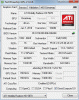
Here you go but still not where i want it i have some more faith in this 920xm ES of a chip.
CPU-Z Validator 3.1
Still working with TDP/TDC to make the multipliers stick when running a 8 core wprime but unfortunately i am hitting a wall and only getting 23x all accross at 98/80 going up to 100/85 is not making it either i have a feeling that i will need to go over what i feel comfortable at but gonna manipulate those multi a little to get 24x overall =p
![[IMG]](images/storyImages/236xm17x10085.th.jpg)
EDIT: The m15x can holds its own without any FSB mods
CPU-Z Validator 3.1
can someone with a XM let me know if you are able to maintain high multipliers on wprime like 25-26x across all cores on a bench. Here is my m15x and i was only using 93/75 to hit that and it was sticking.
Laptop Forums and Notebook Computer Discussion -
you need to let wprime finish, then take a picture... because that score looks like it's either 10/11 or 12 seconds.
the aw holds the multiplier better than the asus. 29 is about the highest i can get on a single core. and around 26/27 on all four...depends on the bench really -
^^^ sorry i was just taking a wprime shot to show the highest i can hit the multipliers and make them stick the score was like 8.5 sec which is pathetic since my 15x i was hitting 6.999 and still had some more play and this was just sitting on top of a cooler. still need to learn the ins and out of the m17x but might end up waiting till dell techs make a decision on my system if they want to give me replacement parts or replacement units =(. i need to do the CPU mod for sure since cooling on m15x was better by just replacing stock paste and on the m17x that is not the case. If i want to hit some good numbers i will have to first play with cooling and get it where i want it before i start bumping up power to hit the magic number
m15x wprime
http://forum.notebookreview.com/att...icial-m17x-benchmark-thread-part-3-wprime.jpg -
The M15x does have some sweet cooling
And John, it would be so nice if Asus put the same thought into their laptops that they do into their motherboards
-
with numbers like that...you should join the team...
The M15x does have some sweet cooling
the problem with the g73 is a simple one...fan control. max fans kills like 15 degrees of temp.
not sure who over there thought it was a good idea not to be able to control the fans. -
here you go john but still not worth of anything and those TDP/TDC are pretty high and need some cooling solutions and mods before i get any more ballzy
23.8x lolz =p
![[IMG]](images/storyImages/238x.th.jpg)
24x
![[IMG]](images/storyImages/24x.th.jpg)
-
your already too high....it's probably throttling (speculation of course)
side note:
this guy needs to join the team as well..
TEAM CONTRIBUTIONS.
Rank Points Member Global Cups Hardware Cups
Member rankings.
1. 100.70 TheCodeBreaker 0.00 100.70 17x 14x 19x 6x -
thanks man i need to setup a account and do some cooling mods and whip up some benches but i do it more for the fun of it then cups....and if i go after cups i will become so competitive that in the end
![[IMG]](images/storyImages/mad0233.gif)
-
nah..we ain't like that...it's all in good fun. and a place where you can show your numbers..without them getting lost in the numerous pages on nbr.
-
you are right on the organization trying to do research in this thread and look up old info is a pain in the butt and i guess that might a good reason to whip up a account and get some points. Need to look into folding @ home for EVGA as well. I was experiencing very close to thermal limits and back it down and with out any aggressive cooling the thermal limits approach very quick on the setup and with moving and all currently getting access to any sort of crazy cooling methods is a little tricky for now all i have is a nzxt cooler =((. I am more sad about being able to hit high multipliers on all cores compared to the m15x. I hope i am doing something wrong and one of you guys can show my how to achieve a higher multiplier across all cores and make it stick. FSB is OC 5% and 150mv to cpu and 1.7v on ram. Using crappy stock ram for now and i can use set fsb to go as high as 145-147 stable beyond 147mhz is a crap shoot. Multipliers i can go to 29x and 30x is BSOD lolz.
edit: Kill a watt meter is maxing out at 185w and i have a 240w psu so no issues with power limits -
mine...about 140 or so.
also...
you need to be happy with that..why? because not allot of cpus can double themselves without having to be on ln2/dice/ss/lhe/cass (cpuz validation)
-
faiz23: If the M17x R2 is not using clock modulation or chipset clock modulation then I would suggest turning both of those off in ThrottleStop to free up a few CPU cycles. You can also add:
NoChipset=1
to the ThrottleStop.INI config file to disable monitoring of this all together since I'm pretty sure it is not used at all in the M17x R2.
Have you tried getting rid of the BCLK overclocking and then tried to use a higher multiplier. If your ram is holding you back then you might be better off keeping the BCLK at default so your ram is not being pushed too hard.
The new ThrottleStop feature to Force TDP/TDC more aggressively that works wonders on the M11x, probably isn't needed on the M17x. Once the TDP/TDC is set on the 920XM/940XM, it seems to stay at that value without needing to be constantly updated like the M11x Core i UM CPUs need. Because of this, you should be able to use a high number of at least 1000 or higher for the Force TDP/TDC setting in ThrottleStop 2.89. The M11x needs this set to about 8 but once again that would just waste CPU cycles if it is not needed on the M17x R2. Just some random suggestions. -
throttle stop works on an intel dx58s0 motherboard as well.
-
Well Just shipped my M11x and a lot of CPU's and SSDs and such. Insured it, but now I can't bench
They wouldn't let me ship my thermal paste since it looks like a needle and would force them to open my foot locker. Not going to let that happen with all the valuables. Looks like the IT section here is getting some Artic Alumina, AS5, and some IC Diamond tommorrow
Then I gotta reinstall my dead GPU and ship the M17x. Hopefully everything makes it ok. I'll be out of the benching scene for a while.
-
I just got my replacement 4870 today too, love that overnight warranty!
-
I had to delete a considerable number of posts in this thread -- stay on topic. Forum rules 101, guys . . .
*OFFICIAL* M17x Benchmark Thread - Part 3
Discussion in 'Alienware 17 and M17x' started by BatBoy, Jan 30, 2010.


![[IMG]](http://img163.imageshack.us/i/crysis70511601785.jpg/)
![[IMG]](http://img219.imageshack.us/i/vantagephysx.jpg/)
![[IMG]](http://img829.imageshack.us/i/vantagephysxoff.jpg/)

![[IMG]](images/storyImages/crysislast.jpg)



![[IMG]](http://img684.imageshack.us/i/236xm17x10085.jpg/)
![[IMG]](http://img100.imageshack.us/i/238x.jpg/)
![[IMG]](http://img684.imageshack.us/i/24x.jpg/)


