Problems? See this thread at archive.org.
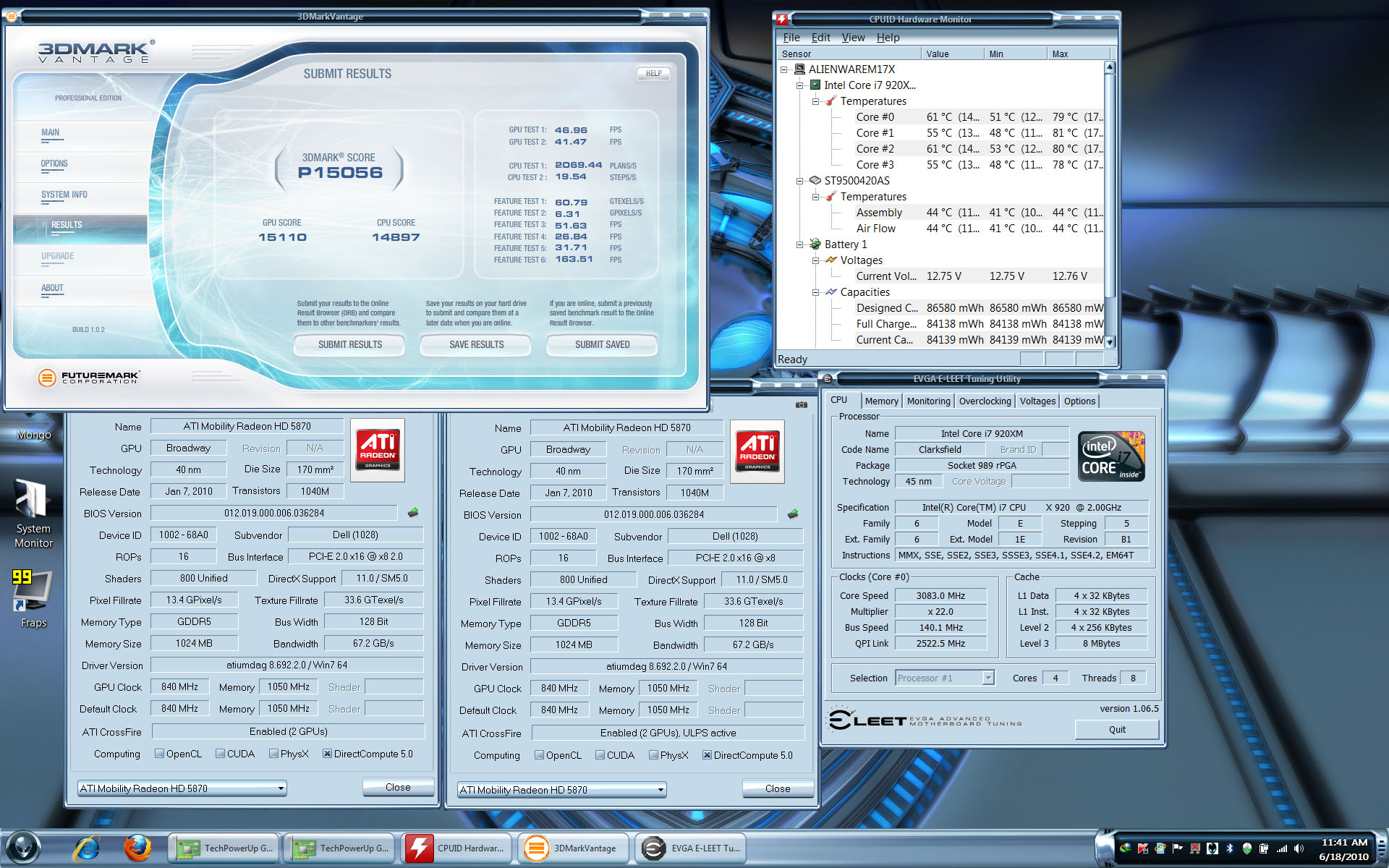
here is my vantage run. 100% stable.
-
Attached Files:
-
-
Not bad at all, push it higher try to hit 18K also where the hell do you get that EVGA elitee program i just can't get it without buying it. Push your overclock higher too 3.33 and try 3.40 and push the gpu a bit higher, good luck.
-
For what it is worth, driver 10.6 seems to boost vantage scores compared to 10.3
My system is full stock - here are my results (averaged after 3 or 4 runs)
10.6 - GPU score: 11243
10.6 w/CPU @ 2.83 (8.5x 333) - 11368
10.3 - 10869
So it appears that there is a decent boost (about 500 points) from the new drivers for the 4870s at least as well as good scaling with more cpu power -
Thats good news
 Reinstalling windows to try them out now. I found out that if i disable crossfire i can get the at higher clocks, does that have to d ith i7's architecture or the driver?
-
I'm not much into benching. more gamming. I have uploaded the evga eleet program.
RapidShare: 1-CLICK Web hosting - Easy Filehosting
password is mazdaspeed_6 -
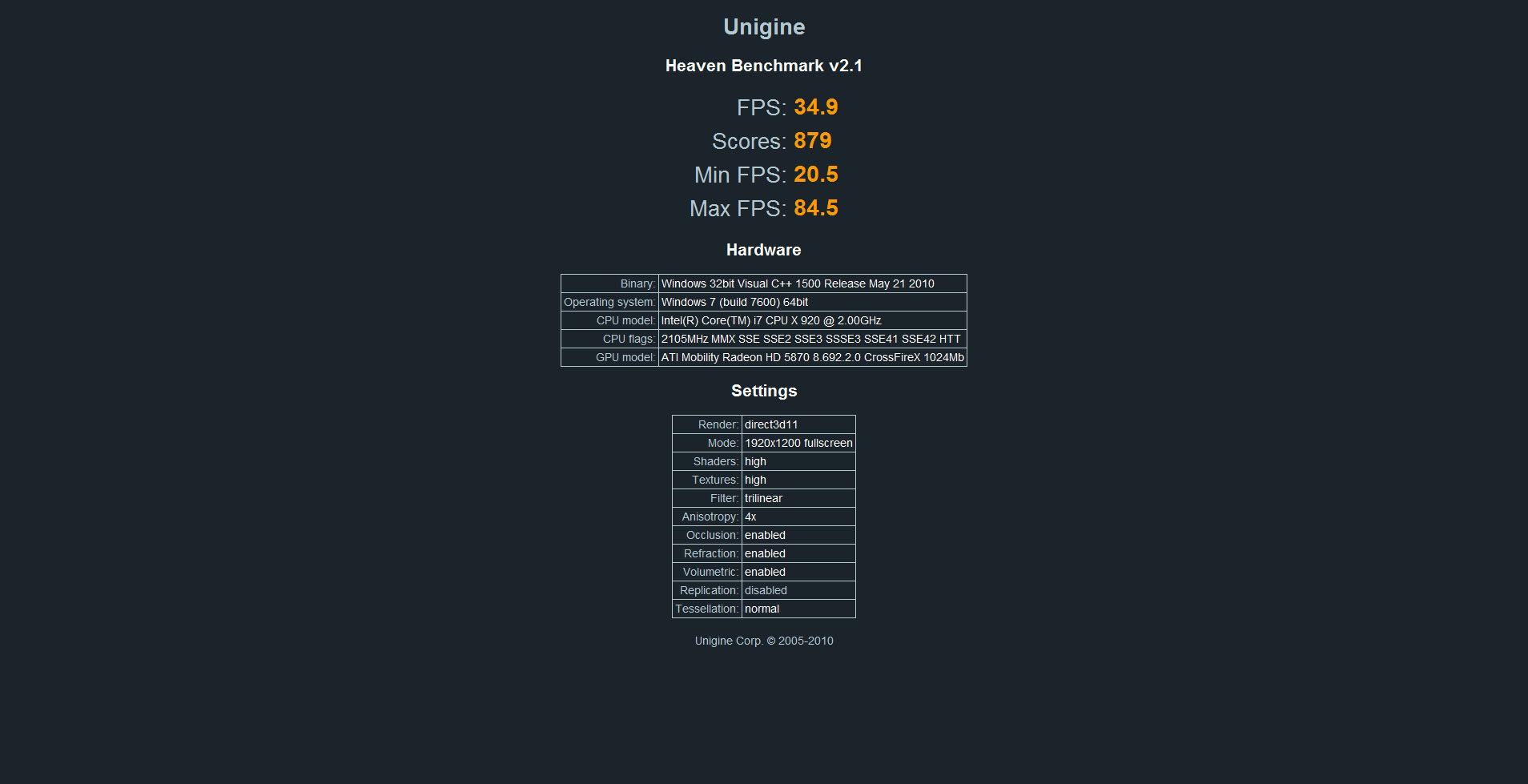
Well I've been doing a lot of testing and these are my results.
stable clocks for the 5870 is
core: 860
memory: 1025
voltage: 1.1 or 1.15
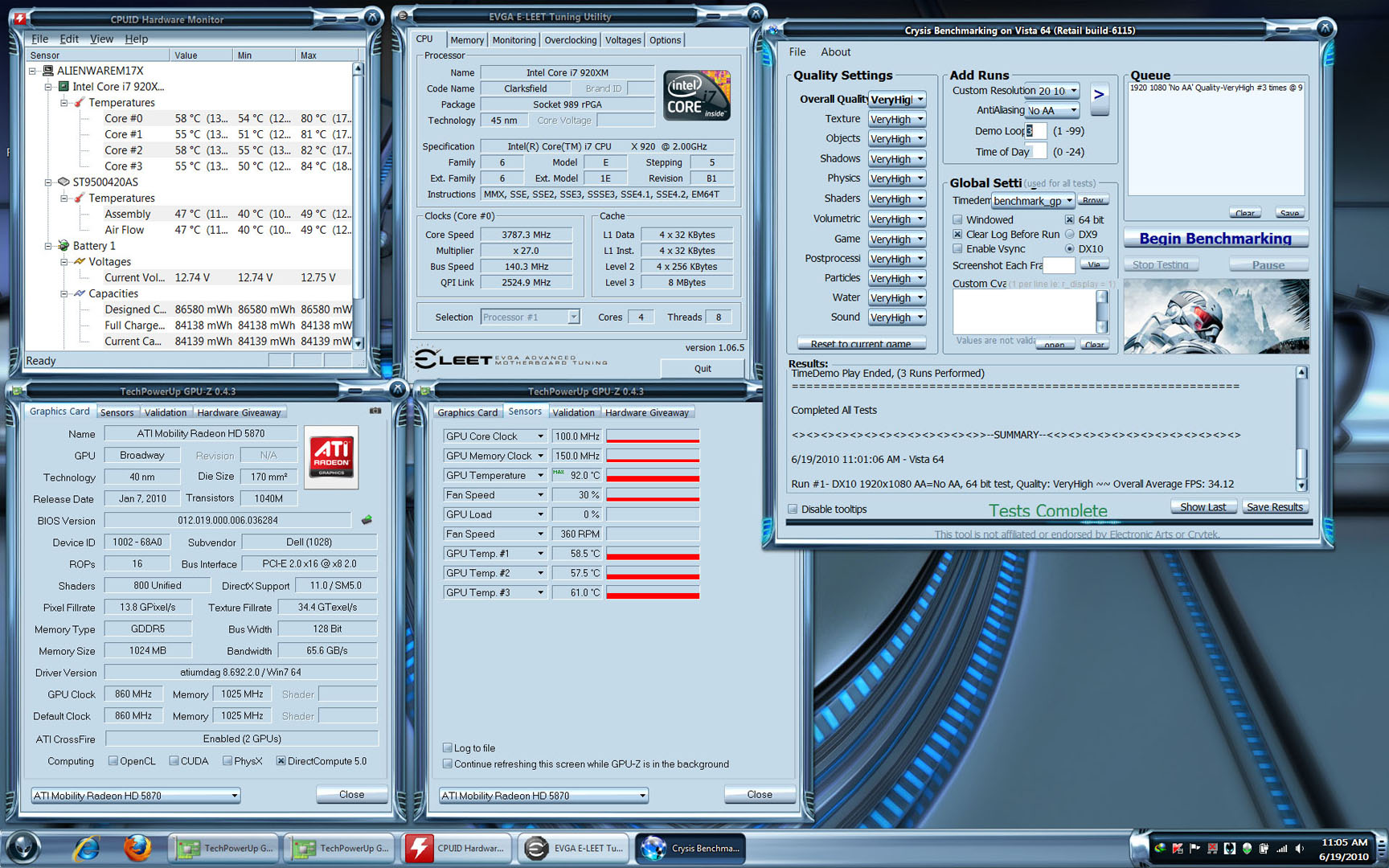
I ran vantage and 06 and crysis benchmark(ran at 1920x1080) back to back. then i ran Unigine Heaven benchmark.
results for Unigine and Crysis benchmark posted below.
the GPUs got pretty hot. 92C.Attached Files:
-
-
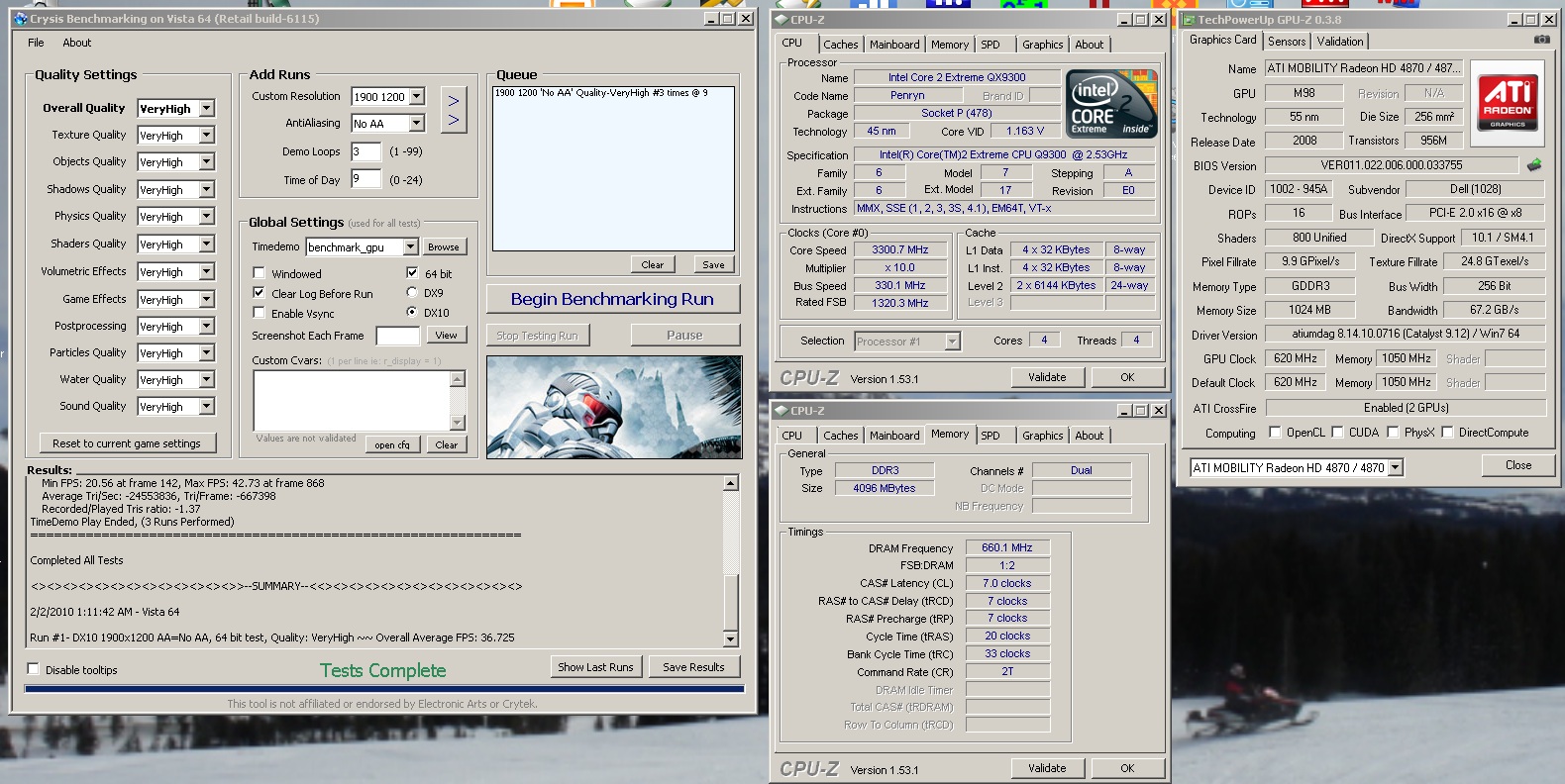
Oddly enough....I still did better with Crysis on my 4870s....and a QX9300
And the 4870s were barely overclocked as the higher ones all stuttered so I could not raise the voltage on the cards at all. And I was at a higher resolution....(10% more pixels to render)Attached Files:
-
-
Wow! That's a nice run, Scook! Suddenly I regret not going for a stronger CPU.
-
Ya, it was a good run
Was just a shame since the GPUs could not be overvolted or I would stutter from too much power draw so the OC on them was pretty limited. Still not bad for a laptop
-
Maybe you could get a set of 5870's and be the first to try them in R1?
-
Can't afford it and confident they wont work
And frankly, from what I have seen so far - aside from gains in Vantage, I dont really want them -
Yeah, the temps are higher and the gain isn't too big, you're right.
I'd give them a try in the R2 at some point, when drivers get better.
But not now. -
well i ran crysis with no tweaks or anything. installed, then patched with 1.2. my 4870s only got 31FPS. but yea, no biggie from the 5870s.
-
What score did you end up getting on the high res mode? I was going to get an m17x to play this upcoming MMO but it doesn't even look like I’ll be able to run the game on the fullest settings...Did your second 5870 even spool up? I heard the benchmark uses all 4 cores but only 1 graphics card. In fact, having SLI/Crossfire enabled will actually lower the score. Can you get a score with one of your 5870's disabled? Thanks!
-
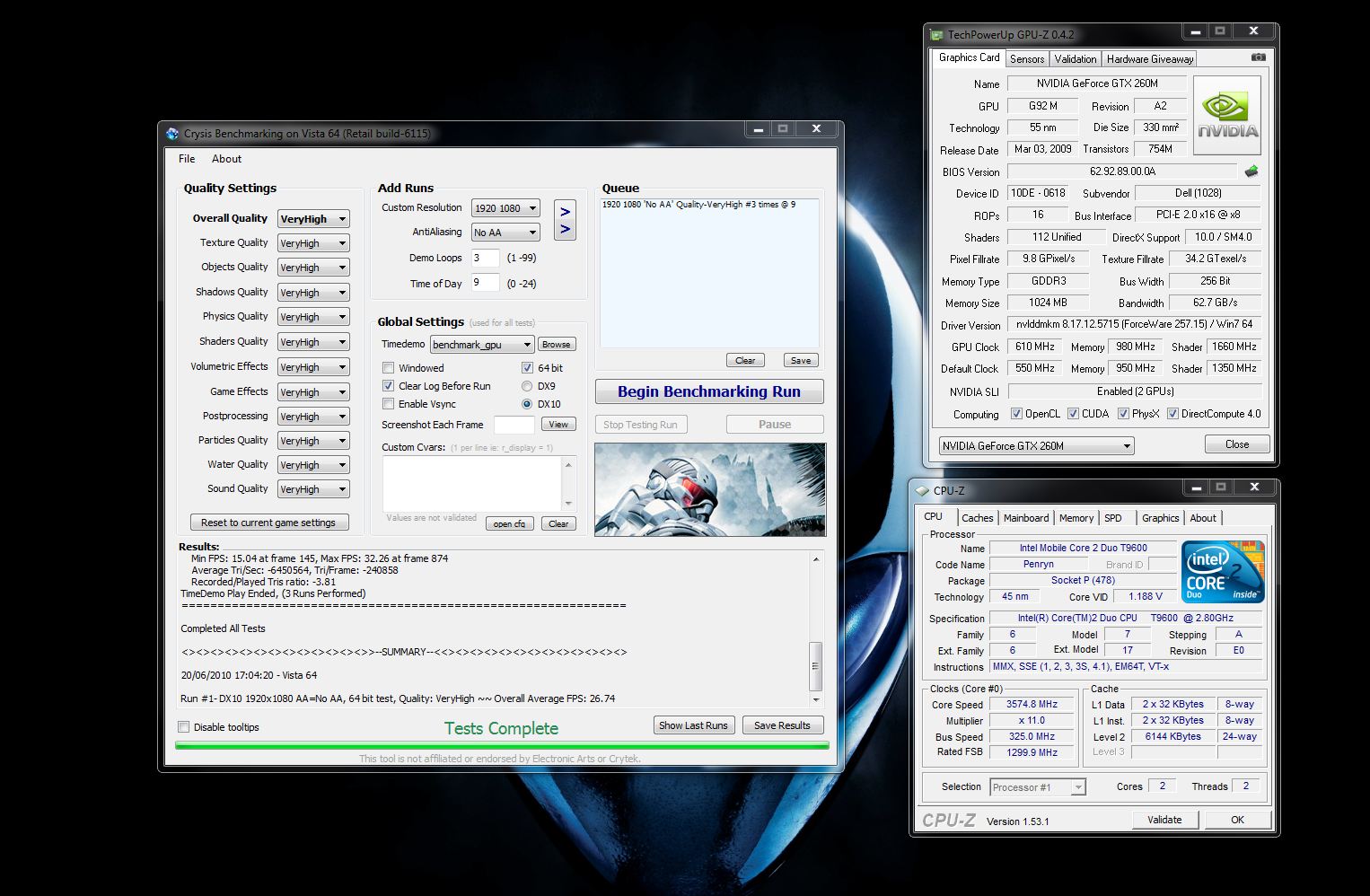
Thought i'd add my own crysis run for reference with dual 260m's and t9600...
Getting my r2 soon so thought it'd be good to compare.Attached Files:
-
-
^^^This is not correct. I talked with Dell about it and they said there is no reason why it shouldn't work so I tried it again and poof, no issues. I have no idea why it didn't work on my first try.....sorry for the misinformation.
-
That's nice to hear
-
I wish I could tell you, me and a couple other M17x owners haven't had any luck trying to get the benchmark program to run. Tried to find some solutions for the problem but they all failed. I gave up for now.
But I'm sure the M17x should be able to run it decently. fzhfzh was able to score a 2500 on High setting and 4117 on Low setting but this was on a Sager NP8690 w/ single 5870M. Was the closest example I could find matching my systems specs. -
Good to know!+1
-
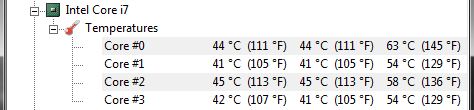
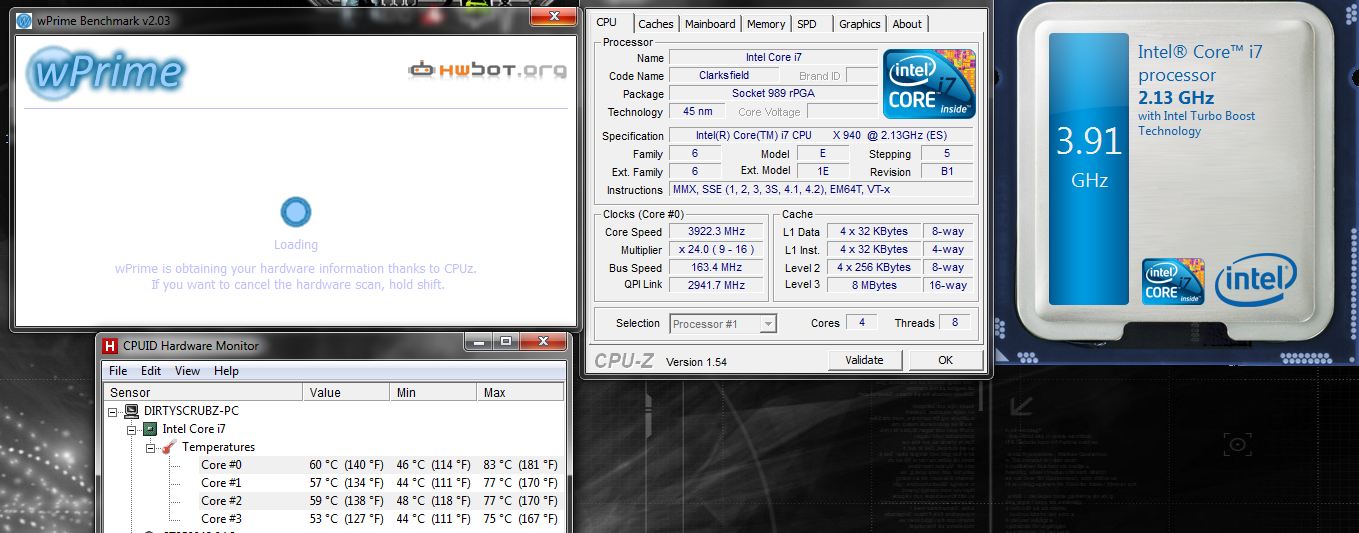
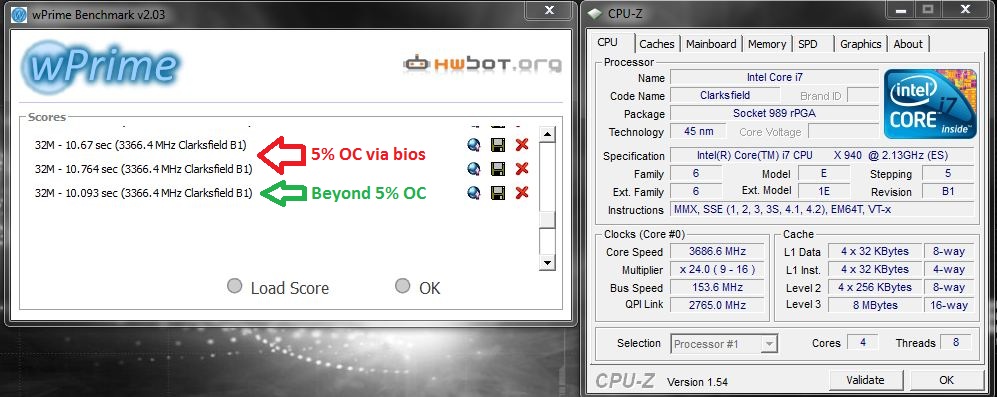
I got Jubbings M17x today, installed his 940xm and decided to do some CPU benchmarks since I know some were curious about it. I bet it's around the same speed as the 920xm right now because of the bios. This was done with 5% OC in the bios. Also included is a pic of his CPU idle temps (and normal usage temps from running the browser/furmark etc) using a fresh coat of shin etsu paste:
Attached Files:
-
-
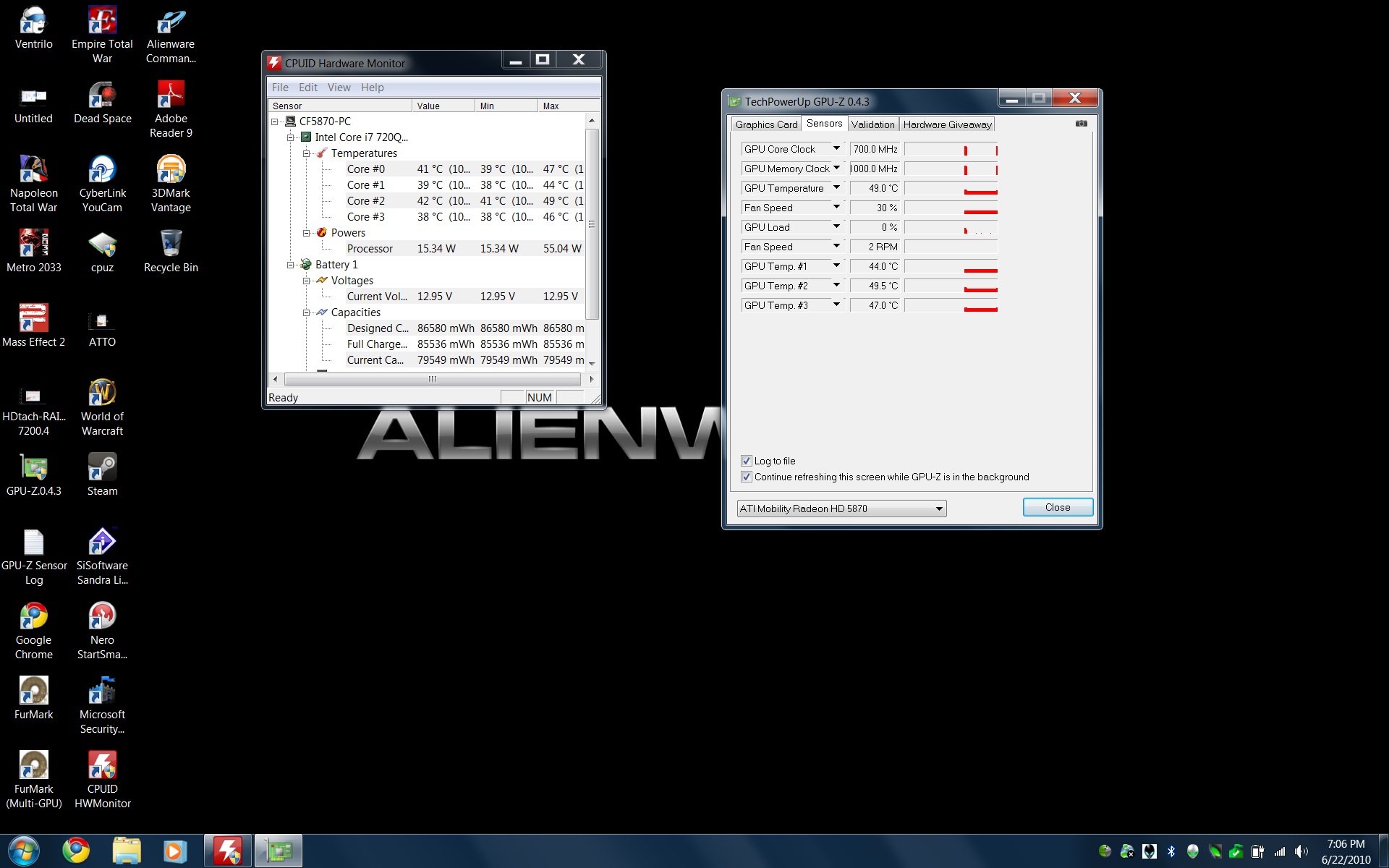
Ok, so what are peoples GPU Temps using furmark? right now i'm sitting at GPU1 100Degree C and GPU 2 at 95Degree C
This is on a basic furmark benchmark test after 10 minutes. -
Also For GPU1 its showing Fan speed 100% 44RPM GPU2 Fan Speed 30% 0RPM
Whats up with that. I'm using GPUZ 2.0.4.3 -
I got 92C on master card and 91C on slave card. after furmark for 10mins
-
edited after re-applying.
Attached Files:
-
-
Some more good news, the Cat 10.6 drivers installed with no issues for the AW 5870 in the M15x. This means they need a system bios update to fix the driver issues.
-
it seems the crossfire configuration is the problem not the gpus itself
-
Anyone try the AvP Directx11 benchmark yet?
*DX11 Hardware Detected*
Using Default Video Settings:
Resolution: 1920 x 1200
Texture Quality: 2
Shadow Quality: 3
Anisotropic Filtering: 16
SSAO: ON
Vertical Sync: OFF
DX11 Tessellation: ON
DX11 Advanced Shadows: ON
DX11 MSAA Samples: 1
Benchmark Summary:
Number of frames: 4144
Average Frame Time: 25.2ms
Average FPS: 39.7
on 720QM, 8GB ram, CF5870 stock clocks.
FYI, the results are sent to a text file in a folder in your documents -
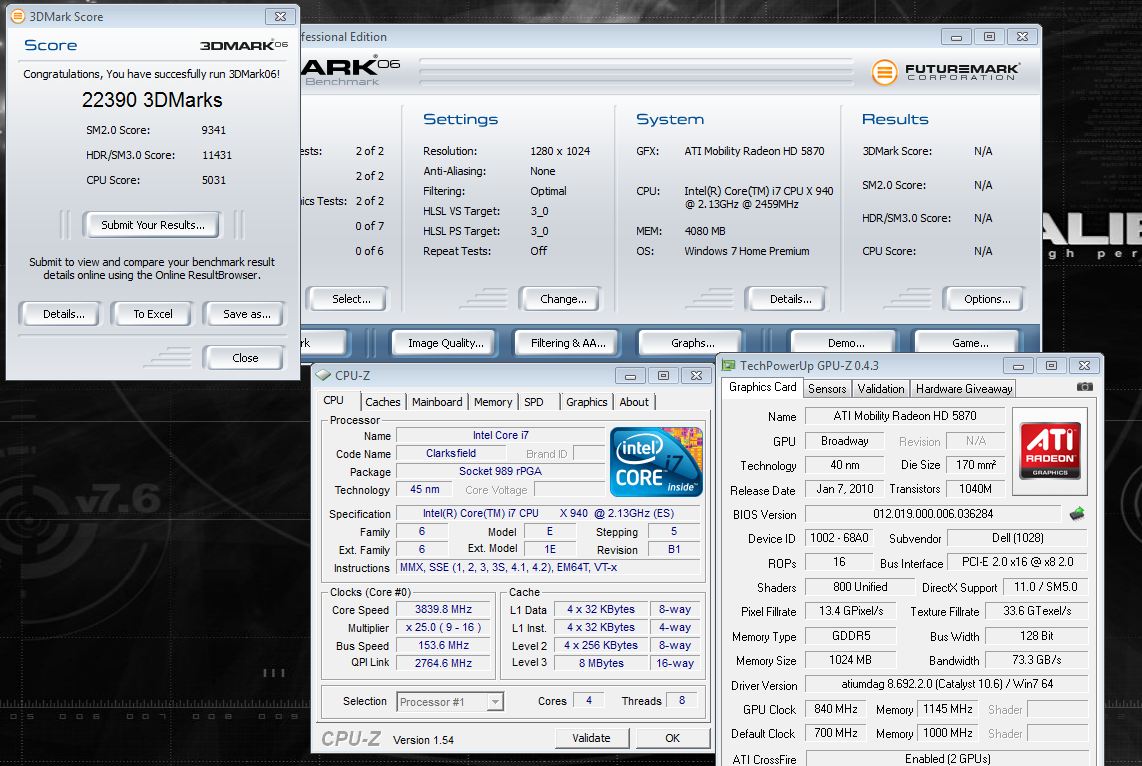
Decided to finally install 3dmark06 and give it a go. I didn't OC the video cards much, well at least compared to my insane OC's for vantage. I'll probably run one at 900/1200 tomorrow just to see how it does. If you pay careful attention to my screenshot, those of you that are not noobs will notice something right away.
Attached Files:
-
-
I don't get it.. whats should I be noticing in the screenshot?
-
@joker
Are you referring to the default clocks? -
Nope..check again lol. -
Either it is very obvious and I completely ignore it or I am a noob...
-
Hint: Take a look at the CPU-Z
-
Either you have the 940 which you do, your running the new theme, or that you overclcocked hopefully stable enough of your 940 to 3.8ghz?
-
i see the bus speed and the x25 multiplier different from a previous screenshot of yours...
so I suspect you managed to overclock it higher... -
Yup i guess that is what it is.
-
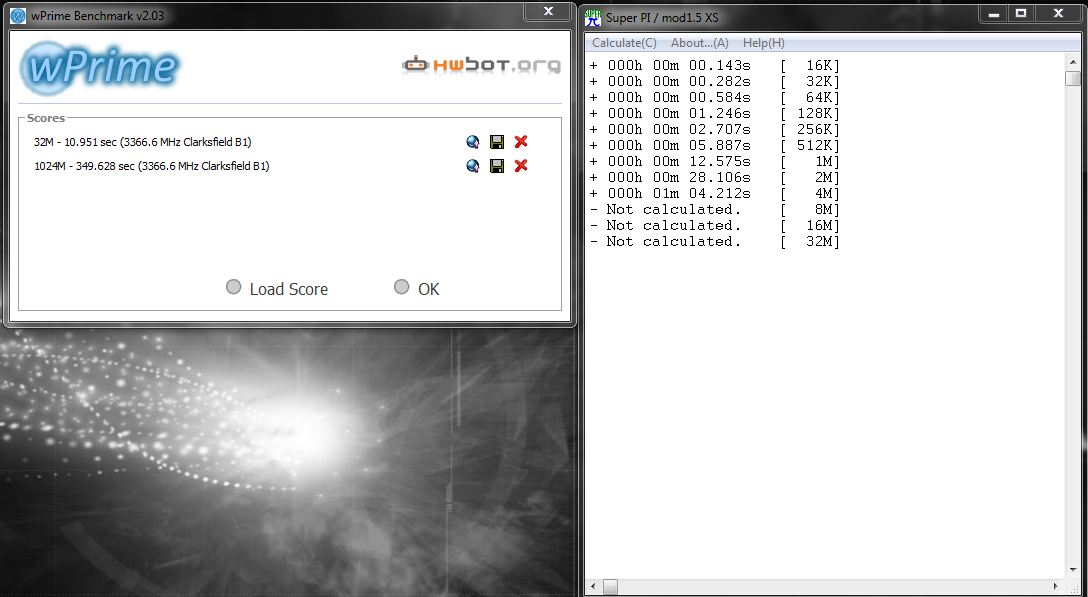
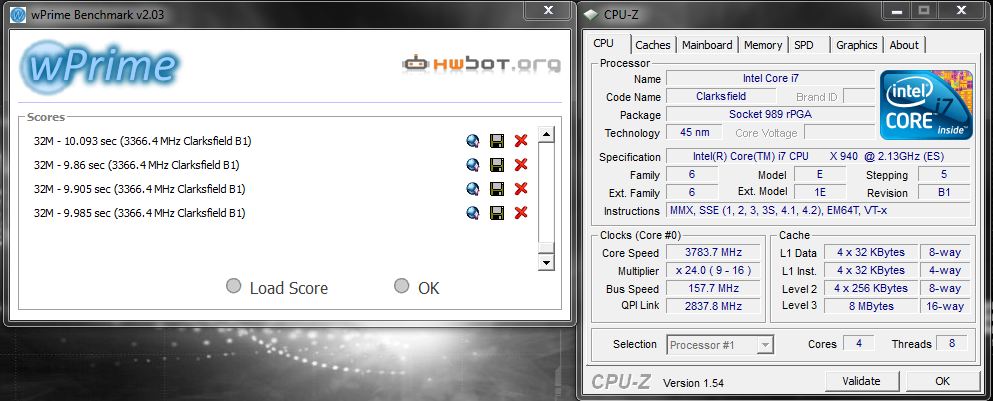
Yup! Broke the 5% OC limit (140 mhz bclk vs ~154) of the M17x-R2! Unfortunately, it doesn't translate into a higher CPU score in Vantage nor too much in 3dmark06. In WPrime and SuperPi, the increased clocks make a noticeable difference. -
Has anyone from here exceeded the 5000 score limit on 3DMark06? (I see Joker's and I start wondering...)
-
Mandrake did with his G73, he hit nearly 7k. The G73 has a major advantage in having a TDP unlocker + evga eleet works perfectly fine with it. -
So Joker the problem in the first place was except from the BIOS, the temperatures, or something else and how did you resolve it?
I wish we had that too... -
There's no way to get around the Intel TDP limit as far as I know unless the manufacturer specifically adds it in the bios like Asus did for G73. If you remember nagshead (former AW quality rep) he flat out told me Dell would never add that feature. But as far as getting a higher bclk, I used a work around. Problem is it doesn't really help a lot because of the TDP limit. -
I don't have access to the R2 or to its BIOS and its features but for the BCLK did you change the memory settings too in order to achieve a higher number?
-
I upped the voltage a bit just in case. -
I need to have access to a i7 920/940 otherwise I will just speculate... (the manual I am looking right now doesn't say much)
(the 5% OC you mentioned is it a fix value ? or you can select something higher?) -
In the M17x-R2 bios you have the option of overclocking the 920xm up to 5% using BCLK. Beyond that is not possible via bios. -
*EDIT*
A nice article about the i7 overclocking (it's for the deskop CPU, but same principles)
http://www.xbitlabs.com/articles/cpu/display/core-i7-920-overclocking.html -
Ok last post for today/this morning. Just to prove that the OC does in fact work:
Attached Files:
-
-
See thats good.
Its too bad it doesn't translate into better 3D Mark Scores, for the amount you're being able to overclock it to. -
Did a 32m test on wprime 1.55 got 18.09 secs.Not to bad last M17x with T9800 got 25s so HT does some good.
Attached Files:
-
-
I didn't say it was, I just said all the IC's are under a thermal cover, which you would have to remove in order to look at anything. Most people are not willing to do this, I'm sure not, and I would say I go farther than most.
*OFFICIAL* M17x Benchmark Thread - Part 3
Discussion in 'Alienware 17 and M17x' started by BatBoy, Jan 30, 2010.