Problems? See this thread at archive.org.
Wowzers!That's better then most 3dmark 06 scores. Great job.
-
-
Thanks John, that was my same theory given the temps on the differant cores. Looks like cores 1/3 turbo up where as 2/4 remain at 24x mult. The temp is so drastic that it has to be the only explaination. I was able to squeeze an extra 235MHz out of the GPU cores by overvolting the GPUs, which was a delicate balance given the increased voltage and TDP on the CPU. Walking a fine line and when stepped over it tripped the PSU. Looks like the GPU's cant handle anything higher regardless of voltage. Although I never went above 1.15v, up from 1.05 stock. I thought about unplugging the CPU and GPU fans since it's sitting in front of the A/C the fans have little effect on the cooling of the system. Especially since the keyboard is off the system and the cold air blows directly on top of the heatsinks where the gpu cores/mem and CPU core is most exposed. I decided not to do it, rather I have the system apart at the moment for the 940XM ES CPU.
Thanks, I was thinking the same thing. Took a lot of fine tuning, and it was the culmination of about 24 hours of tuning and testing. 2am nights for the last week. I beat my 3DMark06 score from my M17x R1 of 18K. That was pre throttle stop days. But since than, scook has show us what that system is really capable of. -
If you have a Kill-a-Watt use it to monitor your power usage, having a feel for this is very useful when working under a delicate power envelope - if not, buy one for same reason lol
Back when I had the power hungry GTX 280m's (ya I said it!) I could make my PSU cut off around 295 watts coming from the wall (less getting to the laptop - loss due to inefficiency of the adapter). And that was with CPU voltage capped at 1.1625V lol.....none of this 1.5V stuff I have been pulling.....With the 4870s over volted and the CPU at 1.5V, I cannot make my system exceed 255W (albeit - that is with the screen turned off). In order to get anywhere near this high in the R1 though, you have to use BIOS A02 or older. The newer ones throttle you at 225W or so (not sure where the old BIOS's would throttle, but I do remember where they cut your PSU off lol) -
Yea, I was actually looking at one today and am going to order it from newegg for $20. As for power draw, everything I have done was on the notebook screen it's self.
Ok I booted with the 940XM and getting ready to reflash the GPU and make a vantage run at the same settings. My prediction is that this is not going to change much of anything. 940XM looks like it just has the default multiplier at 25, where as the 920XM default is 24. Couse everyone knew this. I'm going to set it at a 26 multiplier, same TDP settings and GPU settings, that I did my first 19K run at and we'll see if it simply just heats up more and then throttles.
I'm wondering if SetFSB would help. I have a registration for it, but haven't messed with it. The 940XM at 5% OC is still at a 140MHz bus speed, only with a 25 mult rather than 920XM 24 mult. -
They are necessary for hardcore benching
Using an external screen and closing the notebook lid buys you some watts - of course it sounds like this may counter your cooling setup lol
Try to find a way to boot with the lid/screen removed maybe? -
lol, yea than it'd definately overheat lol. But removing the monitor does sound like a good idea. I need to see if I can do that. I know removing the keyboard ribbon from the motherboard automatically shuts it down.
I have removed 1 4GB RAM module and removed the second HDD caddy so it won't trap heat near the CPU. -
dont forget that bluetooth module! lol
-
Haha, crap and I just had it apart.
On another note I just did a vantage run just like my first 19K run and the 940 responded exactly the same. Same temps, but my CPU score was lower, which can just be margin of error, but my over all score was in the 18K range.
Edit: The 940 doesn't seem as strong as the 920. I did a few runs before calling it a night, and during the CPU scores, even with higher TDP and multiplier, it's not pushing as many OPS in the CPU tests. Not sure what it could be, I may play more with it tommorrow. Tommorrow I'll also start playing with SetFSB and see how that changes the equation. -
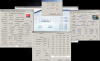
Unclewebb I have attached a copy of the Throttle Stop log for my record high Vantage run of 19291. I just realized I logged it and wanted to show you that when I keep the temps down, the multiplier doesn't budge much at all during the CPU tests. Looks like a clean run.
Also here is a picture of my benching setup. Kinda crude, but hey, works for me. Make due with what you got right?
![[IMG]](images/storyImages/setup.th.jpg)
Attached Files:
-
-
Nice scores 650. I can practically TASTE my 920XM, but it keeps not being in the mailbox. Ordered it from LaptopMonkey on Ebay. You should turn your laptop 180° and have the AC unit blowing right into the guts of your M17x. We have central air, and I've already got a 'benchmarking vent' picked out in my living room!
-
Thats awesome. Yea not much chance of central air here, but this A/C blows some cold air. To the point that I have to shut it off when typing to reflash the vbios or my hands feel like the've been making snowballs.
Yea I'm not sure which CPU I'm going to want to sell. Running the benches I wasn't impressed with the 940. It didn't seem to hold the OPS in Vantage up as much as the 920. The 920 they would hover at a steady 3000 in CPU test one, but the 940, there is a slow steady decline down to about 2700 OPS. From the looks of it, it's not as strong as the 920. The only reason to keep it is if you need a slightly faster default clock. Otherwise if I open throttle stop and bump the multiplier from 24 to 25, it's like turning a 920 to a 940. Thats what it looks like so far. I do some more testing with it tommorrow. Also maybe because it's an ES, which I don't think will really make a differance.
Oh, and Laptopmonkey is who I bought my 940XM from too.
Oh, and if you look closely you can see that the keyboard is removed from the laptop, only attached by the ribbon cable. This way it blows right onto the heatsink. I found that blowing in the bottom was a little more restrictive, and I think more air makes it to the CPU die from the top. Seems to help in my case. -
That's not too bad. A record run while logging the data.
There might still be a few more points left in your system if you can turn a few more things off.
I noticed in the log file at the start when the CPU was fully loaded you were getting the 24 multiplier and once the load decreased then you were getting more turbo boost up to 26. I think 5150Joker came to the same conclusion that sometimes less is more. The old days of overclocking as high as possible don't apply to this laptop. You have to balance where the heat and power will do the most good.
I still think the temperature sensors on your CPU might be reading too low on 2 of your 4 cores. I like to run Prime95 Small FFTs for about 5 minutes or until the core temperatures stabilize. I find this is the best test that provides a consistent and equal load to each core of the CPU. If you see the same sort of large temperature differences between cores when the load is equalized then it's most likely sensor error. The Intel calibration procedure is a secret. These sensors were never designed for 100% accurate core temperatures. -
Thanks Unclewebb, I actually didn't remeber I logged it until I looked at the screen shot for a few min. thinking of my necxt move. I'll give Prime95 a shot tommorrow. See what I find. Would it change anything if I ran a 26 multiplier on cores 1/3 and left 2/4 at 24 multi? Or maybe 27/24?
I'll also shut some stuff down as well. Those record runs I've been doing I've not shut many services off, been lazy in that regard. Just turned everything off in the bios but USB emulation so I can reflash the GPU. -
All cores run at the same multiplier. You can have cores going to sleep which will reduce the average multiplier for that core but when cores are awake, they all run at the same multiplier so you can't really run different multipliers on different cores.
The multiplier numbers in ThrottleStop that you can adjust control the maximum turbo multiplier you get when 1, 2, 3 or 4 cores are loaded and in the active state. I believe that this adjusts the same thing that ELEET lets you adjust but I've never done any testing of this.
I noticed this in the log file. There was a gap in time so it looks like two different tests. Maybe the 24 multiplier at the beginning of the log file was from a different test or maybe the system time got updated by Windows while testing. Not sure about that.Code:07/28/10 22:49:51 14.38 4.6 100.0 100.0 54 07/28/10 22:52:36 14.34 3.9 100.0 100.0 64
-
Ha Ha 650! I didn't notice the keyboard was pulled! You are truly hardcore. Yeah, that's going to be more effective than directing the air toward the bottom. Good luck with the benchmarks. You could sell that 940 for like $650 on ebay, and that's a good chunk of change that I think anyone could use.
-
One thing that you might not be aware of is that once you use ThrottleStop to increase the TDP/TDC or turbo multiplier limits, those settings get saved within registers of your CPU until you reboot. That means you should be able to shut down ThrottleStop and free up a few more CPU cycles for benching.
-
I don't where this one will stand. Not using SetFSB or Throttlestop yet. Just flashing the GPUs and CPU is OC'd 5%. Laptop is sitting on top of my AC vent.
Attached Files:
-
-
You only got my 4870s beat by like 600 points, you can do better
-
All score's *should have been updated now*.
If its not them PM me and let me know (apart from those I've already PM'd) -
Using Throttlestop and messing some more with the GPU clocks.
Attached Files:
-
-
Man...may have to go back in the freezer and try to take Mandrake out of the top 5 haha. I actually only did the one 06 run at 4.16 which gave me my 22140 then I wanted to hurry off and run Vantage (different drivers and BIOS). I could probably get a few hundred out of my machine though
-
Update your drivers and you should get a decent boost in the GPU score
-
Turbo, definately go for a driver update. Go to the new 10.7 or 10.7 betas. Then you won't have to mess with any furmark/rivatuner trick which is a big PITA.
Jubbing, Thanks for the update, I like the look of that leader board
I'm just now moving into another room out here, sadly I don't think the A/C in that room is as strong. -
I thought these were the last ones that worked right though scook? Also, where do I donate to Abo so I can get the idiot proof version of SetFSB? I don't understand Joker's instructions.
-
I'm not sure, I had to change registers as well, and then I couldn't use a slider to increase the FSB. If anyone knows or if you can even do that, maybe chime in and help a brotha out.
-
you have to enter the hex values into registers directly, no slider for the M17x folk
-
My bad then. Joker's CPU overclocking guide says the newest one has the capability to use sliders if you donate to Abo and get a key.
-
Oh, that my be. I am not up to date with SetFSB as it does not apply to me
-
Hmm, I donated and wasn't able to use the sliders. Any time I tried it locked up. Maybe Joker will drop in and update us.
-
No worries
I wouldn't hold your breath for my scores just yet, I've waited so long for this machine what with the order problems and previous defects to going overseas before delivery (thanks to Joker for his help with this!), I just want to play games and watch videos on it lol. I couldn't even bring myself to do a stock run for fear of something wrong happening!
It's my thread now, I should rightfully be on top
-
Here's my latest offering. My GPUs aren't taking many more Mhz, so top of the leaderboard may be out of reach. I don't know how you got them so high 650.
Attached Files:
-
-
cooling and voltage lol
and drivers and patience
You are definitely doing ok though
-
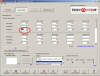
Voltage? RBE doesn't let me select anything other than 1.05V. What voltages are you guys running, and how did you edit them? Can you just type in your own voltage in RBE?
-
they are most likely at 1.15 V
-
Here's what the drop-down looks like. I have honestly never touched the voltages.
Attached Files:
-
-
Lots and Lots of cooling, voltage, and patience. Gotta type in the voltage. Don't let RBE limit you to what it offers, just type it in and reflash. But once you go over about 875, Riva tuner becomes useless. Trying to software OC on top of a high biosflash is useless because it will just lock up your computer. For me anyway.
-
U just type in the value u want.
EDIT:Beat me to it lol -
OK. What is the stock voltage from the factory? Or better yet...what voltages are you using 650? So I have some arbitrary number to work toward.
-
Stock is 1.05v, I work my way up in incriments of .05v. Moving some of my stuff at the moement, so I'm hoping I have a decent A/C for more benching.
-
If this helps any, with my 4870s, the stock is 1.10V and the dropdown allows .95, 1.00, 1.05, 1.10, 1.15
If I manually enter 1.16 I cannot boot into windows (BSOD at start up - going out on a limb..when the video drivers load lol) -
I thought about trying that scook, but decided, not worth it and doubt ful it would work
-
Thanks guys. I though I just had to two crappiest 5870s on the planet.
-
Jubbing: going past 1.15 you mean?
I need to snoop around RBE some more. I remember with the nvidia cards and NiBiTor, you could edit the voltage table to unlock new values that you could select. Something like this for my 4870s would be mighty helpful
-
I BSOD at 1.2v, so I've got some more head room, but not much. Or it just hates 1.2v. I'll try 1.25v and see if it still BSODs. Hopefully I've still got a working laptop when this is all done. Anyone noticed the little cones in the CPU benchmark that say "Do you measure up?" or something on them? I think they represent something...
-
Those are there as advertising for a company that is sponsoring the benchmark. There is also stuff on the planes and hoops.
Someone has to pay for these. Aliewnare dumped alot of money into advertising in 3DMark03 if I remember correctly may have been 05. -
I actually thought they represented some e-peen.
Looks like 1.2v is the ceiling for my benchmarking. I'm gonna top out on that and call it a day. Thanks for all the help boys.
-
1.2V should give you plenty of room to play around and turn some heads
-
I lied. 1.15 is the only voltage that won't BSOD. I'm thoroughly amazed at some of the GPU clocks that the guys are achieving.
Attached Files:
-
-
I was going to say I never seen anything over 1.15v work with the 5870.
nice run.... -
That is still a great score!
*OFFICIAL* M17x Benchmark Thread - Part 3
Discussion in 'Alienware 17 and M17x' started by BatBoy, Jan 30, 2010.


![[IMG]](http://img836.imageshack.us/i/setup.jpg/)