Problems? See this thread at archive.org.
just zip it then you can attach
and the post in the link for my vantage score in sig
-
-
Oh yea, duh. Sleep deprivation Done
3DMark Score Calculation spread sheetAttached Files:
-
-
Fancy spreadsheet! Much cleaner than the crude one I was using haha
-
i see the problem.. Google chrome wouldn't let it open right if i just clicked on it. i had to right click and open in new tab.
and after looking at the data sheet...i do remember this now.
thanks for the upload and the link dr and cook.
edit:
that spread sheet is great!...that's why i never used the data sheet..i was too lazy to make one...lol -
lol, yea, helped me realize I was chasing an unrealistic goal unless I can find a way to adjust voltages more and get a bigger PSU.
-
yep...so now work on a slightly smaller goal then...19.5
now get to it..
-
Haha, I think I'll be giving that a shot tommorrow. Tonight is about sleep!
-
I'd like to know if a bigger PSU helps (and how much was it?)
Because if it shuts down byitself, it clearly can't handle the full stress.. 300W should do it. -
do you have a kill-o-watt meter?
-
I know the x7200 is going to use a 300w PSU so maybe you could mod that HAWG into working on the M17x
....
From the pics i saw it was about half the size of the laptop so its not much for portability but meh i doubt anyones concerned about that...
-
Just buy a desktop PSU and get someone to mod it. Done lol.. 1000W plug or something
-
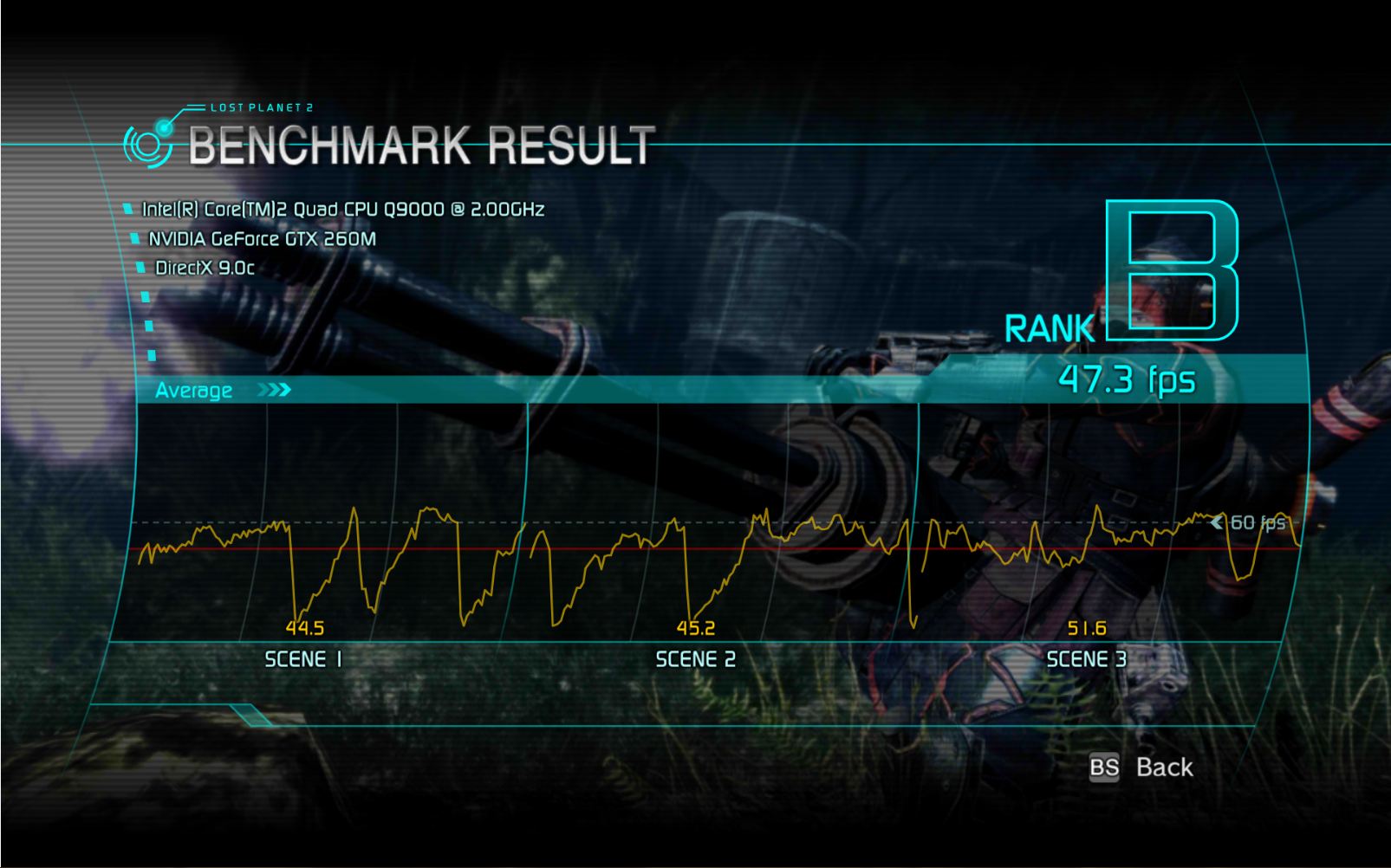
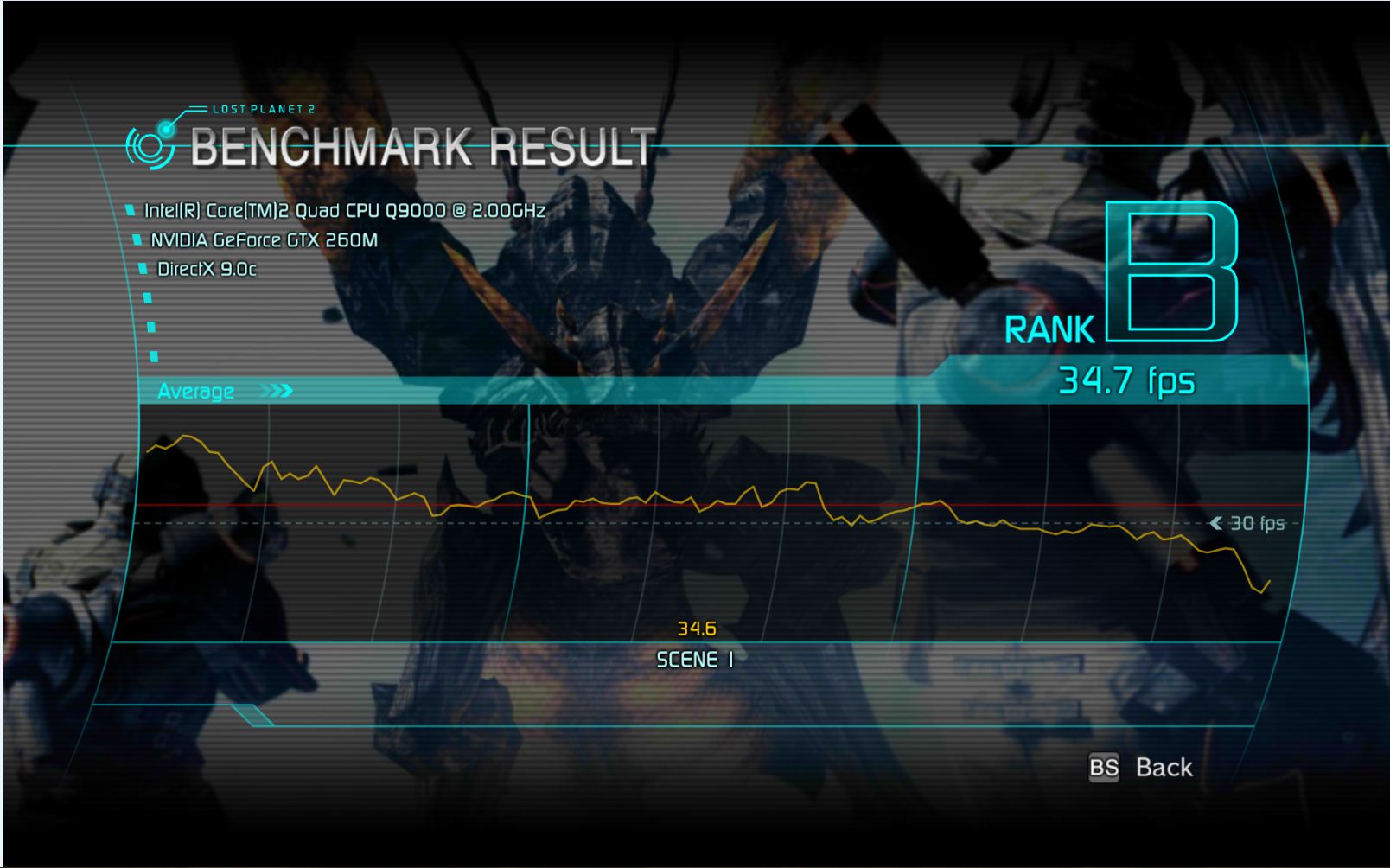
Lost Planet 2 benchmark for anyone wanting to trying something new
...
Download: Lost Planet 2 PC Benchmark Test -
can be a benching power supply...once done...it can just sit in the corner.
-
Yeah because i doubt you will be overclocking on the go like at a coffee shop or some such place .... Or will you ?
...
...
-
Yes. Yes I will.
-Ash -
Hell yeah I think I'll take this bad boy to Starbucks tomorrow and start benching Wprime + vantage. Who knows, all that power drain might trip their breakers.
-
Hi Guys, i followed the overclocking guide on this forum and it gave me some interesting numbers whilst benching crysis. I was wondering if anyone could shed any light on this.
stock CPU, stock GPU 37 FPS
CPU @ 1.75Ghz, stock GPU 38.6 FPS
CPU @ 1.8Ghz, GPU @ 800/1100, 36 FPS
CPU @ 1.9Ghz, GPU @ 800/1100, 35 FPS
It was getting slower as increased the overclocking, however wprime was showing a decrease in 32m time as the CPU was overclocked, as expected.
Crysis Benchmark tool 1.5, 1680x1050, dx10, 64bit, all settings very high.
Exiting the benchmark showed my GPU temps around 67c, so im not sure what is going on with the crysis results. could it be that i have too many programs open to check the benchies/temps and thus too many cores are being used preventing turbo mode?
And i just cant seem to figure that throttlestop out to force 2 cores..
Thanks for any help -
hold on now!
rotflmao!
i was benching my gateway in bestbuy. and helped them sell like 2 more fx series models. didn't bench it at frys though..go flagged for snapping pictures of my screen though.
i benched the d901c in frys when i was comparing my screen to the ones they had. even let a few customers play crysis. had like 15 people standing around...lol -
I did some Crysis bench tests a few pages back. Flip through find, compare if you can.
-
Downloading it now. Will give it a test later.
How did you go with it? Results pics? Cheers. -
Thought the D901c never left your desk? haha
Doubt it helped sell anything, too many people consider it a fugly laptop lol (although beautiful on the inside) -
That was a few years ago when we all had our Gateway FX machines and John stepped out with the Big Daddy Clevo which at the time looked better then it does now
...
Im guilty of trying out the Gateway FXs after my XPS Gen1 Gen2 1710 days....
That gateway was basically what the G73 is today and those threads were boomin lol... Goodtimes .... -
I came REAL close to getting the P7811 FX but fortunately held off and ended up getting the OCZ Whitebook instead. Which of course brought me here and led to me getting my M17x
-
Yeah that was a better move though John and i had the 6831 which was quite abit before the Whitebook, then John got the Clevo and i kept trying all the new versions of the FX while E-wrecked bought the Whitebook , then it became a battle against the OCZ vs Clevo lol...
I tempted myself over and over to get the OCZ but then the W90 had come out a few months later and the Whitebook/M17 vs W90 vs Clevo wars began....
Things were so much different around here back then and people got away with close to murder with all the trash talking that went on lol.... -
Were you are using SetFSB or a similar program to increase the BCLK? What do your CPU GHz numbers represent? Are they based on the default multiplier? With Turbo boost enabled, the CPU speed on the 720QM and 820QM can be constantly changing a 100 times a second. At times, what CPU-Z shows can be misleading.
The problem with using SetFSB is it can change timers within your CPU so any software that uses one of these timers to accurately measure time will not be very accurate anymore. When benchmark programs use these timers to determine FPS numbers, the results can be completely inaccurate.
I wrote a program called WinTimerTester a while ago which compares two of the main timers within an Intel CPU. When you boot up, these timers should run at a 1:1 ratio meaning that they both move at the same rate. After you use SetFSB to increase your BCLK, run WinTimerTester again and see if your clocks are still running in sync. If they no longer run in sync then you have to be suspicious of any benchmarking program that does not compensate for this including FRAPS. Many computers base the high performance timer off of a separate clock frequency chip so using SetFSB will not affect timing accuracy. Some laptops base high performance timing off of the BCLK so when you adjust the BCLK, you screw up your computers ability to accurately time anything.
WinTimerTester
WinTimerTester.zip
ThrottleStop isn't designed to let you force software to run on two cores so that's probably why you can't figure that out.
If you want to run a program and limit it to only two cores then use the Task manager, right click on the process and select the Set Affinity... function which will let you lock a process to whatever thread you like. Keep in mind that there will always be background activity on your computer which will wake up additional cores which will reduce the amount of turbo boost and will lower your multiplier. You might also want to try msconfig and go into the Boot / Advanced Options where you can convert your quad core into a dual core if you think that will help performance. That could increase your average multiplier and help with some games. -
it didn't help sales because frys didn't carry any. although the gamers cared more about it beating half their desktops and the others were like it looks plain jane and super heavy. not to mention..super expensive! lol (mac crew standing around) (talking about video editing and music)
so i ran autocad and some version of vegas studio and that pretty much hushed them up about that part..... that was even funnier....i had to keep quiet on the plain jane and bulkiness of it.
in the beginning, nope. i had to go show off against the general competition. haha. and to check my screen and gaming against the models they had going... Toshiba i think at that time.
man!, those were the days...and not just having our back and forth's...but form back and forth between forums...remember E and i got banned over at KN...lmao! and people were cheating...yep...too funny back then.
the ocz whitebook was what opened many eyes to real over clocking. while the old style clevo could only over clock gpu's. had it been able to over cups..it would have kept on hanging through the w90 days...lol but no over clocking of cpu made me get rid of it in the end.....
dv9000
gateway fx 6831
6860
7811
d901c
then into the desktop world.
now im back looking for a decent laptop again.
got any ideas quad? single gpu only with cpu over clocking. -
There really are not many choices atm aside from an M17x like im grabbing with a single card.... G73 perhaps ? but stuff like that might not keep you happy for long since its not the most mod friendly machine ... M15x would be another good choice with an Xtreme CPU
..
I miss having E-wrecked around as he kept things very interesting...
Sorry for going so far off topic btw..
-
The M15x is not a top accessible cpu though - John wants to put his SS on whatever laptop he gets his hands on lol
I think the M17x is the best option out right now (also has the highest power supply) -
that's why i was hoping the msi would have over clocking.
it is far easier to get to. comes with a 5870 and has all the standard ports on it, but no back-lit keyboard...but another guy in the msi forums made a back-lit keyboard mod for it..that mod looks pretty damn good too.
g73 is on the list so was the new m11x/i7...the g73 screen tilt is kind of throwing me off though...
edit:
mr cook is also right.
but if i can get an easy access machine from the bottom....then phase will still work as well...
or just use the AC and go for what i know...lol
i can use phase on this gateway...but since i cant over clock the damn thing...phase is pretty useless at this point..
-
Come to the darkside John, get an Alienware finally!
-
Yeah the M17x would be the best bet but it all depends how much he is in the mood to spend since these things can get pretty crazy $$ ...
You can get M15x from the outlet with nice specs for cheap and its a good starting point.... Mandrakes scores on the M15x have been pretty insane as well ...
I would certainly like to see John get back into the fold of performance laptops but he may want to buy a walk in freezer for his desktop before spending that kind of cash on a laptop...
-
the m15x would be a good model to start with. been looking at those as well.
even mulled over the quad versions...but i have like 3 core series cpu's...so it kind of got pushed back out of the list. -
Okay just installing the new Lost planet 2 benchmark. Should have some pics up soon!!!
Looks pretty nice the graphics in this game! -
yes...i miss my buddy E as well. him and i stayed up many long nights pushing those systems. we stayed on the phone..lol
scook9 reminds me of him....you sure your not E in disguise are you?
lmao! -
So what happened to this legendary "E" character? I'm enjoying listening to you guys reminisce
-
positive.....he got a 9.7k GPU score out of the 3870s....something I was quite envious of!
I could only manage 3rd in the vantage 3870x2 ranks with my gimpy QX9300 lol
And that is just what is on the orb. Mandrake and his 3.8 GHz QX9300 stuff never got put up there lol. He did like 18.2K with the 3870s (I did not know what XTU was or how to use it when I had my whitebook )
-
Wow, impressive. Did he get out of the notebook game?
-
he started some new job and haven't seen him since...
every once in a while he'll pop in and say something, but that's about it.
he was another dedicated bencher as well. -
I don't know where he went after the OCZ whitebook lol
-
Yea, looks like it's not too often. Last activity was three months ago. Some impressive scores though in his sig.
-
Everyone misses E-Wrecked...
-
I was thinking of you as we talked about him Don
lol -
yeah, dont act like you dont have my email don!
lol -
Hey John, do you think SLI 480M will scale as well as it's desktop counterpart? We all know that on the desktop side (and laptop) that 480M/5870M by themselves are very close in performance. However, it seems SLi's scaling efficiency completely destroys ATi Crossfire on the desktop: Conclusion - NVIDIA Surround Technology Performance Review | [H]ard|OCP
If the X7200's 480M SLi scale as well it should be a monster. I can't wait to see some benchmarks/reviews. I think AW may be giving us some 460M SLi love for the M17x so I'll probably go that route when they do. -
that's what i would do if i were you. the AW is a great ALL AROUND machine....im still not sold on just how much over clocking this x7200 will allow(for non extreme users, but even without over clocking..it should be considered strong competition)...because i do have all the parts..i would just need the chassis/display/sli/bt/wifi and it could be "go time"
still looking around for a good price on a mx17r2 though. -
Well, just picked up a i3 330M and i5 450M on ebay. Now I can do some more benching on some new hardware
. Both OEM. I'd have taken the ES chips, but they did not appear to be identified in CPU-Z as "450M' ect, just "i5" Might see what else I may be able to scrounge up.
-
so you did grab them, nice.
-
Yea, the 450M went for $150 which wasn't bad. everywhere else I looked it was going for around $230-$250 which seems high. But I'm looking forward to having something new to play with, but what I really need is to find some way to OC and bench some popular CPU's to gather extra points. Most everything I have is only good for up to two points. Also might be in the market for a dice cup for when I get home. Any idea where one may find such a thing?
-
Anyoone know if the Asus G73 can increase CPU voltage? I'm debating picking up a 720M, but SniperOCZ had one clocked up to 158FSBx21 Mult (3322.4MHz CPU-Z) and my only hope I think of beating him is the M17x 150mV. Looking at the 720M in the marketplace. Trying to decide if its worth the $150 for a quick bench and sale.
-
i would..lol and sniper is no slouch either!..but he really didn't try to hard with most of his runs. he has way to many other things to bench serious.
you should be able to knock that off with little trouble im thinking.
*OFFICIAL* M17x Benchmark Thread - Part 3
Discussion in 'Alienware 17 and M17x' started by BatBoy, Jan 30, 2010.