 Problems? See this thread at archive.org.
Yes, on the stock vBIOS gaming is pretty decent as long as I don't overclock the CPU too hard. If I run ThrottleStop it behaves almost as bad as it does with an unlocked BIOS. With an unlocked BIOS the machine is almost unusable, especially with SLI. By unusable, I mean 12 FPS in 3DMark 11 in SLI with core running at 135MHz, as well as similar behavior with most games. Once in a while it magically heals itself and runs like a banshee for a little while. Then, for no identifiable reason it goes back to throttlefest mode.
I'm a bencher first, gamer second. If I cannot overclock the snot out of it for benching, having something that does a nice job of play games bores me and I have no interest in it. Already had a nice gaming machine and a crappy GPU overclocker in the Alienware 18. Something is not right with the BIOS. Not sure if the PCIe slots don't get enough power or what, but it's really messed up.
-
-
I am really not that interested in benchmarks. They are fun to do a couple of times to see where you at compared to other systems. Other than that I bought this machine along with the two 970Ms to game around with.
And Im stuck here. I can`t enjoy them. I tried watching the Unigine Heaven benchmark and keeping an eye on the FPS counter and noticed over 100FPS on Ultra settings which was great, but to be honest my attention was broken and diverted toward the FREAKING ANNOYING HWINFO FAN CYCLE/JET ENGINE which doesnt work for this machine at all.
970M and 980M upgrades are a big nono for Alienware 18, and I wish someone that upgraded the machine before me would have told me about the lacky fan control mode with this machine. That would have saved me a lot of money and effort and I would be rocking a Clevo or a MSI right now. With a perfectly working system.
I contacted Martin, the guy who makes HWInfo, and according to him he is locked down too by the sucky firmware from Dell on this machine. He gave me a few things I could try, like removing battery and just running on AC and trying out EC. Ive been testing out pretty much any settings on that program now and you are indeed locked down to zero, low or extremely fast fan speeds no matter what you try.
I may need to sell this machine or use one GTX 970M and let the second 970M go to waste if nobody finds a fix. Flashing the cards to a lower voltage would help me to run the cards on the lowest fan setting (maybe) but we cant even flash the cards on this machine thanks to UEFI.
I sure as hell can`t even game with it right now. If it heats up on a simple 5 minute benchmark with 1700RPM. it will undoubtly do that with games too as well. Not even gonna try.
So to everyone: Stay away from buying an Alienware 18 and upgrading to 970M/980M. You will regret it.
Unless youre a sadist and like to listen to high fan noise all dayZero989, unityole and Robbo99999 like this. -
@Cloudfire
I also upgraded my AW18 with 980m SLI and if you configure your fan profiles not that aggressive, lower Fan Speeds(1700rpm) are enough for all games with max Settings BF4, FIFA15,Farcry4 etc. it never goes to 3500rpm with 980m SLI. Also my CPU is cooler now. Repasted it with Liquid Pro and with good Fan Profile max temp with 1800rpm is 84~86°C. I dont get such high scores like ppl with m18x R2 but its enough till a Fix from svl7 or someone get the aw18 bios unlocked. Lets see, but i dont think its hard to say that people will regret it.... -
You can cool the 980M with 1700RPM? No way, unless you have settled with thermal throttling(cooking them) or lower clocks. Im using Gelid Extreme on my 970M and they will just keep on climbing up on 1700RPM when testing with Unigine Heaven or 3DMark11. And you have 256 more cores than me per GPU?
My CPU is perfectly cooled with 37x ratio and the lowest fan speed (1700 RPM). I get max 70-72C with that. The GPUs are my problem. -
If you enable EC support you can have finite fan adjustments, but doing that sometimes causes strange behavior. Not always, so it is worth trying if the fans bother you that much. By strange behavior I mean DPC latency, harmonic clicks and pops in audio, and I have heard some complain of freezing when going to or waking from sleep. (I never use sleep mode, so I have not run into that for several years.) Some systems have none of these symptoms, so definitely give it a shot.
-
EC doesnt work on AW18
It only makes the CPU fan run and it never follow the table I made. If I force it to run on say 2000RPM it starts there and then go down in speed.
GPU fans dont run at all with EC on.
Ive tried literally any settings in that program, with or without battery. -
If i enable EC support i got that clicks and pops in audio, so its not an option for me. A better Fan-Table or just an unlock for better Fan-Settings in hwinfo would be enough. I just tested it with 1700rpm with Firestrike Extreme and i get thermal throttling after 10 mins. So you are right with: its not enough for good cooling, BUT only if i have 98 - 100% Usage of a card.
 Cloudfire likes this.
 -
A solution, far from ideal, would be to downclock the GPUs with Afterburner.
Atleast then I get to use both cards. I bet a -100MHz would create an equilibrium between 1700RPM and heat output.
Gonna test it out when I get home
@Schumsta:
You got to be careful settling with the lowest fan speed if it makes your GPUs throttle because the temps are so high and can in time damage the GPUs. Monitor with HWInfo (I think you can double click on the GPU temp and it will show a graph) and keep an eye out for high temps and follow the GPU clocks to see if they go up and down.
You said you dont score as much as M18xR2 owners with 980Ms, thats why I assumed 1700RPM is making your GPUs throttle. -
Hi, I am wondering if it is a good idea to upgrade my m18x R2 with two 980m's or they won't work well with this machine?
Or should I stay with my two 7970m's?? -
m18x r2 would be fine.
@Johnksssssssssssssssssssssssssss from awhile back, running PSU beyond 330w wouldnt that kill the PSU slowly over time?
@cloud/mr fox, wear a noise cancelling headset to block out the fan noise. -
From reading the issues and what brother a Fox says, stay far far away from 980's right now. May get fixed or may not in alienware 17/18 or all flavors.
-
If the 7970M crossfire is working 100%, don't even bother. You can still pretty much max out everything out there. I would wait for AMD's answer to nVidia, and hope they haven't gone the stupid UEFI path that nVidia has gone down.
-
It isnt Nvidia's fault. GTX 980M/970M can work on UEFI or Legacy just fine. In all machines except Alienware because Dell have locked down the BIOS to prohibit future upgrades.
Its that badAshtrix and Robbo99999 like this. -
exactly, theres nothing wrong with UEFI. tbh having fast boot isn't all that bad. well first we all gotta move to BGA if we continue to go mobile unless clevo bring up some good stuff
-
Here what I wrote over at TI for another Alienware m18x R2 user.
It applies to only Alienware m18x r2 users and perhaps AW18 users should you get the fans under control.
If you normally game with overclocks greater than +135 on the core, don't get 980mSLI. If you love to bench, don't get 980mSLI
If you just want to game within stock vbios limits, i'd go for it. I've no throttling on my cards (just goofy Boost 2.0) but am limited to +135 being on the stock vbios and a limited selection of drivers (for now). I want to go beyond these stock vbios limits - do I need to? Not for gaming, but I enjoy tinkering and OCing a little too. So I will have a problem should I want to move onto the current unlocked vbios as this seems to be how throttling is occurring.
Hopefully this will put things into perspective
Previous Personal Best (single PSU) 780m SLI OC
P16338 - GPU SCORE: 19550 CPU: SCORE: 11548

Current Personal Best 980m Stock Score
P17608 - GPU SCORE: 24206 CPU: SCORE: 10074

Look at the GPU score of my 780m SLI OCed to the limit of my single PSU. Then look at that GPU score of my stock 980m SLI.
Also note my weaker CPU scores having moved to Windows 8 UEFI as a necessary evil to use 980m SLI.
If you compare these results to Clevo P377SM-A results with 980m SLI it's practically the same, give or take within margin or error.
Where I image a Clevo P377SM-A would smoke my machine would be unlocking the vbios and going beyond the Nvidia limitations. Which is why owning 980m SLI is a big tease for those who want more.
From what I've experience on 344.91 drivers, I strongly feel the 980m SLI is a viable upgrade for a gamer who isn't concerned with pushing his machine, not a tweaker/bencher.Last edited: Jan 20, 2015reborn2003, Ashtrix and [Nikos] like this. -
It has some redeeming qualities, but limitations I would be happy to live without, or at least have the option of choosing or switch between the two at will. There is nothing wrong with it until is becomes an impediment to doing what you want to do. It has already become an impediment for many, but we haven't seen anything yet. Can't flash the GPUs without Legacy BIOS or CSM at this time, and cannot use Windows 7 in a pure UEFI setup. Those are pretty good reasons to not be happy about Legacy not being supported. Once the Micro$aft Mafia's plans for UEFI are in full force, they will have control over literally everything. You will only be able to run "approved" (signed) hardware, software, drivers and OS. With the most positive spin one can put on it, computing will be an Orwellian experience that casts any of our nightmares to date in a favorable light.Kade Storm, Ashtrix, unityole and 1 other person like this.
-
boot for unsigned start up to install these drivers, just few extra steps. out of the ones you listed i'd say biggest issue is annoyance and bios flash. from what i have read 980m sli along with m18x r2 disassemble process is complete pain, not to mention r9 m300x is coming around corner with better driver support for crossfire i'll probably wait for those at half the cost.
980m just like old 780m gimped to only 135 OC on core for stock bios is a joke with exception 980m is stuck for now on r2 and maybe forever.
I got 780m sli to try out with fan control with EC, in the end its just as bad lol.. so i went back to auto fan control and leave it as is -
The only "problem" with that is that it's only a 24% increase in GPU performance assuming you game at the settings you linked in the benchmarks. That difference in performance wouldn't be enough to justify a GPU upgrade - at least for me anyway. You also lost CPU performance too, like you said.TBoneSan likes this.
-
Well that's my point. My 780m OC benchmark was my number chasing clocks at 90 degree's . I would never game like that. Hence why I suggest for someone who is only just interested in gaming and not overclocking beyond the standard vbios limits.
From an overclockers perspective they are not worth it right now at all. 780m SLI with dual PSUs are every bit as good and do a mighty job. But being on the raggedy edge under those conditions , not for gaming.Robbo99999 likes this. -
Yep, I understand what you're getting at. How much of a performance difference is there between a gaming achievable overclock on the 780M sli (unlocked vBIOS) and a gaming achievable overclock on the 980M sli? (Talking Alienware here, because like you said you have throttling if you overclock too much on 980M sli).TBoneSan likes this.
-
Yes, but to be clear I can overclock 980m's to the standard vbios limits (+135) without a hitch on 344.91 driver's (get in the 18k's). The problem people are really having is with the unlocked vbios causing throttling. That's why our seasoned OCers are changing teams. That and having to use W8 is the icing on the cake.
For gaming these are brilliant. I don't think people should be put off migrating to these cards for the sole purpose of gaming.
I'm personally torn. I'm not an avid Ocer but I sure like to dabble. -
Yep, but what's the percentage performance difference you have seen between a gaming achievable overclock on your 780M sli vs your +135Mhz on your 980M sli?
-
I'd say in the neighborhood or around 40-50%.
Kade Storm and Ashtrix like this. -
That's not bad, I'm sure some people could upgrade with that kind of performance differential - it would be too small a differential for me though, at least 100% performance increase for me would be required.
-
It could be more..that a very rough guess.I'm trying to factor in the loss of CPU having to moved to W8. But here's the thing. If we're talking about gaming at 1080p 60fps.. 980m SLI is absolute overkill. 780m SLI did the trick just right. I've been using an external 144hz monitor lately so it's worked out for me.
reborn2003, Ashtrix and Robbo99999 like this. -
If I can get the Maxwell GPU working in the M17x R3 i reckon it might be worth it for ya Robbo! :thumbsup:Last edited: Jan 21, 2015Ashtrix, TBoneSan and Robbo99999 like this.
-
Yes, except for games that don't support sli. Then that 980m looks decent lolreborn2003, Ashtrix and TBoneSan like this.
-
Yes, it could well be, if we're limited to Optimus I would miss my 78Hz screen overclocking though! But I'm very interested to see how you get on with it!
-
For now, this is possible. UEFI Class 3 will remove the option to disable Driver Signature Enforcement at boot. Yes... this filth is actually on the roadmap. That's why I said we "haven't seen anything yet" about what is to come. They have a plan, but it is NOT a good one. UEFI is the doorway to a horrible future. It gives them control they have no right to possess. There are even plans to make it illegal under the DMCA to "jailbreak" UEFI Class 3 to restore the CSM and unsigned hardware/driver access they don't want us to have. That will likely only be enforceable at the OEM level, but all of the OEMs are drinking the urine-tainted Kool-Aid. With filth like Secure Flash, modding the firmware will become increasingly difficult or nearly impossible. So, buckle up and put your helmet on. I think you'll end up despising UEFI, especially where it applies to laptops.
Micro$haft cannot force people to buy new versions of Windows or Micro$lop hardware without the draconian control UEFI gives them, and the computer OEMS are all kissing their hind end because it has potential to increase product sales for them as well. UEFI has already given Micro$hat the ability to prevent end users from installing Linux unless the Linux developer pays a ransom for certification. This is nothing short of extortion, and the draconian features of UEFI makes this possible. With Legacy BIOS they could control nothing, which is how things should be. Micro$oft and OEMs should have no say whatsoever what happens at the discretion of individual end users on the hardware and OS level.
Of interest (and possibly a reason for grave concern) is what what Myerson means by the comment "supported lifetime for the device" in this article: Windows 10 will be a free upgrade for Windows 7 and 8.1 users | The Virge as UEFI Class 3 will actually give the ability to put an "expiration date" on the BIOS, after which time the machine could potentially be set up to cease functioning. (How is that for Orwellian? Instead of owning a computer, you will lease according to their obsolescence planning schedule.) UEFI Class 3 will add a new dimension of control for the Tech Nazis, and UEFI Class 2 is already more control than they should be allowed to have.
There is always hope for a brighter future with AMD, but their extremely poor track record is such that there is little reason to be optimistic and every reason to be skeptical.UltraGSM, kenny27, Ashtrix and 1 other person like this. -
Tried Lords of The Fallen today with my Alienware 18. I cap it at 60FPS and everything is on Ultra.
The game is very good but my CPU (downclocked to 3700MHz from 4000MHz) easily heats up to 70C where the fan goes to 3700RPM.
GPUs hit 70C as well, although slower than the CPU, and 3700RPM starts there as well. So you have 3 fans cycling from 1700RPM to 3700RPM all the time.
So it isnt just benchmarks but also games.
Rubbish -
Hotwell!!! You can use notebook cooler
Sounds like jet engine kicks in every few seconds...
-
Well in the UK such jail breaking must have a work around if the customer requests it.
-
Maybe I will try elevating the notebook with something to see if that helps. I will not buy another noise source (notebook cooler)
-
Do anyone with 980M/970M have the option to enable MFAA? I can`t find it on my list. Tried 344.75 and 347.12.
Also, when you launch Geforce Experience, it have list of criterias you need to fill (CPU, RAM, OS, GPU etc) to be able to use it. Everything except the 970M SLI are accepted there as pass. So I cant optimize my games with the software because it doesnt reckognize them fully I think.
Anyone else? -
It's probably not enabled for mobile yet. Just like DSR. Just like Shadowplay was. Just like everything nVidia announces for desktop users. Man, they got so close with features in the Fermi days... now they're basically saying "yeah we don't care anymore".
-
Judging from past experience they probably work... you just need a workaround to enable them. Before Shadowplay was available to notebooks you could enable it by using launch options on Geforce Experience and it worked perfectly. At CES a gaming laptop company (Aorus or Gigabyte I think) even showed off G-Sync running off a laptop card which isn't "supported" by Nvidia.
-
Gsync's been working for ages though; plug a compatible laptop which doesn't have the display routed through the iGPU and it usually works from 780M and up
-
Hey I never noticed this options menu ever...
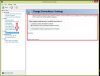
I though this power-mizer BS stuff was part of Experience -
Can confirm 780Ms will gladly never get that XD
-
Well it's says it's off. But I don't want that dirt lingering around lol
-
Yeah thats the point. Some features just obviously work for mobile cards yet Nvidia just refuses to officially support it.
-
Because no competition. They can take their time. And desktop users have to have their e-peens stroked feeling they're THAT much better than us mobile users.
-
Did you turn vsync off ?
-
New driver released, 347.25
http://forum.notebookreview.com/gaming-software-graphics-cards/769766-geforce-347-25-driver-released-whql.htmlreborn2003 and Robbo99999 like this. -
No, vsync was on. I tried turning it off, then it was even worse. Got about 120FPS instead I think but fans vramped up more agressively
-
I find that if I disable turbo-boost and sacrifice CPU performance the fans don't hit super max mode and therefore I can run games on the lower fan RPM modes.
So far so good and performance doesn't really take much of a hit it seems. Depends on the game but worth a shot though. The fans do occassionally hit high RPMs but not for prolonged periods.Cloudfire and 1Schumsta1 like this. -
Yep, I guess I need to downclock my CPU further since downvolting it resulted in disaster (BIOS reset).
I think you are right, shouldnt need much CPU performance to game so I guess its a way to deal with it.
But what about your GPUs (980M SLI). Don`t you get tired of having them run on full RPM all the time?
I think a -100MHz like originally planned is required here as well.
Oh how I wish I could just enable 2000RPM instead of 1700RPM. That would have solved everything lol -
Are there high CFM fan mods you can do, perhaps they would flow enough air at 1700rpm?
-
What do you mean?
-
Well, using a fan which pushes more air at the same RPM. For instance, people with R3's & R4's replaced some of their fans with an M14xR2 fan which pushes 11.x cfm as opposed to the 2.x cfm of the standard fan. I was wondering if A18 users would have such an option. That way you can flow more air at your 1700rpm limitation.
EDIT: here's a thread all about it, so you can see what I'm talking about:
http://forum.techinferno.com/alienware-m17x-aw-17/3479-m17x-cpu-fan-upgrade-mod-2cfm-10-4cfm.htmlLast edited: Jan 22, 2015reborn2003 and Cloudfire like this.
Aw m18x R2 Dual 980m SLI upgrade!!
Discussion in 'Alienware 18 and M18x' started by Peter, Nov 12, 2014.


