 Problems? See this thread at archive.org.
![[Nikos]](images/avatars/[Nikos])
You are right, vBIOS for mono GPUs is ready to go or already out for everyone (AFIK) but for SLI system it is not the same. Also you have to take into account that Prema is doing this on his freetime so maybe he is having some RL stuff going on. Also NVIDIA drivers are not helping. And I am just testing Prema's work and trying all the driver's + vbios mod I can imagine because even if you do not believe it some benchmarks runs works with one vBIOS but next time you change drivers it wont or it works for gaming but not for benchmarking or sometimes it works the core but not the mem and the voltage. And I am trying to test them with all the drivers out there. J95 mods and others.
I would love to have it running already without problem but it is not working as Prema wants or as everyone expect it, so... But anyway I do assure you that Prema is doing tons and tons of work for this. My part is the easy one. I will never be able to say enough times how much thanks we owe to him and J95 among others modders for the crazy number of hours they are spending for free just to draw a smile on our faces.
Even if at the end there is no light at the end of the tunnel. What we can do is to complain to Dellienware and NVIDIA to try to force them to fix this as we are their customers.
-
Tested with stock vBIOS:
Throttle like hell with my machine.
I am going to test one mod vBIOS but I do not have so much faith on them tbh. -
Tested with stock vBIOS:
Throttle like hell with my machine.
I am going to test one mod vBIOS but I do not have so much faith on them tbh. -
UPDATE:
With one of the latest Prema's mod I'm testing I can make this drivers to work without throttling.
Stock clocks:
3DMark FS GPU score = 19.5K
Mem OC +400 MHz:
3DMark FS GPU score = 20.351
So maybe with Prema's vBIOS 1.1 this driver is working ok, if more people could test it we can see the results.
I will do more test tomorrow as here is so late ^^!kenny27 likes this. -
GTA V benchmark:
Stock core / +400 MHz mem
All maxed out (8xMSAA)
4.3 - 4.5 GHz (too much hot)Attached Files:
-
-
Okay I am on stock Vbios i tried the drivers 353.06 353.38 and 353.00. and i get the best results on 353.00
gain like 1000 points on firestrike here is a screenshot -
Sorry the screenshot didn't upload. i got 17395 on 3d mark 11 and 13295 on firestrike
Mr. Fox likes this. -
I will test and give you guys my benchmark results. -
Horrible results for me with prema vbios 1.1 and these drivers. it throttles even @ stock speeds. Gonna revert back to stock vbios and 353.00, so far those are the best ones for me. -
For some reason prema (with all due respect to brother prema and all his hardwork) vbios 1.1 does not gives me good results. could be the latest drivers since they all behave differently.
the best driver that works for me is 353.00 with stock vbios. It throttles when overclocking on benchmarks for it stays solid during gaming for the most part. going back to stock vbios. -
I posted this many times...you need P0/P1 states matched, both core & vram e.g. stock P0 1127 vram 2505 -> P1 1127 vram 2505 . Blame Nvidia...including AWs visionary manager, 'killing the flagship' absolutely brilliant. Single strike, trashing AW and his own legacy.
Try v353.00 w/ v1.1, even better v350.12.
BTW, single GPU overclocking.... hold it! tenax!
Last edited: Jun 30, 2015Juang1985, twin snakes and Ashtrix like this.
hold it! tenax!
Last edited: Jun 30, 2015Juang1985, twin snakes and Ashtrix like this. -
Yes I agree on Nvidias fult. Prema vbios 1.1 was working better that stock vbios on previous drivers. looks like there might be an Nvidia troll looking around the threads and now they messed with premas work via drivers since they saw we were getting positive results.
-
@j95 when I get home tonight I will try this. I am not as tech savvy as most of you guys here, but I will try to contribute to the testing to the best of my knowledge. I will post some benchmark results. So if I overclock the gpus then P0 and P1 has to match my overclock as well? I believe i only overclocked the very last one which i think is P3 ( I am at work right now and not 100% percent sure)
another thing to note, I only have one 330w power adapter. FYILast edited: Jun 30, 2015 -
Yes it will
FS - 16562 @ 353.38j95, Juang1985, TBoneSan and 1 other person like this. -
Nice results! Good Job with your Vbios from prema, you guys rock.
Nikko Im going to try prema 1.1vbios and overclocking with nvidia inspector. does P0/P1 states matched have to match the overclock?? can you explain this to me a little ?
thanks -
Confirmado...
-
how come the core clock on the furmark site shows 1,018 MHz? -
Prior to the benchmark 3DMark scans your system giving like a kick to the CPU & GPU to activate the performance profile, but maybe it is not enough kick to wake up all the 3D Profile or P-State of the GPU's.
Let's wait to see if there is a further explanation from other gurus overhere
Juang1985 likes this. -
I see.... Im going to flash again to premas vbios and try with P-states 0 and P-states 1 to match my overclock speeds. and report back
-
Hello
here is a screen shot of the p1 and p0 matching and still getting badly throttling. Am i doing something wrong?
-
Don't overclock. Match P1 to P0 and see if it still throttles. Bear in mind, GTX 780M SLI now throttles like a pile of crap for me with any drivers released since 345.20 (February release). It behaves EXACTLY the same as 980M SLI did. If I use 345.20 or older it run like a banshee. I doubt you are going to be able to get rid of the throttling for good. NVIDIA has does something to their drivers that causes Alienware SLI machines to run very bad if the power utilization reaches 324W, so overclocking is just going to exacerbate that problem. A single GPU Alienware isn't going to easily hit 324W. A 780M or 980M SLI beast doesn't even have to try very hard to draw 324W. We have been sold out by Alienware and sabotaged by NVIDIA.
-
That really does suck about the later drivers for 780M sli systems. I really don't see the advantage for Alienware & NVidia to have purposefully have crippled that particular setup. The only reason I can really think of is if they're worried about people overclocking their sli systems too far, creating failures & RMA's. If that's not the case, then maybe it's just an unintentional byproduct of new driver controls implemented that only affect edge case situations - heavily overclocked 780M sli, praps over the normal +135Mhz limit, don't know if yours throttle at stock or when under +135Mhz?
-
Probably that (byproduct) control thing. I seriously doubt it has anything to do with precautionary measures with SLI systems and overclocking as much as the rarity of SLI laptops causing them to completely lose sight of the global effect of their stupid driver controls. Everything revolves around the lowest common denominator in laptop world now. With almost everything being a low-TDP pile of crap, SLI systems are as far the opposite direction as they can be, with power demands that literally dwarf all of the new garbage.
Yes, under full-tilt load GPU load (like 3DMark 11 test #1 and #2) I do have throttling at stock clocks with all driver versions after 345.20. Some driver versions are much worse than others. It never happens playing games because 780M SLI far exceeds any game system requirements and they never get 100% loaded. Whether stock or overclocked, the throttling is triggered once power draw reaches about 324W, so something in the driver is talking to the BIOS that did not used to be in the driver. I see that as further evidence of corruption and overstepping boundaries on NVIDIA's part. If the BIOS doesn't have any 'Power Caps' tables, then there is nothing for the drivers to talk to. Unfortunately, it appears Alienware may have that in the BIOS and Clevo SLI laptops may not have that in the BIOS. That would also explain why it does not happen on a desktop motherboard, because there is no reason to have that kind of filth in a desktop BIOS. There may be a way to edit the BIOS firmware and delete the info or raise it to a crazy level (say 1200W) to stop it from ever being an issue, but if it is in the EC, fixing it is unlikely. Not sure if @Prema or @svl7 have any thoughts about this or not, of if they have any ideas to fix it.
I still fault NVIDIA more than Alienware for this, since they are the party responsible for injecting their drivers with new cancerous malware that should not even be there.
In 20/20 hindsight, this also supports the observation and speculative discussion of "throttle flags" in either the vBIOS or drivers that I and @johnksss began talking about more than a year ago. John's 880M review thread in the main forum had a lot of discussion about that. The only difference is, it may be something triggered by drivers using information in the system BIOS rather than vBIOS as we originally thought.Kade Storm, TBoneSan, Robbo99999 and 2 others like this. -
Thanks Mr Fox
I have tested several drivers with the 980m. So far the 980m sli and the 353.00 give me the best results. I manage to pull out 17k on rdmark 11 and 13,500 on firestrike.
I guess Im just gonna have to live with it.
I was just wondering if the way I matched the P0 and P1 states is correct.
thanks -
The fact that the throttling is happening in 3DMark11 at stock clocks (or even under +135Mhz overclock) is unacceptable in my eyes. If it were happening when you were running your 780M's at 1150Mhz or something, then I could be a bit more forgiving, but at stock & seeing throttling - that's not on. NVidia really should take notice of your reports and try to fix it.
-
Finally, took the plunge and flashed my cards with the newest UEFI nvflash, and Prema vbios.(thanks for the heads up Mr. Fox) I started out cautious and got a +4000 bump in 3D Mark. Its the holiday weekend so I probably will play with it. I'm not using any OC for the CPU, I haven't reinstalled XTU, just NvidiaInspector for the GPUs. This will be more interesting than Batman AK (sad)
Attached Files:
Kade Storm likes this. -
-
I cant go any higher than this unfortunately. Stock vbios 353.00 overclock throttles to stock clocks.
-
Currently I'm testing G-SYNC tech with Alienware M18X-R2 it's awesome. :_) so smooth!
kenny27 likes this. -
Does anyone have a reasonable guess as to how high I can go before I fry something. I know this thread is mostly AW 18R2 PC, and some of you have the dual Psu mod. Since I only have the one Psu @330w option, how high can I push. Right now I have it at 134/300 using driver 353.38.
-
G-Sync ?? Woah !! how did that happen on M18xR2 ?
-
Quick Question, have you tried the Magic vbios with just a single 330w power adapter see what results you get? I only have one and would like to keep it that way for portability reasons. Just wondering.
thanks -
Don't need to worry about frying something from overclocking. The system or GPU drivers will become unstable and crash or throttle long before that happens. The only kind of "frying" you need to worry about is watching temps. Sustained overheating is bad for GPUs. They have built-in thermal protections, but they are more fragile than an Intel CPU. As long as you keep the thermals in check, the overclocking limit is the driver stability threshold or when you run out of voltage, whichever comes first.j95 likes this.
-
G-SYNC = Mini-dp!
About Dual PSU I'm talking with the lab that helped me to do the hardmod to the cards to do the Dual PSU mod for everyone that wants one. Better desing better efficiency. The thing is that I'm not sure if I can reach the minimun number of orders to make it happen. -
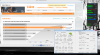
@All_ *FW development* @ Prema's Mod, I need 9xxMs ASIC quality readings, in addition to 3D voltage * on stock vBIOS. SLI systems please include both cards...
Thank you.
GPU-Z v0.8.4
![[IMG]](images/storyImages/23hgH8Gh.png)
Last edited: Jul 3, 2015 -
@Juang1985 Thanks a lot, helps a great deal. @Mr. Fox Clevo results are welcomed too.
Last edited: Jul 3, 2015 -
Here you go. I used 3DMark11 to load both GPUs because that GPU-Z tool doesn't put the secondary GPU into boost mode unless you go full screen.
I've never (not even once that I can remember) used the stock Clevo vBIOS on the P570WM. Looks like it has a throttling problem on the P570WM with the stock vBIOS. Interesting discovery. Might be these newer trash drivers I am using for Batman: Arkham Knight causing it. Ah, well... who cares about worthless NVIDIA stock vBIOS crap, right? It's always poop.
-
You're welcome Brother J.
You want it for 780M SLI? I don't have 980M SLI in the M18xR2.
j95 likes this.
I don't have 980M SLI in the M18xR2.
j95 likes this. -
Nope, I mean M18xR2 secondary GPU VDDC readings are inaccurate. Thanks again.
@Juang1985, @Scanner please could you repeat the test running 3dmark windowed mode, VDDC results.Last edited: Jul 4, 2015Mr. Fox likes this. -
Sure man anything I can help with let me know. here you go
-
Thanks, VDDC readings are identical to the previous one.
Juang1985 likes this.
Aw m18x R2 Dual 980m SLI upgrade!!
Discussion in 'Alienware 18 and M18x' started by Peter, Nov 12, 2014.



![[IMG]](http://i.imgur.com/23hgH8G.png)