Problems? See this thread at archive.org.
I got it and after a few hours of usage I think I have a perfect build.
-
-
Happy birthday. You now have two m11x's
No but really, you should send them courteous email requesting a label (or go the first route I mentioned )
-
Congrats! And this perfect build would be...
-
Yeah, I was lucky as well and my build has none of the mentioned defects. Its a beautiful system!
-
I mean there are no gaps, cracks, etc like people have had here. My specs are 4gb ram, 7300, and 500gb HDD if that is what you're asking.
-
So finally got my screen replaced. I guess tech guy knew what he was doing. He did it in under 30 mins. But I did noticed that the screen isn't new. It had the rubber foot print marks on the screen from the rubber pieces on the palm rest. Well at least there's no dead or stuck pixels and that piece of dust or dandruff, whatever it was, is gone.
-
got my replacement in today. No screen gaps, nice. Haven't really tested out the fan since when I got it, made sure it had stable OC and just installed the latest nvidia drivers and went discrete in bios.
-
replacement screen or replacement laptop? I just got my laptop replacement today. Did Dell tell you how to return the defective laptop? Dell hasn't told me anything yet.
-
^ replacement laptop..
they called me today but I didn't answer, voicemail said to contact them regarding how to send it back. Probably a return label, slap it on the box and good to go. -
Hi there,
I know many will not like this question but anybody managed to install XP on M11x?
Thank you -
Just got mine this morning...and there is a stuck green pixel near the middle of the screen. I'd prefer to just get the screen fixed though, since this machine seems to overclock fine and does not have the gap or AlienFX lighting issue.
-
Not to sound silly, but have you tried to massage it out? I had the same in my last Asus netbook but I was able to rub it out and the problem never returned...
-
Frankiegamer, Just thought of something. If you overclock, and then turn off intel speed step at the same time, do you still get BSOD? Try giving that a shot. I know it's no solution, but it may be a fix until you can get a replacement approved.
-
I received my M11x a couple of weeks ago, and I've loved everything about it - apart from the fact that I find the screen a little too glossy at times.
It has opened up a whole new world of PC gaming that I haven't ever really explored, due to the fact that I've been a dedicated console gamer for my whole life. -
Thanks for that kyouteki.
Spiff -
DR650SE, I think speedstep is disabled when you overclock automagically? This probably needs to be confirmed with Alienware but I believe this is true.
Thanks, StevenX -
You can fix stuck pixels yourself 90% of the time... no need to get replacement. Only if they are 'dead' do you need to contact dell.
-
Mine arrived! Typing on it now, it's great!
The only problem is, there was no Steam installed, so how do i get my free Portal download? -
That will be one of the things I try today. I'm going to let it run some of those pixel programs for a few hours, and I'll give the massaging/pressure a shot. If neither works, I'll call for an on-site repair tomorrow.
-
Pixel programs don't work. I did the following with my desktop, and I've never had that problem again (it was about 4 months ago). I took a piece of paper, put it on the dead pixel(with my finger on it), turned the screen off, pushed gently on it, turned the screen on after about 5 sec, and there, it was gone!
I also tried pixel massaging with some kind of program, but after 3 hours there was no result. -
Is that really necessary?
-
Got mine before the long weekend. great little machine.
The fan did stay on initially with IGP but this was before I stopped the AlienFX and Alienware Facial Recognition programs from starting up with Windows. I highly recommend new owners to take a look at the Optimization thread.
Overclocked the second day via the Bios option. no major issue (touch wood) so far. The machine is running Fallout 3 quite well, with the exception of two or three crashes during the game (most likely Fallout 3 related) -
I'm an official owner now, though I still have to go home to open it
-
My date has been pushed back 3x now till 4/15. Are they actually making these things?
-
Must of missed my message, Dell told me they start shipping out April 13th so ur 4/15 sounds about right.
-
just an update about my overclocking issue.. dell will be sending a technician to come and replace my motherboard and processor... (i was having issues with my overclocking)
-
Kinda random question: any way to install/restore the Alienware log-in screen? I had to wipe my system early on due to general stupidity on my part, and while I got all the drivers I needed and don't particularly care about the wallpapers/avatars, the stock log-in screen sure fits the computer better than the flowery one that is standard for Windows 7.
-
-
Don't need any software.
Just go to C:\Windows\System32\oobe\info\backgrounds
And change the picture to one you want. Not sure if screen resolution is critical but I just put in my 1963x1285 image of Dragon Flight by Boris and it worked straight way. Just renamed original backgrounddefault to backgrounddefault_original. -
Very helpful, thank you!
-
Anyone know where I can find some plug covers for the USB, display port, hdmi ect? I dont use alot of the plugs and would like to get something that I can plug in there to protect them from getting dust/crud in them.
-
I used JScreenFix, left it running for two hours, came back and the stuck pixel is gone! Sweet.
-
I have a $75 giftcard for dell due to an issue in the past. I was hoping 5870's were going to come out before it expired. 13 April 2010. Seeing as how there is no word, I'd like to not waste it. It expires in a week.
Does anyone have any suggestions on what I should spend it on? I have the M11x, and will be getting the M17x R2 when 5870's appear. I already have an Orion Backpack so thats out of the question. Any suggestions would be appreciated. I pretty much have everything I want, so I'm looking to see if maybe there is something else I havn't thought of. -
Is there anywhere that sells batteries for this? Kind of want a spare one hanging around in case I need the extra juice.
-
@dr650se = Get a travel charger. Or a TactX headset.
-
Quick question: How come when I close my sytem and then open back up the screen won't turn on? This didn't start until the new Nvidia driver.
-
Good question I have same problem after installing new drivers sleep function worked perfectly before new drivers.
-
My 11x was delivered yesterday!
Ordered on 3/29 and the edd was 4/13 so I am very happy.
I went with the Lunar Shadow, U4100, 4gigs ram, Gobi card. I only got the lil HD as I have a 500gb to throw in.
First thing I did was follow PrimitiveWallflower's post on using my iphone sim with the Gobi found here:
http://forum.notebookreview.com/showthread.php?t=466689
It works without a hitch!
I am pleased with the build quality and the keyboard is quite comfortable although getting used to no number pad will be a learning curve.
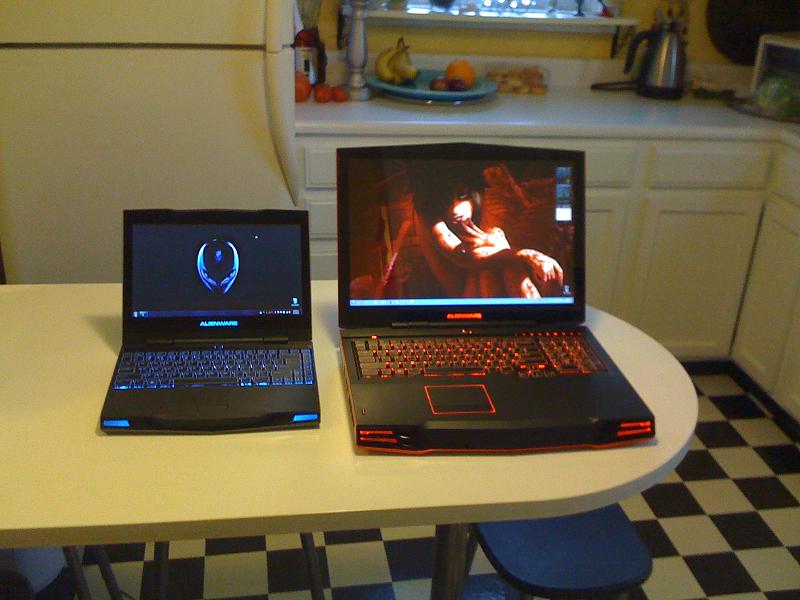
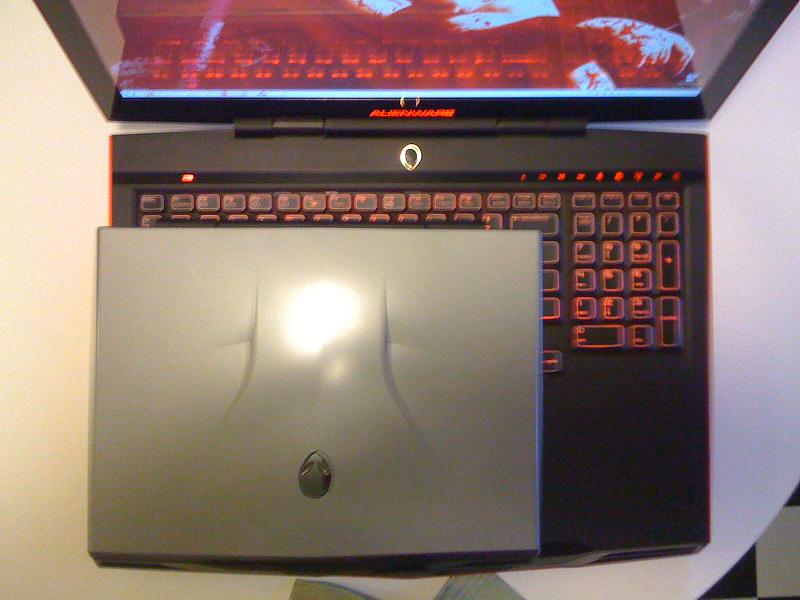
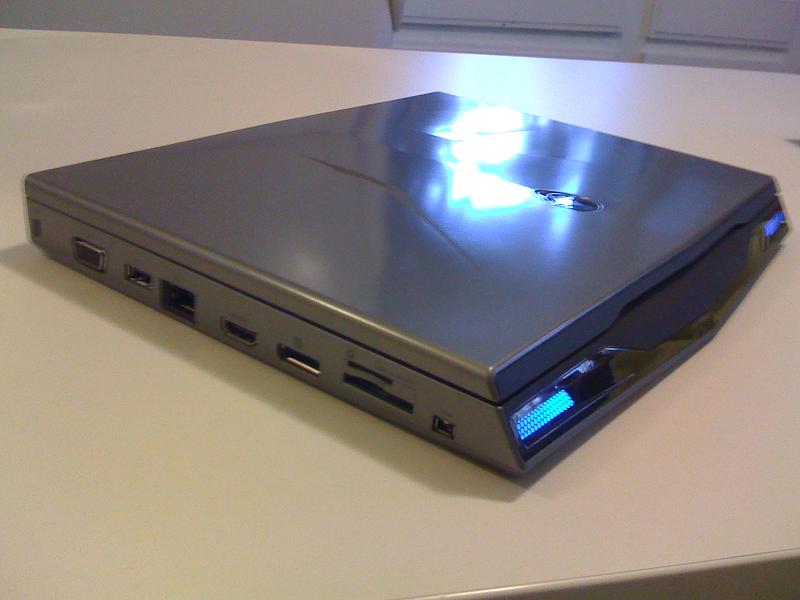
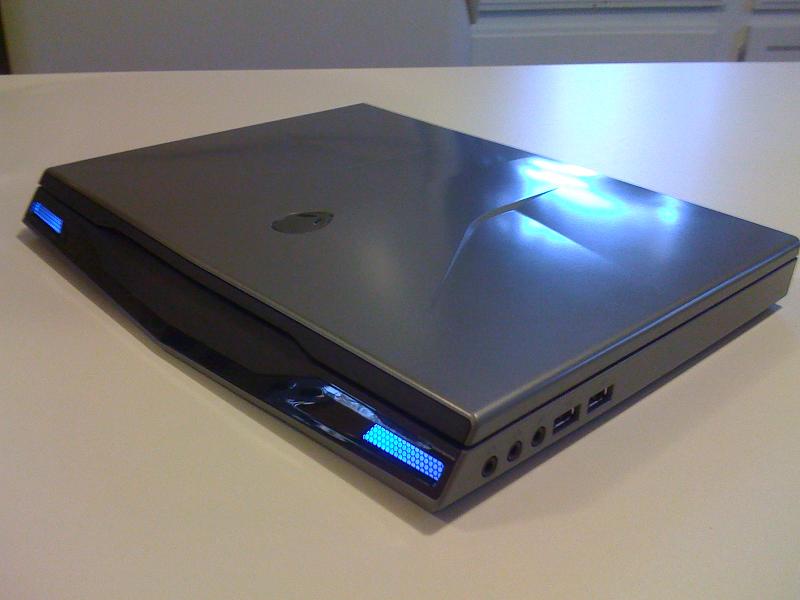
I won't get to mess around much until the weekend. I snapped some pics with my m17x for size reference. The quality stinks.
One thing that I did that I never attempted with my 17x, I watched a movie in bed last night!!!Attached Files:
-
-
Congratz!!! Looks fantastic next to his big brother!
Enjoy it! -
congraz. me too, I watch hd movies in bed with it. even, I play DAO in bed
-
Thanks Guys!
This thing is just so darn more practical for me then the M17x. After this weekend, I am going to decide whether or not to sell the 17x. It will be hard as it still is the sexiest lappy I ever owned!!! -
Nice pictures! its always good to see comparisons. + REP. -
How did you guys go about partitioning the harddrive without a external dvd drive? I want to separate the C drive into two partitions. The way I used to do it is with the OS disk. But since this laptop doesn't have a external drive, how do you go about partitioning without it? Thanks!
-
1) Open diskmgmt.msc from the search area in the start menu
2) Right click the C partition and press shrink
3) Choose the size and whatever to shrink it to [Be careful, it tells you to select how much to shrink it to, not shrink to what size]
4) Now whatever's left should be Unallocated
5) Right click the unallocated space and select new simple volume and follow the wizard
Click finish...
Hope this helps -
Are you trying to modify the current partition with an OS on it or reformat the hard drive entirely? If you don't have an external CD drive, you can make most Linux and Windows OS installation discs into bootable USB drives. If you're trying to do it without destroying the current Windows installation, you can do it within Windows (Control Panel > Administrative Tools > Computer Management > Disk Management).
On the side note: I am thoroughly impressed with the M11x's battery life. Even running on discrete graphics only, I still managed to get roughly 4 hours and 20 minutes off the plug, with the Windows Power Management Profile set to Power Saver. Played some flash games and browsing the internet. -
What I want to do is partition the C drive into a OS and a storage/game partition without destroying the hidden recovery partition. Since Dell did a good job on keeping bloatware to the minimum, I want to, after partitioning, use the recovery partition to restore my OS partition back to factory settings.
Dude, I get around 8+ hrs of battery on this sucker! It's off-the-chart awesome! -
Read my post above. I explained how to do it. PM if you need more help...
-
@dr650s
Buy the Alienware headphone:
http://www.alienware.com/Intro_Pages/ozma7.aspx -
French, Where can I get those, the Alienware site links me to dells site, and I can't find them. Hmm...
-
I checked that link, and it showed the year 2008 at the bottom. I think they're no longer available.
I'll 2nd buying the travel charger recommendation. Or TactX mouse even.
*OFFICIAL* M11xR1 Owners Lounge - Part 4
Discussion in 'Alienware M11x' started by steveninspokane, Feb 2, 2010.