Problems? See this thread at archive.org.
Check this 3D lovers:
YouTube - H.A.W.X. 2 in 3D on Asus G53 Gaming-Notebook
GD
-
N73JQ also has similar design, have to remove the keyboard in order to remove the access cover at the bottom.
G53JW are much more difficult to upgrade components than G73JW.
It has 4 memory slots and two are underneath the bottom of the laptop:
And the other two are underneath the top case which is not easy to remove:
And yes, the 8-in-1 card reader is in the front. -
Wow... this is quite the pain to be honest.
Ken, does the G53 have a VGA output? I need to buy an adapter if it does not.
Thanks for the info! and the pics! -
Yeah the G53JW seem very difficult to upgrade components unfortunately.

Yes G53JW does have VGA output:
-
Hahahaha love the paint arrow...
I had to make sure... cnet.uk review said it did not...
http://reviews.cnet.co.uk/laptops/asus-g53jw-ix162v-review-50001145/
THANKS! -
OMG... SOLD!!
What would be amazingly awesome is if they had head tracking on where I was looking using the camera... then I'd be having an overexcited moment.
Doesn't seem too hard to do. -
Any videos up yet Ken?
I would love to see this laptop in action! -
Ken:
Thanks a lot for answering my questions re: HDD sizes and bays. This has got me thinking of getting the G73JW instead of the G53JW. I like to have easy access to internal components, especially hard drives.
I'm assuming access to HDD bays is much easier on the G73JW? Also, I already own an Intel 6200 card and would like to swap it into whichever laptop I order. On most of my laptops this is really easy... how about the G73/G53JW?
Thanks in advance for any reply. -
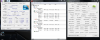
Hey guys! Just starting my run on the G53jw and I thought I would post up some idle temps and cpu/gpu-z. I will be running benchmarks on the machine here and will post them soon. Also our video review will be up later for all of you to see.
Please let me know if there is anything specifically that you would like run on the machine.
Joseph LAttached Files:
-
-
THanks for info, Joseth
What is the envoiment temp when you got those temps?
Where i live 40ºc is common, so i have to calculate if i need to repaste the cpu/gpu -
Could you please determine the manufacturer of the display, and comment on the brightness, viewing angles, and color saturation?
-
Cool, thanks Joseph. Are you testing the 3D or non-3D version?
-
The ambient temps in here right now are about 23-24 C. Currently I am testing the non-3d version, but I have both here so I could run some tests on the 3d one later if anyone is wondering anything specific.
The FHD screen that I am reviewing right now is an AUO15ED. The viewing angles on it are about average to slightly above average. It seems sofar(and i have only had it for maybe 15 min) that the color on it is pretty accurate. Blacks look pretty deep and the image is bright. Honestly its not quite as impressive as some of the 15 inch screens I have seen, but there are certainly way worse. I would say its in the top 3 though. Overall my impression is that it is a mini version of the G73jw in most ways. The touchpad buttons are going to drive a lot of people crazy as they are very rigid. Unless people like that. I have to press down pretty hard to get them to click. Unlike the squishy soft easy to press buttons on the G73jw.
I will post more images soon as well as the video review. -
How about testing for keyboard lag or crazy touchpad?
-
Ok here's a quick run of 3dmark vantage. Very similar to initial stock runs of the G73jw. Similar temps as well. Honestly its nice to have a 15" from Asus that produces temps like this. It is a very welcome change
Attached Files:
-
-
I type about 100-110wpm so I just did a test run for about a min or two typing as fast as I could on the keyboard. So far no lag.(on my G73 a minute of fast typing is all it takes to lag) The keyboard itself actually feels a bit more responsive than the G73jw that I personally own. I too have keyboard lag on my machine and am pretty much forced to use an external keyboard nearly all the time. Unless I slow down on the typing and pay more attention. The touchpad area for the mouse I actually like better than the G73. Its laid out a bit different and seems very responsive. The mouse buttons on the other hand I do not like. The touchpad isnt too crazy. I am just being nitpicky about some of the differences that I have become used to.
-
good to see that g53 is started to ship, those gpu temp are a little higher than g73jw, but still cool for a 15 incher, my g51j could go up to 90!
-
Wow cpuid says 820 is it because it doesnt recognize the 740 or you guys upgraded it already?
-
Asus has just posted a new G53 video on youtube:
YouTube - ASUS G53 3D ROG laptop.mpg -
Will be working on videos today.
G73JW will be much easier to access HDDs, only need to remove two screws from the bottom. -
yeah cpu-z recognizes it as an 820. Not sure why, unless its just going off of clock speed since the 740 is the same. That program does it for every pc that runs the 740. Pretty sure I'm running the newest version as well.
Just getting ready to crack this bad boy open...time to remove the keyboard...yay! -
If possible pls, battery life.
Thanks a lot. -
I also wanted to mention the finish of the G53 is different from the G73. Its no longer a ruberized finish all over. Most of the laptop is comprised of a matte finish that is a hard smooth plastic. It looks very nice, but is not the same as the G73. The only part that has the rubberized finish is the handrest and area around the touchpad.
-
Can you state ur opinion about build quality. Is it better or worst than g73 and other 15 in laptops?
-
3DMark Vantage score with stock drivers:
-
Joseph, there's probably not a way for the the rigidness of the trackpad's mouse buttons to be softened in any way, is there? I wonder if it will soften over time or if that's just the way it's going to be. I prefer using a laptop's trackpad over using an external mouse, so the way the trackpad performs is important to me.
-
Almost 10ºc higher temps than Xotic bench... wow
What is that different? -
No it doesnt look like it will soften over time. Its pretty rigid plastic. I mean its not terrible. I am just used to the gummy soft ruberized version on the G73. I would imagine that one could get used to it. The actual mouse part is better than most others I have used before as far as the feel. You just have to press harder on the mouse buttons that I am used to.
-
To Josehp and Gentech; Any major advantage of the G53-A1 over the MSI GX660R?
-
I think gentech's temps are just as good its just that they didnt wait long enough after the test run to let the temp normalize to the idle temp
-
Lol... Way to put the effort in Asus, just to add the "/G53" (Sarcastically)
Thank You Lee's (both of your last names are Lee... coincidence... i think not) for posting the temps and these extra details.
I liked how the g73 was rubberized... but I guess now I can add a protective skin on the laptop without having any residue problems I would have had with the rubber.
I have a g50vt-x1... the trackpad buttons are pretty rigid but I got used to them. If you really hate them you can always add buttons on the corners of the track pad itself... I have a "middle click" at the left bottom corner and it helps quite abit. -
To Resellers:
Is it possible to order a G53 or G73 with no OS installed (just a drivers disk included)? I really hate paying for (more) Windows licenses when I already own it several times over.
I know some system builders offer that option. Just wondering. -
After reading through these posts every day I finally had to register. I've really wanted this notebook and you all have posted some great information.
For those that ordered this initial shipment, how'd you choose where to order? I predominantly see GenTechPC, PowerNotebook, and XoticPC.The first two offer a 3% discount for cash payments while XoticPC does not. I'm looking to order soon so I can get the next shipment. Any experiences to share or any suggestions on picking an online reseller? -
Sad to hear that it's no longer a rubberized finish like the G73. The rubberized finish gave it that unique feel. Definitely not a deal killer though.
With regards to the left and right buttons, would you say that pressing them feels similar to that of the G73JH? I really disliked the amount of force that was needed to activate the buttons. Asus did a much better with the JW's buttons.
I'm 50/50 whether to go with a Sager NP8690- S1 or wait a bit longer and see how the G53 does in the days to come. From reviews I've read the Sager's screen is top notch. I had a G73JW and the screen had a blueish hue to it in standard mode. Any hint of coloration on the G53?
Besides that, my only other concern is the battery life on the G53. I know it's pretty much non-existent on the Sager without heavy setting adjustments. Argh.... more waiting...... -
XoticPC offers the same 3% cash discount as the other companies, it is listed to the right when you start configuring a unit.
All of those retailers are well respected here on the boards, which is an accomplishment because we tend to be some of the most picky customers. It wouldn't be fair for me to give a positive review to one over the rest, since I've only dealt with one of them directly - but if you're interested in my experiences thus far send me a pm. -
Unfortunately not. I am not aware of anyone that offers a NO OS option on the ASUS Branded models that come with it Stock. There would be no use for it as the license is unique to ASUS Notebooks.
-
What i really wonder its if there will be enough notebooks in that next shipment
The first reseller that garantee that to me i´ll do business with him =] -
I got around 90*C on GPU after Furmark for 10 minutes.
-
The buttons on the G73W have a softer feel to them. The G53JW's buttons are hard plastic and as Joseph said they are more rigid. That is strange you have a blueish tint on your screen. I have seen this before on a G73JW and the problem was the connection on the back of the LCD was loose and produced a blueish tint on the screen. Once the connection was reseated the tint went away. You may want to have that looked at if you still have it. Reseating the cable might fix it.
It was quite the task to tear apart the G53JW. Even for a simple HDD/RAM upgrade it takes a good amount of dis-assembly. Our Video is uploading so they should both be uploaded by the early morning hours.
-
when will laptops start coming to our door steps?
-
Our G53JW youtube video is up
:
<param name="movie" value="http://www.youtube.com/v/VbnVch7QsX4?fs=1&hl=en_US&rel=0"></param><param name="allowFullScreen" value="true"></param><param name="allowscriptaccess" value="always"></param><embed src="http://www.youtube.com/v/VbnVch7QsX4?fs=1&hl=en_US&rel=0" type="application/x-shockwave-flash" allowscriptaccess="always" allowfullscreen="true" width='560' height="340"></embed></object>Last edited by a moderator: May 6, 2015 -
I'm so excited to get the G53 soon.
I got a call today from xoticPC and had to resubmit my order/cancel my previous one, but the woman I spoke with assured me I wouldn't lose my place in line. (I sure hope not... that would suck. I'd probably cry, since I'm a girl and all.) Still, redoing my order reminded me of all the AWESOME I added to the G53... and I can't wait to play with it!
On a side note, between checking this forum obsessively and checking my email even more obsessively, I've been playing a ton of L4D2. Hard Rain on normal mode is difficult. I keep dying D: I keep blaming the fact it's because I'm on a mac, but... I know, deep down, I'm just not skillz'd enough. -
Holy mother of god the g73 looks massive compared to the g53...
A good decision Metallic... a good decision.Last edited by a moderator: May 6, 2015 -
Nice video! THANKS Ken!
I especially enjoy the personal initiative you have taken here! I believe this is the first of your videos, wherein YOU actually narrated yourself. Am I wrong here?
NICE JOB buddy! Let's hear more of ya!
Last edited by a moderator: May 6, 2015 -
Does the G53 have that blue light the g73 has? i didn't see it in the Gentech video
-
Thank you very much for the video Ken!
I have a question for you. From your video, it looks like Asus didn't put that industrial strength double sided tape on the back of the keyboard like they did on the G73. Am I seeing that right?
Also, could you please comment on how hard it was to get the keyboard off? I'm hoping it isn't as tricky as the G73 with the tabs, and that it doesn't warp because of the removal.
Thanks.
-
Is that you talking this time, Ken?
Man, but that's one nice looking machine. -
Ya, I noticed the G73 is MUCH larger too, Metallic. I'm patting myself in the back as well, haha.
-
Yeah the VGA port is there.
Unlike the G73 the G53JW does not have the LED under the screen but the Asus logo on the LCD back cover does lights up.
Thanks -=$tR|k3r=, yes it's my first video.
-
Hah, I've finally heard Ken's voice. It's like catching an Arceus.
Asus G53, the smaller version of the G73jh
Discussion in 'ASUS Gaming Notebook Forum' started by yoyosupmang, Apr 14, 2010.