Problems? See this thread at archive.org.
try it on high .... I wanna know if i will finally be able to play crysis
-
-
Moo,
You don't even have the system yet and you're already bored with it! lol
Ken from gentech posted a video on gamer (high?) and it ran between 40-46 fps. -
Crysis high ... Nothng better then 720 that i see... Very High was 2 frames more....
Attached Files:
-
-
Lol sorry just was curious and i apologize for not searching.
This machine is only meant to hold me over for a couple months ... there is something special that i am awaiting -
Hmm. Could it be AW m17x R3 with 5870's?

Here is Ken's video. mixed gamer with 2 mainstream settings. Ran very well!
http://www.youtube.com/watch?v=nyVomeaGSBk&feature=player_embedded -
It could be fermi's.
-
Well, well, well. Look who it is! Been buried in your system for the last 12 hours sir? I haven't heard a peep from you in forever! haha How is it after spending some time with her!?
If he is waiting for Fermi's, he will have a full Fu Man Chu and walk with a cane by the time he has it! -
The more I spend time with her the more attractive she gets.. Ran every games I have with no problems @ max settings. How about you Chris? What you been doing with her?
-
Playing the new Battlefield 2: Bad company 2 beta on max with no aa.
And sad to say, I have actually been on the web with her more than anything! haha
I did buy her a new companion though. Check it out; I bought it just for the G73!
http://www.samsung.com/ca/consumer/tv-video/tv/lcd/LN40B530P7FXZC/index.idx?pagetype=prd_detail
![[IMG]](images/storyImages/sam.jpg) Last edited by a moderator: Feb 6, 2015
Last edited by a moderator: Feb 6, 2015 -
hey evenseen what fps you getting on bad company 2? There is no lag at all playing this game?
-
I don't have fraps running so I couldn't say. By eye-balling it I would guess anywhere from 40-50 fps. It is smooth as silk on high as long as AA and AX are set to 1x.
-
any advice mandrake?
going 4 the 920 install tomarrow. -
Its extremely complicated
Like you have to remove the whole motherboard
-
damn all these powerfull laptops, to many choices i'm bad at making choices......
-
does anyone know if G73JH offers overclocking in the bios?
-
Take your time.
Be careful with all the plastic pieces. Make sure you have a plastic tool to work with. You don't want to cut up or deform the plastic.
Motherboard and you even need to unhinge the screen from the system.
Yes when you ave an extreme proc installed but I have not tested it yet. -
so it is not available on the 820QM processor?
Does that mean there is no permanent way of overclocking the CPU except for the 920? -
Correct. Moo is looking into over-clocking non-extreme processors but he thinks it will require a hardware mod.
-
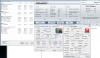
Here is a stock run with the 920 including temps.
Attached Files:
-
-
thanks for the info. It's bad news and now I see reasons why AW users all choose the 920 CPU.
Hopefully Moo will be able to find a non-hardware mod solution to this. I remember the old Pentium 2 and Pentium 4 can be easily OC with increasing the frequency multiplier... it looks like today's CPUs have taken a step back in terms of OC
-
Even the M17xR1 can OC via the FSB for non-extreme procs.
-
so it's more the motherboard issue than the CPU difference?
If that is the case, perhaps a Bios update can enable this feature for 720 and 820? -
I believe it's both. The new core i7's no longer run off of FSB frequency. There is a thread that Vicious started in the hardware forum with a lot of opinions about overclocking the i7.
-
No the M17xR1 had the C2D architecture which actually utilizes the FSB which is a bottleneck. The R2 and the G73 are Core i7 systems so memory controller is built into the processor so FSB i no longer needed.
Can you run MaxxMEM for me? It's in the original post of this thread. I forgot to test before I upgraded.
![[IMG]](images/storyImages/maxxmem.png)
-
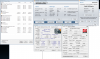
Sure. Looks like quite a big difference!
![[IMG]](images/storyImages/maxmem.jpg) Last edited by a moderator: Feb 6, 2015
Last edited by a moderator: Feb 6, 2015 -
Uhhh, drake.
Can you tell me where to buy the memory you got?!?
King HyperX, right? -
Thank you. I would hope latency went down since that's the reason I bought it.
Yes. Everytime I link it the Newegg price goes up.
PM me if you need help finding it.Last edited by a moderator: Feb 6, 2015 -
This is after I "equalized" the turbo mode multipliers.
Edit: Middle of the keyboard hit 93F during this benchmark....time to bust out the cooler to see if it helps.Attached Files:
-
-
That is quite a score without even touching the Gpu yet. -
I'm going to try turbo mode OC'ing then OC'ing the core. Sooner or later I'll play with the 5870. My goal is to hit 17K in 3DMark06.
BTW, regarding the cooling debate of this system, after taking it apart the little vents on the bottom IS the intake. The proc and GPU are right next to the memory on the bottom. I'm going to need to remove the bottom cover to help sooner or later. -
The cooler has dropped the keyboard temp by 5 degrees.
-
thanks.
I just went over that entire thread. LOL, no offences, but Drake, your opening post gave me a brain explosion with the number of words.
It seems that BCLK is the new FSB that can be looked into. However, I am very doubtful ASUS is going to release a new bios update so it becomes an adjustable feature officially?
In the meantime, it looks like we are stuck with stock CPU speed I was hoping for an overclocking guide but it looks improbable now.
-
You can do it all with the 920 including OC'ing the turbo mode multipliers within Windows itself. I haven't even touch the bios yet.
This system may be "cool" for everyday use but there are definite thermal constraints when OC'ing. -
unfortunately, I am only getting a 820
-
I need a different cooler. Mine is good for the M17x but not the G73. Where's Whizzo when you need him?
-
Haven't seen a post by whizzo in months. lol
-
Do we have any other resident notebook cooler reviewers/experts?
-
Since yours is not quite the right cooler, which kind is it so we know to avoid that one? Thanks for all your effort, btw...
-
Cryo LX. Fans are in the back. I need something where fans are in the middle and front.
-
What about the zalman?
http://www.newegg.com/Product/Image...a Quiet Notebook Cooler Model ZM-NC1000 Black -
Thanks Mandrake, I'm doing a little googling now to see what comes up...
-
That looks like the fans are in the back with the vents in the front. Odd.
I just ran 3DMark06 at 3.45Ghz with no improvement in score. To me this means thermal problem. -
This is what I am using, and it works very well.
http://www.thermaltakestore.com/cln0008.html -
Well, maybe the fans are sucking are from the back and bottom, then venting it to the underside?
-
I have that Zalman, and it's a good cooler sucks from below then forcing the air to through the plastic channel bottom to the aluminum anodized top deck with the holes.
http://img121.imageshack.us/img121/884/img0317zalmanbottom.jpg -
I figured.
THANKS! +rep -
Does anyone know what is the CAS setting of the RAM that comes with G73JH-A2?
-
CAS9, timings are 9-9-9-24 I believe.
-
k, thanks
btw, I think it's 9-9-9-27
http://www.kingston.com/hyperx/products/khx_ddr3.asp -
OK.. did a little googling and found an interesting article on Modding the Zalman here in the NBR forums. This just might be the answer?
http://forum.notebookreview.com/showthread.php?t=302094
*EDIT NBR member review of the ZalmanNC2000(B) http://forum.notebookreview.com/showthread.php?t=235021
Asus G73 Benchmark Thread
Discussion in 'ASUS Gaming Notebook Forum' started by Mandrake, Feb 8, 2010.



![[IMG]](http://s30.photobucket.com/albums/c306/evensen007/?action=view¤t=sam.jpg)


![[IMG]](http://s30.photobucket.com/albums/c306/evensen007/?action=view¤t=maxmem.jpg)