 Problems? See this thread at archive.org.
Sorry, meant to type GPU, edited it after you replied.
Regardless, thank you for your help - hopefully the G751 can keep things under 90 with that load. If it doesn't, I know I've got a defective unit.
-
-
Question about antivirus software:
Asus is known to put a 30 day trial period of MacAfee in their notebooks, so the same for the G751. That being said what are you guys planning to do after the trial period. Is MacAfee a good antivirus worth it the subscription? Sorry for the dumb question. I've always used free antivirus like avira, avast.. -
I always use MSE - MacAfee randomly shoots up to 100% CPU usage at times and makes watching movies or videos a pain.
-
McAfee is a crap AV. I recommend Kaspersky, you can get more info by vising antivirus section of the forum.Demike likes this.
-
I've heard good and bad things about MSE, and that Kaspersky is also good too. Thanks for the replies, I'm gonna check those out.
-
Im using AVG .. That works fine as well.
-
Demike, I beta tested the latest Norton Secuiry w/wo Backup for a few months and it is great. Norton sucked back around 2006, but since 2007 it has been kind to the PC environment and doesn't distract from any game/program I have run.
You can turn off Anti-virus and Firewall during gaming but I don't see a difference or any lag or glitches, so sometimes I just game and don't even remember to turn it off. You can also silence notices so they don't interrupt gaming
One of things I like is that it is straightforward to configure / use, it doesn't get overly complicated. So when I recommend it to friends and family, I don't spend hours configuring and explaining what all the notices say. There are just a few options in the systray icon to turn off/on anit-virus, firewall, and silence messages
NIS is still being sold, and also runs great, but look for the 2015 Norton Security w/wo Backup, you can't upgrade from one to the other mid-license. My NIS expired in November so I installed the 2015 Norton Security with Backup.
Here are the trial downloads for the 2015 Norton Security
http://us.norton.com/norton-security-downloads-trial
and Norton Security with Backup
http://us.norton.com/norton-security-with-backup-downloads-trial
Here is what it looks like:
SysTray Menu
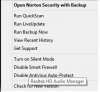
Main Window

AV Test Rating - Previous release
Windows 7
http://www.av-test.org/en/antivirus.../norton-norton-internet-security-2014-143116/
Windows 8/8.1
http://www.av-test.org/en/antivirus.../norton-norton-internet-security-2014-141416/
Top 10 Reviews - Best Antivirus Software Review
http://anti-virus-software-review.toptenreviews.com/ -
Whattt ???????????///
U Guys pay for Anti Virus .. my God.. DoomsDay is Near !!
-
hmscott, thank you for the feedback on this antivirus. Yeah, I remember the time when Norton sucked and was a little heavy running on the background. For now I'm considering 3 options: This Norton version that you mentioned, Microsoft defender( renamed from Microsoft security essentials), and Kaspersky. I'll let you guys know which one I picked.
-
viktor8, what are you saying, you don't pay, or you don't use?
-
Demike, the link for the Norton Security AV rating also has ratings for other products too. MSE and Kaspersky versions among them. If you are unsure you can get trial versions of all of them and actually try them out. I do that from time to time, but it has been a couple of years now I have stayed with NIS, 360, and now NS with Backup.
http://www.av-test.org/en/antivirus/home-windows/windows-8/Demike likes this. -
http://www.avg.com/dk-en/homepage
AVG works just fine and doesn't cause any interference with your games. -
Iddqdk, I recommend AVG Free for low income and non-technical people. The paid versions add a lot of protection, so they are worth a free trial run.
AVG Internet Security 2015 Our best antivirus protection for you & your privacy
http://www.avg.com/us-en/internet-security
Why Buy AVG Anti-virus When You Can Use AVG Anti-virus Free?
http://anti-virus-software-review.t...us-when-you-can-use-avg-anti-virus-free-.html -
Stay on topic peps!
I still don't understand which SATA ports we are getting... I plan to install my own SSD in it and if it's stuck in SATA II - what's the point???
If i'll get JY model, will it be SATA III???
And what if i'll go with JT?
Can anybode shed some light on this?
Thanks -
I just meant that I never payed.. I mean I am willing to pay .. but if it is available for free .. then why would I .
Coming back to the Original Discussion.. I heard Nvidia is planning to release 8 GB version of 980m soon probably Nov-Dec. If Asus releases G751 with 8gb 980m .. can I expect decrease in the prices of G751jy-DH71 (2499$). My deadline to buy is Dec 31st. thanks -
praetorianx, it's been answered - with a small sample of responses, the JY has a SATA III, and the JT a SATA II for the 2nd bay, and the Optical bay is likely a SATA I - but no confirmation on that yet.
Even a SATA II port is fast enough to make an SSD worthwhile. You can get up to 275MB/sec on a SATA II interface with an SSD that does 550MB/sec on a SATA III interface. For an HDD, a SATA 1 interface will do 125MB/sec - which is faster than the 90MB/sec 1TB 5400rpm drive that came in my G750JH.
Difference between SATA I, SATA II and SATA III
http://kb.sandisk.com/app/answers/detail/a_id/8142/~/difference-between-sata-i,-sata-ii-and-sata-iii
When you test/verify yours, please post the results with your model/configuration number.praetorianx likes this. -
viktor8, it is unlikely prices will go down, more likely the price for the 8GB 980m and 6GB 970m will be higher... maybe a lot more as Asus bundles more goodies with it to get the price up. Laptop makers build out configs that including moving other premium items with higher performing GPU/CPU upgrades.
It is very prices will go down. -
The 980m with 8GB is already on the market, the same goes for the 970m with 6GB.
MSI GT72 comes with 980m 8GB VRAM and 970m 6GB VRAM
-
Thanks hmscott! I always liked your helpful input on ROG forums and here)
Cheers -
Does this one have the horrible Intel AC7260? If it does it's an instant dealbreaker for me.
-
Hmm, can it be easily replaced? I have had a couple of laptops with it in the past and had to send them back for a refund due to constant disconnects and low throughput on my wifi network.
(and before you say it's my router it's something wrong with, I have never had any problems with any wireless adapters besides this exact model AC7260)
This seems like the perfect laptop, so I'd hate to let this crap wifi keep me from it. -
I have seen the main issues people have talked about on here regarding the strange noise from speakers, temps on GPU being high, problems with the keys on the keyboard, trackpad issues and worryingly dead pixels on the screen. I might have left out some other issues. My question is I was really considering getting this laptop but with LOADS of issues which are prevalent is it worth taking the risk?
Also the wireless card the G751 comes with is it any good compared to the killer wireless cards? Does it have dropouts? -
I'm just waiting on delivery should I return it? Is the wireless card that bad?
-
Card is not bad, specially with latest drivers. You can go to nbr network forum to join the discussion and get to know more about the card. No need to return.
-
Sounds like people are having horrible times with this card. My Internet sucks to begin with so I need a card that is going to make use of all my bandwidth.
-
Alright - my system was free of all issues. I'm in the process of changing hard drives and setting it up.
What I can tell you are the heat results based on the Heaven, Valley, Furmark and Prime benchmarks:
- Heaven + Valley Benchmarks - Temp Maxed out at 71C on CPU, 64C on GPU
- Prime Benchmark - Temps Maxed out at 80C for CPU
- Furmark Burn In Benchmark - Temps Maxed out at 70C for GPU
I'll post more impressions later.hmscott, praetorianx and Demike like this. -
Congrats! I hope my luck is as good as yours tomorrow...
By the way you ordered the g751jt-ch71 model right? -
Yes I did.
PROTIP: Be careful with your screws. My usual screwdriver worked for the first 3 (installing an SSD) but two of the screws felt glewed to the machine and I wore them down quite a bit on mine. Luckily I had another screwdriver that I chose to use before I completely wore them down and it works well.
If the screw is too tight, don't force it, try a different screwdriver!ZerockX likes this. -
It's caused by the drivers. With the new 17.1 series it's gotten much better, but not yet perfect.
-
Okay... Unsettling development.
I've installed the SSD, cloned it from the HDD, and from what I can tell, the system is currently running off SSD, there's a notable improvement, though not an impressive jump in speed.
Which is why I checked - in Crystal Disk mark, I can only get around 134MB/s Read & Write. I'm limited to SATA speeds. Any idea what's causing it?
FALSE ALARM.
In the confusion of the SSD/HDD switch, I was testing the old C: Drive (HDD) instead of my current OS drive (SSD).
I feel so stupid.
Carry On!s1rrah likes this. -
I'm a bit confused now.. Where is the OS installed (SSD or HDD) ??
Also, where is the recovery partition placed - Cause I'm planning to swap the HDD with my 500GB SSD.
It doesn't really matter if the recovery is placed on the HDD, since I won't be using it anyway. It's just nice to know
-
In case anyone is thinking of picking up a ASUS ROG G751 Series G751JY-DH71, Newegg currently has a $200 off promo code deal going on. Don't know how long it will last....
praetorianx likes this. -
I'm getting an Asus G751JT-CH71 next week and plan to install a Samsung SSD on it. SoulMisaki, what cloning software did you use to clone the HDD to SSD? Can anyone recommend something better or should I clean install?
-
Can somebody tell me which type of memory the ASUS G751JY uses?
Will this fit?
https://www.komplett.no/crucial-ddr3-so-dimm-1600mhz-4gb-cl11/752029#!tab:extra -
Yes, but I suggest you use the 8GB stick instead, since the preinstalled ones are 8GB each.
-
Samsung EVO 840 comes with cloning software (if not, then you can download it from their website).
http://www.samsung.com/global/business/semiconductor/minisite/SSD/global/html/about/whitepaper11.html -
Does it matter if its 4GB or 8GB?
I have just ordered my G751JY and it has 16GB originally. Do you think 16GB is enough for gaming and a little bit of video editing? Will I ever get to use those extra 4GB of memory if I buy it? -
16 GB is more than enough for those two tasks for the foreseeable future. If the memory does get low in the coming years, you can simply upgrade then.
-
Ok. Then Im gonna skip buying more memory.. Maybe investing in an SSD is smarter..
-
OS is installed in the fastest drive, whichever yours comes with. If yours comes with a PCIE SSD, it will be on that. If it comes with just a mechanical drive - like mine did - it will be on that. I installed my 512GB SATA III SSD in my secondary ort, and it took about 38 minutes for Ease US Todo Backup to clone the drive over to it - all I had to do was switch them once it finished.
I used Ease US Todo Backup, method described above. It's easy and quick to use assuming you do the drive cloning relatively soon after getting your machine. (Before you load it up with files) -
The g751jy model I ordered only comes with a normal 250gb ssd .. So all I have to do, is just remove the hdd and replace it with my own ssd
So no need for cloning here I guess.. -
did any one dismantled this laptop yet,i am curious to see inner stuff
-
Not sure if this is what you're looking for ?
https://www.youtube.com/watch?v=MVUGGFX4Bx0&list=UUJ9O0vRPsMFk5UtIDimr6hQ
Look 17mins into it. -
OK, Is the second SSD really hidden like the guy in the video says? He said something like total disassembly is required to get to it is required? Does not make sense if it were to fail or you wanted to upgraded it. Anyone know for sure? Thanks a lot
-
So how fast is the write speed on the SSD you stalled? since you mentioned you had some problems with it?
It's not full speed as what you would get in the SATA III of the JY version right? -
No, that's a possible 3 bay (which is just speculations).
-
Did most people customise the laptop through resellers or buy it prebuilt?
Is it possible to replace the wireless card with another one if so which one? -
I saw the G751JM at best buy with the 860m chip.
Is the display quality the same accross all trims (aside from touch screen)? becuase the g751jm screen is beautiful
also, doles anyone know how if theres a way for me to get my hand on the G751JY-DH73-CA in the US??
I wish the JY version was around that $1900 price range here in the US. Would it be okay if i order from a canadian website and have it shipped to here? will that impact the warranty at all? -
I believe they are but best buy models can be a bit different sometimes.
Asus G751 coming with Maxwell GTX 980M and GTX 970M
Discussion in 'ASUS Gaming Notebook Forum' started by Cloudfire, Sep 19, 2014.


