 Problems? See this thread at archive.org.
Hi!
I ordered this XPS 15 before I discovered this thread.
Computer is nice, it has all the things I need, like msata + hdd + blueray w/o extra work, 16G ram etc.
Reading this forum, it seems that a lot of users have issues with this model. I'm wondering how much users don't. See the point is that usually only people having issues post here.
When it wil be delivered, I'll share the experience.
regards
Kirurgs
-
Well, it's running fine.
But of course, it has the obvious WIFI problem and a weaker battery life than the 13 incher.
Like I said, my dad wouldn't notice the difference between an i7qm or an i3 for the tasks he does on a daily basis, I guess. Honestly I don't know.
Are there any quad core advantages coming up that might make it useful The laptop would be used for testing Security Systems, would the quad core help in that operation? -
Thanks for the correction. My mistake.
-
That depends entirely upon what you mean by testing security systems.
If that is something where having multiple concurrently running tools that are relatively cpu-busy, or applications that are actively multi-threaded, then yes the multi-core can definitely make the testing more effective.
But without good specifics on what/how the testing is conducted I don't think you can really say for sure. -
My first one was just like that. It shut down somewhere within 15 to 45 seconds of use. Every once in a while I would be lucky and it would stay on long enough so I could actually use it for a few minutes before it would shut down on its own. Also, in that first one, the HDD vibrated horribly. Eventually, I insisted on a system exchange. My new l521x came with a touchpad that is loose in the frame, but the HDD doesn't vibrate. The WiFi has been terrible in both. This laptop was just a bad decision. I can't believe Dell is still selling this thing.
-
Just spoke to my dell resolution guy. Again.. He received my email about the display throttling cap 2.1 . Touchpad, WiFi etc.. He told me he cannot send over a tech again and I would have to send it to depot. He also told me that no reports have been made to dell about the throttling ,display grid or touchpad to dell and so if the depot doesn't see a problem then they won't do anything and send it back.. He also said that even though I do not have a warranty anymore after 30 more ish days, that if there's a fifix for WiFi I would get it, even if it's a replacement in the casing , so will everyone else but as for everything else, because there aren't any reports to dell, I would have to pay them to look at it, I argued my point, the laptop came that way bugged and bad, I won't stand for it etc. So ill just concentrating on getting the grid issue solved first... But seriously though, how can there not be any reports to dell about these issues.. Is there a site we can vote that's viewed by the news,world ,etc and that will write a story about how dell is denying this and still selling these laptops!!?
-
it's not that no one has reported issues, but there has to be a significant amount of users report an issue in order for them to consider it. What that number is, is anybody's guess.
-
The answer is 42.
-
The problem and resolution of the faulty product still belong to Dell. In my opinion, the reality is that the majority of people that use this forum are “above average” technology users. The problem is that this forum is in the minority. The average person couldn’t articulate CPU/GPU throttling, grid lines and though they may notice the Wifi issue – they are more likely to blame their cable company. Guessing that the majority of people are moving from a WinXP or Vista machine and are blown away by the comparative differences between the L521X and what they were using before.
Over the past four years I have been able to purchase three new systems – not because of need but desire for the newest technology. I would venture to guess that most people are moving from a system that is 4 – 5+ years old to the XPS15.
My core issue with Dell remains the same, when you advertise your product, support AND service as premium – thereby commanding a premium price – you should back both your product AND service.
That does not include, scheduling multiple tech visits and searching for the best way to get help (Facebook, twitter, really nice Dell rep. on a notebook forum), and just to have a tech come out and crack open a brand new machine. It does not mean spending hours on the phone with support people who bounce you around or hang up. It doesn’t mean waiting faithfully for the next Bios or driver update (pushing you past your return window BTW) in hopes of some magical fix – not to mention the person you talked to at Dell that believes “all customers will get the fix – whenever it happens”.
It simply means getting a best in quality product AND service from a best in quality COMPANY. Acknowledge the bad product line, make whole all of the customers that have purchased the product, and STOP selling the faulty product to consumers who wouldn’t know the difference.
Unfortunately now, it seems like it will take one truly annoyed, frustrated XPX 15 customer to take the lead on an acceptable resolution. -
I finally got the chance to do some internet testings on my XPS15 at Uni, where the internet is quite fast.
The results are very very odd.
First, this is the speed of one of the LAN connected PCs at uni.

This is the speed on my iPad connected via WiFi.
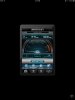
That gives you a rough idea of what the speed should be.
The Laptop is placed at a constant location, and the iPad speedtest is conducted at the exact same spot.
Here are the results of all 4 trials on my XPS15.
trial 1:
trial 2:
trial 3:
trial 4:
As you can see, the speed varies A LOT. I really don't know what to make of this.
In terms of browsing experience, it feels ok even with a download in background constantly going 700~800kb/s, no lags no dropouts, and youtube plays fine.
There are quite of people using the Uni internet at the same time. -
Maybe a "HOW TO" in the begin post about testing the machine would help to detect any problems and report back to dell.
I received my Dell yesterday and everything seems normal. The only test I did was downloading 3DMARK okay it is a bit noisy and FPS are between 5 and 22, don't have I clue if this is normal.
Same for the screen may some foto's would help. There seems to be a grid but I knew it wouldn't be fruit Retina quality. -
SO, I ordered by XPS 15 on the 5/10/12 and it came through UPS yesterday, the the system is beautiful, very quiet and feels really nice to use. There is one downside though, he WiFi, I bought under the assumption that the newly built ones (after Sept 12th) would not be affected, that assumption was wrong.
I have the 16GB RAM 512GB SSD, it was deffinately NOT a fast shipping product, and I am getting between 0.47 and 3 Mbps about 15 meters from the router through 1 think wall and the stairs. Sitting next to the router I was at 12 - 13 Mbps.
This is however on my girlfriends wireless (crappy basic student one) and the house is very old with very think walls, so I can't say for certain, I will have to check how my WiFi is at home in a few days where I should be able to get a better picture of how mine is running. -
Is still good speed from 15M far from router. I get 0.40 to 1.7Mbps from 8M.

-
when dealing with very high speed LANs, the wifi router will make a huge difference. At work we get the same speed as your school LAN. However due to the routers we use for our public wifi, no laptop I have tried got more than 20MBps. As a reference, my Dell Latitude, Precision and my current XPS all got 20MBps in the same spot. But if we upgraded or changed our router setup I am sure we could get higher rates. -
Well, compared to the recent posts, besides having under performing WiFi, and the cursor issue (by the way I fixed that by increasing my palm rejection) I have had no issues really. Throttling comes with the territory when it comes to bleeding edge technology, and Dell is making an effort to fix it through BIOS updates, And personally, if Dell was stripping me of my warranty (which I paid over a hundred dollars for) for problems they created with this laptop, I'd be screaming lawsuit over the phone. Seriously, hasn't this gone on long enough, and now Dell is punishing you for it? Don't let a company like Dell scare you, fight it! If they even think about doing that to me as I work through the process, they'll be hearing from my attorney....
-
@homerchiu
Try testing the laptop in safe mode with networking. When I do it, I get consistent speeds in the 21ish range. I wonder what gets shut off in that mode... -
Interesting...that would imply the WiFi issue (perhaps partially) is caused by software issues?
Will definitely try that in a while. -
I'm pretty sure it's the Bluetooth. If I disable the Bluetooth, or uninstall the Bluetooth drivers, my speeds improve somewhat. Even with safe mode w/networking, or with Bluetooth disabled, my download speeds are still better on my older Inspiron.
-
did a quick test: normal, safe mode + networking, bluetooth disabled.
In safe mode and when bt is disabled, I do seem to get a slightly more stable speedtest. However, since I live in Western Australia and the internet is bad in here, the difference isn't much. (I only get like 8 down 0.8 up anyway)
I ll need to test it again tmr when I am at Uni, where the internet is a lot faster and perhaps the difference would be more obvious. -
The laptop with the standard software build has a 40% better ping & 5% less download speed than my 4 year old Vostro. After installing Windows updates Intel & Nvidia drivers included, the connection became immense slow. Didn't even had the patience to do a speedtest. I was saved by the Windows Restore mode.... Honestly @ the moment I have no issues apart probablty from the throttling.
-
Does anyone know when Dell will address the throttling issues? Will there be a bios fix or something or is it hardware related?
-
Hardware related, they will never fix it. Hopefully they will design a better colling system for next year's model, but I wouldn't bet on that...
Sent from HTC HD2 with Tapatalk -
Anyone figure out the heavy battery drain issue and high idle temps?
-
Mine doesn't do that so no clue.
Send me yours if it does and I'll try to figure it out. Ha ha ha.
Sent from my brain using neurons fueled by glucose -
Dell XPS 15 (L521X) Review
Evidentally, the reviewer from NBR must have a very different take on this machine than I do. He seems to think it is the best thing since sliced bread. I wonder if he tried to connect to WiFi at all? -
Yea... I don't know what's up with that... :S
-
warranty was 600$ ca. It's not that easy to sue here in canada. Ill atleast fight until the display no longer has a grid issue, and if i have to further my side, i will go as far as to speaking to my optomitrist about the grids and eyes and the long term effect etc and then mention that lack of support and help will lead to a lawsuit. I should be getting the box soon and sending my 521 to depot. and i know for a fact its going to come back with a different fault, warranty exchanges always replace your old with something equal or better and the display on this is no better than my 1645's wled 1080p display . so ive got that on my side, also to note, i have yet to receive my 600$ back so theres that too, it been over 2 months :S . throttling yeah, guess ill live with it, but i shall not live with the low end display and wifi issue!
a formal letter should be written to dell co regarding these issues and on it, the names and emails(real or newly made) of all those affected and disapointed. it could be sent to the mulpiple dell offices and emails etc? I know it could easily get over 200 names... -
Hi everyone,
I received a $312 gift card from dell after my purchase of the L521 and I would like to buy a ~23" monitor (16/9) that I would use essentially for video games, movies. I would like to spend between $170 and $250 on it but I am not sure which one to choose. I saw this one which looks good : Dell UltraSharp U2312HM 23inch Monitor with LED Details
But the problem is it does not have an HDMI plug on it. Does it mean that I have to buy a mini-display to display port adapter ? Is it as good as HDMI ?
I have also seen this one which is cheaper ST2320L full HD monitor with LED Details but the image quality seems not been as good as the first one. However this one does have an HDMI port.
I have also seen this one : http://accessories.us.dell.com/sna/productdetail.aspx?c=us&cs=19&l=en&sku=320-2748#reviews.
and this one (not on sale ) : http://accessories.us.dell.com/sna/...ynoteSearch&baynote_bnrank=0&baynote_irrank=0, Honestly I don't know how to choose it' s kind of the first time a buy a monitor. I think the screen quality of the L521 is amazing so I want to make sure that the monitor I buy is at least as good as the screen quality of this laptop ( besides being larger).
What would you recommend me to do? Do you have other suggestion of screen that I can buy with my gift card?
Also, I wanted to make sure, displaying the image on such a screen will not affect the frame rate and quality on video games right ?
Thank you very much for your help -
Is there no small claims court in Canada? You can represent yourself and save money on lawyers
-
At least in the US, the defendant has the option to make a motion to elevate the case to regular court. And that is exactly what any company would do. Still, if it is a slow news day you could get a TV station to come out to the court when you file the small claims case, just to get some press on it. I've done that one before.
-
Do you guys not have the equivalent of our "Consumer Affairs" here in Australia? If you have the correct documentation consumer affairs, a government body, will deal with the issues for you.
-
I'm running an external monitor from the HDMI port to a non HDMI monitor via HDMI->DVI cable, and it works fine.
If your laptop display is 1080HD and your monitor is the same, frame rate shouldn't be affected. I would only run one screen at a time if your worried about frame rate. -
Maybe he has not read for 4 months the forums he writes for...
-
You must know that 95% of reviews are fixed. I don’t know how it works in IT but I have experience in car industry. When you are invited to have a test drive on a new car you will have gifts on a hotel table ready. Laptops, iPhones, iPads, expensive cameras, watches etc. After you finish with the car the company will check your room to see if the gifts are taken and they know what kind of review to expect.
-
Hello!
I just got my XPS 15 (L521X) and I had WiFi problems aswell..
So I disabled Bluetooth(R) AMP and changed CTS to RTS/CTS (Request to Send/Clear to Send) and I could notice a difference between the speed. I got like 10-15 Mbit/sec more..
Also when testing the laptop in safe mode with networking the speed is like my other computers so there seems to be a sotfware issue. -
Where's the guy that ordered the new L521x with win8 and the new proc? I'm curious if any issues are fixed as I want to send mine back and replace it.
-
I ordered one with the new proc and the Dell Wireless card and Windows 8. They don't ship until 10/26, so I'll let you know as soon as I receive mine.
-
Ok, so there's a lot of anecdotal evidence on ways to mitigate wifi performance issues, here's the rollup off the top of my head ... note that not all work for everyone, this is just things that I recall being reported as helping without going to Extreme Measures (e.g. hardware replacement) ...
- remove mcafee anti virus (it just sucks)
- remove widi support (uninstall driver)
- disable bluetooth (reduces utilization of hardware, reduces use of 2.4 ghz spectrum)
- rebuild driver stack (see below)
- wifi driver power setting to max (can help upload and connectivity but probably doesn't affect download)
- wifi driver cts/rts setting (?)
- use 5ghz only (avoid crowded transmission space)
rebuilding the driver stack
- remove the following drivers: nvidia geforce, intel hd4000, intel wifi and bluetooth (and apps)
- reboot
- reboot another time if asked to
- potentially update bios (but why/how bios would affect wlan is beyond me)
- install intel hd4000 drivers, reboot
- install intel wifi support (driver and app), reboot
- install intel bluetooth support (driver and app), reboot
- install nvidia geforce driver, reboot
I "remember" three anecdotal reports of the drive-stack rebuild helping (myself and two others), but YMMV.
My system is currently running well, it was produced and delivered in July so it's early-gen. Came with bios a04. I currently have bios a11, current intel drivers from dell, and geforce driver from nvidia. The software components that I have updated since receipt and their versions are:
BIOS => A11
QuickSet => 10.15.005, A01
Synaptics Tochpad => 15.3.45.93, A02
Intel 6235 WiFi => 15.3.0.16, A02
Intel RST => 1.0.0.1031, A01
Dell/Intel HD4000 => 8.15.10.2778, A01
NVidia/Geforce => 306.97 WHQL
addendum: my current wifi performance could be characterized as "solid and fair" ...
- at home, with a DLink Dir-655 gigabit router, 2.4 Ghz, 2 other 'nets detectable, 5 active wifi devices (1 samsung tv, 2x laptops, 2xiPhones, and one cell-signal booster active) I get from 40-100 Mbps up and down to a server that is wired to the Dir-655 (the test 'server' is a dell latitude d630 running Win XP Pro SP3, connected via gigabit ethernet, using LanSpeedTest writing/reading to SMB share), at up to 12' range (with one separating wall and an hdtv between pc and wap). If I run ethernet to my l521x the LanSpeedTest rates "go plaid" ;^). speedtest.net runs consistently at our dsl rating (3 Mbps down/384Kbps up).
- at my wife's school, using speedtest.net (no smb share handy), I was getting solid 15/2 Mbps down/up. I may be able to configure a LanSpeedTest next week. We'll see.
- at starbucks the connection is solid but their internet service is kind of sucky, both the pc and my iphone (4s) report basically 1Mbps u/d rates. It probably doesn't help that the starbucks in WIlkes-Barre PA has all it's traffic popping out to the 'net from a node that appears to be in Wichita, KS (the speedtest.net ping-selected host was in Tulsa OK). I mean really, they couldn't find a more geographically synchronous service provider?
- i've had no issues at either the Panera Bread nor Barnes and Nobles here in town either, but don't have performance data. -
I'll try some of this tips with Ubuntu as well, my XPS runs the Bios A11.
-
Could you please link me the Intel/Dell HD4000 8.15.10.2778, A01 ?
I can't download it on dells website for some reason :/ It says :
Sorry, the requested file could not be downloaded. -
Sazzoo: can you try the following FTP link?
Video stuff is near the bottom.
ftp://ftp.dell.com/pages/Drivers/Laptops/XPS/XPS 15 (L521x)/index.html -
I think people are starting to realize this. Plus, many just read what users have to say about a product. Unfortunately many of those reviews are also planted. People typically glance over good reviews, but always read the negative ones. What's the next step to fool customers? How about producing a faulty product. The negative reviews draw a lot of attention. Then you release a second version and flood the reviews with a bunch of "it's fixed!" reviews. Not saying that's what happened here, but it can and does happen.
-
Oh! Thanks man
-
I have been playing games on this thing and I don't seem to notice the throttling.
The 2 games i played are Need for Speed the Run and BF3. I put them both on medium settings with one or two items higher (e.g. I set the car details in NFS to ultra coz i'd like to see me car well lol)
I played on battery for like 45 minutes each, it got hot and noisy but I didn't really feel any major drop of fps...
didn't try high settings tho. -
Oh btw I was meant to ask you guys.
Is it just me or there is a constant mild capacitor whine coming from the left hand side of the keyboard?
It is quite mild, but you CAN hear it in a quiet room. It seems to quiet down a little when plugged in. -
It's just you, you really need to cut back on the pharmcologicals.
;^)
Seriously: I've never noticed what you describe, either on AC or DC, but then again I don't often have a very quiet room so it may be subtle enough not to notice. Any chance you can get an audio recording of it? -
I personally live in the "cynical bubble" - I assume everything is crap until proven otherwise by my personal experience.
I don't trust any "pro" published media as a rule, as much as I *will* follow some. The most-trusted "pro" I have now on my reading list is Bruce Schneier - but his work is not really related to this forum.
Some sites, such as Anandtech and do seem to have fairly good process though, but it does vary article-by-article and writer-by-writer.
Social media reviews take a bunch of data to become weighted such that I'd trust the overall report ... if someone was truly researching consumer goods they'd need to wait until the product was nearly irrelevant to the market before enough reviews plowed in to be truly useful though.
In short, it's all a guess as to what would be good to get, or not. It all takes a leap of faith that it'll only suck in ways that can be tolerated.
I've obviously had caffeine today, as I'm ranting. Sorry. -
lol
Got it solved. A quick google search tells me its not a capacitor whine but a cpu whine when it runs on low voltage.
Switched off Intel SpeedStep in Bios and the whine's gone! -
BATTERY UPDATE:
I am seeing sub-4 hour battery life on power saver mode during light browsing and note taking. BIOS A11 -
That's gonna hurt battery endurance.
Terrifically entertaining that there is an audible acoustic result of the cpu internal operating frequency.
XPS 15 (L521X) Owner's Lounge
Discussion in 'Dell XPS and Studio XPS' started by Muddy, Jun 28, 2012.


