 Problems? See this thread at archive.org.
Companies have backup computers. Dell could also offer you a replacement laptop for this period, like better garages do with cars, dunno what the warranty terms are. But unlike cars, laptops take a while to set up, and there may be sw license issues...
-
@eucalyptus What bios version does the new board have? What Windows 10 version? Did you do all the Windows 10 updates so far to 1809? Chance is low for this for the 8750h, but Ive seen clock issues before because of the Spectre MC updates and in the past Windows 10 builds.
-
New board running 1.5 from factory. Running build 17134 (1803) according to wiki. Which is the latest I can get in /Settings / windows update/
![[IMG]](images/storyImages/a92ef08649ab2125926a972923ca20e2.png)
-
How about giving the Microsoft Processor Tool a run and see what it says? It's almost like your processor has gone into 'limp mode' or something. Might be worth a go if it comes up with an error.
https://downloadcenter.intel.com/download/19792/Intel-Processor-Diagnostic-Tool
HTH
edit: can't see your processor in the list of compatibles, but it may run or show an error code perhaps.
Something really odd is going on with your machine that for sure!Last edited: Feb 12, 2019Papusan likes this. -
@eucalyptus I guess you did the internal Dell Bios test before, does it say all is ok? If you didnt do it so far, do it with AC connected. Does it say something about AC problems or CPU issues? F12 at Dell logo and then Diagnostics or something like that. 1809 17763.194 is latest Windows 10 build (maybe try an update and see if it helps). To update run https://www.microsoft.com/software-download/windows10
-
We have done diagnostic test twice by pressin FN + pwr button. Says its all OK.
Thanks for the link, gonna update now
-
Dell promised to call me 2 hours ago, they never did.
So I called them and have them on the phone right now.
They asked me 3 times during this phone call "are you sure you have your windows power setting to max??? Can you please check"
And I am like, c'mon guys, srsly? And then they are like "oh that's all the suggestions I have, let me talk to my manager" and the manager keeps saying check power settings in windows like I am 12 yrs old
I showed the benchmarks, HW monitor, everything to my technician.
Now Dell asks a picture of "task manager" and I am like, guys, here are 3 screenshots of HW monitor that shows some real data Interesting to see how they react to HW monitor with CPU Z running 100 load and the power is stuck at 12 and clocks are 800MHz
I will keep u postedLast edited: Dec 19, 2018 -
@custom90gt @maffle
Dell wants me to fill in this report
Operating System :
Dell OEM or Customer Image:
Bios version:
How many Units impacted:
Description of the issue:
If any particular device is involved , mark this device driver version ( i.efor a video issue , you should mark video driver version)
What has been done/Tried ( if any DPS has been submitted , mark the DPS number and Commodities that has been replaced / HDD , MB , Memory ... )
What is units impact and DPS???????? -
Lol nothing like Dell having you fill out the paperwork they are supposed to fill out. Tell them to stop being lazy and fill it out. Do you have a spare power adapter to try? What does bios say your power adapter wattage is (although that really means nothing)?
-
@eucalyptus What is the throttle reason in TS? It should say something in the "Limits" window.
-
I haven't installed TS or XTU after my fresh install as I don't want to "mess" around in case Dell would ask about it... But I had it before the reinstall and it said PL1 and PL2 from power, both in TS and XTU
-
@eucalyptus TS is a standalone executable, nothing to install. Do it please and post the limits window. You cant mess anything up if you just start TS with defaults and just use it to monitor.
-
-
-
@eucalyptus Hm... Seems the CPU is capped of drawing Amps for whatever reason.
@custom90gt How so? The throttle happens on battery too. Sounds implausible, but maybe the AC "fried" the laptops somehow or locked them into emergency mode. -
The system is designed to throttle while on battery. If the AC Adapter isn't providing enough power then it can't run at full tilt. It's the only thing you haven't replaced...
*on edit* I just tried mine and without the ac adapter plugged in while running prime95 my system is capped at ~13W...Dannemand, eucalyptus and abujafar like this. -
aaaa sorry mate. Just ended my call with Dell.
The power adapter is already changed by Dell when they swapped the motherboard the first time beginning of October. Not that the first one was faulty though. Just that they wanted to be sure it wasn't the one causing the electrical buzzing sound, which seems to be coil whine.... Says 130W in Bios right? Let me restart and check!
If you are on battery, and then have Windows set to max performance, do you still get 13W cap? What about some benchmarks, what do you get?
***edit, Bios says 130W power AC adapter and excellent battery health
Last edited: Dec 19, 2018maffle likes this. -
@custom90gt Mine runs normally at 40W with battery if you use high performance Dell profile. Youre missing the points @eucalyptus said. His is stuck all the time at lowest throttle point of 900MHz. That doesnt make any sense of the laptop is a potato on battery.
eucalyptus likes this. -
The girl on support is sending the report I filled in together with some screenshots of HW monitor with CPU Z under load to some guy in the Netherlands and then she would get back to me she said. Hopefully before Christmas.
I made it clear I can't go without a laptop so she mentioned just out in the air that let's see where this leads and what decision my managers decides to do, maybe refund, maybe send out a new laptop....
My friends want me to buy a Razer laptop instead, sadly don't have the money for it at the moment as this one costs a lot.
BTW!! I AM SUPER HAPPY and appreciate it SO MUCH!! That you guys are willing to help me so much and are so god damn quick at responding. THANK YOU!!! It means a lot. I have referred to Dell several times that I have asked for help here as this place is definitely the best to go for help regarding the 9570 model and the people here are no dumbass and that members report a lot of problems
and they are like "yeah yeah cool we have never heard of any problems with the XPS 15" completely not interested, the technician was the only honest one as he is a 3rd party company hired by Dell, he said I know about the Wifi card issue, but ignored the rest
maffle likes this. -
Ah so me semi-replicating his issues means nothing? On the optimized Dell power profile under prime95 small FFTs I am limited to around 13W. I am not limited to that using the CPU-Z bench however as I can hit 35W on it.
I would argue that he's replaced everything so it has to be something that hasn't been replaced yet. But I was only a tech for 10 years in highschool and college so I'm sure I haven't a clue...
@eucalyptus, when did you first notice all of these issues? After they replaced your AC Adapter the first time?
Here is what happens on battery + Prime95 for me:
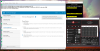 Last edited: Dec 19, 2018
 -
Received the laptop in August, worked fine, but had some crazy crazy coil whine or electrical buzzing. So I reported this to Dell, they had no clue, so beginning of October, like maybe 2th or 6th October they came and swapped the motherboard and the charger.
After that it probably worked for a week, as I played some CS GO and PUBG with 100% load hitting 99 degrees and pushed it to the limits.Then after that, I guess I tried CS GO one morning and all performance was gone.
I had it like that for a long time until 2-3 weeks ago when I reported the issue here to you and then started to look around with TS and Intel XTU to find out it was capped to 12.5W and that problem was power limits. So I played along, had 80 FPS in Cs go for a month since mid October until I decided something is wrong, and here we are
-
Any friends with a power adapter you can try? I mean after a fresh install, new motherboard, and all of the other steps you've taken I don't know what else there is.
-
@eucalyptus This is maybe a stupid question, but did you remove your AC adapter since then from power or is it stationary plugged in all the time? I had actually problems in the past with Dell power adapters on other Dell devices, that they "crashed" internally and wont give max power. I had to plug them out leave them unplugged from the wall for a few minutes then plug in and it worked again.
pressing and custom90gt like this. -
Good idea! I hadn't thought of "resetting" the adapter, they are "smart" chargers after all.
-
@custom90gt
Had it unplugged yesterday for about 15-20 minutes as I had it with me to school. But no, otherwise I always plugged into the wall
I have removed it now and running on battery to if see anything happens
Sadly, I am the only guy with a XPS 15 in School, there is one guy with a 9650, but he flew back home to China. Cheaper plastic laptops and macbook air is the most common laptops here Like 99%
-
Hah it doesn't have to be a 9570 charger. Just a Dell 135w with the mini plug (or USB-C).
-
Anybody else's touchpad not aligned perfectly? Mine works good for the most part just my OCD kicks in when i notice it out of alignment a little bit. Wonder if you can take off back cover and adjust?
pressing likes this. -
@luke1333 Yes, mine is also not perfectly aligned. Also my keyboard is driving me nuts and I am thinking what I can do about it, doubt Dell will replace it for free. The keyboard is just terrible and basically unsuable for me. A lot of keys make squeeky noises and the space bar is so bad, that it makes cracking noises whipping back and forth. Same for the left ctrl key, the esc key, the A key and some other. It is one of the wost cheap garbage laptop keyboards Ive ever typed on. Every single type feels like the key is breaking apart any second. $400 laptops have better keyboards.
-
Keep your eye on touchpad regarding alignment, click action, etc. It could be misaligned out of the factory.
It could also indicate battery is inflating and failing. There was a significant battery recall program in prior XPS units. Failing batteries are dangerous so use caution.luke1333 likes this. -
How do you missaligned? Like tilted? Lower on one side and "higher" on the other?
Could you please post a picture? -
The result on battery "depends" a lot. The laptop is kinda supposed to be throttled on battery, but if you load it up heavily the clock tends to ramp up slowly, gradually all the way to the max.
Hi-current drain of the battery may not be long-term healthy (swelling).eucalyptus and maffle like this. -
I ran prime95 for 30 minutes on battery without an increase in clocks/TDP. If you can decipher what Dell does, you're a better person than I...
-
That was on the 9550, and it also depends on the power profile settings (I understand quite different on laptops with modern sleep). I just meant to say that weird things may go on on battery (even weirder on low-powered AC chargers).
-
Right, my whole point of this is that if the AC adapter is only supplying or saying that it can supply 35w or whatever then there is no way the system at hand could run at a normal level.
-
Correct and I had a few issues with sensitive I wonder if that's why and I have seen about the failing batteries. Don't think mine is old enough for that though only a few months old
Yes left side is a little lower and bigger gap from frame and right side is a little higher and tighter to frame. I can take photo when I get home tonight. Think it's something Dell can fix or send me a new laptop for??
Sent from my Pixel 3 XL using Tapatalkeucalyptus and maffle like this. -
@luke1333 No it is nothing to fix. Mostly all 9570 have badly aligned touchpads. I had 3 in my hand, all three had not perfectly aligned touchpads. My current one is higher on the left side, it is a bit curved to the middle on the top part (sticking out), and then the gap on the right side is double the size than on the left side. Premium laptop, right.
Papusan and eucalyptus like this. -
How did you fix or did you just leave it??
Sent from my Pixel 3 XL using Tapatalk -
@luke1333 It doesnt bother me much really. I also dont know if you can fix it or if the touchpad is soldered internally or can be re-arranged after it was set in. What does bother me though is the bad keyboard.
-
Looks pretty good tonight wonder if the battery could be moving it after long uses? Or during long uses?
![[IMG]](images/storyImages/3c53e1490c30312a5b483ba49169dade.jpg)
![[IMG]](images/storyImages/5cd1a70839fd483383847c86b69a860a.jpg)
Sent from my Pixel 3 XL using Tapatalkeucalyptus likes this. -
Having similar problem, and also it seems to have started missing some keypresses. Thank good I mostly use an external one.
Sent from my SM-N960F using Tapatalkmaffle likes this. -
Quick question XPS 15 9570 owners.
How do I use the GTX 1050 ti over the on-board CPU? -
1. You can define any application in the Nvidia control panel of it running with Intel or Nvidia GPU.
2. You can also right click in Explorer on any EXE=> run via Nvidia/Intel.
3. in some games you can select the GPU
I advise putting the default to Intel GPU and use the exclusive list to run Nvidia in the Nvidia panel.Paul Dubey likes this. -
I want to prepare worst case scenario here, or, actually what potentially could happen with my weird XPS.
What makes this laptop by far the better option than any competitor, what does this laptop HAVE that no one else has? I mean I will push and probably get asked if I want a new laptop or a refund as this one is not working.
The reason I chose the XPS in the first place is the gigantic 97Wh battery, which I can't find on any other laptop. That's the only reason why I chose the XPS before Razer Blade or Asus Zenbook UX580ge pro.
I am just re-considering my options as all the problems with the current XPS lineup and my experience with this is not really make me want to go with another one... :/ -
It will switch for your, don't think you need to use it all the time
Sent from my Pixel 3 XL using TapatalkPaul Dubey likes this. -
Can anyone who has received laptops recently advise on the SSD that is installed. Looking at either the 512gb or the 1tb. Wondering if the upgrade is more than just drive space.
-
It really doesn't matter what someone recently got, Dell uses whatever they have. You likely wouldn't notice a difference between a "slow" NVMe drive or a "fast" NVMe drive anyway.
-
But some NVMe drives run hotter and you can see fast degradation in ssd's drive remaing life + massive throttling. A coomon problem in the Alienwares. Toshiba was one of the worst.pressing likes this.
-
Some NVMe drives do run hotter than others. I'm not sure how much it attributes to the lifespan of the drive but have seen some drives in the past throttle when benching. Any particular Toshiba drives? I've had a couple and they've never ran hot, but I haven't had anything newer than an XG4.Dannemand likes this.
-
At least this model... http://forum.notebookreview.com/thr...4-owners-lounge.797457/page-420#post-10480924
Also the newer model. I mean it was XG5. They really need heatsink/pads. The thinner notebook chassis with less airflow
Edit http://forum.notebookreview.com/thr...5-owners-lounge.815492/page-242#post-10808124
http://forum.notebookreview.com/threads/toshiba-512-gb-nvme-drive-temperature.804048/Last edited: Dec 22, 2018custom90gt likes this.
XPS 15 9570 Owners Thread
Discussion in 'Dell XPS and Studio XPS' started by el3ctronics, May 16, 2018.


![[IMG]](images/storyImages/96ced5956dd8e21b52ef4fffa056b2c6.png)


