Problems? See this thread at archive.org.
That doesnt sound very "encouraging", of what Dell did with the last bios updates, or the incompetent company, who makes these bioses for Dell. Hopefully they dont implement some cheese workaround or make it worse... It would be really funny if the change then brings in something new, for example, undervolt not working anymore, or it clocks too high 100% and fans boost all the time. And still nothing about the latency issues, or the standby problems.
-
Took me a while to set it up too. Check out nvidia-xrun-pm. This package completely turns off the card at boot, and only turns it on when executing nvidia-xrun from a free tty. This way powertop measures about 4.1W consumption idle. It's the only way (not the most convenient though) to set up this laptop such that it get its maximum battery life when you don't need the dGPU, but still being able to 'easily' use it whenever you want to play a game or something.
Just FYI, powertop is very nice for measuring consumptions, but TLP is better for tweaking power-saving settings even if it's just a tad more complex to set up.
Cheers!lefti696 likes this. -
Well, my CPU fan is stuck at 100%. Anyone have any ideas?
-
Check with HwInfo all temps, clock speeds, fan speed.
-
I need to correct myself. It is the right fan, which turns out to be the Video card fan. ( I determine this by unplugging it and running the diagnosis).
But as write this now, the fan is not causing any problems. -
@CryoBolt then find out whats keeping the dGPU active because if it is active the fan will spin 100% regardless of the temperature, praise Dells awesome fan logic.
Last edited: Jan 4, 2019 -
Do you think if the video fan is at 100%, that HwInfo should show the dGPU as active?
Edit: I restarted about 4 times and it has been behaving, but I can't imagine pulling the plug on the fan and resetting it would have done anything. -
@ CryoBolt Thats why I asked to check HwInfo and look at all temps including GPU (if it is active and has a non 0 MHz clock). Did you power it off for a longer time? Any bios update you did in the past days? You sure you put it in again correctly?
-
Go to Dell Power Manager and toggle quiet mode. You can flip it back to optimised (a.k.a. normal/default) after that.
Mine doesn't get stuck on 100% per se, however, sometimes after say a gaming session the fans won't fully4 spin down even when the temps drop back below 50 degrees, toggling it in Dell Power Manager works every time. Its kind of ridiculous
If you don't have the app then just DL it from the window store (yes the store, its not a installable exe) -
Whats everybody's ram usage at idle?
-
So I am still running BIOS 1.2.2. I have been using the unit since July.
I was not having any issues until I repasted (a week ago) and using Prime 95 and Furmark for quick stress test to see if the temps are okay. Part of me thinks that Furmark cause something to get stuck, but this is not the first time I used Furmark.
The machine could boot and not have the fan get stuck at 100%, but if it went to sleep and the awaken the video fan would get stuck at 100%. Shutdown or restart did not work to reset it. It did seem that the machine had to powered off for more than a couple minutes.
It does seem the pulling the fan and then booting the machine seemed to reset whatever was getting stuck. The fan is plugged in as I ran the diagnose tool and it was present.
Now, HwInfo is showing what is expect. When the dGPU has not been used at all, it sees that it is there, but reports no values which seems to be expected. When it has been used it report values, but usage is not stuck. The fan does seem to run more once the dGPU gets used, even though usage is reported at 0%. Similar to what @ wintermute000 has said.
So I am not sure what it is. I have cleaned installed video driver if that will do any good. Maybe there is something buggy with the graphics switching. I got a new SSD, so I will have a new install of windows soon. If 1.7.0 is any good, I might update to that, but I'll see. As of right now, it is gremlins.pressing likes this. -
Any way to measure power consumption throught software in windows? I want to run some tests
-
HWinfo64
-
This estimates cpu power consumption. Is there a way to get total system consumption without using a wattage meter
Sent from my SM-N950F using Tapatalk -
I believe that HWiNFO64 also guesstimates system power as well. You have to look for it but I believe it's around the CPU power package portion too.
-
Where do you mean exactly, this is all i get.
Also from time to time i hear so squeaky crackling noises. Is this due to fan activityAttached Files:
-
-
coil whine most likely
-
It was brief Tried to capture a video then it stopped. Is it normal
Sent from my SM-N950F using Tapatalk -
I think Furmark is too rough for ultrathin laptops. Not recommended.
Maybe repaste needs to be redone? See below
--- Heatsink is warped. The XPS heatsinks are cheap so may come out of the factory warped. And are easily warped by users. Check your heatsink is not warped (if all cores are running relatively even, I would suspect heatsink is "not warped". Extra care required as screw pattern is suboptimal. Tighten firmly but not too much as a few users have ripped out motherboards.There are some issues with sleep in the 9570 that could be complicating this.
______
A couple of quick thoughts.
1. TRY QUICKLY RECONFIGURING SYSTEM
-You might be able to reset fan parameters with the neat Dell Command I Power Manger. Try changing to "Quiet". There is an updated version for the 9570 I think but I am on v2.2.1 on my 9550.
- You maybe able to remap fans using Windows Power Options (try Balanced or Power Saver).
- You can also use SpeedShift (set EPP lower than say 80 to reduce performance of CPU). Free ThrottleStop software is easiest to do this
http://forum.notebookreview.com/threads/dell-xps-speed-shift.796891/
- Unplug both batteries to reset system.
- Reset or update BIOS. Dell seems to release these XPS laptops in some beta form. Later BIOS and drivers can solve a lot of these problems but sloppy work causes some new problems to creep in. You may not be able to downgrade so research this option carefully.
- Update all your drivers. Kill all Dell bloatware. Clean install of Win10.
2. SOMETIMES TAKES A FEW REPASTES TO GET THERMALS SORTED
- To get a baseline, I try to benchmark factory paste with say Prime95, CineBench, RealBench. Repaste and compare. Idle temps aren't very helpful but with all cores running "hard", you should have all cores within say 2*C and all should be running cooler than factory. There are a lot of user thermals posted here that you can compare to; there is no reason you should be far off. Some typical issues:
--- If new paste is uneven, too much, too little. You really need very little thermal paste. Only way to tell how good your estimated is to clean, repaste, fully screw down heatsink. Remove heatsink and look at paste distribution. Clean, repaste, test. This why the pros here always repaste more than once.
--- VRAM pads not installed or incorrectly installed. Or used "improved" pads which might be thicker/denser thus pushing up the heatsink from the diesWoodking likes this. -
All wattage reported in software are estimates.
You can buy a Kill-A-Watt wall measurement device but that will be subject to complex charging schemes so would need to be run for a while with a "fully charged" battery to make reasonable estimates of total laptop power consumption. -
That is not always true, at least I wouldn't consider all types of measurements just as "estimates. There are indeed measurements that need to be considered estimates. However, measuring the battery voltage and current while on battery is easy and that indicates the Wattage perfectly, such as Powertop or TLP does. Measuring while plugged in is a tad more complex, but still achievable.
-
I have been using it for few days and no bizarre fan behavior, so i don't know what it was. All the senors seems to be reading just fine. I just wont bother running Furmark.
On another note, I ran prime 95 and I noticed that even core temps are close and odd core temps are close but the difference between even and odd was about 5 degrees C or so. Clock speeds were about 2.6 at all cores. I don't know what that means. I was an idiot and did not look what it was before I repasted, so I really don't have a reference. Under low to modest load though, everything seems to be normal. Nothing out of the ordinary. -
That is rather high. A repaste might help
If your heatsink is bent you can try to straighten it I suppose. But this is uber delicate and a few guys here have broken them. Do a search. That said, it seems the 9570 has an improved heatsink based on posts here so is less likely to be the issue. -
I might do a repaste. I don't think it is bad enough to mess with the heatsink. -
So, same question as before, with all faults and problems with this machine, do we have a better alternative or is this as good as it gets for a powerful 15" laptop mostly for productivity? Only real alternative I can think of is the ThinkPad X1 Extreme/P1 but from what Ive seen, it to has its share of problems.
Personally, I've always had a good eye for the MacBook Pro, which is still consider to be the best built laptop there is (although with its own share of problems). It just have a premium feeling that I have not seen anywhere else. And that is coming for someone having bought each new version of the XPS15 for three years in row. If Apple had had better drivers for Windows...
All in all, I have myself not found a better overall alternative than the XPS15 we are all complaining about pressing likes this.
 -
I cobbled together W10 via BootCamp on an older MacBook Pro. It works fine but took 100+ hours to get installed and sorted. Not doing that again.
For sure, Apple markets W10 support. In practice, it is not so good. And Apple drops official W10 support after say 3-4 years years. After that, it takes a lot of time and effort trying to get around Apple's obsolescence schemes.
Virtual machines may be a better option. But they have their challenges as well . . . -
Since we are discussuing this. Can someone list all the major issues the 9570 is facing. Like the BIOS updates, overheating-throttling etc
Sent from my SM-N950F using Tapatalk -
there is too many to not fit a A4 sheet of paper
-
I'll disagree with eucalyptus. There are a few issues with the XPS just like there are a few issues with the X1 Extreme, Mac Book Pro, etc...
My major issues with the system:
GPU bug where it doesn't run at full power until it reaches a certain temp
Bios issue where it throttles way too early at 74C
S3 sleep issue where it doesn't sleep properly and relies on modern standby
Latency issues - doesn't bother me but some people can't edit audio with the XPS
That's what comes to my mind
My major Pros of the XPS:
Awesome screen - much much much better than my X1 Extreme
Great touchpad - I like it better than Apple's
Awesome size - a 15.6" screen in a 14" package, smaller and thinner than my X1 Extreme
Good hardware - sure it throttles but at least it runs pretty darn good
These Dell "engineers" keep promising me that the new bios will fix "all of the GPU issues" so we will see what happens. -
Addition to what custom90gt said:
- Coil whine
- Bad/cheap keyboard, broken feeling while typing, squeaky noises on lots of keys especially space bar
- bad Killer wifi card
- mostly bad pasting job and have to repaste + undervolt of the "hot" 8750h
- some kind of regression (with 4k only?) under Windows slowing done over time, maybe latency related
- back bleed and dead pixel reports + yellow tint backlight reports than above normal, less backbleed on 4k but still present
- 4k display has really bad response timings and ghostings, color accuracy bugged since bios 1.6.0
- Slow bios boot, no possibilities to tweak anything in bios compared to other laptops
- Dells lazy driver update policy, Realtek/Intel SST driver are broken in several ways and buggy, and months behind, other OEMSs have way newer Realtek drivers
- annoying fan curve and buggy behavior (1 second spins), fan driver is closed under Windows no way to modify it
- cheap/bad SSD if youre unlucky (Toshiba)
- not plane/centered touchpad
- bottom camera is useless
- usb dont turn off during modern standy / bluetooth => mouse wakes up laptop, no option in bios to have usb powered off during sleep
- 4k glass front is loose in the top middle when you tap against it there is a gap
- TB16 dock is terrible and a joke for the price
- rubbery "fingerprint magnet material" on the top, wont last long as I see it
- fans are total failure there is no real change/addition in air flow if running 30% 50% or 100%, they just get louder, not cooling better
- badly programmed EC, the fans kick in for example if the PCH reaches above 50°C and then run, even there is no air flow happening reaching the PCH, same for the SSD temperatureLast edited: Jan 9, 2019 -
Guessing that was a while ago as I have found the process of installing Windows on a Mac quite painless last years? But before that it was a real PITA.
But still driver support is limited, like Touch ID support for Windows Hello
Sent from my SM-N960F using Tapatalk -
@maffle I especially agree about the poor quality of the XPS15. Nice when delivered (at least on the outside) but just after a few months it feels worse than a MacBook Pro that is over five years old etc. It's just not durable and must say everytime I have to type on the now squeaky keyboard, wipe fingerprints etc I miss the MBP. Thinkpads should be great but have to say that I have had similar problems there also.
Should be noted that I have not used a new MBP the last 2-3 years for any longer periods but the design still feels quite the same. Know about keyboard problems but not about frequency compared to number of sold units, also, Apple customers seem to have higher expectations overall (not unreasonable considering the high prices)
Sent from my SM-N960F using Tapatalkmaffle likes this. -
Didn't know you had both the XPS and the X1E these days. Are you comparing 4K against 4K? If you had to pick just one of them, what would it be and why? Get the impression you prefer the XPS overall?
Sent from my SM-N960F using Tapatalk -
I have a few MacBook Pros. Based on my experience with them, Apple seems to drop BootCamp support after say 4 years, although Apple seems to have entended support time a bit recently.
MacPros made before say Nov 2013 are no longer supported. MacBook Pros made before 2012 are no longer supported. After that point, installing BootCamp requires some research and trial-and-error to run which I find painful, to say the least. Often the required manual tweaks are not so complex but figuring out what needs to be done takes a lot of research and time.
https://support.apple.com/en-us/HT201468
In the best of cases, the BootCamp is still a pain to set up and driver support is mediocre. This requires some IT skills and patience so the dream of setting up Windows on a Mac is not realistic for less-experienced users.
Once BootCamp is set up, I find it runs Windows pretty well IME. Apple has it pretty easy with drivers as they only have a handful of models. . . -
Well, detailed BootCamp discussions are probably better suited elsewhere but I have had no problems installing BootCamp/Windows on MBPs I've had. But they have then been quite new (still fully supported). Have no reason to doubt that you are correct for older not supported models though, Apple isn't exactly known to be nostalgic
Sent from my SM-N960F using Tapatalkpressing likes this. -
Couple of issues here. First of hwinfo reports a 10% loss of battery capacity. I just got it a week ago is this normal or was it sitting in the self for a long time
Today laptop was going to sleep at random. Once when i was installing a game, and then when it was launching and already loading the intro. Is this the sleep issue you guys keep mentioning
Furthermore whats a reliable software to get a graph of fan use thermals and cpu/gpu usage to generate a report so i can compare if results are normal or whether i will need to perform some undervolting/throttlestop tweaking -
I have to add a little bit to this pro/con stuff:
The s3/deep sleep problem only occurs in windows. You can set deep-sleep in Linux with 1 command and it will work beautifully well. However, s3 comes as default, that's true.
The killer wireless card works perfectly fine for normal usage, however monitor mode / promiscuous mode is completely broken and cant be used.
The rubbery material seems to be a sticker, because in my unit it is very slightly misaligned on the left, and If I tried I could even lift it up. Bad QC and a fingerprint magnet.
Webcam is trash due to its placement.
Undervolts great.
Can get stupid ammounts of battery life, even more if propperly tunned in linux. (+16h)
Keyboard is accetable, touchpad is great.
My FHD is great. Really bright and color accurate. Just a tiny bit of ghosting.
Coil whine is not horrible, but certainly more than I thought it would have.
Speakers distort/resonate against the chasis at 60% or more volume in some situations.
I got the Samsung PM981 SSD, which performs great, so lucky me. But the Toshiba one is just horrible.
My unit runs pretty cool, however I noticed that under full load, the fans do more noise than produce airflow. The placement is just horrible and messes up the little airflow the could have.
The BIOS takes just a few more seconds than my old pc, which I wasnt expecting.Last edited by a moderator: Jan 8, 2019 -
First news on the 9580, it will have a 4k OLED option: https://www.engadget.com/2019/01/08/dell-4k-oled-xps-alienware/
-
4K OLED was confirmed by Dell for March 2019 release.
Press speculates it will be 9570 model; 9580 will have to wait for new generation of CPUs and GPUs from Intel and nVidia.
http://forum.notebookreview.com/threads/xps-15-9570-oled-4k-confirmed-for-march-2019.826830/custom90gt likes this. -
Didnt Dave2D say in hus latest video that there was no news of xps15 in this years ces?
Sent from my SM-N950F using Tapatalk -
I think the Dell press release came out after his video was released. Press release is in above link.
-
I am agree with both @custom90gt and @maffle about XPS 9570 issues and let me add that also customer support + drivers are awful. We are still waiting the Bios 1.7.0 that should solve GPU issues but until now they didn't...eucalyptus likes this.
-
Check it out...
Dell XPS15 9570, 1.7.0 System BIOS
custom90gt likes this.
-
Weird. Today there was even an article here on this site that dell has postponed the release
Anyone tried it yet
Sent from my SM-N950F using Tapatalk -
Lol too bad I sold the XPS yesterday. Anyone care to see if it still has the 74C limitation in GPU-Z? It sounds like they just fixed the issue where it would throttle till it reaches 54C or whatever...
-
HaHa. Yeah, right in time

Right in time before they throw out old and continue the crippling trend for coming refresh model Maybe that model will be fixed next Christmas, LOOL
Woodking, maffle, Vistar Shook and 2 others like this.
Maybe that model will be fixed next Christmas, LOOL
Woodking, maffle, Vistar Shook and 2 others like this. -
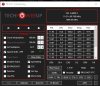
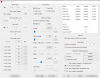
Just used throttlestop, and now i gt much better performance on pcsx2 emulator. I mean really noticeable. Can i get it even better though? Here are the settings i used and the results

-
@custom90gt Just flashed. GPU-Z still reports 75c
maffle and custom90gt like this. -
Oh dear, still no improvement of DPC latency. Sigh. After some light testing of 1.7.0 I'm noticing something weird with the fans when running cinebench (CPU multicore test). They seem a lot more reluctant to kick in than before, even on 'ultra performance' in the dell power manager (plugged in). The temperature rise fast to 97, as expected, but the fans only spin slowly, and hence it throttles. I'm not able to achieve the same high scores of around 1200-1250 as I was before (undervolted). I'm not sure this is an improvement on that front. What do you guys think?
-
@annabel_shanderin, I just run a few tests. Nothing strange so far.
XPS 15 9570 Owners Thread
Discussion in 'Dell XPS and Studio XPS' started by el3ctronics, May 16, 2018.