Problems? See this thread at archive.org.
Yet another run with the old. This time AMD 7970 for brother @hmscottDonnnnnnnnnnnnnnnn'¨t drool

https://hwbot.org/submission/4342661_papusan_3dmark11___entry_radeon_hd_7970_16394_marks
![[IMG]](images/storyImages/2299616.jpg)
https://hwbot.org/submission/4342663_papusan_3dmark11___performance_radeon_hd_7970_13228_marks
![[IMG]](images/storyImages/2299617.jpg)
https://hwbot.org/submission/4342665_papusan_3dmark11___extreme_radeon_hd_7970_3915_marks
![[IMG]](images/storyImages/2299618.jpg)
https://hwbot.org/submission/4342557_papusan_3dmark03_radeon_hd_7970_115962_marks
![[IMG]](images/storyImages/2299558.jpg)
https://hwbot.org/submission/4342505_papusan_gpupi_v3.3___1b_radeon_hd_7970_34sec_176ms
![[IMG]](images/storyImages/2299534.jpg)
-
-
https://hwbot.org/submission/434263...e_storm_unlimited_radeon_hd_7970_157938_marks
![[IMG]](images/storyImages/2299598.jpg)
https://hwbot.org/submission/4342642_papusan_3dmark___ice_storm_radeon_hd_7970_166698_marks
![[IMG]](images/storyImages/2299602.jpg)
https://hwbot.org/submission/4342638_papusan_3dmark___ice_storm_extreme_radeon_hd_7970_134923_marks
![[IMG]](images/storyImages/2299599.jpg)
https://hwbot.org/submission/4342644_papusan_3dmark___cloud_gate_radeon_hd_7970_24747_marks
![[IMG]](images/storyImages/2299604.jpg)
https://hwbot.org/submission/4342646_papusan_3dmark___sky_diver_radeon_hd_7970_22467_marks
![[IMG]](images/storyImages/2299605.jpg) Mr. Fox, Johnksss, Rage Set and 1 other person like this.
Mr. Fox, Johnksss, Rage Set and 1 other person like this. -
https://hwbot.org/submission/4342648_papusan_3dmark___fire_strike_radeon_hd_7970_8997_marks
![[IMG]](images/storyImages/2299606.jpg)
https://hwbot.org/submission/4342649_papusan_3dmark___fire_strike_extreme_radeon_hd_7970_3320_marks
![[IMG]](images/storyImages/2299607.jpg)
https://hwbot.org/submission/4342650_papusan_3dmark___fire_strike_ultra_radeon_hd_7970_2357_marks
![[IMG]](images/storyImages/2299608.jpg)
https://hwbot.org/submission/4342651_papusan_3dmark___time_spy_radeon_hd_7970_2626_marks
![[IMG]](images/storyImages/2299609.jpg)
https://hwbot.org/submission/4342654_papusan_3dmark___time_spy_extreme_radeon_hd_7970_1217_marks
![[IMG]](images/storyImages/2299610.jpg)
-
https://hwbot.org/submission/4342656_papusan_3dmark___night_raid_radeon_hd_7970_20670_marks
![[IMG]](images/storyImages/2299611.jpg)
https://hwbot.org/submission/4342559_papusan_geekbench4___compute_radeon_hd_7970_130840_points
![[IMG]](images/storyImages/2299559.jpg)
https://hwbot.org/submission/4342560_papusan_aquamark_radeon_hd_7970_364050_marks
![[IMG]](images/storyImages/2299560.jpg)
https://hwbot.org/submission/434266...ion___1080p_xtreme_radeon_hd_7970_1543_points
![[IMG]](images/storyImages/2299619.jpg)
https://hwbot.org/submission/434266...tion___8k_optimized_radeon_hd_7970_294_points
![[IMG]](images/storyImages/2299620.jpg)
-
https://hwbot.org/submission/4342658_papusan_unigine_heaven___basic_radeon_hd_7970_3975.17_dx9_marks
![[IMG]](images/storyImages/2299612.jpg)
https://hwbot.org/submission/434266...ven___xtreme_radeon_hd_7970_2031.6_dx11_marks
![[IMG]](images/storyImages/2299614.jpg)
https://hwbot.org/submission/4342472_papusan_gpupi___1b_radeon_hd_7970_34sec_177ms
![[IMG]](images/storyImages/2299530.jpg)
https://hwbot.org/submission/4342576_papusan_vrmark___orange_room_radeon_hd_7970_4707_marks
![[IMG]](images/storyImages/2299567.jpg)
https://hwbot.org/submission/4342577_papusan_vrmark___cyan_room_radeon_hd_7970_2918_marks
![[IMG]](images/storyImages/2299569.jpg)
https://hwbot.org/submission/4342581_papusan_vrmark___blue_room_radeon_hd_7970_845_marks
![[IMG]](images/storyImages/2299570.jpg)
All this work is done only for you bro @hmscott Not many AMD benches in the thread. And I have still a few bench to do from the old AMD graphics that need to be done probably tomorrow
Good night.
Not many AMD benches in the thread. And I have still a few bench to do from the old AMD graphics that need to be done probably tomorrow
Good night.
-
Good morning all,
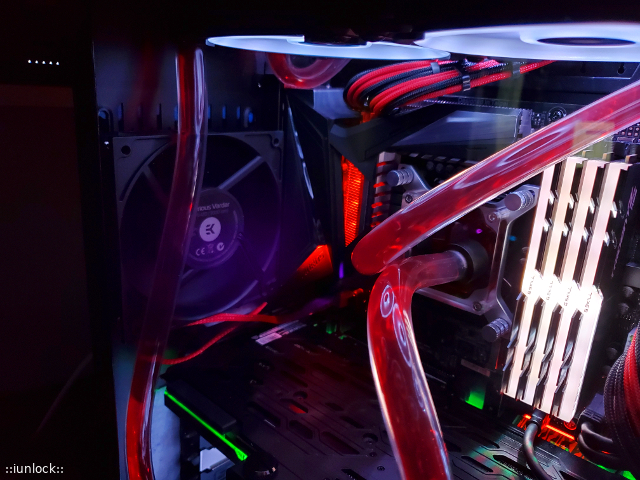
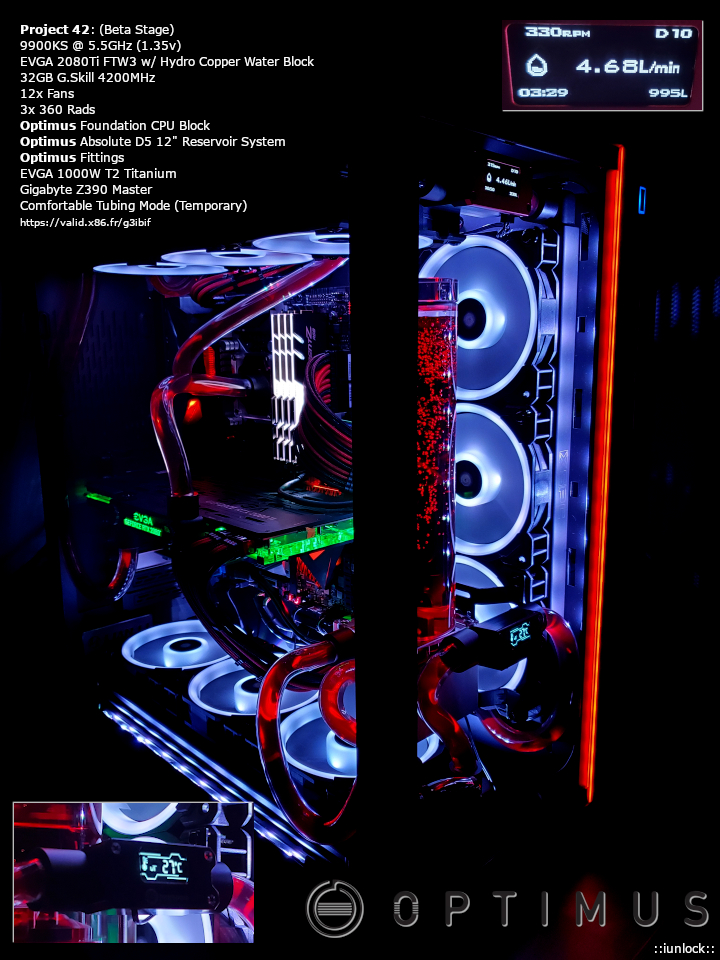
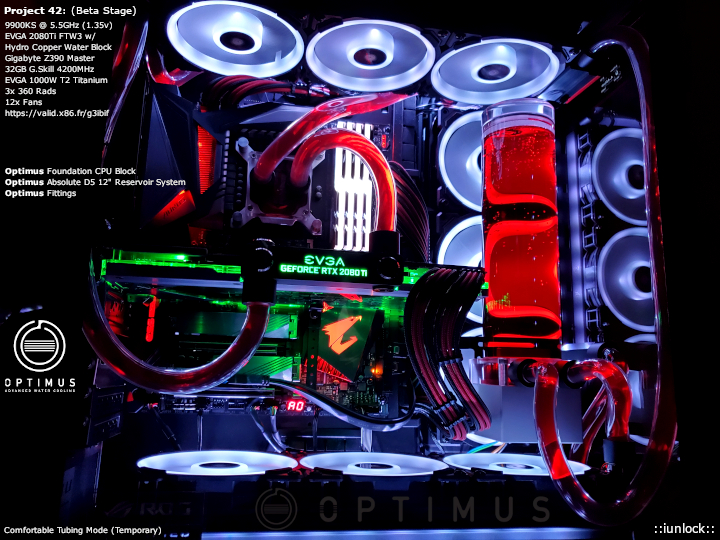
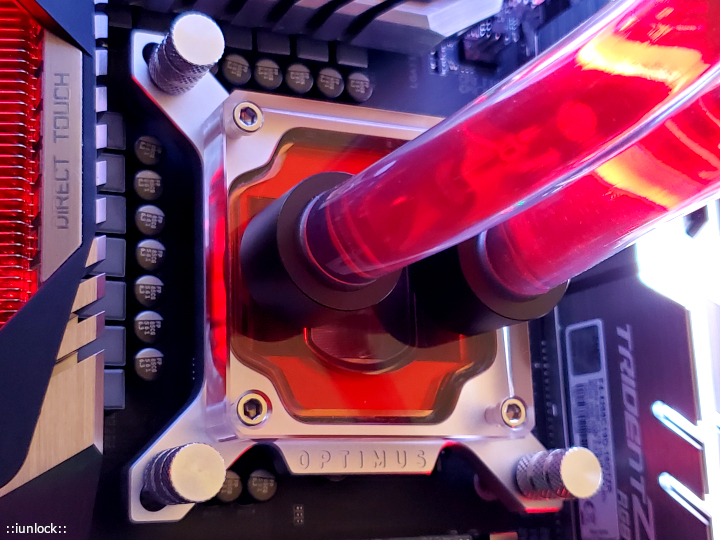
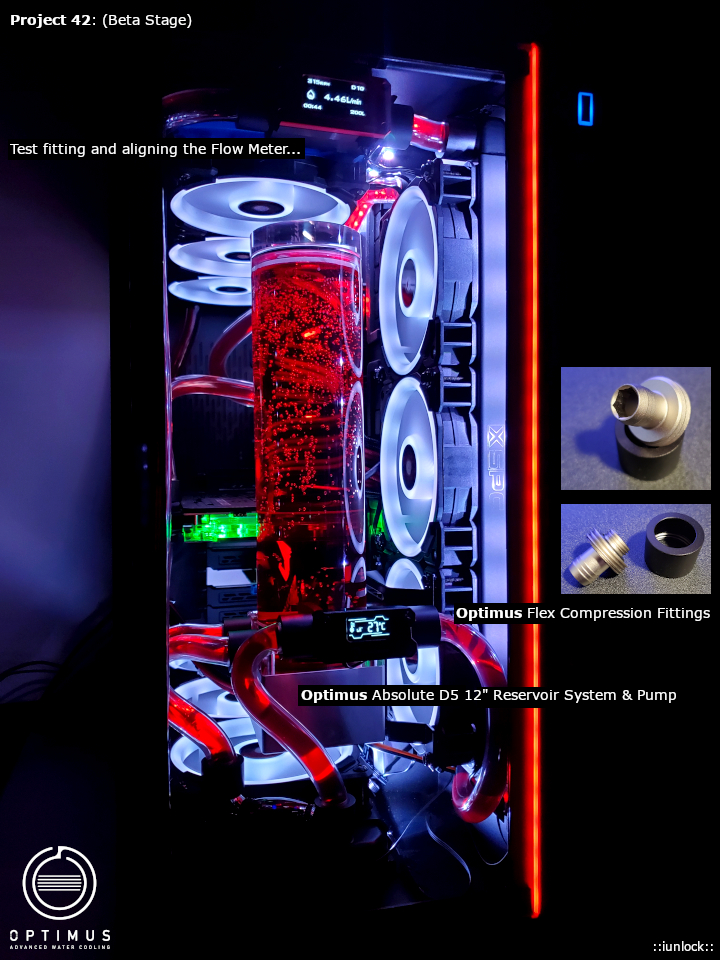
Here's a peak at my personal gaming rig in collaboration with Optimus Cooling:
=Project 42=
*The build is still in Beta Stage. I almost named this the Impossible Build, because there were so many things behind the scenes that shouldn't have worked, but it did lol. I've barely filled it up, did a quick leak test and fired it up. This build is so elegant in person, the pics don't do it justice, but here they are...*
The Optimus Fittings are fantastic and the Optimus Absolute 12" Reservoir / Pump System is the best I've seen...
As for the Optimus Foundation Block, it's cooling a lot better than my former bitspower block at around ~6C less than before on average. (1 Hour Gaming Session.)
Note: The lights look bluish, but they are actually white. The tint from the tempered glass makes it look like that, along with likely the camera.
Enjoy!
Attached Files:
Last edited: Feb 1, 2020CaerCadarn, sweepersc2, Convel and 9 others like this. -
-
-
So, facing new delima.... I just test fitted "A" x299 direct die frame and it's too thick. Meaning: When the heat sink is set on top it barely touches the paste on the die. (95% miss)
Suggestions welcome.
I was thinking I have two options. Sanding or copper shim, which would seem to defeat the purpose of direct die contact. -
Thanks Brother. Building daily usage rigs are fun and refreshing, especially when they can perform. For me it keeps things balanced between benching and actually using a desktop for what it was intended for. Looking forward to what you come up with.
Which direct die kit is it? Sanding is always best as adding a copper shim is not only tricky to get right, but like you've said it defeats the purpose as it basically becomes an even more uneven ihs.
Try sanding the underside of the die frame to gain more clearance.Johnksss likes this. -
Looks like Brother @Papusan is on a wild benching spree. Racking up TONS of points for the @Prema HWBOT team.
 Wow, that looks truly amazing. Awesome job. I love Optimus stuff. Now that the issue is resolved by eliminating springs/studs that were incompatible lengths and omitting the springs, it works fantastic.
I've had that issue before and almost gave up using it when I first got it. Try rotating the water block clockwise or counter-clockwise on the retention studs one hole. The other thing that was causing me problems was the nail polish I added for using liquid metal and remnants of the black sealant on the PCB. The die height being almost the same as the top of the die frame has little room for variance. I used Acetone and removed all traces of the IHS sealant and nail polish because they were thick enough to push the CPU down into the socket enough that the water block was hitting on the die frame and the CPU die was below the surface. After removing the nail polish and traces of IHS sealant, the die pushed up higher above the top of the die frame and all the contact problems were resolved. But, because the cold plate on the water block is shaped for a stock IHS, I found contact was enhanced by rotating the water block 1/4 turn. That was with the Raystorm Pro block. The Optimus block makes better contact and it make no difference how the block is oriented.
After I got the CPU die/block contact resolved, I added the clear nail polish on the CPU surface mounted components for liquid metal while it was still mounted in the die frame. Doing it that way ensured there was nothing between the CPU and die frame to push them apart and press the CPU deeper into the socket.
When I switched from 7960X to 7980XE that I got from Brother @Rage Set I had to go through the exact same steps again with cleaning off all material with acetone. When I first installed the CPU it was running crazy hot, and then I remembered what I did with the 7960X. Problem solved the same way with the 7980XE.
Note: This is with the Der8auer Die Frame. If you are using the Rockit or another brand of die frame, YMMV with this advice.
I would not recommend using a shim. The reason the tolerance is so close it to keep from cracking the CPU/die. If you use a shim it might damage the CPU due to excessive pressure.Last edited: Feb 1, 2020Johnksss, Rage Set, Papusan and 1 other person like this. -
Got the MO-RA3 setup done. I like it.
![[IMG]](images/storyImages/JdL0mpd.jpg)
![[IMG]](images/storyImages/0ARxpej.jpg)
![[IMG]](images/storyImages/U9gByBM.jpg)
![[IMG]](images/storyImages/315mpaY.jpg) Last edited: Feb 1, 2020CaerCadarn, jclausius, Johnksss and 8 others like this.
Last edited: Feb 1, 2020CaerCadarn, jclausius, Johnksss and 8 others like this. -
Thanks! It was a lot of work to get things to work/fit/behave etc... but now that it's over I can finally relax and enjoy the system. I keep finding myself wanting to bench it in desktop form lol.
Excellent set up, room room and all. I'm curious how much improvement you'll have with the MOR vs the old set up? Those are great Rads... also, love the filter haha that's absolutely necessary to prevent a tedious clean up between the fins.
Last edited: Feb 2, 2020 -
Thank you.
So far, under full-tilt sustained CPU load it is only marginally better. I think a severely overclocked 7980XE produces so much heat that the limitation is not having any way to get it off the CPU fast enough. My idle temps seem to have improved substantially more than load temps, which is actually quite useful. It is always good to have a wide delta between idle and load temps.
Especially here in the Arizona dust bowl. The amount of dust here is sometimes discouraging. I can spend hours cleaning my office and have it spotless, and it less than 24 hours there is a haze of dust coating everything. It's absolutely absurd. It would have taken 6 months to gather as must dust in Washington as what happens in a couple of days here. (And, that was the dustiest part of Washington, LOL.)Last edited: Feb 2, 2020Johnksss, Papusan, iunlock and 1 other person like this. -
Thinking about adding another 10TB to my storage, but would have to mod it into my case somewhere lol
I like my ITX board, I can use up to 6 inputs for storage. Most other boards only get about 4-5.
Oh also for any that wonders, you can have 2x M.2 SATA on x570 board with a 2700x. I was under the impression that may be only available to Ryzen 3 stuff. -
You're definitely right in the reasoning... there's the front end of removing the heat then the back end with dissipation (environment too), which plays a factor. That's good that the delta's are much wider with lower idle temps...good stuff.
Have you tried using an air filter in the office room? One of those standing HEPA room air filters. I've always had one in the office and it helps keep the dust at bay. As for the air filter unit I just take my portable vacuum and clean the intake vent area often that keeps it fairly well maintained, while extending the filter lifespan.
Or... just take a cheap box fan and put one of those 3M filters on the rear and run that. I know it sounds funny, but it's actually very effective and economical haha.. In fact, it works better than the fancy air filter units.
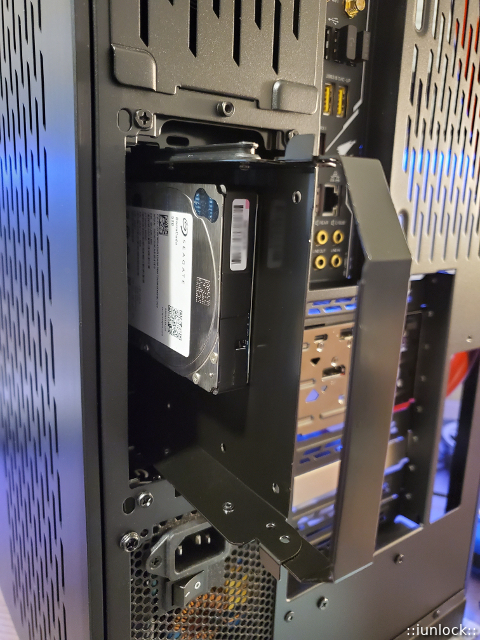
Very nice! I was just about to order a WD 10TB that was on sale the other day directly from WD for ~$140 to put into the rear drive bays on the new gaming rig.
There are 4x hot swappable bays on the case, which is awesome, but I'm using one of the bays to hold the fan hubs lol.
For the other 2x bays I was thinking of RAID 1 (mirroring) with 2x 10TB WD's ... but since I missed the sale I just installed some spare 2.5" spinners in there for giggles.
The left HD is a 2.5" 5TB, and on the right is a 2.5" HD 2TB.
It's temping to RAID 1 two regular sized HD's...
Attached Files:
Johnksss, Papusan, Mr. Fox and 1 other person like this. -
-
So far I've only seen the 2 M.2's as 1 x4 and 1 x2 slot, not 2 x4 slots... are there b450/x470's that support 2 M.2's x4 slots?Mr. Fox likes this.
-
Love the furnace filter on the back, with the wood trim. Great idea!hmscott, Johnksss, Papusan and 1 other person like this.
-
Thank you. I had purchased some of those individual square fan filters with the cleanable foam inserts and they would not fit. I was racking my brain trying to think of something simple, yet effective and inexpensive. I was surprised to find them in the correct size.
That looks nice. Great job. Windows 10 is just so damned ugly. In its natural form it makes me want to puke.hmscott, Johnksss, Papusan and 1 other person like this. -
No no I think you read my post a little too quickly. I was saying I can use 2 m.2 sata drives.
My aorus x570 itx said in the manual that the 2xxx probably wouldn't support two sata m.2 and only with 3xxx does it become either or.
I don't have need for pcie storage, not worth the premium for me.
-
Thanks Bro, I think I am getting good at doing port start menus for Start is back, so if you have one that is your favorite, let me know, and I will see if I can port it. Still working on the taskbar portion, as SiB now themes that as well.
-
Very nice brother
The damn move to phones to be equal Apple destroyed the desktop OS theme. And we are stuck on the same ulglynes although Microsoft thrown own phones down the toilet. A small move to the better can be seen here but don't have big hopes M$ go back to its roots http://forum.notebookreview.com/thr...nd-announcements.826887/page-35#post-10988125
Last edited: Feb 2, 2020 -
Ahh, got it, yup the motherboard M.2 features are dependent on the AMD CPU level release - hence the M.2 slot's PCIE lanes limit. That's why the PCIE m.2 expansion cards are so helpful, but on an ITX motherboard with limited slots, perhaps not.
Last edited: Feb 2, 2020iunlock likes this.
-
Have you tried a cut down furnace filter? -
Hi. I am not sure what you mean. Could you please elaborate a little more? Are you referring to a different type of filter than the one I used?
The 14-inch x 14-inch HVAC filter that I am using is almost exactly the right size for a 3 x 3 120mm fan arrangement, so there was no need to cut it down. -
-
-
https://hwbot.org/submission/4344475_papusan_hwbot_x265_benchmark___4k_core_i7_3770k_5.329_fps
![[IMG]](images/storyImages/2300639.jpg)
Probably can't come higher up in Hwbot x265 4K with this setup.
https://hwbot.org/submission/4344473_papusan_hwbot_x265_benchmark___1080p_core_i7_3770k_22.641_fps
![[IMG]](images/storyImages/2300635.jpg) Last edited: Feb 3, 2020Johnksss, Mr. Fox, Rage Set and 1 other person like this.
Last edited: Feb 3, 2020Johnksss, Mr. Fox, Rage Set and 1 other person like this. -
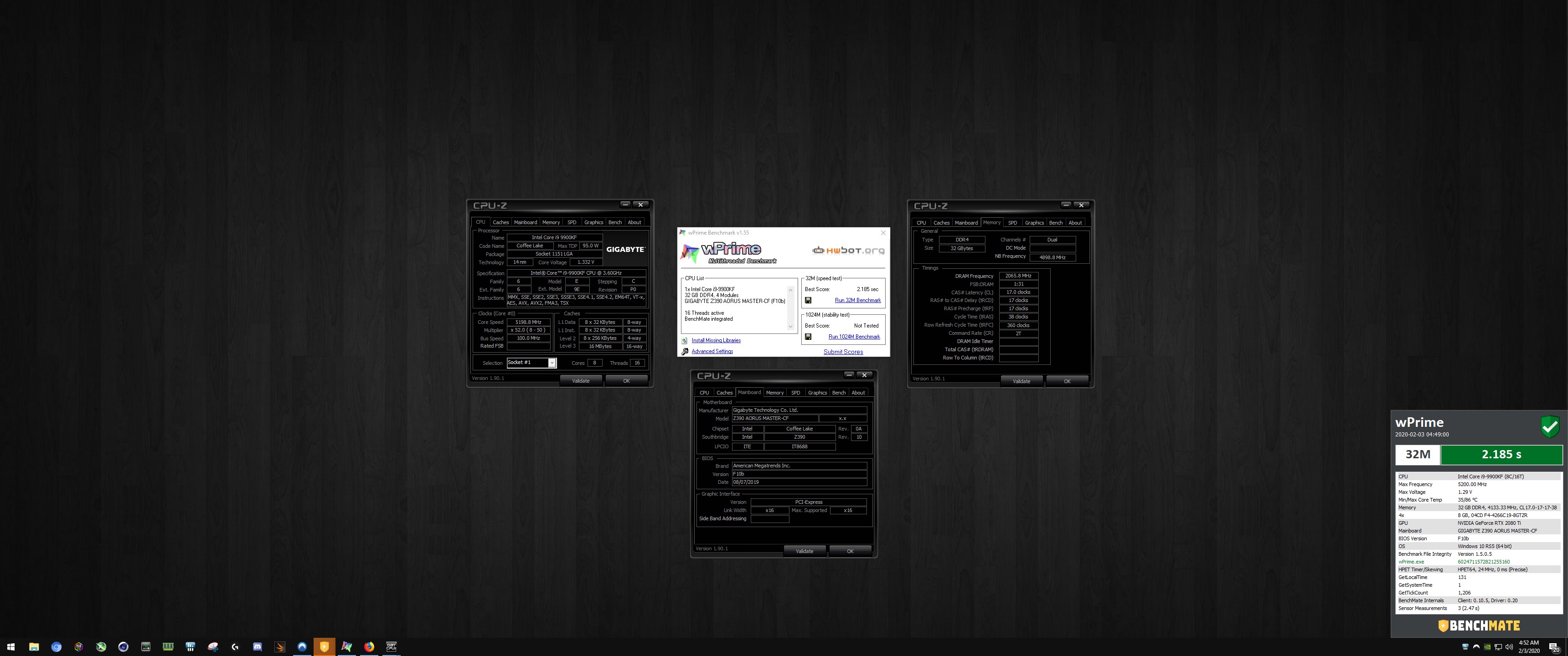
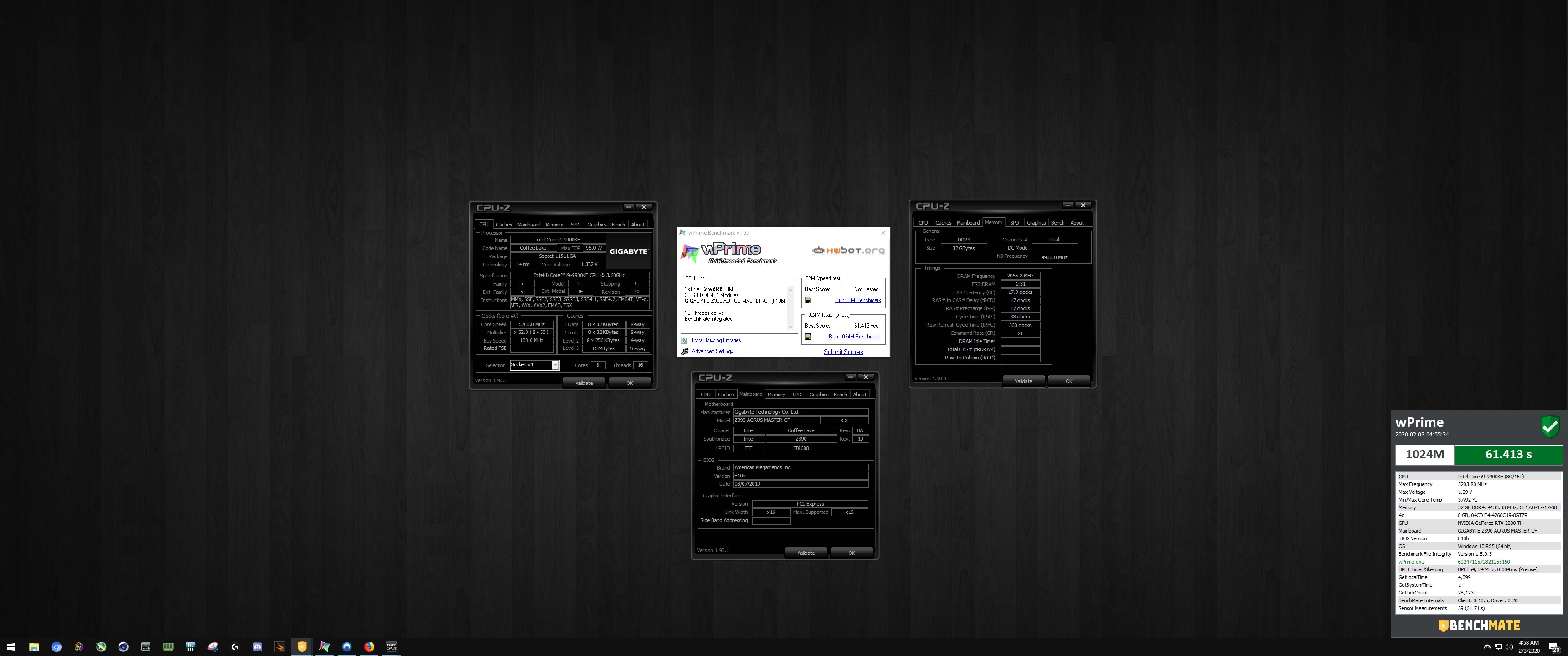
Out of curiosity I ran some benches with the new gaming desktop.
My daily cpu settings were 50x before, but with 3x 360 Rads and 13x Fans I thought ...heck, why not up the clocks eh?
I dialed in my new daily driver settings at 52x (1.33v) on the 9900KF (swapped out the KS temporarily to prep for benching later.
Here are some results...
Attached Files:
Last edited: Feb 3, 2020 -
-
-
Big rubber bands.
Yes, please let me know if you find that site. This works fine, but something permanent (washable and magnetic would be nice) is going to end up being more affordable in the long run.
Edit: This filter would work. I could glue magnets on the frame to attach it. A little on the spendy side.Last edited: Feb 4, 2020Johnksss, Papusan, Rage Set and 1 other person like this. -
Probably DEMCiflex filters. They make custom size (washable and magnetic).
https://www.demcifilter.com/Custom-Fan-Filters -
What a crazy coincidence!

I was just custom making fan and case intake covers for my desktop last night...
To chime in on these grill like covers, they work pretty well (but pretty restrictive) and it's nice to be able to clean them easily. It works for normal type of dust, but for fine dust a lot may slip through so a cover of some sort like a breathable mesh or the stretchy stocking material (ladies socks) works great to filter the finer dust particles.
![[IMG]](images/storyImages/93192b3926ac5cdceda654f89323610f.jpg) Last edited: Feb 3, 2020
Last edited: Feb 3, 2020 -
They're quite restrictive. I think those flimsy very fine 'netting' type filters are the most efficient - both at removing dust and also allowing high air flow. (you know the ones, the ones that are so fine/small you can't even measure the size of the filtration holes...yet you can see through the filter almost as if there was nothing there).
-
The netting is a lot more breathable indeed...by far compared to the mesh/screen stuff.
I'm using the netting for the areas that need the most air flow and the mesh/screen stuff around other intake vents on the case just to keep the dust out.Mr. Fox and Robbo99999 like this. -
Just a quick post on my i7-6700K, I just want to report that I've had zero CPU degredation on this after running 1.4V on it since 2017....I just tested stability of a previous max overclock at 1.35V and 4.6Ghz using Prime95 AVX and OCCT and it's still as stable as it was back in 2017...so no degredation at all. My CPU temps are pretty much always under 60 degC though, even running benchmarks, so that helps. Wanted to post this here just as a point of reference re CPU degredation and voltage....ie I've not seen any!
My motherboard is a different story though...the VRM's get too hot and throw warnings if I run 130W continuous, whereas when I first had it I could do 140W all day without issue. That's why I was using only 1.35V and 4.6Ghz for my CPU degredation comparison...because if I use 4.7Ghz and 1.4V my motherboard will throw VRM warnings and soon shutdown when using Prime95 AVX & OCCT. -
I ordered one of these, custom-sized to my exact dimensions, 14.25 x 14.25 x 0.50 inch thick for $25. https://smithfilter.com/product/perm-a-foam-filter/
It seems to be very low air restriction and well suited for fine dust.
CONSTRUCTION: The Perm-A-Foam Filter is a permanent pleated filter. The media consists of 1/8” Scott foam, corrugated between two layers of aluminum mesh. The pad is enclosed in a heavyweight aluminum frame, secured at one corner with rivets. This filter is designed for higher dust holding capacity. To clean, simply wash under the faucet in the sink, let dry and replace. The temperature range on the Perm-A-Foam is 250 degrees F.
PERFORMANCE: Resistance when clean is .085 at 350 fpm air velocity.
MATERIAL: Frame shall be made from .040 Aluminum. Filter media shall consist of 1/8″ Scott foam corrugated between two layers of .020 Aluminum mesh. To clean simply wash under the faucet in the sink, let dry and replace. Should last for years if properly maintained.
I am going to use this to attach it (already have it for other reasons). https://www.amazon.com/gp/product/B07PTSW1M9
I will remove the black wire finger grille guards currently on the fans, as the filter will not need them and it will fit better without them.Last edited: Feb 3, 2020 -
I have had filters exactly like that. They were extremely well made, but they did not catch all of the fine dust and they did restrict air flow, just as any normal mesh grille would. They would certainly be more helpful than no filters though.
-
Great info! Thanks for sharing mate. I've had cpu's beyond the 1.40v range for extended periods of time with no issues at all. Cpu's are very resilient.. Even Intel specs them pretty high.
For giggles I may run one of my 9900kF's at the mid 1.40v / close to 1.50v range @ 53x-54x(cpu willing) for data sake and to prove like you did that there won't be any detrimental issues like it's commonly believed in the pc world.
Excellent! That should help a ton... Looking forward to an extended drive review.
Indeed. The mesh is being used only to cover non-fan vent areas where dust could come in due to the fan set up of the gaming rig.
I have everything set as exhaust with one very strong fan as intake on the rear, so even from the back side, rear or any openings could draw in some dust due to the strong negative air pressure inside of the case.
I don't know why fan makers don't make fans with the blades switched around so that the "pretty side," is an exhaust for regular pc builds.
Currently, builds are all forced to use only one orientation...
If the fans were interchangeable with the direction I'd have exhaust up top and sides with intakes on the bottom and rear.
However, the rear super high static pressure Vardar fan is pumping in some serious air to mitigate the low pressure inside...
Attached Files:
Last edited: Feb 4, 2020Johnksss, Robbo99999, Raiderman and 1 other person like this. -
-
Yeah, definitely, that 9900KF seems like a bit of a golden chip and you have great cooling, so it'd be a shame not to run it absolutely maxed out 24/7! 1.4V - 1.45V is normally the upper end of what's deemed safe for a max voltage for long term ownership. 1.5V I've seen reports of chips degrading in a matter of hours/days.iunlock likes this.
-
I know, right? I have always wondered the same. The ugly side is always the one that shows when I configure my systems the way I want them configured. I always choose what works best over what looks best, and always will, but I just don't understand why that can't work both ways.
-
I agree. I should be able to comfortably run it at 53x and stay well within 1.45v ... So much to do with so little time, but I'll get around to it for sure.
Very strange isn't it? If this build wasn't partly a mascot I'd flip the fans around in a heart beat, but the rear intake fan seems to be really doing the trick to compensate.Robbo99999 likes this. -
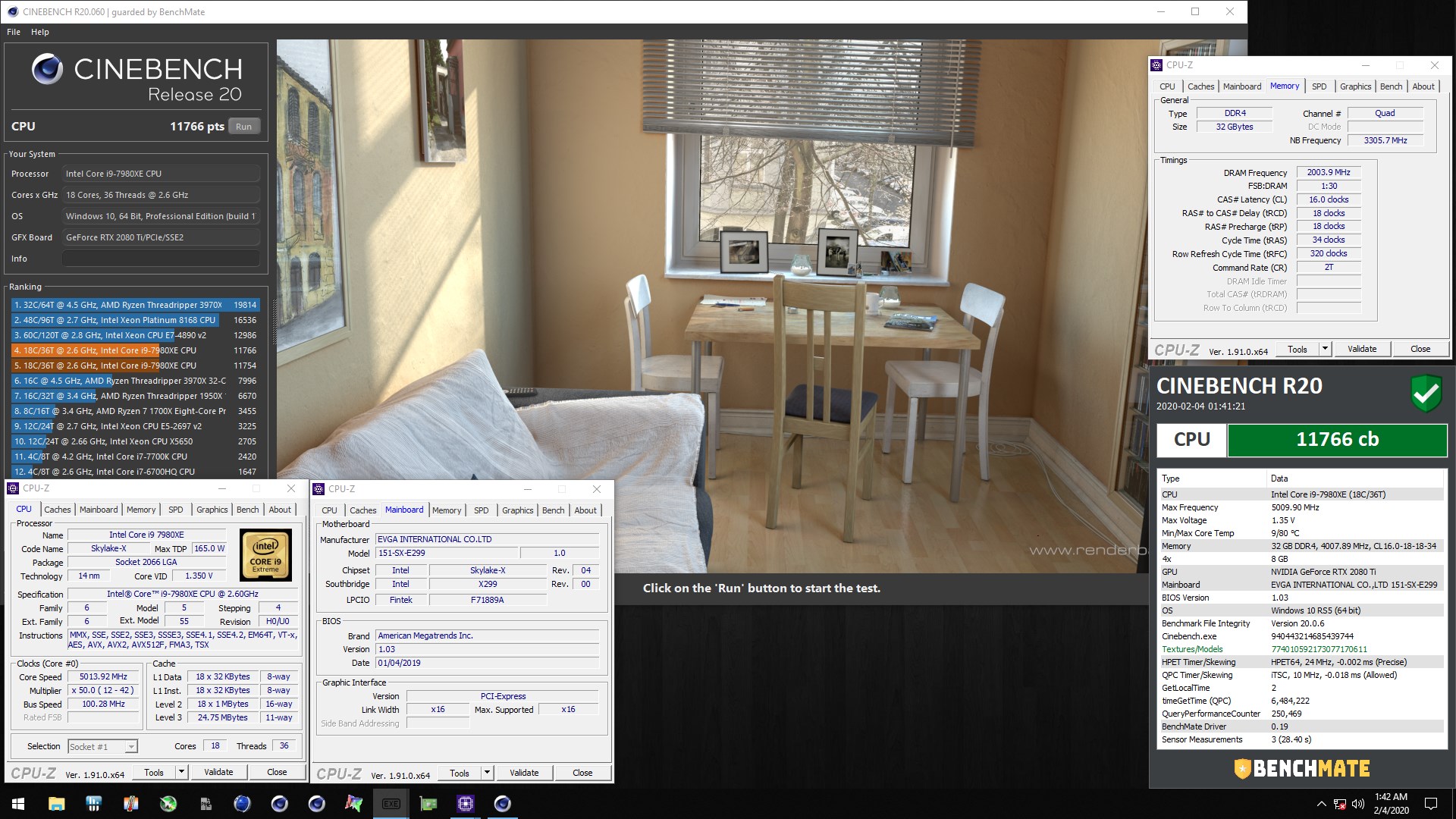
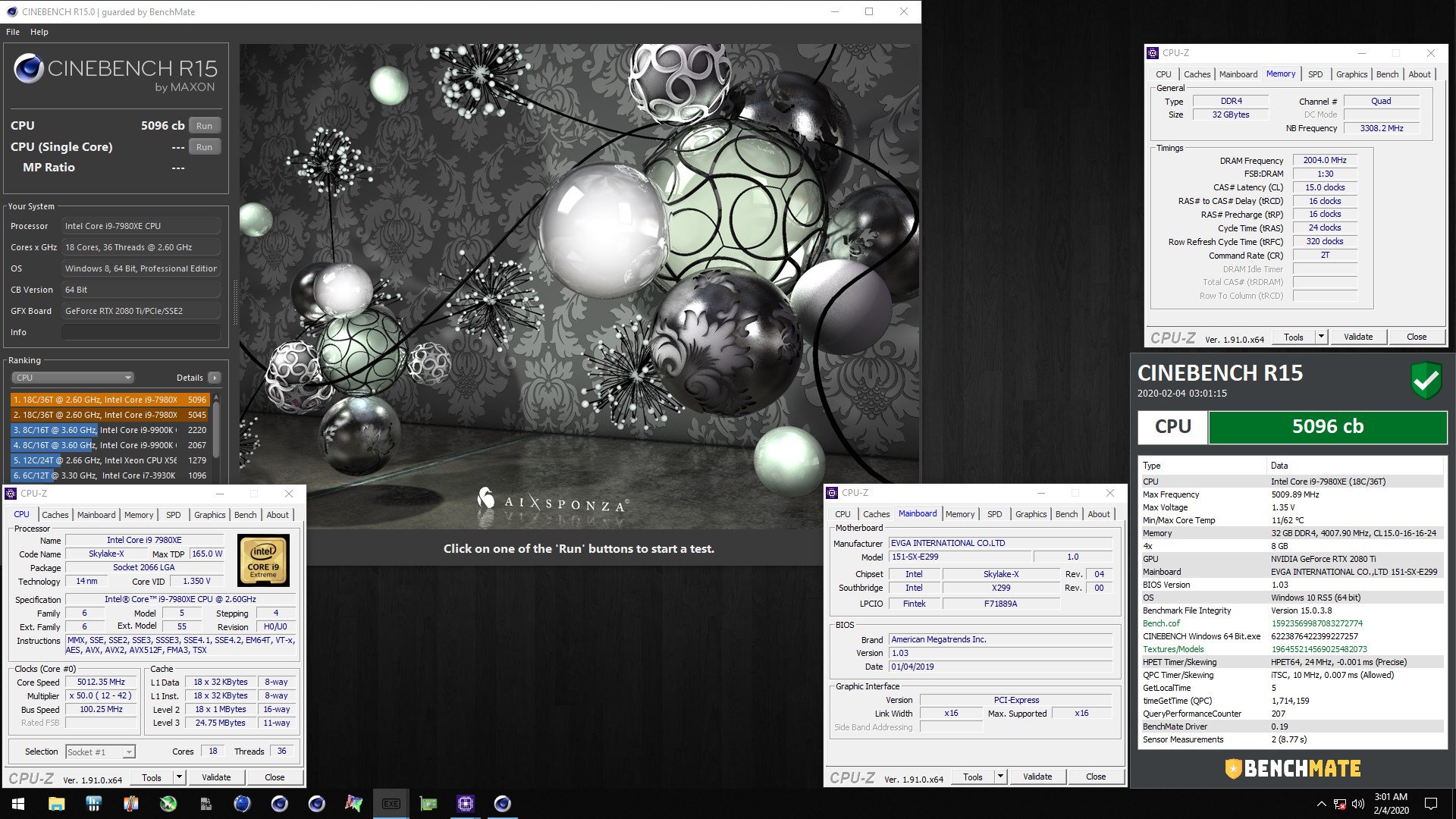
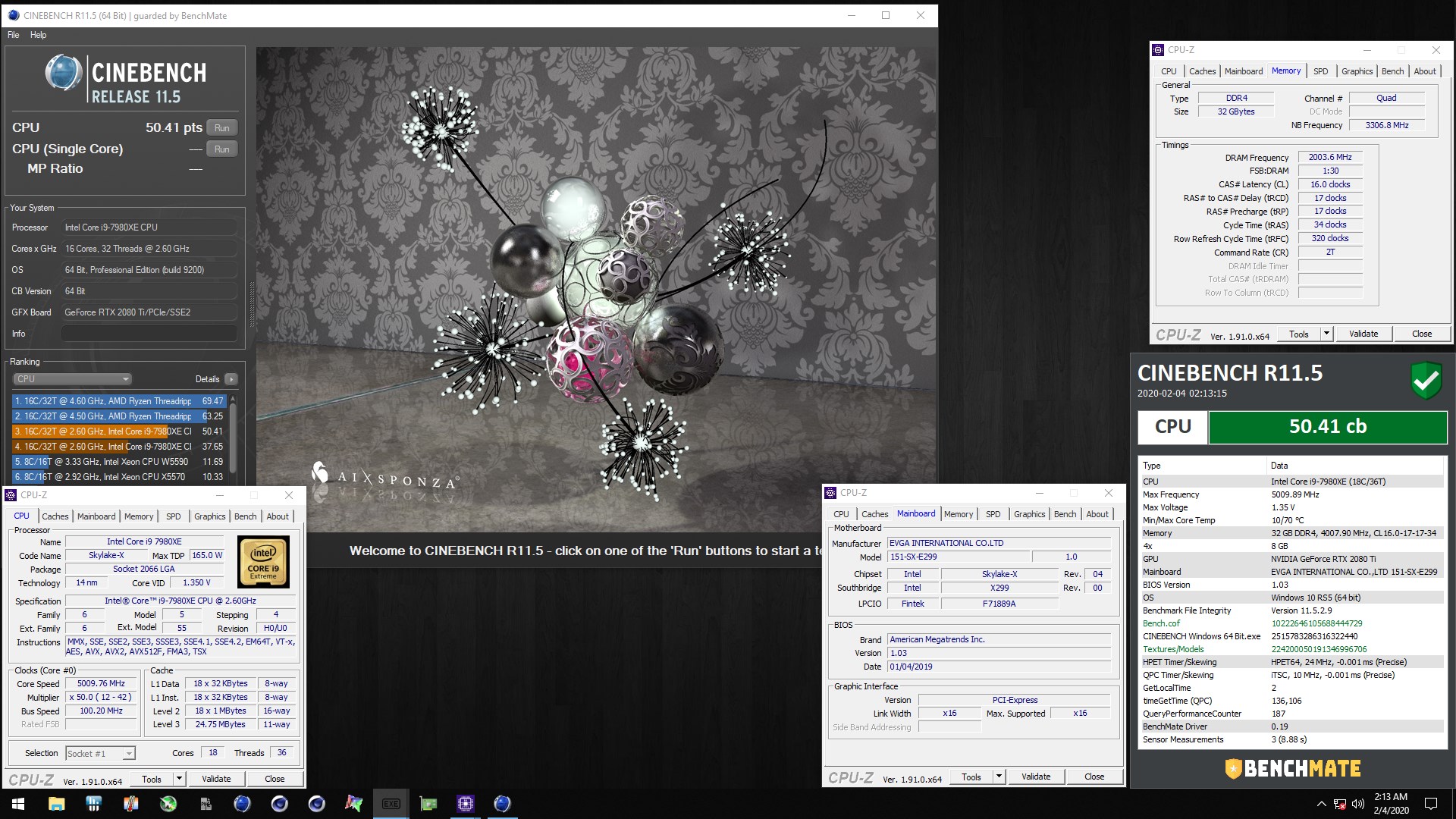
Cinebench:
7980XE at 5.0GHz ... w/ Benchmate.
Here are some new PR's:
CBR20: 11766
CBR15: 5096 (So close to breaking into 5100...soon enough,
CBR11.5: 50.41
1 and 2 are LN2 and DICE .. I'm on water at just 50x.
Attached Files:
Last edited: Feb 4, 2020 -
-
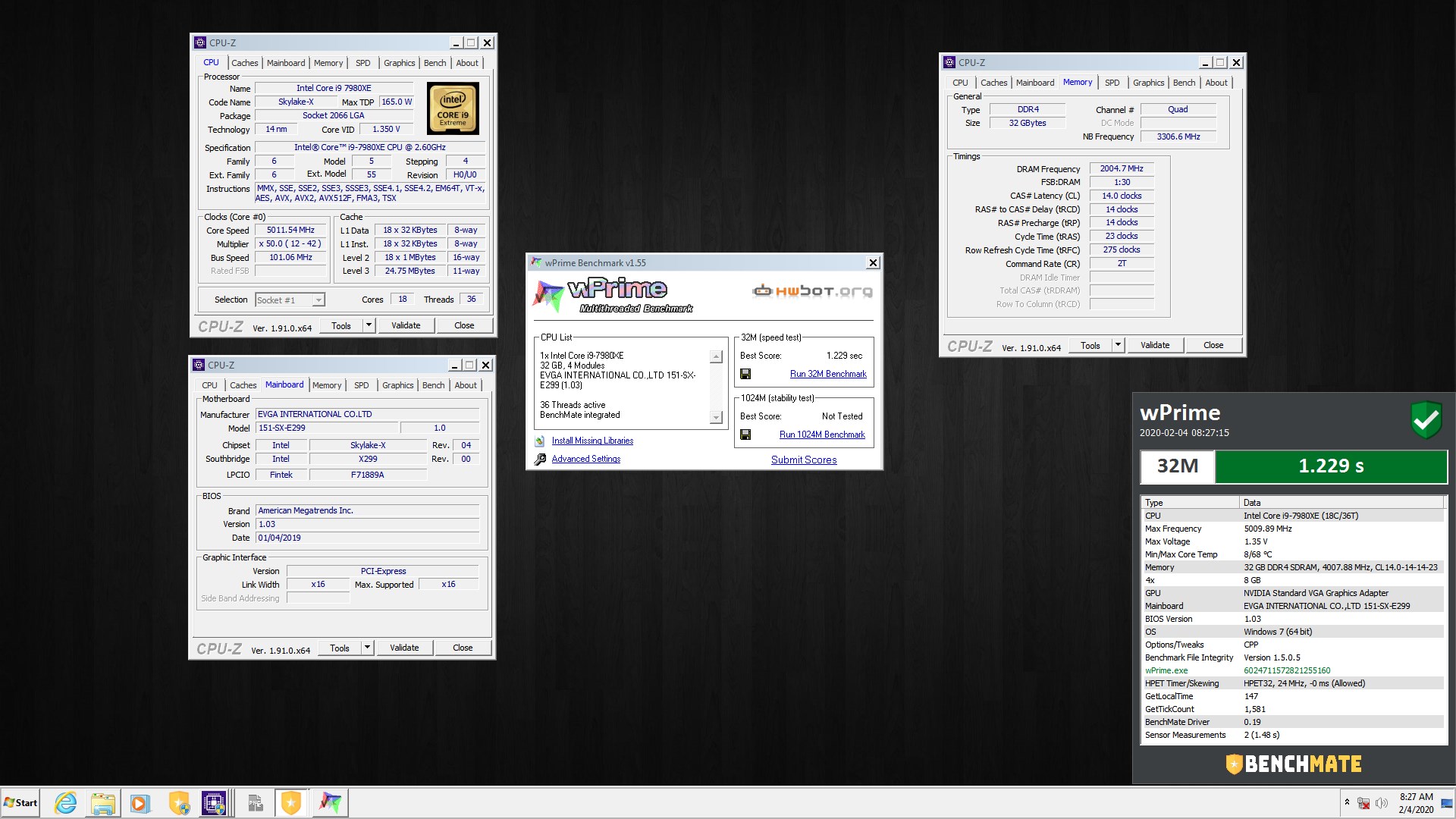
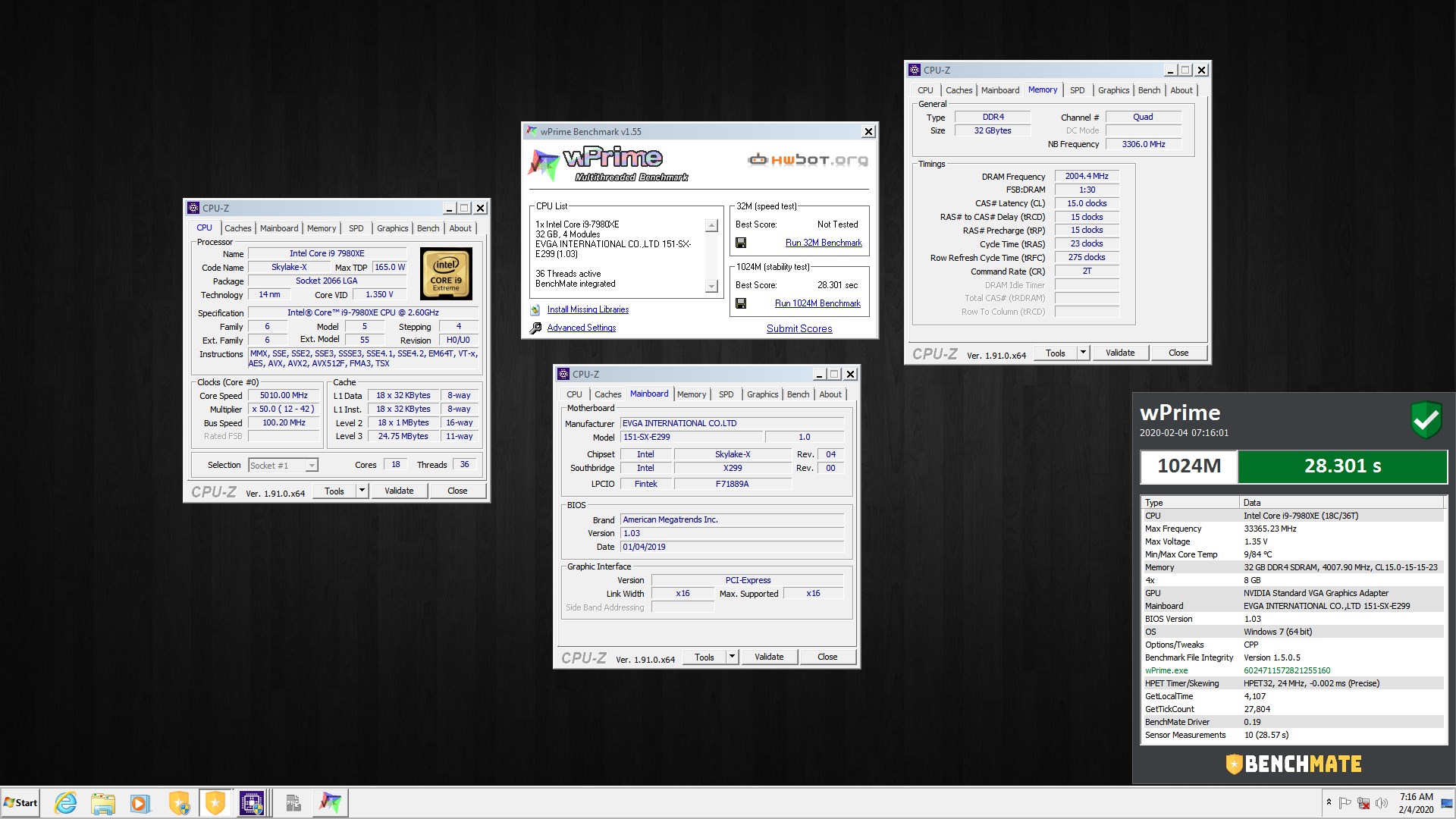
wPrime v1.55:
7980XE at 5.0GHz ... w/ Benchmate.
New PR's:
wPrime 32M: 1.229
wPrime 1024M: 28.301
Attached Files:
-
-
Very nice. Looks like you have a much better than average 7980XE. Mine will not boot Windows with all cores at 50x using 1.350V. It will either freeze or BSOD. Sometimes it will even hang accessing the BIOS if I set it that low with all 18 cores set to 50x.
Is that the XOC v4 BIOS? -
Danke. It scales well on the lower end. It's currently delidded with kpx, but I really need to LM it as I know there are extra gains to be had as the Temps when at 53x is holding it back. Not having LM is the culprit right now. I also rolled back to the original bios that I was on v3 (1.0.2) was it? The naming is confusing lol.. Because the v4 is 1.0.3, which I've been bouncing back and forth with.
-
I stand corrected. It will boot and run at 50x using adaptive at 1.350V, but not using 1.350V static. That seems really odd to me. It will pass CPU-Z at 1.350V, but hangs in CBR20 unless I bump it up to 1.375V. But, the score is lower than using 1.400V. I also notice it varies a lot based on the BIOS version. I tried BIOS v1.21 over the weekend and it behaved fine, however the performance was truly HORRIBLE. 3DMark 11 physics score with v1.21 BIOS was around 12K versus 26K using v1.20 BIOS.
Are you using adaptive and setting 1.350V for target, or leaving the target at Auto and setting an offset of like around +125mV? Are you using "Per Core" or "Ratio Limit" and TB 3.o enabled or disabled?
Last edited: Feb 4, 2020
*Official* NBR Desktop Overclocker's Lounge [laptop owners welcome, too]
Discussion in 'Desktop Hardware' started by Mr. Fox, Nov 5, 2017.





![[IMG]](images/storyImages/image_id_2300521.jpeg)



![[IMG]](images/storyImages/T6UES79h.jpg)
 I will have to look when I get home, but I think there is a site that makes custom fan filters, I stumbled on one day. Might be worth looking into.