 Problems? See this thread at archive.org.
I have mine at static as it worked the best for my set up. I'm curious about the bios's as well and may try them out again. There are so many variables eh... It's part of the fun of it all to tune; very rewarding when you get it just right. My OC's are: All-Core with the majority of the settings, default with the exception of the usual like ram etc..
I'll be available later (early evening) if you're free to chat. It's always fun to geek out about this great sport of benching.
-
Good evening fellas, pretty quite around here.

I'm debating if I should do some more benching with the 7980XE or to throw on that golden 9900KS and go for gold...
Hope all is well. -
Does it matter?

I wonder how high you can go with 3DMark06
The old is still fun
jc_denton, Johnksss, Mr. Fox and 1 other person like this. -
Good old legacy is fun indeed.
3DMark06: 52161
7980XE at 5.0GHz
https://www.3dmark.com/3dm06/18128528
This was a conservative run with Windows 10. I'll bench more in depth during the next bench session, however after 3 back to back benches it was scoring consistently at 52K+ ... I'm really excited to see how far I can push it now. Stay tuned. @PapusanAttached Files:
Last edited: Feb 6, 2020Johnksss, Papusan, Rage Set and 1 other person like this. -
-
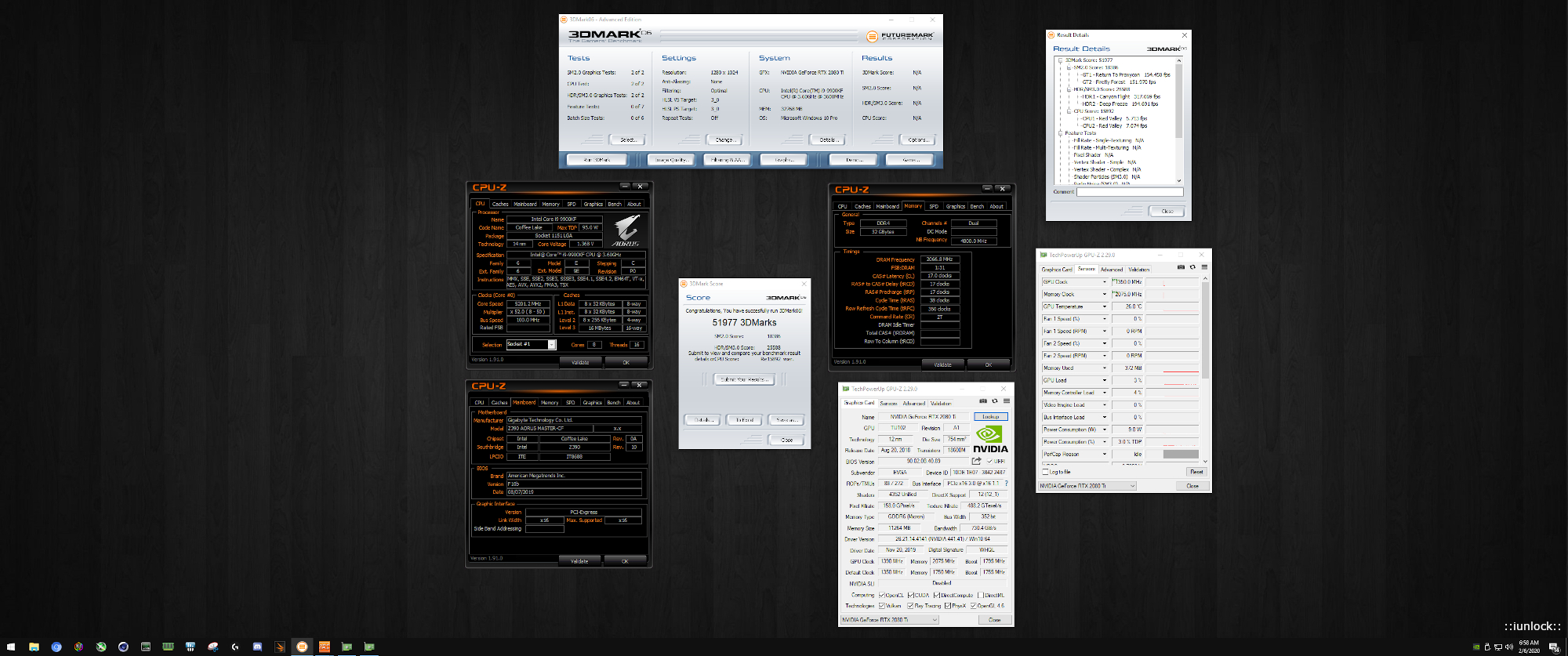
3DMark06: 51977
9900KF at 5.2GHz (Ambient) on the Gaming Desktop; for giggles...
...and to my surprise almost cracked 52K?!
https://www.3dmark.com/3dm06/18128562
Attached Files:
-
-
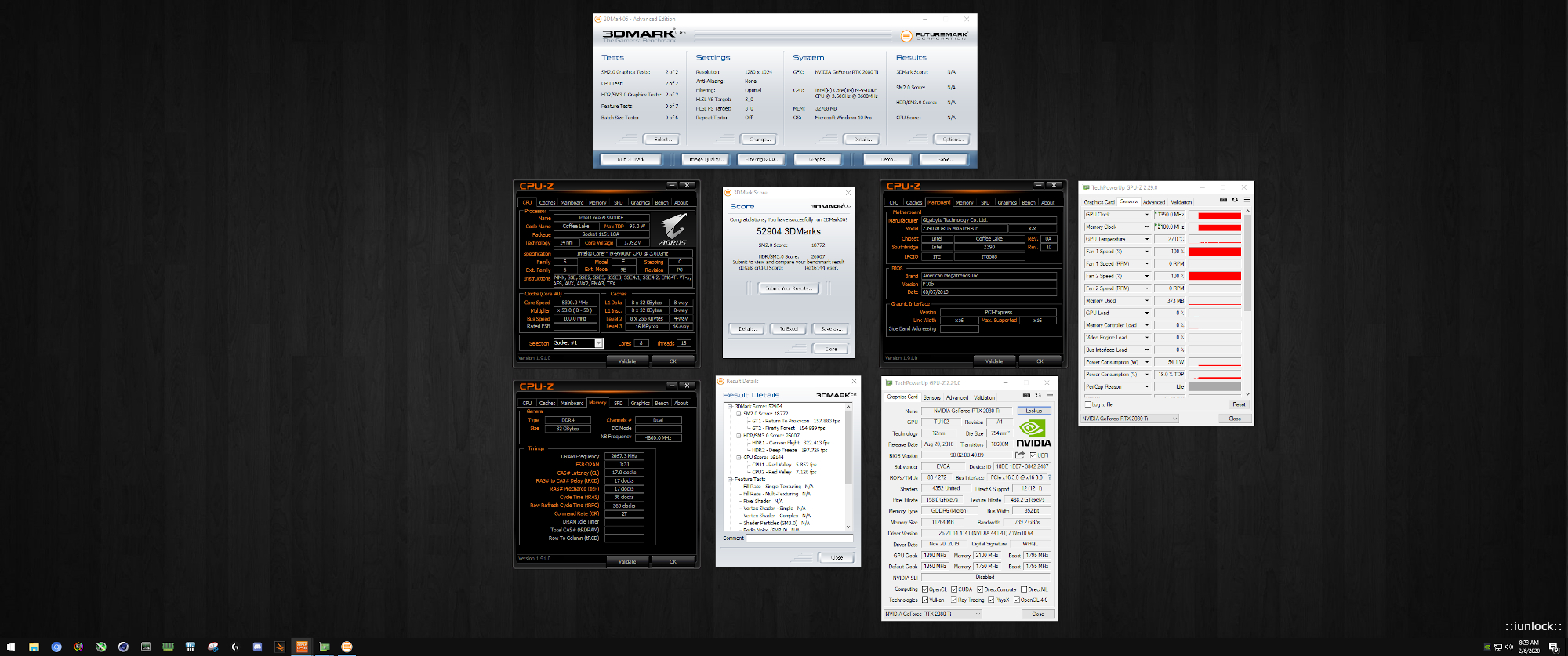
3DMark06: 52904
9900KF at 5.3GHz (Ambient) on the Gaming Desktop .
Just had to try. Now onto trying to crack 53K. I'll give it a shot later today...
https://www.3dmark.com/3dm06/18128568
Attached Files:
-
-
That's a very nice KF you got there! Even more so when it's a P0, since you can disable those pesky Spectre/Meltdown patches.Johnksss, iunlock, Rage Set and 1 other person like this.
-
@jc_denton
That was the very first time I tried Benchmate so I'm still in the "understanding" phase. I like how they have it setup though.Mr. Fox, Papusan, iunlock and 1 other person like this. -
-
Very nice scores still at those clocks. Getting past 51.xx on CBR11.5 @ 49x is really good. Keep it up!
Thanks Bro. It's a nice chip indeed...really lucked out with both KF's (P0), but this one is slightly better than the other.
Benchmate is nice as it feels like a whole different category, which is actually is due to receiving points for them separately from the standalone's. Sometimes you'll take a hit on the scores, but I have scores that are better with BM like my R15 run vs the standalone R15. It's fun...Raiderman, Mr. Fox, jc_denton and 1 other person like this. -
@iunlock Thanks.
I have a feeling that this particular 7980XE has some potential, but need to get control of the heat
https://valid.x86.fr/1xxg4c
-
https://hwbot.org/submission/434715...r20_core_i7_3770k_1929_marks?recalculate=true
![[IMG]](images/storyImages/2301929.jpg)
https://hwbot.org/submission/434708...extreme_core_i7_3770k_233_cb?recalculate=true
![[IMG]](images/storyImages/2301896.jpg)
https://hwbot.org/submission/434715....5_core_i7_3770k_9.92_points?recalculate=true
![[IMG]](images/storyImages/2301930.jpg)
https://hwbot.org/submission/4347170_papusan_cinebench___r15_core_i7_3770k_909_cb?recalculate=true
![[IMG]](images/storyImages/2301935.jpg)
https://hwbot.org/submission/4347155_papusan_3dmark06_radeon_hd_7970_36098_marks?recalculate=true
![[IMG]](images/storyImages/2301928.jpg)
Edit.
For you bro Fox. New is always better Win 8.1 beat latest and greatest from Redmond. Faster ram and Dual channel doesn't matter.
![[IMG]](images/storyImages/2280849.jpg)
Win 10 failure on the old.
Last edited: Feb 7, 2020Raiderman, electrosoft, Mr. Fox and 4 others like this. -
I ordered a boxed KF to replace my faulty 9900K, and I really hope that I share your luck with getting a P0 revision. Seems like these KF's are in high demand as they began to sell out everywhere here in Scandinavia. Also, I reached out to SiliconLottery, and they mentioned that all of the boxed versions of the KF they had were P0.Mr. Fox, Rage Set, Papusan and 1 other person like this.
-
Very nice! From what I've gathered the KF shares the same possibility with the silicon lottery as the first gen K's in that the KF's are simply the same chip that comes from the same wafer as any other K chips. The chips closer to the center of the wafer are the best binned ones, hence the KS's all come from the center wafer.
What makes KF's unique is that it could very well be a chip from the center area of the wafer that, "could have" likely have been a KS that ended up as a KF only due to it having a faulty / bad igpu (which no one cares about.) - However, to the contrary it could also be the other way around and one may end up with a mediocre KF.
The advantage with the KF is that no matter where it comes from on the wafer (with a bad igpu), it'll just be labeled as a KF, whereas if a chip that has a good igpu bins well they'll slap a KS label it; the KF does not have that choice so you could end up with a really really good KF that again, "could have" been a KS chip.
The KF that I have, granted that it is P0 could have very well been labeled a KS as I've seen some KS's online that can't even reach 53x at the voltages that I'm able to achieve with my KF.
It's pretty interesting stuff and since the KF's are fairly new, it's a luck of the draw. I hope you land a good one, that would be great.Last edited: Feb 8, 2020electrosoft, jc_denton and CaerCadarn like this. -
Center waffer = KS. The KF is without the iGPU connected. I expect Intel still bin for the K in several ways. The rest will be KF It's a lottery what you'll get after Intel have binned out the KS.
Last edited: Feb 7, 2020
-
Very nice info! Yes, the initial P0's were great clockers. Intel had to revise it with the R0 after all bad press about the security flaws that just keep piling up at this point. R0's had the patches at a hardware level, thus taking a performance hit when compared clock pr clock to a P0 with the patches disabled. All of the KS are R0, and only tray versions of the KF are listed to be R0.
On point with the iGPU, heck the P870 doesn't even have power stages for that thing!
I recall Splave praised the KF when he tested it. I just hope it doesn't turn out to be a lemon and is similar to my 9900K in terms of voltage requirements.
![[IMG]](images/storyImages/cGYbYDhMGMuQs5dXZxQARk.jpg) electrosoft, Rage Set, iunlock and 1 other person like this.
electrosoft, Rage Set, iunlock and 1 other person like this. -
Well, I can tell you that R0's also come in boxed versions, lol. My 9900KF just came in and its SRG1A (R0), luckily you don't have to open it up in order to check the S-Spec.
Not sure what I'm going to do with this chip, since I was adamant about getting a P0.
What do you guys think, keep it and check lottery since it's a salvaged R0 on the new process that might be decent or return it? -
Can you return it if you open the box and test it out? Here home we have open purchase https://www.elkjop.no/cms/aapent-kjop/slik-fungerer-apent-kjop-hos-elkjop/
Not happy with it, then return it for refund.
"You can return the product even if you opened the box and tested the product. However, we really appreciate if you take care of the packaging and return it as well."
"Open purchase applies to most of Elkjøp's products, with some clear exceptions: Mobile Phones, Subscription Products, Software, Games or Film with Broken Packaging, Epoq Kitchen and Special Ordered Kitchen Parts, Hygiene Products (Dental, Skin and Body Care Products, Shaving Machines and the like) ) and earbuds / in-ear headphones."Last edited: Feb 7, 2020jc_denton likes this. -
I read through the return policy from the retailer, and if the retailer determines that the items value has decreased due due to being an open box they will only reimburse that amount.
At least that's my understanding after reading it. Not sure how they determine that number though.iunlock likes this. -
From my understanding of the return rules, you can test it and return it for refund. Send them an email.jc_denton likes this.
-
Correct (you've just repeated what I've just said in my post above) and I know that the KF is with the iGPU disconnected lol. I own 2x KF's.
Also, the point that I was making is that even if a KS (from the center of the wafer) tests with a bad iGPU it will become a KF. - There's no other choice, because it can't be sold as a (K), due to the faulty igpu.
A good center wafer KS chip with a bad iGPU will not become anything else, but only a KF, which I'm pretty sure that I received from the earlier batches of the KF's that I own. The one in my gaming desktop scales on par with the average KS's that I've seen on reddit.
The earlier batch K (P0's) are basically the KS's (R0) of today, but just with an extra "gimp" sprinkle of the (R0) patch... The letters are just labels, that's all.
I was surprised to see so many people with KS's that were worse than some K's even... too bad for them.
Thanks. Some R0's scale well under cold temps as tested by several Overclockers. I'll get around to testing my KS under colder temps and see how it does to see how it compares to my K's (P0) and KF's (P0) ...
Regarding your KF, hmmm that's a tough call. But given that it's a laptop environment and you wanting the lowest voltages for your preferred clocks, maybe message the retailer and see if they even have P0's in stock. If so, I'd send yours back and exchange it.
The KF is perfect for you then considering that your laptop doesn't have the power stages for the useless iGPU haha!
Before opening it, first check to see if they even have P0's in stock. If they do then request and exchange...
Hmm send me a DM mate...
Last edited: Feb 8, 2020 -
3DMark06: 52959
9900KF at 5.3GHz (Ambient) on the Gaming Desktop .
Almost getting there...
https://www.3dmark.com/3dm06/18128718Attached Files:
Johnksss, jc_denton, Papusan and 1 other person like this. -
-
Do not open it, send it back. And tell them that was not what you ordered. Ask them If they have a PO since you can see it without opening it. And if so tell them to ship you that one instead. You would rather take your chances with the right one then find out you have a dud by keeping the wrong one.electrosoft, Robbo99999, jc_denton and 2 others like this.
-
Indeed. The difference in heat production between the 7960X and 7980XE is nothing short of incredible. The 7960X ran as cool at 5.2GHz as the 7980XE does at 4.8GHz. The temps are a serious challenge. Even bare die is pretty stinking hot. I'm still struggling to get my 3DMark Physics and Combined scores up to the level they were at with the 7960X. The 7890XE beats it handily in Cinebench, but the 3DMark Physics scores are about 1,000-1,500 points lower across the board. It seems like the 2 extra cores and 4 more threads can get in the way of speed in 3DMark benchmarks. Not sure why that is. The same is true in Fire Strike, but the handicap really becomes obvious in 3DMark 11 since both of those metrics totally hammer the overall score. In Fire Strike you kind of get a pass on the weaker Physics performance. It's a struggle to hit 27K in the 3DMark 11 Physics test, and hitting 27K and higher was fairly easy with the 7960X. Weird, huh?
https://www.3dmark.com/compare/3dm11/13691930/3dm11/13580692/3dm11/13311604#
Last edited: Feb 7, 2020Raiderman, Robbo99999, jc_denton and 3 others like this. -
I see you posted your 7980XE score with the refreshed 3DM11 v1.0.179 and Win7. Seen any difference vs the older UI v1.0.132 ? Not the first time Futuremark screw up.
https://www.3dmark.com/compare/3dm11/13691930/3dm11/13580692/3dm11/13311604# -
Very weird indeed! I just ran this right now, but again these temps are crazy for the voltage i'm using. I took the chip apart and redid the LM on it as it had dried to a crisp! I may need to play with it a bit more till the new die frame gets here next week.
Edit:
@Papusan
This is version 1.0.179.0Raiderman, Mr. Fox, jc_denton and 1 other person like this. -
Improvment with the refreshed version 1.0.179.0 (for Win 10). Both tests on Win 7?
Edit. Can't see the same for the physics score here. Within margin.
1.0.179.0
![[IMG]](images/storyImages/2302515.jpg)
1.0.132.0
![[IMG]](images/storyImages/2299617.jpg)
New scores. Will probably put back the 1070
@hmscott
https://hwbot.org/submission/434827...re_core_i7_3770k_4519_points?recalculate=true
https://hwbot.org/submission/434827...e_core_i7_3770k_18118_points?recalculate=true
![[IMG]](images/storyImages/2302619.jpg)
https://hwbot.org/submission/434826...03_core_i7_3770k_4278_points?recalculate=true
![[IMG]](images/storyImages/2302615.jpg)
https://hwbot.org/submission/434826...5_core_i7_3770k_10.01_points?recalculate=true
![[IMG]](images/storyImages/2302616.jpg)
https://hwbot.org/submission/4348269_papusan_cinebench___r15_core_i7_3770k_913_cb?recalculate=true
![[IMG]](images/storyImages/2302617.jpg)
https://hwbot.org/submission/434827...y_radeon_hd_7970_16529_marks?recalculate=true
![[IMG]](images/storyImages/2302620.jpg)
https://hwbot.org/submission/434827...e_radeon_hd_7970_13380_marks?recalculate=true
![[IMG]](images/storyImages/2302621.jpg)
https://hwbot.org/submission/434827...me_radeon_hd_7970_3971_marks?recalculate=true
![[IMG]](images/storyImages/2302622.jpg)
https://hwbot.org/submission/434828...ke_radeon_hd_7970_9025_marks?recalculate=true
![[IMG]](images/storyImages/2302623.jpg) Last edited: Feb 8, 2020
Last edited: Feb 8, 2020 -
-
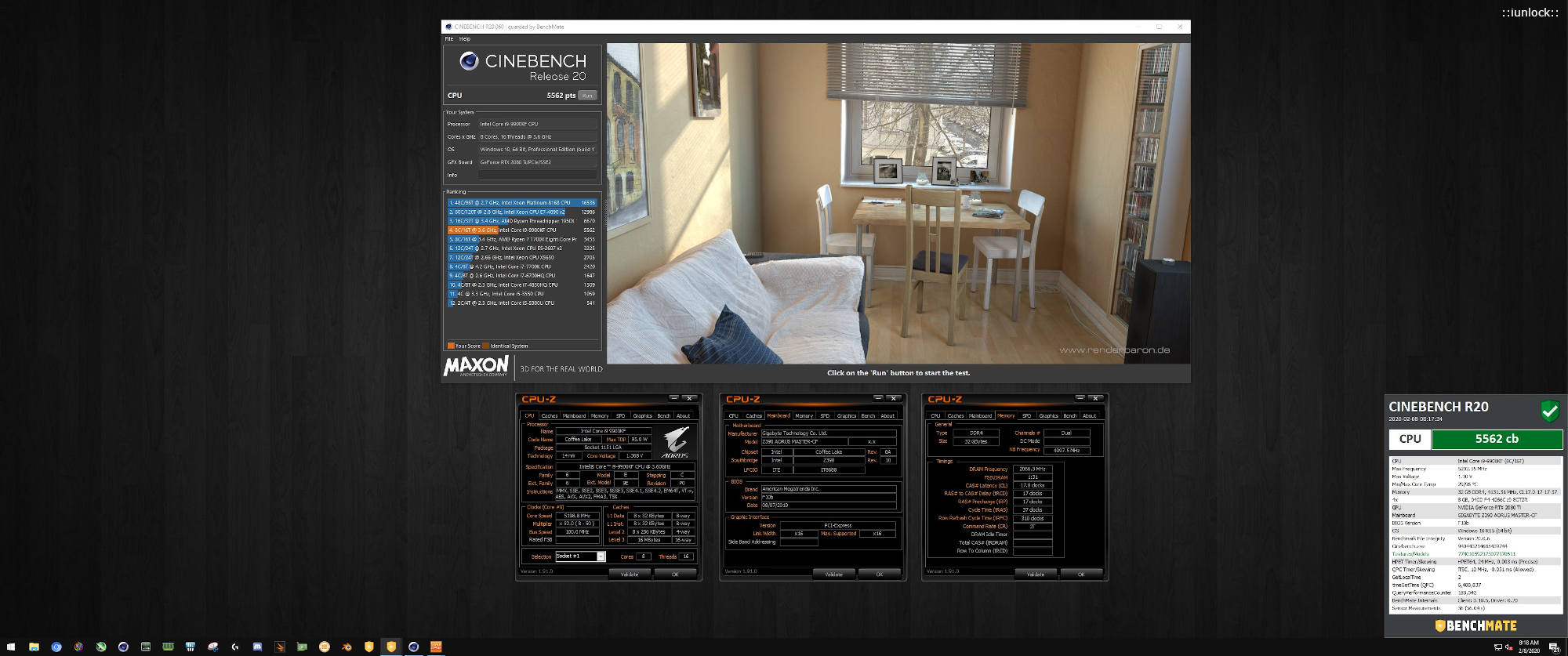
Cinebench R20: 5562
9900KF at 5.2GHz (Ambient) on the Gaming Desktop. It's a whole another level of fun lol , considering that this isn't my test bench. I'm pretty impressed with what it's able to do.
Attached Files:
Last edited: Feb 8, 2020 -
-
No, it was about the same. But, I will test again as I did a clean install of Windows 7 trying to fix why the scores are lower with the 7980XE. I am using the same BIOS, ME, etc.Papusan likes this.
-
Bro, I found that less is more with that particular chip. It despises heat, lol. One of the reasons why it was rare for me to run it higher than 1.4. Very temperamental.Johnksss, Papusan, Mr. Fox and 1 other person like this.
-
Well, much closer, but still no cigar. Definitely wants colder. And, more voltage. It still seems like it is not fully utilizing all cores though. With another 2 cores and 4 threads it should be scoring significantly higher than the 7960X. But, it ain't.
https://www.3dmark.com/compare/3dm11/13694221/3dm11/13311604
7960X @ 5.3GHz
![[IMG]](images/storyImages/image_id_2138178.jpeg)
7980XE @ 5.3GHz
Last edited: Feb 8, 2020 -
I think the 7980XE is just a slower chip overall. I was beating most benchmarks run by other people running a 7980XE with the 7960X except for Cinebench. I thought it was better tuning on my part that was allowing me to do that. Perhaps the 7960X that I had was an abnormally good one. We do not have enough data to examine know that for sure, but I am leaning toward my first impression that 7980XE is just a slower part. The voltage requirements of this chip are almost identical to the 7960X. I am going to test BIOS v1.09, but I really doubt that is going to change anything.
I am also wondering about the power handling capacity of this motherboard without "Extreme Cooling" enabled. I have random issues with it abruptly powering off in the middle of a CPU benchmark run at 5.2-5.3GHz. I am wondering if that is being caused by exhausting the VRM limits without Extreme Cooling switched on, but I am kind of scared to try that since I am not using LN2. It does pull about 200W more under extreme loads than what the 7960X did.Last edited: Feb 8, 2020 -
Have you tried turning it into a 7960X, by disabling two of the cores? I'm interested to see if that would improve the scores. I can confirm that is what happened with that chip on my X299 Dark. It would abruptly turn off during certain CPU benchmarks but that didn't happen with the Asus X299 Extreme (it would simply blue screen or crash to the desktop). So the VRM is likely limited without the extreme cooling option enabled.
-
I have not tried that. Maybe I should. Good idea. Also good to know you experienced the same thing. At least I know my system is working as expected, even if that's not ideal. I also might just grit my teeth and enable Extreme Cooling in the BIOS and see what happens.
I did notice even with the power fans running the VRM heat sink and capacitors get quite hot. Never had that with the 7960X. You can actually feel the heat coming off of them without touching them and they feel hot to the touch when benching. I just added another VRM fan, connected to CPU2 header. I had this in my spare parts junk box. I think it was an old Athlon heat sink fan, LOL.
![[IMG]](images/storyImages/Y00KofY.jpg)
-
Here are these two runs... got it nice and cold, and gave it more voltage. It runs really fantastic when I give it more voltage than I would like it to have. I'd never do this without chilled water. Both runs started off around 2°C and ended around 65°C. Also bumped both PLL offsets to +30.
https://hwbot.org/submission/4348968_![[IMG]](images/storyImages/image_id_2303162.jpeg)
https://hwbot.org/submission/4348970_
![[IMG]](images/storyImages/image_id_2303164.jpeg) Last edited: Feb 8, 2020Convel, Raiderman, electrosoft and 4 others like this.
Last edited: Feb 8, 2020Convel, Raiderman, electrosoft and 4 others like this. -
At least you are getting more out of it than I could with my MO-RA3. I couldn't go above 5.0 on it with C15. Even if I used my open garage in 15 to 20f weather, it would shoot up to 90C+. Good idea on additional VRM cooling. I always had an extra fan on the VRM's when running it. -
-
Yeah....I was going to get one as a surprise. Unfortunately, the Hailea HC-500A chiller you and the others have is sold out everywhere. I don't think PPCs is going to restock it and I am not going to spend over three times the price for the Koolance version.
-
Whoa, that sucks. I don't blame you. It's absolutely not worth more than what I paid for it. I would want not to pay any more than I did. But, I wouldn't want an HEDT CPU any more without a water chiller. I'd probably go back to something like a 9900K. Running a setup at lower clocks just to cope with the heat wouldn't be all that fun.iunlock, Johnksss, Papusan and 1 other person like this.
-
I'm pretty sure it's a power limit and/or a temp limit that's triggering the sudden cold turkey shut off during some benches. This has happened to me on several occasions when running at 53x and 54x.
The 7980xe loves its watts for sure. Also, the 7960x has a better overall imc, much more forgiving.
Nice.
The 9900K/KF/KS chips are a ton of fun. They scale better overall to allow the gpu to run at higher potentials. Stronger imc's etc...
I know some users that have a chiller hooked up to their daily 9900K/KS set ups running like a dream... Pretty impressive. I'm really curious if I can run 55x on my KS daily with it hooked up... It'll be a nice test for another day...
Several sites had a sale on the chillers that made the stock run dry. It looks like they were trying to just offload them due to it not being a hot selling item. It probably sat in inventory for ages...Convel, Raiderman, Johnksss and 1 other person like this. -
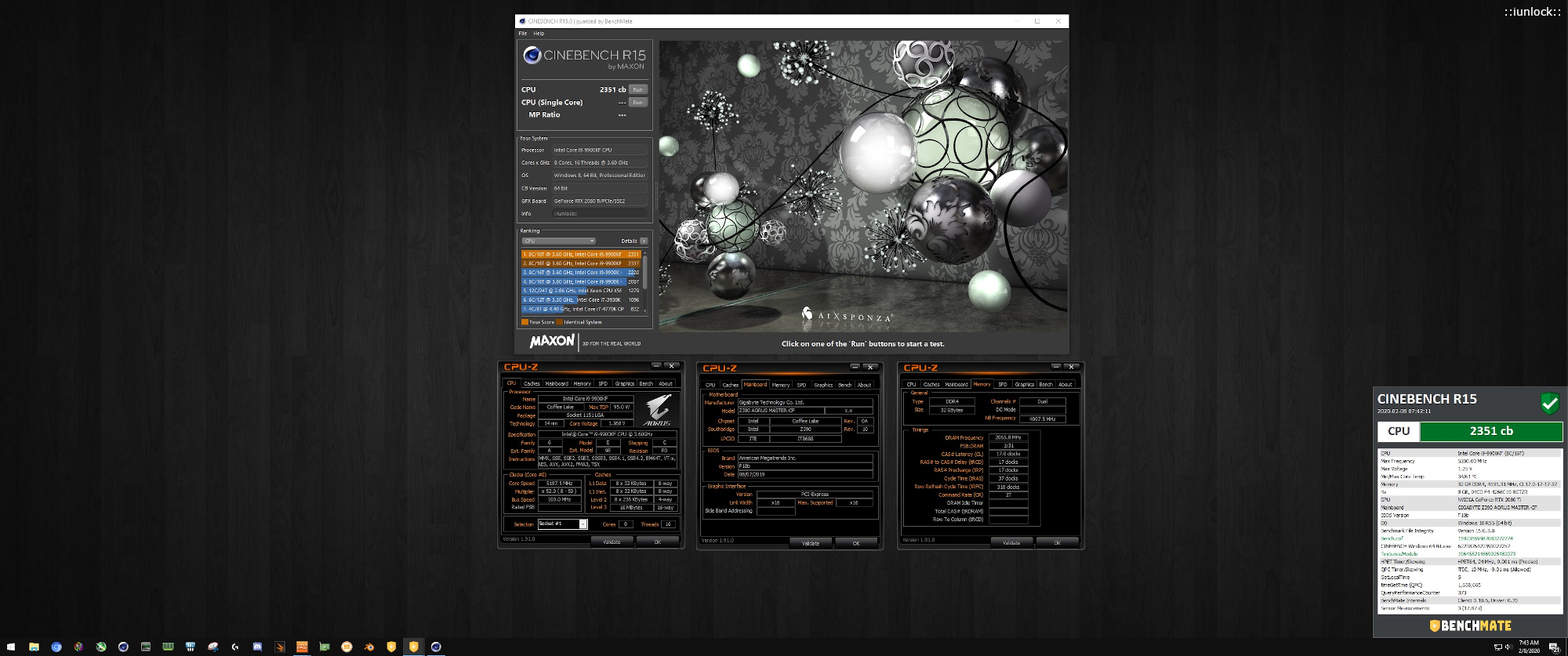
Cinebench R15: 2351
9900KF at 5.2GHz (Ambient) on the Gaming Desktop.
This KF... continuing with its surprises... 2351 for a 9900K/KF/KS at just 52x is rare.
Attached Files:
-
-
I hear there's a limit to how many cores can be used by various 3DMark benchmarks, if your extra cores are not being utilised then that could be why it's performing worse than your 7960X.
-
Oh ****, 1.55V VCore, and 65 degC....I think that's gonna degrade the CPU within a few hours based on degredation tests I have seen.Mr. Fox likes this.
-
-
I guess we will find out. Nothing lasts forever.Convel, Robbo99999, iunlock and 1 other person like this.
-
Interesting, @Rage Set. The 7980XE does run better pretending to be a 7960X, LOL. 16C/32T. To the tune of 1200+ points in the Physics test. I'll have to see how it does in a 7940X disguise. I chose the two cores that were getting the warmest under load to disable. Cores 13 and 17 (or 14 and 18 if you call the first core #1 instead of core 0).
*Official* NBR Desktop Overclocker's Lounge [laptop owners welcome, too]
Discussion in 'Desktop Hardware' started by Mr. Fox, Nov 5, 2017.











![[IMG]](images/storyImages/2303386.jpg)
![[IMG]](images/storyImages/2287187.jpg)
![[IMG]](images/storyImages/2303237.jpg)