Problems? See this thread at archive.org.
What Voltage and Clocks you running did you adjust the Infinity Fabric Speed?
-
Hummm, I don't have 418.81, but am testing 425.31 right now. And that driver seems to hit just under 29K, but then my machine powers off and reboots on runs that start off better so I don't know.Papusan, TheDantee, Rage Set and 1 other person like this.
-
So far all of my best benchmark runs have been using 425.31. Sounds like you're seeing the same thing that I have. I never had trouble with the 7960X causing the system to shut down/reboot like it does with the 7980XE. @Rage Set had the same issue with that as well, so I think the 7980XE overclocked at ~100% is possibly exhausting the power handling capacity of the X299 Dark when it's not running on extreme cooling (i.e. higher voltage and more power draw happening at above-zero temperatures).
I have seen almost 1200W in Cinebench at 5.2GHz with the 7980XE. It seems that the shut down/reboot is more often when the GPU is involved though. Like Fire Strike and 3DMark 11 is almost always (probably 75% of the time) with the Combined Test, and right on the heels of the Physics Test. I recently noticed when that happens the VRM components between the CPU and heat sink, and the capacitors near the VRM fans are physically hot to the touch. Not burn me bad hot, but not very comfortable hot. It also seems to possibly happen more often when the RAM is really straining its milk (like my 4000 CL14 @ 1.6V) and perhaps overloading the CPU's memory controller.Last edited: Feb 18, 2020Papusan, Johnksss, TheDantee and 1 other person like this. -
I concur. If I supplied more than 1.5v to the RAM and all other factors being equal (high OC on CPU/GPU), I got the instant reboot. Perhaps the board is trying to save itself when extreme cooling isn't disabled.Mr. Fox likes this.
-
See my submission here: https://hwbot.org/submission/4308294_
Now I was doing a manual OC. I turned off PBO and other AMD specific "auto OC" functionality. 3800 on the memory is my sweet spot but I'm still working on 4000 with tight timings. Memory is the key to breaking that 15k barrier.
Note: I got higher than 15250 without Benchmate, but that no longer counts on the bot. -
@Mr. Fox
Well, it's probably not the driver as you mentioned.
So not sure at this point.
I get that now when trying to run 4200 Mhz
I tried that setting on and off. Didn't notice anything, but then maybe one needs to be below -30 to find out....
Very nice indeed. What happens when you try to run the bench again? Do your scores stay the same or do they change? -
Can you show us a few benchmarks ran with this 16 dollar donation OS please?
-
you dont need to pay 16 dollars go to one of the older versions 1903.449 or 1909.657 should be Google Drive Links at the bottom of the Page. I don't think I have any images of a Direct Comparison Between Stock Windows on the Lite/Lite Plus versions he offers.
-
Direct Links if your interested
1909.657 Lite - https://drive.google.com/uc?id=1OUNHPKuOZ3FteFxE5XJKPdBGIahveNPU&export=download
1909.535 Lite Plus - https://drive.google.com/open?id=1LmUPLiyIE8lmqhF14JPMtRYrKd19h37relectrosoft, Papusan, Johnksss and 1 other person like this. -
Before I download this... Are you sure you are authorized to share these google links?
And don't need direct comparisons only some benchmarks you ran personally.
-
Authorized to share they are free to public so I would assume so from his website you go through 3 different Captchas with tons of Ads so I figured its less hassle for you guys just to have direct links. Any benchmarks I've posted here or have on 3DMark are run on Lite Plus been running it for almost a year without any issues. I'm not a Fanatic Benchmarker just for fun on new hardware once and then I keep that OC for as long as I own said hardware. Heres some links to my 3D Mark Scores.
https://www.3dmark.com/hall-of-fame-2/night+raid+3dmark+score+performance+preset/version+1.0 Rank 88
https://www.3dmark.com/hall-of-fame-2/cloud+gate+3dmark+score+performance+preset/version+1.1 Rank 80
https://www.3dmark.com/fs/17347801 and https://www.3dmark.com/fs/20452158
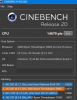
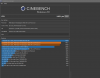
And the Cinebench Score 14.6K at 4.3GHz on a TR 3960X where @Rage Set was getting 15.1K on 44.75. If I pushed up that far I would prob hit a higher score with this OS I may try later.electrosoft, Rage Set, Papusan and 1 other person like this. -
Completely understandable hence why like you said earlier the newest version he has shared is for donators only which is why I didnt share that link. Curious to see if you guys get an improved score with this version of Windows. Some things still may need tweaked but not as much as stock Windows thats for sure.
Sent from my SM-N975F using Tapatalk -
Will give it a try in the near future, that's for sure.
Im curious as well. As quite a few folks in here have streamedline installs as well, but would still need one for Windows 7 though. (Unless you already have it) I think some of your scores would be far higher just running that OS.Last edited: Feb 18, 2020 -
I went back to our old replies on too low Cpu performance. See here http://forum.notebookreview.com/thr...ers-welcome-too.810490/page-626#post-10934165
Was those benches done with the modded Windows builds from Oprekin? From what I understand from your posts, you have used it the last year. My links is from July last year. Thanks -
What are your RAM settings with that run with the 29K score? I have found 3DMark 11 is very RAM speed-hungry and it shows primarily in the Physics and Combined Tests (not much or at all in the others). I have also found certain Windows 7 updates can affect this. If the wrong updates are installed, that 29K Physics score can quickly degrade to a 25K score, just like the Windoze OS X abortion. Interesting what you noted about AIDA64 as well. I have not been able to figure out what the deal is, but if my 3DMark 11 or Fire Strike, or AIDA64, benchmarks are sucky, closing the benchmark and opening it again will sometimes fix the issue. Other times a reboot will fix it. The Fire Strike Physics and Combined tests can be even more buggy than 3DMark 11. If the Fire Strike Physics test doesn't launch at around 145 FPS and the Combined test doesn't start out around 80-85 FPS, you may as well just hit escape and end it right there because the score is going to totally suck.
I can run 4200 on the RAM without issues (but it's 4000 RAM already and not much of an overclock). If you look in the BIOS on the RAM page notes when you move to the field for memory voltage, it states:
- Memory Voltage: DDR4-3600+ MHz may require 1.450+ V for memory.
I can boot at 4400 with 1.600V and all the timing set to "Auto" but I have errors loading Windows. The Boot Manager usually cannot find the \Windows\system32\winload.efi file, and when it does I generally get a "Memory Management" bugcheck code. No amount of voltage or timing tweaks I have found will make 4400 usable.
-
In the picture below.
I have noticed those notes, but never really gave them a second thought as I jump right to 1.5V@4000 Mhz. I think it's possible to run higher over clocks with using on 2 sticks, but 3dmark11 wants 4 slots filled.
I just booted 4200 and it ran 3D11 1 times before cutting out.29K, but after that bench kept exiting out. So voltage related, but not a hard lock voltage issue. That was [email protected]. I'll have to go back and see why that is. Normally it's errors all over the place and wont boot windows. -
See if either of these will work for you. They won't necessarily pass memory stability tests, but they're usually benchable. Sometimes not with Time Spy, but usually for most other things (for me anyway). Same settings were more stable with the 7960X. Maybe the memory controller was a little stronger on that CPU. But, they do work for my 7980XE as well.
![[IMG]](images/storyImages/kOkw2xo.jpg)
Ignore the voltage value on this one. I forgot to change it to 1.550V or 1.600V before taking the screenshot. (The 1T command rate needs 1.650V, 2T does OK with 1.600V or less.)
![[IMG]](images/storyImages/5afuzeO.jpg) Last edited: Feb 18, 2020
Last edited: Feb 18, 2020 -
Another thing that also works pretty well for me. Set XMP, then change the speed to 4200. Change the voltage to 1.600V. Then change everything else below that to "Auto" (zero), and let the BIOS train it. If I leave it set to "Manual" it sometimes doesn't work as well as XMP and then manually overriding everything else. Not sure if selecting XMP triggers other changes behind the scenes, like memory training changes, or what. Just an interesting observation for which I do not have a technical explanation for, LOL.
Edit: Here are some more BIOS screenshots from my thumb drive that work pretty well with these sticks.
![[IMG]](images/storyImages/KWoS4Ol.jpg)
![[IMG]](images/storyImages/ssl4KXS.jpg)
![[IMG]](images/storyImages/zIJFsyR.jpg)
![[IMG]](images/storyImages/SXMfJ7o.jpg)
![[IMG]](images/storyImages/UDgZznT.jpg) Last edited: Feb 18, 2020Papusan, TheDantee, Johnksss and 1 other person like this.
Last edited: Feb 18, 2020Papusan, TheDantee, Johnksss and 1 other person like this. -
Yes correct however the benchmarks that show my 9900K was with my first one and that chip was horrible like 1.33v for 5GHz i eventually broke it by direct die and sanding the die down to far. I bought a second one at it did 5GHz at 1.245v but i also swapped from the Evolv X case to the Cerberus X and sold my Dual 360mm rads and picked up a single 240mm so didnt attempt benchmarking it tho I should have. Anything ive run from my P870KM onward is on the Oprekin builds. I dont think its the OS fault for a low score I think it was just a horrible chip. I eventually broke the 2nd 9900k by sanding it to far down as well. Wish I had benched it tho.
Sent from my SM-N975F using Tapatalk -
RAM Timings should be stock in those Runs 3200MHz CL16. I dont think I tried changing ram timings till after my 3D Mark Scores. My ram on my 2nd 9900K is 1.5v 3200MHz CL14. But its back to stock 3200MHz CL16 1.35v on my threadripper at the moment.
Sent from my SM-N975F using Tapatalk -
Hopefully, @EricSimonSPT comes in this thread to showcase his build. I won't spoil it though.
-
I think the points have fully transitioned over!
48th! +4
We're nicking at the heals of 47 and 46...we've got this ...
Attached Files:
-
-
Welcome to the team But the
+4 was for the whole monht
And all points is welcomed
![[IMG]](images/storyImages/B7USu2a.gif) Last edited: Feb 18, 2020iunlock, Johnksss, Rage Set and 1 other person like this.
Last edited: Feb 18, 2020iunlock, Johnksss, Rage Set and 1 other person like this. -
Super glad you joined us. I emailed @Prema and he is as well. As Brother @Papusan said, all points are welcome. And, all friends are welcome, even with no points that follow. Brother @Blacky also just joined and his notebook review team will be uploading results soon.
Brother @Johnksss the RAM settings that work for you seem to cause me some issues on these sticks. Probably just one of the values is off from what they want, (probably the tRP is too low,) but my CL14 settings still work. And, the CPU settings are totally 3DMark 11 and Vantage stable.
Papusan, iunlock, Johnksss and 1 other person like this. -
-
Sounds exciting. Anything special or secret weapons, or just some random parts.
-
Yeah, I can't run yours as of yet. Everything seems to just exit out. Grrrrrrrrrrrrrrrrrrrrrrrr! LOL
iunlock likes this. -
Indeed. We can be outright dangerous when we put our noggins together.
Yeah, the 'BOT is kind of a mess. Been having some side discussions with Brother @Papusan about that very thing. Seems like SO MANY things are messed up or broken in the tech world right now. They're just one of the symptoms. Seems like they never heard of "if it ain't broke, don't fix it" over in their part of the world. -
The whole bot ranking system is messed up.
This is one of several I have cleaned up today. The bot want me to be on 2nd with subsequent lower points and less gold.
But my score is for 1th place. I had to go back and delete my second submission for X265.
Once this was done this... My 1th place come back from nowhere for X265 and gave the correct points and the missing Gold
Rage Set, Johnksss, TheDantee and 1 other person like this. -
No point in fight with the bot mess.
The scores will come and go.
I would run 10 bench of each. Have seen Threadripper put out different scores as you bench it in a row. 50 points of +14500 ain't much. Thanks for the testing. +repLast edited: Feb 19, 2020 -
This one at 5.1GHz is just 15 points shy of my personal best at 5.2GHz.
Based on core/thread count, this works out to around 333 points per thread (18C/36T).
Compared with TR 3960X (24C/48T) averaging around 15.1K at its typical max overclock in the 4.5GHz range (without sub-zero cooling) that works out to ~315 points per thread.
With all of the media hype around Threadripper setting new records, I wonder why we don't see any observations like this? (OK, yeah... I know why... just saying, LOL.)
-
Yes, that can definitely make a measurable difference. Windows 10 is just chock full of worthless bloat when left to its own devices. Nothing short of appalling from my view. That is why using LTSC is the best approach. It doesn't really need any modding because it doesn't have anywhere near the level of bloat/filth as Pro and Home, or regular Enterprise.
Windows 10 LTSC and Windows 8.X and Windows 7 also have more bloat than they need. You should use ESO with your modded Windoze OS X to disable more garbage services and see how much higher the score goes. If you haven't tried that yet, the improvement might be even more remarkable.
https://www.sordum.org/8637/easy-service-optimizer-v1-2/
Here's how much worthless trash I have shut down for benching.
![[IMG]](images/storyImages/4uzWfMT.gif)
-
-
I am sure your modded ISO is a major improvement over stock, but I wouldn't assume that it leaves no room for improvement. What you see in my Services list is a portable app with a config file containing services that span all OSes in a quad-boot system (W7, W10 Pro Lite, W10 Enterprise 1909 and W10 Enterprise). So, there will be some that are not applicable and my list in ESO is longer than normal for that reason. I'm sure if you take the time to look you will find a substantial amount of worthless bloat, even with your modded ISO. My W10 Pro Lite is much lighter (similar to LTSC) but there is still lots of trash gumming up the works.
Tip: If you are only going with the default list in ESO, there are generally a lot of missing services that can be disabled that are not listed by default. You have to add some to the list in ESO before you can create a profile to disable them. Open Services.msc and sort by "Running" and compare that to ESO. I think you may find the list is longer than what you see in ESO. Manually add the missing services to your ESO "Extreme" profile and set them to be disabled. And, on top of that, there are services that Windows 10 protects. To disable some of those you have to run Services.msc using NSudo as Trusted Installer with all privileges enable before you can disable them, otherwise, you will run into denied access or grayed out properties.
Edit: The trash can also include third-party applications that add services that are not necessary. Those are also often missing in the ESO list unless you manually add them. Things like Adobe and Macrium and Nero (to name only three) also add update checkers and "genuine" Nazi license checker spyware services and all of those suck the life out of your system. Micro$lop isn't the only producer of garbage. They're in good company with software vendors. The list can be huge, and includes various driver packages adding bloat (default Intel chipset and MEI, network cards, GPU driver packages, etc. generally add worthless garbage) and game clients carry a payload of filth (Punkbuster and other anti-cheat garbage, "helper" services, etc.). In almost all cases, none of those services are actually needed or important.Last edited: Feb 19, 2020Papusan, Johnksss, Rage Set and 1 other person like this. -
So, in the very very short version of optimizing the os.....
ESO can basically turn a factory install of windows 10 with bloat ware in to a benching os and back at the click of a button.
My standard Windows is pretty damn close to my benching os now. -
Rage Set, Johnksss, iunlock and 1 other person like this.
-
My small contribution....
Mr. Fox, Rage Set, Papusan and 1 other person like this. -
Slightly better one...
Mr. Fox, Rage Set, Papusan and 1 other person like this. -
Oh 3DMark when are you going to separate the eGPU submissions? *face palm*
It's sad when a native bga 1070 beats eGPU submissions with 2070 and 2080's lol...
1, 2 and 3 are eGPU's lol....
Attached Files:
Mr. Fox, Johnksss, Rage Set and 1 other person like this. -
-
Older drivers, better scores and more points. Who said newest has to be better?
https://hwbot.org/submission/435871...ven___basic_hd_graphics_4000_478.92_dx9_marks
![[IMG]](images/storyImages/2309302.jpg)
https://hwbot.org/submission/435871...n___xtreme_hd_graphics_4000_196.99_dx11_marks
![[IMG]](images/storyImages/2309305.jpg)
https://hwbot.org/submission/4358713_papusan_3dmark03_hd_graphics_4000_21094_marks
![[IMG]](images/storyImages/2309298.jpg)
https://hwbot.org/submission/4358714_papusan_3dmark05_hd_graphics_4000_15790_marks
![[IMG]](images/storyImages/2309299.jpg)
https://hwbot.org/submission/4358715_papusan_3dmark06_hd_graphics_4000_9191_marks
![[IMG]](images/storyImages/2309300.jpg) Mr. Fox, Johnksss, Rage Set and 1 other person like this.
Mr. Fox, Johnksss, Rage Set and 1 other person like this. -
Sorry the double post. But different topic
![[IMG]](images/storyImages/small@1x.png)
Optimus Foundation CPU Block (Intel) techpowerup.com | Today
REVIEW WATERCOOLING
Perhaps the most requested CPU water block review in years, we finally take a look at Optimus Water Cooling's Foundation CPU block. With a near-rabid user base touting praises galore, we put it to the test to see if the hype and asking price is justified.
Read Review
Optimus Signature V2 CPU Block techpowerup.com | Today
REVIEW WATERCOOLING
Alongside the Optimus Foundation CPU block, we saw it fit to also cover the company's flagship Signature CPU block. In its second version, the Signature V2 for Intel CPU sockets features to good effect a thick unibody brass top and mounting bracket, as well as the cooling engine and other features of their Foundation block.
Read ReviewRage Set, Mr. Fox, Johnksss and 1 other person like this. -
Give me a task, what do you want me to bench? Just go to do a <forced> reinstall of my Windows after MS borked the last update and made the system go into an endless loading screen.
Survived for a few days on my macOS installation.Rage Set, Papusan, Mr. Fox and 1 other person like this.
*Official* NBR Desktop Overclocker's Lounge [laptop owners welcome, too]
Discussion in 'Desktop Hardware' started by Mr. Fox, Nov 5, 2017.



![[IMG]](images/storyImages/2308771.jpg)
![[IMG]](images/storyImages/2308758.jpg)


![[IMG]](images/storyImages/image_id_2309249.jpeg)