 Problems? See this thread at archive.org.
I'm installing the latest driver from nVidia's site. The one I have was from the CD that came with the GPU card.
The thing with the power supply is that you can't really get 22A for a fair price. As far as I can see, most PSU are 20A, at least in the shop where I've bought mine.
-
GTX460.7 ? for the GTX460 768MB. Ok i like the riddles.
-
Guys, I would need a fast asnwer if possible.
GTX 560 2GB or GTX 560 TI 1 gb?
As far as I know the more VRAM the card has the better in case of eGPU. Am I right?
D -
In first page yu should write in bold that with old intel chipsets and AMD/ATI graphic cards you have 50% of the full potential of the cards. Even if some can do the tweak.
And x1E should just be named x1 but instead the cards downgraded should be name x1D for Downgraded or x1H for Handicaped -
Thanks, but I managed to get myself a massively reduced x220 instead - so I guess I have much more potential now?
-
I've watched Vram usage in GPU-z. The only game I've seen that managed RAM in such a way for 2GB to possibly help was Crysis. Crysis would start out at around 600MB, and slowly increase as I went to other areas until every MB of Vram was used. No other games did this. All other games would leave a large chunk of Vram unallocated no matter how long I played the game or ran a benchmark.
So I recommend the 560 TI. -
Well, after a couple weeks, I finally got eGPU (GTX460) to work on my ThinkPad x220!
I ended up following Xav's instructions here: http://forum.notebookreview.com/gami...ml#post7572285
After talking with Xav via PM, one difference that I'll note is that when Windows recognized my GTX460 and applied the Standard VGA driver, it slapped on a Code 10 (device cannot be started) - Xav did not see this. My problem was that I was under the false assumption that I had to fix the Code 10 first, then apply the stock 275.33 Nvidia driver (which of course wouldn't work at this point), then replace the inf file with Nando's nvam.inf, then re-run the Nvidia setup.
So I think maybe Nando should consider revising the instructions to specify that the modified nvam.inf is what will allow the Nvidia driver to install properly and to not even bother installing the stock [Nvidia] driver provided that Windows can at least recognize the graphics card and apply the Standard VGA driver.
That said, I can also verify Xav's findings that forcing the PCI Express option to Generation 1 is necessary to prevent system crashing. Also, I can verify that everything worked on BIOS v1.11 - didn't even bother with any later versions. -
Thanks for you kind help!
I chose a Gainward GTX 560 TI Phantom
D -
Here is my DX11 stats.
3dmark11 - 2744
Heaven - 727
![[IMG]](images/storyImages/heaven.jpg)
-
Nando has been posting the 3dmark11 graphics score instead of the total score, so if you could post that instead I think he would appreciate it.
-
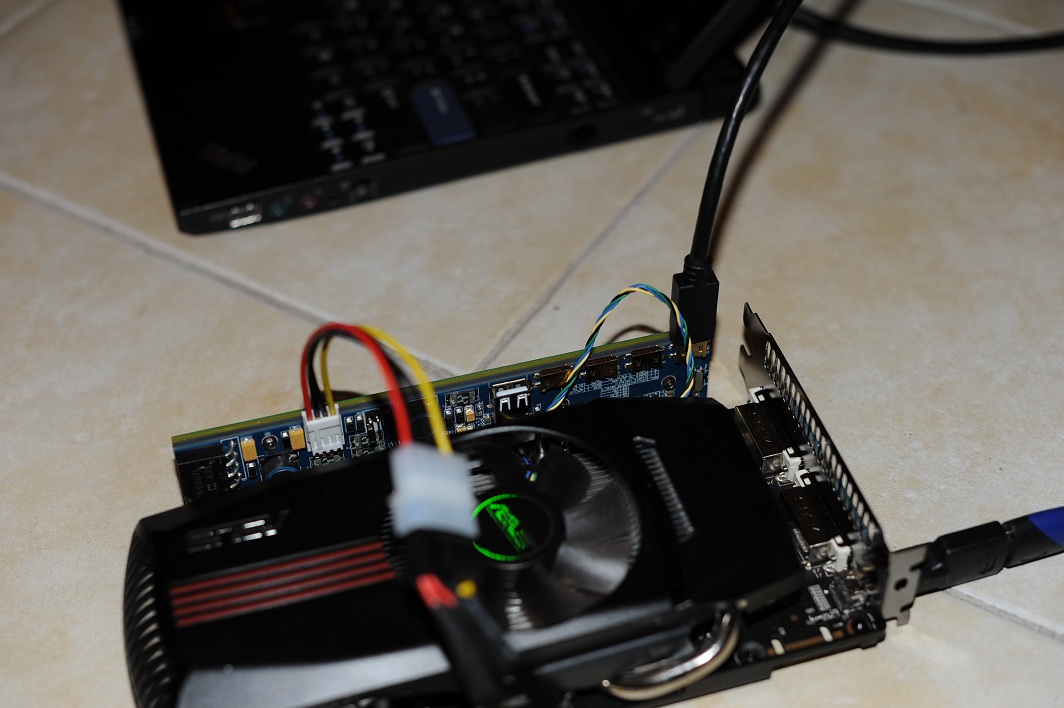
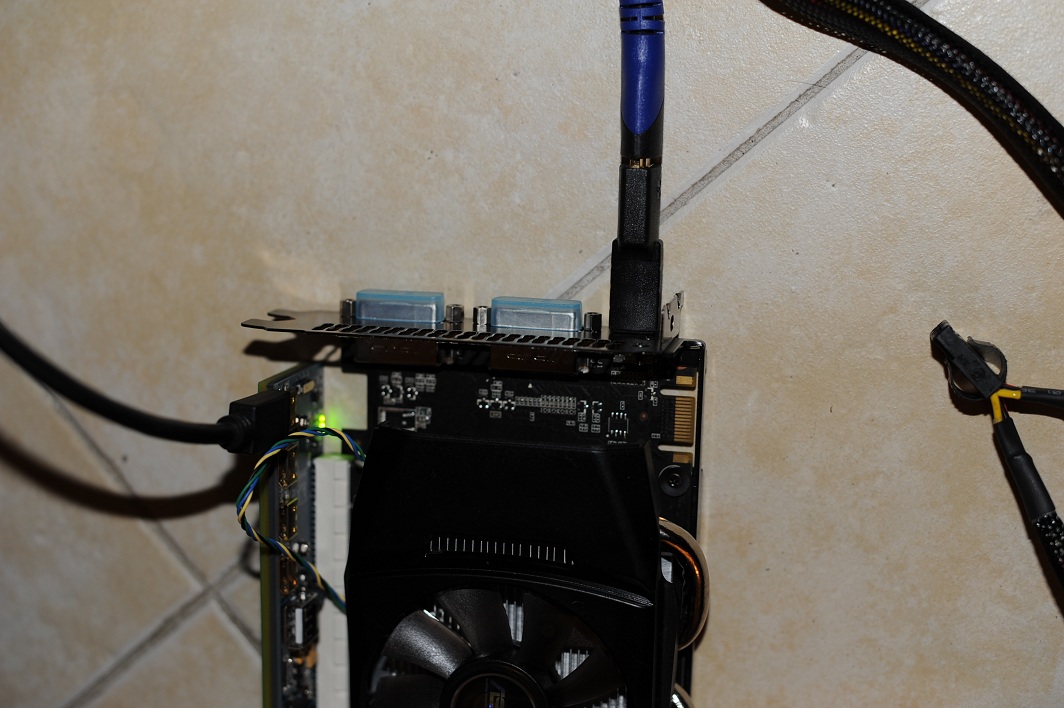
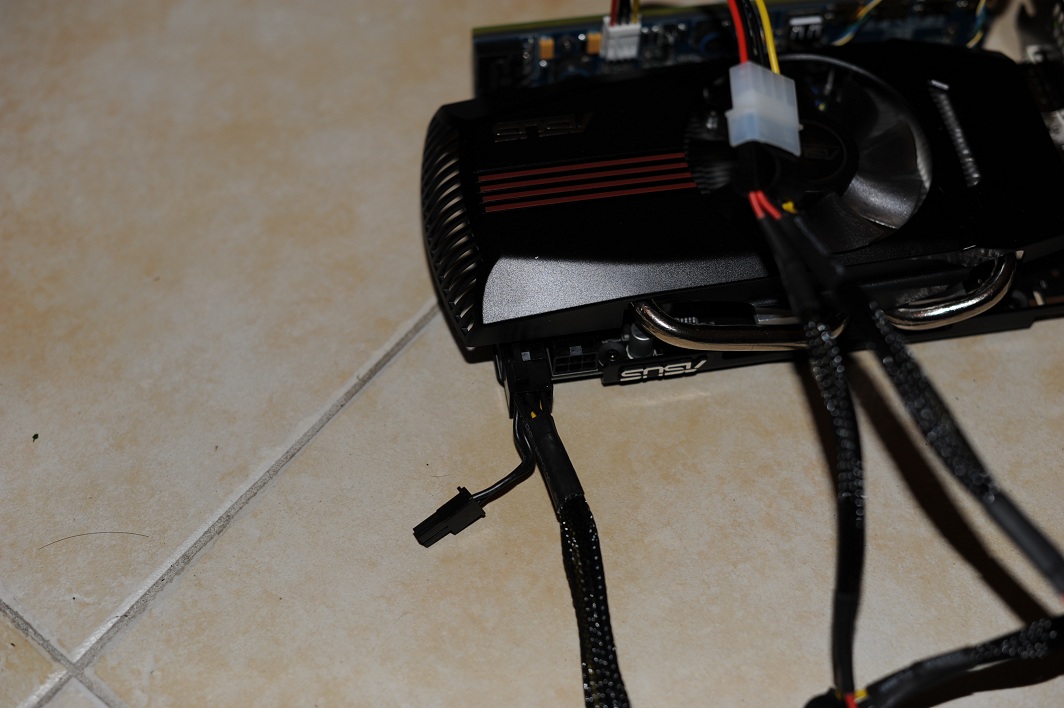
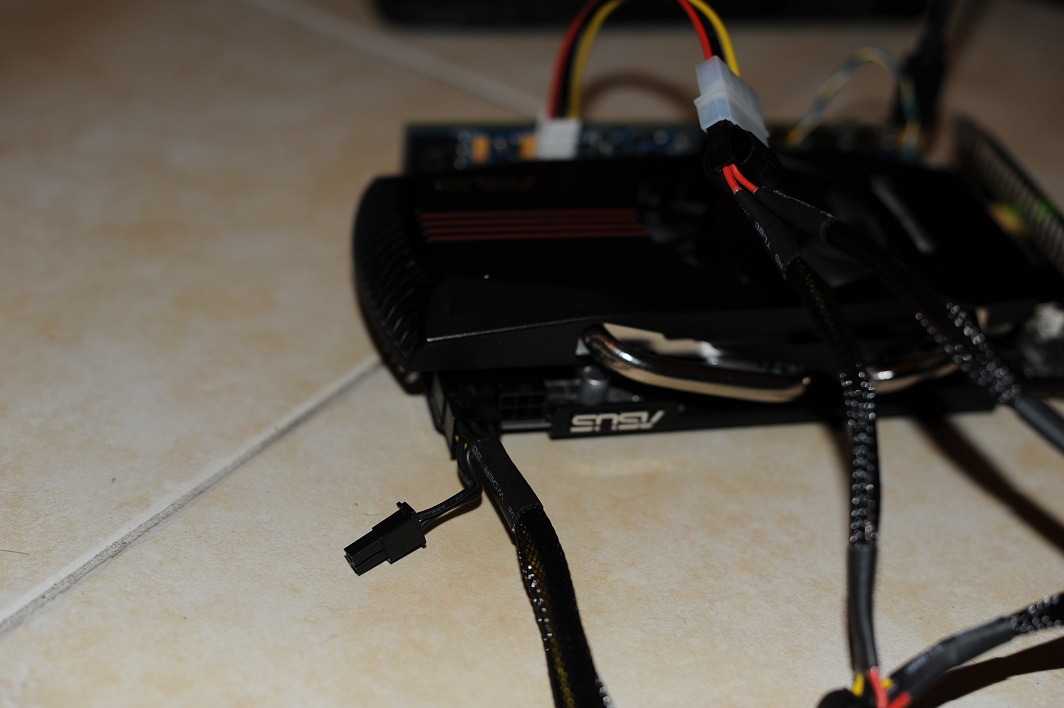
I ended soldering my wires to the PE3A to see if it could be done today. The wires are secured now, and the PE3A is operational. The Galaxy GTX 460 Razor is still operational as well. I ended up soldering to the top of the PE3A on the test poles.
Hope this helps.
-
I'm very new to this and would really appreciate some help. I have a dell inspiron 1545, and i was wondering if this DIY eGpu would work for me if so which gpu would i need to get? Thanks in advance
-
Please visit first post to know available options. You also can check at first post whether somebody already tried eGPU on Inspiron 1545.
-
Hey, good to hear. My PE3A arrives Monday, although school started and I have some work so I don't know when I'll have the tests all done.
-
Right on, here is the newest.
3DMark Score
P2707
--------------------------------------------------------------------------------
Graphics Score
2612
--------------------------------------------------------------------------------
Physics Score
4425
--------------------------------------------------------------------------------
Combined Score
2071 -
hey bache do you know if your setup will work for me i have the same laptop except my cpu is a T4300
-
What do you all think will be the next step forward in regards of eGPU connectivity? I'm in the market for a new laptop, but could certainly wait if there are advancements expected soon.
It seems that bus speed is the current bottleneck and there are numerous issues with the mPCIe solutions. Do you think it's worth waiting (unless you're fine with a Mac) for a computer with Thunderbolt? Or is ExpressCard 2.0 a viable option? -
Nando4!
How can we decide if a laptop will have TOLUD issues or not. I might get the Fujitsu Lifebook A531 with 4 or 8 Gb of RAM and I don't know if I will have any problem.
Thanks!
D -
hi, guys I got the following error message when I am trying to connect gtx560 to my Thinkpad X200T with consair cx430 and PE4H.
I downloaded the driver for GTX560 from nvidia's website but it is not detecting my card, am I doing something wrong?
can you guys check if I have connect all my cables correctly.Attached Files:
-
-
I don't know if that is the case, but I had the same problem. Try to plug the other power cable in the card (both should be used). That solved my problem.
-
so I plugged in the other 6pin on the graphics card from two 4pin power using an adapter. Still getting the same error message when trying to install the driver....
-
2 x PM3N cards arrived today. It arrived earlier than I thought (shipped on 26/8). Plugged in everything & set x2 link using eGPU Setup 1.x. I unable to do all benchmarks today since CPU is throttling very badly (due to overheating). Other than that, I do noticed huge performance boost with x2 link. The mini-HDMI adapter is too big, preventing me from using screws to secure the PM3N cards properly. However, this doesn't prevent eGPU from working great.
![[IMG]](images/storyImages/ATIRadeonHD5870x2.jpg)
RE5 DirectX 9 Variable Benchmark: First run before CPU start overheating.
![[IMG]](images/storyImages/DellStudio1557HD5870x2RE5VariableIncomplete.jpg)
RE5 DirectX 9 Variable Benchmark
![[IMG]](images/storyImages/DellStudio1557HD5870x2RE5Variable.jpg)
I'll run complete benchmarks, including game benchmarks later, after I solved the overheating problem. I'll update my eGPU Experience post after that.Last edited by a moderator: Feb 6, 2015 -
Hello,
I recently tried the eGPU route so that I could record "lets plays" for the game Minecraft. Without an eGPU, I am able to just barely record gameplay without it being laggy. The recording software I am using is Fraps and from the FPS display, I get between 22-32 FPS when recording.
I ended up purchasing the following:
-PE4L + US$50 GT430-1GB+ US$10 12V/72W AC adapter (first option in this post http://forum.notebookreview.com/6511544-post1500.html).
I was hoping that by going the eGPU route, I could achieve a moderate bump in video performance. Instead, I end up getting more lag with my FPS dropping to 5-10 FPS during recording.
I believe from reading the Minecraft wiki that video performance is my issue considering I do not come close to using my available ram and my hard drive doesn't seem to have any difficulty transferring data at rates of 4MB/s.
My computer is a Sony Vaio EA Series (VPCEA390S) with the following specs:
-Chipset:Intel® Core™ i3-370M processor (2.40GHz)
-GPU: ATI Mobility Radeon™ HD 5470 GPU (512MB VRAM)
-RAM: 8GB (4GBx2) DDR3-SDRAM-1066
-Harddisk: 500 GB SATA Hard Disk Drive [7200 rpm]
I have updated my video card drivers and expresscard driver. Anyone know why I might be worse off with an eGPU in this case? -
You can find the TOLUD in the device manager. Ask someone who owns one to go to "view", then "resources by connection", and post a screenshot of the "memory" dropdown.
-
I think that optimus compression is not engaging, leaving you with a pure x1 link. Use nando's setup program to disable the HD 5470 and see if that enables optimus.
-
You'll need access to the laptop to know the TOLUD value. The easiest way is by looking in Device Manager. Set the View to " Resources by connection" & expand the Memory tree. For example like this:-
![[IMG]](images/storyImages/ST1557PCIBus.jpg)
Look at memory address with seven 0s or with eight digits. In the above example, the first PCI bus is start at address A8000000. So, TOLUD is set to 0xA8000000.
Code:0x100000000 = 4GB 0x10000000 = 256MB 0x8000000 = 128MB 0x10000000 = 256MB / 1024 = 0.25GB 0x8000000 = 128MB / 1024 = 0.125GB 0xA0000000 = 0.25GB * 10 = 2.5GB (multiply by 10 because 0xA = 10 in decimal) 0xA8000000 = 2.5GB + 0.125GB = 2.625GB 0xB0000000 = 2.75GB 0xC0000000 = 3GB 0xD0000000 = 3.25GB 0xE0000000 = 3.5GB 0xF0000000 = 3.75GB
The reason why the worse performance is because you're running at x1 link. To get better performance, do x2 link if possible. This will require using PCIe port 1 & 2 or 3 & 4 or 5 & 6. Another solution is getting a Sandy Bridge notebook with Intel HD 3000. This will enable you to setup eGPU x1.Opt (with Optimus). x1.Opt is better than x2 & x2 is better than x1 link.Last edited by a moderator: Feb 6, 2015 -
can you please help me, I bought all these equipments thinking there will be a forum to support me. I really don't want all this money wasted...
I have everything set up and connected, I really don't know what to do. I am really lost. -
Does the 560 show up in the device manager?
-
I can't seem to find it, under which sub section should the 560 show up?
-
Should be under "display adapters". It might be listed as "unknown device".
If it's not there, then how loud are your fans? If the card is not detected at all, the fans will be very loud. If it is detected, the fans will be virtually silent. -
it is not detected in device manager, the fans on the gpu are spinning but virtually silent as you said.
I also checked in the Bios, the expresscard slot is enabled. Don't know where I am doing it wrong. -
PE4Hs and PE4Ls have occasionally been defective in the past, and your symptoms are in line with a defective PE4H. I would get whoever you bought the PE4H through to give you a replacement.
-
I bought it from a seller called Redtrontech on eBay, do they have a reputation of selling faulty PE4H?
Before I open a paypal dispute, is there any other way to test if it is pe4h is faulty or the cpu is faulty or something else? -
From my understanding, it's unheard of to get a DOA graphics card. Sometimes a voltage regulator explodes after a small amount of use, but never DOA.
If I were you I would ask the seller for an exchange PE4H before opening a dispute. Just tell the seller that it seems that the part is defective, and you would like a free exchange. The seller would most definitely rather have a defective part on his hands than to take a reputation loss. People have received defective PE4H's and PE4L's directly from hwtools, so it is not a seller specific problem. Other parts could be faulty instead, but historically the bad part has been the PE4H/L. -
Hey everyone,
My PE3A arrived today, but unfortunately the little...testing things? for 12V and 5V are a bit difficult to work with, I'm not sure how I'm going to connect this to my PSU...anyone have suggestions? I think I'll try some unstranded cable with tape first as a temporary measure. I'll try to see if PCI-e 2.0 works by tonight.
And if anyone is thinking of trying this, the PE3A is rather sketchy structurally, a very very thin PCB holds it together as JediMasterZon says in his video. What I did was take a spent gel pen ink cartridge and fit it into the gap to give it a bit more support, and then I added some tape. This is definitely something you have to be gentle with though.
EDIT: nevermind, don't have solid core cable in my dorm. This is going to be pretty fun, fingers crossed [deep breath] -
Good luck. I'm hoping my adapter-adapter PE4H method works. Much simpler than modding a PE3A. Unfortunately it puts the 460 in an awkward spot, but it would be something I could deal with. If it works but unstable, then I'll get the coupler that was linked earlier. If it still doesn't work at all then we know that the cable is definitely not the problem.
Also what's the big deal with power? Can't you just cut up a 4-pin molex connector and directly solder it? -
Alright guys I apologize, but there won't be results for a few days probably. I brought female molex plugs to my dorm instead of male, only male plug I have is a Y splitter which I'm hesitant to cut up and waste most of.
So right...the power supply. I hooked it up by twisting the wires and inserting them, but I didn't exactly do the taping part. So I ended up shorting them and almost causing an evacuation of the 400 people or something in our complex, and burning my index finger. Anyways before that happened, I was getting:
Code 38: Windows cannot load the device driver for this hardware because a previous instance of the device driver is still in memory
So this makes sense since I think I didn't follow the procedure for plugging in correctly. Then I rebooted (what microsoft technet suggested) and I think the card was detected but not listed as "Nvidia GeForce GT240" but "VGA adapter" or something.
All this while, the Expresscard setting in the BIOS was auto-detect, not Generation 1. So I think this might work, but I don't think I'll be messing with bare wires like that again (sadly this isn't the first time it's happened, as you can see I don't really heed safety precautions as much as I should). I'll try soldering the molex connector on when my finger doesn't hurt like hell anymore, so I don't accidentally bump it into the iron and get another burn.
Oh I also have some algebra and analysis homework which will be setting me back :/ -
I sell my PE4H 2.0a if someone is interested. But i'm located in Europe.
-
Where in europe?
-
I have been talking to my PE4H seller asking for an exchange, he replied to me with this
"Could you help me to check the PE4H board some fuse F1 to F6. It's normal as short? If not pls pass throught by wire. And reply your test result. Thanks."
what does he mean by this? -
Hi,
I have dell vostro 1510 laptop without any graphic card. I want to attach graphic card to laptop for playing pc games which require graphic card. I'm very noob to technical stuff and I need serious help to achieve this task.
Thanks. -
It sounds like he wants you to check the fuses with a multimeter to make sure they aren't blown if you can.
-
Hey all,
I'm a complete noob at all of this, but have read and reread the first page of this thread and plan to undertake the project on a Toshiba A665-S6086. Is this the thread to put annoying beginner questions? I think I have most everything figured out, but I still have about 10 questions. Would anyone like to be my eGPU mentor?
Thanks - Also sorry if this should have been posted somewhere else, just wanted to get this thing going and post my experience. -
Hey all,
has anybody tried an external gpu with a Vostro 3450 with the internal AMD 6630? Couldn't find such a post. Only posts with people using a Vostro with just the Intel HD 3000. So does an eGPU work with a Vostro 3450 (6630M) + Nvidia?
Thanks -
So I stumbled upon this on the OP post:
and was wondering how I could do this with my sony vaio? As of right now I am only using the expresscard port to run this thing with the PE4H.
Pics would be helpful if there is instruction. Thanks! -
It should work. You might have to disable the 6630 though in order to allocate enough resources to the egpu, or to enable optimus.
-
Hey. I am selling my PE4L with male to female molex adapter and a 12V/10A ac adapter as my expresscard hp died.
I was using this setup with a EVGA GTS 450 SC with no problems. The graphics card is now in my computer.
I bought all of these parts around December 2010. I've probably used it a handful of times because I pretty much just used it for gaming which I didn't end up doing too often.
Please send me an email at [email protected] if you are interested. Thanks. -
Hey, guys. I would appreciate deeply if someone could help, especially Khenglish since we are using the same system (e6520).
So I got my pe4h + ec2c with evga gtx 560 ti. I installed everything following the instruction in How to make an external laptop graphics adaptor | News | TechRadar UK .
I connected the ec2c to my laptop while the laptop is on. Windows 7x64 started looking for the driver and downloaded the driver automatically and installed. But there was some error saying that the LCD is not connected to the GPU.
So I restarted the computer, and I could see my external LCD monitor turning on and displaying all the info. Windows loaded then it installed the driver again. Then it prompted me to restart.
I restarted and when the Windows splash screen opened up, my external LCD turned off and I have no screen in both laptop and external LCD screen. Is there something that I'm missing?
I'll appreciate any help really. thanks. -
Just a couple of quick questions before I make some purchases. My laptop is a Toshiba Satellite A665-S6086 with a and i3-370 2.4 Ghz. Windows 7 x64 The graphics are Intel HD.
1. Do I have expresscard 1.0 or 2.0 (doubt it) can't for the life of me find out.
2. Since I have a 5 series chipset does that mean I can do a 2X, 4X or 8X setup?
3. Should I purchase the PE4H or PE4L. I want the the highest bandwidth I can possibly get.
4. I am assuming I will be taking advantage of Optimus (am I wrong)?
5. What are a couple of options for a GPU and should I only purchase NVIDIA?
Any thing you want to add or direct me to would be good.
Thanks
DIY eGPU experiences
Discussion in 'e-GPU (External Graphics) Discussion' started by master blaster, Sep 18, 2009.



![[IMG]](http://i1236.photobucket.com/albums/ff457/Kizwan_Chronos/DellStudio1557HD5870x2RE5VariableIncomplete.jpg)
![[IMG]](http://i1236.photobucket.com/albums/ff457/Kizwan_Chronos/DellStudio1557HD5870x2RE5Variable.jpg)

![[IMG]](http://i1236.photobucket.com/albums/ff457/Kizwan_Chronos/ST1557PCIBus.jpg)


