 Problems? See this thread at archive.org.
First of all, I recommend getting PE4H-EC2C ver2.4 directly from HWtools.
ATI HD6790<sup> 1</sup> power requirement: 150W
ATI HD6870<sup> 1</sup> power requirement: up to 200W on peak 3D & overclock
<sup> 1</sup> Both require two 75W 6-pin PCIe power connectors
I don't know ^^the PSU specification but make sure it have enough +12V power. The PSU must have at least 18A current on the +12V rail (+12V@18A=216W) for ATI HD6870.
ATI HD6870 is faster than ATI HD6790.
Performance on x1 link is not very good. For best performance, at least x2 link is recommended. For x2 link<sup> 2</sup> setup, you'll require PE4H + EC2C + PM3N or PE4H + PM3N + PM3N kit.
<sup> 2</sup> x2 link setup required PCIe port 1&2 or 3&4 or 5&6.
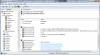
Please check using AIDA64 for PCIe ports assignment. You also need to check on the notebook to know whether the mPCIe port(s) is/are available physically or not (tip: open the HDD/memory/wifi compartment).
According to VGN-CR35G : CR Series : VAIO Notebook : Sony Asia Pacific , your notebook have ExpressCard 34.
-
Arrggh I fixed it I fixed it !
First off, Nando you are a f---ing legend mate, legend. After 36 hours of this I could honestly kiss you
Turns out I was copying the modded inf file to the wrong directory, needed to hit the one in the unzipped driver folder, not the installed one.
Ran a quick 3dMark and got 5239 3dmarks on first go before OC - meh not a great improvement (2k ish), im hoping its due to 3dmark just getting hit hard due to 1x bandwidth.
That said, does anyone know if you can do a 2x link or a 1E link with an Acer 6920? As far as I know its never been tried before.
Port setup is in attached image.
Also, I don't really understand the idea of ports well - can you reconfigure them? Like move a wifi adapter from 4 to 6 or something? Can you disable a specific adapter like the ethernet and then use the same port for a x2 link? Sorry if these questions seem very elementary - i seem to be slipping up on the easiest stuff tonight...Attached Files:
-
-
Glad to help Your 3dmark06 result is what is expected form a non-Optimus x1 link. It sounds low but games will show a considerable performance improvement over the 9500M GS.
The ports are static - they cannot be reconfigured other than if have 2 mPCIe slots can move one card to another. The only 'virtual' link setup is a x1E, which is really x2 port with only the first lane attached. For whatever reason the ATiAMD cards will run full duplex when encountering that port on a Series-4 or older chipset (Core2Duo). Likely it's an ATiAMD issue more than anything.
6920 schematic shows it has an expresscard slot (port2 from your findings) and another two mPCIe ports. You show wifi is port4. Can you swap the wifi into the other port and confirm it comes up as port3? If it does then you have the following options for better performance:
* ATiAMD@x1 on port2 (expresscard) -> 3dmark06 will give better result but real gaming may tell a different picture. See back-to-back on first page. I wouldn't bother.
* ATiAMD@x1E on port3 (mPCIe) -> more usable performance but would only consider it if had a lot of DX9 titles otherwise would do x2 below.
* ATiAMD/NVidia@x2 on port3+4 (mPCIe+mPCIe) -> the most performance.
Detailed x1 versus x2 real gaming performance comparison was recently posted by mangos47 and kizwan. -
Hmm, how exactly do you go about swapping the wifi from one port to another? Does setup 1.x do it or is it a physical hack?
I havent really mucked about in there except to replace thermal compound, so a guide to changing the ports would be great. -
I have done as per given instruction above but finally when I Boot windows at that time Beep sounds came and screen remains black nothing happen. please guide on it.
-
Does eGPU detected in Setup 1.x?
-
No. I get message that eGPU is not detected and gives different messages for different eGpu versions. Like for latest set delay of 7 to 15 sec on some pci port.
Thanks.
-
Did you power ON eGPU after setting x2 link?
-
Yes I power on eGPU after setting x2 link thereafter when I reboot blank screen appears with scary beep sound. I don't know what is going wrong?
Thanks.
-
Please try:-
# At "PCIe Ports" menu, set x2 link on Port1
# Power ON eGPU.
# Press F5
Let me know whether eGPU is detected or not. -
After following below procedure msg appears as gathering system information there after Menu screen reappear but it doesnt show any information about eGPU detection.
Note: Couple of days ago i added 2 GB RAM total 3GB RAM does this have any impact on this.
Thanks.
-
I'm assuming you're using ATI HD5750, am I right? Did you connect the floppy power connector to PE4H? Please post the PSU specification.
Is this your eGPU connection?
- PE4H's PCIe port x1 connected with EC2C (PCIe Port2)
- PE4H's PCIe port x2 connected with PM3N (PCIe Port1) -
eGPU connection is right.I am using ATI HD 6570 2 Gb.I have connected floppy power connector to PE4H.PSU details ATX P4 Switching power supply model P4-350. On PSU wire details are 10A 250V-AC.
Thanks.
-
What is the maximum current on the +12V? ATI HD 6570 power requirement is 44W. Does LED on the PM3N card light up?
-
At +12V v output 18A, MAX 216W
I also tried to change the ports like connecting EC2C on port1 and PM3N at port 2 that time in device manager-display I saw Ati HD 6570 device with yellow explaination mark then I install driver for Ati HD 6570 and after reboot I found that yellow explaination mark as it is.
Note: After clicking on yellow mark (Properties I saw some code 12 error)
Thanks.
-
You'll need to give detail information. For example what is the error code in the device manager?
Do you mean with these connections, eGPU is detected?
- PE4H's PCIe port x1 connected with PM3N (PCIe Port1)
- PE4H's PCIe port x2 connected with EC2C (PCIe Port2)
If yes & eGPU detected, that is good news. You'll need to let us know what is the error code in device manager. -
Yes. And i don't intend to oc since my GTX 560 ti is already factory overclocked. Besides Ocing does not seem to impact noticeably the perf on egpu.
-
To solve error 12, you'll need to do PCI compaction using Setup 1.x.
-
For the moment i've been able to play BBC2, Dead Island and Deus ex HR smoothly on my internal LCD at 1600*900. Amazing. I'm not really looking into the external LCD way for the moment.
Though i had a quick try on someone' LCD TV and it worked great on HDMI. Optimus doesn't like adapters. HDMI to DVI and DVI to VGA = Fail -
i didn't understand the x2 link setup! the EC2C goes into the expresscard 34!
so where does the PM3N goes?inside the laptop?replacing it with the wifi adapter?Last edited by a moderator: Jan 29, 2015 -
You'll find the answers to all of your questions in first post.
-
i am not planning on replacing or messing in my laptop! i just want to use my 34 mm express card!
this is what i'm planing to build http://forum.notebookreview.com/7718053-post4504.html -
LOL. I just want to help. If that is the problem. Good luck.
-
i am requesting help because i am not that experienced with egpu installation
For better performance you recommended me x2 link setup with either PE4H + EC2C + PM3N or PE4H + PM3N + PM3N setup!
in the first setup PE4H + EC2C + PM3N, EC2C goes into my expresscard 34? and where PM3N goes! i rly dont know man! i need help! just reply me!! plz!I've just done some research about my laptop and i've found that i cant access the slot where the wifi is installed because it's under the keyboard!not the best way connecting a egpu using mpcie!anyway!
you requested PCIe ports on my laptop! here is it what is the bandwidth of a single ExpressCard 34? what about the bandwidth of a x2 link
![[IMG]](images/storyImages/screenshotuf.th.png) Last edited by a moderator: May 8, 2015
Last edited by a moderator: May 8, 2015 -
Alright, after a clean windows 7 32 bit install and removing a 2gb stick of ram I'm down to 2GB and the egpu worked once, but after a shut down and boot up it didn't work anymore, and it turned off the wifi.
I did another clean install and tried again and it worked again, but after the third time it just quit working. It gives me an error the first time.
Do you think it's the cable? -
Okay guys, don't shoot me if I'm wrong or ask anything that is discussed already. But does anybody have experience with a HP EliteBook 8530p?
I'm planning to sell my desktop and use the laptop for everything. But because I'm a occasionally gamer I need the extra power this method can give me.
The PCI-e ports of this laptop are:
I know I have a mini PCI-e slot populated with a WiFi module, a free mini PCI-e slot and also a ExpressCard 34/54 slot available.
I was thinking about ditching the WiFi module (and get a USB wifi dongle) and use both the mini PCI-e slots and the ExressCard 34/54.
But can I do this? Therefor I want you to vision my screenshot above here...
(PS: I'm a real longtime reader of this forum. Almost 3 years I think, but only registered now . Don't be harsh on me...)
EDIT:
Thought about it right now, I can't move the WiFi module (or in other words, it isn't needed) because I can't install anything else down there because it's underneeth the keyboard.
Image:
![[IMG]](images/storyImages/hp_elitebook_8530p-top_open_detail.jpg)
In short, will only be ExpressCard34 and mini PCI-e slot for me. Enough for x2 speed no? -
Help!! - I can't get XP drivers loaded on my Nvidia Quadro FX 3700M card. I need to disable it so I can get my egpu working. Is there a way to mod the XP .inf to force win 7 to load the XP driver?
-
Might be need to replace the mini-HDMI cable. When it's not working, does eGPU detected in Device Manager but got error? If yes, what is the error code? To solve the wifi not working, you'll need to do PCI compaction using Setup 1.x. What is the TOLUD value set to on your notebook (can know with Setup 1.x)?
- If ExpressCard slot at PCIe port#1 or #2 & mPCIe at PCIe port#2 or #1
OR
- if ExpressCard slot at PCIe port#3 or #4 & mPCIe at PCIe port#4 or #3
OR
- if ExpressCard slot at PCIe port#5 or #6 & mPCIe at PCIe port#6 or #5
you can do x2 with PE4H+EC2C+PM3N.
Please don't use the exclamation mark ("!"). It's like you're shouting at me.
If you want to do x2 link, you'll need to use/access the mPCIe port. mPCIe port usually located underside of your notebook, where memory/wireless/HDD located. It will messy but x2 link does provide significant boost in performance than x1 link. You'll be disappointed with x1 link performance. Visit my eGPU experience post to see performance difference between x1 & x2 (link in my signature).
You can do x2 link if:-
- ExpressCard slot at PCIe port#1 or #2 & mPCIe at PCIe port#2 or #1
OR
- ExpressCard slot at PCIe port#3 or #4 & mPCIe at PCIe port#4 or #3
OR
- ExpressCard slot at PCIe port#5 or #6 & mPCIe at PCIe port#6 or #5
OR
- mPCIe slot at PCIe port#1 or #2 & mPCIe at PCIe port#2 or #1
OR
- mPCIe slot at PCIe port#3 or #4 & mPCIe at PCIe port#4 or #3
OR
- mPCIe slot at PCIe port#5 or #6 & mPCIe at PCIe port#6 or #5
You'll need either PE4H+EC2C+PM3N or PE4H+PM3N+PM3N. PM3N connected to mPCIe port.
You might need to remove wireless card. If you really want to do x2 link, you'll need to identify the PCIe port assignment. First identify which PCIe port number the ExpressCard is connected to. Second, identify which PCIe port number the wireless card is connected to. I think linux have software to see the hardware connected on your notebook.Last edited by a moderator: May 8, 2015 -
Hello kizwan, the procedure you told for x2 link is for internal lcd use or for external lcd? I'm trying to do it for internal lcd. I'll post all details with screenshot after some time from scratch.
Thanks. -
So just some general thoughts after a day of using a GTX 560 DCII OC on a 1x EC2C link on an Acer 6920:
Game performance is much smoother despite low 3dmark score of ~5.3k. I can run stuff like Deus Ex maxxed out and have it be smooth EXCEPT when new textures need to load (ie when entering a new zone for the first time); then there is a jagged half second while stuff loads and then smooth again. Is this stuttering an unavoidable consequence of funnelling all data through a x1 link or can I do something to alleviate it? Incidentally, in Setup 1.x I cannot get more than 128 MB free pci allocation space (I had a code 12 initially) without windows crashing at splash screen - so could this low free space have something to do with it?
Also I am having all kinds of issues with DX11 in DA2 - crashes to desktop/BSOD as soon as I enter the main menus. I have tried using nando's inf modded 275.33 and 270.61 nvidia drivers to no avail - same issue both times. EDIT: Add an annoying audio static buzz to the issues... I am sure it is a game specific issue but if anyone else has had it and knows how to fix it I would be much obliged
-
Yours is non-optimus setup. You'll need to get eGPU working with external monitor first. Then can use internal monitor but only on windowed mode.
-
The issue with Deus Ex, is 75% game problem, 25% DIY, even with the last patch applied, some players are experiencing stuttering and some lag, when every level load, Square Enix is aware of this issue, and they´re working in a new patch to solve it.
With DA2, I´m afraid if it´s like the first game, no matter which driver you use, the game will sometimes freeze, or showing a blue screen, or shutting off without warning, in DA was an issue with NVIDIA cards, and at least for my 7900gs, was not solved.
Regards. -
eGPU get detected when I reverse quoted connection? i.e.
- PE4H's PCIe port x2 connected with PM3N (PCIe Port1)
- PE4H's PCIe port x1 connected with EC2C (PCIe Port2)
I usaually follow below steps:-
# with after 1x setup I mounted v: drive, keeping eGPU off, reboot.
# selected eGPU menu after reboot
# port x2 link selected, power on eGPU. most of the time eGPU doesn't get detected. so plug unplug above connection. hit F5 eGPU gets detected
# run compact on eGPU, chainload mdr. choose xp.
# mount v: drive again after window loads.
# go to device manager, plug unplug above connection. eGPU gets detected as graphic card AMD 6500 Series without yellow exclamation mark(if everything goes right I have installed driver for graphic card).
# Go into display properties shows 4 screen. when extend monitor option is chosen laptop hanged.
This is my progress so far....
Sorry for my funny english...
I will try again tonight. I think I'm close...
Please review and guide if there is any mistake...
Thanks.
-
Interesting idea. No matter, as it turns out that I've now gotten it to work now without messing with any of the hardware, and I can't explain why. All I had changed were some power settings in Windows and gotten the latest Windows Updates, then rebooted, and then the software was able to overclock it. Weirdest thing.
Good point. I hadn't thought of doing that. If I ever get stuck in a similar situation, I'll consider it.
Speaking of which, I'm having a separate issue where I'm only pulling about 240 watts max, but my UPS (battery backup) can't handle it. I can't figure out why, as it was working on a desktop rig that required more wattage than this. The only thing I can think of is that the UPS's brand new battery that I recently replaced has prematurely died. The thing is rated at 300W. -
Right, another success story with the X201 i5-520m with 6GB RAM and all the latest drivers! Windows 7 64-bit Pro, latest NVidia Verde Optimus modded drivers and the latest X201 BIOS and all the latest X201 drivers from Lenovo System Update.
To enable Optimus functionality it is NECESSARY to run Setup1.x via external USB flash drive and do a 32-bit(A) compaction. Otherwise I get Error 12 despite the X201 having a TOLUD of 3.00GB.
GTX 460 1GB from Palit, the Sonic Platinum version, running at 800MHz/2000MHz
I've only tested 3Dm06 so far, scores are below what I expect so any suggestions are most welcome to improve performance.
Internal LCD scores 9072 points at 1280x800
External HDMI scores 5347 at 1280x1024
I would also like to stress that ALL of the problems that I had were due to INSUFFICIENT POWER. Please make sure you have more than enough power available otherwise you'll waste your time trying to figure out why your system freezes and BSOD's. Thanks to everyone for their help! -
I currently run some tests on my desktop and my 5850 to make a pci-express scaling review for this card. I used a P55 board and an oc x3440 (~i7-860S) @3.23GHz. This way it had a 57XX 3dmark06 cpu score and it is sligthly better than an 2820QM.
I also run tests with only 2 cores enabled to get the best performance (38XX) 2core i5 and i7 mobile processors can do.
(some 3dmark06 tests were done with 2c and hyperthreading disabled for c2d users instance).
I used speeds x16 2.0, x2 2.0, x1 2.0 and x1 1.0 (connecting the card to my southbridge which have the same problem as the PM55. It reports PCI-E 2.0 but it only handles 2.5GT/s)
Here are the results
![[IMG]](images/storyImages/24690149.png)
xls file
If any other bench needed ask.
The results can be added on first page for user referencing.
![[IMG]](images/storyImages/2006x1102c.th.png)
![[IMG]](images/storyImages/2006x110.th.png)
![[IMG]](images/storyImages/2006x12c.th.png)
![[IMG]](images/storyImages/2006x12c2t.th.png)
![[IMG]](images/storyImages/2006x1.th.png)
![[IMG]](images/storyImages/2006x22c.th.png)
![[IMG]](images/storyImages/2006x2.th.png)
![[IMG]](images/storyImages/2006x162c.th.png)
![[IMG]](images/storyImages/2006x162c2t.th.png)
![[IMG]](images/storyImages/2006x16.th.png)
![[IMG]](images/storyImages/vantagex1102c.th.png)
![[IMG]](images/storyImages/vantagex110.th.png)
![[IMG]](images/storyImages/vantagex12c.th.png)
![[IMG]](images/storyImages/vantagex1.th.png)
![[IMG]](images/storyImages/vantagex22c.th.png)
![[IMG]](images/storyImages/vantagex2.th.png)
![[IMG]](images/storyImages/vantagex162c.th.png)
![[IMG]](images/storyImages/vantagex16.th.png)
-
More results from the i5-520m X201:
3Dmark06 score with various USB devices attached, BT on, WiFi on, NVidia HD Audio disabled: 12625
3Dmark06 score with NO USB devices attached, BT and WiFi both OFF, NVidia HD Audio disabled: 13694
3Dmark06 with NO USB devices attached, BT and WiFi both OFF, NVidia HD Audio enabled: 13852
The last two results are certainly within margin of error, however I can definitely say with confidence that the score can be increased by reducing all possible PCI bus communications, bear in mind that most USB host controllers run through one of the PCI buses. I will run a few more benchmarks and see if I can replicate the first score by connecting a few devices. -
Cool to see that kind of experience! Could you two more test?
1) with usb diveces and BT/wifi off
2) without usb devices and bt/wifi on
Nice to see such tests!
Are there any reason why you didn't do any dx11 benchs? I would prefer games over artificial tests(i.e. 3dmark11).
For my first post this is very demanding, I know
However I've been a keen reader of this forum for some time now - only in periods, though. Some years ago I had an IBM x300 and looked for systems to make it both portable and as an "gaming" laptop when at home. eGPU was very interesting, but I never bought any hardware to make it happen.
Now, I have an HP Probook 4330s (only i3 unfortunetly), but I'm more keen on making an eGPU solution than back then. However, i'll wait till someone have made a proper pci-e 2.0 solution so my sandybridge will perform the best possible... -
I opened my laptop yesterday and i didnt find the wifi. Probably it's under the keyborad which i not easy to access.I took some pics, and i will upload them. plz take a look.
I've already posted my pci devices i'll upload it here again. can you plz see pci devices and tell me where to connect the devices because i dont know how to see if it has devices connected to.
![[IMG]](images/storyImages/68969484.th.jpg)
![[IMG]](images/storyImages/26196619.th.jpg)
![[IMG]](images/storyImages/92248076.th.jpg)
![[IMG]](images/storyImages/81322301.th.jpg)
thanks. -
Repped. Thanks. Does anyone know if we can get mini hdmi adapters for this cable? The cable seems passive but expensive >$200 US? Or could someone ask hwtools to use this idea?
Much thanks. -
The cable itself is probably the cheapest part of this consumer product, even ebay is selling them at a good price (comparatively for an end user reseller).
However, coming up with an adapter, fails as there would be (at least) 2 known issues:
First of all this solutions is obviously using a Pcie 2.0 ReDriver (generally an active transmission pcie signal) - still looking for the proper equivalent of its competitors I saw some weeks ago to prove my assumption -
maybe one of them listed at sig, thus by cutting through the cable between transmitter and receiver the transmitted signal will be more or less corrupted.
Even if you would manage that (eg. by ordering ur own equivalent receiver (which one ? - there is no documentation about the applied receiver) and creating a proper PCie adapter circuit (time-consuming), you dont know whether theyre using the same pin assaignment (page 11 - top)
suggested in Pcie external specifications or their own proprietary one - I wouldnt short-circuit my 300 $ dollar adapter just for testing
Summing it up:
It's definitly not compatible to the current passive pcie adapter PE4H (generally an pcie cable extender),
since it's an active solution (with some digital circuit lying inbetween)
Edit: there's one of the competing solutions:
onestopsystems
they even got an pcie 2.0 adapter, however none of them is build for the expresscard slot
just a obsolete pcie 1.x one -
sure. the results for GTX580@x2 is:
RE5-var DX9 1280x800: average 68.2 (scene 1-4: 126, 54.8, 54.2, 57)
DMCV4 DX10 1280x800: scene 1-4: 154.1, 116.5, 186.5, 88.3
3dmark11:
P3034, Graphics 4219, physics 1681, combined 1598, GT1 21.16, GT2 24.86, GT3 28.50, GT4 10.48, PT 5.34, CT 7.44.
X1696, Graphics 1716, physics 1690, combined 1562, GT1 8.84, GT2 9.51, GT3 8.9, GT4 4.88, PT 5.37, CT 7.27.
hope that helps -
I bought a Dell RM112 PSU off ebay for 20 bucks, will get here in a few days. Unfortunately it has no molex connectors or anything, being a special Dell PSU for their smaller systems, so it'll take some amount of work to get the connectors put on. I think I will pull the modular connector unit out of my current Antec and solder it to the new one to preserve the modular cabling.
I'll be sure to keep everyone updated when it's all done and I can run some benchmarks again. In the meantime, any more speculation as to why my score was that low with the GTX460? I am going to try disabling the sound next time around, aside from that I'm not really sure what could be the problem. -
Only need to do this one time.
Correct. PCI compaction required to solve the error 12 you got.
No need to mount it.
What do you mean by " plug unplug above connection"? Do you mean eGPU is not detected after booting into windows? Anyway, this not an issue, as long as eGPU works.
I don't know why this happen. This usually cause by insufficient power but you said your PSU has +12V@18A. It is known that PSU with bad quality component unable to supply sufficient power but your PSU with +12V@18A should be more than enough to supply 44W to ATI HD6570 (DDR3).
Congratulation for successful eGPU implementation. -
I don't know which PCIe port the ExpressCard & WIFI are connected to. The picture does not provide the information. Do you have any ExpressCard adapter you can plug to the ExpressCard slot? Please install Setup 1.x. However, I don't know how to install Setup 1.x on linux. nando4 might be able able to help.
When you able to install Setup 1.x, boot into Setup 1.x. Then take screenshot of the main screen (hotkey for taking screenshot is explained at the bottom of the screen). The screenshot image is located in DIAG folder (mount the Setup 1.x image first). -
Has anyone tried two separate cards SLI like GTX460 x2 w/ 2x PE4H? Sometimes I can get 1024MB free w/ 2 GB RAM after compaction. Other times 512 MB free. What are your thoughts? I know 2x GPUs single card like GTX590 didn't work for someone earlier.
Thanks,
Daniel -
yes, i have expresscard 34 on the right side of my laptop.do i need to buy anything now?like adapters(PE4H...) or just install setup 1.x?
-
No, I'm not asking whether your notebook have ExpressCard slot or not. I want this kind of information:-
![[IMG]](images/storyImages/PCIePorts.jpg)
As you can see in the above picture, WIFI is connected to PCIe port #2. The ExpressCard is connected to PCIe port #4 (this is my previous eGPU setup - x1 link).
I'm sure there is similar tool that can obtain the same information on linux. Do what you need to do to obtain the information.Last edited by a moderator: Feb 6, 2015 -
okay, october 10 2010, was the last time i posted, i broke my laptop screen and to replace it it was 150 dlls , so i forgot about the laptop and got a normal desktop and a mini from dell. Now, i upgraded my gpu to a gtx 570, and now i have an spare gtx 460, iam always fighting with my brother because he uses the same desktop than me to play, and i was thinking, the vostro 1320 is still working, i plugged the external monitor and gammed a little and surfed everthing seems ok. Then Again, God Nando, What Should i buy to get my vostro 1320 diy egpu working with my 460 gtx 1gb remember that i cant use the internal monitor. Thx. -
Linux has lspci, launched from terminal.Last edited by a moderator: Feb 6, 2015
DIY eGPU experiences
Discussion in 'e-GPU (External Graphics) Discussion' started by master blaster, Sep 18, 2009.



![[IMG]](http://imageshack.us/photo/my-images/225/screenshotuf.png/)


![[IMG]](http://img220.imageshack.us/i/2006x1102c.png/)
![[IMG]](http://img834.imageshack.us/i/2006x110.png/)
![[IMG]](http://img43.imageshack.us/i/2006x12c.png/)
![[IMG]](http://img708.imageshack.us/i/2006x12c2t.png/)
![[IMG]](http://img545.imageshack.us/i/2006x1.png/)
![[IMG]](http://img405.imageshack.us/i/2006x22c.png/)
![[IMG]](http://img708.imageshack.us/i/2006x2.png/)
![[IMG]](http://img199.imageshack.us/i/2006x162c.png/)
![[IMG]](http://img703.imageshack.us/i/2006x162c2t.png/)
![[IMG]](http://img51.imageshack.us/i/2006x16.png/)
![[IMG]](http://img687.imageshack.us/i/vantagex1102c.png/)
![[IMG]](http://img851.imageshack.us/i/vantagex110.png/)
![[IMG]](http://img43.imageshack.us/i/vantagex12c.png/)
![[IMG]](http://img844.imageshack.us/i/vantagex1.png/)
![[IMG]](http://img831.imageshack.us/i/vantagex22c.png/)
![[IMG]](http://img225.imageshack.us/i/vantagex2.png/)
![[IMG]](http://img690.imageshack.us/i/vantagex162c.png/)
![[IMG]](http://img830.imageshack.us/i/vantagex16.png/)

![[IMG]](http://imageshack.us/photo/my-images/692/68969484.jpg/)
![[IMG]](http://imageshack.us/photo/my-images/842/26196619.jpg/)
![[IMG]](http://imageshack.us/photo/my-images/841/92248076.jpg/)
![[IMG]](http://imageshack.us/photo/my-images/708/81322301.jpg/)


![[IMG]](http://i1236.photobucket.com/albums/ff457/Kizwan_Chronos/PCIePorts.jpg)

